1. ആമുഖം
This manual provides essential information for setting up, operating, and maintaining your NIMO 17.3-inch Business Laptop, Model N171. Please read this guide thoroughly to ensure proper use and to maximize the performance and longevity of your device. Keep this manual for future reference.

Image 1.1: NIMO 17.3-inch Business Laptop overview.
2. പാക്കേജ് ഉള്ളടക്കം
പാക്കേജിൽ എല്ലാ ഇനങ്ങളും ഉണ്ടെന്ന് ഉറപ്പാക്കുക:
- 1 x Nimo N171 Laptop
- 1 x Type-C 65W PD Fast Charger
- 1 x ഉപയോക്തൃ മാനുവൽ (ഈ പ്രമാണം)
- Windows 11 Home Operating System (pre-installed)
3. സജ്ജീകരണം
3.1 പ്രാരംഭ ചാർജിംഗ്
Before first use, connect the provided 65W Type-C PD Fast Charger to the laptop and a power outlet. Allow the battery to charge fully. The charging indicator light will confirm the charging status.

Image 3.1: The 65W Type-C PD Fast Charger.
3.2 പവർ ഓണും പ്രാരംഭ വിൻഡോസ് സജ്ജീകരണവും
- ലാപ്ടോപ്പ് ലിഡ് തുറക്കുക.
- കീബോർഡിൽ സ്ഥിതിചെയ്യുന്ന പവർ ബട്ടൺ അമർത്തുക.
- ഭാഷാ തിരഞ്ഞെടുപ്പ്, നെറ്റ്വർക്ക് കണക്ഷൻ, ഉപയോക്തൃ അക്കൗണ്ട് സൃഷ്ടിക്കൽ എന്നിവയുൾപ്പെടെ Windows 11 ഹോം പ്രാരംഭ സജ്ജീകരണം പൂർത്തിയാക്കാൻ ഓൺ-സ്ക്രീൻ നിർദ്ദേശങ്ങൾ പാലിക്കുക.
4. പ്രവർത്തന നിർദ്ദേശങ്ങൾ
4.1 പവർ മാനേജ്മെൻ്റ്
- പവർ ഓൺ: പവർ ബട്ടൺ അമർത്തുക.
- സ്ലീപ്പ് മോഡ്: ലിഡ് അടയ്ക്കുക അല്ലെങ്കിൽ പവർ ബട്ടൺ അൽപ്പനേരം അമർത്തുക.
- ഷട്ട് ഡൗൺ: ആരംഭിക്കുക ബട്ടൺ ക്ലിക്കുചെയ്യുക, തുടർന്ന് പവർ > ഷട്ട് ഡൗൺ ചെയ്യുക.
4.2 ഫിംഗർപ്രിന്റ് റീഡർ
The laptop features a fingerprint reader integrated into the touchpad for secure login. To set up:
- വിൻഡോസ് സെറ്റിംഗ്സ് > അക്കൗണ്ടുകൾ > സൈൻ-ഇൻ ഓപ്ഷനുകൾ എന്നതിലേക്ക് നാവിഗേറ്റ് ചെയ്യുക.
- Select 'Fingerprint recognition (Windows Hello)' and follow the prompts to register your fingerprints.

Image 4.1: Fingerprint reader location on the touchpad.
4.3 Backlit Keyboard
The keyboard features backlighting for improved visibility in low-light conditions. Use the dedicated function key (usually Fn + Fx) to toggle the backlight on/off or adjust its brightness levels.

Image 4.2: The backlit keyboard illuminated for use in dim lighting.
4.4 കണക്റ്റിവിറ്റി
The NIMO N171 laptop offers various connectivity options:
- Wi-Fi 6: അതിവേഗ വയർലെസ് ഇന്റർനെറ്റ് ആക്സസിനായി.
- ബ്ലൂടൂത്ത് 5.2: ഹെഡ്ഫോണുകൾ അല്ലെങ്കിൽ മൗസ് പോലുള്ള വയർലെസ് പെരിഫറലുകൾ ബന്ധിപ്പിക്കുന്നതിന്.
- USB പോർട്ടുകൾ: Includes USB 3.2 Gen1, USB 2.0, and USB Type-C ports for connecting external devices.
- HDMI 2.1 പോർട്ട്: ബാഹ്യ ഡിസ്പ്ലേകളിലേക്കോ പ്രൊജക്ടറുകളിലേക്കോ ബന്ധിപ്പിക്കുന്നതിന്.
- മൈക്രോ എസ്ഡി കാർഡ് സ്ലോട്ട്: സംഭരണം വികസിപ്പിക്കുന്നതിനോ കൈമാറ്റം ചെയ്യുന്നതിനോ വേണ്ടി files.
- ഓഡിയോ ജാക്ക്: ഹെഡ്ഫോണുകൾക്കോ ബാഹ്യ സ്പീക്കറുകൾക്കോ വേണ്ടി.

Image 4.3: Diagram illustrating the various ports on the NIMO N171 laptop.
4.5 ഡിസ്പ്ലേ
The laptop features a 17.3-inch Full HD (1920x1080) IPS anti-glare display, providing clear visuals and wide viewing angles. The narrow bezels contribute to an immersive viewഅനുഭവം.

Image 4.4: The 17.3-inch FHD IPS display with narrow bezels.
4.6 180-degree Lay-Flat Hinge
The laptop is equipped with a 180-degree lay-flat hinge, allowing the screen to be opened completely flat. This feature is useful for sharing content with others or adjusting the viewing angle for various scenarios.

Image 4.5: Illustration of the laptop's 180-degree lay-flat hinge capability.
5. പരിപാലനം
5.1 വൃത്തിയാക്കൽ
- മൃദുവായ, ലിൻ്റ് രഹിത തുണി ഉപയോഗിക്കുകampഡിസ്പ്ലേ വൃത്തിയാക്കാൻ വെള്ളമോ സ്ക്രീൻ ക്ലീനറോ ഉപയോഗിച്ച് നനയ്ക്കുക.
- കീബോർഡിനും ഷാസിക്കും മൃദുവായതും ഉണങ്ങിയതുമായ തുണി ഉപയോഗിക്കുക. കഠിനമായ രാസവസ്തുക്കളോ ഉരച്ചിലുകളോ ഉള്ള വസ്തുക്കൾ ഒഴിവാക്കുക.
- വൃത്തിയാക്കുന്നതിനുമുമ്പ് ലാപ്ടോപ്പ് പവർ ഓഫ് ചെയ്തിട്ടുണ്ടെന്നും പ്ലഗ് ഊരിവെച്ചിട്ടുണ്ടെന്നും ഉറപ്പാക്കുക.
5.2 സംഭരണം
Store the laptop in a cool, dry environment away from direct sunlight and extreme temperatures. If storing for an extended period, ensure the battery is charged to approximately 50% to preserve its lifespan.
6. പ്രശ്നപരിഹാരം
നിങ്ങൾ നേരിട്ടേക്കാവുന്ന പൊതുവായ പ്രശ്നങ്ങളെ ഈ വിഭാഗം അഭിസംബോധന ചെയ്യുന്നു.
6.1 ലാപ്ടോപ്പ് ഓണാകുന്നില്ല
- Ensure the charger is properly connected to both the laptop and a working power outlet.
- പവർ അഡാപ്റ്റർ ശരിയായി പ്രവർത്തിക്കുന്നുണ്ടെന്ന് ഉറപ്പാക്കുക.
- ബാറ്ററി പൂർണ്ണമായും തീർന്നാൽ, ലാപ്ടോപ്പ് ഓൺ ആകുന്നതിന് മുമ്പ് ചാർജ് ചെയ്യാൻ കുറച്ച് മിനിറ്റ് എടുത്തേക്കാം.
6.2 വൈ-ഫൈ കണക്റ്റിവിറ്റി പ്രശ്നങ്ങൾ
- വിൻഡോസ് ക്രമീകരണങ്ങളിൽ വൈഫൈ പ്രവർത്തനക്ഷമമാക്കിയിട്ടുണ്ടോയെന്ന് പരിശോധിക്കുക.
- നിങ്ങളുടെ റൂട്ടറും മോഡവും പുനരാരംഭിക്കുക.
- Ensure you are within range of a Wi-Fi network and have entered the correct password.
6.3 കീബോർഡ് ബാക്ക്ലൈറ്റ് പ്രവർത്തിക്കുന്നില്ല
- Press the dedicated function key combination (e.g., Fn + Fx) to toggle or adjust the backlight.
- Check power settings, as some configurations may disable backlighting to conserve battery.
കൂടുതൽ സഹായത്തിന്, ദയവായി വാറന്റി, പിന്തുണ വിഭാഗം പരിശോധിക്കുക.
7 സ്പെസിഫിക്കേഷനുകൾ
Key technical specifications for the NIMO N171 laptop:
| ഫീച്ചർ | വിശദാംശങ്ങൾ |
|---|---|
| ബ്രാൻഡ് | NIMO |
| മോഡലിൻ്റെ പേര് | Nimo N171S |
| സ്ക്രീൻ വലിപ്പം | 17.3 ഇഞ്ച് |
| സ്ക്രീൻ റെസല്യൂഷൻ | 1920 x 1080 പിക്സലുകൾ (FHD) |
| പ്രോസസ്സർ | ഇന്റൽ കോർ i3-1215U (6 കോറുകൾ, 4.4 GHz വരെ) |
| റാം | 16 ജിബി DDR4 (3200 MHz) |
| ഹാർഡ് ഡ്രൈവ് | 1 TB PCIe SSD |
| ഗ്രാഫിക്സ് കോപ്രൊസസർ | ഇന്റൽ ഇന്റഗ്രേറ്റഡ് ഗ്രാഫിക്സ് |
| ഓപ്പറേറ്റിംഗ് സിസ്റ്റം | വിൻഡോസ് 11 ഹോം |
| വയർലെസ് തരം | 802.11a/b/g/n/ac (Wi-Fi 6), Bluetooth 5.2 |
| തുറമുഖങ്ങൾ | USB 3.0 (x2), USB 2.0 (x1), USB Type-C (x2, one charge only), HDMI 2.1, Micro SD, Audio Jack |
| പ്രത്യേക സവിശേഷതകൾ | Backlit Keyboard, Fingerprint Reader, HD Audio, Memory Card Slot, Numeric Keypad |
| ശരാശരി ബാറ്ററി ലൈഫ് | 5 Hours (53.58 Wh Capacity) |
| ഇനത്തിൻ്റെ ഭാരം | 3.8 പൗണ്ട് |
| ഉൽപ്പന്ന അളവുകൾ | 15.61 x 9.84 x 0.78 ഇഞ്ച് |
| നിറം | സ്വാഭാവിക വെള്ളി |

Image 7.1: Details of the 12th Gen Intel Core i3-1215U Processor.
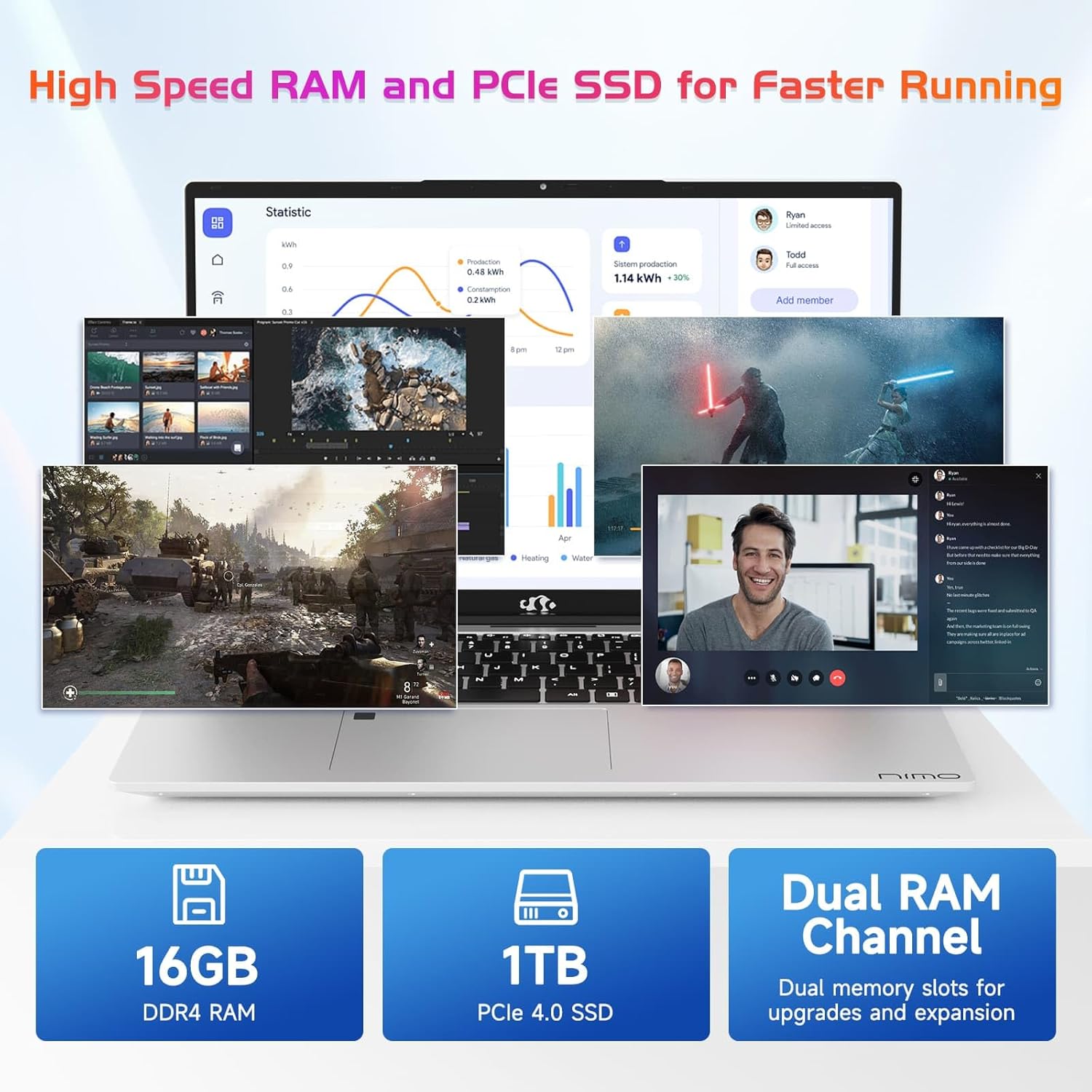
Image 7.2: Information on the 16GB DDR4 RAM and 1TB PCIe SSD.
8. വാറൻ്റിയും പിന്തുണയും
NIMO provides comprehensive support for your laptop:
- 2-Year Manufacturer's Warranty: സാധാരണ ഉപയോഗത്തിൽ മെറ്റീരിയലുകളിലും ജോലിയിലും ഉണ്ടാകുന്ന പിഴവുകൾ കവർ ചെയ്യുന്നു.
- 90 ദിവസത്തെ റിട്ടേൺ പോളിസി: വാങ്ങിയതിന് ശേഷം 90 ദിവസത്തിനുള്ളിൽ തിരികെ നൽകാൻ അനുവദിക്കുന്നു.
- 24/7 Customer Service Support: Contact NIMO customer service for technical assistance or warranty claims. Refer to the contact information provided with your purchase or on the official NIMO webസൈറ്റ്.

ചിത്രം 8.1: കഴിഞ്ഞുview of NIMO's after-sales support services.
9 സുരക്ഷാ വിവരങ്ങൾ
നിങ്ങളുടെ ഉപകരണത്തിന് പരിക്കേൽക്കുകയോ കേടുപാടുകൾ സംഭവിക്കുകയോ ചെയ്യുന്നത് തടയാൻ, ഇനിപ്പറയുന്ന സുരക്ഷാ മുൻകരുതലുകൾ പാലിക്കുക:
- ലാപ്ടോപ്പിനെ തീവ്രമായ താപനിലയിലോ, നേരിട്ടുള്ള സൂര്യപ്രകാശത്തിലോ, ഉയർന്ന ആർദ്രതയിലോ തുറന്നുകാട്ടരുത്.
- ലാപ്ടോപ്പിൽ ഭാരമുള്ള വസ്തുക്കൾ വയ്ക്കുന്നത് ഒഴിവാക്കുക.
- Use only the provided charger or a NIMO-approved replacement.
- ലാപ്ടോപ്പ് സ്വയം വേർപെടുത്താനോ നന്നാക്കാനോ ശ്രമിക്കരുത്. യോഗ്യതയുള്ള സർവീസ് ഉദ്യോഗസ്ഥരെ സമീപിക്കുക.
- ദ്രാവകങ്ങൾ ഉപകരണത്തിൽ നിന്ന് അകറ്റി നിർത്തുക.
10. നിയമപരമായ നിരാകരണം
This product is subject to Proposition 65 warning. The information in this manual is subject to change without notice. NIMO assumes no responsibility for any errors or omissions that may appear in this document. All trademarks and registered trademarks are the property of their respective owners.


