1. ആമുഖം
This manual provides essential information for the safe and efficient use of your Samsung QN43QN90FA 43-inch Neo QLED 4K Smart TV. Please read these instructions thoroughly before operating the device and retain them for future reference.
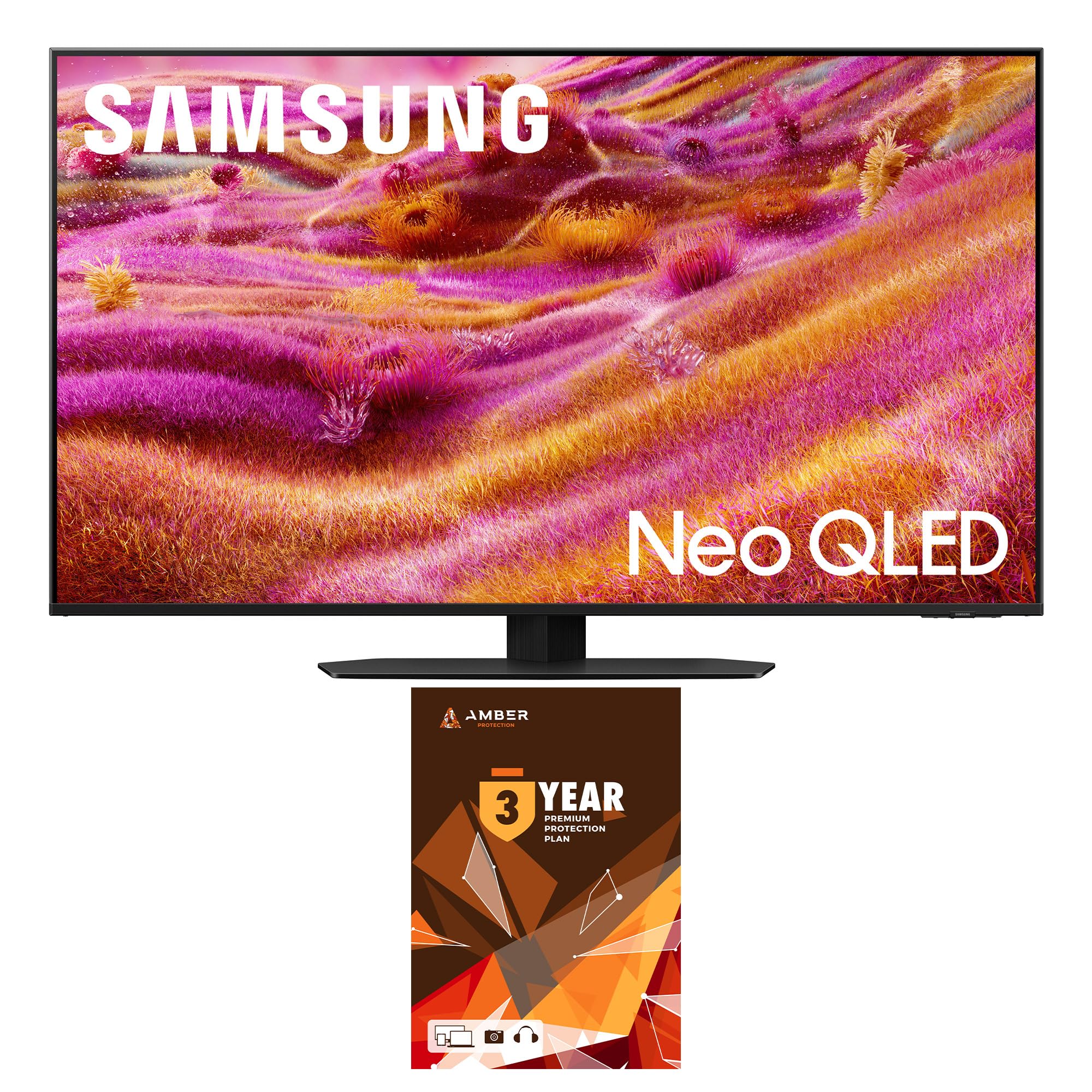
ചിത്രം 1.1: മുൻഭാഗം view of the Samsung QN43QN90FA 43-inch Neo QLED 4K Smart TV.
2 സുരക്ഷാ വിവരങ്ങൾ
Always follow basic safety precautions to reduce the risk of fire, electric shock, and injury. Ensure the TV is placed on a stable surface or securely mounted. Do not expose the TV to rain or moisture. Avoid blocking ventilation openings. Refer to the separate safety guide for detailed warnings.
3. ബോക്സിൽ എന്താണുള്ളത്?
അൺപാക്ക് ചെയ്യുമ്പോൾ എല്ലാ ഘടകങ്ങളും ഉണ്ടെന്ന് ഉറപ്പാക്കുക:
- Samsung QN43QN90FA 43-inch Neo QLED 4K Smart TV
- റിമോട്ട് കൺട്രോൾ
- പവർ കേബിൾ
- സ്റ്റാൻഡ് ഘടകങ്ങൾ (ബാധകമെങ്കിൽ)
- ഉപയോക്തൃ മാനുവലും വാറൻ്റി കാർഡും
- ആംബർ പ്രൊട്ടക്ഷൻ HDTV സ്ക്രീൻ ക്ലീനർ കിറ്റ് (ബണ്ടിൽ ചെയ്തിട്ടുണ്ടെങ്കിൽ)
4. സജ്ജീകരണം
4.1. Assembling the Stand or Wall Mounting
Carefully place the TV face down on a soft, clean surface. Attach the stand according to the instructions provided in the separate stand assembly guide, or follow the wall mount instructions if using a VESA-compatible mount (VESA 200mm x 200mm).
4.2. ബാഹ്യ ഉപകരണങ്ങൾ ബന്ധിപ്പിക്കുന്നു
Connect your external devices (e.g., cable box, Blu-ray player, gaming console) to the appropriate ports on the back of the TV. The TV features 4 HDMI ports and 2 USB-A ports.

ചിത്രം 4.1: പിൻഭാഗം view of the TV with input ports.
4.3. പ്രാരംഭ പവർ ഓണും നെറ്റ്വർക്ക് കണക്ഷനും
Plug the power cable into the TV and a wall outlet. Press the power button on the remote control. Follow the on-screen instructions to complete the initial setup, including connecting to your Wi-Fi network (Wi-Fi 5 supported) and configuring smart features.
5. ടിവി പ്രവർത്തിപ്പിക്കൽ
5.1. വിദൂര നിയന്ത്രണ പ്രവർത്തനങ്ങൾ
Use the provided remote control to navigate the TV's interface. The remote allows for channel changes, volume adjustments, input selection, and access to smart TV functions. The BT SolarCell Remote can be charged via solar power or USB-C.
5.2. സ്മാർട്ട് ടിവി സവിശേഷതകൾ (ടൈസൺ ഒഎസ്)
Your Samsung QN43QN90FA TV runs on the Tizen Smart TV platform, offering access to various streaming services like Netflix, Prime Video, Disney+, Hulu, Apple TV, YouTube, HBO Max, and Peacock. Multiple voice assistants are compatible for hands-free control.
5.3. ചിത്ര, ശബ്ദ മെച്ചപ്പെടുത്തലുകൾ
The TV features the NQ4 AI Gen3 Processor, which utilizes AI to enhance picture and sound quality. 4K AI Upscaling Pro improves lower-resolution content to near 4K clarity. Glare Free technology minimizes reflections, and Neo Quantum HDR+ delivers expanded contrast and brightness.

Figure 5.1: NQ4 AI Gen3 Processor.

Figure 5.2: 4K AI Upscaling Pro in action.
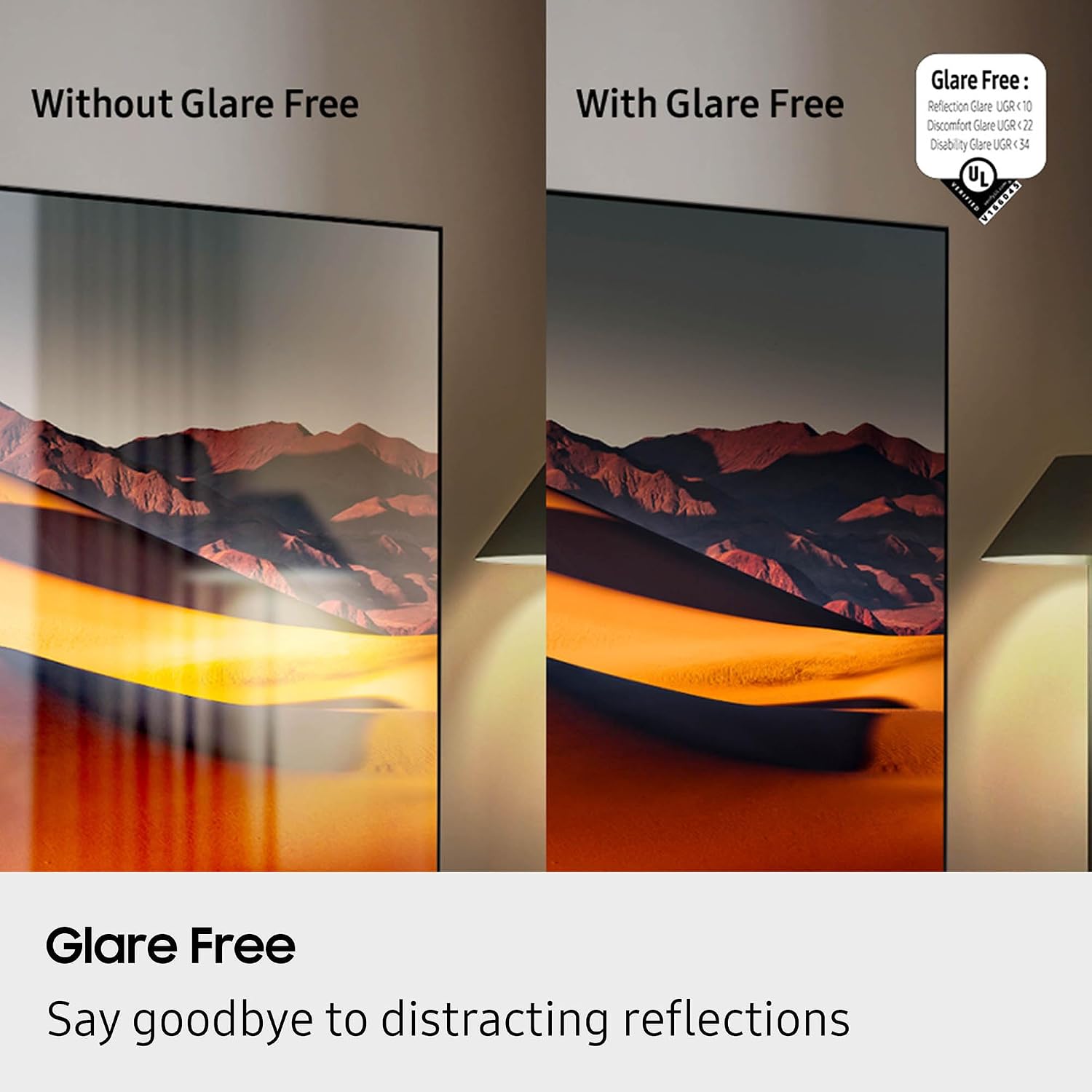
Figure 5.3: Glare Free screen comparison.
Video 5.1: Official product review highlighting features of the Samsung QN90F Series TV.
6. പരിപാലനം
6.1 സ്ക്രീൻ ക്ലീനിംഗ്
To clean the screen, gently wipe it with a soft, lint-free cloth. For stubborn marks, use the included Amber Protection HDTV Screen Cleaner Kit. The non-ammonia and alcohol-free solution is designed not to damage display screens and effectively removes dust, dirt, and fingerprints.

Figure 6.1: Amber Protection HDTV Screen Cleaner Kit.
6.2. ജനറൽ കെയർ
Keep the TV free from dust by regularly wiping the exterior with a dry cloth. Ensure adequate ventilation around the TV to prevent overheating.
7. പ്രശ്നപരിഹാരം
നിങ്ങളുടെ ടിവിയിൽ പ്രശ്നങ്ങൾ നേരിടുകയാണെങ്കിൽ, ഇനിപ്പറയുന്ന പൊതുവായ പ്രശ്നങ്ങളും പരിഹാരങ്ങളും പരിശോധിക്കുക:
- ശക്തിയില്ല: പവർ കേബിൾ ടിവിയിലേക്കും വാൾ ഔട്ട്ലെറ്റിലേക്കും സുരക്ഷിതമായി ബന്ധിപ്പിച്ചിട്ടുണ്ടോയെന്ന് പരിശോധിക്കുക. ഔട്ട്ലെറ്റ് പ്രവർത്തനക്ഷമമാണെന്ന് ഉറപ്പാക്കുക.
- ചിത്രം/ശബ്ദം ഇല്ല: ശരിയായ ഇൻപുട്ട് ഉറവിടം തിരഞ്ഞെടുത്തിട്ടുണ്ടെന്ന് ഉറപ്പാക്കുക. ടിവിക്കും ബാഹ്യ ഉപകരണങ്ങൾക്കും ഇടയിലുള്ള എല്ലാ കേബിൾ കണക്ഷനുകളും പരിശോധിക്കുക.
- മോശം ചിത്ര നിലവാരം: Adjust picture settings (brightness, contrast, sharpness). Ensure the content source is high quality. For lower resolution content, 4K AI Upscaling Pro will work to improve the image.
- റിമോട്ട് പ്രവർത്തിക്കുന്നില്ല: Check the remote's battery level. Ensure there are no obstructions between the remote and the TV.
- നെറ്റ്വർക്ക് കണക്ഷൻ പ്രശ്നങ്ങൾ: Restart your router and modem. Reconnect the TV to your Wi-Fi network through the settings menu.
For more complex issues, consult the full e-manual accessible via the TV's settings menu or contact Samsung customer support.
8 സ്പെസിഫിക്കേഷനുകൾ
| ഫീച്ചർ | സ്പെസിഫിക്കേഷൻ |
|---|---|
| ബ്രാൻഡ് | സാംസങ് |
| മോഡലിൻ്റെ പേര് | QN43QN90FAFXZA |
| സ്ക്രീൻ വലിപ്പം | 43 ഇഞ്ച് |
| ഡിസ്പ്ലേ ടെക്നോളജി | നിയോ ക്യുഎൽഇഡി |
| റെസലൂഷൻ | 4K |
| പുതുക്കിയ നിരക്ക് | 120 Hz (Up to 165Hz) |
| പ്രോസസ്സർ | NQ4 AI Gen3 പ്രോസസർ |
| പ്രത്യേക സവിശേഷതകൾ | AI Motion Enhancer Pro, Glare Free, Auto HDR Remastering Pro, Wide Viewing Angle, Ultimate UHD Dimming, Real Depth Enhancer Pro, Motion Xcelerator 165Hz, Film Mode, 4K AI Upscaling Pro, Color Booster Pro, Dolby Atmos, OTS Lite, Q-Symphony Pro, Bluetooth Audio, 360 Audio, Tizen Smart TV, Multiple Voice Assistant Compatible, Samsung Health, Eco Sensor, Auto Power Saving/Off, BT SolarCell Remote |
| കണക്റ്റിവിറ്റി | Wi-Fi 5, HDMI 4, 2 x USB-A |
| സ്പീക്കർ തരം | ബിൽറ്റ്-ഇൻ |
| ഉൽപ്പന്ന അളവുകൾ | 8.7"D x 37.8"W x 24.4"H |
| ഇനത്തിൻ്റെ ഭാരം | 29.5 പൗണ്ട് |
| നിറം | ടൈറ്റൻ ബ്ലാക്ക് |
| ഊർജ്ജ കാര്യക്ഷമത | എനർജി സ്റ്റാർ കംപ്ലയിന്റ് |
9. വാറൻ്റിയും പിന്തുണയും
Your Samsung QN43QN90FA TV comes with a full 1-year manufacturer's warranty. Additionally, this specific bundle includes a 3-Year Amber Protection Plan. For warranty claims or technical assistance, please refer to the contact information provided in your warranty documentation or visit the official Samsung support webസൈറ്റ്.


