ആമുഖം
The CHAMBERLAIN myQ Video Doorbell provides advanced security and convenience for your home's entryway. Featuring 2K video resolution, a 150-degree wide-angle lens, and Color Night Vision, it ensures clear visibility day and night. With flexible power options (battery or wired) and real-time motion alerts, you can stay connected and respond to visitors from anywhere via the myQ app.
This manual provides detailed instructions for setting up, operating, and maintaining your myQ Video Doorbell.
ബോക്സിൽ എന്താണുള്ളത്
ഇൻസ്റ്റാളേഷൻ ആരംഭിക്കുന്നതിന് മുമ്പ് എല്ലാ ഘടകങ്ങളും നിലവിലുണ്ടെന്ന് ഉറപ്പാക്കുക:
- myQ Video Doorbell Unit
- മൗണ്ടിംഗ് പ്ലേറ്റ്
- ചാർജിംഗ് കേബിൾ (USB-C)
- Hardware Bag (screws, anchors)

Image: The myQ Video Doorbell unit, a sleek black device with a camera lens at the top and a glowing blue ring button.
സജ്ജീകരണവും ഇൻസ്റ്റാളേഷനും
The myQ Video Doorbell offers both battery-powered wireless installation and wired installation using existing doorbell wiring.
1. ഇൻസ്റ്റാളേഷനായി തയ്യാറെടുക്കുക
- നിങ്ങളുടെ ഉപകരണത്തിന്റെ ആപ്പ് സ്റ്റോറിൽ നിന്ന് myQ ആപ്പ് ഡൗൺലോഡ് ചെയ്യുക.
- Ensure your Wi-Fi network is stable at the installation location.
- For wired installation, turn off power to your existing doorbell at the circuit breaker.
2. ഡോർബെൽ ഘടിപ്പിക്കൽ
Choose your preferred installation method:
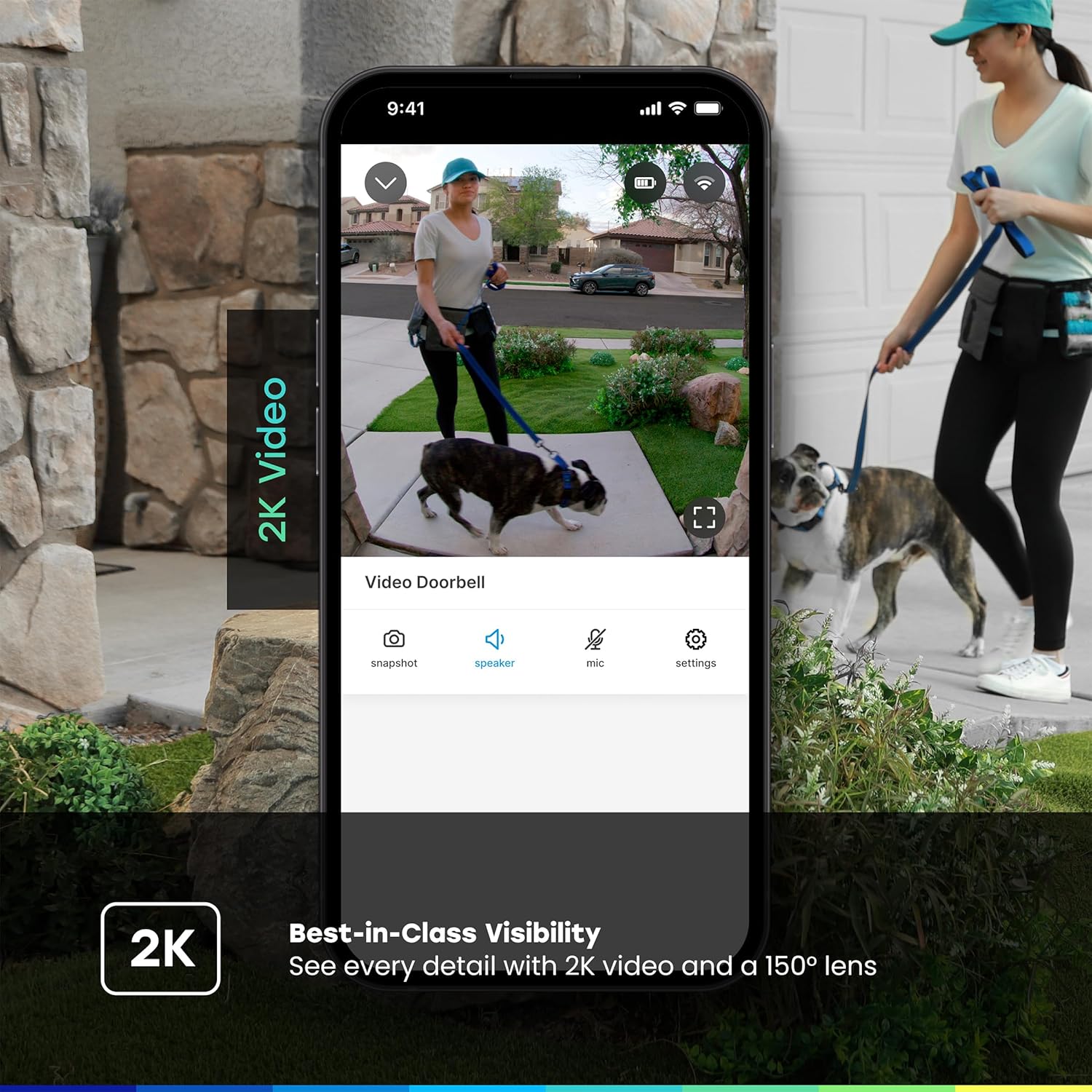
Image: A sequence showing the myQ Video Doorbell being attached to its mounting plate on a wall, illustrating the ease of installation.
- ബാറ്ററി ഇൻസ്റ്റാളേഷൻ:
- Charge the doorbell fully using the provided USB-C cable before installation.
- Secure the mounting plate to your desired location using the included screws and anchors.
- Snap the myQ Video Doorbell onto the mounting plate.
- വയർഡ് ഇൻസ്റ്റാളേഷൻ:
- നിങ്ങളുടെ നിലവിലുള്ള ഡോർബെൽ ബട്ടൺ നീക്കം ചെയ്യുക.
- Connect the existing doorbell wires to the terminals on the myQ Video Doorbell's mounting plate.
- മൗണ്ടിംഗ് പ്ലേറ്റ് ഭിത്തിയിൽ ഉറപ്പിക്കുക.
- Snap the myQ Video Doorbell onto the mounting plate.
- സർക്യൂട്ട് ബ്രേക്കറിൽ വൈദ്യുതി പുനഃസ്ഥാപിക്കുക.
3. ആപ്പ് ജോടിയാക്കലും കോൺഫിഗറേഷനും
- Open the myQ app and follow the on-screen instructions to add your new Video Doorbell.
- The app will guide you through connecting the doorbell to your Wi-Fi network.
- Customize settings such as motion detection zones, notification preferences, and chime options.
പ്രവർത്തന നിർദ്ദേശങ്ങൾ
തത്സമയം View ഒപ്പം ടു-വേ സംസാരവും
Access a live video feed of your front door anytime through the myQ app. When someone presses the doorbell or motion is detected, you will receive an instant notification on your smartphone.

Image: A smartphone screen displaying the myQ app with a live video feed of children at a front door and a notification indicating a visitor.
- Tap the notification to open the live view.
- Use the microphone icon in the app to enable two-way audio communication with visitors at your door.
- Tap the speaker icon to hear audio from the doorbell.
മോഷൻ ഡിറ്റക്ഷനും അലേർട്ടുകളും
The myQ Video Doorbell features customizable motion detection. You can define specific activity zones to reduce unwanted alerts and focus on areas of importance.
- Configure motion sensitivity and detection zones within the myQ app settings.
- Receive real-time alerts on your smartphone when motion is detected.

Image: A smartphone screen showing a "Smart Secure triggered" notification from the myQ app, indicating an unexpected person detected and the system locking the home.
വീഡിയോ റെക്കോർഡിംഗും സംഭരണവും
The myQ Video Doorbell records events triggered by motion or doorbell presses. Video history and advanced features like person/vehicle/animal/face detection are available with a myQ Video Monitoring Plan (sold separately).

Image: A graphic detailing myQ app features, showing checkmarks for 24/7 live streaming, remote control, motion detection, and indicating that video history and advanced detections are free for 30 days.
പ്രധാന സവിശേഷതകൾ
- 2K വീഡിയോ റെസല്യൂഷൻ: വ്യക്തവും വിശദവുമായ വീഡിയോ ഫൂ നൽകുന്നുtage, allowing for better identification of visitors and events.

Image: A split screen showing the clarity of 2K video from the doorbell, highlighting the detail captured.
- 150-Degree Wide-Angle Lens: വിപുലമായത് വാഗ്ദാനം ചെയ്യുന്നു view of your entryway, capturing more of the surrounding area.
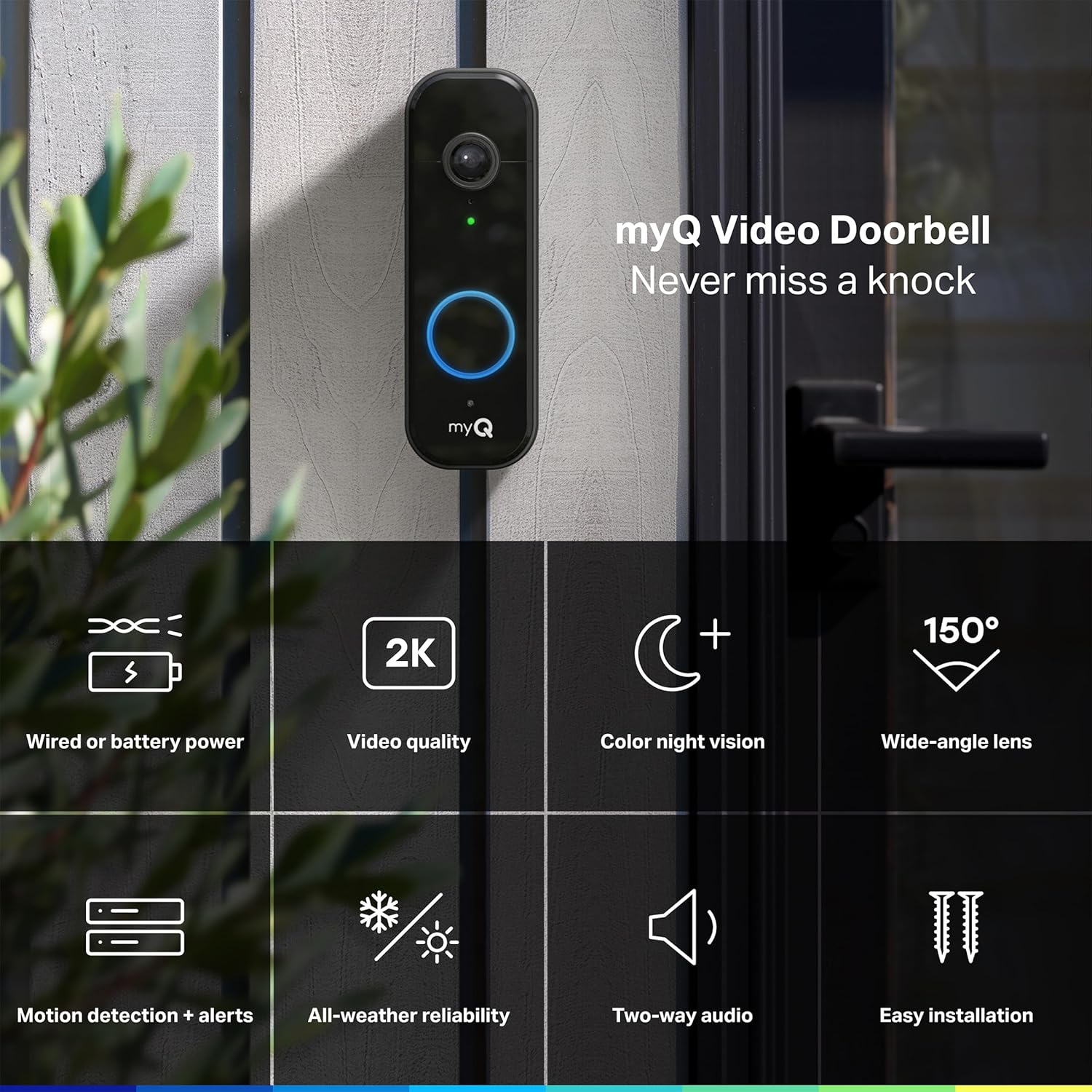
Image: The myQ Video Doorbell mounted on a wall, surrounded by icons representing its key features like 2K video, color night vision, and 150-degree wide-angle lens.
- കളർ നൈറ്റ് വിഷൻ: Delivers full-color video even in low-light conditions, providing more detail than traditional black-and-white night vision.

Image: A side-by-side comparison demonstrating the superior detail and color retention of the doorbell's Color Night Vision compared to standard night vision.
- എല്ലാ കാലാവസ്ഥാ വിശ്വാസ്യത: Designed to withstand various weather conditions, operating in temperatures from -4°F to 122°F.
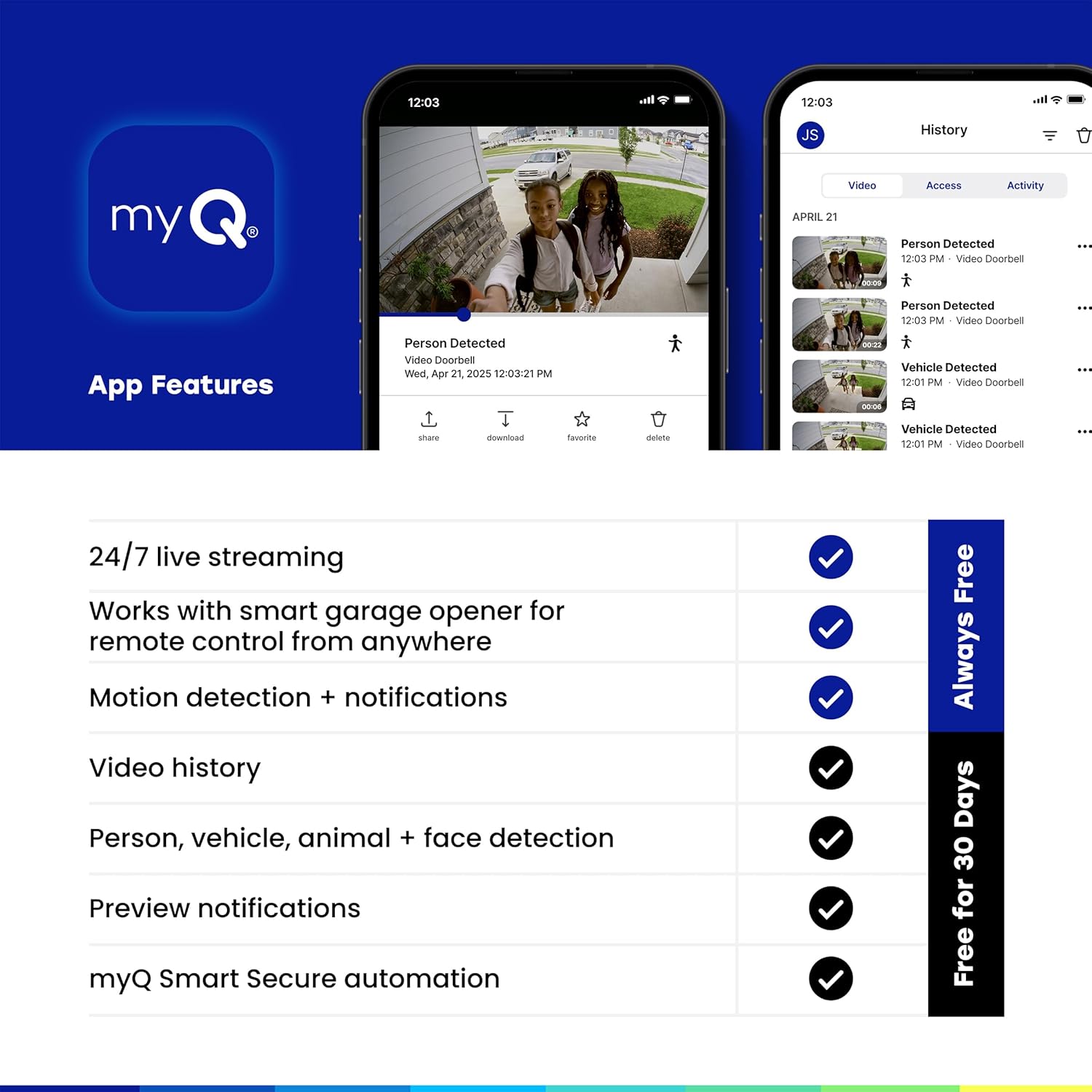
Image: The myQ Video Doorbell with water droplets on its surface, illustrating its robust all-weather design.
മെയിൻ്റനൻസ്
- വൃത്തിയാക്കൽ: Gently wipe the camera lens and doorbell surface with a soft, damp തുണി. ഉരച്ചിലുകൾ ഉണ്ടാക്കുന്ന ക്ലീനറുകളോ ലായകങ്ങളോ ഒഴിവാക്കുക.
- Battery Charging (if applicable): If using battery power, monitor the battery level in the myQ app. When low, remove the doorbell from its mount and charge it using the provided USB-C cable.
- ഫേംവെയർ അപ്ഡേറ്റുകൾ: Ensure your myQ app and doorbell firmware are always up to date for optimal performance and security. Updates are typically managed through the myQ app.
ട്രബിൾഷൂട്ടിംഗ്
| പ്രശ്നം | സാധ്യമായ കാരണം | പരിഹാരം |
|---|---|---|
| ഡോർബെൽ വൈഫൈയിലേക്ക് കണക്റ്റ് ചെയ്യുന്നില്ല | Weak Wi-Fi signal; Incorrect Wi-Fi password; Router issues | Move doorbell closer to router; Double-check password; Restart router; Ensure 2.4GHz Wi-Fi is enabled. |
| ചലന അലേർട്ടുകളൊന്നുമില്ല | Motion detection disabled; Incorrect sensitivity/zones; Obstruction | Enable motion detection in app; Adjust sensitivity and zones; Clear any obstructions from camera view. |
| മോശം വീഡിയോ നിലവാരം | Dirty lens; Low bandwidth; Poor lighting | Clean camera lens; Check internet speed; Ensure adequate lighting or rely on Color Night Vision. |
| ബാറ്ററി പെട്ടെന്ന് തീരുന്നു | Frequent motion events; Cold weather; Constant live view ഉപയോഗം | Adjust motion sensitivity; Consider wired installation if in cold climate; Limit live view സെഷനുകൾ. |
സ്പെസിഫിക്കേഷനുകൾ
| ഫീച്ചർ | വിശദാംശങ്ങൾ |
|---|---|
| മോഡലിൻ്റെ പേര് | myQ Video Doorbell |
| മോഡൽ നമ്പർ | MYQ-D49TXXB |
| വീഡിയോ റെസല്യൂഷൻ | 2K |
| ഫീൽഡ് View | 150 degrees (wide-angle) |
| നൈറ്റ് വിഷൻ | കളർ നൈറ്റ് വിഷൻ |
| പവർ ഉറവിടം | Battery Powered / Wired |
| കണക്റ്റിവിറ്റി | വൈ-ഫൈ, ബ്ലൂടൂത്ത് |
| പ്രവർത്തന താപനില | -4°F മുതൽ 122°F വരെ (-20°C മുതൽ 50°C വരെ) |
| അളവുകൾ (L x W x H) | 5.71 x 1.89 x 1.34 ഇഞ്ച് |
| ഭാരം | 13.7 ഔൺസ് |
| ഇൻഡോർ/ഔട്ട്ഡോർ ഉപയോഗം | ഔട്ട്ഡോർ |
വാറൻ്റിയും പിന്തുണയും
For warranty information and technical support, please refer to the official CHAMBERLAIN webസൈറ്റിൽ ബന്ധപ്പെടുക അല്ലെങ്കിൽ അവരുടെ ഉപഭോക്തൃ സേവനവുമായി ബന്ധപ്പെടുക. വാറന്റി ക്ലെയിമുകൾക്കായി നിങ്ങളുടെ വാങ്ങൽ രസീത് സൂക്ഷിക്കുക.
Online resources and FAQs are available through the myQ app and the CHAMBERLAIN support portal.


