WANBO Vali 1 Android TV Projector User Manual
Model: WPC14
1. ആമുഖം
The WANBO Vali 1 is a smart home theater projector designed for versatile projection in various spaces. It features a portable design with a flexible built-in stand, allowing for adjustable projection angles. Running on Android TV 11, it supports popular streaming applications and offers wireless content sharing via Chromecast. This manual provides essential information for its proper use and maintenance.
2. പാക്കേജ് ഉള്ളടക്കം
Upon unboxing your WANBO Vali 1 projector, please ensure all the following items are present:
- WANBO Vali 1 Android TV Projector
- പവർ അഡാപ്റ്റർ
- റിമോട്ട് കൺട്രോൾ
- ഉപയോക്തൃ മാനുവൽ (ഈ പ്രമാണം)
3. ഉൽപ്പന്നം കഴിഞ്ഞുview
The WANBO Vali 1 features a minimalist white matte finish and a unique gimbal-style stand for flexible positioning. Its compact and lightweight design enhances portability.
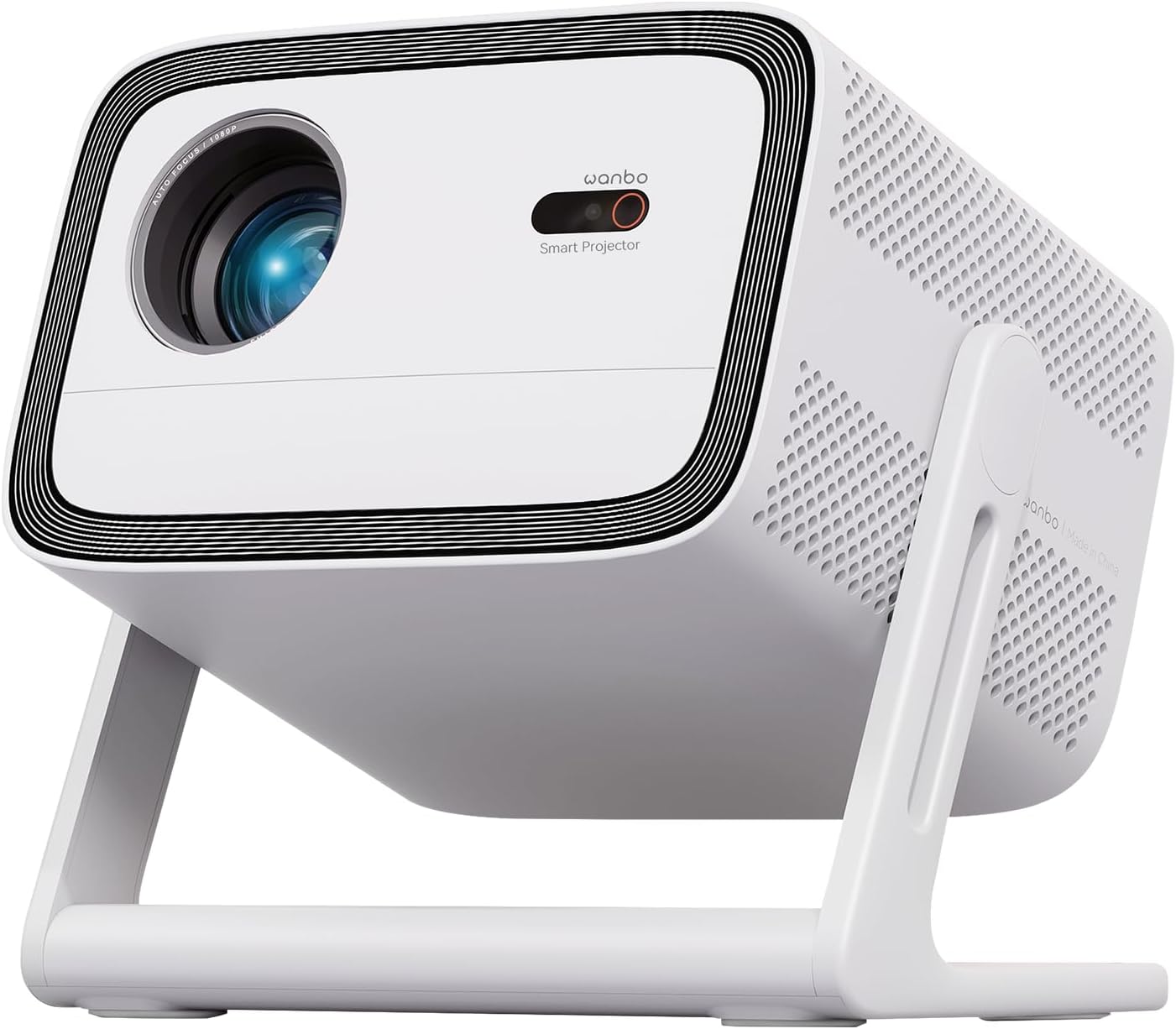
ചിത്രം 1: മുൻഭാഗം view of the WANBO Vali 1 projector, showcasing its lens, smart projector sensor, and integrated gimbal stand.

Figure 2: The WANBO Vali 1 projector positioned to project onto a ceiling, demonstrating its 200-degree flexible gimbal stand.
The rear of the projector houses essential ports for connectivity and ventilation. The power port is strategically placed to keep cables tidy.
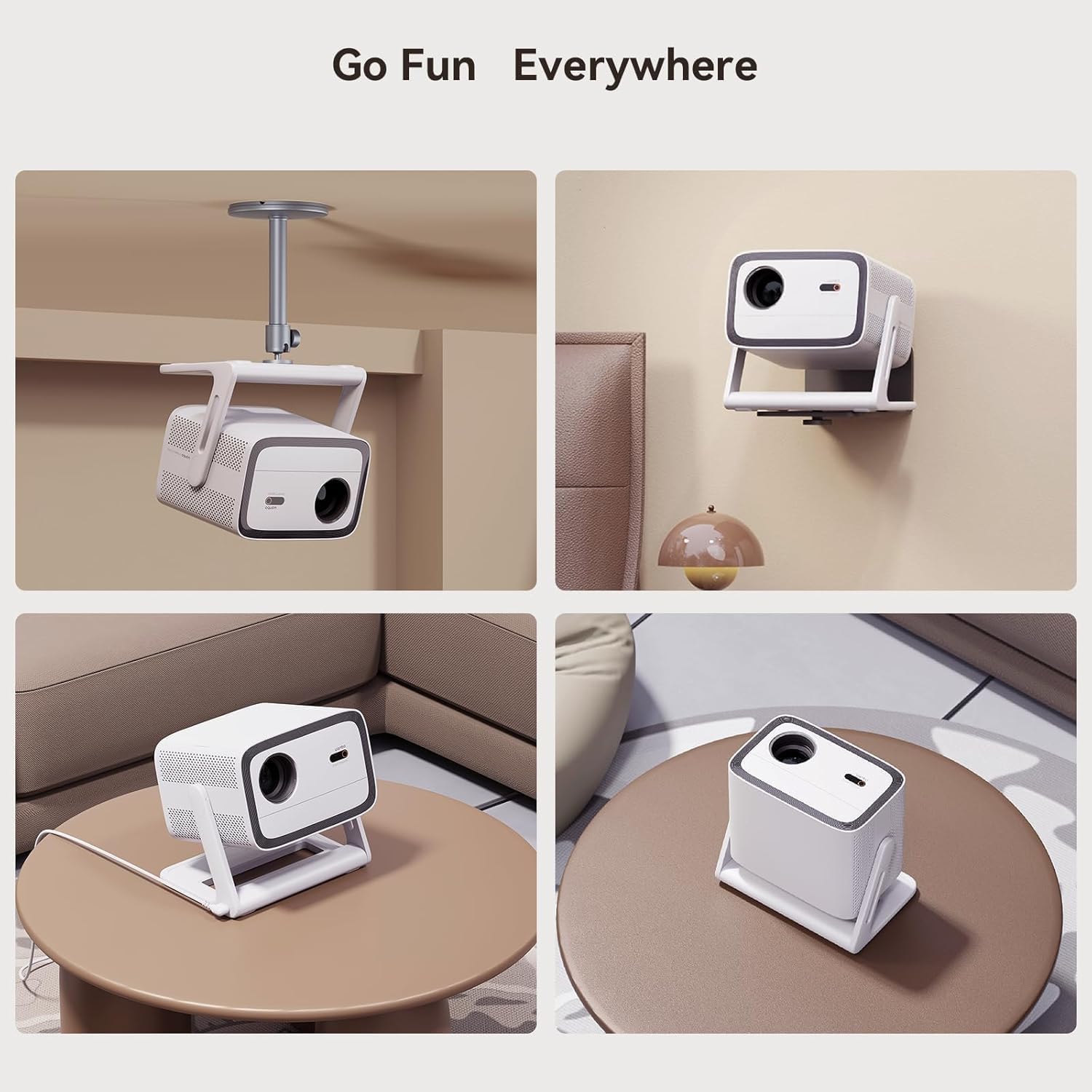
Figure 3: Various setup options for the WANBO Vali 1, including ceiling, wall, and tabletop placements, highlighting its adaptable design.
4. പ്രാരംഭ സജ്ജീകരണം
To begin using your WANBO Vali 1 projector, follow these steps:
- പവർ കണക്ഷൻ: Connect the power adapter to the projector's AC power port and then to a power outlet. The smart placement of the power port helps manage cables efficiently.
- പ്ലേസ്മെൻ്റ്: Position the projector on a stable surface. Utilize the 200-degree gimbal stand to adjust the projection angle as needed, whether projecting onto a wall or ceiling.
- First-Time Boot: Power on the projector using the power button on the device or the remote control. The system will initiate the Android TV 11 interface.
5. Operating System & Interface
The WANBO Vali 1 runs on Android TV 11, providing a user-friendly and responsive interface. It offers access to over 7,000 downloadable apps, including popular streaming services.
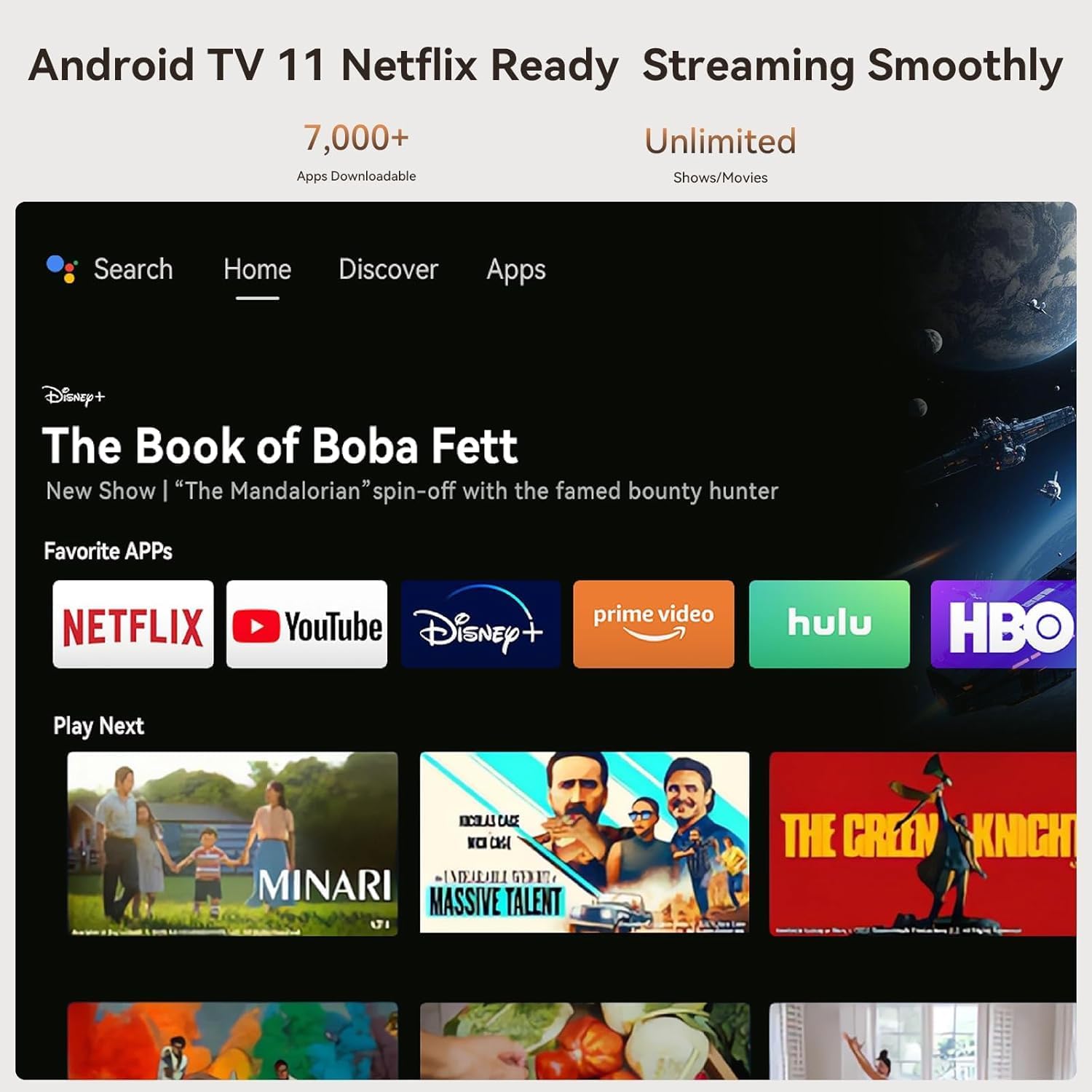
Figure 4: The Android TV 11 home screen, showing a selection of streaming applications and recommended content.
The interface is clean, fast, and free from bloatware or spammy pre-installed apps. You can easily navigate using the remote control or voice commands via Google Assistant.

Figure 5: Demonstrating Google Assistant integration for content discovery and control.
6. Projection & Image Quality
The WANBO Vali 1 projects crisp, bright images with a native 1080p Full HD resolution and 900 ANSI Lumens brightness. It supports projection sizes up to 120 inches.

Figure 6: Brightness comparison of the WANBO Vali 1 in day and night conditions, illustrating its 900 ANSI Lumens output.
Colors are generally neutral, though they may appear slightly washed out in very bright scenes. The sharpness is adequate for its price range. The projector offers basic picture adjustments such as brightness, contrast, saturation, and sharpness, accessible through the settings menu.
7. ഓട്ടോമാറ്റിക് ക്രമീകരണങ്ങൾ
The projector is equipped with Smart ASA 3.0 Technology, which includes automatic focus, keystone correction, and obstacle avoidance for convenient setup.
- ഓട്ടോഫോക്കസ്: The projector automatically adjusts the focus for a clear image. While the process may be noticeably slow, the accuracy is reliable.
- യാന്ത്രിക കീസ്റ്റോൺ: This feature corrects image distortions when the projector is placed at an angle, ensuring a rectangular projection. Similar to autofocus, it may take some time but provides excellent results.
- Auto Object Avoid: The projector can detect and avoid obstacles in the projection path, automatically adjusting the image size or position.
8. ഓഡിയോ സവിശേഷതകൾ
The WANBO Vali 1 features built-in 12W Hi-Fi stereo speakers with a 500cc sound chamber, providing surround sound. While suitable for dialogue, connecting an external Bluetooth speaker is recommended for an enhanced movie or music experience.

Figure 7: The projector's audio capabilities, emphasizing its 12W Hi-Fi stereo speakers.
Audio delay over Bluetooth is minimal, ensuring a synchronized audio-visual experience when using external speakers.
9. കണക്റ്റിവിറ്റി
പ്രൊജക്ടർ വിവിധ കണക്റ്റിവിറ്റി ഓപ്ഷനുകൾ വാഗ്ദാനം ചെയ്യുന്നു:
- എച്ച്ഡിഎംഐ: One HDMI 1.4 input for connecting external devices like gaming consoles or laptops.
- USB: One full-sized USB 2.0 port for media playback from USB drives.
- വൈഫൈ: Dual-band Wi-Fi support for streaming and internet access. While not Wi-Fi 6, it provides sufficient speed for most streaming needs.
- ബ്ലൂടൂത്ത്: For connecting wireless audio devices and other peripherals.
- സ്ക്രീൻ മിററിംഗ്: Supports casting from both Android and iOS devices.
10. Gaming Mode & Performance
The WANBO Vali 1 includes a dedicated gaming mode that slightly reduces latency, making it suitable for casual gamers or light gaming sessions with handheld consoles. For hardcore console players, the latency reduction might not be significant enough.
The projector is powered by a quad-core CPU and 1GB of RAM, with approximately 4GB of available internal storage. While the interface is snappy, for demanding applications or games, relying on external inputs like a mini PC or a console is recommended due to the modest internal computing power.
11. Power Consumption & Cooling
At maximum load, the projector consumes approximately 106 watts, indicating efficient power usage. The cooling fan is always active and may be audible during quiet moments, though it is not loud enough to significantly disrupt viewing.

Figure 8: Internal cooling system of the projector, designed for efficient heat dissipation and low noise.
12. റിമോട്ട് കൺട്രോൾ
The included remote control is functional and features all necessary buttons for navigation and control. However, it lacks backlighting, which can make it challenging to use in dark environments.
13. പ്രശ്നപരിഹാരം
If you encounter any issues with your WANBO Vali 1 projector, consider the following general troubleshooting steps:
- ശക്തിയില്ല: പവർ അഡാപ്റ്റർ പ്രൊജക്ടറിലേക്കും പ്രവർത്തിക്കുന്ന ഒരു പവർ ഔട്ട്ലെറ്റിലേക്കും സുരക്ഷിതമായി ബന്ധിപ്പിച്ചിട്ടുണ്ടെന്ന് ഉറപ്പാക്കുക.
- ചിത്രമില്ല: Check the input source settings to ensure the correct source (e.g., HDMI, internal Android TV) is selected. Verify that the lens cap is removed.
- മങ്ങിയ ചിത്രം: Allow the automatic focus to complete its process. If the issue persists, try manually adjusting the focus via the settings.
- വികലമായ ചിത്രം: Ensure the auto keystone correction is enabled in the settings. If necessary, manually adjust keystone settings.
- ശബ്ദമില്ല: Check the volume levels on both the projector and any connected external audio devices. Ensure the correct audio output is selected in the settings.
- വൈഫൈ/ബ്ലൂടൂത്ത് കണക്റ്റിവിറ്റി പ്രശ്നങ്ങൾ: Restart the projector and your router/Bluetooth device. Ensure the projector is within range of the network/device.
സ്ഥിരമായ പ്രശ്നങ്ങൾക്ക്, പൂർണ്ണ ഉപയോക്തൃ മാനുവലിലെ വിശദമായ ട്രബിൾഷൂട്ടിംഗ് വിഭാഗം കാണുക അല്ലെങ്കിൽ ഉപഭോക്തൃ പിന്തുണയുമായി ബന്ധപ്പെടുക.
14 സ്പെസിഫിക്കേഷനുകൾ
| ബ്രാൻഡ് | WANBO |
| മോഡൽ നമ്പർ | WPC14 |
| തെളിച്ചം | 900 ആൻസി ലുമെൻസ് |
| റെസലൂഷൻ | 1080p ഫുൾ എച്ച്ഡി |
| ഓപ്പറേറ്റിംഗ് സിസ്റ്റം | ആൻഡ്രോയിഡ് ടിവി 11 |
| സിപിയു | ക്വാഡ് കോർ |
| റാം | 1 ജിബി |
| ആന്തരിക സംഭരണം | Approx. 4GB available |
| കണക്റ്റിവിറ്റി | HDMI 1.4, USB 2.0, Dual-band Wi-Fi, Bluetooth |
| ഓഡിയോ | 12W Hi-Fi Stereo Speakers |
| അളവുകൾ | 8.94 x 7.4 x 10 ഇഞ്ച് |
| ഭാരം | 7.26 പൗണ്ട് |
15. വാറണ്ടിയും പിന്തുണയും
For warranty information and customer support, please refer to the documentation included with your product or visit the official WANBO webസൈറ്റ്. വിപുലീകൃത കവറേജിനായി സംരക്ഷണ പദ്ധതികൾ ലഭ്യമായേക്കാം.


