ആമുഖം
This manual provides detailed instructions for the safe and effective operation and maintenance of your WORKPRO Steam Portable Carpet and Upholstery Cleaner. Please read all instructions carefully before use and retain this manual for future reference.
ഉൽപ്പന്ന ഘടകങ്ങൾ
The WORKPRO Steam Portable Carpet and Upholstery Cleaner (Model W125369AE) includes the following components:
- Steam Carpet and Upholstery Cleaner Unit (x1)
- Multi-functional Tool (x1)
- Ironing Brush (x1)
- Window Cleaning Brush (x1)
- Steam Nozzle (x1)
- ഹോസ് ബ്രാക്കറ്റ് (x2)
- ഹാൻഡിൽ ഹോൾഡർ (x1)
- ക്ലീനിംഗ് ക്ലോത്ത് (x1)
- ഹോസ് (x1)
- Multi-fabric Cleaner (x1)
- Measuring Cup (x1)
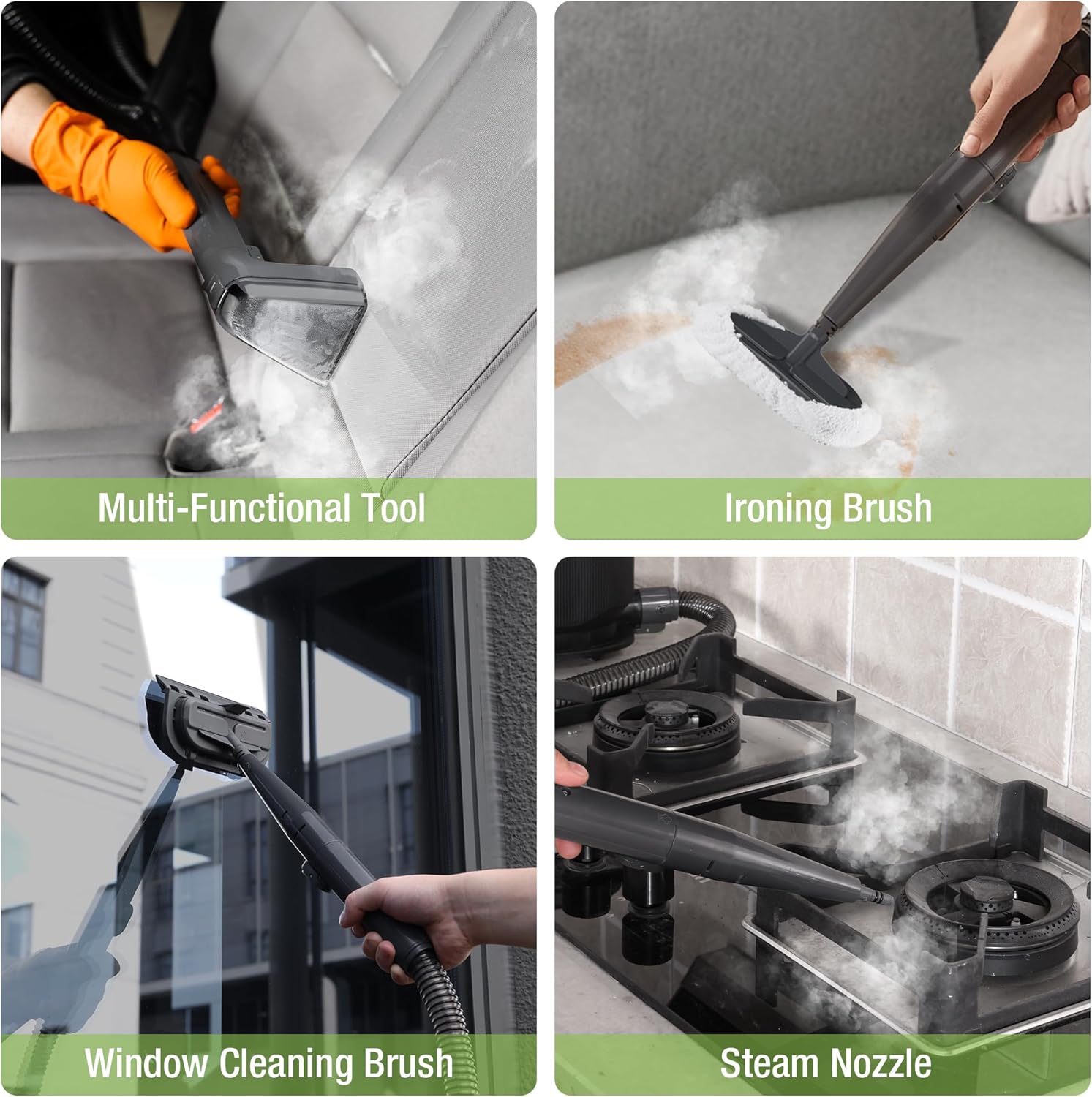
Image: All included accessories for the WORKPRO Steam Portable Carpet and Upholstery Cleaner.
സജ്ജമാക്കുക
- ഹോസ് അറ്റാച്ചുചെയ്യുക: Connect the hose securely to the designated port on the main unit. Ensure it clicks into place.
- Install Hose Brackets and Handle Holder: Attach the hose brackets and handle holder to the main unit as shown in the diagram for convenient storage and organization.
- Select and Attach Cleaning Tool: Choose the appropriate cleaning tool (Multi-functional Tool, Ironing Brush, Window Cleaning Brush, or Steam Nozzle) for your task and attach it firmly to the end of the hose.
- ശുദ്ധമായ വാട്ടർ ടാങ്ക് നിറയ്ക്കുക: Remove the clean water tank. Fill it with water (cold or hot, depending on desired mode). If using the provided Multi-fabric Cleaner, add one capful to the water tank using the measuring cup. Do not exceed the MAX fill line. Reinsert the tank securely.
- പവർ കണക്ഷൻ: അനുയോജ്യമായ ഒരു ഇലക്ട്രിക്കൽ ഔട്ട്ലെറ്റിലേക്ക് പവർ കോർഡ് പ്ലഗ് ചെയ്യുക.
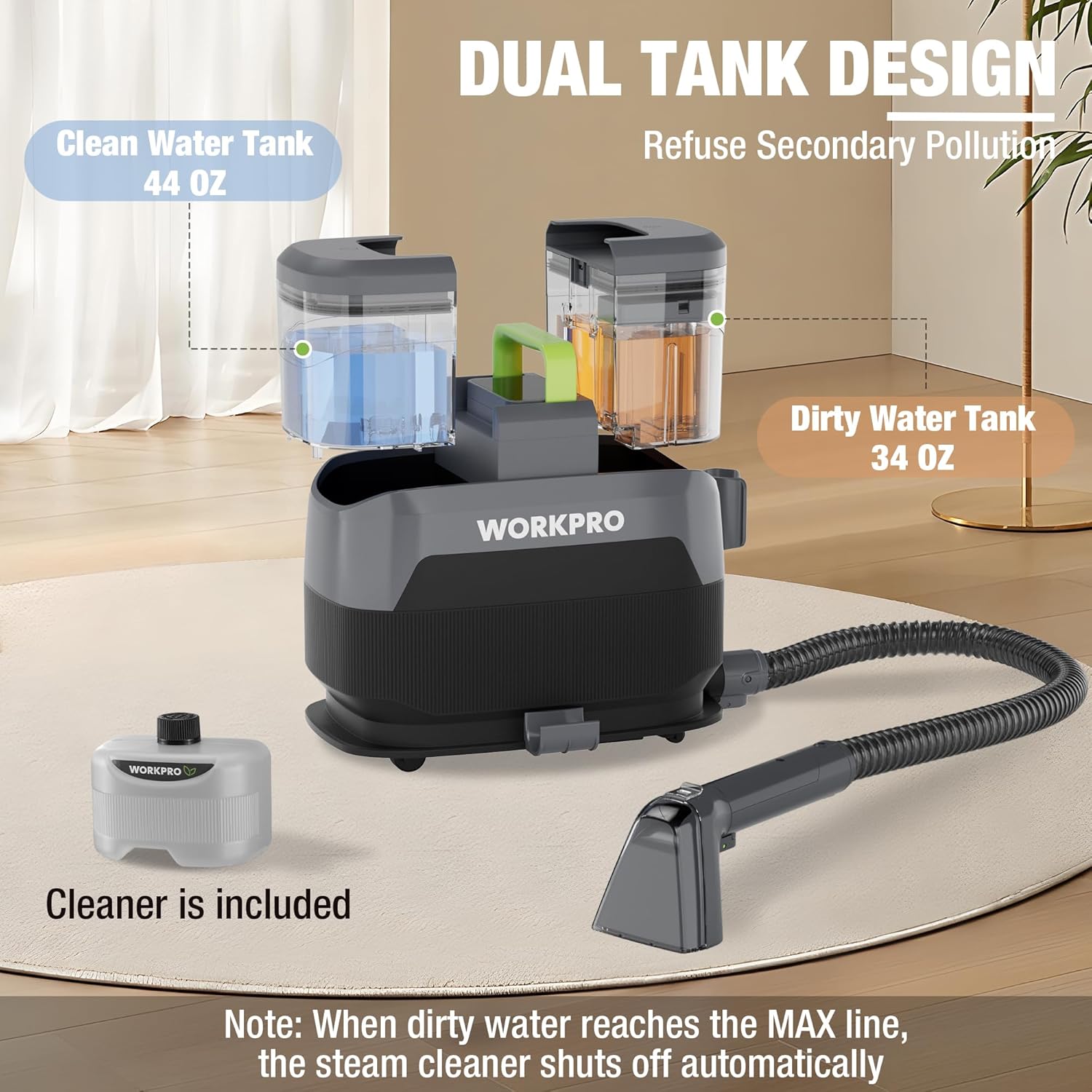
Image: Dual tank design with clean and dirty water tanks, and included multi-fabric cleaner.
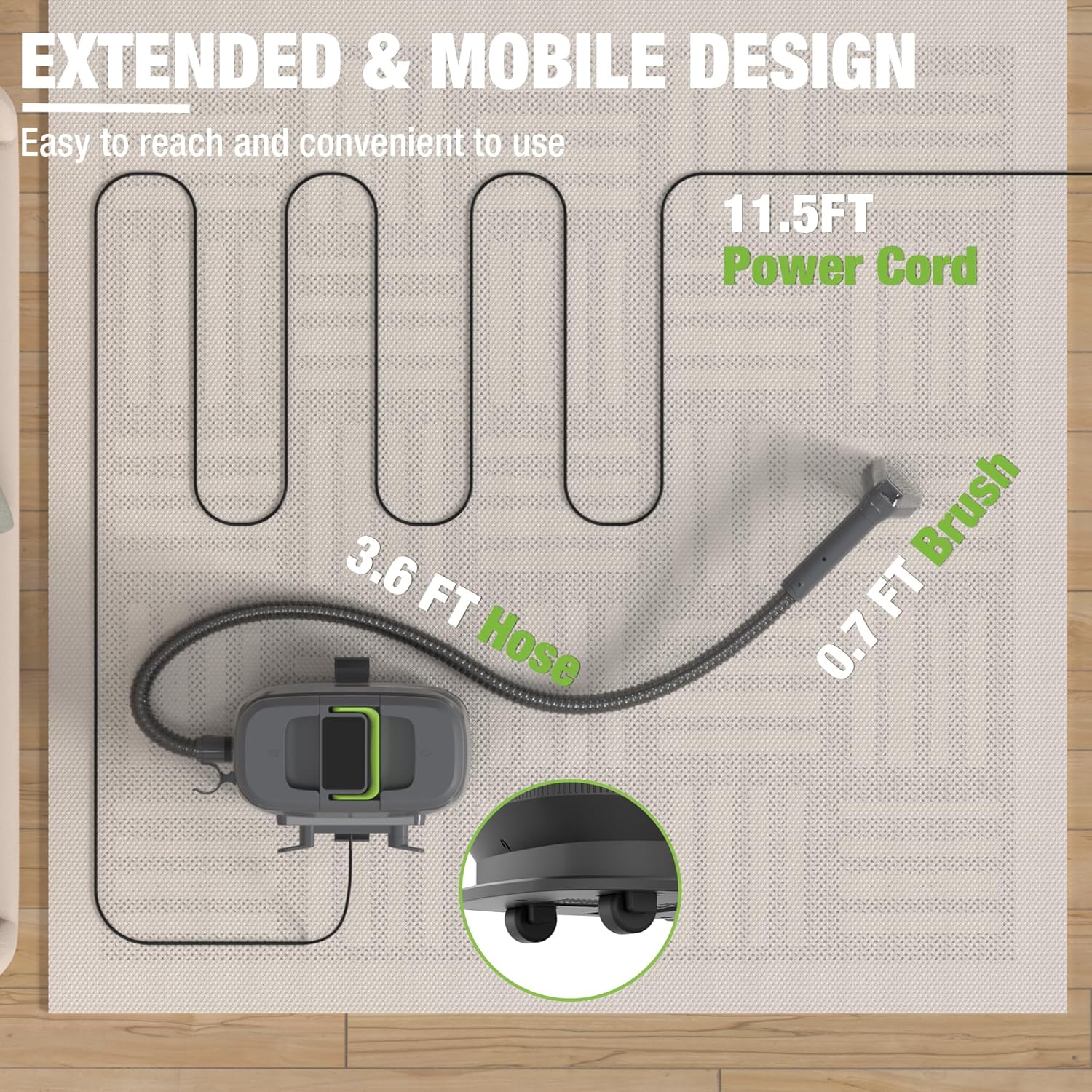
Image: Extended hose and power cord for enhanced mobility during cleaning.
പ്രവർത്തന നിർദ്ദേശങ്ങൾ
The unit features a touch panel for selecting various cleaning modes:
- Cold Water Mode: പൊതുവായ ശുചീകരണ ജോലികൾക്കായി.
- ചൂടുവെള്ള മോഡ്: For more stubborn stains, reaching 140.5°F (60.3°C).
- Steam Only Mode: For deep sanitization and refreshing surfaces, reaching 216.5°F (102.5°C).
- Steam & Vacuum Mode: Combines deep steam cleaning with dirty water extraction.
പ്രവര്ത്തിപ്പിക്കാന്:
- മോഡ് തിരഞ്ഞെടുക്കുക: On the touch panel, select your desired cleaning mode (Cold Water, Hot Water, Steam Only, or Steam & Vacuum).
- പവർ ഓൺ: പവർ ബട്ടൺ അമർത്തുക.
- മുൻകൂട്ടി ചൂടാക്കൽ: If using Hot Water or Steam modes, allow approximately 30 seconds for the unit to preheat. The indicator light will change when ready.
- Activate Water/Steam: Press the 'Water/Steam' button on the control panel to begin dispensing water or steam through the attached tool.
- ശുദ്ധമായ ഉപരിതലം: Move the cleaning tool slowly over the surface to be cleaned. For best results, apply gentle pressure.
- ഓഫ് ചെയ്യുക: Press the Power button to turn off the unit when finished.
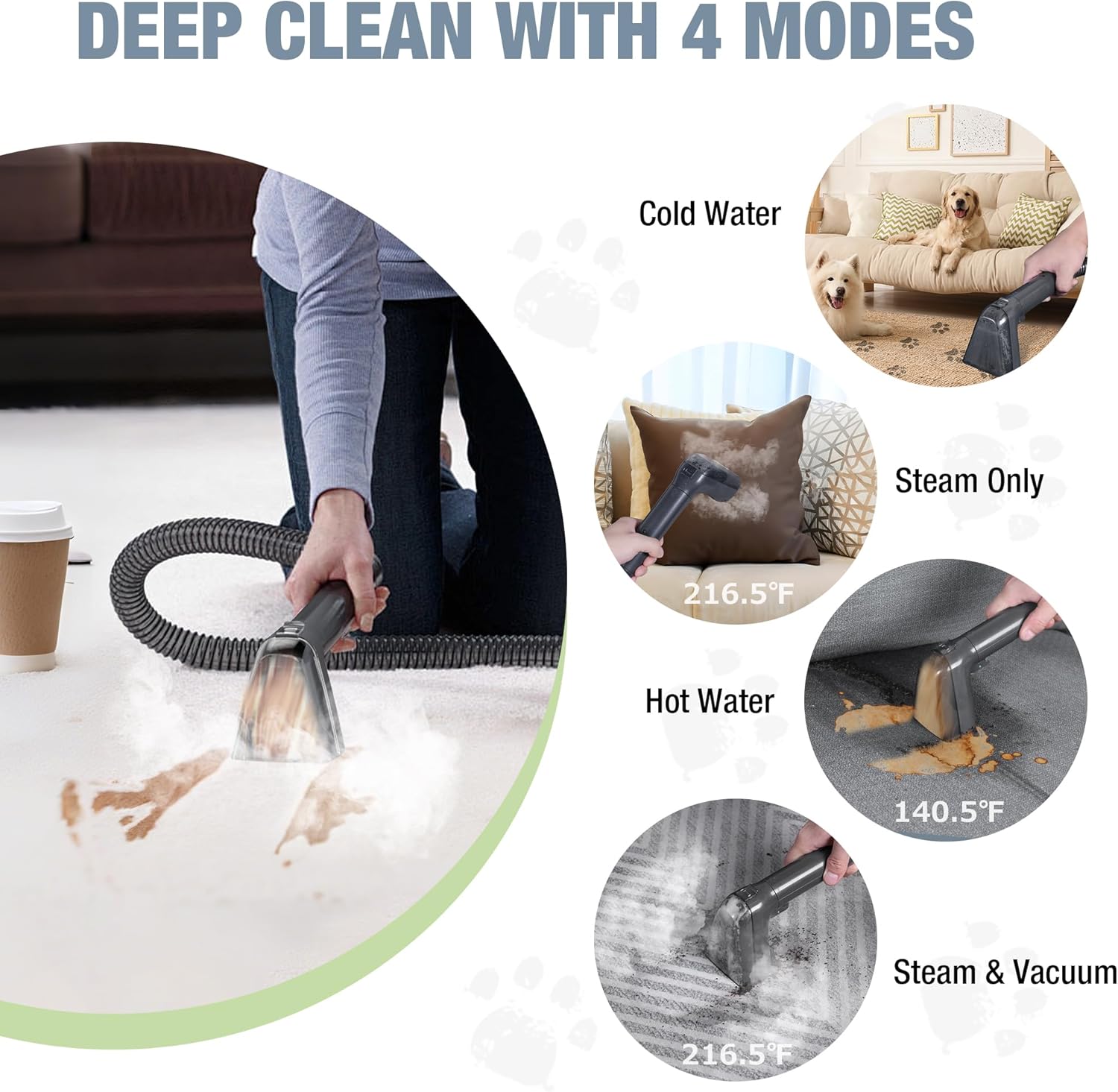
Image: Four versatile cleaning modes for different cleaning needs.
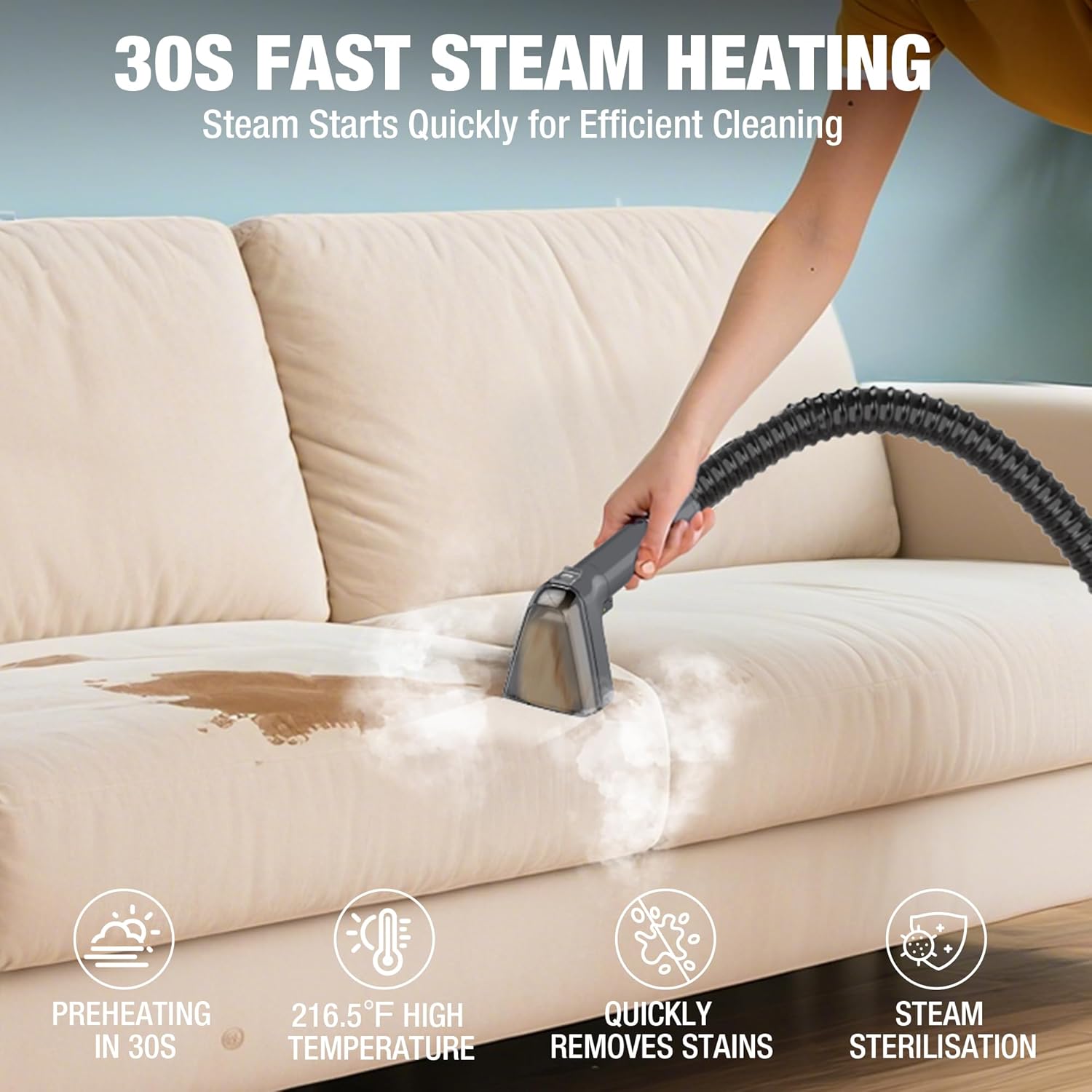
Image: Fast steam heating for efficient cleaning.
മെയിൻ്റനൻസ്
Regular maintenance ensures optimal performance and longevity of your cleaner.
- കാലിയായതും വൃത്തിയുള്ളതുമായ വൃത്തികെട്ട വാട്ടർ ടാങ്ക്: ഓരോ ഉപയോഗത്തിനു ശേഷവും, വൃത്തികെട്ട വാട്ടർ ടാങ്ക് നീക്കം ചെയ്ത് അതിലെ ഉള്ളടക്കങ്ങൾ ശൂന്യമാക്കുക. ശുദ്ധജലം ഉപയോഗിച്ച് ടാങ്ക് നന്നായി കഴുകുക.
- വൃത്തിയുള്ള അറ്റാച്ചുമെന്റുകൾ: Detach all cleaning tools and rinse them under running water. Ensure no debris is left in the nozzles or brushes.
- വൈപ്പ് ഡൗൺ യൂണിറ്റ്: പ്രധാന യൂണിറ്റിന്റെ പുറംഭാഗം പരസ്യം ഉപയോഗിച്ച് തുടയ്ക്കുക.amp തുണി.
- ചരട് സംഭരണം: Wrap the power cord neatly around the designated storage hooks.
- ഉൽപ്പന്ന പരിപാലനം: Hand wash all removable components as needed.
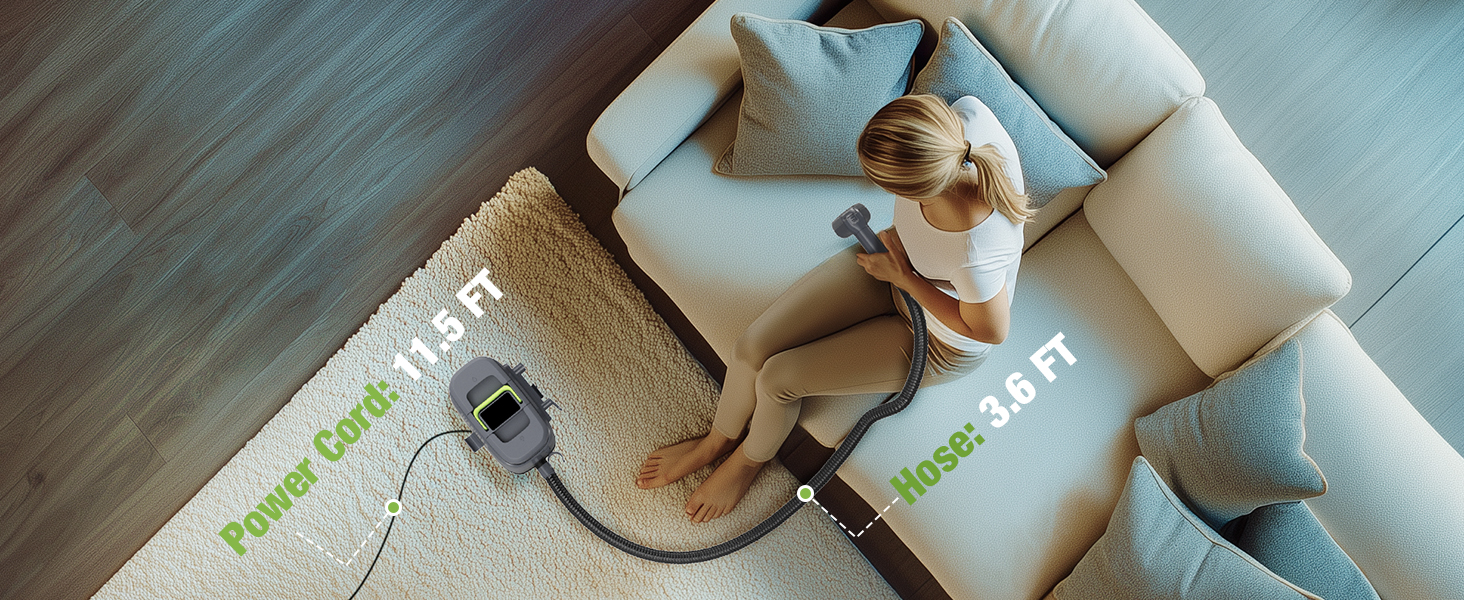
Image: Emptying the dirty water tank after use.
ട്രബിൾഷൂട്ടിംഗ്
If you encounter issues with your WORKPRO Steam Portable Carpet and Upholstery Cleaner, refer to the following common solutions:
- Warning Light On / Machine Stops Working: This often indicates an issue with the water tanks.
- No water in the clean water tank: Ensure the clean water tank is filled to the appropriate level.
- Dirty water tank exceeds MAX line: Empty and clean the dirty water tank. The machine will automatically stop if the dirty water reaches the maximum level.
- Dirty water tank electrodes covered with dirt or debris: Remove the dirty water tank, clean the electrodes, and wipe them dry.
- No Steam/Water Dispensing: Ensure the unit is properly plugged in, the correct mode is selected, and the 'Water/Steam' button is pressed. Allow sufficient preheating time for hot water/steam modes.
- കുറച്ച സക്ഷൻ: Check if the dirty water tank is full or if there are any blockages in the hose or cleaning tool.
Video: Official WORKPRO Steam Carpet Cleaner Troubleshooting guide for common issues.
സ്പെസിഫിക്കേഷനുകൾ
| ബ്രാൻഡ് | വർക്ക്പ്രോ |
| മോഡലിൻ്റെ പേര് | W125369AE |
| ഇനത്തിൻ്റെ ഭാരം | 12 പൗണ്ട് (5.44 കി.ഗ്രാം) |
| ഉൽപ്പന്ന അളവുകൾ | 12.91"D x 8.86"W x 11.22"H (32.8cm D x 22.5cm W x 28.5cm H) |
| പവർ ഉറവിടം | കോർഡഡ് ഇലക്ട്രിക് |
| ശുദ്ധമായ വാട്ടർ ടാങ്ക് കപ്പാസിറ്റി | 44 ദ്രാവക ഔൺസ് (1.3 ലിറ്റർ) |
| വൃത്തികെട്ട വാട്ടർ ടാങ്ക് ശേഷി | 34 ദ്രാവക ഔൺസ് (1 ലിറ്റർ) |
| പരമാവധി നീരാവി താപനില | 216.5°F (102.5°C) |
| പരമാവധി ചൂടുവെള്ള താപനില | 140.5°F (60.3°C) |
| പ്രത്യേക സവിശേഷതകൾ | Touch Screen, Steam & Heating System, Swivel Wheels |
| ഉപരിതല ശുപാർശ | Carpet, Upholstery, Hard Floors, Windows, Kitchen Surfaces |
സുരക്ഷാ വിവരങ്ങൾ
- Empty the dirty water tank before exceeding the MAX line to ensure normal use. The spot cleaner will automatically stop when the water reaches the Max level.
- ആളുകൾക്കും മൃഗങ്ങൾക്കും നേരെ നീരാവി നോസൽ ചൂണ്ടരുത്.
- Keep the brush head facing downward during use to prevent burns.
- Avoid directing steam or liquids at devices with electrical components.


