1. ആമുഖം
This manual provides detailed instructions for the setup, operation, and maintenance of your PHILIPS SPK Ergonomic Vertical Wireless Mouse. Designed for comfort and efficiency, this mouse features an ergonomic vertical design, adjustable DPI settings, silent buttons, and intelligent power-saving functions. Please read this manual thoroughly before using the product to ensure proper functionality and longevity.
2. ഉൽപ്പന്ന ഉള്ളടക്കം
പാക്കേജിൽ എല്ലാ ഇനങ്ങളും ഉണ്ടെന്ന് ഉറപ്പാക്കുക:
- PHILIPS SPK Ergonomic Vertical Wireless Mouse
- USB റിസീവർ
- ഉപയോക്തൃ മാനുവൽ
- 2 x AAA Batteries (included, may be pre-installed)

Image: The PHILIPS SPK Ergonomic Vertical Wireless Mouse shown alongside its compact USB receiver.
3. സജ്ജീകരണ ഗൈഡ്
3.1 ബാറ്ററി ഇൻസ്റ്റാളേഷൻ
- മൗസിന്റെ അടിഭാഗത്ത് ബാറ്ററി കമ്പാർട്ട്മെന്റ് കണ്ടെത്തുക.
- ബാറ്ററി കമ്പാർട്ട്മെന്റ് കവർ പതുക്കെ സ്ലൈഡ് ചെയ്ത് തുറക്കുക.
- If batteries are pre-installed, remove the transparent plastic film wrapping them. This film prevents battery discharge during storage.
- കമ്പാർട്ടുമെന്റിനുള്ളിൽ സൂചിപ്പിച്ചിരിക്കുന്നതുപോലെ ശരിയായ പോളാരിറ്റി (+/-) ഉറപ്പാക്കിക്കൊണ്ട് രണ്ട് AAA ബാറ്ററികൾ ഇടുക.
- ബാറ്ററി കമ്പാർട്ട്മെൻ്റ് കവർ സുരക്ഷിതമായി അടയ്ക്കുക.

Image: A visual guide demonstrating how to open the battery compartment and insert AAA batteries, highlighting the removal of the protective film.
3.2 USB റിസീവർ ബന്ധിപ്പിക്കുന്നു
- Remove the USB receiver from its storage slot, usually located within the battery compartment or near the base of the mouse.
- Plug the USB receiver into an available USB port on your computer (laptop or desktop PC).
- The computer should automatically detect and install the necessary drivers. This may take a few moments.
- Turn on the mouse using the ON/OFF switch located on its underside.
- മൗസ് ഇപ്പോൾ ഉപയോഗത്തിന് തയ്യാറാണ്.
4. പ്രവർത്തന നിർദ്ദേശങ്ങൾ
4.1 Ergonomic Design and Grip
The PHILIPS SPK mouse features a vertical design that promotes a natural handshake posture, reducing wrist strain and muscle fatigue during prolonged use. This 57-degree vertical angle helps maintain a relaxed arm and wrist position.

Image: An illustration comparing the natural arm position with the ergonomic vertical mouse to the forearm rotation caused by a traditional mouse.

Image: A hand demonstrating the comfortable 57-degree grip on the ergonomic vertical mouse, illustrating reduced wrist and muscle fatigue.
4.2 ഡിപിഐ അഡ്ജസ്റ്റ്മെന്റ്
The mouse offers three adjustable DPI (Dots Per Inch) settings: 800, 1200, and 1600. DPI controls the sensitivity of the mouse cursor. To change the DPI, press the DPI switch button located on the top of the mouse, behind the scroll wheel. Each press cycles through the available settings.
- 800 DPI: കൃത്യമായ ജോലികൾക്കോ വേഗത കുറഞ്ഞ കഴ്സർ ചലനത്തിനോ അനുയോജ്യം.
- 1200 DPI: Standard setting for general use.
- 1600 DPI: Ideal for faster cursor movement, such as gaming or navigating large screens.
Video: This video demonstrates how to adjust the DPI settings on the ergonomic vertical mouse, cycling through 800, 1200, and 1600 DPI for different cursor sensitivities.
4.3 ബട്ടൺ പ്രവർത്തനങ്ങൾ
The PHILIPS SPK mouse features 6 silent buttons for enhanced productivity:
- ഇടത് ബട്ടൺ: സ്റ്റാൻഡേർഡ് ക്ലിക്ക് ഫംഗ്ഷൻ.
- വലത് ബട്ടൺ: Context menu function.
- സ്ക്രോൾ വീൽ: മുകളിലേക്കും/താഴേക്കും സ്ക്രോൾ ചെയ്യുക, മിഡിൽ-ക്ലിക്ക് ഫംഗ്ഷൻ.
- ഡിപിഐ സ്വിച്ച് ബട്ടൺ: കഴ്സർ സെൻസിറ്റിവിറ്റി ക്രമീകരിക്കുന്നു (800/1200/1600 DPI).
- ഫോർവേഡ് ബട്ടൺ: മുന്നോട്ട് നാവിഗേറ്റ് ചെയ്യുന്നു web ബ്രൗസറുകൾ അല്ലെങ്കിൽ file പര്യവേക്ഷകർ.
- ബാക്ക്വേർഡ് ബട്ടൺ: പിന്നിലേക്ക് നാവിഗേറ്റ് ചെയ്യുന്നു web ബ്രൗസറുകൾ അല്ലെങ്കിൽ file പര്യവേക്ഷകർ.
4.4 സൈലന്റ് ക്ലിക്ക് ഫീച്ചർ
All primary buttons (left, right, scroll wheel) are designed for silent operation, minimizing click noise. This feature is beneficial in quiet environments such as libraries, offices, or during late-night use.
4.5 Auto Power Saving
The mouse is equipped with an intelligent hibernation mode. If left idle for 10 minutes, it will automatically enter sleep mode to conserve battery life. To wake the mouse, simply click any button or move it. The mouse offers up to 365 days of standby time.
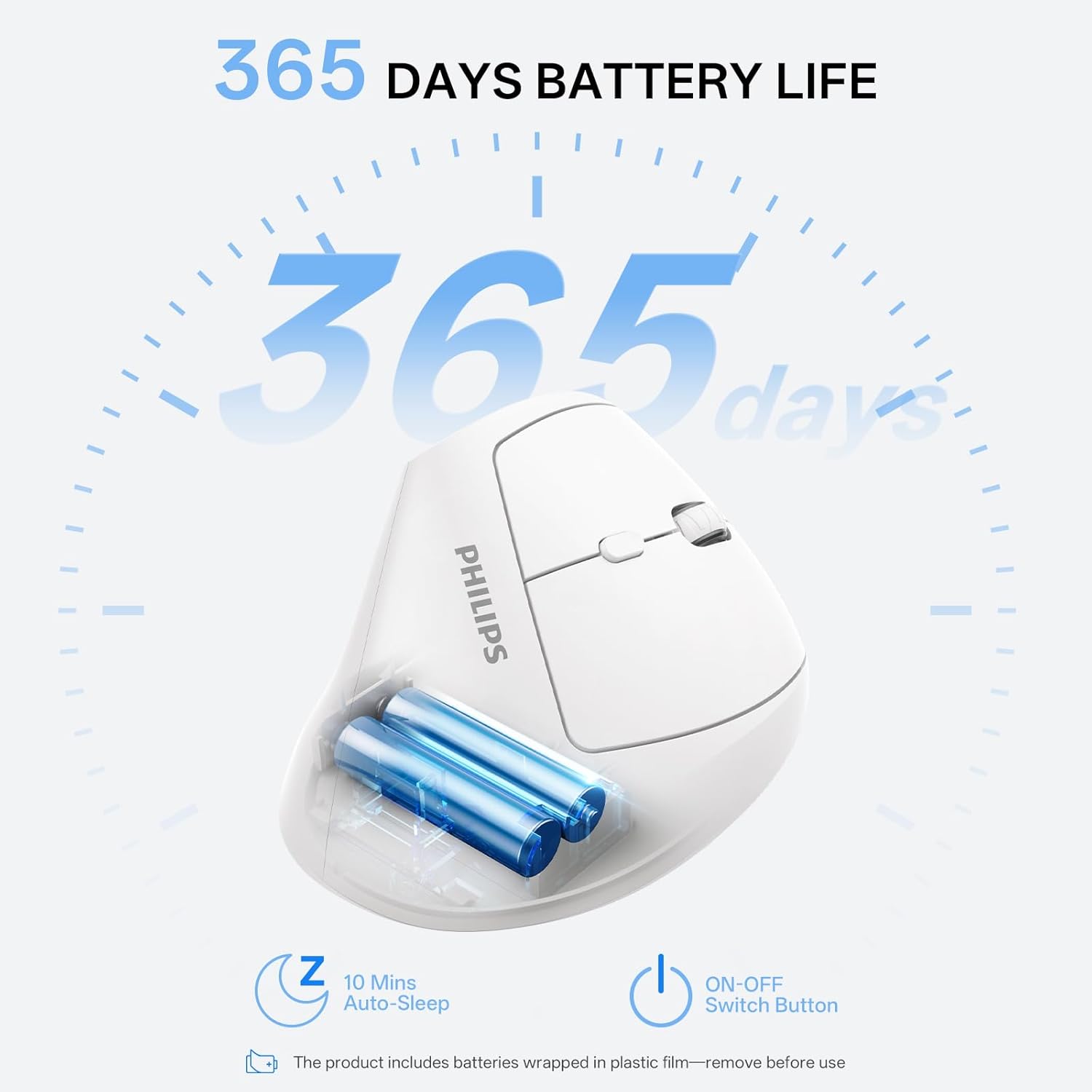
Image: A graphic illustrating the 365-day battery life and the 10-minute auto-sleep function of the mouse, along with the ON-OFF switch.
4.6 Hand Size Recommendation
This mouse is optimized for small to medium-sized hands. For optimal comfort, measure your hand from the base of your palm to the tip of your middle finger:
- ചെറുത്: 6.9 ഇഞ്ചിൽ കുറവ്
- ഇടത്തരം: 6.9 - 7.5 ഇഞ്ച്
- വലുത്: Greater than 7.5 inches (may not be suitable)

Image: A visual guide demonstrating how to measure hand size and indicating suitability for small and medium hands.
4.7 അനുയോജ്യത
The PHILIPS SPK mouse is compatible with various operating systems, including:
- Windows 7 ഉം അതിനുശേഷമുള്ളതും
- Mac OS 9 ഉം അതിനുശേഷമുള്ളതും
- ലിനക്സ്
5. പരിപാലനം
5.1 ബാറ്ററി മാറ്റിസ്ഥാപിക്കൽ
When the mouse performance degrades or it stops responding, it may be time to replace the batteries. Follow the battery installation steps in Section 3.1 to replace the two AAA batteries.
5.2 വൃത്തിയാക്കൽ
To clean the mouse, gently wipe its surface with a soft, dry, or slightly damp cloth. Avoid using harsh chemicals or abrasive materials, as these can damage the finish. Ensure no liquid enters the mouse's internal components.
6. പ്രശ്നപരിഹാരം
- മൗസ് പ്രതികരിക്കുന്നില്ല:
- Ensure the mouse is turned ON using the switch on the underside.
- ബാറ്ററികൾ ശരിയായി ഇൻസ്റ്റാൾ ചെയ്തിട്ടുണ്ടോ എന്നും ആവശ്യത്തിന് ചാർജ് ഉണ്ടോ എന്നും പരിശോധിക്കുക. ആവശ്യമെങ്കിൽ മാറ്റിസ്ഥാപിക്കുക.
- നിങ്ങളുടെ കമ്പ്യൂട്ടറിലെ പ്രവർത്തിക്കുന്ന ഒരു USB പോർട്ടിലേക്ക് USB റിസീവർ സുരക്ഷിതമായി പ്ലഗ് ചെയ്തിട്ടുണ്ടെന്ന് ഉറപ്പാക്കുക. മറ്റൊരു USB പോർട്ട് പരീക്ഷിക്കുക.
- നിങ്ങളുടെ കമ്പ്യൂട്ടർ പുനരാരംഭിക്കുക.
- Cursor movement is erratic or lagging:
- Ensure the mouse is used on a clean, non-reflective surface. A mouse pad is recommended.
- Reduce the distance between the mouse and the USB receiver. Avoid obstructions.
- Check for potential interference from other 2.4GHz wireless devices.
- ബാറ്ററികൾ മാറ്റിസ്ഥാപിക്കുക.
- Forward/Backward buttons not working:
- These buttons typically function in web ബ്രൗസറുകളും file explorers. Their functionality may vary in other applications.
വീഡിയോ: ഈ വീഡിയോയിൽ ഒരു ഓവർ നൽകുന്നുview of the PHILIPS ergonomic vertical mouse, demonstrating its features and ergonomic benefits for laptop users.
7 സ്പെസിഫിക്കേഷനുകൾ
| ഫീച്ചർ | വിശദാംശങ്ങൾ |
|---|---|
| ബ്രാൻഡ് | ഫിലിപ്സ് |
| മോഡൽ നമ്പർ | SPK |
| കണക്റ്റിവിറ്റി ടെക്നോളജി | 2.4GHz വയർലെസ് (USB റിസീവർ) |
| മൂവ്മെന്റ് ഡിറ്റക്ഷൻ ടെക്നോളജി | ഒപ്റ്റിക്കൽ |
| ക്രമീകരിക്കാവുന്ന ഡിപിഐ | 800 / 1200 / 1600 |
| ബട്ടണുകളുടെ എണ്ണം | 6 (Left, Right, Scroll, DPI, Forward, Backward) |
| പ്രത്യേക സവിശേഷതകൾ | Ergonomic Design, Lightweight, Silent Buttons, Auto Power Saving |
| പവർ ഉറവിടം | ബാറ്ററി പവർഡ് (2 x AAA ബാറ്ററികൾ) |
| ഇനത്തിൻ്റെ ഭാരം | 5.6 ഔൺസ് |
| പാക്കേജ് അളവുകൾ | 5.98 x 3.39 x 2.64 ഇഞ്ച് |
| ഓപ്പറേറ്റിംഗ് സിസ്റ്റം അനുയോജ്യത | Linux, Mac OS 9, Windows 7 and later |
8 സുരക്ഷാ വിവരങ്ങൾ
- മൗസിനെ തീവ്രമായ താപനിലയിലോ ഈർപ്പത്തിലോ തുറന്നുകാട്ടരുത്.
- ശക്തമായ ആഘാതങ്ങൾക്ക് മൗസ് വീഴ്ത്തുകയോ വിധേയമാക്കുകയോ ചെയ്യരുത്.
- കുട്ടികൾക്ക് ലഭ്യമാകാതെ സൂക്ഷിക്കുക.
- പ്രാദേശിക നിയന്ത്രണങ്ങൾ അനുസരിച്ച് ബാറ്ററികൾ നശിപ്പിക്കുക. പഴയതും പുതിയതുമായ ബാറ്ററികളോ വ്യത്യസ്ത തരം ബാറ്ററികളോ കൂട്ടിക്കലർത്തരുത്.
- Do not attempt to disassemble or repair the mouse yourself. This will void the warranty.
9. വാറൻ്റിയും പിന്തുണയും
For warranty information and technical support, please refer to the documentation provided with your purchase or contact Philips customer service. Keep your proof of purchase for warranty claims.


