Google Pixel 9, 9 Pro, Pro XL User Manual
A Complete Step-by-Step Guide for Your Pixel 9 Series Device
ആമുഖം
This manual provides comprehensive instructions for setting up, operating, and troubleshooting your Google Pixel 9, Pixel 9 Pro, or Pixel 9 Pro XL smartphone. It is designed to help both new and experienced users master their device's features, from basic setup to advanced functionalities like camera mastery and battery optimization.
Refer to the sections below for detailed guidance on specific topics.
1. Getting Started: Setup and Data Transfer
This section guides you through the initial setup of your new Google Pixel 9 series device and explains how to seamlessly transfer data from your previous smartphone.
1.1 പ്രാരംഭ ഉപകരണ സജ്ജീകരണം
Upon first powering on your Pixel device, you will be prompted to follow on-screen instructions to select your language, connect to Wi-Fi, and sign in with your Google account. Ensure you have your Google account credentials ready.
1.2 ഡാറ്റ കൈമാറ്റം
The Pixel 9 series offers robust tools for transferring data, including photos, contacts, and applications, from your old device. You can typically use a cable connection or cloud backup services for a smooth transition.
- Cable Transfer: Connect your old phone to your new Pixel using the provided adapter and follow the prompts.
- Cloud Backup: Ensure your old device's data is backed up to Google Drive or another cloud service, then restore it on your new Pixel.

Figure 1: Front cover of the user manual, illustrating the Google Pixel 9 series devices.
2. Operating Your Pixel 9 Series
This section covers the daily operation of your Pixel device, including navigation, essential applications, and key features.
2.1 Camera Mastery
The Pixel 9 series cameras offer advanced features for professional-quality photography. Explore modes such as Night Sight for low-light conditions and Astrophotography for capturing stars.
- രാത്രി കാഴ്ച: Automatically enhances photos taken in dark environments.
- ആസ്ട്രോഫോട്ടോഗ്രഫി: For capturing detailed images of the night sky, requires a stable surface or tripod.
- Advanced Editing: Utilize the built-in photo editor for fine-tuning your images.
2.2 Google Assistant Integration
Leverage the power of Google Assistant for voice commands, setting reminders, getting information, and controlling smart home devices. To activate, say "Hey Google" or long-press the power button (configurable).
2.3 സുരക്ഷയും സ്വകാര്യതയും
Protect your personal data with the Pixel's robust security features. Set up biometric authentication (fingerprint or face unlock) and manage app permissions to control access to your information.
- Biometric Settings: Configure fingerprint or face unlock for quick and secure access.
- അനുമതി നിയന്ത്രണങ്ങൾ: പതിവായി റീview and adjust app permissions in your device settings.
3. പരിപാലനവും ഒപ്റ്റിമൈസേഷനും
This section provides tips for maintaining your Pixel's performance and optimizing its battery life.
3.1 ബാറ്ററി ഒപ്റ്റിമൈസേഷൻ
Extend your device's battery life by managing background app activity, adjusting screen brightness, and utilizing power-saving modes. The Pixel's Adaptive Battery feature learns your usage patterns to optimize power consumption.
- അഡാപ്റ്റീവ് ബാറ്ററി: Enable this feature in Battery settings for automatic optimization.
- സ്ക്രീൻ തെളിച്ചം: Reduce brightness or enable Adaptive Brightness.
- പശ്ചാത്തല ആപ്പ് പുതുക്കൽ: Limit apps running in the background that consume significant power.
3.2 പൊതുവായ ഉപകരണ പരിചരണം
Keep your device clean and protected. Use a soft, lint-free cloth for cleaning the screen and body. Consider a protective case and screen protector to prevent physical damage.
4. പൊതുവായ പ്രശ്നങ്ങൾ പരിഹരിക്കുന്നു
This section addresses common problems you might encounter with your Pixel 9 series device and provides solutions to resolve them without external assistance.
4.1 കണക്റ്റിവിറ്റി പ്രശ്നങ്ങൾ
- വൈഫൈ/ബ്ലൂടൂത്ത്: Try toggling Wi-Fi or Bluetooth off and on. Restart your device or network router if issues persist.
- മൊബൈൽ ഡാറ്റ: Ensure mobile data is enabled and your SIM card is properly inserted. Check with your carrier for network status.
4.2 App Performance
- ആപ്പ് ക്രാഷിംഗ്/ഫ്രീസിംഗ്: Force close the app and reopen it. Clear the app's cache and data in Settings > Apps.
- മന്ദഗതിയിലുള്ള പ്രകടനം: Restart your device. Check for system updates. Clear unnecessary files and apps to free up storage.
4.3 ഉപകരണം പ്രതികരിക്കുന്നില്ല
If your device becomes unresponsive, perform a force restart by pressing and holding the Power button for approximately 30 seconds until the device restarts.
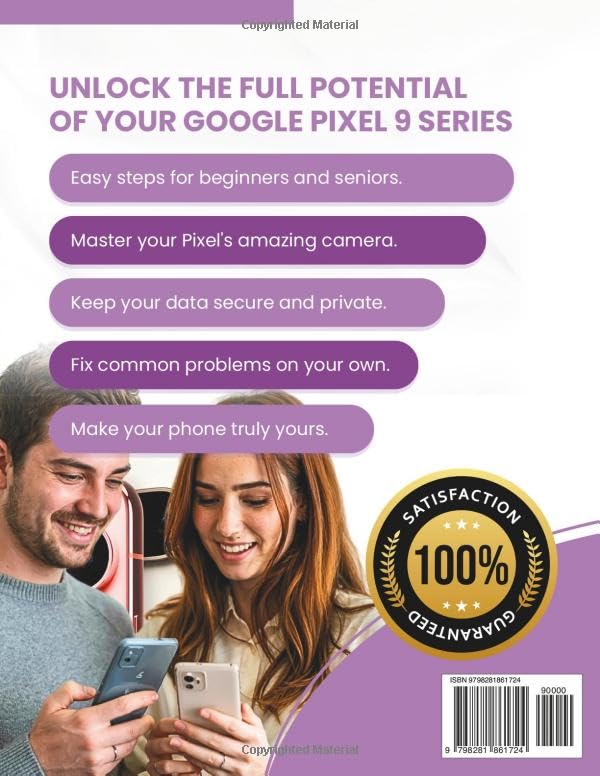
Figure 2: Back cover of the user manual, outlining key benefits and features of the Pixel 9 series.
5 സ്പെസിഫിക്കേഷനുകൾ
Below are the general specifications for the Google Pixel 9 series. Specific models (9, 9 Pro, 9 Pro XL) may have variations.
| ഫീച്ചർ | വിവരണം |
|---|---|
| മോഡൽ നമ്പറുകൾ | ഗൂഗിൾ പിക്സൽ 9, പിക്സൽ 9 പ്രോ, പിക്സൽ 9 പ്രോ എക്സ്എൽ |
| ഓപ്പറേറ്റിംഗ് സിസ്റ്റം | Android (latest version at release) |
| പ്രോസസ്സർ | Google Tensor (specific generation) |
| ക്യാമറ സിസ്റ്റം | Advanced multi-lens system with Night Sight, Astrophotography, and AI features |
| സുരക്ഷ | Titan M2 security chip, Fingerprint Unlock, Face Unlock |
| ബാറ്ററി | Long-lasting with Adaptive Battery and fast charging support |
| കണക്റ്റിവിറ്റി | 5G, Wi-Fi 6E/7, Bluetooth (latest version), USB-C |
Note: For precise specifications of your specific model, please refer to the official Google product page or the packaging.
6. വാറൻ്റിയും പിന്തുണയും
For information regarding your device's warranty, please refer to the warranty card included with your purchase or visit the official Google Support website. Google provides comprehensive online resources, FAQs, and contact options for technical assistance.
ഔദ്യോഗിക Google പിന്തുണ: സപ്പോർട്ട്.ഗൂഗിൾ.കോം/പിക്സൽഫോൺ
Always ensure you are visiting official support channels for accurate information and assistance.


