ആമുഖം
This manual provides essential information for the setup, operation, maintenance, and troubleshooting of your Samsung QN85LS03FWFXZA 85 Inch The Frame Wireless 4K Neo QLED TV. Please read these instructions carefully to ensure proper use and to maximize your viewഅനുഭവം.
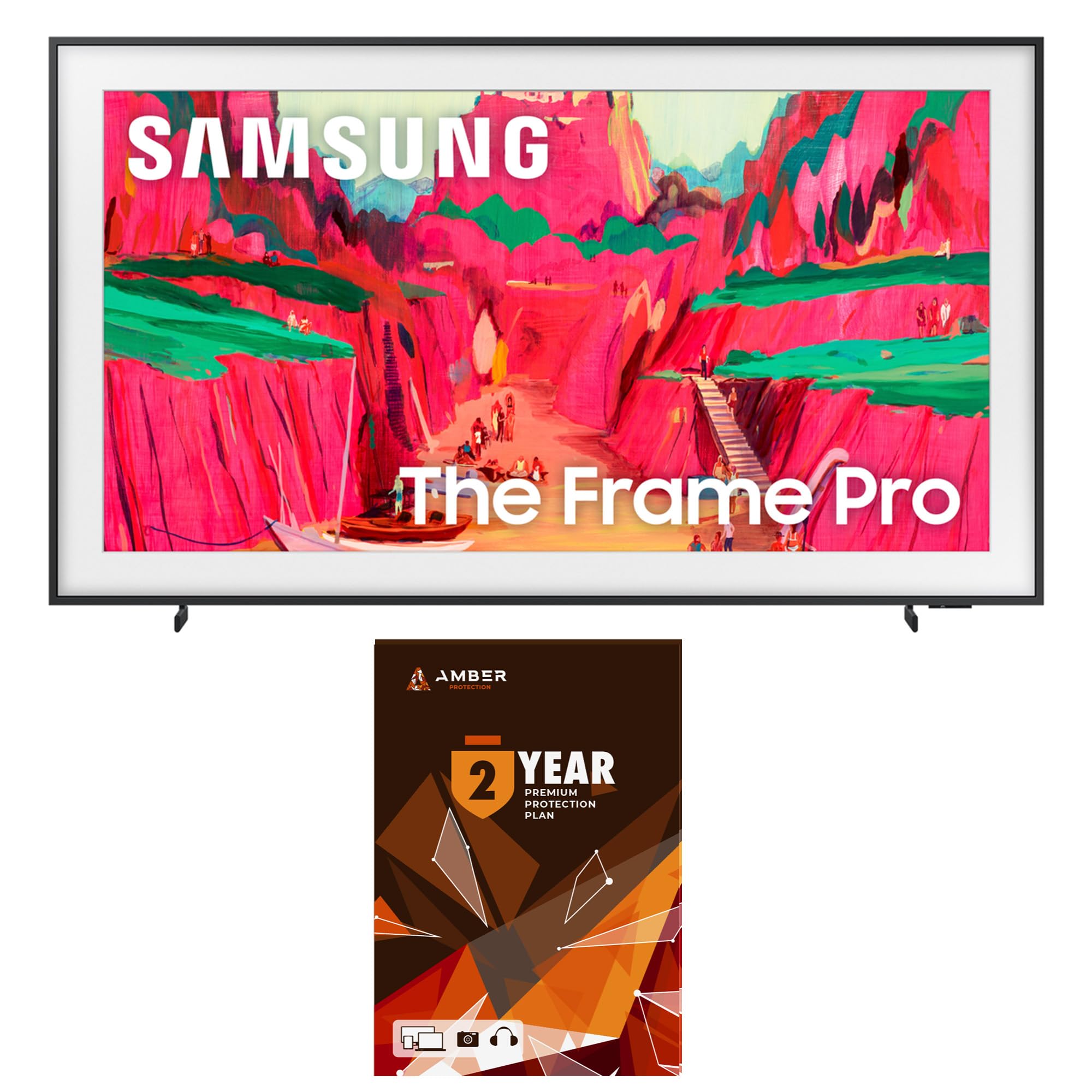
Figure 1: Samsung QN85LS03FWFXZA 85 Inch The Frame TV in Art Mode.
പ്രധാന സവിശേഷതകൾ
- Modern Frame Design with Wireless One Connect: The TV features a slim, customizable frame design. The Wireless One Connect box manages all external device connections, transmitting signals wirelessly to the TV for a clean aesthetic.
- ആർട്ട് മോഡ്: When the TV is off, it transforms into a digital art display, showcasing a personal art gallery. Requires Samsung account login and internet connection.
- Artful Picture Quality with Neo QLED: Delivers lifelike picture quality with Quantum Mini LED technology, providing precise light control and high contrast.
- സാംസങ് വിഷൻ AI: Utilizes AI-based formulas for enhanced picture, sound, and overall entertainment experience.
- Anti-Reflection Matte Display: Reduces glare and reflections, allowing for clear viewing of content and artwork in various lighting conditions.
- മോഷൻ എക്സെലറേറ്റർ 144Hz: Ensures smooth motion handling for fast-paced content and gaming.
- 4K AI Upscaling Pro: Enhances lower resolution content to near 4K quality using AI-based processing.
- Dolby Atmos and Q-Symphony Pro: Provides immersive audio experience, synchronizing TV speakers with compatible soundbars.
- Tizen Smart TV: Offers access to a wide range of streaming services and smart features.
- BT SolarCell Remote: An eco-friendly remote control powered by solar energy.
സജ്ജമാക്കുക
1. പായ്ക്ക് ചെയ്യലും പ്രാരംഭ സ്ഥാനവും
Carefully remove the TV and all components from the packaging. Place the TV in your desired location, ensuring adequate ventilation around the unit.

ചിത്രം 2: മുൻഭാഗം view of the Samsung QN85LS03FWFXZA TV.

ചിത്രം 3: സൈഡ് പ്രോfile of the Samsung QN85LS03FWFXZA TV, highlighting its slim design.
2. Connecting the Wireless One Connect Box
The Wireless One Connect box manages all external device connections and transmits signals wirelessly to the TV. Ensure the box is placed within 30 feet (10m) of the TV and in the same room, free from obstructions like walls or metal furniture.
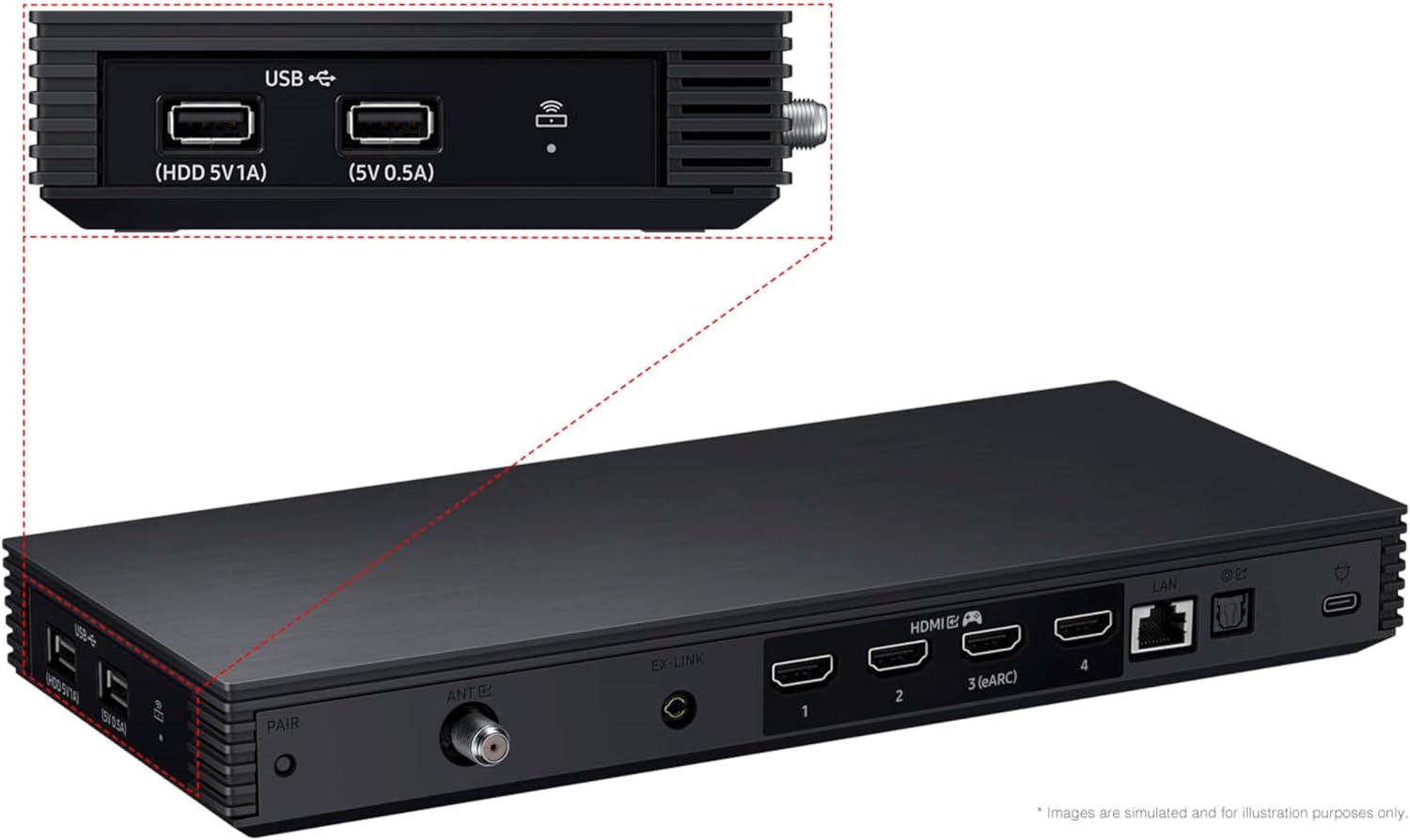
Figure 4: Wireless One Connect box showing various input ports.

ചിത്രം 5: ഉദാample placement of the Wireless One Connect box in a living room.
To pair the Wireless One Connect box:
- Connect the Wireless One Connect box to power using the included USB-C power adapter. The LED on the box will blink blue, indicating pairing mode.
- If the LED is solid blue or white, press and hold the pairing button on the box for 3 seconds until the LED blinks blue.
- With the TV powered on, open the ക്രമീകരണങ്ങൾ മെനു.
- നാവിഗേറ്റ് ചെയ്യുക കണക്ഷനുകൾ, തുടർന്ന് തിരഞ്ഞെടുക്കുക Wireless One Connect.
- തിരഞ്ഞെടുക്കുക വയർലെസ് വൺ കണക്റ്റ് സജ്ജമാക്കുക.
- Select the appropriate OC Name (e.g., OC_MY3L0181) from the list. If needed, confirm the OC Name on the underside of the Wireless One Connect box.
- Once connected, the LED on the box will shine a solid blue. If the light is yellow or red, the connection is poor, and the Wireless One Connect should be repositioned.
Video 1: Instructions on pairing the Wireless One Connect box with your Samsung TV.
പ്രവർത്തന നിർദ്ദേശങ്ങൾ
1. Smart TV Functions
Your Samsung TV runs on the Tizen Smart TV platform, providing access to various streaming services and applications. Use the BT SolarCell Remote to navigate the interface.
- പിന്തുണയ്ക്കുന്ന ഇന്റർനെറ്റ് സേവനങ്ങൾ: Netflix, Prime Video, Disney+, Hulu, Apple TV, YouTube, HBO Max, Peacock, Sling, and More.
- Multiple Voice Assistants Compatible: Use voice commands for easy navigation and control.
2. ആർട്ട് മോഡ്
Transform your TV into a personalized art display when not in use. Access a vast collection of artwork through the Art Store (Samsung account login and internet connection required).

Figure 6: The Frame TV showcasing multiple artworks in Art Mode.
3. Screen Mirroring (Casting to TV)
You can mirror your Samsung Galaxy phone screen to the TV via Smart View. Ensure both devices are connected to the same Wi-Fi network.
- On your Samsung Galaxy phone, open Quick Settings and tap സ്മാർട്ട് View.
- Select your Samsung TV from the list of available devices.
- Your phone screen will mirror to the TV. You can adjust screen mirroring options (e.g., aspect ratio, multi-view) from the Smart View icon that appears on your phone.
Video 2: Guide on how to cast your Samsung Galaxy phone screen to your Samsung TV.
മെയിൻ്റനൻസ്
1 സ്ക്രീൻ ക്ലീനിംഗ്
To clean the Anti-Reflection Matte Display, use a non-ammonia and alcohol-free screen cleaning solution. This type of solution prevents damage to the display. Gently wipe the screen with a soft, lint-free cloth to remove dust, dirt, and fingerprints.

Figure 7: Recommended screen cleaning kit for your TV display.
2. സോഫ്റ്റ്വെയർ അപ്ഡേറ്റുകൾ
Regular software updates help improve performance, fix bugs, and introduce new features. It is recommended to keep your TV's software up to date.
- അമർത്തുക ക്രമീകരണങ്ങൾ button on your remote to open Quick Settings.
- തിരഞ്ഞെടുക്കുക എല്ലാ ക്രമീകരണങ്ങളും.
- നാവിഗേറ്റ് ചെയ്യുക പിന്തുണ, തുടർന്ന് തിരഞ്ഞെടുക്കുക സോഫ്റ്റ്വെയർ അപ്ഡേറ്റ്.
- തിരഞ്ഞെടുക്കുക ഇപ്പോൾ അപ്ഡേറ്റ് ചെയ്യുക ലഭ്യമായ അപ്ഡേറ്റുകൾ പരിശോധിച്ച് ഇൻസ്റ്റാൾ ചെയ്യാൻ.
- ഉറപ്പാക്കുക യാന്ത്രിക അപ്ഡേറ്റ് is toggled on to receive the latest software automatically when available.
Video 3: Steps to update your Samsung TV's software.
ട്രബിൾഷൂട്ടിംഗ്
നിങ്ങളുടെ ടിവിയിൽ പ്രശ്നങ്ങൾ നേരിടുകയാണെങ്കിൽ, ഇനിപ്പറയുന്ന പൊതുവായ ട്രബിൾഷൂട്ടിംഗ് ഘട്ടങ്ങൾ പരിശോധിക്കുക:
- Wireless One Connect Disconnection: If the Wireless One Connect box loses connection (indicated by a yellow or red LED), reposition the box closer to the TV or ensure there are no obstructions. Manual re-pairing may be necessary after long periods of disconnection.
- ചിത്രം/ശബ്ദം ഇല്ല: Check all cable connections to the Wireless One Connect box. Ensure the TV and box are powered on.
- റിമോട്ട് കൺട്രോൾ പ്രശ്നങ്ങൾ: Ensure the BT SolarCell Remote is charged (expose the solar panel to light). If issues persist, try re-pairing the remote with the TV.
- Smart TV App Lag: If apps are slow to respond, try restarting the TV or checking your internet connection speed.
സ്പെസിഫിക്കേഷനുകൾ
| ഫീച്ചർ | വിശദാംശങ്ങൾ |
|---|---|
| ബ്രാൻഡ് | സാംസങ് |
| മോഡലിൻ്റെ പേര് | QN85LS03FWFXZA |
| സ്ക്രീൻ വലിപ്പം | 85 ഇഞ്ച് |
| ഡിസ്പ്ലേ ടെക്നോളജി | നിയോ ക്യുഎൽഇഡി |
| റെസലൂഷൻ | 4K |
| പുതുക്കിയ നിരക്ക് | 120 Hz (Motion Xcelerator 144Hz) |
| ഉൽപ്പന്ന അളവുകൾ | 14.5"D x 75"W x 45.4"H |
| ഇനത്തിൻ്റെ ഭാരം | 90.7 പൗണ്ട് |
| പ്രത്യേക സവിശേഷതകൾ | Anti Reflection Matte Display, Wide Viewing Angle, Supreme UHD Dimming, Real Depth Enhancer, 4K AI Upscaling Pro, Color Booster Pro, Dolby Atmos, Q-Symphony Pro, OTS, Bluetooth Audio, 360 Audio, Tizen Smart TV, Multiple Voice Assistants Compatible, Samsung Health, Wi-Fi 5, HDMI 5, 2 x USB-A, 1 x USB-C, Eco Sensor, Auto Power Saving/Off, BT SolarCell Remote, VESA 600mm x 400mm |
| പിന്തുണയ്ക്കുന്ന ഇന്റർനെറ്റ് സേവനങ്ങൾ | Netflix, Prime Video, Disney+, Hulu, Apple TV, YouTube, HBO Max, Peacock, Sling, and More |
| ഊർജ്ജ കാര്യക്ഷമത | എനർജി സ്റ്റാർ കംപ്ലയിന്റ് |

ചിത്രം 8: ഊർജ്ജ കാര്യക്ഷമത ലേബൽ.
വാറൻ്റിയും പിന്തുണയും
Your Samsung QN85LS03FWFXZA TV comes with a full 1-year manufacturer's warranty. Additionally, this bundle includes a 1-Year Amber Protection Plan. This plan covers mechanical & electrical failures and power surge protection, with benefits beginning on Day 1. For further assistance, please refer to the official Samsung support webസൈറ്റ് അല്ലെങ്കിൽ ഉപഭോക്തൃ സേവനവുമായി ബന്ധപ്പെടുക.
For detailed warranty information and support resources, visit the official Samsung webസൈറ്റ്: സാംസങ് പിന്തുണ


