1. ആമുഖം
This manual provides essential information for setting up, operating, maintaining, and troubleshooting your Alienware 16 Area-51 Gaming Laptop. Please read this manual thoroughly to ensure optimal performance and longevity of your device.
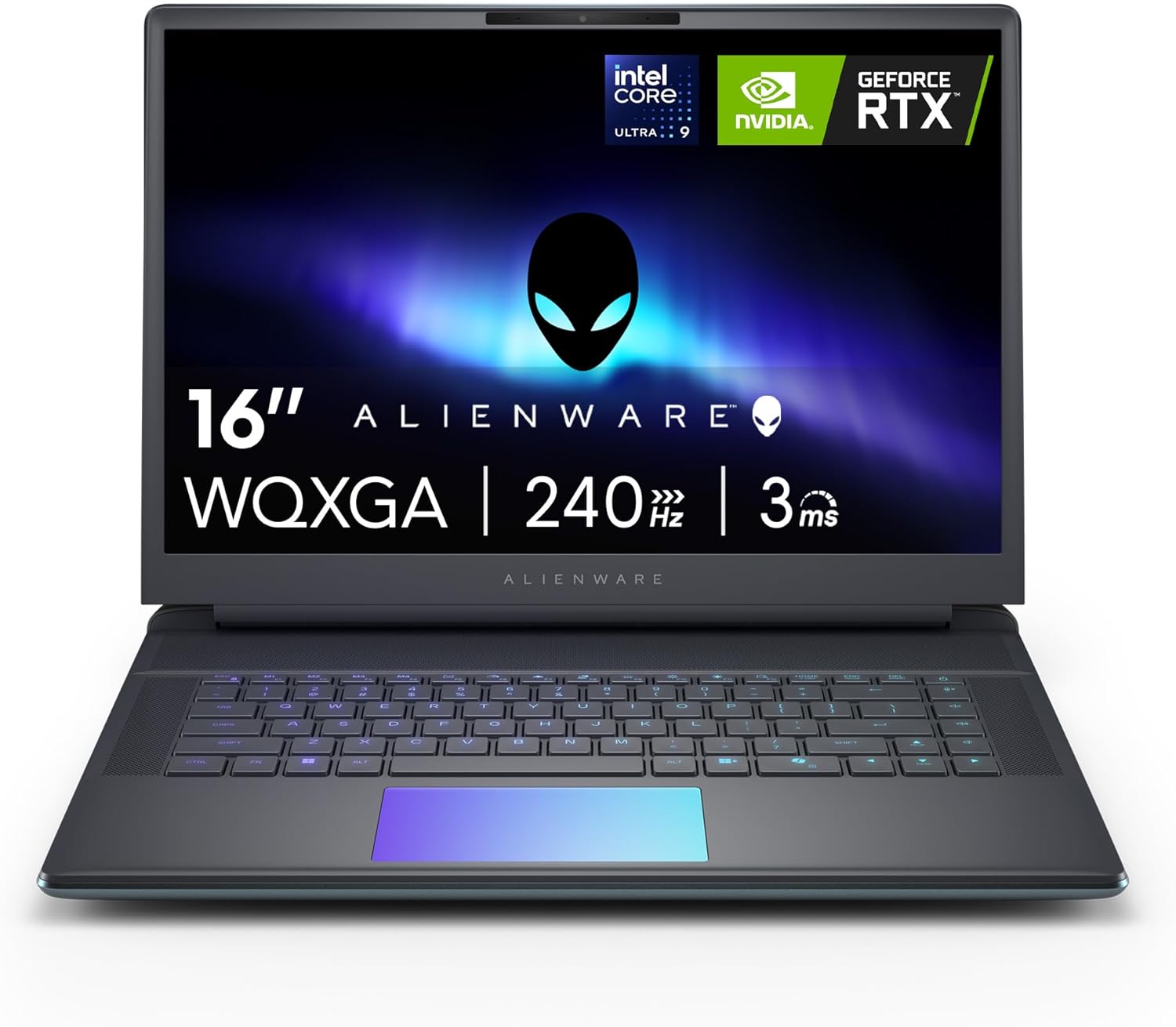
ചിത്രം 1.1: മുൻഭാഗം view of the Alienware 16 Area-51 Gaming Laptop.
2. ബോക്സിൽ എന്താണുള്ളത്?
പാക്കേജിംഗിൽ എല്ലാ ഇനങ്ങളും ഉണ്ടെന്ന് ഉറപ്പാക്കുക:
- Alienware 16 Area-51 AA16250 Gaming Laptop
- 360-Watt Small Form Factor Adapter
- പവർ കോർഡ്
- ഡോക്യുമെന്റേഷൻ (ഈ മാനുവൽ ഉൾപ്പെടെ)
3. പ്രാരംഭ സജ്ജീകരണം
3.1 പവർ അഡാപ്റ്റർ ബന്ധിപ്പിക്കുന്നു
- Connect the power cord to the 360-watt small form factor adapter.
- Connect the adapter to the power/DC-in port on the rear of the laptop.
- ഒരു മതിൽ ഔട്ട്ലെറ്റിൽ പവർ കോർഡ് പ്ലഗ് ചെയ്യുക.

Image 3.1: Rear and side port layout of the Alienware 16 Area-51 laptop. The power/DC-in port is located on the rear.
3.2 ആദ്യ ബൂട്ടും ഓപ്പറേറ്റിംഗ് സിസ്റ്റം സജ്ജീകരണവും
Upon first power-on, the laptop will guide you through the Windows 11 Home setup process. Follow the on-screen instructions to configure your language, region, network, and user account.
Image 3.2: The Windows 11 logo, indicating the pre-installed operating system.
4. നിങ്ങളുടെ ലാപ്ടോപ്പ് പ്രവർത്തിപ്പിക്കുക
4.1 പവർ ഓണും ഓഫും
- പവർ ഓൺ: കീബോർഡ് ഡെക്കിൽ സ്ഥിതിചെയ്യുന്ന പവർ ബട്ടൺ അമർത്തുക.
- പവർ ഓഫ്: വിൻഡോസിൽ സ്റ്റാർട്ട് ബട്ടൺ ക്ലിക്ക് ചെയ്യുക, തുടർന്ന് പവർ > ഷട്ട് ഡൗൺ തിരഞ്ഞെടുക്കുക.
4.2 പ്രധാന സവിശേഷതകളും ഘടകങ്ങളും
- ഡിസ്പ്ലേ: The 16-inch WQXGA (2560x1600) display offers a 240Hz refresh rate for smooth visuals.
- പ്രോസസ്സർ: Equipped with an Intel Core Ultra 9-275HX processor, integrating CPU, built-in GPU, and NPU for balanced performance and AI acceleration.

ചിത്രം 4.1: ക്ലോസ്-അപ്പ് view of the Intel Core Ultra processor, highlighting its integrated design.
- ഗ്രാഫിക്സ്: Features an NVIDIA GeForce RTX 5070Ti Laptop GPU for high-fidelity graphics and gaming performance.
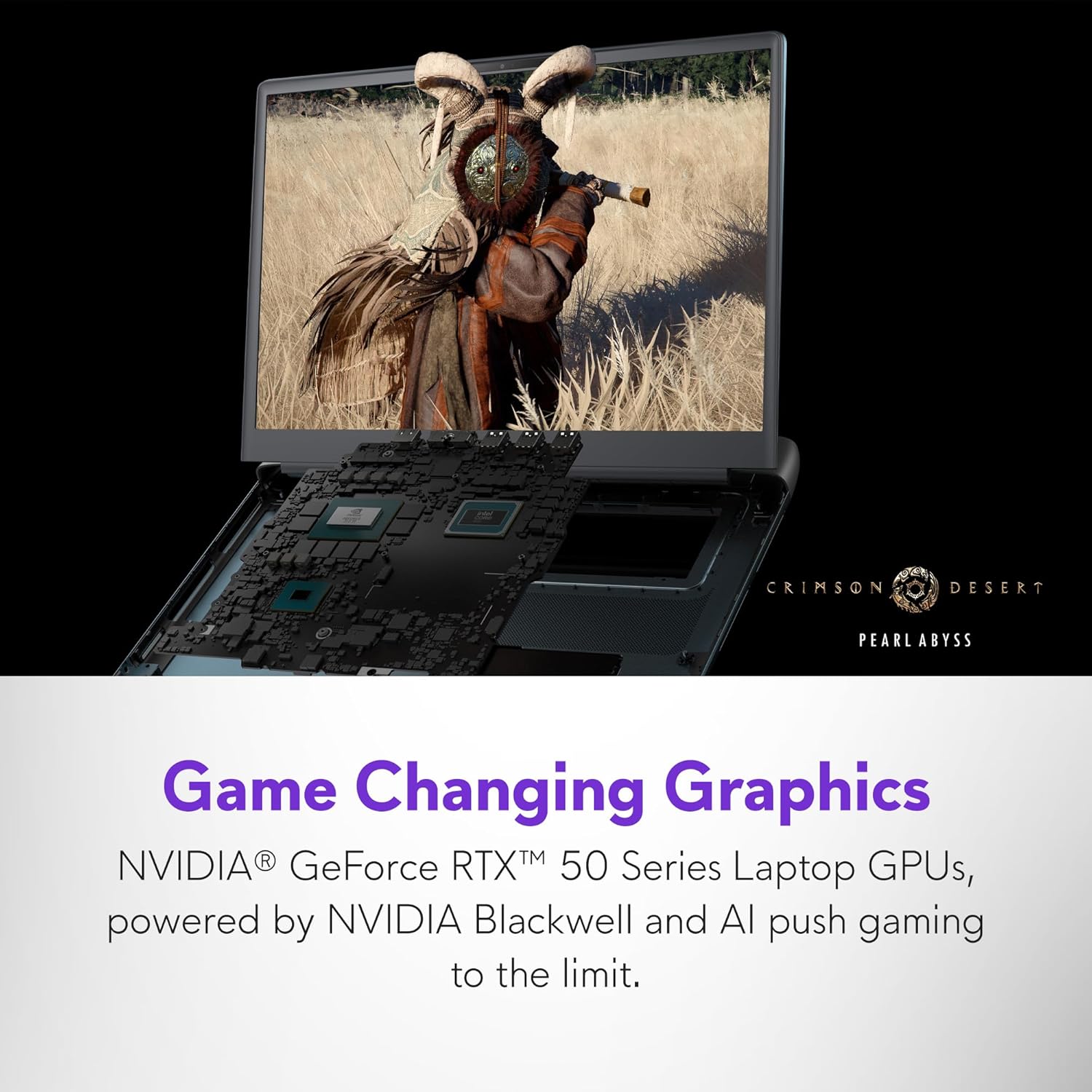
Image 4.2: The laptop screen displaying a high-fidelity game, showcasing the capabilities of the NVIDIA GeForce RTX 5070Ti GPU.
- മെമ്മറി: 32GB DDR5 RAM (6400MHz) for efficient multitasking.
- സംഭരണം: 1TB NVMe M.2 PCIe Gen4 SSD for fast boot times and data access.
- തണുപ്പിക്കൽ സംവിധാനം: The Cryo-Chamber design enhances airflow and cooling efficiency, visible through a Gorilla Glass panel.

ചിത്രം 4.3: അടിവശം view of the laptop, highlighting the Cryo-Chamber cooling system with visible fans.
- AlienFX ലൈറ്റിംഗ്: Customizable ambient lighting inspired by the aurora borealis.
- Alienware Command Center: Software for managing performance presets, overlays, and lighting.
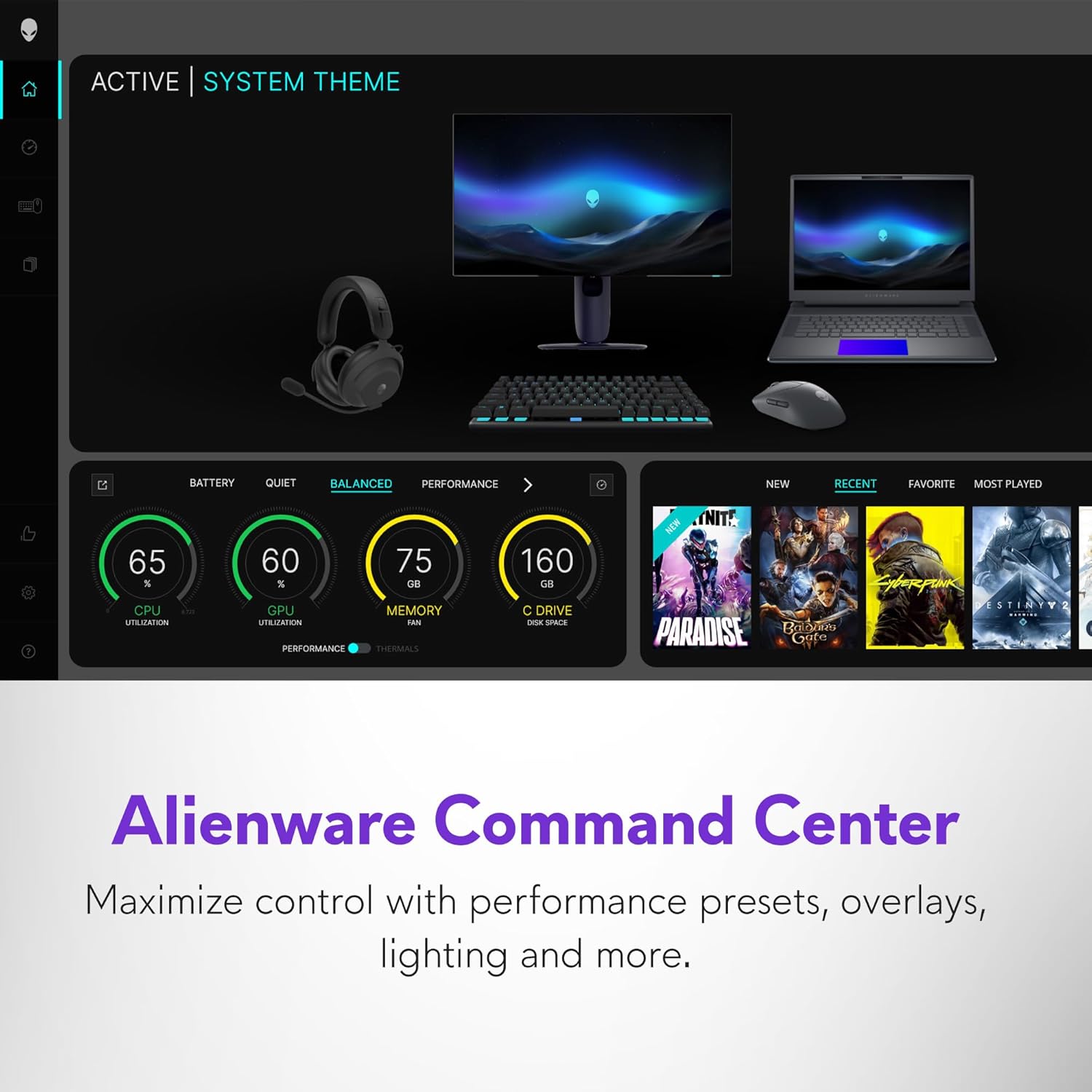
Image 4.4: Screenshot of the Alienware Command Center interface, showing options for system monitoring and customization.
5. പരിപാലനം
5.1 നിങ്ങളുടെ ലാപ്ടോപ്പ് വൃത്തിയാക്കൽ
- സ്ക്രീനും പുറം പ്രതലങ്ങളും വൃത്തിയാക്കാൻ മൃദുവായ, ലിന്റ് രഹിത തുണി ഉപയോഗിക്കുക.
- കഠിനമായ പാടുകൾക്ക്, നേരിയ തോതിൽ dampതുണിയിൽ വെള്ളം അല്ലെങ്കിൽ സ്ക്രീൻ ക്ലീനർ ഉപയോഗിക്കുക. കഠിനമായ രാസവസ്തുക്കൾ ഒഴിവാക്കുക.
- കീബോർഡ് കീകളിൽ നിന്നും വെന്റിലേഷൻ ഗ്രില്ലുകളിൽ നിന്നും പൊടി നീക്കം ചെയ്യാൻ കംപ്രസ് ചെയ്ത വായു ഉപയോഗിക്കുക.
5.2 സോഫ്റ്റ്വെയർ അപ്ഡേറ്റുകൾ
Regularly check for and install operating system and driver updates to ensure system stability and security. Use the Alienware Command Center for driver and firmware updates specific to your laptop.
5.3 സ്റ്റോറേജ് മാനേജ്മെൻ്റ്
ആനുകാലികമായി റീview and manage your 1TB SSD storage to maintain optimal performance. Uninstall unused applications and delete unnecessary files.
6. പ്രശ്നപരിഹാരം
6.1 പൊതുവായ പ്രശ്നങ്ങളും പരിഹാരങ്ങളും
| ഇഷ്യൂ | സാധ്യമായ പരിഹാരം |
|---|---|
| ലാപ്ടോപ്പ് ഓണാകുന്നില്ല. | പവർ അഡാപ്റ്റർ ലാപ്ടോപ്പിലേക്കും പ്രവർത്തിക്കുന്ന ഒരു പവർ ഔട്ട്ലെറ്റിലേക്കും സുരക്ഷിതമായി ബന്ധിപ്പിച്ചിട്ടുണ്ടെന്ന് ഉറപ്പാക്കുക. മറ്റൊരു ഔട്ട്ലെറ്റ് പരീക്ഷിക്കുക. |
| സിസ്റ്റം മന്ദഗതിയിലാണ് അല്ലെങ്കിൽ പ്രതികരിക്കുന്നില്ല. | Close unnecessary applications. Check for background processes. Ensure sufficient free storage space. Restart the laptop. |
| ഉപയോഗ സമയത്ത് അമിത ചൂടാക്കൽ | Ensure ventilation grilles are clear of obstructions. Use the laptop on a hard, flat surface. Consider adjusting performance settings in Alienware Command Center. |
| Display issues (e.g., no image, flickering) | Restart the laptop. Update graphics drivers. Check external display connections if applicable. |
6.2 ഡയഗ്നോസ്റ്റിക് ഉപകരണങ്ങൾ
The Alienware Command Center includes diagnostic tools to help identify and resolve system issues. Refer to the software's help section for detailed instructions.
7 സ്പെസിഫിക്കേഷനുകൾ
| ഫീച്ചർ | വിശദാംശങ്ങൾ |
|---|---|
| മോഡലിൻ്റെ പേര് | Dell Alienware 16 Area 51 AA16250 Laptop |
| പ്രോസസ്സർ | Intel Core Ultra 9-275HX (2.1 GHz) |
| റാം | 32 ജിബി DDR5 (6400 MHz) |
| സംഭരണം | 1 TB SSD (NVMe M.2 PCIe Gen4) |
| ഗ്രാഫിക്സ് കോപ്രൊസസർ | NVIDIA GeForce RTX 5070 Ti (12 GB GDDR6) |
| പ്രദർശിപ്പിക്കുക | 16-inch WQXGA (2560 x 1600 pixels), 240Hz |
| ഓപ്പറേറ്റിംഗ് സിസ്റ്റം | വിൻഡോസ് 11 ഹോം |
| വയർലെസ് കണക്റ്റിവിറ്റി | Bluetooth, Wi-Fi (specific standard not detailed) |
| തുറമുഖങ്ങൾ | 3x USB 3.0, 2x Thunderbolt, HDMI 2.1, Global headset jack, Full-sized SD card slot, Power/DC-In |
| അളവുകൾ (LxWxH) | 11.41 x 14.37 x 1.12 ഇഞ്ച് |
| ഇനത്തിൻ്റെ ഭാരം | 7.49 പൗണ്ട് |
| നിറം | Liquid Teal |
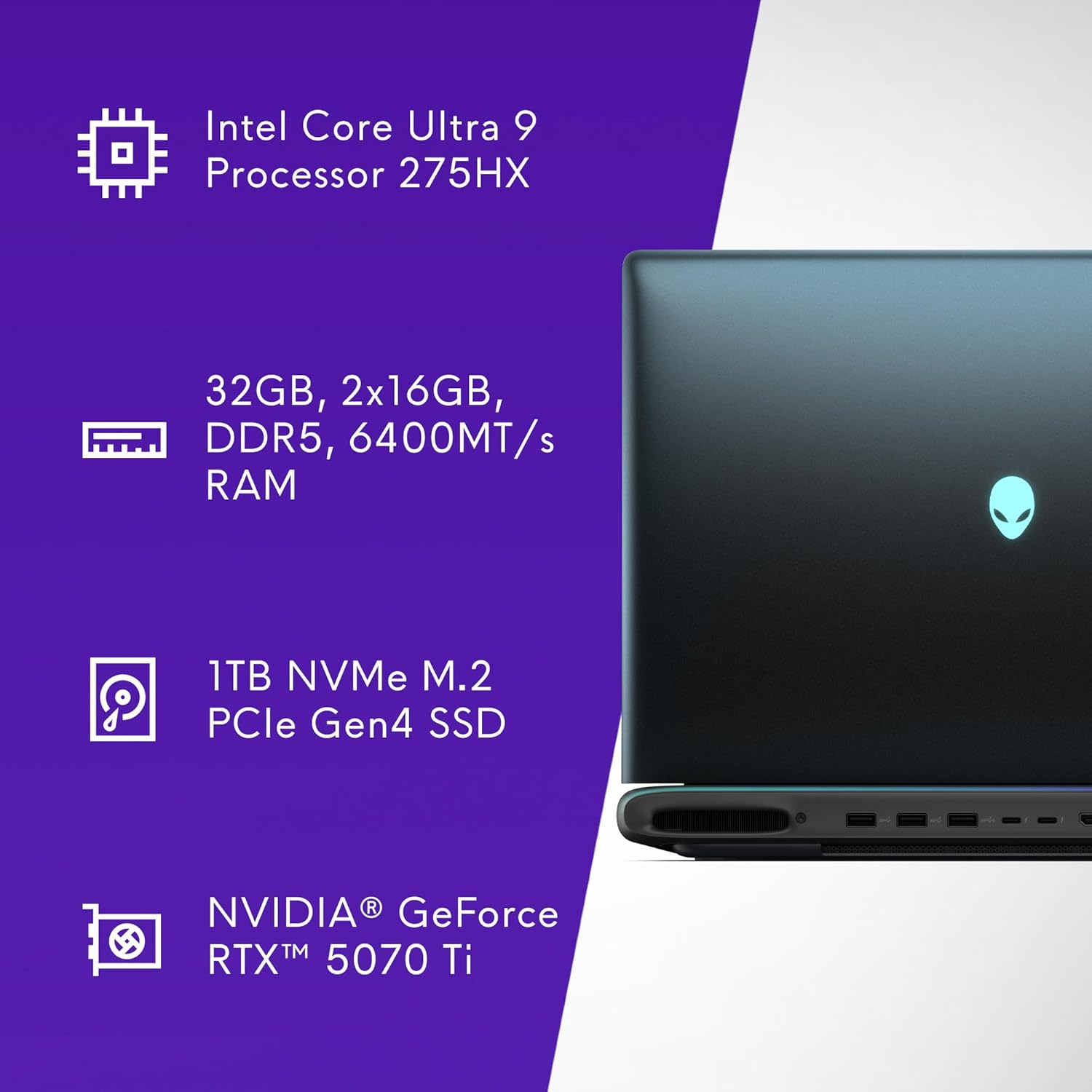
Image 7.1: Visual summary of key specifications including CPU, RAM, SSD, and GPU.

ചിത്രം 7.2: സൈഡ് പ്രോfile of the laptop indicating a thickness of 28.50 mm.
8. വാറൻ്റിയും പിന്തുണയും
8.1 പരിമിതമായ ഹാർഡ്വെയർ വാറന്റി
Your Alienware 16 Area-51 Gaming Laptop comes with a 1-Year Onsite Service. This service provides support at your home, office, or chosen location if an issue covered by the Limited Hardware Warranty cannot be resolved remotely.
8.2 പിന്തുണയുമായി ബന്ധപ്പെടുന്നു
For technical assistance, warranty claims, or service requests, please refer to the contact information provided in your product documentation or visit the official Alienware support website. Ensure you have your product model number (AA16250) and serial number ready when contacting support.
കൂടുതൽ പിന്തുണാ ഉറവിടങ്ങൾ ഇതിലൂടെ ലഭ്യമായേക്കാം ആമസോണിലെ ഏലിയൻവെയർ സ്റ്റോർ.


