1. ആമുഖം
The Edifier Retro Wood Bluetooth Speaker (Model: mp330) is a wireless portable speaker designed to deliver high-resolution audio with a vintage aesthetic. It features a 40W output, stereo pairing capabilities, and multiple input options including Bluetooth, USB, and TF card. This manual provides essential information for setting up, operating, and maintaining your speaker.
പ്രധാന സവിശേഷതകളിൽ ഇവ ഉൾപ്പെടുന്നു:
- Upgrade Retro Design in Details: Thickened spherical contact surface foot pads for vibration isolation, MDF wooden shell, and high-quality leather handles for comfortable grip and reduced wear.
- ബ്ലൂടൂത്ത് V5.4: Supports simultaneous connection of two Bluetooth devices for seamless audio streaming with stable connection up to 66ft away.
- Quality Sound with 360° Audio Experience: Hi-Res Audio certified, 24bit/96kHz high-resolution audio processing, 40W total output (18W+11W+11W RMS), Oval mid-low driver, tweeter with neodymium magnets, and Oval passive bass radiator.
- Multiple Input Modes: AUX, USB-C port, and TF card in addition to Bluetooth.
- EDIFIER ConneX Mobile App: Control playback, switch sound effects, customize EQ, and access manual settings.
- നീണ്ട ബാറ്ററി ലൈഫ്: Built-in 4800 mAh Lithium-ion battery provides up to 19 hours of playback at 50% volume, with a charging time of 4 to 5 hours.

Image: The Edifier MP330 speaker featuring its handcrafted leather handle, designed for easy portability and comfortable grip.
2. ബോക്സിൽ എന്താണുള്ളത്?
അൺബോക്സ് ചെയ്യുമ്പോൾ, എല്ലാ ഘടകങ്ങളും ഉണ്ടെന്ന് ഉറപ്പാക്കുക:
- Edifier MP330 Speaker x1
- USB-C മുതൽ USB-C കേബിൾ x1 വരെ
- ദ്രുത ആരംഭ ഗൈഡ് x1
- Important Safety Instructions x1
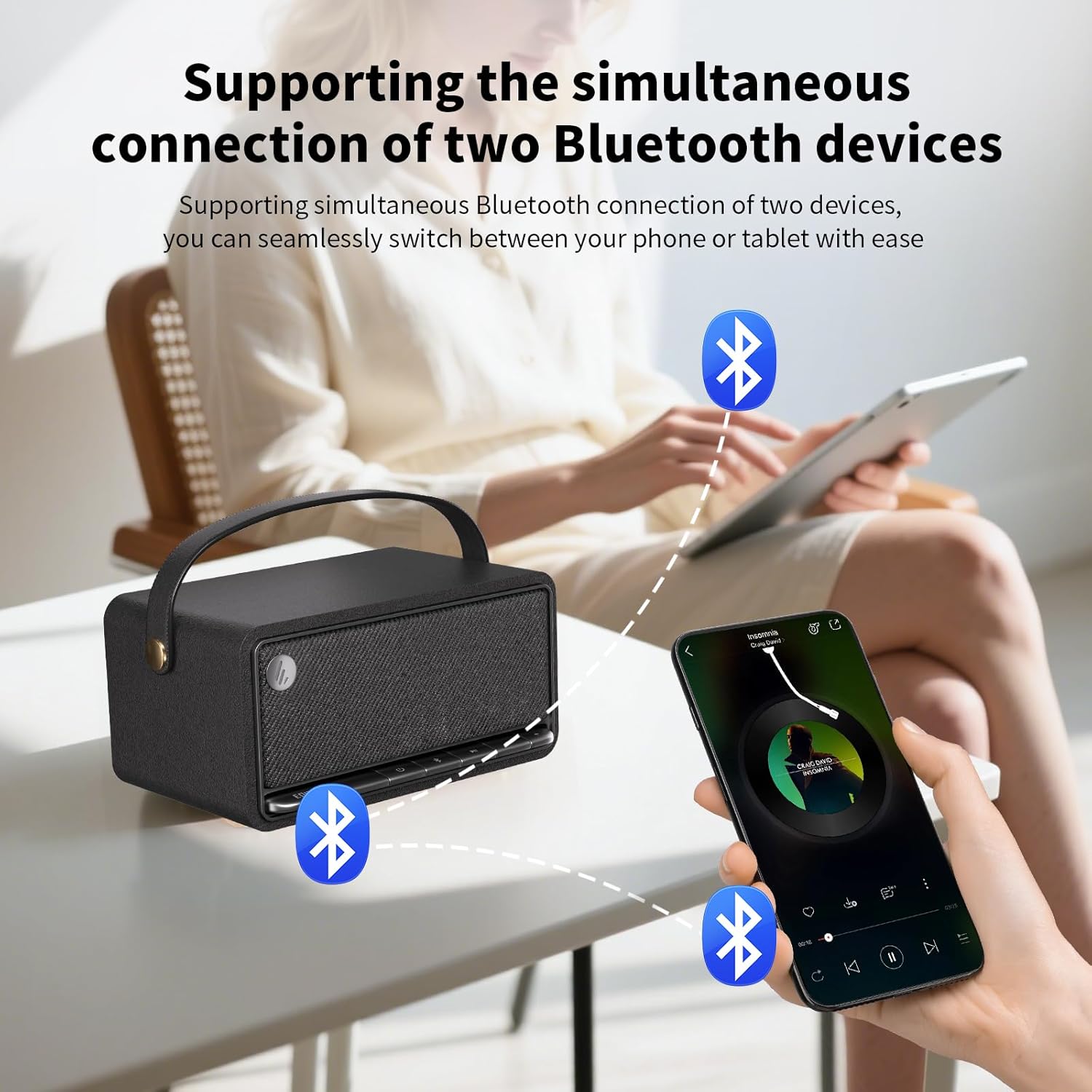
Image: The Edifier MP330 speaker with its included USB-C cable, quick start guide, and safety instructions.
3. സജ്ജീകരണം
3.1 സ്പീക്കർ ചാർജ് ചെയ്യുന്നു
Before first use, fully charge the speaker. Connect the provided USB-C cable to the speaker's USB-C port and a compatible power adapter (not included). A full charge takes approximately 4 to 5 hours. The speaker provides up to 19 hours of playback at 50% volume.

Image: The Edifier MP330 speaker highlighting its 4800mAh battery and 19 hours of playtime.
3.2 പവർ ഓൺ/ഓഫ്
Locate the power button on the front panel of the speaker. Press and hold the power button to turn the speaker on or off.
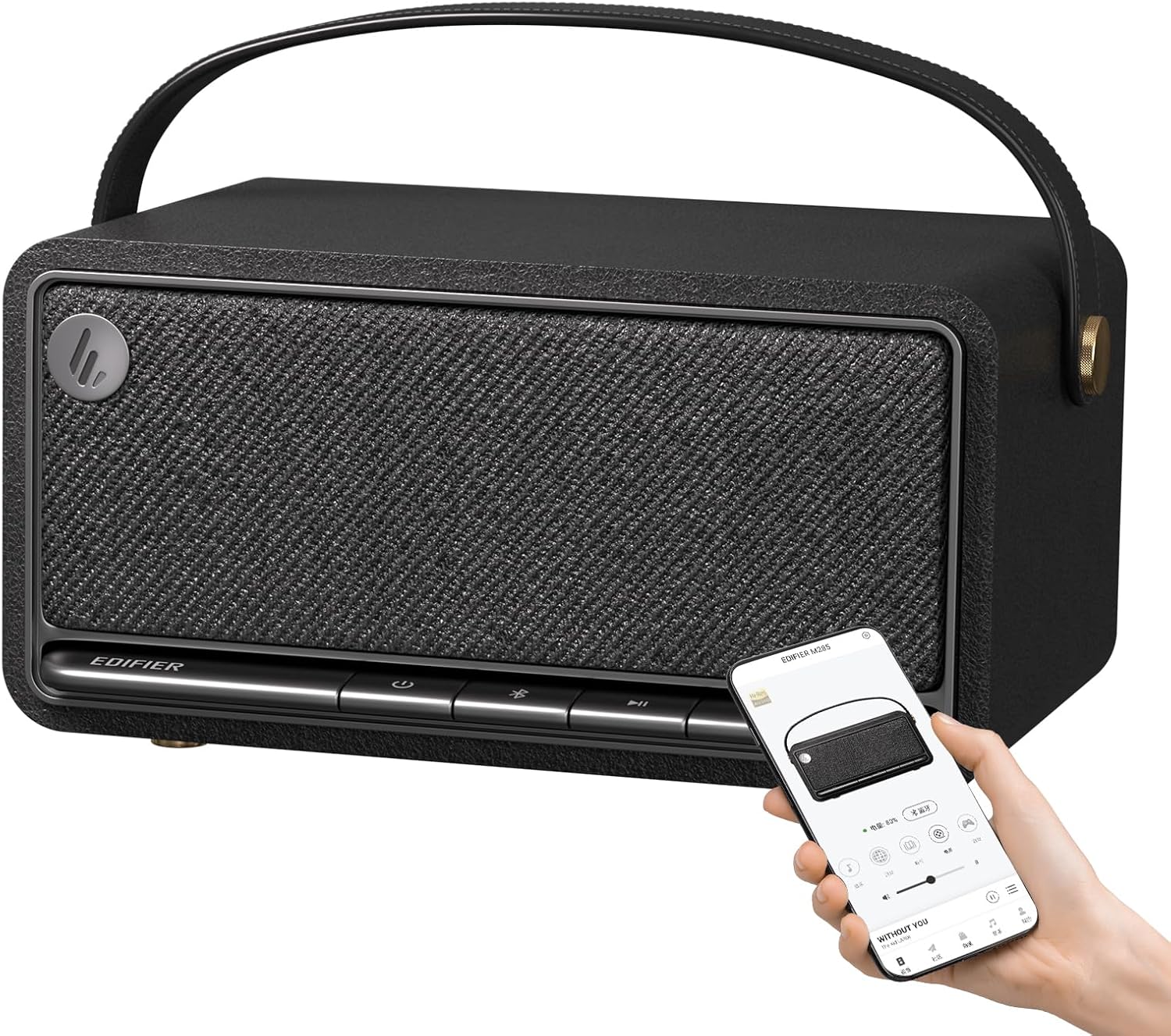
Image: The Edifier MP330 speaker's front panel with control buttons, including the power button, and a smartphone displaying the companion app.
3.3 ബ്ലൂടൂത്ത് ജോടിയാക്കൽ
ബ്ലൂടൂത്ത് വഴി നിങ്ങളുടെ ഉപകരണം ജോടിയാക്കാൻ:
- Ensure the speaker is powered on and in Bluetooth mode. The Bluetooth indicator light will flash.
- On your device (smartphone, tablet, etc.), enable Bluetooth and search for "Edifier MP330" in the list of available devices.
- Select the speaker to connect. Once connected, the Bluetooth indicator light will become solid.

Image: The Edifier MP330 speaker illustrating its wireless connection capabilities via Bluetooth V5.4, USB-C, and TF card.
3.4 സ്റ്റീരിയോ പെയറിംഗ് (TWS)
Two Edifier MP330 speakers can be paired together to create a stereo sound system:
- രണ്ട് സ്പീക്കറുകളും ഓണാക്കിയിട്ടുണ്ടെന്നും ഏതെങ്കിലും ബ്ലൂടൂത്ത് ഉപകരണവുമായി ബന്ധിപ്പിച്ചിട്ടില്ലെന്നും ഉറപ്പാക്കുക.
- Press and hold the Bluetooth button on one speaker until it enters TWS pairing mode (refer to the quick start guide for specific indicator behavior).
- Repeat the process for the second speaker. The speakers will automatically connect to each other.
- Once paired, connect your device to one of the speakers via Bluetooth. Audio will now play in stereo across both units.

Image: Two Edifier MP330 speakers demonstrating Bluetooth stereo pairing, creating an immersive audio experience.
4. സ്പീക്കർ പ്രവർത്തിപ്പിക്കൽ
4.1 Controls and Inputs
The speaker features an accordion-style keyboard on the front panel for easy control. In addition to Bluetooth, the speaker supports AUX, USB-C, and TF card inputs.
- പവർ ബട്ടൺ: ഓൺ/ഓഫ് ചെയ്യാൻ അമർത്തിപ്പിടിക്കുക.
- ബ്ലൂടൂത്ത് ബട്ടൺ: Press to switch to Bluetooth mode, press and hold for pairing.
- വോളിയം കൂട്ടുക/താഴ്ത്തുക: പ്ലേബാക്ക് വോളിയം ക്രമീകരിക്കുക.
- പ്ലേ/താൽക്കാലികമായി നിർത്തുക: മീഡിയ പ്ലേബാക്ക് നിയന്ത്രിക്കുക.
- യുഎസ്ബി-സി പോർട്ട്: For charging and audio input.
- ടിഎഫ് കാർഡ് സ്ലോട്ട്: For playing audio directly from a TF card.
- AUX ഇൻപുട്ട്: 3.5mm ഓഡിയോ കേബിൾ വഴി ബാഹ്യ ഓഡിയോ ഉപകരണങ്ങൾ ബന്ധിപ്പിക്കുന്നതിന്.
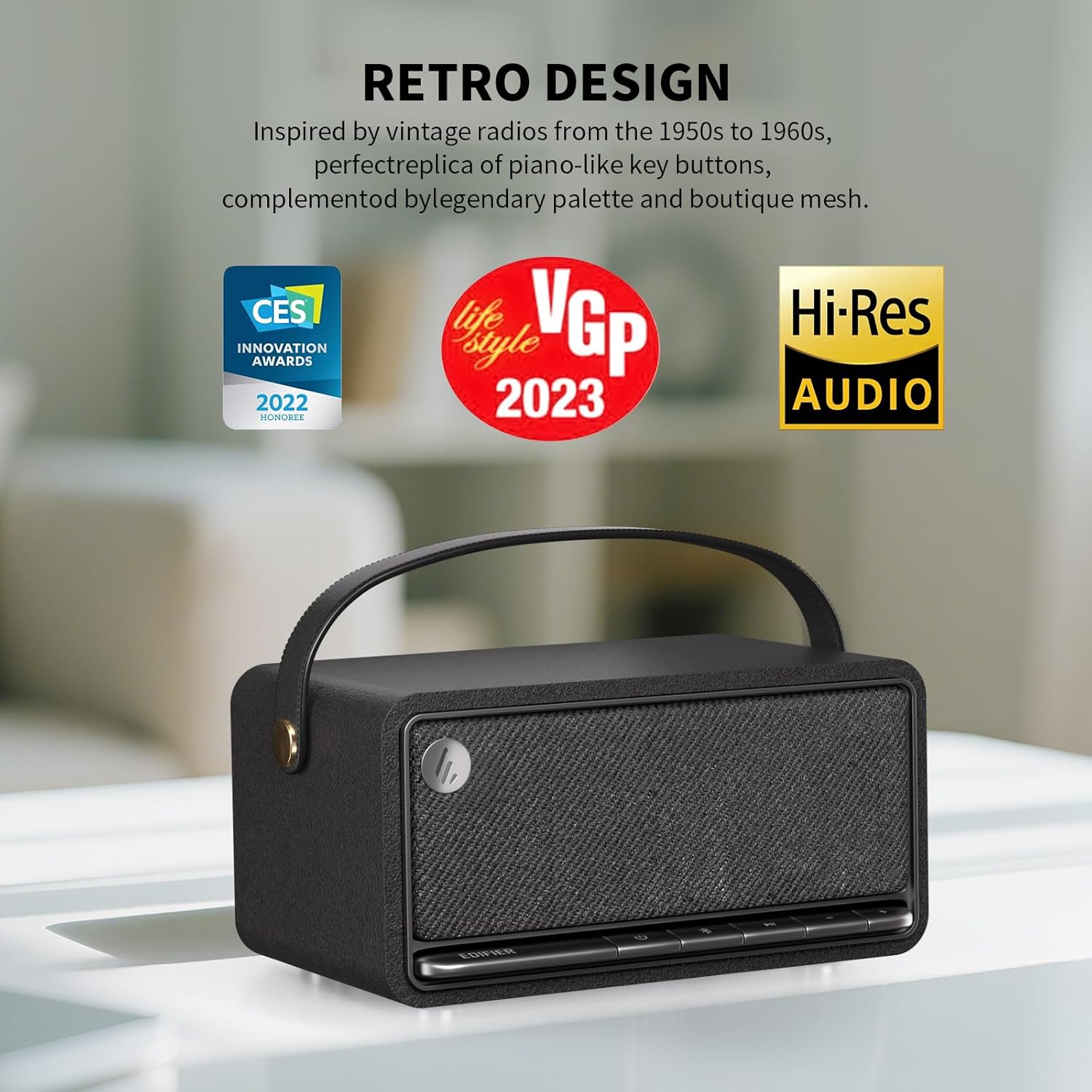
Image: The Edifier MP330 speaker's front panel, featuring piano-like key buttons for control, embodying its retro design.
4.2 EDIFIER ConneX Mobile App
Enhance your experience by downloading the EDIFIER ConneX mobile app. The app provides additional functionalities:
- Playback control.
- Sound effect switching (e.g., Music, Party, Listen, Movie, Game).
- EQ customization.
- Access to user manual and settings.

Image: A collage of screenshots from the EDIFIER ConneX app, demonstrating its various control and customization options for the speaker.
4.3 Simultaneous Device Connection
The Bluetooth V5.4 audio receiver supports the simultaneous connection of two Bluetooth devices. This allows you to seamlessly switch between audio sources from your mobile phone and tablet without re-pairing.
Image: The Edifier MP330 speaker demonstrating its ability to connect to two Bluetooth devices concurrently, allowing for easy switching between audio sources.
5. പരിപാലനം
To ensure the longevity and optimal performance of your Edifier MP330 speaker, follow these maintenance guidelines:
- വൃത്തിയാക്കൽ: Use a soft, dry cloth to clean the speaker's surface. Avoid using abrasive cleaners, waxes, or solvents.
- സംഭരണം: നേരിട്ടുള്ള സൂര്യപ്രകാശത്തിൽ നിന്നും കടുത്ത താപനിലയിൽ നിന്നും മാറി തണുത്തതും വരണ്ടതുമായ സ്ഥലത്ത് സ്പീക്കർ സൂക്ഷിക്കുക.
- വാട്ടർ എക്സ്പോഷർ: The speaker is not waterproof. Avoid exposing it to water or high humidity.
- പരിചരണം കൈകാര്യം ചെയ്യുക: The high-quality leather handle should be kept clean and dry to prevent wear and erosion.
6. പ്രശ്നപരിഹാരം
നിങ്ങളുടെ സ്പീക്കറിൽ പ്രശ്നങ്ങൾ നേരിടുകയാണെങ്കിൽ, ഇനിപ്പറയുന്ന പൊതുവായ പ്രശ്നങ്ങളും പരിഹാരങ്ങളും പരിശോധിക്കുക:
| പ്രശ്നം | സാധ്യമായ കാരണം | പരിഹാരം |
|---|---|---|
| സ്പീക്കർ പവർ ഓൺ ചെയ്യുന്നില്ല. | ബാറ്ററി കുറവാണ് അല്ലെങ്കിൽ ചാർജ് ഇല്ല. | Connect the speaker to a power source using the USB-C cable and allow it to charge for a few minutes before attempting to power on again. |
| സ്പീക്കറിൽ നിന്ന് ശബ്ദമൊന്നുമില്ല. | Volume too low, incorrect input mode, or device not connected. | Increase the volume on both the speaker and your connected device. Ensure the correct input mode (Bluetooth, AUX, USB, TF card) is selected. Verify Bluetooth connection or cable connection. |
| ബ്ലൂടൂത്ത് വഴി ജോടിയാക്കാൻ കഴിയില്ല. | സ്പീക്കർ ജോടിയാക്കൽ മോഡിലല്ല, ഉപകരണം വളരെ അകലെയാണ്, അല്ലെങ്കിൽ തടസ്സം. | Ensure the speaker's Bluetooth indicator is flashing (pairing mode). Move your device closer to the speaker. Turn off other Bluetooth devices nearby to reduce interference. Try forgetting the device on your phone and re-pairing. |
| സ്റ്റീരിയോ ജോടിയാക്കൽ പ്രവർത്തിക്കുന്നില്ല. | Speakers not properly paired for TWS. | Ensure both speakers are disconnected from other Bluetooth devices. Follow the TWS pairing instructions carefully, pressing and holding the Bluetooth button on both speakers until they connect to each other. |
7 സ്പെസിഫിക്കേഷനുകൾ
| ഫീച്ചർ | വിശദാംശങ്ങൾ |
|---|---|
| ബ്രാൻഡ് | എഡിഫയർ |
| മോഡലിൻ്റെ പേര് | mp330-black |
| സ്പീക്കർ തരം | Outdoor (Portable) |
| കണക്റ്റിവിറ്റി ടെക്നോളജി | Bluetooth, USB-C, TF card |
| വയർലെസ് കമ്മ്യൂണിക്കേഷൻ ടെക്നോളജി | ബ്ലൂടൂത്ത് V5.4 |
| ഓഡിയോ put ട്ട്പുട്ട് മോഡ് | സ്റ്റീരിയോ |
| സ്പീക്കർ പരമാവധി ഔട്ട്പുട്ട് പവർ | 40 വാട്ട്സ് (RMS) |
| ഫ്രീക്വൻസി പ്രതികരണം | 40 KHz (Hi-Res Audio Certified) |
| ബാറ്ററി ലൈഫ് | Up to 19 Hours (@ 50% volume) |
| ബാറ്ററി ശേഷി | 4800 mAh ലിഥിയം-അയോൺ |
| ചാർജിംഗ് സമയം | 4 മുതൽ 5 മണിക്കൂർ വരെ |
| ഉൽപ്പന്ന അളവുകൾ | 8.14"D x 4.56"W x 5.62"H |
| ഇനത്തിൻ്റെ ഭാരം | 2.2 പൗണ്ട് (1 കിലോഗ്രാം) |
| നിയന്ത്രണ രീതി | Touch (Accordion keyboard) |
| പ്രത്യേക സവിശേഷതകൾ | Hi-Res Audio, Portable, Noise Cancelling, Stereo Pairing, ConneX App Support |
| ഉൾപ്പെടുത്തിയ ഘടകങ്ങൾ | MP330 Speaker, USB-C to USB-C Cable, Quick Start Guide, Important Safety Instructions |

Image: A visual representation of the Edifier MP330 speaker with its key dimensions labeled.

ചിത്രം: പൊട്ടിത്തെറിച്ച ഒരു view of the Edifier MP330 speaker, illustrating its internal acoustic components for 360-degree audio experience.
8. വാറൻ്റിയും പിന്തുണയും
The Edifier MP330 speaker comes with a Limited Warranty. For detailed warranty information and support, please refer to the Important Safety Instructions included in the box or visit the official Edifier webസൈറ്റ്.
വിപുലീകൃത കവറേജിനായി ഓപ്ഷണൽ പ്രൊട്ടക്ഷൻ പ്ലാനുകൾ ലഭ്യമായേക്കാം:
- 2-വർഷ സംരക്ഷണ പദ്ധതി
- 3-വർഷ സംരക്ഷണ പദ്ധതി
- കംപ്ലീറ്റ് പ്രൊട്ടക്റ്റ് (പ്രതിമാസ ബില്ലിംഗ് ഓപ്ഷൻ)
For further assistance, contact Edifier customer support or the seller, "edifier-gaming store".
9. ഔദ്യോഗിക ഉൽപ്പന്ന വീഡിയോ
Watch the official product video for a visual guide on the Edifier MP330 speaker's features and usage.
വീഡിയോ: ഒരു ഔദ്യോഗിക ഉൽപ്പന്ന വീഡിയോ പ്രദർശനംasing the Edifier MP330 Portable Bluetooth Speaker, highlighting its design, features, and various uses.


