1. ആമുഖം
This manual provides essential information for the safe and effective operation of your LASER TREE LT-K20 Pro 20W Diode Laser Module. Please read this manual thoroughly before installation and use to ensure proper function and to prevent injury or damage. This laser module is designed for engraving and cutting various materials such as wood, metal, and acrylic, offering high accuracy and powerful performance.
1.1 സുരക്ഷാ മുൻകരുതലുകൾ
WARNING: This is a Class 4 laser product. Direct exposure to the laser beam can cause severe eye damage and skin burns. Always wear appropriate laser safety goggles when operating this device. Never look directly into the laser beam. Ensure proper ventilation during operation as some materials may produce harmful fumes.
- Always operate the laser module in a well-ventilated area.
- ഓപ്പറേഷൻ ഏരിയയിൽ നിന്ന് കുട്ടികളെയും വളർത്തുമൃഗങ്ങളെയും അകറ്റി നിർത്തുക.
- Do not leave the laser module unattended during operation.
- Ensure the work area is free of flammable materials.
- ഏതെങ്കിലും അറ്റകുറ്റപ്പണികൾ അല്ലെങ്കിൽ ക്രമീകരണങ്ങൾ നടത്തുന്നതിന് മുമ്പ് വൈദ്യുതി വിച്ഛേദിക്കുക.
2. ഉൽപ്പന്ന സവിശേഷതകൾ
- 20W Optical Output: The K20 Pro module features a real 20W optical output, utilizing beam compression technology with four 5.5W laser diodes for powerful cutting and engraving.
- Versatile Material Processing: Capable of cutting 15mm pinewood, 10mm acrylic, and 12mm plywood in a single pass. It can also engrave over 340 colors on stainless steel.
- Built-in Airway & Dual Fan Cooling: An integrated airway enhances cutting performance by reducing air resistance, leading to faster, deeper, and smoother cuts with fewer burn marks. The dual fan cooling system ensures stable operation and extends the laser head's lifespan.
- ഉയർന്ന താപനില മുന്നറിയിപ്പ്: Equipped with a temperature display and an alarm buzzer that activates if the laser head temperature exceeds 55℃ (suggested working environmental temperature <35℃), helping to protect the module and prolong its life.
- ഉപയോക്തൃ-സൗഹൃദ ഡിസൈൻ:
- Red crosshair positioning for improved accuracy in secondary cutting.
- Focus bar design for easy adjustment of the module's focus.
- Integrated air tube holder and cable holder for organized setup.
- ലേസർ view window with anti-blue light protection for eye safety.
- വിശാലമായ അനുയോജ്യത: Compatible with TTL/PWM-controlled DIY machines, laser engraver cutters, CNC laser machines, and 3D printers. Includes an adapter board for various popular models (Ortur, Two Trees, Sculpfun, Atomstack) and a sliding plate for machine compatibility.

Image: Illustration of the 4-Beam Compressed Technology, showing four 5W laser diodes combining to achieve 20W output.

Image: Diagram illustrating the internal dual-fan cooling system and built-in air assist for efficient heat dissipation and clean cuts.

Image: Close-up of the laser module highlighting the anti-blue light laser view window for eye protection during operation.
3. പാക്കേജ് ഉള്ളടക്കം
Verify that all items listed below are included in your package. If any items are missing or damaged, please contact LASER TREE customer support.
- Laser module *1 (LASER TREE K20 Pro)
- Input cable *1
- Driver adapter *1
- Sliding plate *1
- വൈദ്യുതി വിതരണം *1
- 1.5m Air tube *1
- 2mm L-wrench *1
- Spare protective lens *1
- Accessories for sliding plate (screws, nuts)
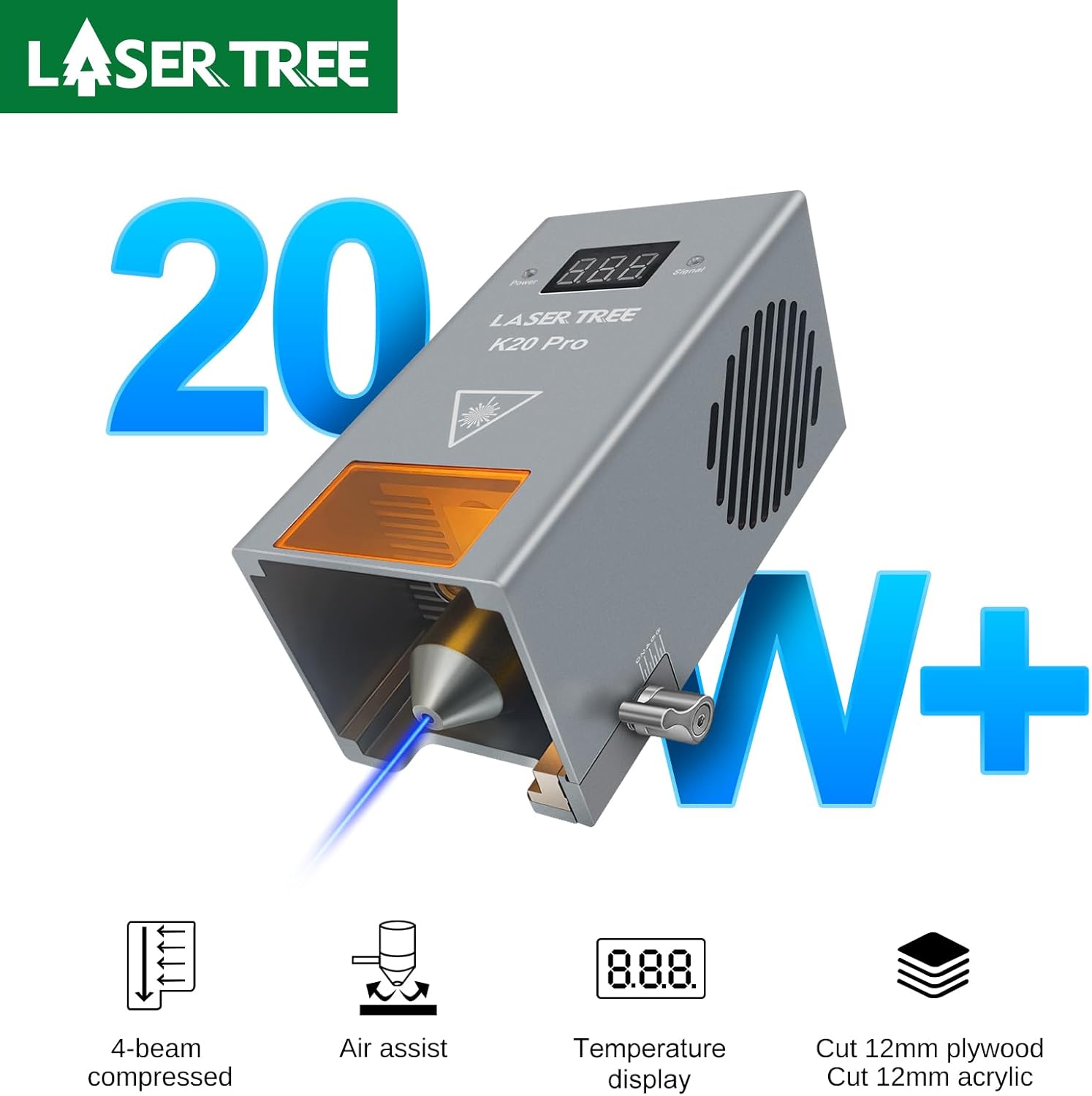
Image: Visual representation of all components included in the LASER TREE LT-K20 Pro laser module package.
4. സജ്ജീകരണം
Follow these steps to set up your LASER TREE LT-K20 Pro laser module with your compatible machine.
- Mounting the Module: Securely attach the LT-K20 Pro laser module to your engraving/cutting machine's gantry using the provided sliding plate and accessories. Ensure it is firmly in place to prevent movement during operation.
- Connecting the Driver Adapter: Connect the driver adapter board to your machine's control board. Refer to your machine's manual for specific connection points (TTL/PWM).
- Connecting the Laser Module: Connect the input cable from the laser module to the driver adapter board.
- പവർ കണക്ഷൻ: Connect the power supply to the driver adapter board, and then plug the power supply into a suitable electrical outlet.
- Air Tube Connection: If using air assist, connect the 1.5m air tube to the air assistance port on the laser module. Connect the other end to an external air pump (not included).
- ഫോക്കസ് അഡ്ജസ്റ്റ്മെന്റ്: Use the focus bar design to set the correct focus distance for your material. The module has a fixed focus lever for easy adjustment.

ചിത്രം: വിശദമായത് view of the laser head, showing the power indicator, signal indicator, working temperature display, dual-fan design, fixed focus lever, laser view window, air assistance port, over-temperature alarm switch, and input port.
5. പ്രവർത്തന നിർദ്ദേശങ്ങൾ
The LASER TREE LT-K20 Pro is designed for precision engraving and cutting. Always ensure proper safety measures are in place before beginning any operation.
5.1 മെറ്റീരിയൽ തയ്യാറാക്കൽ
- Place the material to be processed on a flat, stable surface.
- Ensure the material is clean and free of obstructions.
- For optimal results, use a honeycomb workbed to allow smoke and debris to escape, especially during cutting.
5.2 ലേസർ ഫോക്കസ് ചെയ്യൽ
Accurate focusing is crucial for achieving precise results. Use the integrated focus bar or lever to set the correct focal distance for your material. The red cross line locating feature helps in precise material placement.

Image: Comparison showing the benefit of the red cross line for accurate material positioning before and after alignment.
5.3 കൊത്തുപണിയും മുറിക്കലും
The LT-K20 Pro excels in both engraving and cutting tasks. Adjust power and speed settings in your laser control software according to the material and desired outcome. The module's temperature display helps monitor its operating condition.
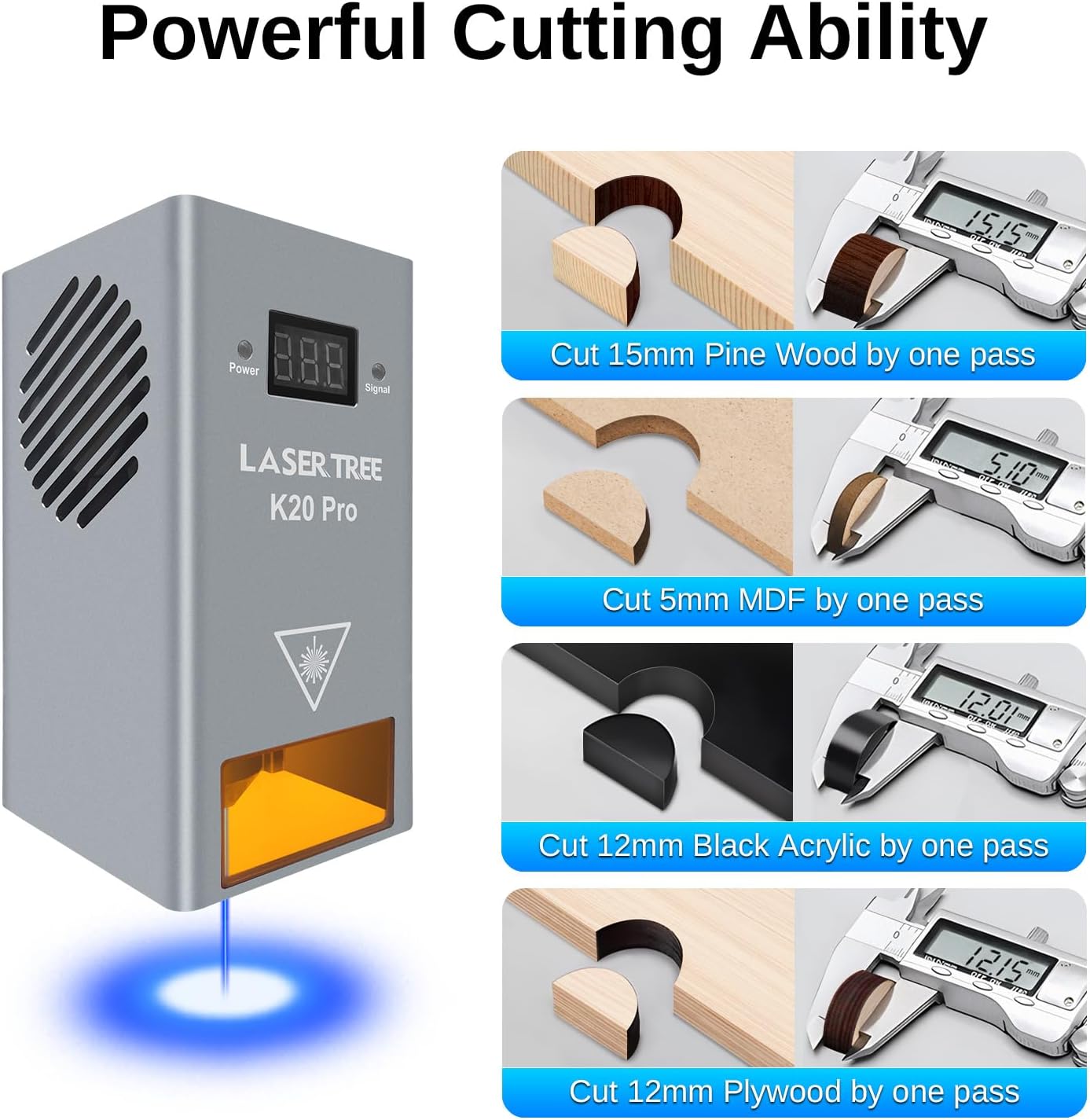
ചിത്രം: ഉദാamples of the module's cutting capabilities, including 15mm pine wood, 5mm MDF, 12mm black acrylic, and 12mm plywood, with measurements.

ചിത്രം: വിഷ്വൽ എക്സ്amples of cutting various materials like pine wood, plywood, MDF, and acrylic with specified speeds for a single pass.

Image: A collage of various items successfully engraved with the laser module, including wood coasters, tumblers, metal tags, and rolling pins.

ചിത്രം: ഒരു കൊളാഷ് ഷോasing various items successfully cut with the laser module, such as decorative wood pieces, organizers, and 3D models.
5.4 ഔദ്യോഗിക ഉൽപ്പന്ന വീഡിയോകൾ
20W laser module stainless steel plywood engraving test data
Video: This video demonstrates the LASER TREE K20 Pro laser module performing engraving tests on stainless steel and plywood, showcasing its precision and capability to create detailed patterns and text on different materials. It highlights the module's performance in generating various shades and textures on metal and wood surfaces.
LASER TREE K20 pro 20W laser module Cutting 20mm pinewood and 12mm plywood
Video: This video showcases the cutting power of the LASER TREE K20 Pro 20W laser module. It demonstrates the module's ability to cleanly cut through thick materials, specifically 20mm pinewood and 12mm plywood, highlighting its efficiency and precision in demanding cutting tasks.
6. പരിപാലനം
പതിവ് അറ്റകുറ്റപ്പണികൾ നിങ്ങളുടെ ലേസർ മൊഡ്യൂളിന്റെ ദീർഘായുസ്സും ഒപ്റ്റിമൽ പ്രകടനവും ഉറപ്പാക്കുന്നു.
- ലെൻസ് ക്ലീനിംഗ്: Periodically inspect and clean the laser lens. Use a soft, lint-free cloth and lens cleaning solution specifically designed for optical components. Avoid abrasive materials that could scratch the lens.
- Protective Window Replacement: The module features an easy-to-change protection window. If the window becomes contaminated or dusty and cannot be cleaned effectively, replace it with the spare protective lens provided.
- പൊടി നീക്കം: Keep the module and surrounding area free of dust and debris. Use compressed air to gently clear vents and cooling fins.
- താപനില നിരീക്ഷണം: Pay attention to the built-in temperature display. If the buzzer sounds an alarm (temperature > 55℃), allow the module to cool down before resuming operation. Ensure adequate airflow around the module.

Image: Diagram illustrating the easy-to-change design of the protective lens, allowing for simple cleaning or replacement when contaminated.
7. പ്രശ്നപരിഹാരം
This section addresses common issues you might encounter with your laser module.
| പ്രശ്നം | സാധ്യമായ കാരണം | പരിഹാരം |
|---|---|---|
| ലേസർ ജ്വലിക്കുന്നില്ല അല്ലെങ്കിൽ ദുർബലമായ ഔട്ട്പുട്ട് |
|
|
| മോശം കൊത്തുപണി/മുറിക്കൽ നിലവാരം |
|
|
| Over-temperature alarm (buzzer sounds) |
|
|
8 സ്പെസിഫിക്കേഷനുകൾ
Detailed technical specifications for the LASER TREE LT-K20 Pro laser module.
| ഫീച്ചർ | സ്പെസിഫിക്കേഷൻ |
|---|---|
| മോഡൽ | കെ20 പ്രോ |
| ബ്രാൻഡ് | ലേസർ ട്രീ |
| Output Optical Power | 18W-22W (Real 20W) |
| വൈദ്യുത ശക്തി | 24V 4A |
| തരംഗദൈർഘ്യം | 450nm (±10nm) |
| പവർ ക്രമീകരിക്കാവുന്ന | TTL/PWM |
| ദൈർഘ്യം ഫോക്കസ് ചെയ്യുക | 40 മി.മീ |
| ഇൻ്റർഫേസ് | 2EDG-3.81 |
| കേബിൾ | 3PIN 80cm |
| ഡ്രൈവർ ഡിസൈൻ | അന്തർനിർമ്മിത |
| ഫാൻ വേഗത | 6000rpm |
| മൊഡ്യൂൾ വലിപ്പം | 64x66x134mm |
| മെറ്റീരിയൽ | അലുമിനിയം & ചെമ്പ് |
| അപേക്ഷ | Engraving/Cutting |
| മൊഡ്യൂൾ ഭാരം | 587 ഗ്രാം |
| ഉൽപ്പന്ന അളവുകൾ | 2.59 x 2.59 x 5.29 ഇഞ്ച് |
| ഇനത്തിൻ്റെ ഭാരം | 2.2 പൗണ്ട് |

Image: A table summarizing the key technical specifications of the K20 Pro laser module, including power, dimensions, and material.
9. വാറൻ്റിയും പിന്തുണയും
LASER TREE is committed to providing high-quality products and excellent customer service. For any questions, technical assistance, or warranty inquiries regarding your LT-K20 Pro laser module, please contact LASER TREE customer support through the platform where you purchased the product or visit the official LASER TREE store.
LASER TREE Store: Visit the LASER TREE Store on Amazon
വാറന്റി ആവശ്യങ്ങൾക്കായി നിങ്ങളുടെ വാങ്ങിയതിന്റെ തെളിവ് സൂക്ഷിക്കുക.


