1. ആമുഖം
The ASMAX T20 is a versatile and essential tool designed for automotive and outdoor use. It integrates a powerful 4000A peak current jump starter, a 150 PSI air compressor, a 12000mAh power bank, and an emergency LED flashlight. This manual provides detailed instructions for the safe and effective operation, maintenance, and troubleshooting of your ASMAX T20 device. Please read this manual thoroughly before first use and retain it for future reference.
2 സുരക്ഷാ വിവരങ്ങൾ
ഉപകരണത്തിന് പരിക്കേൽക്കുകയോ കേടുപാടുകൾ സംഭവിക്കുകയോ ചെയ്യാതിരിക്കാൻ താഴെപ്പറയുന്ന സുരക്ഷാ മുൻകരുതലുകൾ എപ്പോഴും പാലിക്കുക.
- പൊതു സുരക്ഷ: Keep the device away from children. Do not operate in explosive atmospheres, such as in the presence of flammable liquids, gases, or dust. Store in a cool, dry place.
- Jump Starting Safety:
- Ensure correct polarity when connecting the clamps (red to positive, black to negative). Incorrect connection can cause sparks or damage.
- Wear eye protection and gloves when jump starting.
- ചുവപ്പും കറുപ്പും cl അനുവദിക്കരുത്amps to touch each other, as this can cause a short circuit.
- ശീതീകരിച്ച ബാറ്ററി ചാടാൻ ശ്രമിക്കരുത്.
- ജമ്പ് സ്റ്റാർട്ടർ ബന്ധിപ്പിക്കുന്നതിന് മുമ്പ് വാഹനത്തിന്റെ ഇഗ്നിഷൻ ഓഫാണെന്ന് ഉറപ്പാക്കുക.
- Air Compressor Safety:
- Do not overinflate tires or other items. Always check the recommended pressure for the item being inflated.
- Monitor the pressure gauge during inflation to avoid exceeding the maximum pressure.
- The air hose may become hot during prolonged use. Handle with care.
- ബാറ്ററി സുരക്ഷ:
- Do not disassemble, modify, or immerse the device in water.
- Charge the device only with the provided USB-C cable.
- Avoid exposing the device to extreme temperatures (below -20°C or above 45°C).
- If the battery swells, leaks, or emits an odor, discontinue use immediately.
The ASMAX T20 incorporates 10 levels of safety protection, including spark-proof, reverse polarity, short circuit, overload, over-voltage, over-current, high/low temperature, overcharge, and reverse charge protection, ensuring safe operation.

Image: The ASMAX T20 features 10 integrated safety protections for secure operation.
3. പാക്കേജ് ഉള്ളടക്കം
പാക്കേജിൽ എല്ലാ ഇനങ്ങളും ഉണ്ടെന്ന് ഉറപ്പാക്കുക:
- Arrancador con Compresor de Aire T20 (Jump Starter with Air Compressor T20)
- Válvula Schrader Extendida (Extended Schrader Valve)
- Aguja para Inflar Balones (Ball Inflation Needle)
- Válvula Schrader (Schrader Valve)
- Válvula Presta (Presta Valve)
- Cable de Carga USB-C (USB-C Charging Cable)
- Manguera de Aire Inflable (Inflatable Air Hose)
- Cable de Puente de 12V con Pinzas (12V Jumper Cable with Clamps)
- Bolsa de Almacenamiento (Storage Bag)
- Manual de Usuario (User Manual)

Image: All components included in the ASMAX T20 product box.
4. ഉൽപ്പന്നം കഴിഞ്ഞുview
The ASMAX T20 features a compact design with an intuitive interface. Familiarize yourself with the device's components and controls.

Image: The ASMAX T20 device and its accessories.
4.1. Main Unit Features
- വലിയ LCD ഡിസ്പ്ലേ: Shows real-time tire pressure, battery level, and selected modes.
- നിയന്ത്രണ ബട്ടണുകൾ: പവർ, മോഡ് തിരഞ്ഞെടുക്കൽ, മർദ്ദം ക്രമീകരിക്കൽ എന്നിവയ്ക്കുള്ള അവബോധജന്യമായ ബട്ടണുകൾ.
- ജമ്പ് സ്റ്റാർട്ട് പോർട്ട്: Connects to the 12V jumper cables.
- എയർ ഹോസ് പോർട്ട്: Connects the inflatable air hose.
- USB-A ഔട്ട്പുട്ട് പോർട്ട്: ബാഹ്യ ഉപകരണങ്ങൾ ചാർജ് ചെയ്യുന്നതിന് (പവർ ബാങ്ക് പ്രവർത്തനം).
- USB-C ഇൻപുട്ട് പോർട്ട്: For charging the ASMAX T20 device.
- LED ഫ്ലാഷ്ലൈറ്റ്: Integrated high-intensity LED light with multiple modes.

Image: The high-definition LCD screen provides clear information.

Image: The ASMAX T20 functions as a 12000mAh power bank.

Image: The device includes a powerful LED emergency light.
5 സ്പെസിഫിക്കേഷനുകൾ
| ഫീച്ചർ | സ്പെസിഫിക്കേഷൻ |
|---|---|
| പരമാവധി കറൻ്റ് | 4000എ |
| സമ്മർദ്ദ ശ്രേണി | 2-150 പിഎസ്ഐ / 0.1-10.3 ബാർ |
| എയർ ഫ്ലോ | 28 എൽ/മിനിറ്റ് |
| പ്രവർത്തന താപനില പരിധി | -20°C മുതൽ 45°C വരെ (-4°F മുതൽ 113°F വരെ) |
| ബാറ്ററി ശേഷി | 12000mAh / 44.4Wh |
| ഇൻപുട്ട് വോളിയംtage | 5V (യുഎസ്ബി-സി) |
| Engine Support (Gasoline) | 9.0L വരെ |
| Engine Support (Diesel) | 8.0L വരെ |
| Vehicle Type Compatibility | All 12V vehicles (motorcycles, cars, SUVs, ATVs, vans, trucks, lawnmowers) |
| അളവുകൾ | 5 x 7.1 x 9 സെ.മീ |
| ഭാരം | 700 ഗ്രാം |

Image: Comprehensive specifications of the ASMAX T20.
6. സജ്ജീകരണം
6.1. പ്രാരംഭ ചാർജിംഗ്
Before first use, fully charge the ASMAX T20. Connect the provided USB-C charging cable to the device's USB-C input port and a compatible 5V USB power adapter (not included). The LCD display will indicate the charging status. A full charge typically takes 3-4 hours.
7. പ്രവർത്തന നിർദ്ദേശങ്ങൾ
7.1. ഒരു വാഹനം ജമ്പ് സ്റ്റാർട്ട് ചെയ്യുക
The ASMAX T20 can jump start 12V gasoline vehicles up to 9.0L and diesel vehicles up to 8.0L.
- വാഹനം തയ്യാറാക്കുക: വാഹനത്തിന്റെ ഇഗ്നിഷൻ ഓഫാണെന്നും പാർക്കിംഗ് ബ്രേക്ക് ഇടുന്നുണ്ടെന്നും ഉറപ്പാക്കുക.
- Connect the Booster: Insert the 12V jumper cable with clamps into the jump start port on the ASMAX T20.
- ബാറ്ററിയുമായി ബന്ധിപ്പിക്കുക: Attach the red (positive, +) clamp to the positive terminal of the vehicle's battery. Attach the black (negative, -) clamp to the negative terminal of the vehicle's battery. Ensure a secure connection.
- വാഹനം സ്റ്റാർട്ട് ചെയ്യുക: Once connected, the green light on the jumper cable connector will illuminate, indicating a ready state. Start the vehicle's engine. If it doesn't start immediately, wait 30 seconds before trying again. Do not crank for more than 3 seconds per attempt.
- വിച്ഛേദിക്കുക: Once the vehicle starts, immediately disconnect the black (negative) clamp ആദ്യം, പിന്നെ ചുവപ്പ് (പോസിറ്റീവ്) clamp. Remove the jumper cable from the ASMAX T20.

Image: Steps for instant vehicle restart using the ASMAX T20.
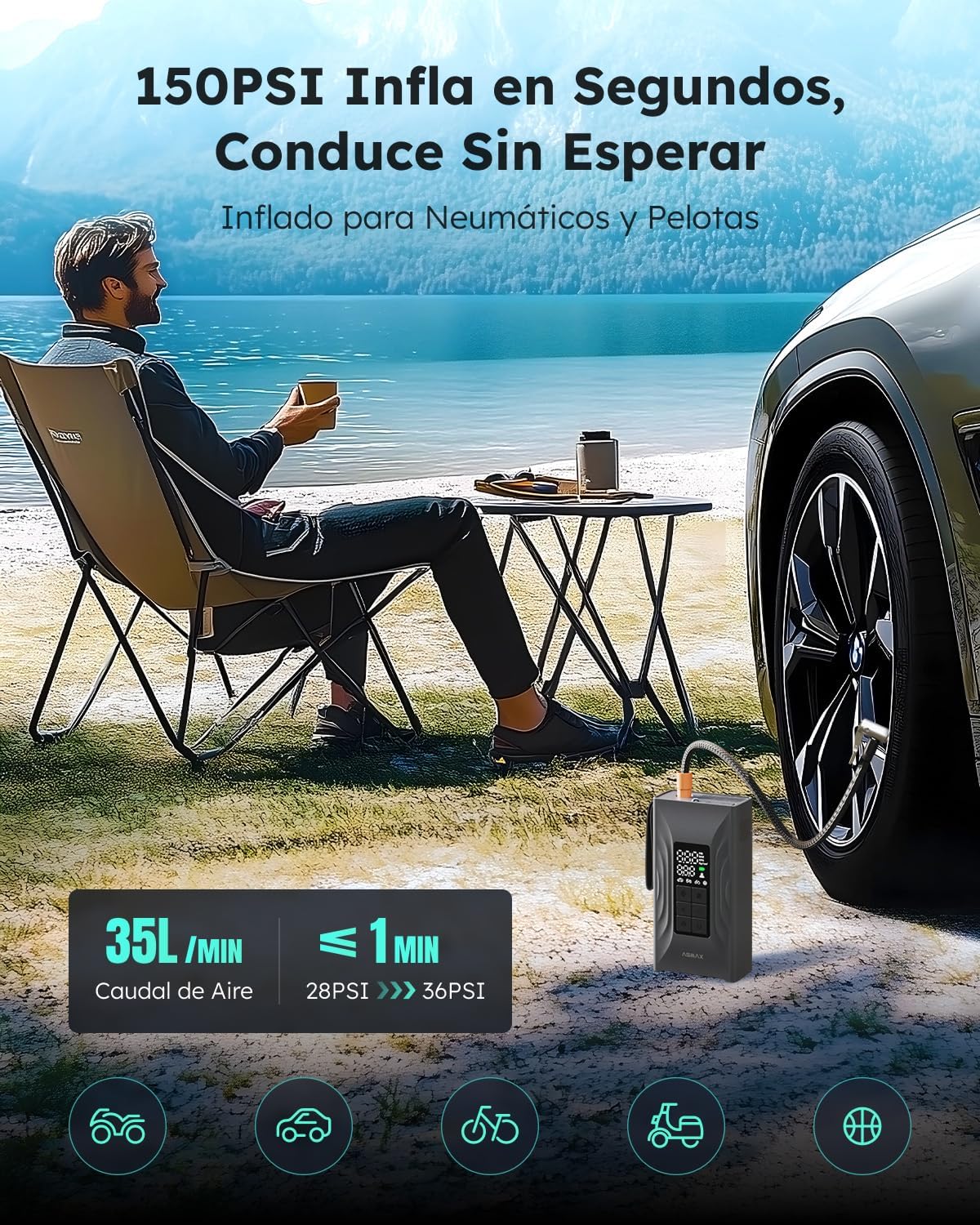
Image: Proper connection of jumper clampഒരു കാർ ബാറ്ററിയിലേക്ക് s.
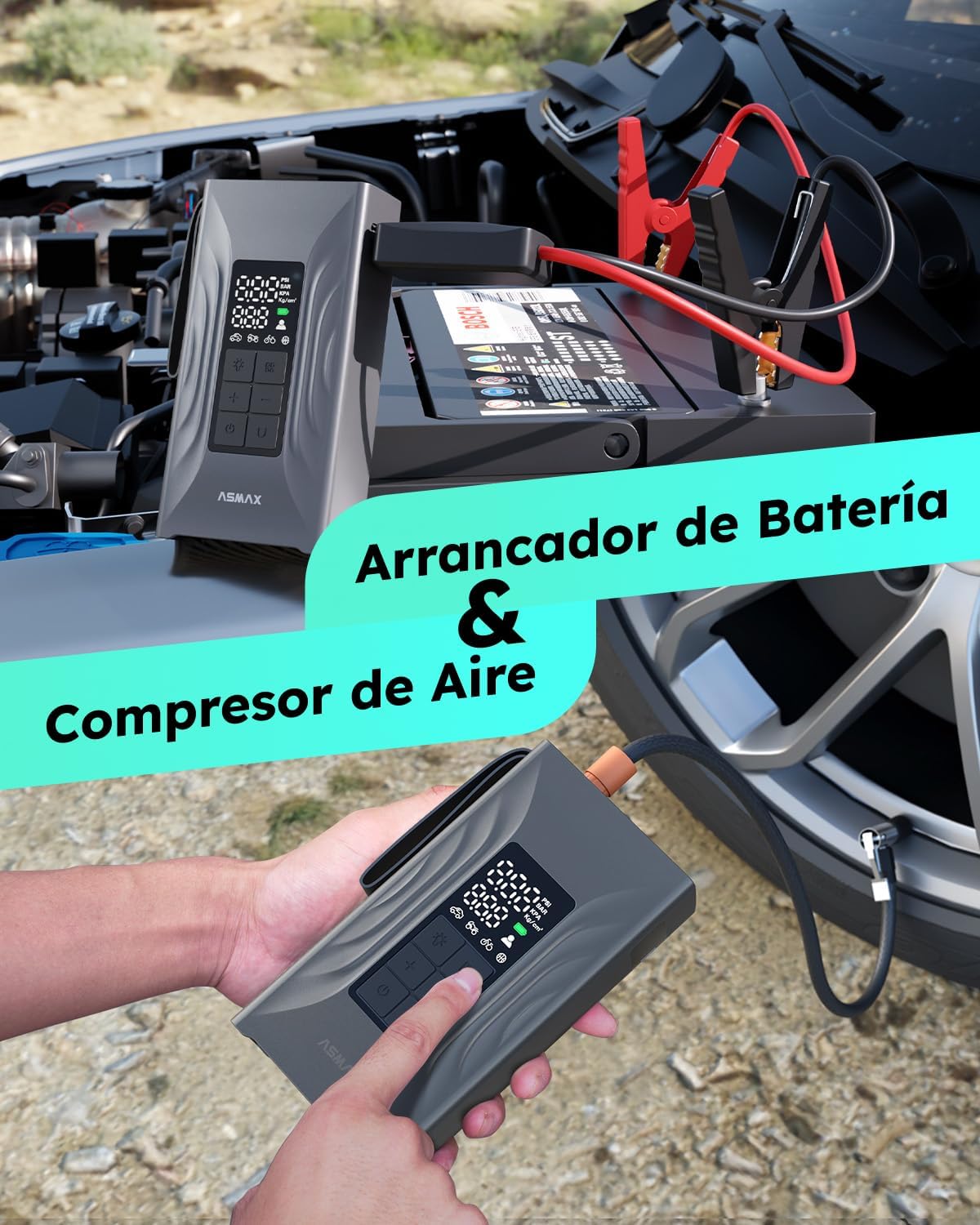
Image: The ASMAX T20 in use for both jump starting and tire inflation.
7.2. Using the Air Compressor
The 150 PSI air compressor can inflate tires, balls, and other inflatables quickly.
- കണക്റ്റ് നോസൽ: Select the appropriate nozzle for your item and securely attach it to the inflatable air hose. Connect the air hose to the air hose port on the ASMAX T20.
- Select Mode & Set Pressure: Turn on the device. Long press the mode button to select from 5 preset modes (balls, bicycles, motorcycles, cars, custom). Use the '+' and '-' buttons to adjust the target pressure. The LCD screen will display the current and target pressure.
- പണപ്പെരുപ്പം ആരംഭിക്കുക: Connect the nozzle to the item to be inflated. Press the power button to start inflation. The compressor will automatically stop once the preset pressure is reached.
- വിച്ഛേദിക്കുക: Disconnect the nozzle from the item and the air hose from the device.

Image: Steps for effortless inflation using the ASMAX T20.
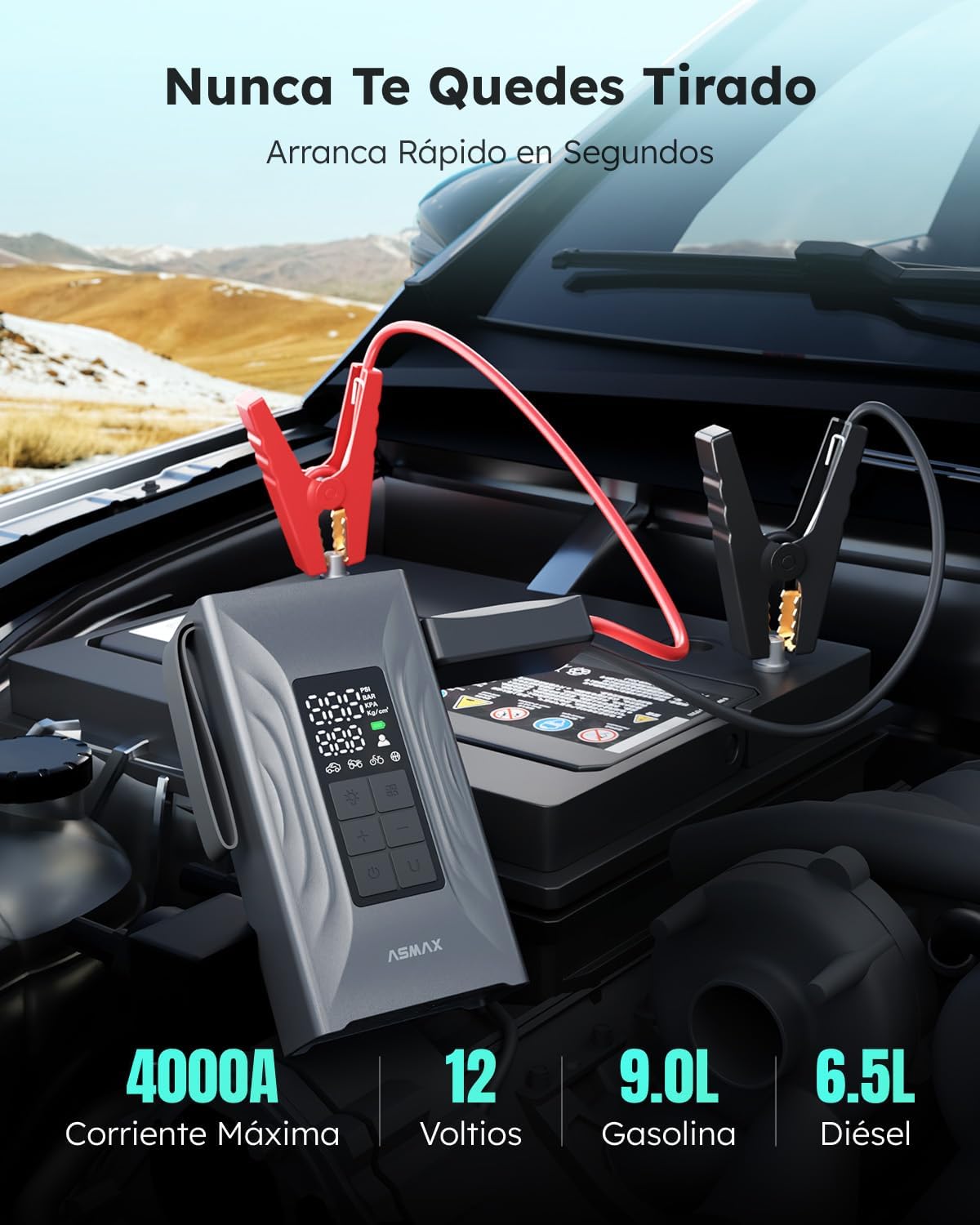
Image: The ASMAX T20 air compressor in use, inflating a tire quickly.
7.3. പവർ ബാങ്കായി ഉപയോഗിക്കുന്നു
The 12000mAh battery can charge mobile phones, tablets, and other USB-powered devices.
- ഉപകരണം ബന്ധിപ്പിക്കുക: Connect your electronic device to the USB-A output port of the ASMAX T20 using a compatible USB cable.
- ചാർജിംഗ്: The ASMAX T20 will automatically begin charging your device. Monitor the charging status on your device's screen.
7.4. എൽഇഡി ഫ്ലാഷ്ലൈറ്റ് ഉപയോഗിക്കുന്നു
സംയോജിത എൽഇഡി ഫ്ലാഷ്ലൈറ്റ് വിവിധ സാഹചര്യങ്ങൾക്ക് പ്രകാശം നൽകുന്നു.
- ഓൺ/ഓഫ് ചെയ്യുക: Press the flashlight button to turn the light on or off.
- മോഡുകൾ മാറ്റുക: Press the flashlight button repeatedly to cycle through the modes: Constant Illumination, Intermittent (Strobe) Mode, and SOS Warning Mode.
8. പരിപാലനം
Proper maintenance ensures the longevity and optimal performance of your ASMAX T20.
- വൃത്തിയാക്കൽ: Wipe the device with a soft, dry cloth. Do not use harsh chemicals or abrasive cleaners. Ensure all ports are free of dust and debris.
- സംഭരണം: Store the device in a cool, dry place, away from direct sunlight and extreme temperatures. The ideal storage temperature range is between -20°C and 45°C.
- ബാറ്ററി കെയർ: To maintain battery health, it is recommended to fully charge the device every 3-6 months, even if not in use. Do not store the device with a completely depleted battery.
- ആക്സസറി കെയർ: Keep the jumper cables, air hose, and nozzles clean and free from damage. Store them in the provided storage bag.
9. പ്രശ്നപരിഹാരം
If you encounter issues with your ASMAX T20, refer to the following common problems and solutions:
| പ്രശ്നം | സാധ്യമായ കാരണം | പരിഹാരം |
|---|---|---|
| ഉപകരണം ഓണാക്കില്ല. | ബാറ്ററി തീർന്നു. | USB-C കേബിൾ ഉപയോഗിച്ച് ഉപകരണം പൂർണ്ണമായും ചാർജ് ചെയ്യുക. |
| വാഹനം ജമ്പ് സ്റ്റാർട്ട് ആകുന്നില്ല. | തെറ്റായ clamp കണക്ഷൻ. Device battery too low. Vehicle battery completely dead (below 50% charge on device required). Vehicle issue not related to battery. | Cl ഉറപ്പാക്കുകamps ശരിയായി ബന്ധിപ്പിച്ചിരിക്കുന്നു (ചുവപ്പ് മുതൽ + വരെ, കറുപ്പ് മുതൽ - വരെ). Ensure device is sufficiently charged (above 50%). For completely dead batteries, ensure device is fully charged and try again. If still no start, consult a mechanic. Check other vehicle systems. |
| എയർ കംപ്രസ്സർ വീർക്കുന്നില്ല. | Hose not securely connected. നോസൽ ശരിയായി ഘടിപ്പിച്ചിട്ടില്ല. Target pressure not set. Device battery too low. | Ensure air hose is securely screwed into the device and nozzle. Ensure nozzle is firmly attached to the item. Set a target pressure on the display. ഉപകരണം ചാർജ് ചെയ്യുക. |
| എൽസിഡി ഡിസ്പ്ലേ പ്രവർത്തിക്കുന്നില്ല. | Device is off or battery is depleted. | Press the power button to turn on. Charge the device if necessary. |
| Device gets hot during use. | Normal operation during high load (e.g., prolonged inflation or multiple jump starts). | Allow the device to cool down before continued use. If overheating persists or is excessive, discontinue use and contact support. |
If the problem persists after attempting these solutions, please contact ASMAX customer support for assistance.
10. വാറൻ്റിയും പിന്തുണയും
The ASMAX T20 is designed and manufactured to high-quality standards. For information regarding warranty coverage, please refer to the warranty card included with your product or visit the official ASMAX website. For technical support, troubleshooting assistance beyond this manual, or to inquire about replacement parts, please contact ASMAX customer service through the contact information provided on the product packaging or the official brand webസൈറ്റ്.


