1. ആമുഖം
The LIORQUE Sunrise Alarm Clock Wake Up Light is designed to provide a gentle and natural awakening experience, mimicking the sunrise with gradually increasing light and soothing sounds. It also functions as a versatile night light, white noise machine, and offers convenient charging capabilities. This manual provides detailed instructions for setting up and operating your device to ensure optimal performance and a peaceful sleep environment.
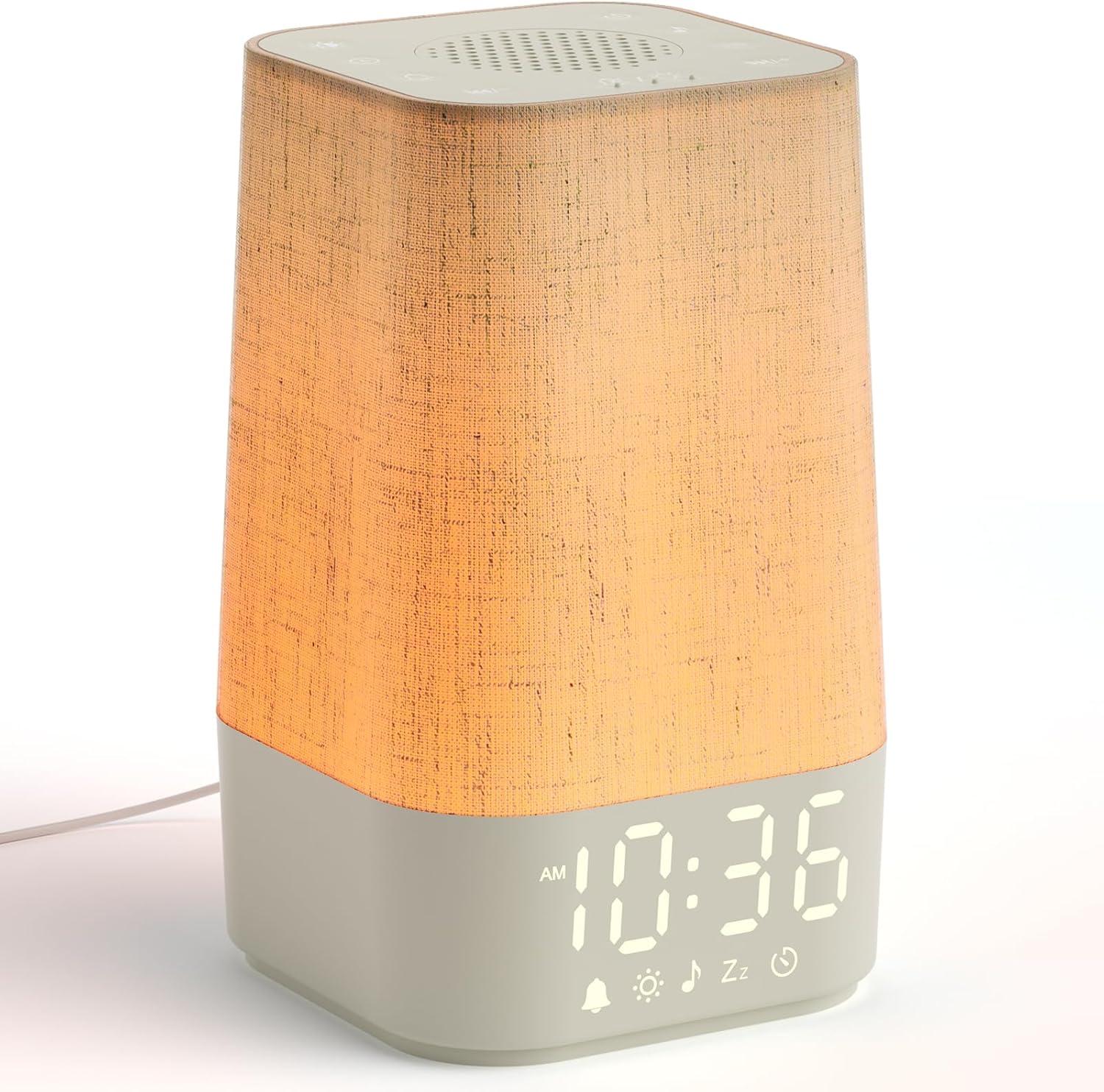
Figure 1.1: LIORQUE Sunrise Alarm Clock Wake Up Light
2. പാക്കേജ് ഉള്ളടക്കം
പാക്കേജിൽ ഇനിപ്പറയുന്ന ഇനങ്ങൾ ഉണ്ടോ എന്ന് പരിശോധിക്കുക:
- LIORQUE Sunrise Alarm Clock Wake Up Light (Model SM-02)
- USB-C Power Cable (approx. 1.5m)
- പവർ അഡാപ്റ്റർ
- ഉപയോക്തൃ മാനുവൽ
3 പ്രധാന സവിശേഷതകൾ
- സൺറൈസ് സിമുലേഷൻ: Gradual light increase over 0-60 minutes for a natural wake-up.
- 30 ആശ്വാസകരമായ ശബ്ദങ്ങൾ: Includes 20 natural melodies and 10 white noise options with 30 adjustable volume levels.
- Versatile Night Light: 12 levels of adjustable brightness with warm and cool white light, plus a gentle breathing light mode.
- Sleep Timers: Set night light and white noise for 30-180 minutes to aid peaceful sleep.
- ഇഷ്ടാനുസൃതമാക്കാവുന്ന ഡിസ്പ്ലേ: 5 levels of brightness adjustment for the time display, including a complete shut-off option.
- മെമ്മറി പ്രവർത്തനം: Built-in battery remembers your settings during power outages.
- യുഎസ്ബി ചാർജിംഗ് പോർട്ട്: Convenient 5W USB output for charging mobile devices.
4. സജ്ജീകരണം
- പവർ കണക്ഷൻ: Connect the USB-C power cable to the port on the back of the alarm clock and plug the adapter into a standard wall outlet. The display will light up.
- പ്രാരംഭ സമയ ക്രമീകരണം: Upon first use or after a prolonged power disconnection, the clock may display a default time. Refer to the 'Setting Time' section under Operating Instructions to set the correct time.
- പ്ലേസ്മെൻ്റ്: Place the alarm clock on a stable, flat surface such as a bedside table, ensuring it is within reach of a power outlet.
5. പ്രവർത്തന നിർദ്ദേശങ്ങൾ
5.1 ക്രമീകരണ സമയം
Detailed instructions for setting the current time on your device.
5.2 Sunrise Alarm Function
The sunrise simulation gradually brightens before your set alarm time, helping you wake up naturally.
- അലാറം സമയം സജ്ജമാക്കുക: Use the dedicated alarm button (often indicated by a bell icon) to enter alarm setting mode. Adjust hours and minutes.
- Select Wake-Up Tone: Choose from 7 wake-up tones.
- Adjust Sunrise Duration: Set the duration for the light to gradually increase (e.g., 30 or 60 minutes) before the alarm sounds.
- അലാറം പ്രവർത്തനക്ഷമമാക്കുക: Ensure the alarm is activated.
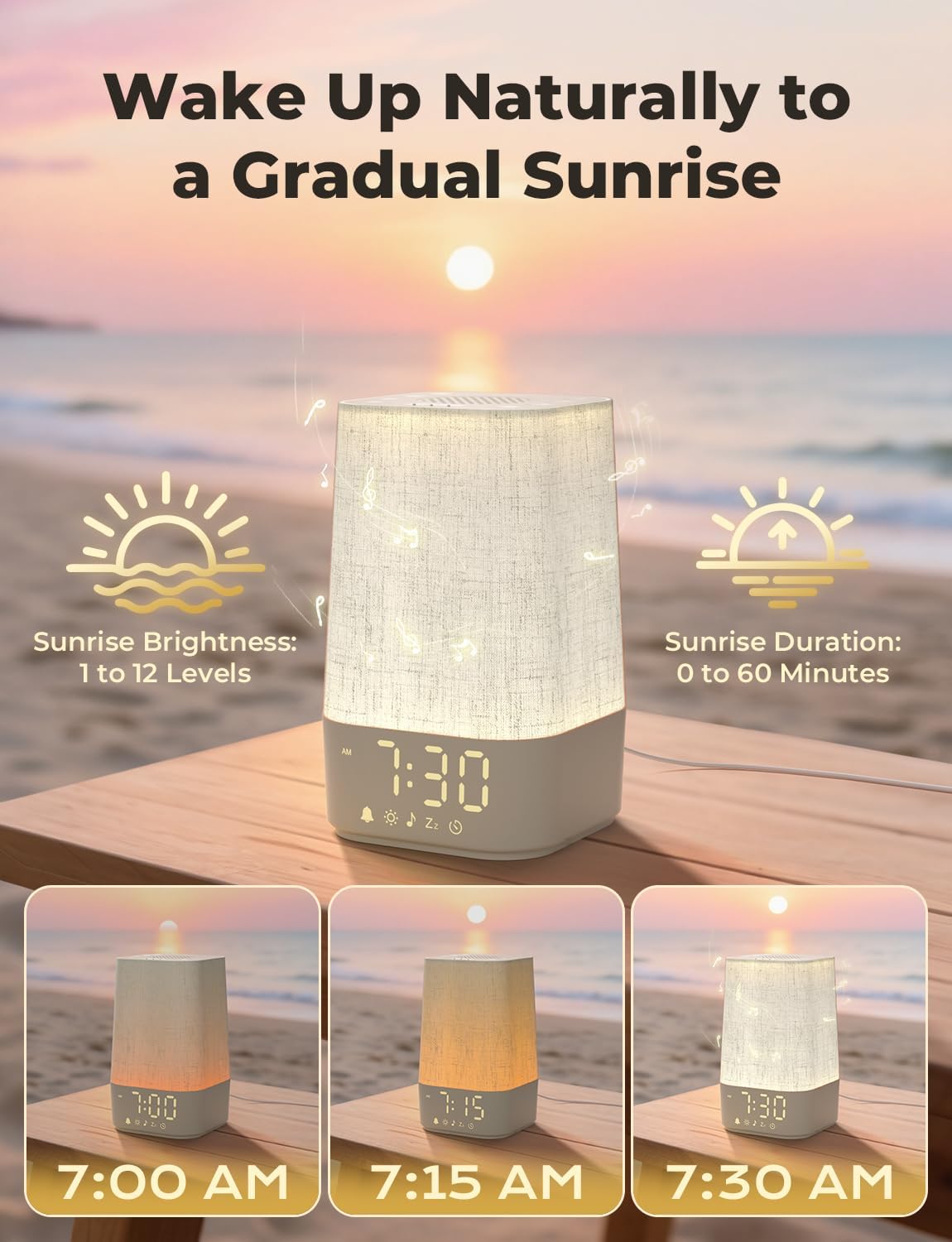
Figure 5.2.1: Gradual Sunrise Simulation

Figure 5.2.2: Wake Up in Gently Sunrise Light
5.3 Soothing Sounds & White Noise
Use the built-in sound machine for relaxation or to block out distracting noise.
- ശബ്ദം തിരഞ്ഞെടുക്കുക: Press the music note button to cycle through 20 natural melodies and 10 white noise options.
- വോളിയം ക്രമീകരിക്കുക: Use the volume buttons to select from 30 adjustable volume levels.
- സ്ലീപ്പ് ടൈമർ സജ്ജമാക്കുക: Press the timer button to set the sound to play for 30, 60, 90, 120, or 180 minutes before automatically turning off.
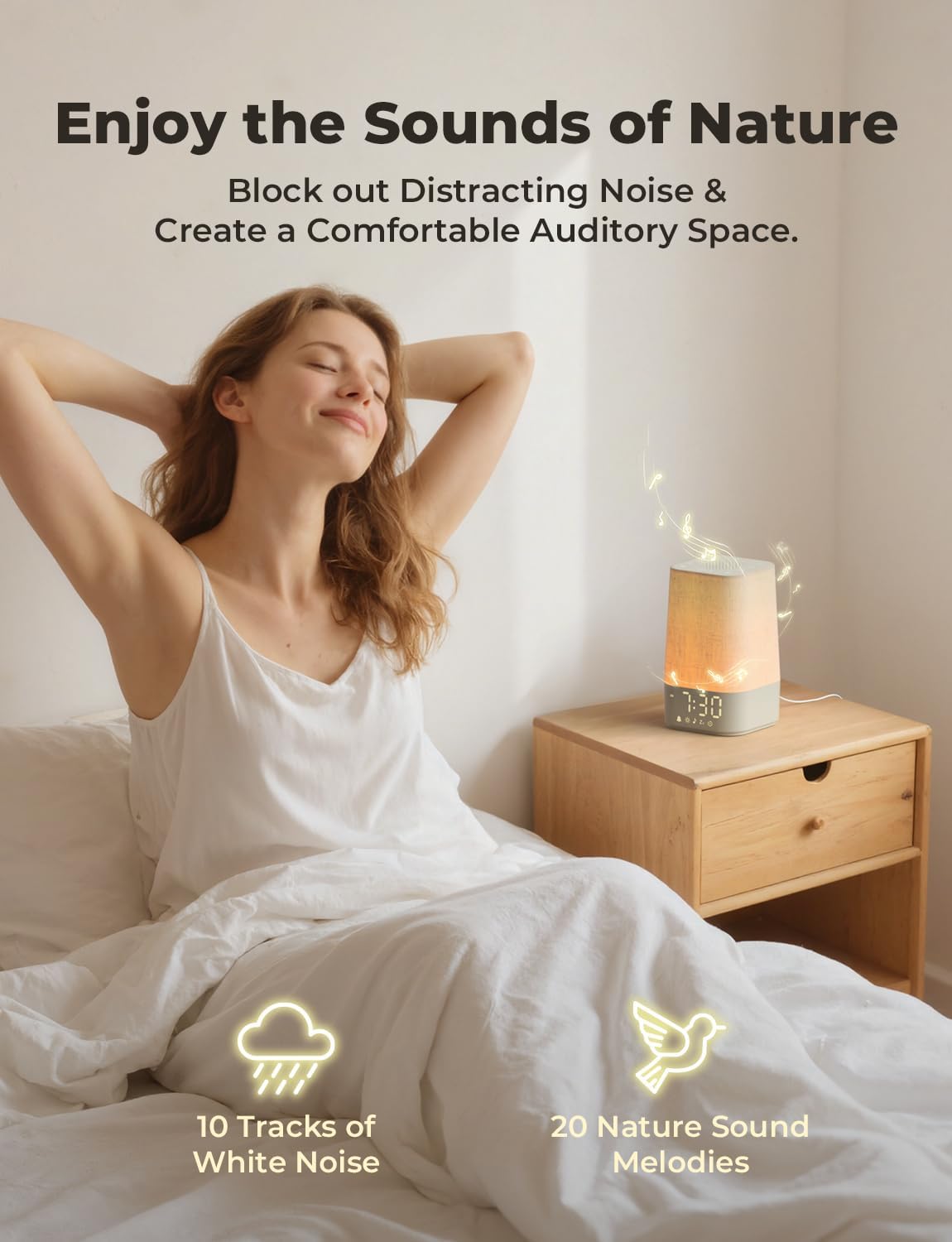
Figure 5.3.1: Enjoy the Sounds of Nature

Figure 5.3.2: Control Buttons for Sound and Volume
5.4 നൈറ്റ് ലൈറ്റ് ഫംഗ്ഷൻ
The device can be used as a bedside lamp with adjustable brightness and color temperature.
- ഓൺ/ഓഫ് ചെയ്യുക: Press the light bulb button to turn the night light on or off.
- തെളിച്ചം ക്രമീകരിക്കുക: Cycle through 12 levels of brightness by pressing the light bulb button repeatedly.
- വർണ്ണ താപനില മാറ്റുക: Switch between warm and cool white light options.
- ശ്വസന വെളിച്ചം: Activate the gentle breathing light mode for a calming effect.
- സ്ലീപ്പ് ടൈമർ സജ്ജമാക്കുക: The night light can also be set with a sleep timer (30-180 minutes) to gradually dim and turn off.
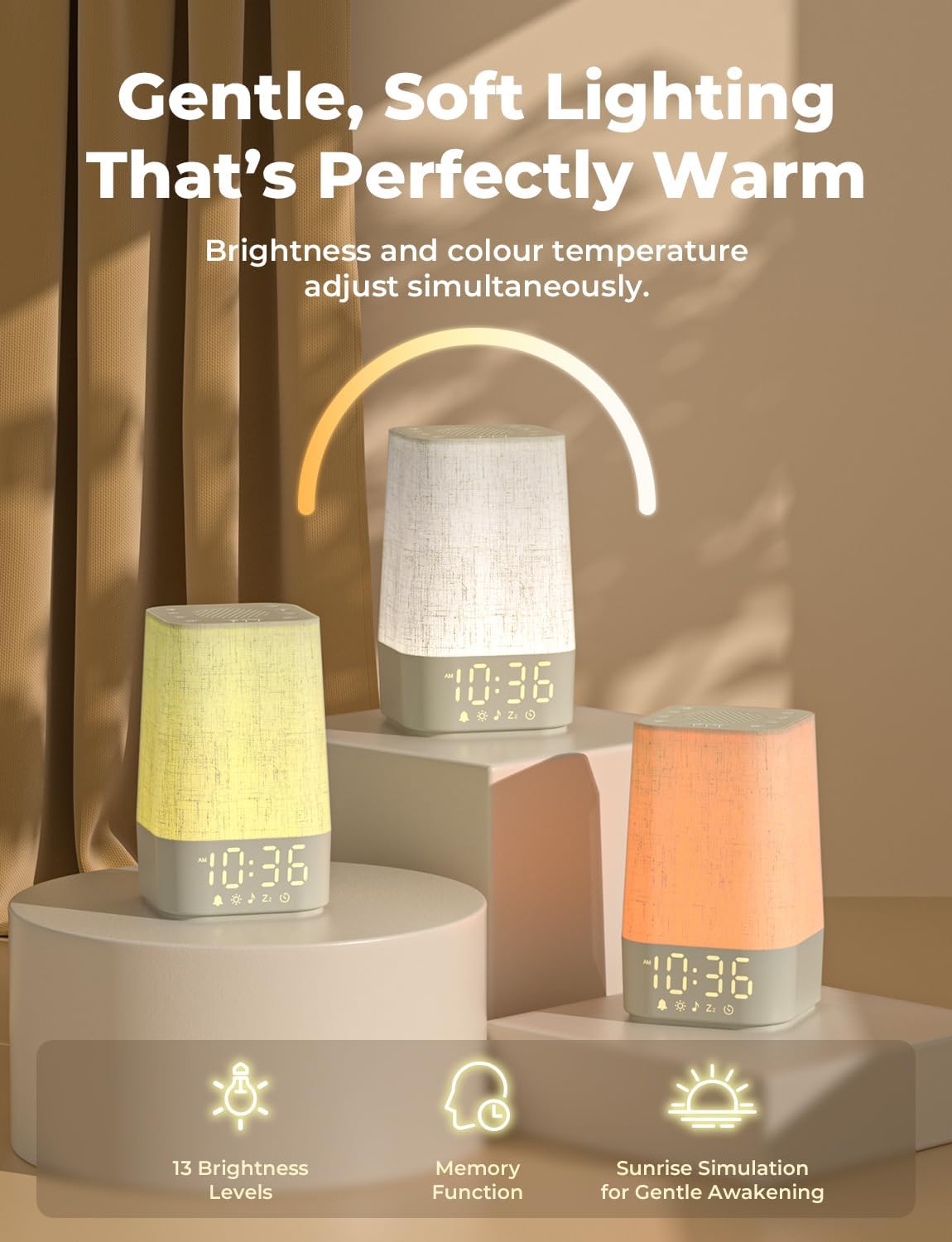
Figure 5.4.1: Gentle, Soft Lighting Options

Figure 5.4.2: 13 Levels of Light Brightness and Color Temperature Adjustment
5.5 ഡിസ്പ്ലേ ബ്രൈറ്റ്നസ് അഡ്ജസ്റ്റ്മെന്റ്
Adjust the brightness of the digital time display to suit your preference, especially for light-sensitive sleepers.
- തെളിച്ചം ക്രമീകരിക്കുക: Use the display brightness button (often indicated by a sun icon with an arrow) to cycle through 5 levels of brightness.
- ഡിസ്പ്ലേ ഓഫാക്കുക: One of the brightness levels allows for the complete shut-off of the display.

Figure 5.5.1: Adjustable Display Brightness

Figure 5.5.2: 5 Levels of Screen Brightness
5.6 യുഎസ്ബി ചാർജിംഗ് പോർട്ട്
The alarm clock includes a convenient USB port for charging your mobile devices.
- Locate the USB charging port on the back or side of the device.
- Connect your phone's charging cable to this port.
- The port provides 5W charging output.

Figure 5.6.1: USB Output to Charge the Phone
6. പരിപാലനം
- വൃത്തിയാക്കൽ: മൃദുവായതും ഉണങ്ങിയതുമായ തുണി ഉപയോഗിച്ച് ഉപകരണം തുടയ്ക്കുക. അബ്രസീവ് ക്ലീനറുകളോ ലായകങ്ങളോ ഉപയോഗിക്കരുത്.
- സംഭരണം: ദീർഘനേരം ഉപയോഗിക്കാത്തപ്പോൾ ഉപകരണം തണുത്തതും വരണ്ടതുമായ സ്ഥലത്ത് സൂക്ഷിക്കുക.
- ശക്തി: Always disconnect the power adapter before cleaning or moving the device.
7. പ്രശ്നപരിഹാരം
| പ്രശ്നം | സാധ്യമായ കാരണം | പരിഹാരം |
|---|---|---|
| ഉപകരണം പവർ ഓണാക്കുന്നില്ല. | Power cable not connected properly or power outlet issue. | Ensure the power cable is securely connected to both the device and the power outlet. Try a different outlet. |
| അലാറം മുഴങ്ങുന്നില്ല, പ്രകാശിക്കുന്നില്ല. | Alarm not set or enabled; volume too low. | അലാറം ക്രമീകരണങ്ങൾ പരിശോധിച്ച് അത് പ്രവർത്തനക്ഷമമാക്കിയിട്ടുണ്ടെന്ന് ഉറപ്പാക്കുക. അലാറം വോളിയം പരിശോധിക്കുക. |
| Display is too dim or off. | Display brightness set to lowest level or off. | പ്രത്യേക ബട്ടൺ ഉപയോഗിച്ച് ഡിസ്പ്ലേയുടെ തെളിച്ചം ക്രമീകരിക്കുക. |
| USB charging is slow or not working. | Device connected requires more than 5W; faulty cable. | Ensure your device is compatible with 5W charging. Try a different USB cable. |
8 സ്പെസിഫിക്കേഷനുകൾ
| ഫീച്ചർ | വിശദാംശങ്ങൾ |
|---|---|
| മോഡൽ നമ്പർ | എസ്എം-02 |
| അളവുകൾ | 23 x 13.3 x 13.3 സെ.മീ |
| ഭാരം | 400 ഗ്രാം |
| പവർ ഇൻപുട്ട് | Mains Powered (via USB-C adapter) |
| USB ഔട്ട്പുട്ട് | 5W |
| പ്രകാശ തെളിച്ച നിലകൾ | 12 |
| Display Brightness Levels | 5 (including off) |
| ശാന്തമായ ശബ്ദങ്ങൾ | 30 (20 natural, 10 white noise) |
| Sound Volume Levels | 30 |
| Sunrise Simulation Duration | 60 മിനിറ്റ് വരെ |
| സ്ലീപ്പ് ടൈമർ ഓപ്ഷനുകൾ | 30, 60, 90, 120, 180 മിനിറ്റ് |
| Battery (for settings memory) | 1 നിലവാരമില്ലാത്ത ബാറ്ററി (ഉൾപ്പെടുത്തിയിരിക്കുന്നു) |
9. വാറൻ്റിയും പിന്തുണയും
LIORQUE products are manufactured to high-quality standards. For warranty information, technical support, or customer service inquiries, please refer to the contact information provided on the product packaging or visit the official LIORQUE webസൈറ്റ്. ഏതെങ്കിലും വാറന്റി ക്ലെയിമുകൾക്കായി നിങ്ങളുടെ വാങ്ങലിന്റെ തെളിവ് സൂക്ഷിക്കുക.


