1. ആമുഖവും അവസാനവുംview
The Zima Dental Pod PRO is an advanced ultrasonic cleaning device designed for various oral appliances. Utilizing patented British engineering and dynamic 42k-47k Hz ultrasonic technology, it provides thorough cleaning by creating miniature shockwaves that disintegrate microorganisms, plaque, and stains. This device is ideal for retainers, aligners, nightguards, mouthguards, and dentures.
പ്രധാന സവിശേഷതകളിൽ ഇവ ഉൾപ്പെടുന്നു:
- Increased Cleaning Power: Patented British engineering with next-generation technology.
- അവാർഡ് നേടിയ ഇന്നൊവേഷൻ: Intelligent, patented, dynamic 42k-47k Hz ultrasonic technology, recognized as the 2024 British Dental Association Product of the Year.
- നീക്കം ചെയ്യാവുന്ന വാട്ടർ ടാങ്ക്: Modular design for easy refilling and cleaning.
- ഒന്നിലധികം പ്രവർത്തന മോഡുകൾ: Includes a 'Max Clean Mode' for stubborn buildup.
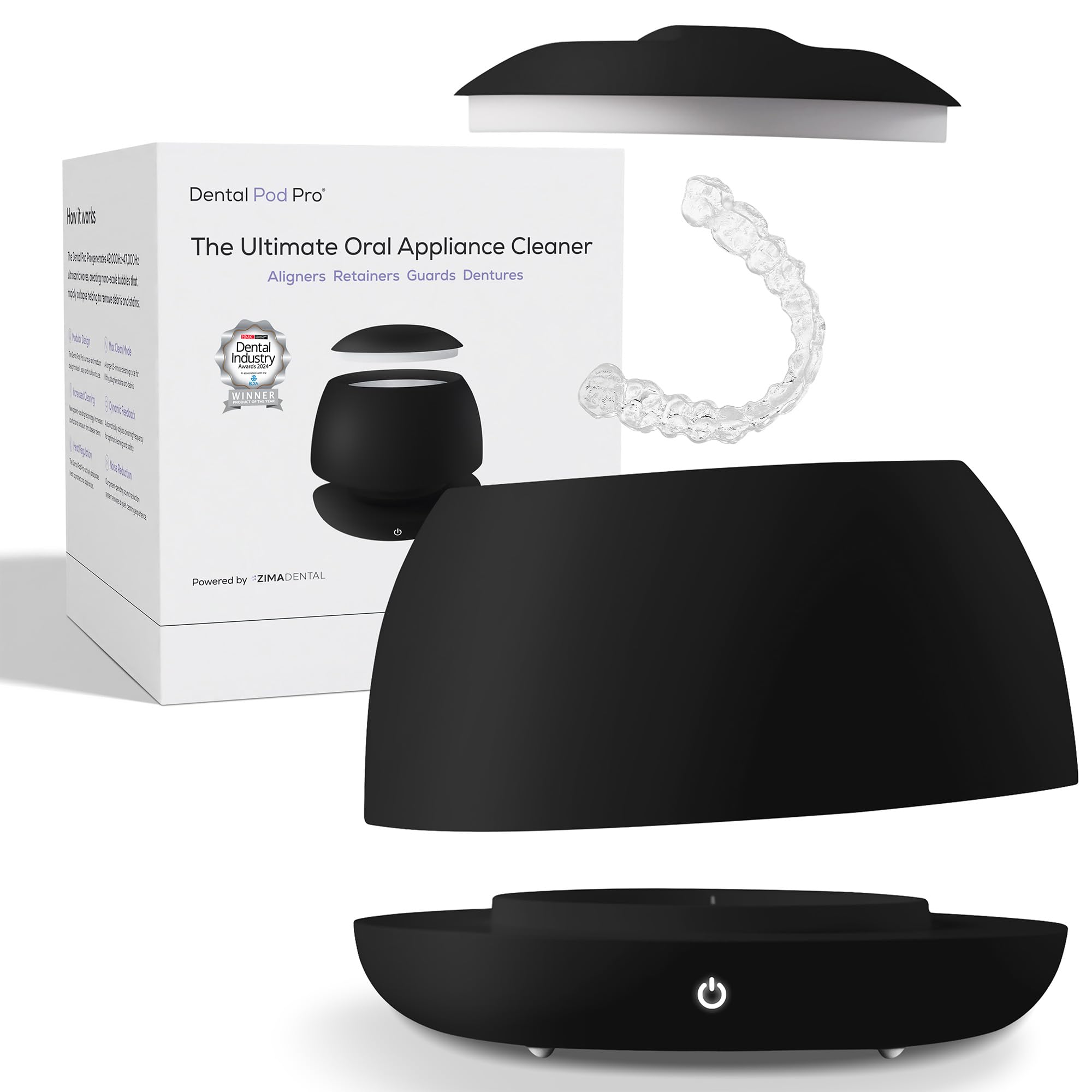
Image 1: Zima Dental Pod PRO Ultrasonic Cleaner in Jet Black.
2. സജ്ജീകരണം
- ഉപകരണം അൺപാക്ക് ചെയ്യുക: Carefully remove the Zima Dental Pod PRO and all accessories from its packaging.
- പവർ ബന്ധിപ്പിക്കുക: Plug the power adapter into a suitable electrical outlet and connect it to the device.
- വാട്ടർ ടാങ്ക് നിറയ്ക്കുക: Detach the removable water tank from the base. Fill the tank with cold tap water up to the 'MAX' line indicated inside the tank.
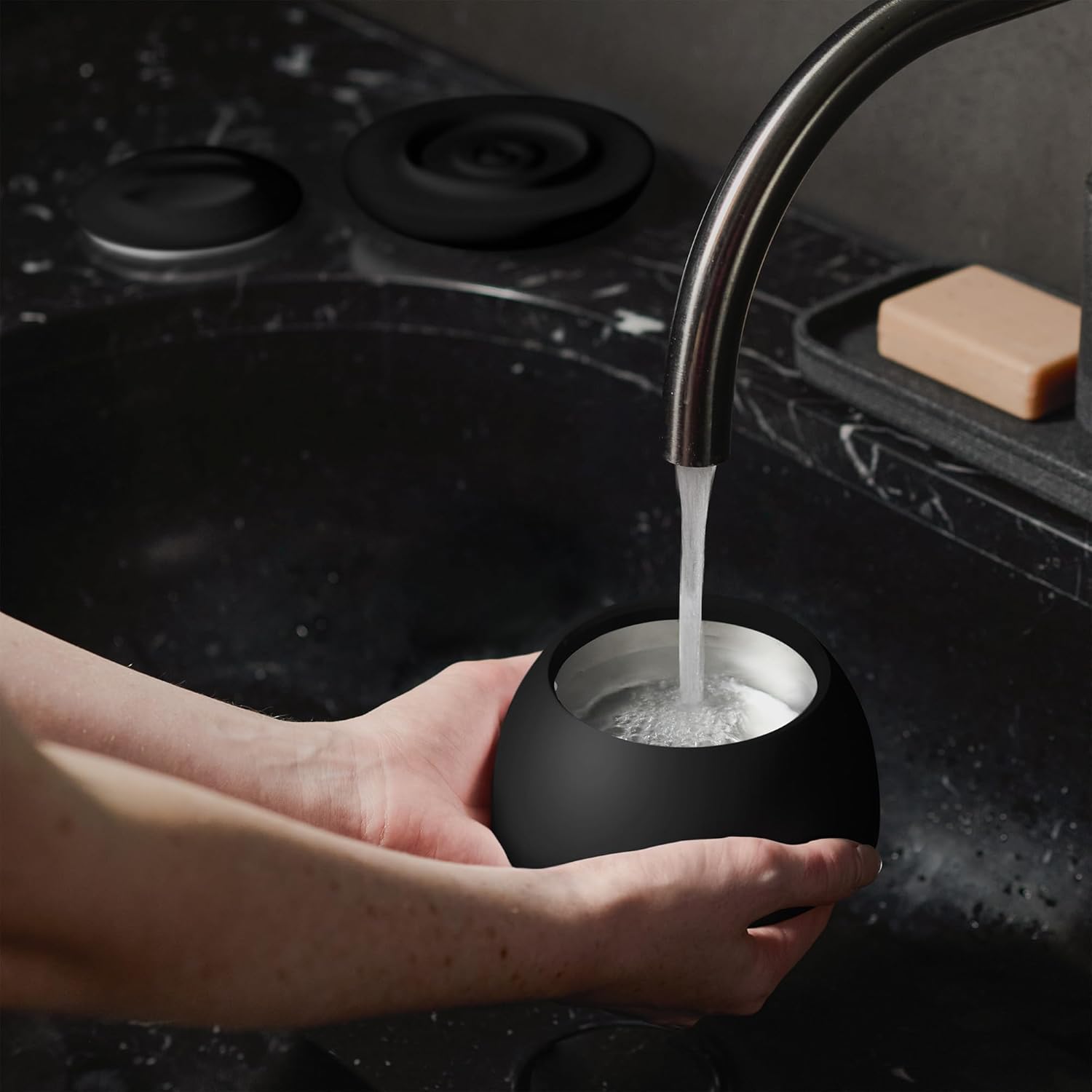
Image 2: A hand filling the removable tank of the Zima Dental Pod PRO with water from a faucet.
3. പ്രവർത്തന നിർദ്ദേശങ്ങൾ
- Add Cleaning Tablet (Optional): For enhanced cleaning, drop one Zima Dental cleaning tablet (or a compatible unflavored tablet) into the water-filled tank. Allow it to dissolve for approximately 2 minutes.
- Place Oral Appliance: Carefully place your oral appliance (retainer, aligner, nightguard, mouthguard, or denture) into the water tank, ensuring it is fully submerged.
- സുരക്ഷിതമായ ലിഡ്: Place the lid back onto the device.
- ക്ലീനിംഗ് മോഡ് തിരഞ്ഞെടുക്കുക:
- Standard Clean (5 minutes): Press the power button once. The indicator light will illuminate white.
- Max Clean Mode (15 minutes): Press the power button twice. The indicator light will illuminate blue. This mode is recommended for older appliances or stubborn buildup.
- വൃത്തിയാക്കൽ ആരംഭിക്കുക: The device will begin the ultrasonic cleaning cycle. It operates quietly.
- സൈക്കിൾ പൂർത്തിയാക്കൽ: The device will automatically turn off once the cleaning cycle is complete.
- Remove and Rinse: Carefully remove your clean oral appliance from the tank and rinse it thoroughly under running water before use.

Image 3: A visual guide demonstrating the four steps of using the Zima Dental Pod PRO: Fill with water, place dirty appliance, tap to start cycle, and take out clean appliance.
Video 1: An official Zima Dental video demonstrating the features and ease of use of the Dental Pod Pro.
4. പരിപാലനം
- ഒഴിഞ്ഞ വെള്ളം: After each use, detach the water tank from the base and carefully empty the used water.
- വൃത്തിയുള്ള ടാങ്ക്: Rinse the removable water tank with clean water. For deeper cleaning, wipe the interior with a soft cloth.
- ബാഹ്യ ശുചീകരണം: സോഫ്റ്റ്, ഡി ഉപയോഗിച്ച് ഉപകരണത്തിൻ്റെ പുറംഭാഗം തുടയ്ക്കുകamp തുണി. പ്രധാന യൂണിറ്റ് വെള്ളത്തിൽ മുക്കരുത്.
- സംഭരണം: Store the device in a clean, dry place when not in use.
5. പ്രശ്നപരിഹാരം
- ഉപകരണം ഓണാക്കുന്നില്ല: പവർ അഡാപ്റ്റർ ഉപകരണത്തിലേക്കും പ്രവർത്തിക്കുന്ന ഒരു ഇലക്ട്രിക്കൽ ഔട്ട്ലെറ്റിലേക്കും സുരക്ഷിതമായി പ്ലഗ് ചെയ്തിട്ടുണ്ടെന്ന് ഉറപ്പാക്കുക.
- Fiddly Power Button: The power button is touch-sensitive. Ensure a firm, direct touch. The LED indicator (white for 5 min, blue for 15 min) confirms mode selection.
- Insufficient Cleaning: Ensure the water level is between the MIN and MAX lines. For stubborn buildup, use the Max Clean Mode and a Zima Dental cleaning tablet.
- അസാധാരണമായ ശബ്ദം: Some noise during the cleaning cycle is normal due to ultrasonic waves. If the noise is excessive or unusual, discontinue use and contact customer support.
6 സ്പെസിഫിക്കേഷനുകൾ
| ഫീച്ചർ | സ്പെസിഫിക്കേഷൻ |
|---|---|
| ഇനം മോഡൽ നമ്പർ | PRO1 |
| അൾട്രാസോണിക് ഫ്രീക്വൻസി | Dynamic 42k-47k Hz |
| പവർ ഉറവിടം | കോർഡഡ് ഇലക്ട്രിക് |
| പ്രത്യേക ഫീച്ചർ | ഒന്നിലധികം പ്രവർത്തന മോഡുകൾ |
| ഉൽപ്പന്ന ആനുകൂല്യങ്ങൾ | Retainer Cleaning |
| പാക്കേജ് അളവുകൾ | 6.34 x 5.63 x 5.55 ഇഞ്ച് |
| ഭാരം | 2.03 പൗണ്ട് |
7 സുരക്ഷാ വിവരങ്ങൾ
- Do not use with damaged or broken teeth.
- ഉറങ്ങുമ്പോൾ ഉപയോഗിക്കരുത്.
- കുട്ടികളിൽ നിന്ന് അകന്നു നിൽക്കുക.
- വൃത്തിയാക്കുന്നതിന് മുമ്പ് എല്ലായ്പ്പോഴും അൺപ്ലഗ് ചെയ്യുക.
- പ്രധാന യൂണിറ്റ് വെള്ളത്തിൽ മുക്കരുത്.
8. വാറൻ്റിയും പിന്തുണയും
The Zima Dental Pod PRO comes with a full 12 മാസ വാറൻ്റി from the date of purchase. For any product-related inquiries, technical support, or warranty claims, please contact Zima Dental customer service via the Amazon Buyer-Seller Messaging platform. Our team aims to respond within 24 hours.
കൂടുതൽ വിവരങ്ങൾക്കും ഉൽപ്പന്നങ്ങൾക്കും, സന്ദർശിക്കുക Zima Dental Store on Amazon.


