1. ആമുഖം
This manual provides detailed instructions for the setup, operation, maintenance, and troubleshooting of your NGTeco APP-Based Fingerprint Time Clock, Model NG-K4. This device is designed to streamline employee time tracking for small businesses using advanced biometric technology and a user-friendly mobile application.
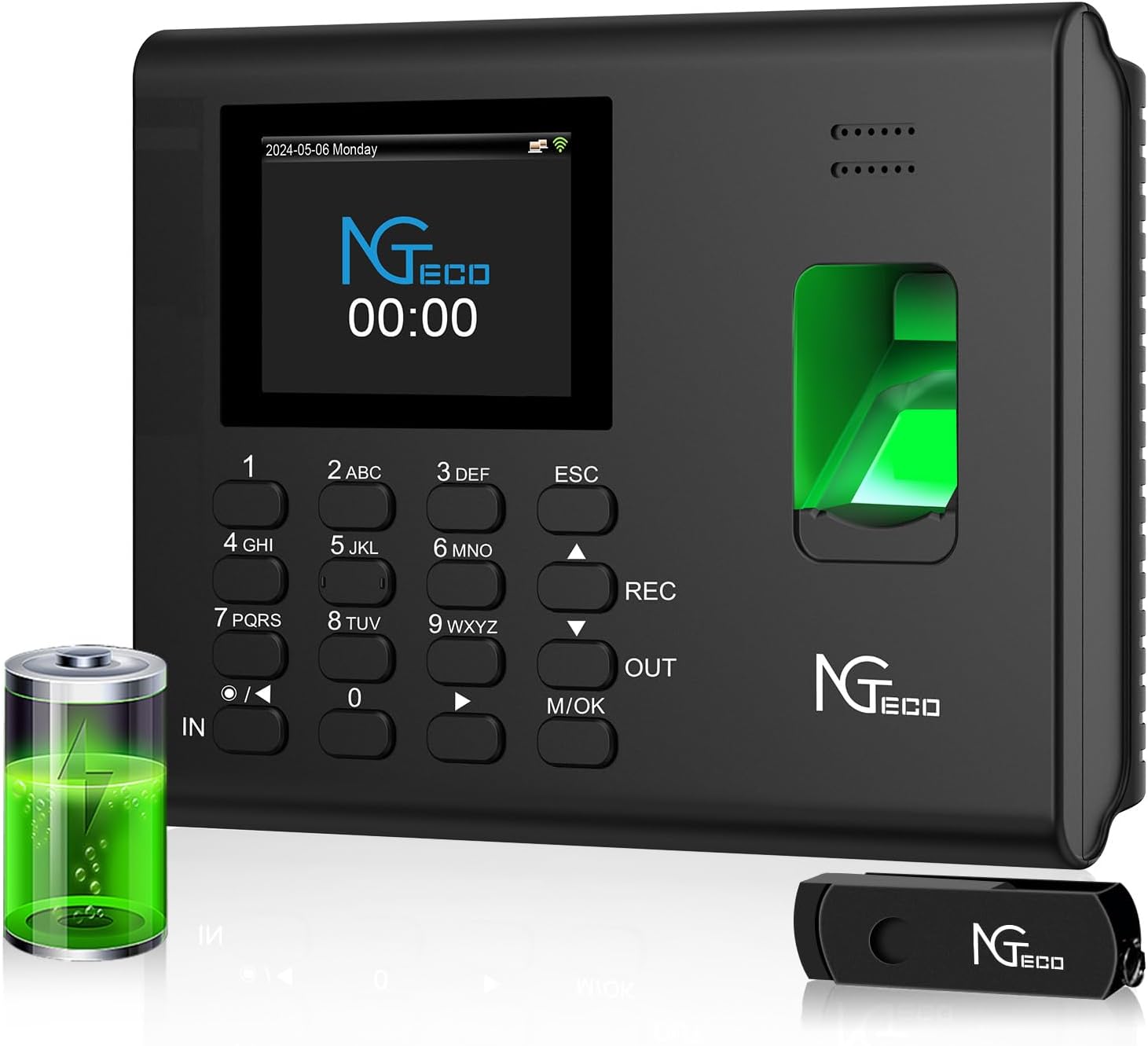
Figure 1.1: NGTeco APP-Based Fingerprint Time Clock (Model NG-K4)
2. പാക്കേജ് ഉള്ളടക്കം
ഇൻസ്റ്റാളേഷനുമായി മുന്നോട്ടുപോകുന്നതിനുമുമ്പ് എല്ലാ ഇനങ്ങളും പാക്കേജിൽ ഉണ്ടെന്ന് ഉറപ്പാക്കുക.
- NGTeco Fingerprint Time Clock (NG-K4)
- പവർ അഡാപ്റ്റർ
- വാൾ മൗണ്ട് ബ്രാക്കറ്റ്
- മൗണ്ടിംഗ് സ്ക്രൂകളും വാൾ ആങ്കറുകളും
- USB Drive (for data export)
- ഉപയോക്തൃ മാനുവൽ (ഈ പ്രമാണം)
- ദ്രുത ആരംഭ ഗൈഡ്
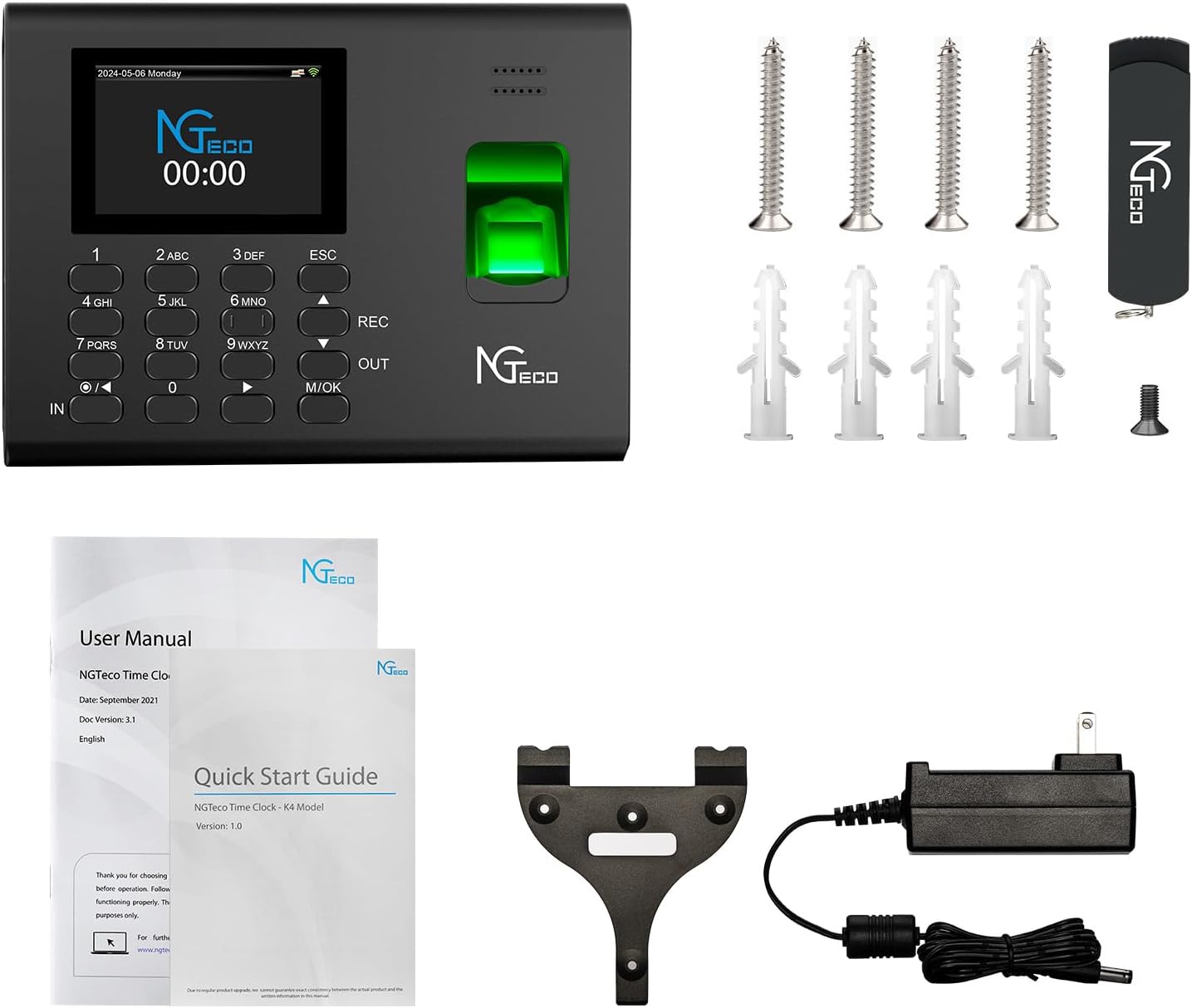
Figure 2.1: Included components of the NGTeco Time Clock package.
3. സജ്ജീകരണ ഗൈഡ്
3.1 ഫിസിക്കൽ ഇൻസ്റ്റലേഷൻ
The NG-K4 time clock can be mounted on a wall or placed on a tabletop.
- വാൾ മൗണ്ട്: Use the provided wall mount bracket, screws, and anchors to secure the device to a suitable wall surface. Ensure the mounting location is stable and allows for easy access to the fingerprint scanner and screen.
- ടാബ്ലെറ്റ് പ്ലേസ്മെൻ്റ്: പരന്നതും സുസ്ഥിരവുമായ പ്രതലത്തിൽ ഉപകരണം സ്ഥാപിക്കുക.
3.2 പവർ കണക്ഷൻ
Connect the provided power adapter to the device's power input port and then plug it into a standard electrical outlet. The device will power on automatically.
3.3 പ്രാരംഭ സജ്ജീകരണവും ആപ്പ് ജോടിയാക്കലും
The NGTeco Time App is essential for managing your time clock. Ensure your smartphone is connected to a 2.4GHz Wi-Fi network for initial pairing.
- ആപ്പ് ഡൗൺലോഡ് ചെയ്യുക: ഇതിനായി തിരയുക "NGTeco Time" in the iOS App Store or Google Play Store and install it on your smartphone.
- വൈഫൈയിലേക്ക് കണക്റ്റുചെയ്യുക: On the time clock device, navigate to the network settings and connect it to your 2.4GHz Wi-Fi network.
- ഉപകരണം ജോടിയാക്കുക: Open the NGTeco Time App. Follow the on-screen instructions to scan the QR code displayed on the time clock's screen to pair the device with your app.
- ജീവനക്കാരെ ചേർക്കുക: Within the app, add employee profiles including their names and assign them a permission level (Employee or Admin).
- വിരലടയാളം രജിസ്റ്റർ ചെയ്യുക: On the time clock device, log in as an Admin. Access the user management menu and register each employee's fingerprint. Ensure clear and consistent placement of the finger during registration for optimal recognition.

Figure 3.1: Quick and easy setup process using the NGTeco Time App.
4. പ്രവർത്തന നിർദ്ദേശങ്ങൾ
4.1 Clocking In/Out
The NG-K4 features an automatic punch mode, eliminating the need to press separate IN/OUT buttons.
- Automatic Punch Mode: Simply place your registered finger on the scanner. The device will automatically detect whether it's a clock-in or clock-out based on the previous punch state. A real-time audible beep and on-screen confirmation will indicate a successful transaction.

Figure 4.1: The automatic punch mode eliminates the need for manual IN/OUT key presses.
4.2 Shift Management
The NGTeco Time Clock supports various shift configurations, including night shifts and flexible schedules.
- Flexible Shifts: Configure different shift timings and rules through the NGTeco Time App.
- Night Shifts: The device is designed to handle overnight shifts and cross-day punches, ensuring accurate tracking for 24/7 operations.

Figure 4.2: The time clock supports various shift schedules, including night shifts.
4.3 Data Management and Reporting
Attendance data is stored locally on the device and can be managed and exported in multiple ways.
- ആപ്പ് സിൻക്രൊണൈസേഷൻ: The NGTeco Time App syncs with the device via 2.4GHz Wi-Fi, allowing real-time access to attendance records and settings.
- റിപ്പോർട്ട് ജനറേഷൻ: Generate detailed time reports directly from the app or export them via USB.

Figure 4.3: Reports can be downloaded via USB or through the NGTeco Time App.

ചിത്രം 4.4: ഉദാample of an attendance and hours report.
4.4 App Management Features
The NGTeco Time App provides comprehensive management capabilities.
- Effortless App Management: Add and edit user information, set pay periods, and configure attendance rules directly from your smartphone.
- Punch Record Correction: Easily fix errors or missing punches within the app to ensure accurate payroll.

Figure 4.5: The NGTeco Time App allows for effortless management of users and settings.

Figure 4.6: Correcting punch records is simple through the app interface.
5. പരിപാലനം
5.1 വൃത്തിയാക്കൽ
To ensure optimal performance, regularly clean the fingerprint scanner and screen with a soft, dry, lint-free cloth. Avoid using abrasive cleaners or solvents.
5.2 ഡാറ്റ ബാക്കപ്പ്
While the device retains data during power outages, it is recommended to regularly export attendance reports via USB or through the app for external backup and record-keeping.
5.3 ബാറ്ററി ബാക്കപ്പ്
The built-in 2000mAh battery protects punch records and employee details during power outages, ensuring uninterrupted operation and data integrity.

Figure 5.1: The device retains data even during power failures thanks to its built-in battery.
6. പ്രശ്നപരിഹാരം
If you encounter issues with your NGTeco Time Clock, refer to the following common problems and solutions:
- ഉപകരണം പവർ ചെയ്യുന്നില്ല: പവർ അഡാപ്റ്റർ ഉപകരണത്തിലേക്കും പ്രവർത്തിക്കുന്ന ഒരു ഇലക്ട്രിക്കൽ ഔട്ട്ലെറ്റിലേക്കും സുരക്ഷിതമായി ബന്ധിപ്പിച്ചിട്ടുണ്ടെന്ന് ഉറപ്പാക്കുക.
- വിരലടയാളം തിരിച്ചറിയാൻ കഴിയാത്തത്:
- നിങ്ങളുടെ വിരൽ വൃത്തിയുള്ളതും വരണ്ടതുമാണെന്ന് ഉറപ്പാക്കുക.
- Place your entire finger pad firmly on the scanner.
- If issues persist, re-register your fingerprint in the system.
- ആപ്പ് കണക്റ്റിവിറ്റി പ്രശ്നങ്ങൾ:
- Verify that both the time clock and your smartphone are connected to the same 2.4GHz Wi-Fi network.
- നിങ്ങളുടെ വൈഫൈ സിഗ്നൽ ശക്തി പരിശോധിക്കുക.
- Restart both the time clock and your smartphone.
- തെറ്റായ സമയം/തീയതി: Ensure the device is connected to the internet for automatic time synchronization. Manual adjustment may be required if not connected.
- Reports Not Generating: Check the USB drive for proper insertion and formatting if exporting via USB. For app reports, ensure a stable Wi-Fi connection.
For further assistance, please contact NGTeco customer support.
7 സ്പെസിഫിക്കേഷനുകൾ
| ഫീച്ചർ | വിശദാംശങ്ങൾ |
|---|---|
| ബ്രാൻഡ് | NGTeco |
| മോഡൽ നമ്പർ | NG-K4 |
| നിറം | കറുപ്പ് |
| ഡിസ്പ്ലേ തരം | ഡിജിറ്റൽ |
| കണക്റ്റിവിറ്റി ടെക്നോളജി | 2.4GHz വൈഫൈ |
| പവർ ഉറവിടം | കോർഡഡ് ഇലക്ട്രിക് |
| മെറ്റീരിയൽ | അക്രിലോണിട്രൈൽ ബ്യൂട്ടാഡീൻ സ്റ്റൈറൈൻ (എബിഎസ്) |
| ഉൽപ്പന്ന അളവുകൾ | 7.2"L x 5.3"W x 1.4"H (approximate, derived from 7.2*5.3*1.4 IN) |
| ഇനത്തിൻ്റെ ഭാരം | 1.96 പൗണ്ട് |
| മൗണ്ടിംഗ് തരം | Wall Mount & Tabletop |
| ബാറ്ററി | 1 9V battery required (included), built-in 2000mAh for backup |
| പ്രത്യേക ഫീച്ചർ | APP-Based, Fingerprint Recognition, Auto-Punch, No Monthly Fee |
8. വാറൻ്റിയും പിന്തുണയും
8.1 ഉൽപ്പന്ന വാറന്റി
The NGTeco APP-Based Fingerprint Time Clock (Model NG-K4) comes with a 1 വർഷത്തെ വാറൻ്റി വാങ്ങിയ തീയതി മുതൽ, സാധാരണ ഉപയോഗത്തിലുള്ള നിർമ്മാണ വൈകല്യങ്ങളും തകരാറുകളും ഉൾക്കൊള്ളുന്നു.
8.2 ഉപഭോക്തൃ പിന്തുണ
NGTeco provides free lifetime U.S.-based technical support for this product. Our support team is available to assist with setup, troubleshooting, and any operational questions you may have.
- ലഭ്യത: തിങ്കൾ മുതൽ വെള്ളി വരെ, രാവിലെ 6 മുതൽ രാത്രി 6 വരെ EST.
- ബന്ധപ്പെടുക: Refer to the contact information provided in your Quick Start Guide or on the official NGTeco webസൈറ്റ്.

ചിത്രം 8.1: ഓവർview of NGTeco Time App features and support benefits.


