1. ആമുഖം
This manual provides essential information for the safe and efficient use of your Azeyou A733 Android 15 Tablet. Please read this manual thoroughly before operating the device to ensure proper functionality and to prevent damage. Keep this manual for future reference.

Image: The Azeyou A733 Android 15 Tablet, showcasing its 12-inch display and core specifications.
2 സുരക്ഷാ വിവരങ്ങൾ
- ടാബ്ലെറ്റിനെ തീവ്രമായ താപനിലയിലോ, നേരിട്ടുള്ള സൂര്യപ്രകാശത്തിലോ, ഉയർന്ന ആർദ്രതയിലോ തുറന്നുകാട്ടരുത്.
- ടാബ്ലെറ്റ് താഴെയിടുകയോ ഗുരുതരമായ ആഘാതത്തിന് വിധേയമാക്കുകയോ ചെയ്യുന്നത് ഒഴിവാക്കുക.
- നിർമ്മാതാവ് അംഗീകരിച്ച ചാർജറുകളും അനുബന്ധ ഉപകരണങ്ങളും മാത്രം ഉപയോഗിക്കുക.
- Do not attempt to disassemble or repair the tablet yourself. Refer to authorized service personnel.
- Keep the tablet away from children and pets to prevent accidental damage or injury.
3. പാക്കേജ് ഉള്ളടക്കം
നിങ്ങളുടെ ഉൽപ്പന്ന പാക്കേജിൽ എല്ലാ ഇനങ്ങളും ഉണ്ടെന്ന് ഉറപ്പാക്കുക:
- Azeyou A733 Android 15 Tablet
- യുഎസ്ബി ടൈപ്പ്-സി ചാർജിംഗ് കേബിൾ
- പവർ അഡാപ്റ്റർ (20W ഫാസ്റ്റ് ചാർജർ)
- ഉപയോക്തൃ മാനുവൽ (ഈ പ്രമാണം)
- SIM Ejector Tool (if applicable for models with cellular support)
4. ഡിവൈസ് ഓവർview
നിങ്ങളുടെ ടാബ്ലെറ്റിന്റെ ഭൗതിക ഘടകങ്ങളുമായി പരിചയപ്പെടുക.

ചിത്രം: വശം view of the Azeyou A733 tablet, illustrating the placement of buttons and ports.
- പവർ ബട്ടൺ: ടാബ്ലെറ്റ് ഓൺ/ഓഫ് ചെയ്യുന്നതിനോ സ്ക്രീൻ ഉണർത്തുന്നതിനോ/ഉറങ്ങുന്നതിനോ ഉപയോഗിക്കുന്ന വശത്ത് സ്ഥിതിചെയ്യുന്നു.
- വോളിയം ബട്ടണുകൾ: ഓഡിയോ വോളിയം ക്രമീകരിക്കുക.
- യുഎസ്ബി ടൈപ്പ്-സി പോർട്ട്: ചാർജിംഗിനും ഡാറ്റ കൈമാറ്റത്തിനും.
- സ്പീക്കർ ഗ്രിൽസ്: Located on the sides for audio output.
- മുൻ ക്യാമറ: For video calls and selfies (5MP).
- പിൻ ക്യാമറ: For taking photos and videos (13MP).
- മൈക്രോഫോൺ: വോയിസ് ഇൻപുട്ടിനായി.
- ടിഎഫ് കാർഡ് സ്ലോട്ട്: 1TB വരെ വികസിപ്പിക്കാവുന്ന സംഭരണത്തിനായി.
5. സജ്ജീകരണം
5.1 പ്രാരംഭ ചാർജിംഗ്
Before first use, fully charge your tablet. Connect the provided USB Type-C cable to the tablet's Type-C port and the power adapter, then plug the adapter into a wall outlet. The tablet supports 20W fast charging.
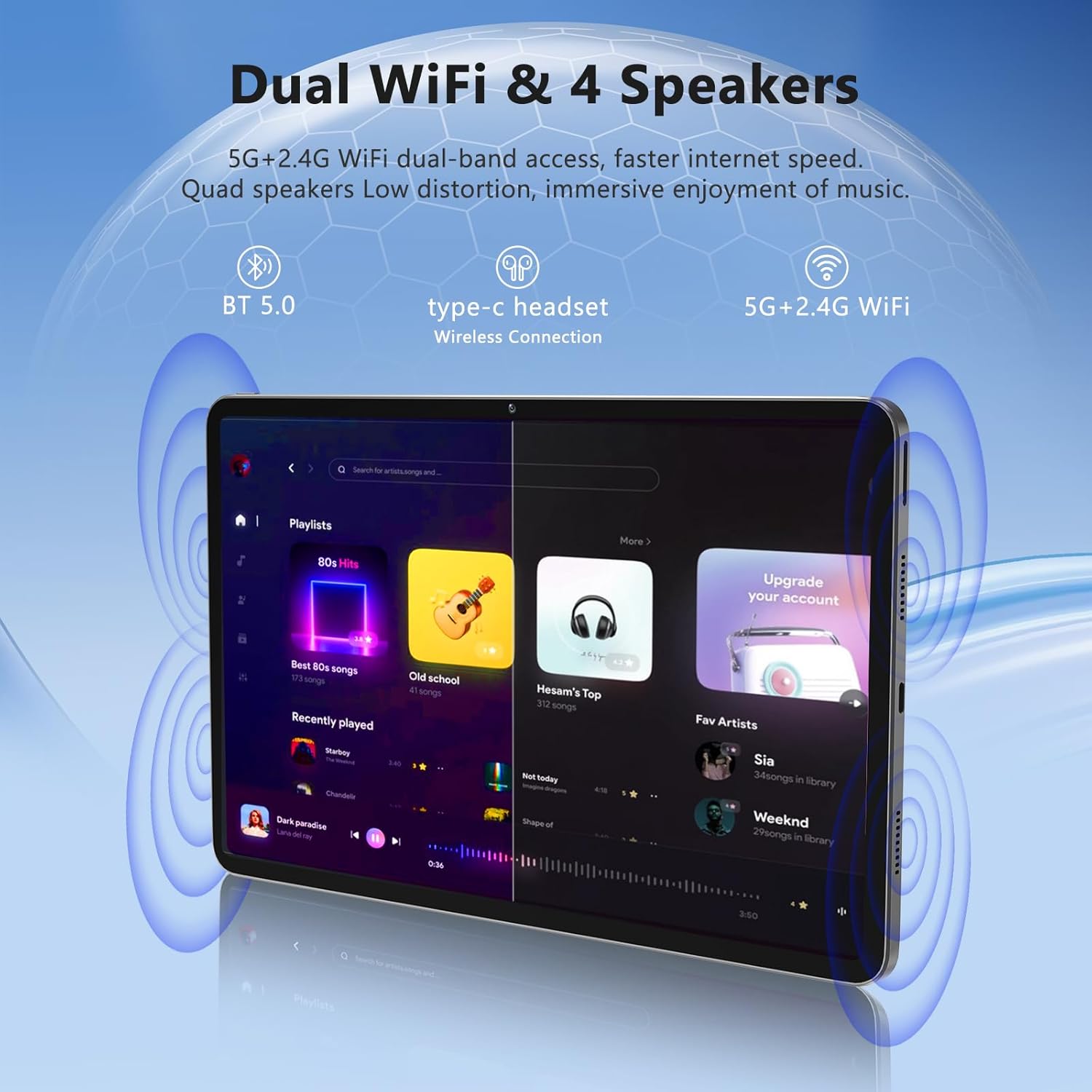
Image: The Azeyou A733 tablet connected to a charger, illustrating its fast charging feature.
5.2 പവർ ഓൺ/ഓഫ്
- പവർ ഓണാക്കാൻ: Press and hold the Power button until the Azeyou logo appears.
- പവർ ഓഫ് ചെയ്യാൻ: Press and hold the Power button until the power options appear on screen, then select "Power off."
- പുനരാരംഭിക്കാൻ: Press and hold the Power button until the power options appear, then select "Restart."
5.3 പ്രാരംഭ സജ്ജീകരണ വിസാർഡ്
ആദ്യമായി പവർ-ഓൺ ചെയ്യുമ്പോൾ, ടാബ്ലെറ്റ് നിങ്ങളെ ഒരു പ്രാരംഭ സജ്ജീകരണ പ്രക്രിയയിലൂടെ നയിക്കും:
- നിങ്ങൾ ഇഷ്ടപ്പെടുന്ന ഭാഷ തിരഞ്ഞെടുക്കുക.
- ഒരു Wi-Fi നെറ്റ്വർക്കിലേക്ക് കണക്റ്റുചെയ്യുക.
- നിങ്ങളുടെ Google അക്കൗണ്ട് ഉപയോഗിച്ച് സൈൻ ഇൻ ചെയ്യുക അല്ലെങ്കിൽ പുതിയൊരെണ്ണം സൃഷ്ടിക്കുക.
- Review നിബന്ധനകളും വ്യവസ്ഥകളും അംഗീകരിക്കുക.
- സ്ക്രീൻ ലോക്ക് (പിൻ, പാറ്റേൺ അല്ലെങ്കിൽ പാസ്വേഡ്) സജ്ജീകരിക്കുക.
5.4 വികസിപ്പിക്കാവുന്ന സംഭരണം
To expand storage, insert a TF (microSD) card into the designated slot. The tablet supports up to 1TB expansion.

Image: Visual representation of the tablet's memory configuration, including 20GB RAM, 128GB ROM, and 1TB expandable storage.
6. ടാബ്ലെറ്റ് പ്രവർത്തിപ്പിക്കൽ
6.1 അടിസ്ഥാന നാവിഗേഷൻ
The Azeyou A733 tablet uses touch gestures for navigation:
- ടാപ്പ് ചെയ്യുക: ഒരു ഇനം തിരഞ്ഞെടുക്കുകയോ ഒരു ആപ്പ് തുറക്കുകയോ ചെയ്യുക.
- സ്വൈപ്പ്: സ്ക്രീനുകളിലൂടെയോ ലിസ്റ്റുകളിലൂടെയോ സ്ക്രോൾ ചെയ്യുക.
- പിഞ്ച്: ചിത്രങ്ങൾ സൂം ഇൻ ചെയ്യുകയോ ഔട്ട് ചെയ്യുകയോ ചെയ്യുക, web പേജുകൾ.
- ലോംഗ് പ്രസ്സ്: സന്ദർഭോചിത മെനുകൾ ആക്സസ് ചെയ്യുക അല്ലെങ്കിൽ ഐക്കണുകൾ നീക്കുക.
6.2 വൈഫൈ കണക്ഷൻ
ഒരു Wi-Fi നെറ്റ്വർക്കിലേക്ക് കണക്റ്റുചെയ്യാൻ:
- പോകുക ക്രമീകരണങ്ങൾ > നെറ്റ്വർക്കും ഇൻ്റർനെറ്റും > വൈഫൈ.
- വൈഫൈ ടോഗിൾ ചെയ്യുക On.
- ലിസ്റ്റിൽ നിന്ന് നിങ്ങൾക്ക് ആവശ്യമുള്ള നെറ്റ്വർക്ക് തിരഞ്ഞെടുക്കുക.
- ആവശ്യപ്പെടുകയാണെങ്കിൽ പാസ്വേഡ് നൽകുക, തുടർന്ന് ടാപ്പുചെയ്യുക ബന്ധിപ്പിക്കുക.
The tablet supports Wi-Fi 6 for faster and more stable connections.

ചിത്രം: ടാബ്ലെറ്റ് ഷോasing its dual Wi-Fi capabilities and quad speakers for enhanced audio experience.
6.3 ബ്ലൂടൂത്ത് കണക്ഷൻ
To pair with a Bluetooth device (e.g., headphones, keyboard, mouse):
- പോകുക ക്രമീകരണങ്ങൾ > ബന്ധിപ്പിച്ച ഉപകരണങ്ങൾ > ബ്ലൂടൂത്ത്.
- ബ്ലൂടൂത്ത് ടോഗിൾ ചെയ്യുക On.
- നിങ്ങളുടെ ബ്ലൂടൂത്ത് ഉപകരണം ജോടിയാക്കൽ മോഡിലാണെന്ന് ഉറപ്പാക്കുക.
- Select the device from the list and follow any on-screen prompts to complete pairing.
6.4 ആപ്പ് മാനേജ്മെന്റ്
Your Azeyou A733 tablet is GMS certified, allowing full access to the Google Play Store for downloading and managing applications.
- ആപ്പുകൾ ഇൻസ്റ്റാൾ ചെയ്യുക: Open the Play Store app, search for your desired app, and tap ഇൻസ്റ്റാൾ ചെയ്യുക.
- ആപ്പുകൾ അൺഇൻസ്റ്റാൾ ചെയ്യുക: Long-press an app icon on the home screen or app drawer, then drag it to "Uninstall" or select "App info" and choose "Uninstall."
6.5 ക്യാമറ ഉപയോഗം
ടാബ്ലെറ്റിൽ 5MP മുൻ ക്യാമറയും 13MP പിൻ ക്യാമറയും ഉണ്ട്.
- തുറക്കുക ക്യാമറ അപ്ലിക്കേഷൻ.
- മുൻ ക്യാമറയ്ക്കും പിൻ ക്യാമറയ്ക്കും ഇടയിൽ മാറാൻ ക്യാമറ സ്വിച്ച് ഐക്കണിൽ ടാപ്പ് ചെയ്യുക.
- ഒരു ഫോട്ടോ എടുക്കാൻ ഷട്ടർ ബട്ടൺ ടാപ്പ് ചെയ്യുക അല്ലെങ്കിൽ വീഡിയോ റെക്കോർഡിംഗ് ആരംഭിക്കുക/നിർത്തുക.
ചിത്രം: വിശദമായത് view of the tablet's 13MP rear camera and 5MP front camera, illustrating their positions and use.
6.6 സ്പ്ലിറ്റ്-സ്ക്രീൻ ഫംഗ്ഷൻ
To use two apps simultaneously:
- Open the first app.
- Tap the recent apps button (usually a square icon).
- Long-press the icon of the first app at the top of its card.
- Select "Split screen."
- Choose the second app from the recent apps list or app drawer.
6.7 AI Air Gesture
The tablet supports AI Air Gesture for hands-free control. Specific gestures and their functions can be configured in ക്രമീകരണങ്ങൾ > സ്മാർട്ട് നിയന്ത്രണങ്ങൾ (or similar menu name).
6.8 Sitting Posture Detection
This feature helps users maintain a healthy sitting posture by providing alerts or guidance. Access and configure this feature in ക്രമീകരണങ്ങൾ > ഡിജിറ്റൽ ക്ഷേമവും രക്ഷാകർതൃ നിയന്ത്രണങ്ങളും or a dedicated health/posture app.

Image: Demonstrations of AI air gesture for tablet control and the sitting posture detection system.
6.9 Media Playback (Widevine L1)
The tablet is Widevine L1 certified, enabling high-definition (HD) content streaming on platforms such as Netflix, Amazon Prime Video, Hulu, and HBO.

Image: The tablet displaying logos of popular streaming services, signifying its Widevine L1 certification for HD playback.
7. പരിപാലനം
7.1 വൃത്തിയാക്കൽ
Use a soft, lint-free cloth to clean the tablet screen and body. Avoid using harsh chemicals or abrasive materials.
7.2 ബാറ്ററി കെയർ
The 8000mAh battery provides extended usage. To prolong battery life:
- ബാറ്ററി ഇടയ്ക്കിടെ പൂർണ്ണമായും ഡിസ്ചാർജ് ചെയ്യുന്നത് ഒഴിവാക്കുക.
- Do not leave the tablet charging for excessively long periods after it's full.
- Keep the tablet within a moderate temperature range.

Image: An infographic detailing the 8000mAh battery and its estimated performance across various activities.
7.3 സോഫ്റ്റ്വെയർ അപ്ഡേറ്റുകൾ
മികച്ച പ്രകടനവും സുരക്ഷയും ഉറപ്പാക്കാൻ സോഫ്റ്റ്വെയർ അപ്ഡേറ്റുകൾ പതിവായി പരിശോധിച്ച് ഇൻസ്റ്റാൾ ചെയ്യുക. പോകുക ക്രമീകരണങ്ങൾ > സിസ്റ്റം > സിസ്റ്റം അപ്ഡേറ്റ്.
7.4 സ്റ്റോറേജ് മാനേജ്മെൻ്റ്
To manage your 128GB internal storage (expandable to 1TB):
- പോകുക ക്രമീകരണങ്ങൾ > സംഭരണം വരെ view ഉപയോഗവും സ്ഥലം ശൂന്യമാക്കലും.
- Regularly clear cache data from apps.
- വലുതായി നീക്കുക fileചേർത്ത TF കാർഡിലേക്ക്.
8. പ്രശ്നപരിഹാരം
8.1 പൊതുവായ പ്രശ്നങ്ങൾ
- ടാബ്ലെറ്റ് ഓണാക്കുന്നില്ല: ബാറ്ററി ചാർജ്ജ് ചെയ്തിട്ടുണ്ടെന്ന് ഉറപ്പാക്കുക. പവർ ഓൺ ചെയ്യാൻ ശ്രമിക്കുന്നതിന് മുമ്പ് കുറഞ്ഞത് 30 മിനിറ്റെങ്കിലും ചാർജറുമായി കണക്റ്റ് ചെയ്യുക.
- ആപ്പുകൾ ക്രാഷാകുകയോ മരവിക്കുകയോ ചെയ്യുന്നു: Close and reopen the app. If the issue persists, clear the app's cache (Settings > Apps > [App Name] > Storage & cache > Clear cache). Restart the tablet.
- വൈഫൈ കണക്ഷൻ പ്രശ്നങ്ങൾ: നിങ്ങളുടെ വൈഫൈ റൂട്ടറും ടാബ്ലെറ്റും പുനരാരംഭിക്കുക. ടാബ്ലെറ്റ് ക്രമീകരണങ്ങളിൽ നെറ്റ്വർക്ക് മറന്ന് വീണ്ടും കണക്റ്റുചെയ്യുക.
- മന്ദഗതിയിലുള്ള പ്രകടനം: ആവശ്യമില്ലാത്ത പശ്ചാത്തല ആപ്പുകൾ അടയ്ക്കുക. കാഷെ മായ്ക്കുക, താൽക്കാലികം files. Consider performing a factory reset if performance issues persist after other troubleshooting steps.
8.2 ഫാക്ടറി റീസെറ്റ്
A factory reset will erase all data from your tablet and restore it to its original factory settings. Back up important data before proceeding.
- പോകുക ക്രമീകരണങ്ങൾ > സിസ്റ്റം > റീസെറ്റ് ഓപ്ഷനുകൾ.
- തിരഞ്ഞെടുക്കുക എല്ലാ ഡാറ്റയും മായ്ക്കുക (ഫാക്ടറി റീസെറ്റ്).
- നിങ്ങളുടെ തീരുമാനം സ്ഥിരീകരിച്ച് സ്ക്രീനിലെ നിർദ്ദേശങ്ങൾ പാലിക്കുക.
9 സ്പെസിഫിക്കേഷനുകൾ

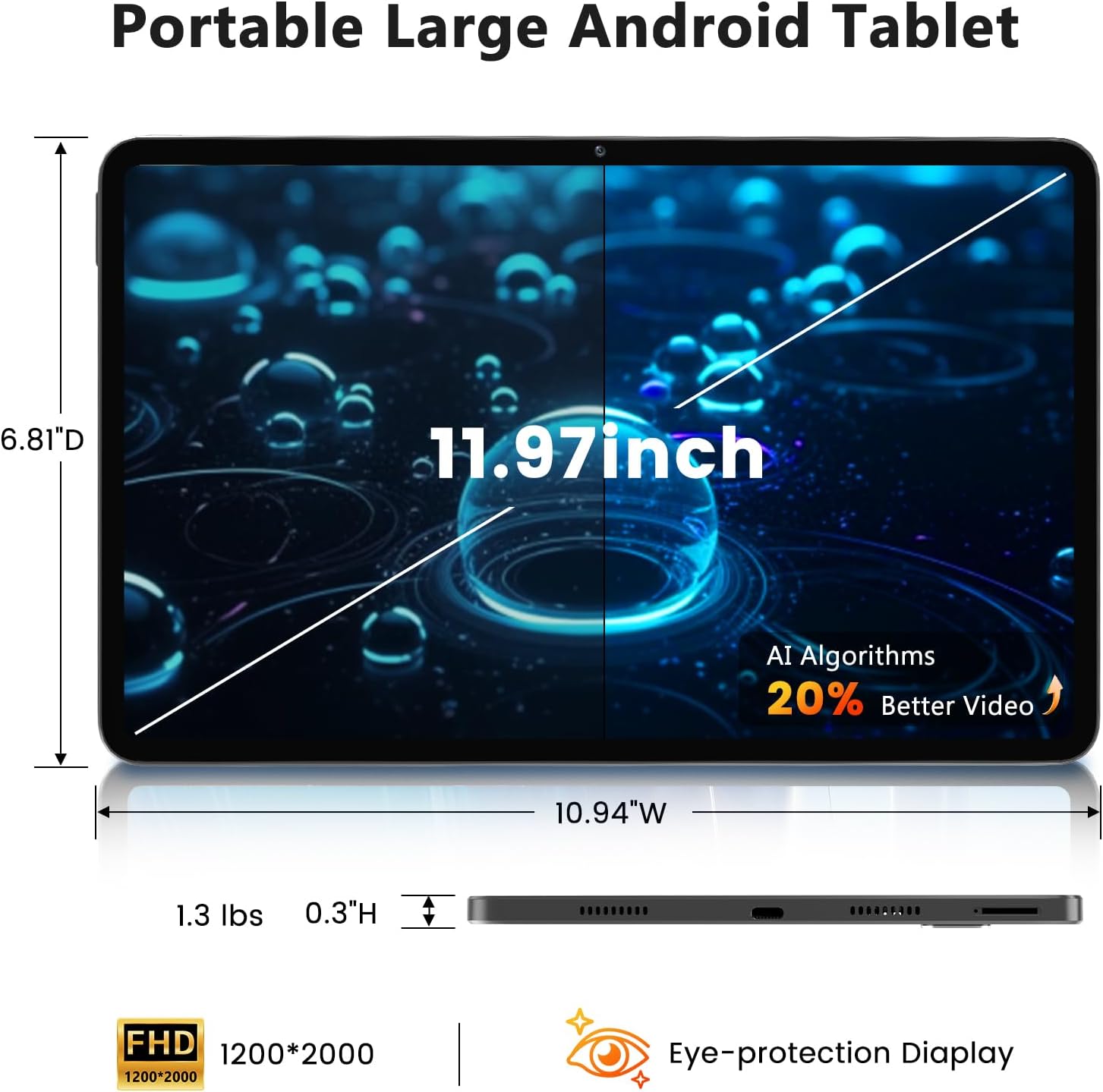
Image: A visual representation of the tablet's physical dimensions and weight.
| ഫീച്ചർ | സ്പെസിഫിക്കേഷൻ |
|---|---|
| ബ്രാൻഡ് | അസെയൂ |
| മോഡൽ | A733 |
| ഓപ്പറേറ്റിംഗ് സിസ്റ്റം | ആൻഡ്രോയിഡ് 15 |
| പ്രോസസ്സർ | A733 Octa-Core |
| റാം | 20GB (6GB Physical + 14GB Virtual) |
| ആന്തരിക സംഭരണം (ROM) | 128 ജിബി |
| വികസിപ്പിക്കാവുന്ന സംഭരണം | Up to 1TB via TF card (not included) |
| സ്ക്രീൻ വലിപ്പം | 11.97 ഇഞ്ച് |
| സ്ക്രീൻ റെസല്യൂഷൻ | 1200 x 2000 Pixels (2K Display) |
| പിൻ ക്യാമറ | 13 എം.പി |
| മുൻ ക്യാമറ | 5 എം.പി |
| ബാറ്ററി ശേഷി | 8000mAh |
| ചാർജിംഗ് | 20W Fast Charge, Type-C Port |
| വയർലെസ് കണക്റ്റിവിറ്റി | വൈഫൈ 6 (802.11ax), ബ്ലൂടൂത്ത് 5.0 |
| അളവുകൾ (LxWxH) | 11.97 x 6.81 x 0.3 ഇഞ്ച് |
| ഇനത്തിൻ്റെ ഭാരം | 3.15 പൗണ്ട് |
| പ്രത്യേക സവിശേഷതകൾ | GMS Certified, Widevine L1, Dual Speakers, AI Air Gesture, Sitting Posture Detection, Split-screen function |
10. വാറൻ്റിയും പിന്തുണയും
Your Azeyou A733 Tablet comes with a standard manufacturer's warranty. Please refer to the warranty card included in your package for specific terms and conditions, including warranty duration and coverage details.
For technical support, troubleshooting assistance, or warranty claims, please contact Azeyou customer service through the retailer where the product was purchased or visit the official Azeyou support webസൈറ്റ് (ലഭ്യമെങ്കിൽ).
പിന്തുണയുമായി ബന്ധപ്പെടുമ്പോൾ നിങ്ങളുടെ ഉൽപ്പന്ന മോഡൽ നമ്പറും (A733) വാങ്ങൽ വിവരങ്ങളും തയ്യാറായി വയ്ക്കുക.