1 സുരക്ഷാ വിവരങ്ങൾ
Please read all safety instructions carefully before operating this product. Retain this manual for future reference.
- ഊർജ്ജ സ്രോതസ്സ്: ഈ മാനുവലിൽ വിവരിച്ചിരിക്കുന്ന തരത്തിലുള്ളതോ യൂണിറ്റിൽ അടയാളപ്പെടുത്തിയിരിക്കുന്നതോ ആയ ഒരു പവർ സപ്ലൈയിലേക്ക് മാത്രം യൂണിറ്റ് ബന്ധിപ്പിക്കുക.
- വെൻ്റിലേഷൻ: ശരിയായ വായുസഞ്ചാരം ഉറപ്പാക്കുക. വായുസഞ്ചാര ദ്വാരങ്ങളൊന്നും തടയരുത്.
- ജലവും ഈർപ്പവും: യൂണിറ്റ് മഴയിലോ ഈർപ്പത്തിലോ തുറന്നുകാട്ടരുത്. പാത്രങ്ങൾ പോലുള്ള ദ്രാവകങ്ങൾ നിറച്ച വസ്തുക്കൾ യൂണിറ്റിൽ വയ്ക്കരുത്.
- ചൂട്: റേഡിയേറ്ററുകൾ, ഹീറ്റ് രജിസ്റ്ററുകൾ, സ്റ്റൗകൾ അല്ലെങ്കിൽ മറ്റ് ഉപകരണങ്ങൾ (ഉൾപ്പെടെ) പോലുള്ള താപ സ്രോതസ്സുകൾക്ക് സമീപം യൂണിറ്റ് സ്ഥാപിക്കരുത്. ampലൈഫയറുകൾ) ചൂട് ഉത്പാദിപ്പിക്കുന്നത്.
- വൃത്തിയാക്കൽ: ഉണങ്ങിയ തുണി ഉപയോഗിച്ച് മാത്രം വൃത്തിയാക്കുക.
- സേവനം: ഈ ഉൽപ്പന്നം സ്വയം സേവിക്കാൻ ശ്രമിക്കരുത്. യോഗ്യതയുള്ള സേവന ഉദ്യോഗസ്ഥർക്ക് എല്ലാ സേവനങ്ങളും റഫർ ചെയ്യുക.
- Speaker Stands: Ensure speaker stands are properly assembled and stable before mounting speakers. Do not overload stands.
2. പാക്കേജ് ഉള്ളടക്കം
താഴെ ലിസ്റ്റ് ചെയ്തിരിക്കുന്ന എല്ലാ ഇനങ്ങളും നിങ്ങളുടെ പാക്കേജിൽ ഉൾപ്പെടുത്തിയിട്ടുണ്ടെന്ന് ഉറപ്പാക്കുക:
- 1 x PA System (main unit with integrated mixer)
- 2 x സ്പീക്കർ സ്റ്റാൻഡുകൾ
- 1 x വയർഡ് മൈക്രോഫോൺ
- 1 x 4.92 ft Power Cable
- 1 x 19.69 ft Speaker Cable
- 1 x റിമോട്ട് കൺട്രോൾ
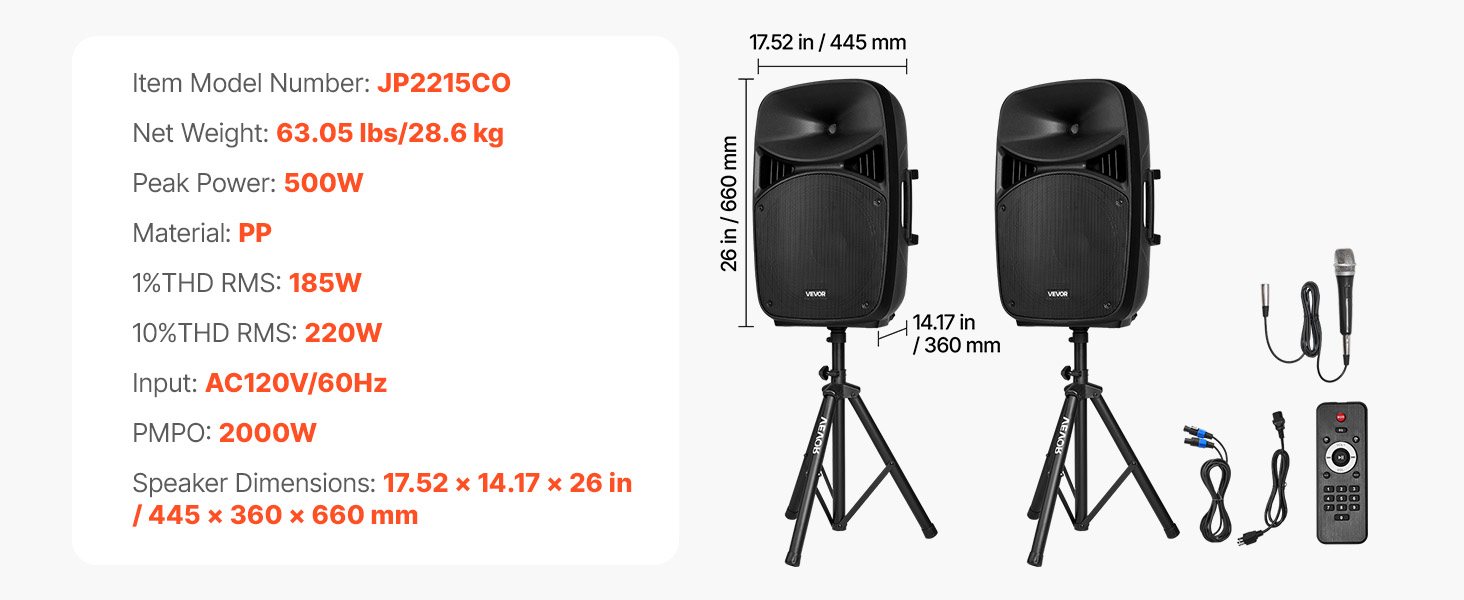
Image: All components included in the VEVOR 2000W Portable PA System package.
3. ഉൽപ്പന്നം കഴിഞ്ഞുview
The VEVOR 2000W Portable PA System is designed for versatile audio amplification in various settings. It features a 3-channel mixer, dual speakers, Bluetooth connectivity, and multiple input options.
3.1 പ്രധാന സവിശേഷതകൾ
- 2000W PMPO Peak Output: Delivers powerful sound suitable for large audiences.
- 3-ചാനൽ മിക്സർ: Allows connection of multiple instruments and microphones.
- ബ്ലൂടൂത്ത് 5.0 കണക്റ്റിവിറ്റി: Wireless audio streaming up to 10 meters (32.81 ft).
- Adjustable Speaker Stands: Height adjustable from 63 to 73.23 inches for optimal sound projection.
- പോർട്ടബിൾ ഡിസൈൻ: Features grooved handles and rolling wheels for easy transport.
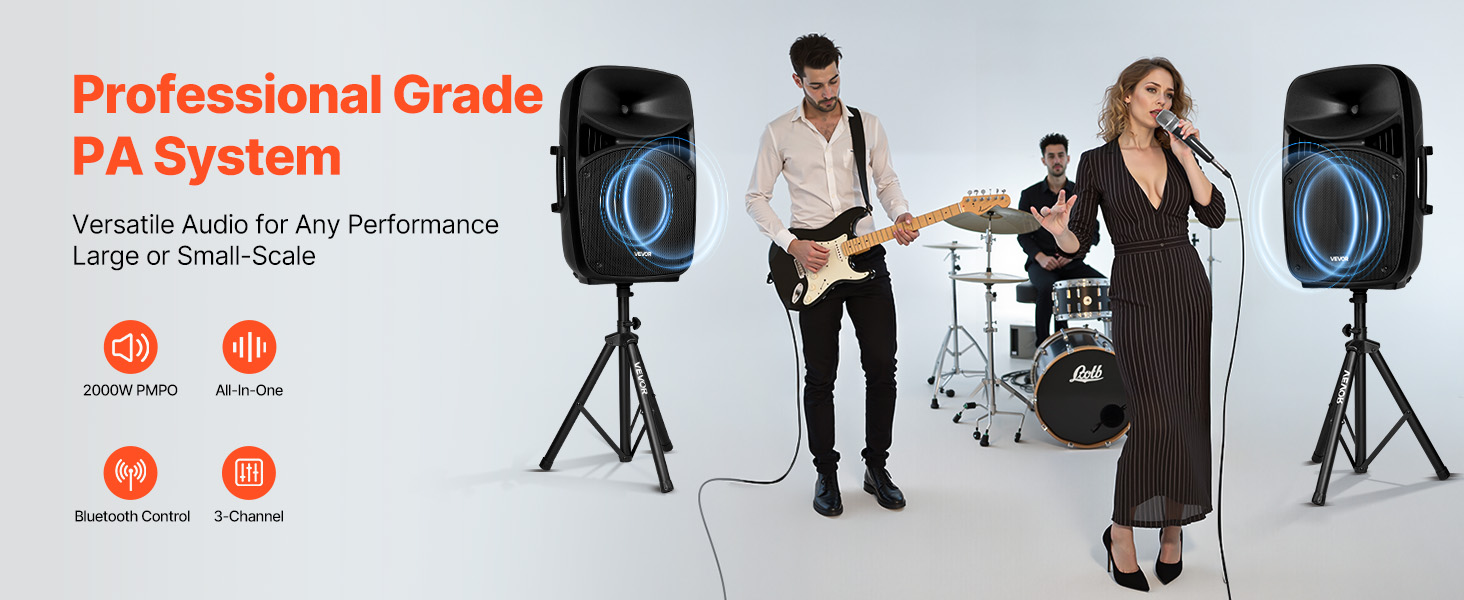
Image: VEVOR PA System in use, illustrating peak output and sound quality.
4. സജ്ജീകരണ നിർദ്ദേശങ്ങൾ
4.1 Assembling Speaker Stands
- Unfold the tripod base of each speaker stand until it is stable.
- Loosen the fastener adjustment knob on the stand.
- Extend the upper pole to the desired height (between 63 and 73.23 inches).
- Tighten the fastener adjustment knob securely to lock the height.
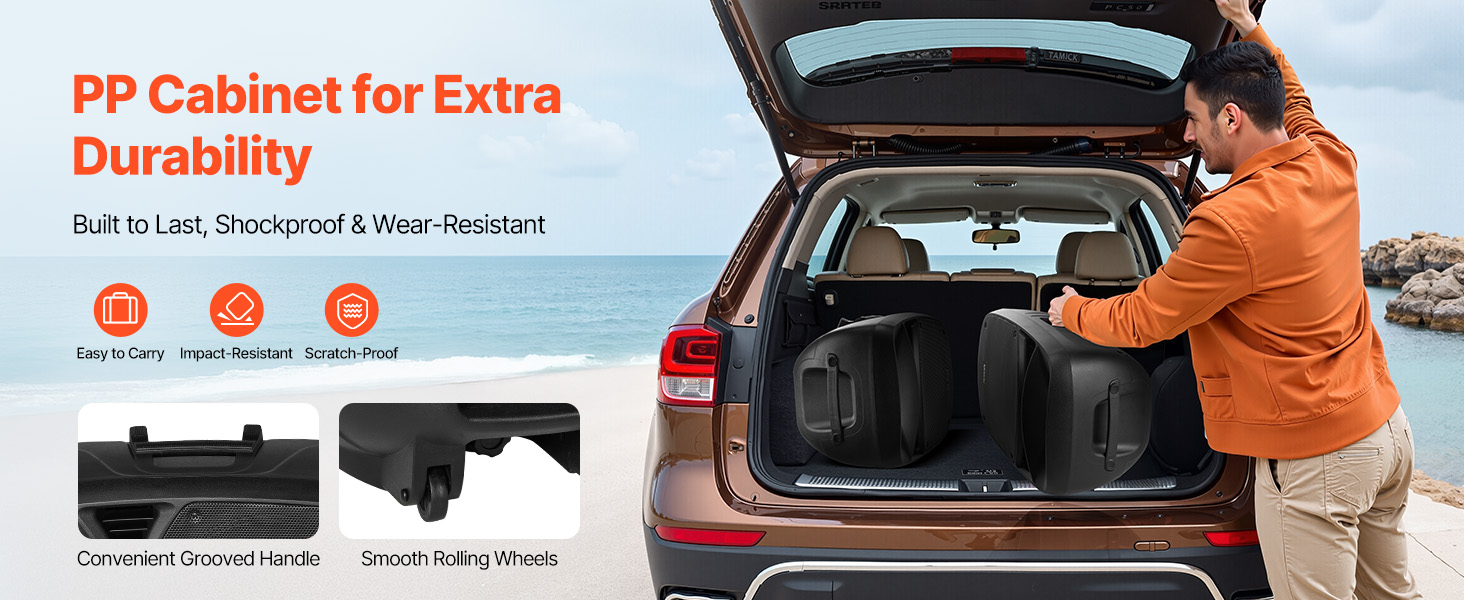
Image: Speaker stand height adjustment mechanism.
4.2 സിസ്റ്റം ബന്ധിപ്പിക്കുന്നു
- Place the speakers onto the assembled stands. Ensure they are stable.
- Connect the main PA system unit to a power outlet using the provided power cable.
- Use the speaker cable to connect the main unit to the passive speaker.
- Connect the wired microphone to the MIC Input on the mixer panel.
- For additional audio sources, use the appropriate inputs (RCA, Auxiliary, USB, SD).
5. പ്രവർത്തന നിർദ്ദേശങ്ങൾ
5.1 Mixer Panel Overview
The rear panel of the main speaker unit houses the 3-channel mixer and various controls.
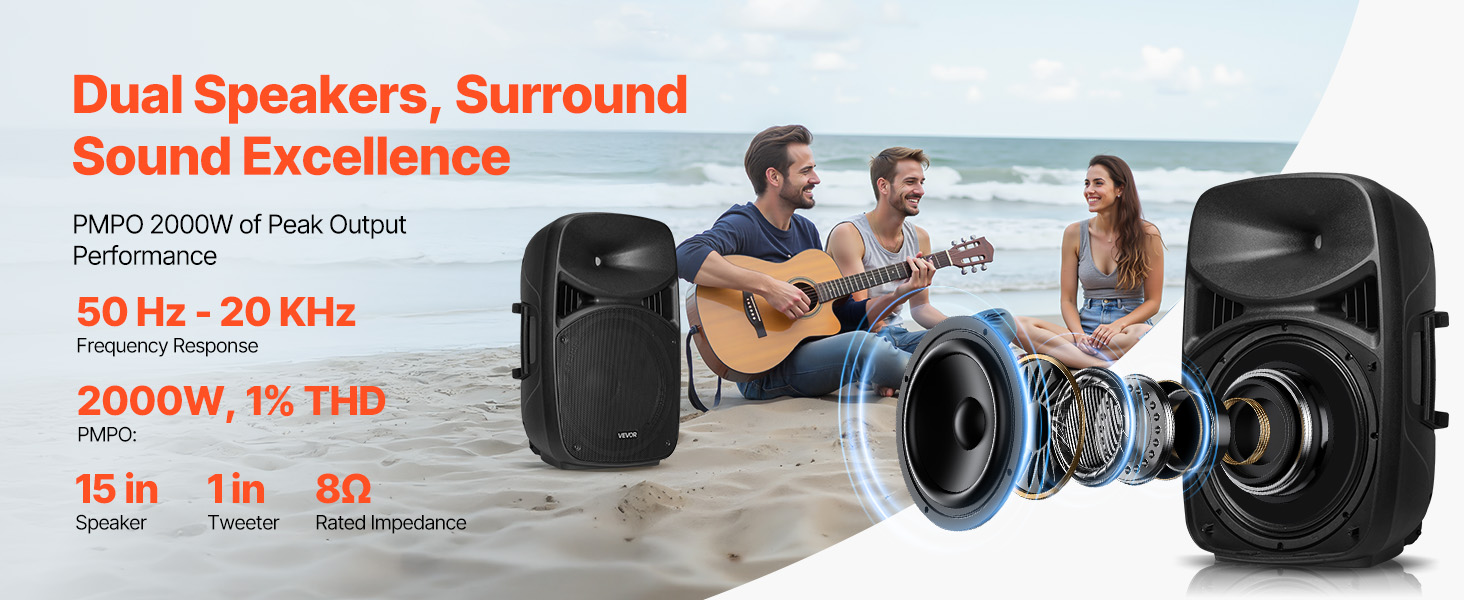
Image: Mixer panel with labeled inputs and controls.
- 1. MIC Input: മൈക്രോഫോണുകൾ ബന്ധിപ്പിക്കുക.
- 2. RCA Connector: For RCA audio input.
- 3. Auxiliary Input: For 3.5mm auxiliary audio input.
- 4. MP3 Volume: Adjusts volume for MP3/USB/SD sources.
- 5. ECHO Volume: മൈക്രോഫോണുകളുടെ എക്കോ ഇഫക്റ്റ് നിയന്ത്രിക്കുന്നു.
- 6. MIC Volume: മൈക്രോഫോൺ ഇൻപുട്ട് വോളിയം ക്രമീകരിക്കുന്നു.
- 7. Line Input / Auxiliary Input / RCA Volume: Controls volume for these specific inputs.
- 8. മാസ്റ്റർ വോളിയം: Overall system volume control.
- USB Port / SD/MMC Port: For playing media from USB drives or SD cards.
- 5-ബാൻഡ് ഗ്രാഫിക് ഇക്വലൈസർ: Adjusts frequency response for desired sound.
5.2 ബ്ലൂടൂത്ത് കണക്റ്റിവിറ്റി
- Turn on the PA system.
- Select the Bluetooth input mode on the mixer. The display will indicate Bluetooth pairing mode.
- On your mobile device, search for Bluetooth devices and select "VEVOR PA System" (or similar).
- ജോടിയാക്കിക്കഴിഞ്ഞാൽ, നിങ്ങൾക്ക് വയർലെസ് ആയി ഓഡിയോ സ്ട്രീം ചെയ്യാൻ കഴിയും.
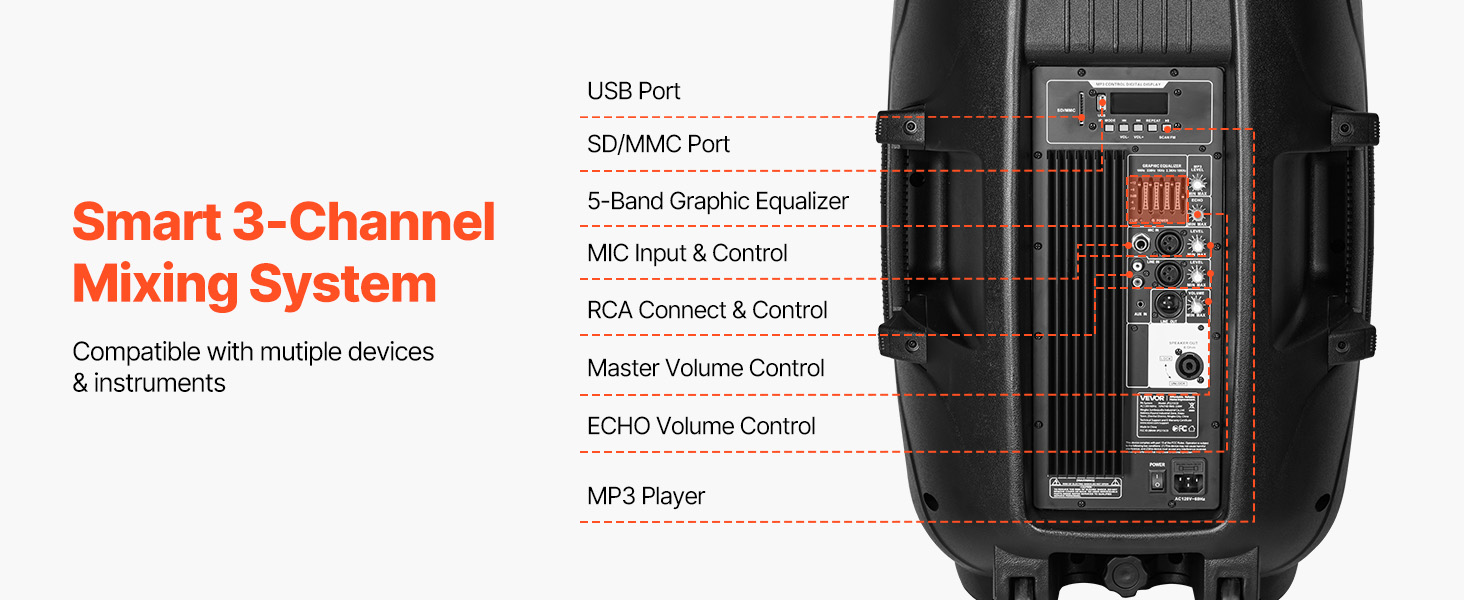
Image: Bluetooth connectivity and remote control for the PA system.
5.3 റിമോട്ട് കൺട്രോൾ ഉപയോഗിക്കുന്നു
The included remote control allows for convenient adjustment of various functions from a distance of up to 16.4 ft (5 m).
- ശക്തി: യൂണിറ്റ് ഓൺ / ഓഫ് ചെയ്യുക.
- മോഡ്: Switch between input modes (Bluetooth, USB, SD, Aux).
- വോളിയം: മാസ്റ്റർ വോളിയം ക്രമീകരിക്കുക.
- പ്ലേബാക്ക് നിയന്ത്രണങ്ങൾ: Play/Pause, Next/Previous track for USB/SD/Bluetooth.
- സംഖ്യാ കീപാഡ്: For direct track selection on USB/SD.
6. പരിപാലനം
- വൃത്തിയാക്കൽ: മൃദുവായതും ഉണങ്ങിയതുമായ തുണി ഉപയോഗിച്ച് യൂണിറ്റ് തുടയ്ക്കുക. അബ്രാസീവ് ക്ലീനറുകളോ ലായകങ്ങളോ ഉപയോഗിക്കരുത്.
- സംഭരണം: When not in use, store the PA system in a cool, dry place, away from direct sunlight and extreme temperatures.
- കേബിളുകൾ: Regularly check all cables for damage. Replace any frayed or damaged cables immediately.
- പോർട്ടബിലിറ്റി: Utilize the grooved handles and rolling wheels for transport to minimize wear and tear on the unit.
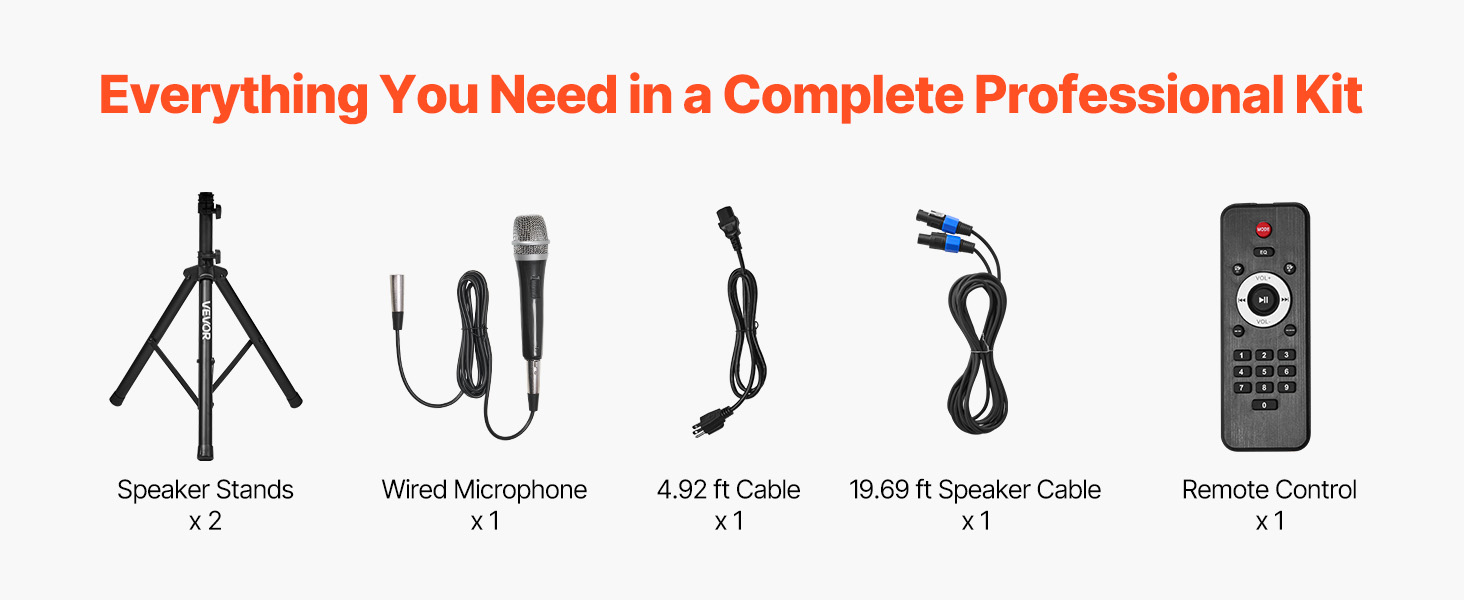
Image: Portable design with handles and wheels for easy transport.
7. പ്രശ്നപരിഹാരം
| പ്രശ്നം | സാധ്യമായ കാരണം | പരിഹാരം |
|---|---|---|
| ശക്തിയില്ല | Power cable not connected; Power outlet faulty; Unit not switched on. | Check power cable connection; Try a different outlet; Ensure power switch is ON. |
| ശബ്ദ ഔട്ട്പുട്ട് ഇല്ല | Volume too low; Incorrect input selected; Speaker cables disconnected; Source device issues. | Increase Master Volume and individual channel volumes; Select correct input mode; Check speaker cable connections; Verify source device is playing audio. |
| ബ്ലൂടൂത്ത് ജോടിയാക്കുന്നില്ല | Bluetooth mode not selected; Device too far; Device already paired to another unit. | Ensure Bluetooth mode is active; Move device closer to PA system; Disconnect from other Bluetooth devices. |
| വികലമായ ശബ്ദം | Volume too high (clipping); Incorrect equalizer settings; Faulty cable/microphone. | Reduce volume levels; Adjust equalizer settings; Test with different cables/microphones. |
| മൈക്രോഫോൺ ഫീഡ്ബാക്ക് | Microphone too close to speakers; Microphone volume too high; Room acoustics. | Reposition microphone away from speakers; Reduce MIC Volume; Adjust ECHO Volume. |
8 സ്പെസിഫിക്കേഷനുകൾ
| ഫീച്ചർ | സ്പെസിഫിക്കേഷൻ |
|---|---|
| മോഡൽ നമ്പർ | ജെപി2215CO |
| Peak Power (PMPO) | 2000W |
| RMS Power (1% THD) | 185W |
| RMS Power (10% THD) | 220W |
| ഇൻപുട്ട് വോളിയംtage | AC120V/60Hz |
| ചാനലുകളുടെ എണ്ണം | 3 |
| കണക്റ്റിവിറ്റി ടെക്നോളജി | ബ്ലൂടൂത്ത് 5.0 |
| ബ്ലൂടൂത്ത് വയർലെസ് റേഞ്ച് | 10 മീറ്റർ (32.81 അടി) വരെ |
| റിമോട്ട് കൺട്രോൾ റേഞ്ച് | 5 മീറ്റർ (16.4 അടി) വരെ |
| Speaker Dimensions (L x W x H) | 17.52 x 14.17 x 25.98 ഇഞ്ച് (445 x 360 x 660 മിമി) |
| ഇനത്തിൻ്റെ ഭാരം | 63.05 പൗണ്ട് (28.6 കി.ഗ്രാം) |
| മെറ്റീരിയൽ | Plastic (PP), Metal, Rubber |
| മൗണ്ടിംഗ് തരം | ഫ്ലോർ സ്റ്റാൻഡിംഗ് |
9. വാറൻ്റിയും പിന്തുണയും
VEVOR offers a 30-day easy return policy for this product. For any questions, technical assistance, or warranty claims, please contact VEVOR Customer Support.
You can find contact information and further support details on the official VEVOR webസൈറ്റ് അല്ലെങ്കിൽ നിങ്ങളുടെ വാങ്ങൽ പ്ലാറ്റ്ഫോം വഴി.


