GMKtec G10 Mini PC User Manual
മോഡൽ: G10
1. ആമുഖം
Thank you for choosing the GMKtec G10 Mini PC. This compact and powerful desktop computer is designed for a wide range of applications, from office productivity and home entertainment to light gaming. Featuring an AMD Ryzen 5 3500U processor, 16GB of RAM, and a 512GB SSD, the G10 offers robust performance in a small form factor. This manual provides essential information for setting up, operating, maintaining, and troubleshooting your new Mini PC.
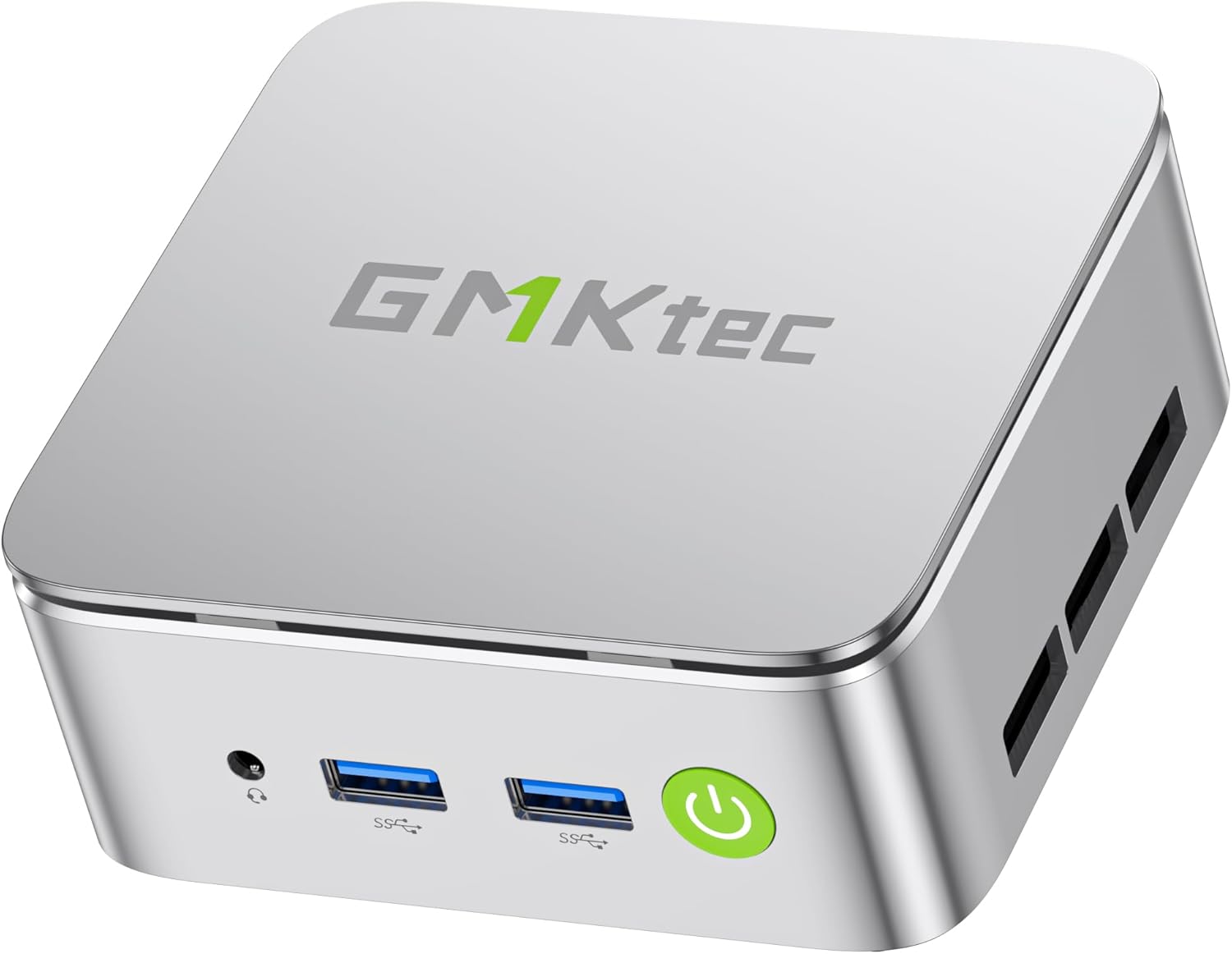
Image: The GMKtec G10 Mini PC, a compact silver-colored device with front-facing USB ports and a power button.
2. ബോക്സിൽ എന്താണുള്ളത്?
എല്ലാ ഇനങ്ങളും ഉണ്ടെന്ന് ഉറപ്പാക്കാൻ നിങ്ങളുടെ പാക്കേജിന്റെ ഉള്ളടക്കങ്ങൾ പരിശോധിക്കുക:
- GMKtec Nucbox G10 AMD Ryzen 5 3500U Mini PC Computer
- പവർ സപ്ലൈ & കേബിൾ
- HDMI കേബിൾ
- VESA Mount and Screws
- ഉപയോക്തൃ മാനുവൽ (ഈ പ്രമാണം)
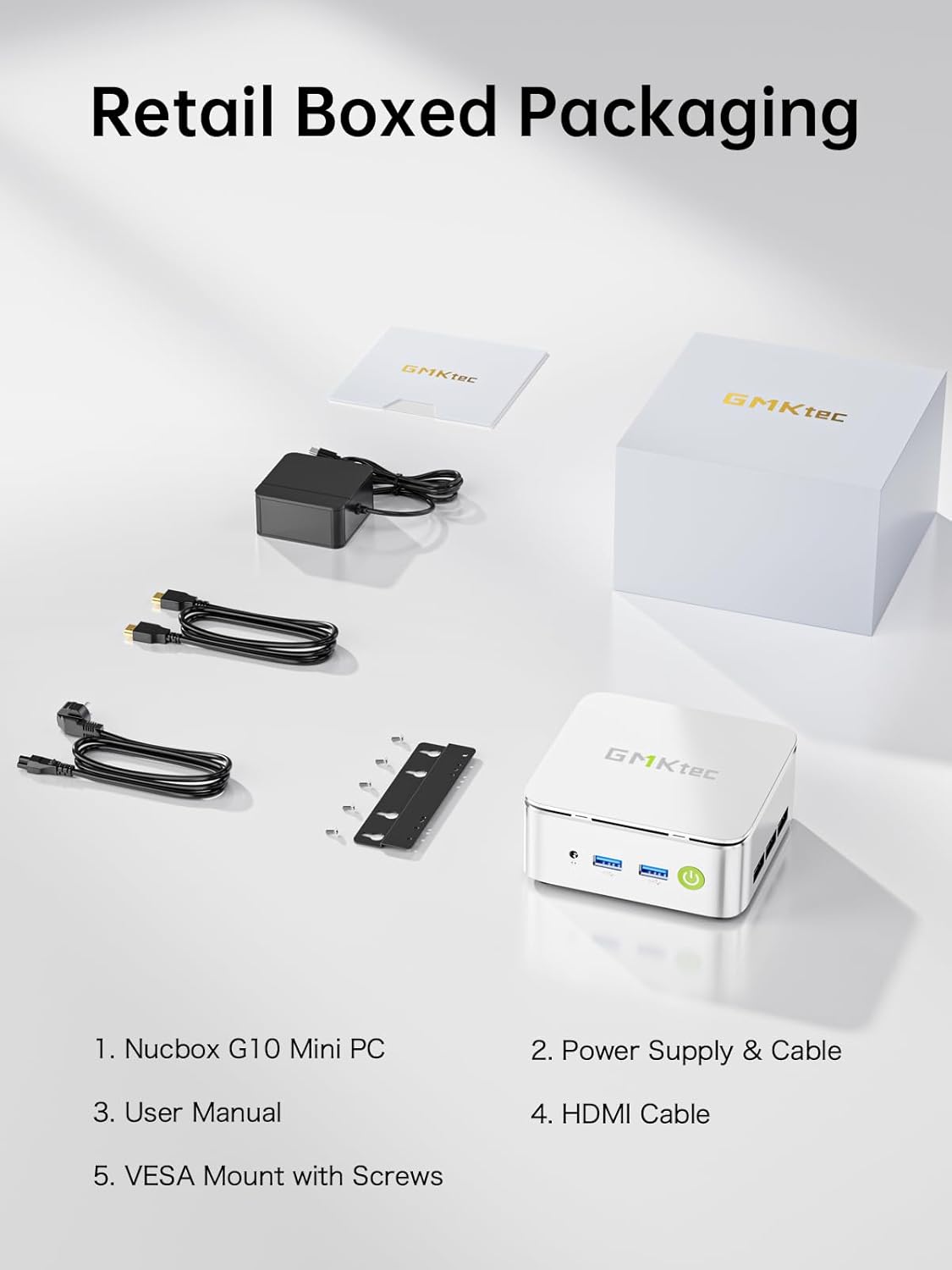
Image: All components included in the GMKtec G10 Mini PC retail packaging, neatly laid out.
3. ഉൽപ്പന്നം കഴിഞ്ഞുview
ഫ്രണ്ട് പാനൽ

Image: Close-up of the GMKtec G10 Mini PC's front panel, showing the audio jack, two USB 3.2 ports, and the power button.
- Audio Jack (CTIA): ഹെഡ്ഫോണുകൾ അല്ലെങ്കിൽ ഹെഡ്സെറ്റ് ബന്ധിപ്പിക്കുക.
- USB 3.2 (5Gbps) Ports (x2): High-speed data transfer for peripherals like keyboards, mice, and external drives.
- പവർ ബട്ടൺ: Press to power on or off the device.
പിൻ പാനൽ

Image: Close-up of the GMKtec G10 Mini PC's rear panel, displaying various connectivity ports.
- കെൻസിംഗ്ടൺ ലോക്ക് സ്ലോട്ട്: ഭൗതിക സുരക്ഷയ്ക്കായി.
- Type-C (PD Only): Power Delivery input.
- യുഎസ്ബി 2.0 പോർട്ട്: സാധാരണ USB ഉപകരണങ്ങൾക്ക്.
- Type-C (DP/DATA/PD): Full-function USB-C port supporting DisplayPort, data transfer, and power delivery.
- 2.5G Giga LAN Port: അതിവേഗ വയർഡ് നെറ്റ്വർക്ക് കണക്ഷന്.
- HDMI 2.1 (4K@60Hz) Port: Connect to a display for high-resolution video output.
- DisplayPort 1.4 (4K@60Hz) Port: Connect to a display for high-resolution video output.

Image: A comprehensive diagram illustrating all front and rear ports of the GMKtec G10 Mini PC and their respective functions.
4. സജ്ജീകരണ ഗൈഡ്
പ്രാരംഭ കണക്ഷൻ
- ഡിസ്പ്ലേയിലേക്ക് കണക്റ്റുചെയ്യുക: Use the provided HDMI cable to connect the Mini PC's HDMI port to your monitor or TV. Alternatively, use the DisplayPort or a compatible USB-C to DisplayPort cable.
- പെരിഫറലുകൾ ബന്ധിപ്പിക്കുക: Plug in your USB keyboard and mouse into the available USB ports on the front or rear panel.
- പവർ ബന്ധിപ്പിക്കുക: Connect the power adapter to the DC-in port on the rear of the Mini PC, then plug the power cable into a wall outlet.
- പവർ ഓൺ: മുൻ പാനലിലെ പവർ ബട്ടൺ അമർത്തുക. പവർ ഇൻഡിക്കേറ്റർ ലൈറ്റ് പ്രകാശിക്കും.
ആദ്യ ബൂട്ട്
Upon the first boot, the system may guide you through the initial setup process for the pre-installed operating system (OS Pro). Follow the on-screen instructions to configure language, region, network settings, and user accounts.
5. പ്രവർത്തന നിർദ്ദേശങ്ങൾ
പവർ മാനേജ്മെൻ്റ്
- പവർ ഓൺ: പവർ ബട്ടൺ അമർത്തുക.
- ഷട്ട് ഡൗൺ: From the operating system, select 'Shut Down'. Alternatively, press and hold the power button for 5 seconds to force a shutdown (not recommended for regular use).
- പുനരാരംഭിക്കുക: From the operating system, select 'Restart'.
നെറ്റ്വർക്ക് കണക്റ്റിവിറ്റി
- വയർഡ് കണക്ഷൻ: Connect an Ethernet cable from your router/modem to the 2.5G Giga LAN port on the Mini PC.
- വയർലെസ് കണക്ഷൻ (വൈ-ഫൈ 5): The Mini PC supports Wi-Fi 5. Navigate to your operating system's network settings, select your Wi-Fi network, and enter the password.

Image: The GMKtec G10 Mini PC on a desk, illustrating its Wi-Fi, Bluetooth 5.0, and 2.5GbE Ethernet capabilities for stable internet and peripheral connections.
മൾട്ടി-ഡിസ്പ്ലേ സജ്ജീകരണം
The GMKtec G10 Mini PC supports up to three 4K displays simultaneously via its HDMI 2.1, DisplayPort 1.4, and full-function USB-C ports.
- Connect your primary monitor to the HDMI port.
- Connect your second monitor to the DisplayPort.
- Connect your third monitor to the full-function USB-C port using a compatible USB-C to DisplayPort/HDMI adapter or cable.
- Configure display settings within your operating system to extend or duplicate your desktop.
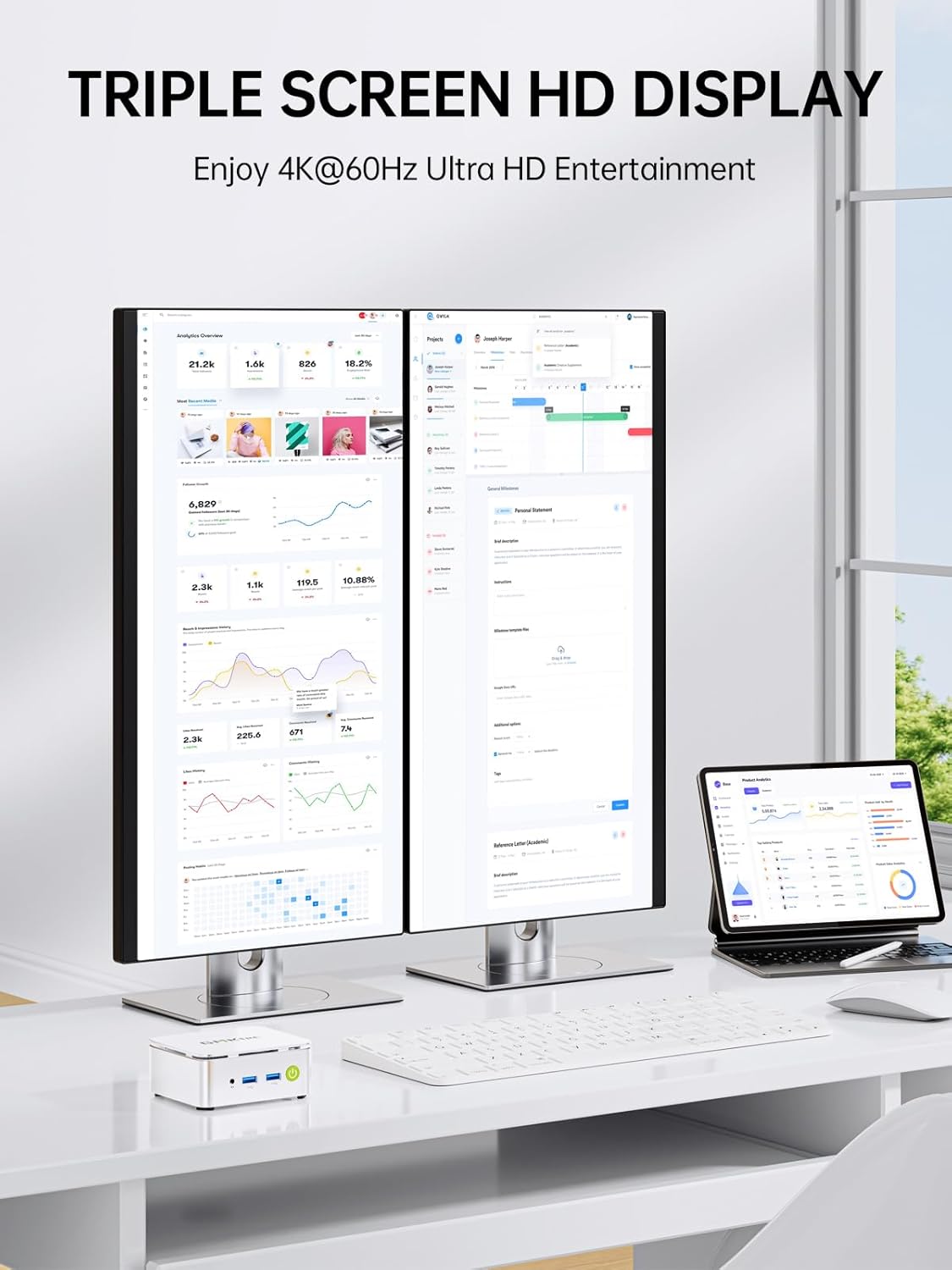
Image: A GMKtec G10 Mini PC connected to two large monitors and a tablet, demonstrating its triple screen HD display capability.
6 സ്പെസിഫിക്കേഷനുകൾ
| ഫീച്ചർ | സ്പെസിഫിക്കേഷൻ |
|---|---|
| പ്രോസസ്സർ | AMD Ryzen 5 3500U (4 Cores, 8 Threads, 2.1 GHz Base, 3.7 GHz Boost) |
| ഗ്രാഫിക്സ് | AMD Radeon Vega 8 Graphics (1200 MHz) |
| റാം | 16GB DDR4 SO-DIMM (2x8GB Dual Channel) |
| സംഭരണം | 512GB M.2 2280 NVMe SSD |
| സംഭരണ വിപുലീകരണം | Dual M.2 2280 PCIe 3.0 slots (supports up to 16TB SSD) |
| മെമ്മറി വികാസം | Supports up to 64GB DDR4 RAM |
| നെറ്റ്വർക്ക് | 2.5GbE Ethernet, Wi-Fi 5 (802.11ac), Bluetooth 5.0 |
| വീഡിയോ ഔട്ട്പുട്ട് | HDMI 2.1 (4K@60Hz), DisplayPort 1.4 (4K@60Hz), USB-C (DP/Data/PD) |
| USB പോർട്ടുകൾ | 2x USB 3.2, 1x USB 2.0, 2x USB-C (1x PD Only, 1x Full Function) |
| ഓഡിയോ | 1x 3.5mm CTIA Audio Jack |
| ഓപ്പറേറ്റിംഗ് സിസ്റ്റം | OS Pro |
| അളവുകൾ (LxWxH) | 4.1 x 3.8 x 1.7 ഇഞ്ച് |
| ഭാരം | 2.2 പൗണ്ട് |

Image: An infographic highlighting key features such as the AMD Ryzen 5 3500U processor, handheld size, Radeon Vega 8 Graphics, Wi-Fi + Bluetooth, silent turbo cooling, 16GB DDR4, 512GB SSD, and OS compatibility.
7. പരിപാലനം
ജനറൽ കെയർ
- Keep the Mini PC in a clean, dry environment away from direct sunlight and excessive heat.
- എയർ വെൻ്റുകളെ തടയാതെ ശരിയായ വെൻ്റിലേഷൻ ഉറപ്പാക്കുക.
- മൃദുവായതും ഉണങ്ങിയതുമായ തുണി ഉപയോഗിച്ച് പുറംഭാഗം വൃത്തിയാക്കുക. ലിക്വിഡ് ക്ലീനറുകളോ ലായകങ്ങളോ ഉപയോഗിക്കുന്നത് ഒഴിവാക്കുക.
സംഭരണ, മെമ്മറി അപ്ഗ്രേഡുകൾ
The GMKtec G10 Mini PC is designed for easy upgrades of its storage and memory components.

ചിത്രം: പൊട്ടിത്തെറിച്ച ഒരു view diagram of the GMKtec G10 Mini PC, highlighting the SO-DIMM DDR4 slots and M.2 2280 SSD slots for memory and storage expansion.
- റാം: The device supports dual-channel DDR4 SO-DIMM memory and can be expanded up to 64GB.
- SSD: It features dual M.2 2280 PCIe 3.0 slots, allowing for storage expansion up to 16TB (2x 8TB).
- For detailed upgrade instructions, please refer to the official GMKtec support resources or consult a qualified technician.
8. പ്രശ്നപരിഹാരം
This section addresses common issues you might encounter with your GMKtec G10 Mini PC.
പവർ ഇല്ല
- പവർ അഡാപ്റ്റർ മിനി പിസിയിലേക്കും പ്രവർത്തിക്കുന്ന ഒരു പവർ ഔട്ട്ലെറ്റിലേക്കും സുരക്ഷിതമായി ബന്ധിപ്പിച്ചിട്ടുണ്ടെന്ന് ഉറപ്പാക്കുക.
- മറ്റൊരു ഉപകരണം പ്ലഗ് ഇൻ ചെയ്ത് പവർ ഔട്ട്ലെറ്റ് പ്രവർത്തനക്ഷമമാണെന്ന് ഉറപ്പാക്കുക.
- പവർ അഡാപ്റ്ററിൽ എന്തെങ്കിലും ദൃശ്യമായ കേടുപാടുകൾ ഉണ്ടോ എന്ന് പരിശോധിക്കുക.
ഡിസ്പ്ലേ ഔട്ട്പുട്ട് ഇല്ല
- Confirm the HDMI/DisplayPort cable is firmly connected to both the Mini PC and the monitor.
- Ensure the monitor is powered on and set to the correct input source (HDMI, DisplayPort, USB-C).
- ലഭ്യമെങ്കിൽ മറ്റൊരു ഡിസ്പ്ലേ കേബിളോ മോണിറ്ററോ പരീക്ഷിച്ചുനോക്കൂ.
നെറ്റ്വർക്ക് കണക്റ്റിവിറ്റി പ്രശ്നങ്ങൾ
- വയർ: Check if the Ethernet cable is properly connected and if the router/modem is working.
- വയർലെസ്: Verify Wi-Fi is enabled in the operating system settings. Ensure you are connecting to the correct network and entering the correct password. Restart your router/modem.
സിസ്റ്റം മന്ദഗതിയിലാക്കൽ
- പശ്ചാത്തലത്തിൽ പ്രവർത്തിക്കുന്ന അനാവശ്യ ആപ്ലിക്കേഷനുകൾ അടയ്ക്കുക.
- മിനി പിസിക്ക് ആവശ്യത്തിന് വായുസഞ്ചാരം ലഭിക്കുന്നുണ്ടെന്നും അമിതമായി ചൂടാകുന്നില്ലെന്നും ഉറപ്പാക്കുക.
- Check for available operating system updates and install them.
9. വാറൻ്റിയും പിന്തുണയും
GMKtec വാഗ്ദാനം ചെയ്യുന്നത് 1 വർഷത്തെ പരിമിത വാറൻ്റി for each Mini PC, starting from the date of purchase. This warranty covers all defects due to design and workmanship. For any issues or inquiries, please refer to the following support options:

Image: A graphic detailing GMKtec's warranty and support options, including Amazon support and direct email support.
- ആമസോൺ പിന്തുണ: For purchases made on Amazon, you can contact customer support by logging into your Amazon account, navigating to 'Your Orders', and selecting 'Ask Product Question' for the GMKtec G10 Mini PC.
- വിൽപ്പനാനന്തര പിന്തുണ: For direct assistance, you can send an email to the GMKtec After-Sales Team at support@gmktec.com. GMKtec provides 24/7 customer support.
With a professional after-sales team always ready to attend to your needs, you can simply relax and enjoy your Mini PC.


