1 സുരക്ഷാ വിവരങ്ങൾ
Please read all instructions carefully before installing and operating the Rohent U12 Backup Camera. Failure to follow these instructions may result in damage to the product, vehicle, or personal injury.
- Ensure all power connections are secure and correctly polarized to prevent electrical shorts.
- Disconnect vehicle power before performing any installation or maintenance.
- Mount the camera and monitor securely to avoid obstruction of driver's view അല്ലെങ്കിൽ വാഹന നിയന്ത്രണങ്ങളിൽ ഇടപെടൽ.
- This device is an aid to safe driving and should not replace careful driving practices and regular mirror checks.
- ഏതെങ്കിലും ഇൻസ്റ്റാളേഷൻ ഘട്ടങ്ങളെക്കുറിച്ച് നിങ്ങൾക്ക് ഉറപ്പില്ലെങ്കിൽ, യോഗ്യതയുള്ള ഒരു പ്രൊഫഷണലിനെ സമീപിക്കുക.
2. ബോക്സിൽ എന്താണുള്ളത്?
ഇൻസ്റ്റാളേഷൻ ആരംഭിക്കുന്നതിന് മുമ്പ് എല്ലാ ഘടകങ്ങളും നിലവിലുണ്ടെന്ന് ഉറപ്പാക്കുക:
- 1* Backup Camera
- 1* 9.84ft power cable
- 1* antenna
3. ഉൽപ്പന്നം കഴിഞ്ഞുview
The Rohent U12 Backup Camera is designed to enhance safety and convenience for RVs and trailers. It features advanced night vision technology for clear images in low-light conditions and an IP69 waterproof rating for durability in harsh weather. This camera is exclusively compatible with Rohent R8 and R12 systems, ensuring seamless integration and operation.
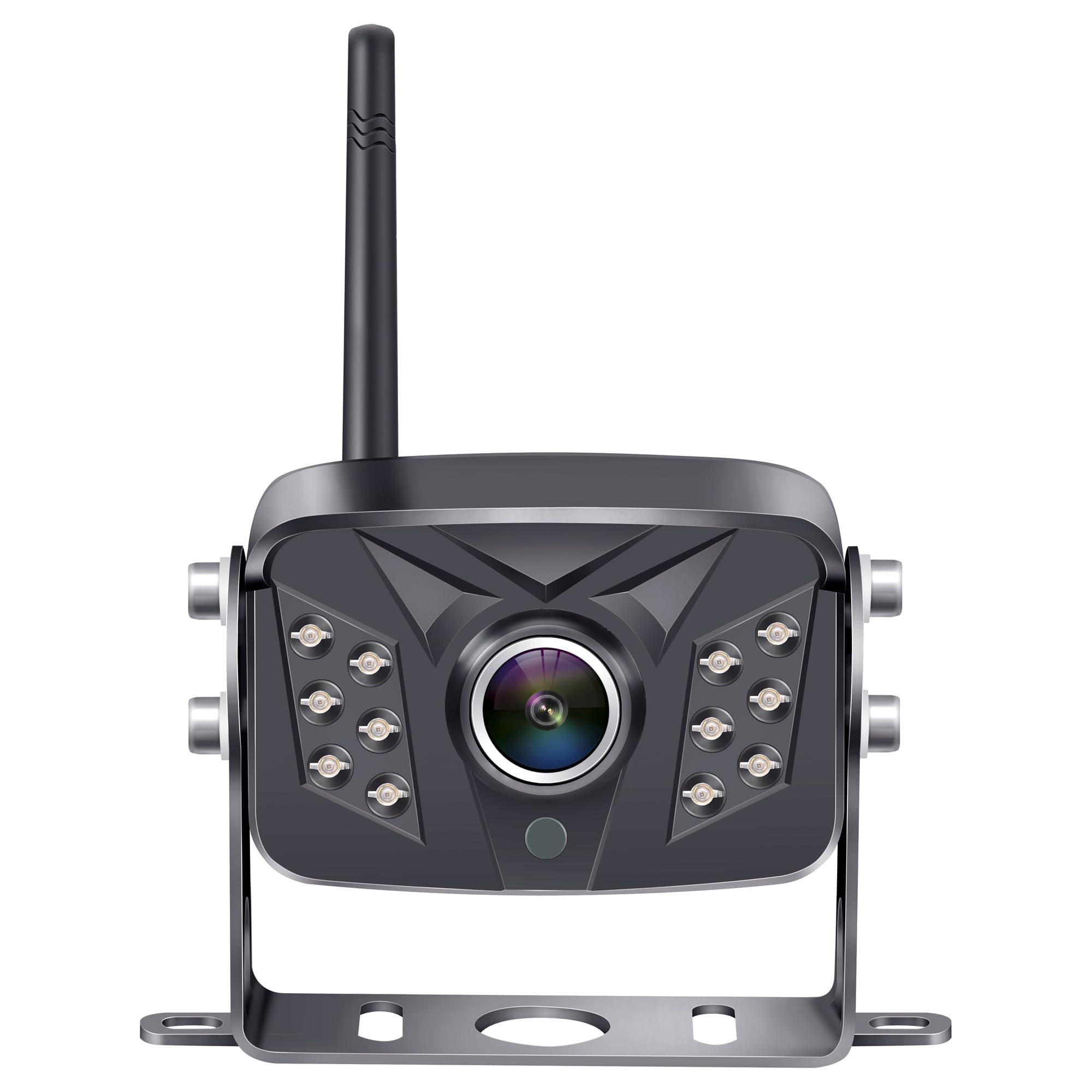
Image: The Rohent U12 Backup Camera, showing its compact black housing, integrated antenna, and robust mounting bracket. The camera lens is visible at the front, surrounded by LED lights for night vision.
വീഡിയോ: ഒരു ലഘു ഉൽപ്പന്നത്തെക്കുറിച്ച്view demonstrating the features and benefits of a Rohent backup camera system, including its compact design and clear image display.
4. സജ്ജീകരണം
4.1 ക്യാമറ ഇൻസ്റ്റാളേഷൻ
The Rohent U12 Backup Camera is designed for easy installation, especially with RVs and trailers that are pre-wired for Furrion systems. Locate the pre-installed camera cover at the rear of your RV/trailer. Remove the cover by unscrewing it. Connect the camera's power cable to the existing wiring. Secure the U12 camera to the mounting base using the provided screws. Ensure the camera is oriented correctly for optimal rear view.
Video: Demonstrates the installation process of a Rohent wireless backup camera on the rear of a vehicle, including mounting the camera and connecting it to power. It also shows the monitor setup inside the vehicle.
4.2 Monitor Setup (for R8/R12 Systems)
Mount your compatible Rohent R8 or R12 monitor inside your vehicle, typically on the dashboard or windshield, using the provided suction cup or adhesive mount. Connect the monitor to a 12V power source, such as a cigarette lighter adapter. Once powered, the monitor will automatically pair with the U12 camera. Ensure the monitor is positioned to provide a clear view without obstructing your driving.
Video: Illustrates the setup and functionality of a Rohent RV backup camera system, including mounting the monitor and showcasing its display features.
5. പ്രവർത്തന നിർദ്ദേശങ്ങൾ
5.1 പവർ ഓൺ/ഓഫ്
The camera receives power when connected to your RV/trailer's power system (e.g., when the vehicle is in reverse or when the RV is powered). The monitor will power on automatically when it receives a signal from the camera. To turn off the monitor, disconnect it from its power source.
5.2 ഡിസ്പ്ലേ സെറ്റിംഗ്സ് ക്രമീകരിക്കൽ
Use the buttons on your R8/R12 monitor to navigate the menu and adjust settings such as brightness, contrast, saturation, and tint. Refer to your R8/R12 system's manual for detailed instructions on menu navigation.
5.3 Parking Lines
Your monitor may display adjustable parking lines to assist with backing up. These lines can typically be toggled on/off or adjusted for width and position via the monitor's settings menu. Consult your R8/R12 monitor manual for specific adjustments.
5.4 നൈറ്റ് വിഷൻ
The Rohent U12 camera is equipped with advanced night vision technology that automatically activates in low-light conditions, providing clear visibility without manual intervention.
6. പരിപാലനം
- ലെൻസ് വൃത്തിയാക്കൽ: ക്യാമറ ലെൻസ് പതിവായി മൃദുവായ, ഡി-ടച്ച് ഉപയോഗിച്ച് വൃത്തിയാക്കുക.amp വ്യക്തത ഉറപ്പാക്കാൻ തുണി view. Avoid abrasive cleaners that could scratch the lens.
- കണക്ഷനുകൾ പരിശോധിക്കുന്നു: Periodically inspect all cable connections for tightness and signs of wear or corrosion.
- വാട്ടർപ്രൂഫ് റേറ്റിംഗ്: The camera has an IP69 waterproof rating, meaning it is protected against high-pressure, high-temperature jet sprays and continuous immersion. However, avoid directing high-pressure water jets directly at the camera for extended periods.
7. പ്രശ്നപരിഹാരം
- No Signal on Monitor:
- Ensure the camera and monitor are both powered on.
- Check all power connections for security.
- Verify that the camera is within range of the monitor for wireless signal transmission.
- Confirm the monitor is set to the correct camera channel (if applicable for your R8/R12 system).
- മോശം ചിത്രത്തിന്റെ ഗുണനിലവാരം:
- ക്യാമറ ലെൻസ് വൃത്തിയാക്കുക.
- Check for obstructions blocking the camera's view.
- Adjust brightness, contrast, and other display settings on the monitor.
- Ensure there is no significant interference from other wireless devices.
- ക്യാമറ ഓണാക്കുന്നില്ല:
- Confirm the RV/trailer's power system is active.
- Check the camera's power cable for damage or loose connections.
8 സ്പെസിഫിക്കേഷനുകൾ
| ഫീച്ചർ | സ്പെസിഫിക്കേഷൻ |
|---|---|
| ഉൽപ്പന്ന അളവുകൾ | 5.1 x 3.34 x 3.14 ഇഞ്ച് |
| ഇനത്തിൻ്റെ ഭാരം | 13.4 ഔൺസ് |
| ASIN | B0FC27TVVC |
| ഡിസ്പ്ലേ ടെക്നോളജി | LCD or LED (Monitor dependent) |
| മറ്റ് ഡിസ്പ്ലേ സവിശേഷതകൾ | വയർലെസ് |
| നിറം | കറുപ്പ് |
| നിർമ്മാതാവ് | റോഹൻ്റ് |
| ബ്രാൻഡ് | റോഹൻ്റ് |
| സ്ക്രീൻ വലിപ്പം | 7 Inches (Monitor dependent) |
| അനുയോജ്യമായ ഉപകരണങ്ങൾ | Monitor (R8/R12 System) |
| ഇൻസ്റ്റലേഷൻ തരം | ഉപരിതല മൗണ്ട് |
| വാല്യംtage | 12 വോൾട്ട് (DC) |
| ഒപ്റ്റിക്കൽ സെൻസർ ടെക്നോളജി | ഇൻഫ്രാറെഡ് |
| ലെൻസ് തരം | വൈഡ് ആംഗിൾ |
| കണക്റ്റർ തരം | ആർസിഎ |
| ഒപ്റ്റിക്കൽ സെൻസർ വലുപ്പം | 1/2 ഇഞ്ച് |
9. വാറൻ്റിയും പിന്തുണയും
For warranty information and customer support, please refer to the documentation included with your Rohent U12 Backup Camera or visit the official Rohent brand store. Keep your purchase receipt for warranty claims.


