ആമുഖം
This manual provides detailed instructions for the MageGee GK960 Wireless Gaming Keyboard. Please read this manual thoroughly before using the product to ensure proper operation and to maximize your user experience. The GK960 offers versatile connectivity, customizable RGB lighting, and an ergonomic design for extended use.

Image: The MageGee GK960 Wireless Gaming Keyboard, showcasing അതിന്റെ പൂർണ്ണ ലേഔട്ടും RGB ബാക്ക്ലൈറ്റിംഗും.
പാക്കേജ് ഉള്ളടക്കം
താഴെ ലിസ്റ്റ് ചെയ്തിരിക്കുന്ന എല്ലാ ഇനങ്ങളും നിങ്ങളുടെ പാക്കേജിൽ ഉൾപ്പെടുത്തിയിട്ടുണ്ടെന്ന് ഉറപ്പാക്കുക:
- MageGee GK960 Wireless Gaming Keyboard
- USB-C ചാർജിംഗ് കേബിൾ
- 2.4G USB റിസീവർ
- ഉപയോക്തൃ മാനുവൽ
- ഉപയോക്തൃ ഗൈഡ്
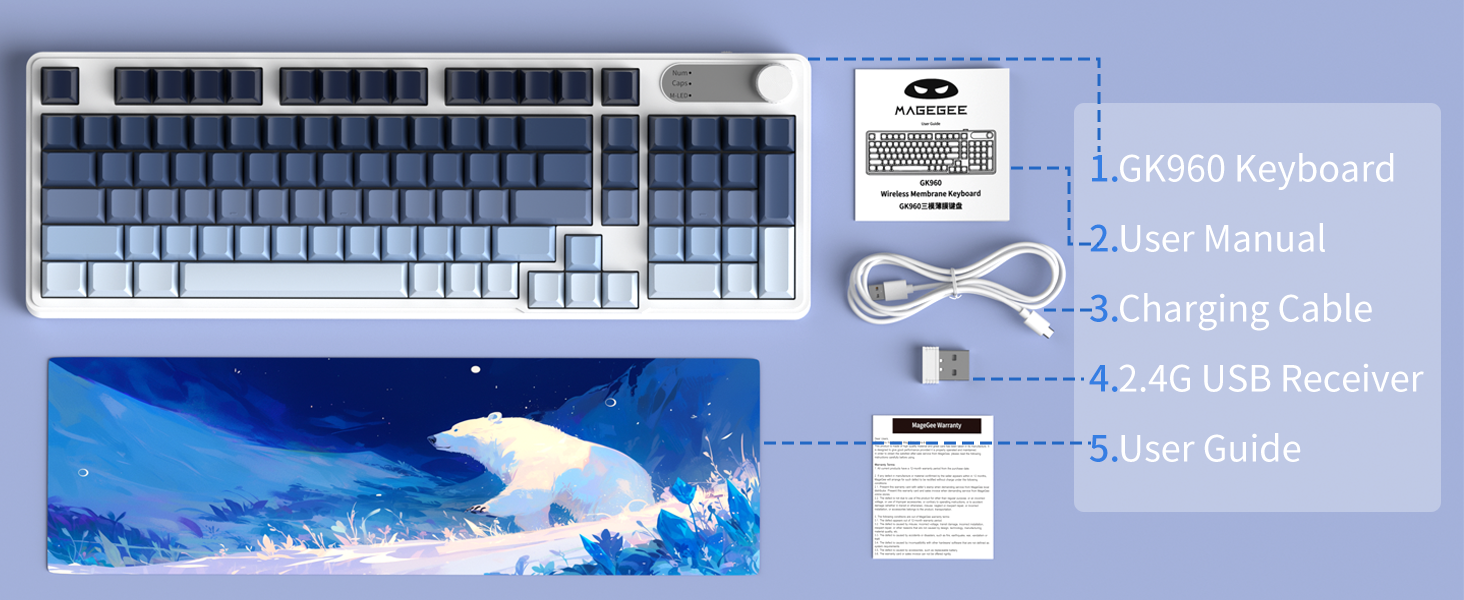
Image: An illustration showing the MageGee GK960 keyboard and its included accessories: USB-C cable, 2.4G receiver, user manual, and user guide.
സജ്ജീകരണവും കണക്റ്റിവിറ്റിയും
The GK960 keyboard supports three connection modes: Wired (USB-C), 2.4GHz Wireless, and Bluetooth.
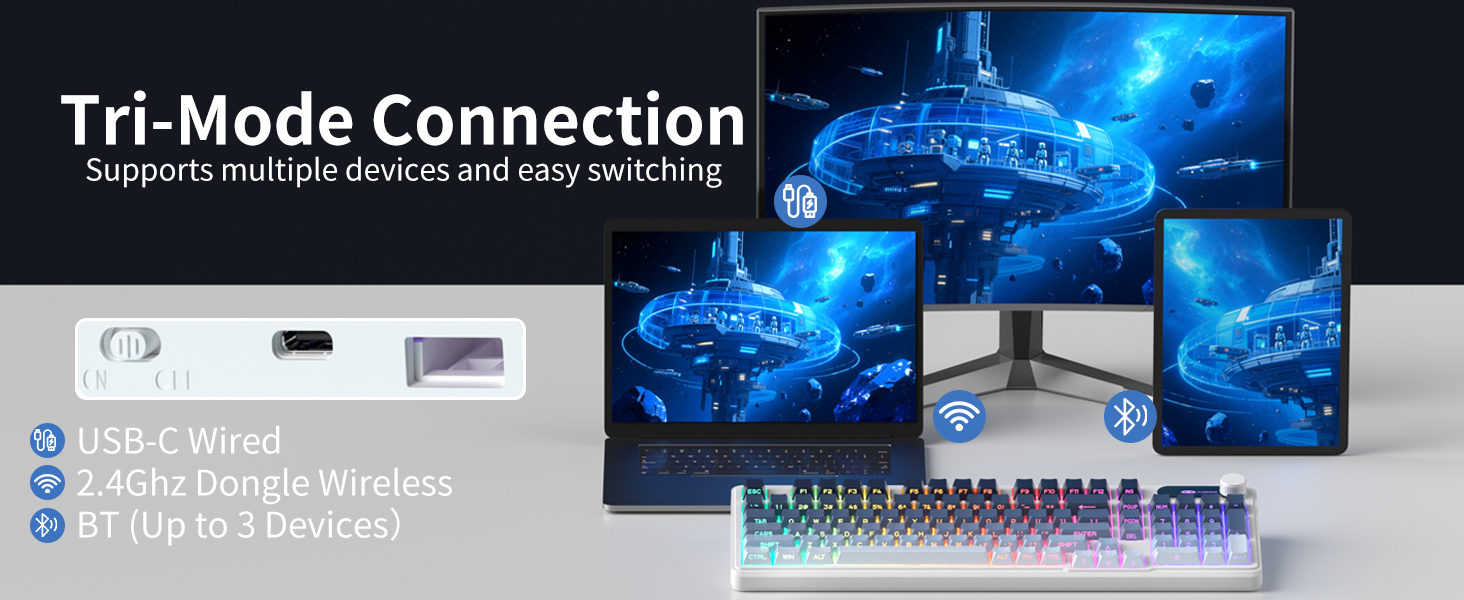
Image: A visual representation of the keyboard connecting to multiple devices (laptop, monitor, tablet) via USB-C, 2.4G dongle, and Bluetooth.
1. വയർഡ് കണക്ഷൻ (USB-C)
- നൽകിയിരിക്കുന്ന USB-C കേബിൾ കീബോർഡിന്റെ USB-C പോർട്ടുമായി ബന്ധിപ്പിക്കുക.
- USB-C കേബിളിന്റെ മറ്റേ അറ്റം നിങ്ങളുടെ കമ്പ്യൂട്ടറിൽ ലഭ്യമായ ഒരു USB പോർട്ടിലേക്ക് ബന്ധിപ്പിക്കുക.
- കീബോർഡ് യാന്ത്രികമായി തിരിച്ചറിയപ്പെടുകയും ഉപയോഗത്തിന് തയ്യാറാകുകയും ചെയ്യും.
2. 2.4GHz വയർലെസ് കണക്ഷൻ
- Locate the 2.4G USB receiver in the package.
- നിങ്ങളുടെ കമ്പ്യൂട്ടറിൽ ലഭ്യമായ ഒരു USB പോർട്ടിലേക്ക് 2.4G USB റിസീവർ പ്ലഗ് ചെയ്യുക.
- On the keyboard, switch the mode selector to the '2.4G' position.
- The keyboard will connect wirelessly to your device.
3. ബ്ലൂടൂത്ത് കണക്ഷൻ
The GK960 supports up to three Bluetooth devices (BT1, BT2, BT3).
- On the keyboard, switch the mode selector to the 'BT' position.
- അമർത്തിപ്പിടിക്കുക FN + 1 (BT1 ന്), FN + 2 (BT2 ന്), അല്ലെങ്കിൽ FN + 3 (for BT3) for 3-5 seconds until the indicator light flashes rapidly, indicating pairing mode.
- നിങ്ങളുടെ ഉപകരണത്തിൽ (കമ്പ്യൂട്ടർ, ടാബ്ലെറ്റ്, സ്മാർട്ട്ഫോൺ), ബ്ലൂടൂത്ത് പ്രവർത്തനക്ഷമമാക്കി പുതിയ ഉപകരണങ്ങൾക്കായി തിരയുക.
- Select 'GK960' from the list of available devices to pair.
- ജോടിയാക്കിക്കഴിഞ്ഞാൽ, ഇൻഡിക്കേറ്റർ ലൈറ്റ് മിന്നുന്നത് നിർത്തും.
മോഡുകൾക്കിടയിൽ മാറുന്നു
Use the mode selector switch on the keyboard to easily switch between Wired, 2.4G, and Bluetooth modes. For Bluetooth, press FN + 1/2/3 to switch between paired Bluetooth devices.
പ്രവർത്തന നിർദ്ദേശങ്ങൾ
RGB ബാക്ക്ലൈറ്റിംഗ് നിയന്ത്രണം
The GK960 features vibrant RGB backlighting with adjustable effects, brightness, and speed.
- FN + INS: Switch between different light modes.
- FN + ബാക്ക്സ്പേസ്: Turn the backlight on/off.
- FN + -/_: Adjust light speed (slower).
- FN + =/+: Adjust light speed (faster).
- FN + PgUp: Increase light brightness.
- FN + PgDn: Decrease light brightness.
- FN + P: Toggle logo color.
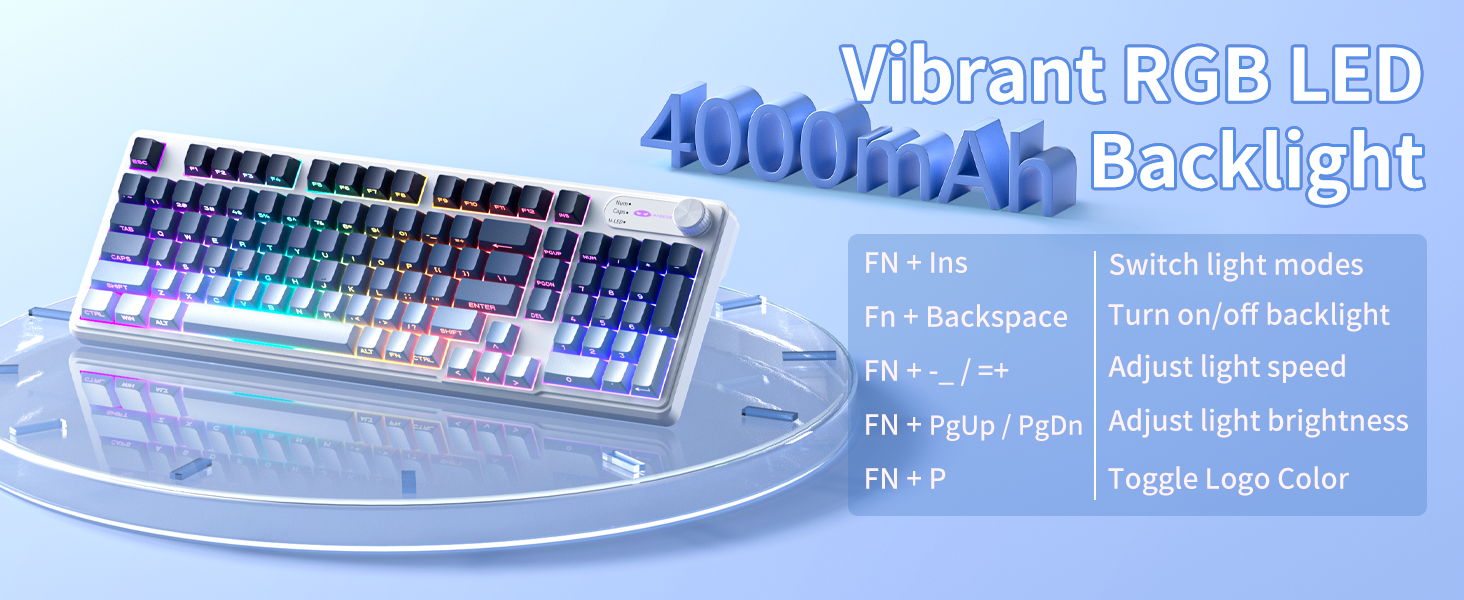
Image: A diagram illustrating the FN key combinations for controlling the RGB backlight modes, speed, brightness, and logo color.
Dual-Mode Rotary Knob
The multi-functional knob allows quick adjustments for volume and lighting.
- മോഡ് ടോഗിൾ ചെയ്യുക: Long-press എഫ്എൻ + നോബ് വോളിയം മോഡിനും ലൈറ്റ് മോഡിനും ഇടയിൽ മാറാൻ 5 സെക്കൻഡ് നേരത്തേക്ക്.
- വോളിയം മോഡ്: Rotate the knob to adjust volume. Press down on the knob to mute/unmute.
- ലൈറ്റ് മോഡ്: Rotate the knob to adjust backlight brightness. Press down on the knob to cycle through lighting effects.
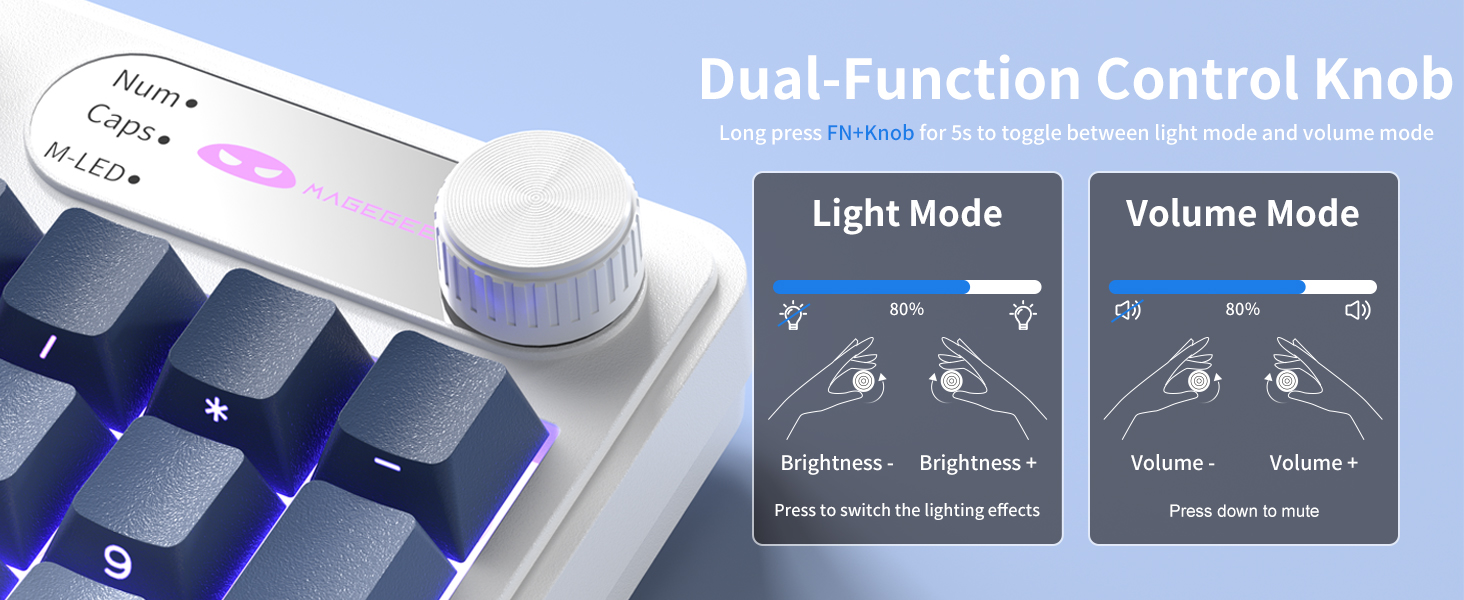
Image: A close-up of the multi-functional knob, detailing its operation for both volume and lighting adjustments, including the FN+Knob long-press for mode switching.
Side-Printed Keycaps
The GK960 features double-shot injection molded keycaps with side-printed legends. This design allows the backlight to shine through the letters, enhancing visibility and durability, preventing fading from prolonged use.

ചിത്രം: ഒരു ക്ലോസ്-അപ്പ് view of the keyboard's side-printed keycaps, highlighting how the backlight illuminates the legends.
19-കീ ആന്റി-ഗോസ്റ്റിംഗ്
The GK960 keyboard is equipped with 19-key anti-ghosting technology. This ensures that every keystroke registers accurately, even when multiple keys are pressed simultaneously during fast-paced gaming or typing. This prevents missed inputs and enhances performance.
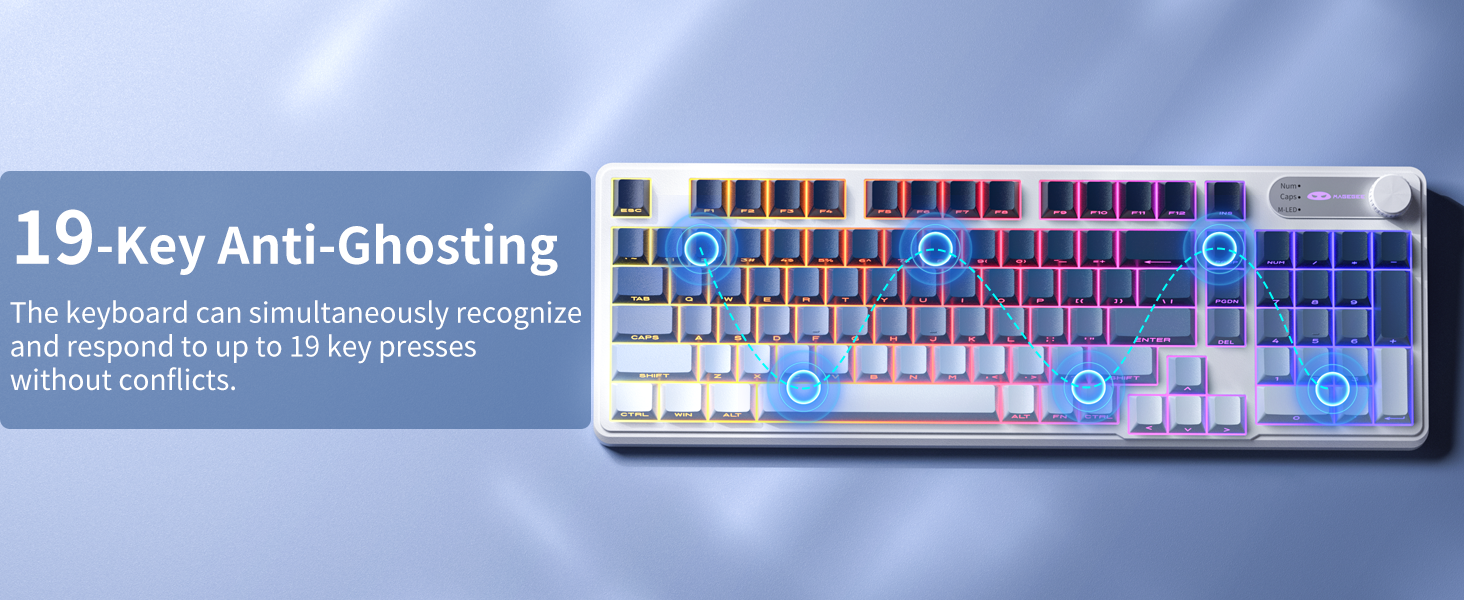
Image: A visual diagram illustrating the 19-key anti-ghosting feature, showing multiple simultaneous key presses being registered without conflict.
സിസ്റ്റം അനുയോജ്യത
The keyboard supports both Windows and Mac operating systems. You can switch between them using a simple key combination (refer to specific key combinations if provided on the keyboard or in a quick start guide).
ബാറ്ററി മാനേജ്മെൻ്റ്
The GK960 is equipped with a 4000mAh high-capacity battery for extended usage.
- ചാർജിംഗ്: Connect the keyboard using the provided USB-C cable to a power source. The keyboard can be used in wired mode while charging.
- ബാറ്ററി ലൈഫ്: Approximately 22 hours with backlight on, and up to 200 hours with backlight off.
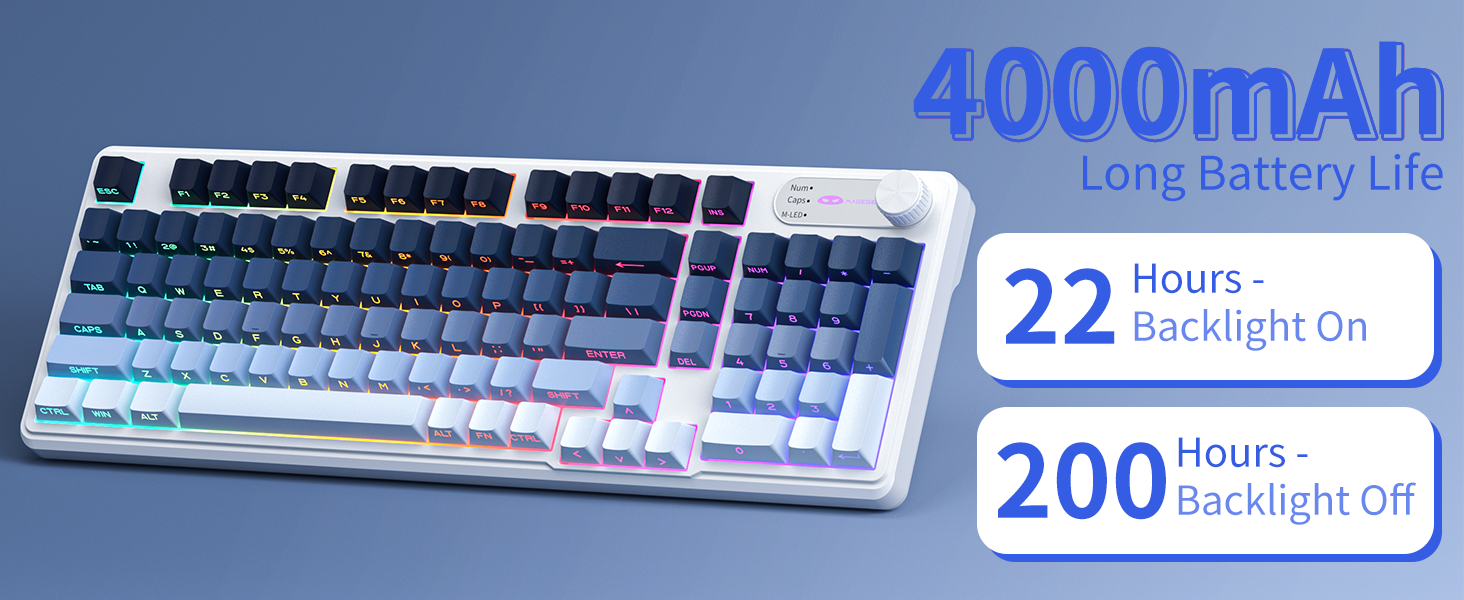
Image: A graphic displaying the 4000mAh battery capacity and estimated usage times: 22 hours with backlight on and 200 hours with backlight off.
എർഗണോമിക് ഡിസൈൻ
The GK960 features a stepped keycap structure and adjustable stands to promote a comfortable typing posture. This design helps reduce wrist fatigue during long periods of use.
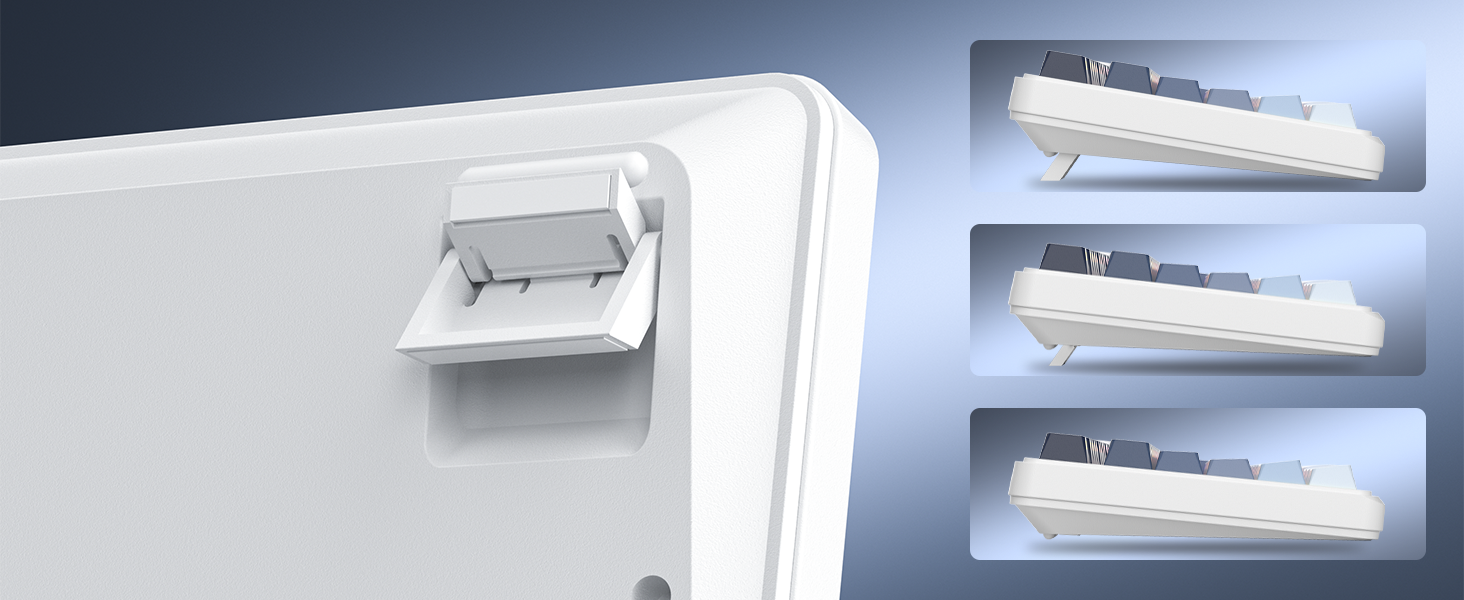
Image: A depiction of the keyboard's adjustable feet and stepped keycap profile, illustrating its ergonomic features for comfortable typing angles.
മെയിൻ്റനൻസ്
- വൃത്തിയാക്കൽ: Use a soft, dry cloth to wipe the keyboard surface. For deeper cleaning, use compressed air to remove dust and debris from between keycaps. Avoid using harsh chemicals or abrasive materials.
- സംഭരണം: Store the keyboard in a cool, dry place away from direct sunlight and extreme temperatures.
- ലിക്വിഡ് എക്സ്പോഷർ: Avoid spilling liquids on the keyboard. If liquid exposure occurs, immediately disconnect the keyboard and allow it to dry completely before reconnecting.
ട്രബിൾഷൂട്ടിംഗ്
- കീബോർഡ് പ്രതികരിക്കുന്നില്ല: Ensure the keyboard is charged. Check the connection mode (Wired, 2.4G, BT) and ensure it matches your device's connection. For 2.4G, ensure the USB receiver is properly inserted. For Bluetooth, re-pair the device if necessary.
- ബാക്ക്ലൈറ്റ് പ്രവർത്തിക്കുന്നില്ല: അമർത്തുക FN + ബാക്ക്സ്പേസ് to toggle the backlight. Ensure brightness is not set to minimum (FN + PgUp).
- ഇടവിട്ടുള്ള കണക്ഷൻ: Ensure the keyboard is within range of the receiver/device. Avoid sources of strong electromagnetic interference.
- കീകൾ രജിസ്റ്റർ ചെയ്യുന്നില്ല.: Clean under the keycaps to remove any obstructions. Ensure the keyboard is fully charged.
സ്പെസിഫിക്കേഷനുകൾ
| ഫീച്ചർ | സ്പെസിഫിക്കേഷൻ |
|---|---|
| മോഡലിൻ്റെ പേര് | GK960 |
| കണക്റ്റിവിറ്റി ടെക്നോളജി | Wired (USB-C), 2.4G Wireless, Bluetooth |
| ബാറ്ററി ശേഷി | 4000mAh |
| ബാക്ക്ലൈറ്റിംഗ് | RGB |
| ആൻ്റി-ഗോസ്റ്റിംഗ് | 19-കീ |
| കീക്യാപ്പ് തരം | Side-Printed, Double-Shot Injection |
| അനുയോജ്യമായ ഉപകരണങ്ങൾ | ലാപ്ടോപ്പ്, പിസി, സ്മാർട്ട്ഫോൺ, ടാബ്ലെറ്റ് |
| ഇനത്തിൻ്റെ ഭാരം | 1.88 പൗണ്ട് |
| പാക്കേജ് അളവുകൾ | 17.56 x 7.17 x 2.05 ഇഞ്ച് |

Image: A diagram illustrating the physical dimensions of the MageGee GK960 keyboard.
വാറൻ്റിയും പിന്തുണയും
MageGee products are designed for reliability and performance. For warranty information or technical support, please refer to the warranty card included in your package or visit the official MageGee webസൈറ്റ്. വാറൻ്റി ക്ലെയിമുകൾക്കായി നിങ്ങളുടെ വാങ്ങൽ രസീത് സൂക്ഷിക്കുക.


