1. ആമുഖം
Thank you for choosing the LIORQUE Sunrise Alarm Clock, Model YF-03. This device is designed to enhance your sleep and wake-up routine with its natural sunrise simulation, soothing sounds, and versatile lighting options. Please read this manual carefully to ensure proper use and optimal performance of your alarm clock.
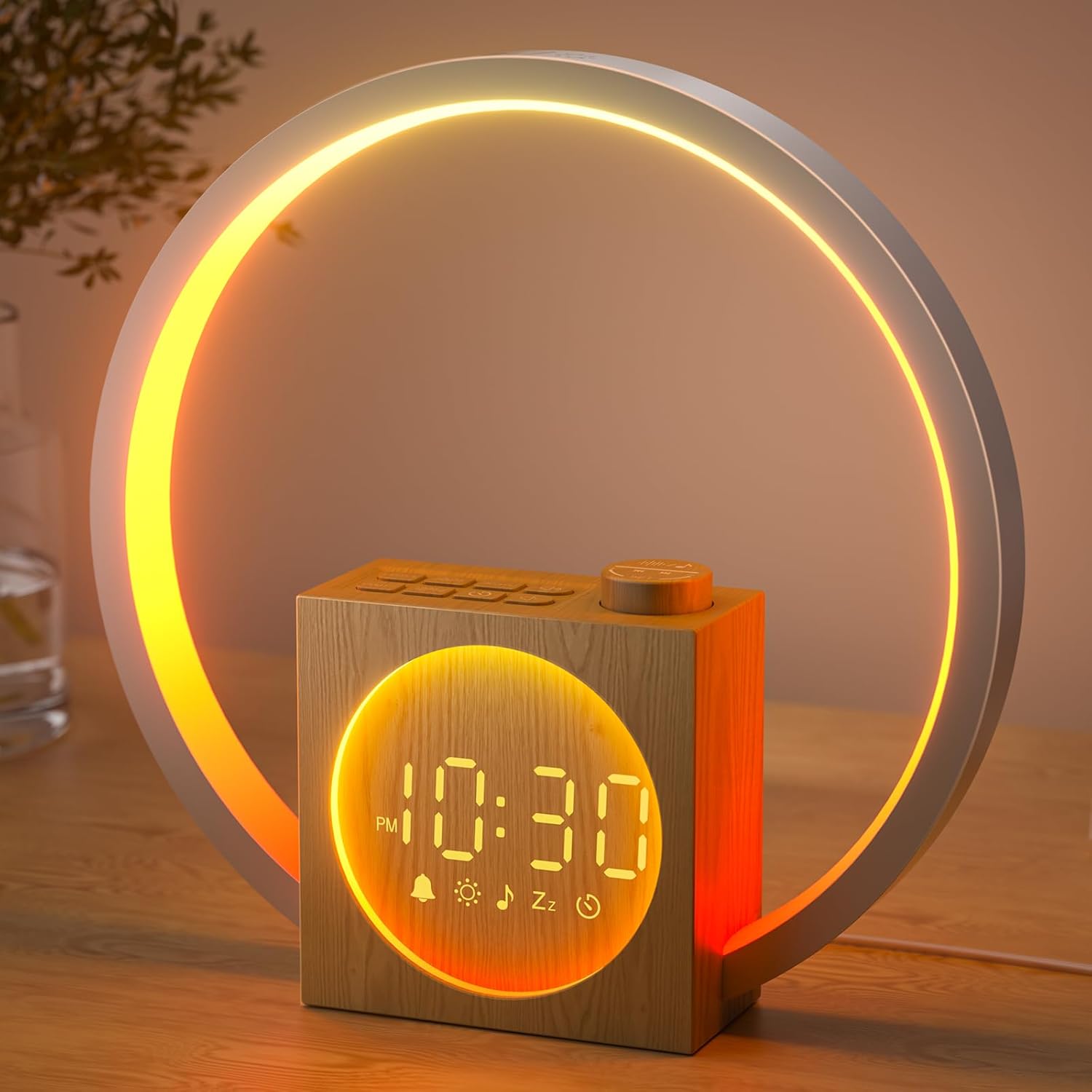
Image 1.1: The LIORQUE Sunrise Alarm Clock YF-03, showcasing its wooden base and circular light ring with a warm, orange glow. The digital time display is visible on the front.
2. ഉൽപ്പന്നം കഴിഞ്ഞുview
2.1 പ്രധാന സവിശേഷതകൾ
- സൺറൈസ് സിമുലേഷൻ: Gradually brightens over 10-60 minutes before your alarm time.
- 30 ആശ്വാസകരമായ ശബ്ദങ്ങൾ: Includes 20 natural melodies and 10 white noise options with 32 adjustable volume levels.
- മൾട്ടി-കളർ നൈറ്റ് ലൈറ്റ്: Ring-shaped light with single-color gradients, breathing lights, ring gradients, and dynamic running lights.
- Sleep Aid Mode: Customizable sleep timer (10-480 minutes) with light and sound fade-out.
- സ്നൂസ് പ്രവർത്തനം: 9-minute snooze activated by lightly pressing the knob button or touching the light ring.
- Dimmable LED Time Display: Clear display through wood grain, with 5 adjustable brightness levels, including an option to turn off completely.
- യുഎസ്ബി ചാർജിംഗ് പോർട്ട്: Provides up to 5W charging for smartphones or headphones.
2.2 പാക്കേജ് ഉള്ളടക്കം
- LIORQUE Sunrise Alarm Clock (Model YF-03)
- പവർ അഡാപ്റ്റർ
- ഉപയോക്തൃ മാനുവൽ
2.3 നിയന്ത്രണങ്ങളും പോർട്ടുകളും

Image 2.1: Detailed diagram illustrating the various buttons and ports on the LIORQUE Sunrise Alarm Clock. Labels include Multifunctional knob (Snooze button), Volume up/down for sounds, Sunrise light settings, Alarm button, Brightness up/down for light, Sleep timer, Screen brightness adjustment/Time settings, USB Output (DC 5V/1A), and Input (DC 5V/2A).
- മൾട്ടിഫങ്ഷണൽ നോബ്: Rotate to adjust values, press for snooze.
- LIGHT + / LIGHT - Buttons: പ്രകാശത്തിന്റെ തെളിച്ചം ക്രമീകരിക്കുക.
- ON/OFF ALARM SET Button: Turn alarm on/off, enter alarm setting mode.
- DIMMER TIME SET Button: Adjust screen brightness, enter time setting mode.
- Sound Volume Buttons: ശബ്ദത്തിന്റെ അളവ് ക്രമീകരിക്കുക.
- സ്ലീപ്പ് ടൈമർ ബട്ടൺ: Activate and set sleep timer.
- USB ഔട്ട്പുട്ട് പോർട്ട്: ബാഹ്യ ഉപകരണങ്ങൾ ചാർജ് ചെയ്യുന്നതിന്.
- ഡിസി ഇൻപുട്ട് പോർട്ട്: പവർ അഡാപ്റ്റർ കണക്ഷനായി.
3. സജ്ജീകരണം
3.1 പവർ കണക്ഷൻ
- Connect the provided power adapter to the DC Input Port on the back of the alarm clock.
- ഒരു സാധാരണ മതിൽ ഔട്ട്ലെറ്റിലേക്ക് പവർ അഡാപ്റ്റർ പ്ലഗ് ചെയ്യുക.
- ഉപകരണം ഓണാണെന്ന് സൂചിപ്പിക്കുന്ന ഡിസ്പ്ലേ പ്രകാശിക്കും.
3.2 പ്രാരംഭ സമയ ക്രമീകരണം
- അമർത്തിപ്പിടിക്കുക DIMMER TIME SET സമയ ക്രമീകരണ മോഡിൽ പ്രവേശിക്കാൻ 3 സെക്കൻഡ് നേരത്തേക്ക് ബട്ടൺ അമർത്തുക. മണിക്കൂർ അക്കങ്ങൾ മിന്നിമറയും.
- തിരിക്കുക മൾട്ടിഫങ്ഷണൽ നോബ് to adjust the hour. Press the knob to confirm and move to minute setting.
- തിരിക്കുക മൾട്ടിഫങ്ഷണൽ നോബ് to adjust the minutes. Press the knob to confirm.
- തിരിക്കുക മൾട്ടിഫങ്ഷണൽ നോബ് to select 12-hour or 24-hour format. Press the knob to confirm.
- ഇപ്പോൾ സമയം നിശ്ചയിച്ചിരിക്കുന്നു.
4. പ്രവർത്തന നിർദ്ദേശങ്ങൾ
4.1 അലാറം ക്രമീകരണം
- അമർത്തുക ON/OFF ALARM SET button to enter alarm setting mode. The alarm time will flash.
- തിരിക്കുക മൾട്ടിഫങ്ഷണൽ നോബ് to set the alarm hour, then press the knob to confirm.
- തിരിക്കുക മൾട്ടിഫങ്ഷണൽ നോബ് to set the alarm minutes, then press the knob to confirm.
- Sunrise Simulation Duration: Rotate the knob to select sunrise duration (10-60 minutes). Press to confirm.
- Sunrise Light Intensity: Rotate the knob to set the maximum brightness level for the sunrise light (1-20 levels). Press to confirm.
- അലാറം ശബ്ദം: Rotate the knob to choose from 30 available sounds. Press to confirm.
- അലാറം വോളിയം: Rotate the knob to adjust the alarm volume (1-32 levels). Press to confirm.
- The alarm is now set and activated. A bell icon will appear on the display.

Image 4.1: This image demonstrates the sunrise simulation feature, showing the alarm clock's light gradually increasing in brightness over a set period, mimicking a natural sunrise.
4.2 സ്നൂസ് ഫംഗ്ഷൻ
- When the alarm sounds, lightly press the മൾട്ടിഫങ്ഷണൽ നോബ് or touch any part of the circular light ring to activate snooze.
- The alarm will pause for 9 minutes and then sound again.
- അലാറം പൂർണ്ണമായും ഓഫാക്കാൻ, അമർത്തുക ON/OFF ALARM SET ബട്ടൺ.

Image 4.2: A user's hand is shown touching the top edge of the alarm clock's light ring, indicating the touch-sensitive area for activating the snooze function.
4.3 ശബ്ദ ക്രമീകരണങ്ങൾ
- To play soothing sounds independently, press the Sound Play/Pause ബട്ടൺ.
- ഉപയോഗിക്കുക Sound Volume Up/Down buttons to adjust the volume (32 levels).
- അമർത്തുക Sound Next/Previous buttons to cycle through the 30 available sounds.

Image 4.3: This graphic displays icons for several of the 30 soothing sounds available on the alarm clock, including natural sounds like rain and birdsong, and calming melodies.
4.4 നൈറ്റ് ലൈറ്റ് ഫംഗ്ഷൻ
- Touch any part of the circular light ring to turn on the night light.
- Continue touching the ring to cycle through various lighting effects: single-color gradients, breathing lights, ring gradients, and dynamic running lights.
- ഉപയോഗിക്കുക LIGHT + / LIGHT - buttons to adjust the brightness of the night light.
- To turn off the night light, touch and hold the light ring for 2 seconds.
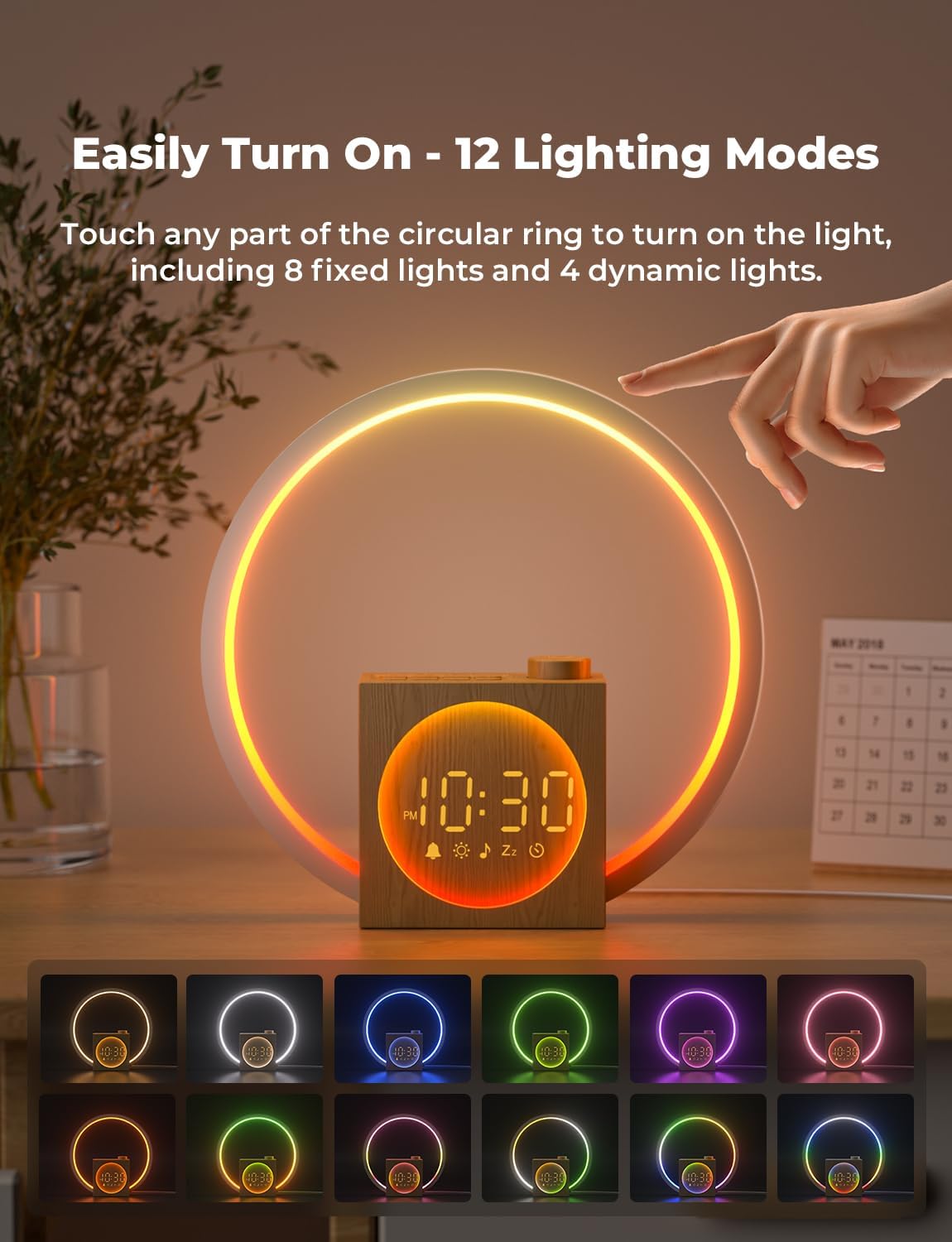
Image 4.4: This image shows a hand interacting with the light ring to change its mode, accompanied by a visual representation of 12 distinct lighting options, including various colors and dynamic effects.
4.5 Sleep Aid Mode
- അമർത്തുക സ്ലീപ്പ് ടൈമർ button to activate sleep aid mode.
- തിരിക്കുക മൾട്ടിഫങ്ഷണൽ നോബ് to set the desired countdown duration (10 to 480 minutes). Press the knob to confirm.
- You can select a preferred light and sound to accompany the sleep timer. The light and sound will gradually fade out over the set duration.
- To cancel the sleep aid mode, press the സ്ലീപ്പ് ടൈമർ വീണ്ടും ബട്ടൺ.
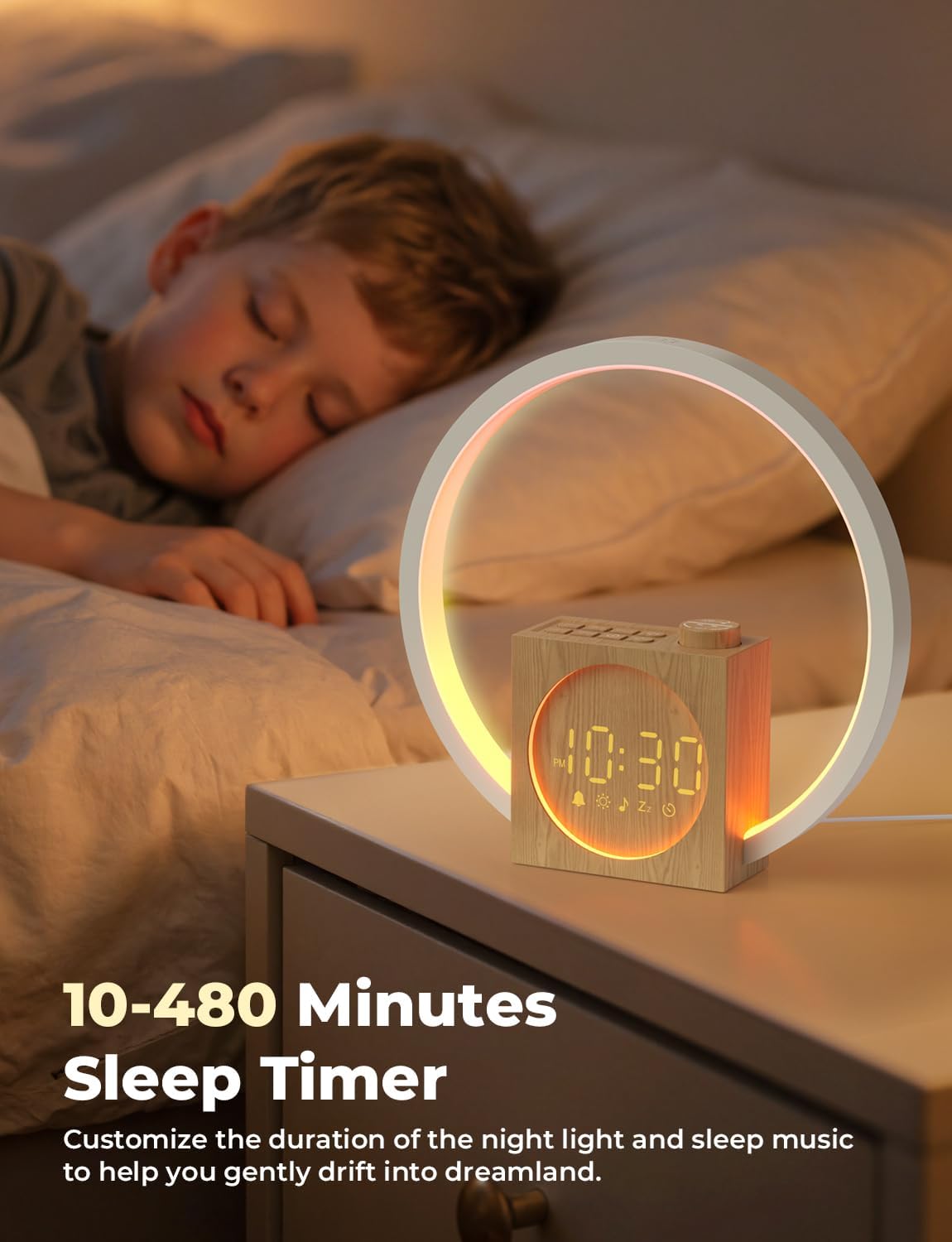
Image 4.5: A serene image of a child asleep in bed, with the alarm clock on a bedside table. Text highlights the 10-480 minute sleep timer feature, designed to help users drift off to sleep.
4.6 സ്ക്രീൻ തെളിച്ചം ക്രമീകരിക്കൽ
- അമർത്തുക DIMMER TIME SET button to cycle through 5 levels of screen brightness.
- One of the levels allows the screen to be completely turned off for a dark sleeping environment.

Image 4.6: This visual guide illustrates the five adjustable screen brightness levels, ranging from fully illuminated to completely off, providing options for various light sensitivities.
4.7 യുഎസ്ബി ചാർജിംഗ് പോർട്ട്
- Locate the USB Output Port on the back of the alarm clock.
- Connect your smartphone, headphones, or other compatible USB-powered device using a USB cable (not included).
- The port provides up to 5W (DC 5V/1A) charging power.
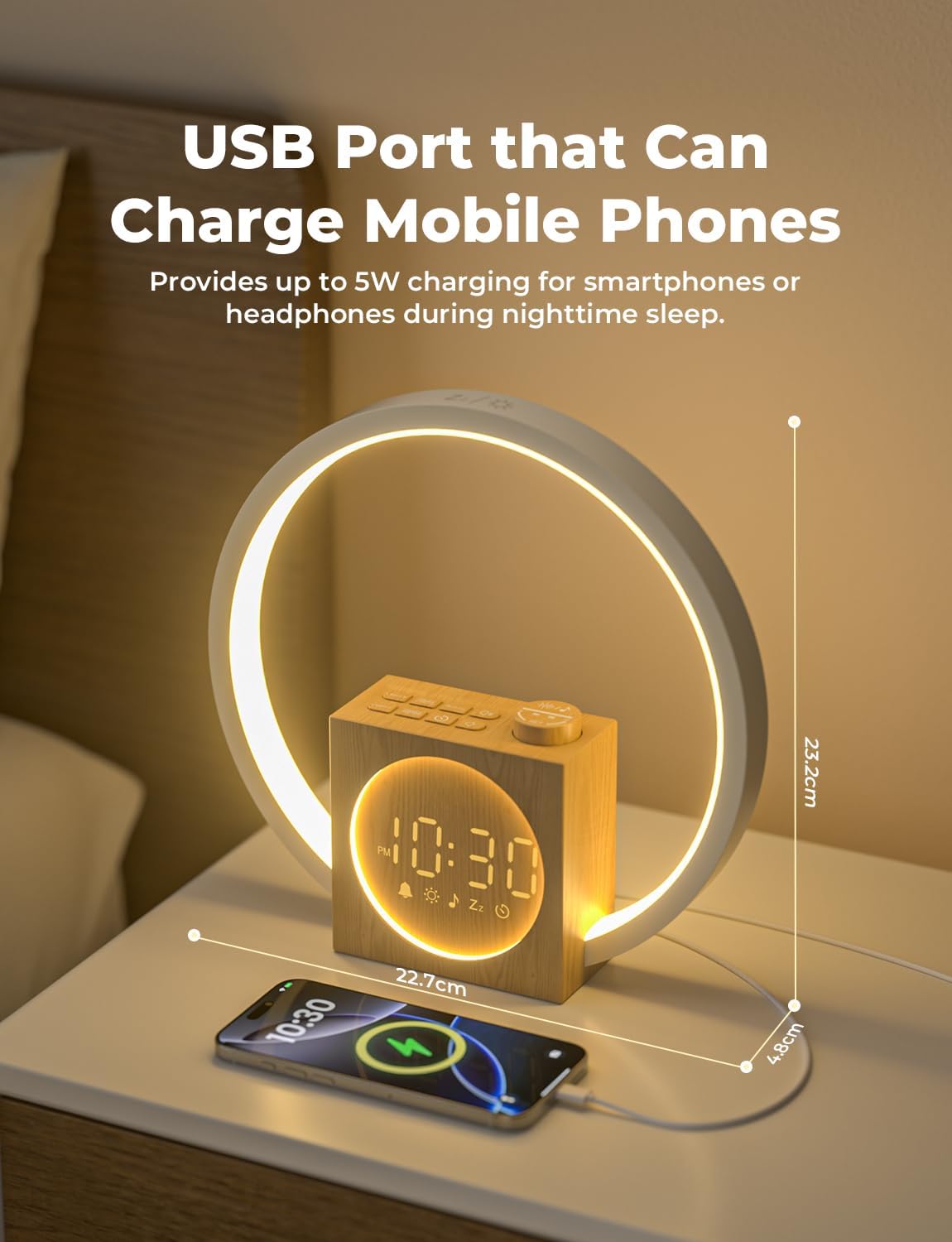
Image 4.7: The alarm clock is shown on a nightstand, with a smartphone plugged into its side USB port, demonstrating its capability to charge other devices.
5. പരിപാലനം
- വൃത്തിയാക്കൽ: Use a soft, dry cloth to wipe the surface of the alarm clock. Do not use liquid cleaners or abrasive materials.
- സംഭരണം: ദീർഘനേരം ഉപയോഗത്തിലില്ലെങ്കിൽ, ഉപകരണം അൺപ്ലഗ് ചെയ്ത് തണുത്തതും വരണ്ടതുമായ സ്ഥലത്ത് സൂക്ഷിക്കുക.
- വെള്ളം ഒഴിവാക്കുക: വെള്ളം, ഉയർന്ന ആർദ്രത എന്നിവയിൽ നിന്ന് ഉപകരണം അകറ്റി നിർത്തുക.
- ശ്രദ്ധയോടെ കൈകാര്യം ചെയ്യുക: ശക്തമായ ആഘാതങ്ങൾക്ക് ഉപകരണം ഇടുകയോ ഇടുകയോ ചെയ്യുന്നത് ഒഴിവാക്കുക.
6. പ്രശ്നപരിഹാരം
| പ്രശ്നം | സാധ്യമായ കാരണം | പരിഹാരം |
|---|---|---|
| ക്ലോക്ക് ഓണാക്കുന്നില്ല. | പവർ അഡാപ്റ്റർ ബന്ധിപ്പിച്ചിട്ടില്ല അല്ലെങ്കിൽ തകരാറുണ്ട്. | പവർ അഡാപ്റ്റർ ഉപകരണത്തിലേക്കും പ്രവർത്തിക്കുന്ന ഒരു വാൾ ഔട്ട്ലെറ്റിലേക്കും സുരക്ഷിതമായി പ്ലഗിൻ ചെയ്തിട്ടുണ്ടെന്ന് ഉറപ്പാക്കുക. മറ്റൊരു ഔട്ട്ലെറ്റ് പരീക്ഷിക്കുക. |
| അലാറം മുഴങ്ങുന്നില്ല. | അലാറം സജീവമാക്കിയിട്ടില്ല അല്ലെങ്കിൽ ശബ്ദം വളരെ കുറവാണ്. | Check if the alarm icon is displayed. Re-set the alarm and ensure volume is set above 0. |
| Sunrise light does not turn on. | Sunrise simulation duration or intensity set to 0. | During alarm setting, ensure sunrise duration and light intensity are set to desired values. |
| Screen display is too bright/dim or off. | Screen brightness setting. | അമർത്തുക DIMMER TIME SET തെളിച്ച നിലകളിലൂടെ സഞ്ചരിക്കാൻ ബട്ടൺ അമർത്തുക. |
| യുഎസ്ബി ചാർജിംഗ് പ്രവർത്തിക്കുന്നില്ല. | Device not properly connected or incompatible. | Ensure the USB cable is securely connected. Verify your device is compatible with 5V/1A charging. |
7 സ്പെസിഫിക്കേഷനുകൾ
- ബ്രാൻഡ്: ലിയോർക്ക്
- മോഡൽ നമ്പർ: YF-03
- ഉൽപ്പന്ന അളവുകൾ: 26.19 x 3.81 x 8.48 സെ.മീ
- ഭാരം: 698.53 ഗ്രാം
- ഇൻപുട്ട്: DC 5V/2A
- USB ഔട്ട്പുട്ട്: DC 5V/1A
- ബാറ്ററി: 1 Nonstandard Battery (included, likely for backup)
- നിറം: മരം
8. വാറൻ്റിയും പിന്തുണയും
LIORQUE products are designed for quality and reliability. For specific warranty information, please refer to the warranty card included with your purchase or contact LIORQUE customer support. If you encounter any issues not covered in this manual, please reach out to our support team for assistance.


