ആമുഖം
Thank you for choosing the boAt Rockerz 413 Bluetooth Over-Ear Headphones. This manual provides essential information for setting up, operating, and maintaining your headphones. Please read it carefully to ensure optimal performance and longevity of your device.
പാക്കേജ് ഉള്ളടക്കം:
- ബോട്ട് Rockerz 413 ഹെഡ്ഫോണുകളിൽ
- ചാർജിംഗ് കേബിൾ
- ഉപയോക്തൃ മാനുവൽ
സജ്ജമാക്കുക
1. നിങ്ങളുടെ ഹെഡ്ഫോണുകൾ ചാർജ് ചെയ്യുന്നു
Before first use, fully charge your Rockerz 413 headphones. Connect the provided charging cable to the charging port on the headphones and a USB power source. The LED indicator will show charging status and turn off or change color when fully charged.
The boAt Rockerz 413 offers up to 60 hours of playback on a single charge.
2. പവർ ഓൺ/ഓഫ്
- പവർ ഓണാക്കാൻ: Press and hold the Power button until the LED indicator flashes.
- പവർ ഓഫ് ചെയ്യാൻ: LED ഇൻഡിക്കേറ്റർ ഓഫാകുന്നതുവരെ പവർ ബട്ടൺ അമർത്തിപ്പിടിക്കുക.
3. ബ്ലൂടൂത്ത് ജോടിയാക്കൽ
The Rockerz 413 supports Bluetooth version 5.2 for stable connectivity.
- ഹെഡ്ഫോണുകൾ ഓഫാണെന്ന് ഉറപ്പാക്കുക.
- ജോടിയാക്കൽ മോഡ് സൂചിപ്പിക്കുന്ന LED ഇൻഡിക്കേറ്റർ നീലയും ചുവപ്പും മാറിമാറി മിന്നുന്നതുവരെ ഏകദേശം 5 സെക്കൻഡ് പവർ ബട്ടൺ അമർത്തിപ്പിടിക്കുക.
- Enable Bluetooth on your device (smartphone, laptop, etc.) and search for available devices.
- Select "boAt Rockerz 413" from the list of devices.
- കണക്ട് ചെയ്തുകഴിഞ്ഞാൽ, LED ഇൻഡിക്കേറ്റർ ഇടയ്ക്കിടെ നീല നിറത്തിൽ മിന്നിമറയും.
4. ഇരട്ട ജോടിയാക്കൽ
The Rockerz 413 allows simultaneous connection to two devices. This feature enables you to attend calls from your phone while listening to audio on your laptop without manually disconnecting.
- മുകളിൽ വിവരിച്ചതുപോലെ ഹെഡ്ഫോണുകൾ ആദ്യത്തെ ഉപകരണവുമായി ജോടിയാക്കുക.
- ആദ്യത്തെ ഉപകരണത്തിൽ ബ്ലൂടൂത്ത് പ്രവർത്തനരഹിതമാക്കുക.
- ഹെഡ്ഫോണുകൾ വീണ്ടും ജോടിയാക്കൽ മോഡിലേക്ക് ഇടുക.
- രണ്ടാമത്തെ ഉപകരണവുമായി ജോടിയാക്കുക.
- Re-enable Bluetooth on the first device. The headphones should now be connected to both devices simultaneously.
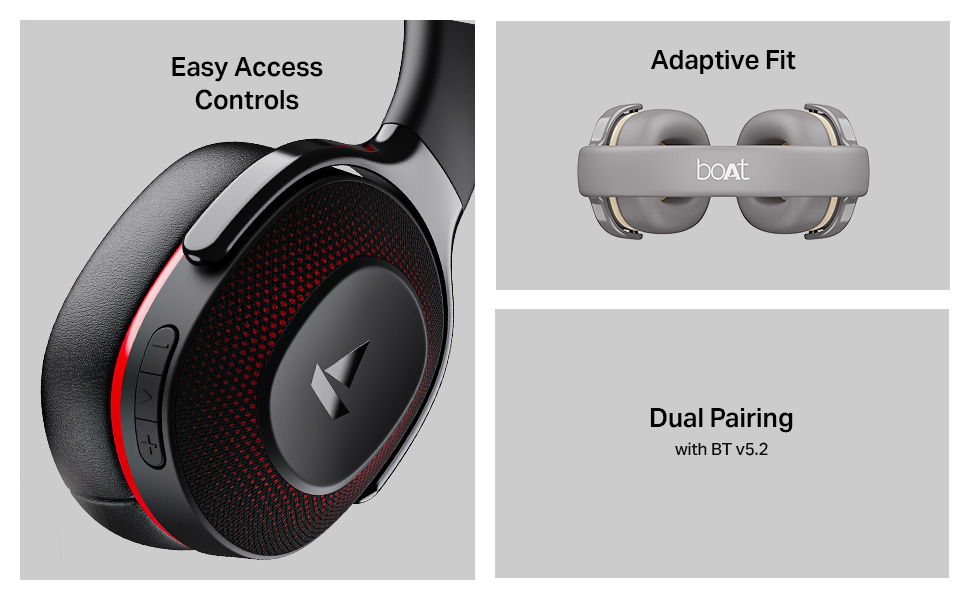
Image: The boAt Rockerz 413 headphones featuring easy access controls on the earcup, an adaptive fit headband, and the dual pairing capability with Bluetooth v5.2.
5. ആപ്പ് പിന്തുണ
Enhance your audio experience by downloading the boAt Hearables App. Scan the QR code below to access the app for additional features and user guides.
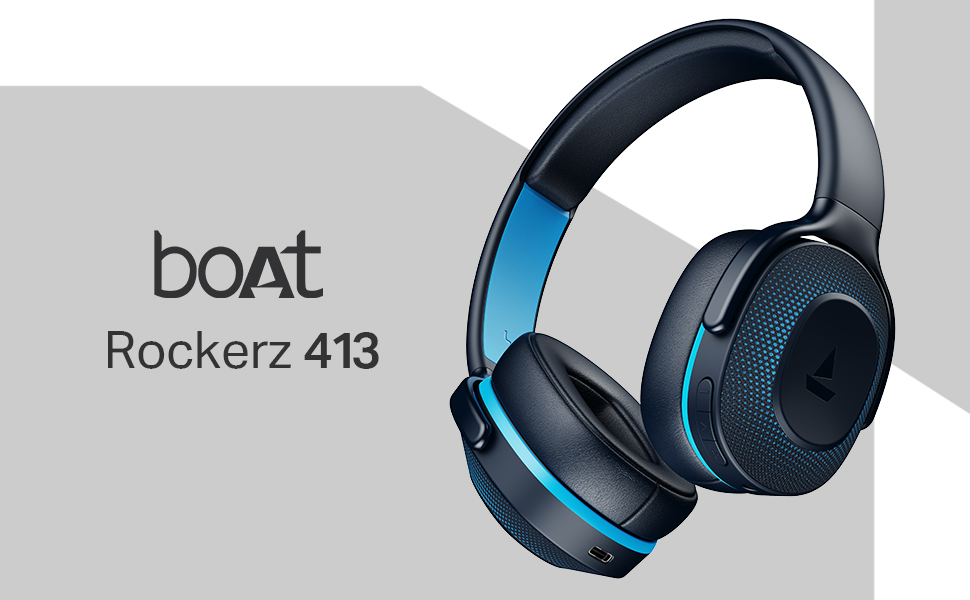
Image: A smartphone displaying the boAt Hearables App, prompting users to scan a QR code to explore features like streaming music, audiobooks, and accessing the user help guide. Download the boAt Hearables App
പ്രവർത്തന നിർദ്ദേശങ്ങൾ
1. നിയന്ത്രണങ്ങൾ
The headphones feature intuitive push-button controls located on the earcup for easy access to various functions.
- പവർ ബട്ടൺ: പവർ ഓൺ/ഓഫ്, പ്ലേ/താൽക്കാലികമായി നിർത്തുക, കോളുകൾക്ക് മറുപടി നൽകുക/അവസാനിപ്പിക്കുക.
- വോളിയം കൂട്ടുക (+): Increase volume, Next track (long press).
- വോളിയം ഡൗൺ (-): Decrease volume, Previous track (long press).
- Dedicated BEAST Mode Button: Activate/Deactivate BEAST Mode.
2. സംഗീതം പ്ലേബാക്ക്
Experience boAt Signature Sound with powerful 40mm dynamic drivers, delivering an immersive audio experience for music and movies.
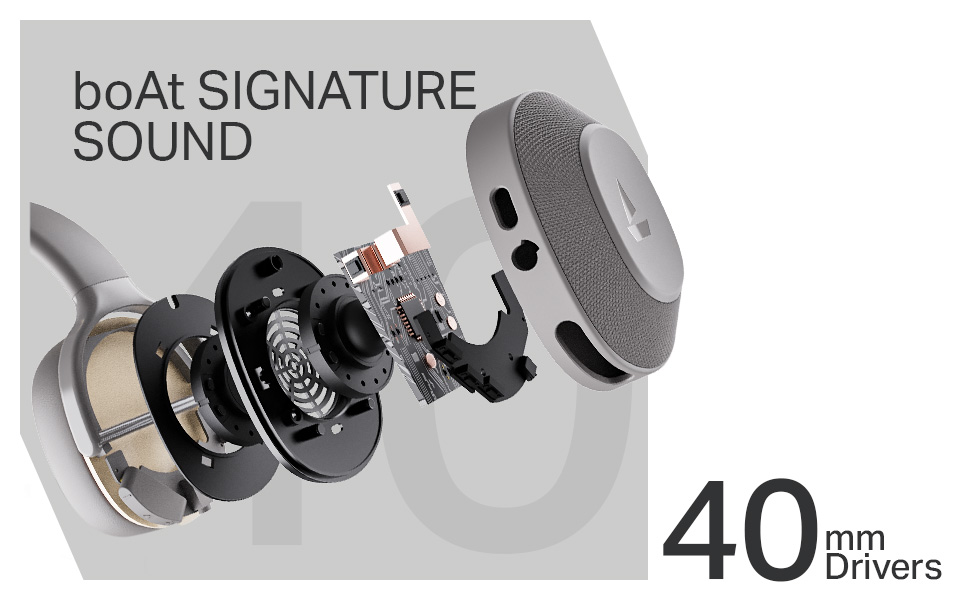
ചിത്രം: പൊട്ടിത്തെറിച്ച ഒരു view of the boAt Rockerz 413 earcup, highlighting the 40mm drivers responsible for the boAt Signature Sound.
3. Calling with ENx Technology
The integrated ENx Technology ensures clear voice capture and effective cancellation of surrounding noise during calls, allowing for clear communication even in noisy environments.
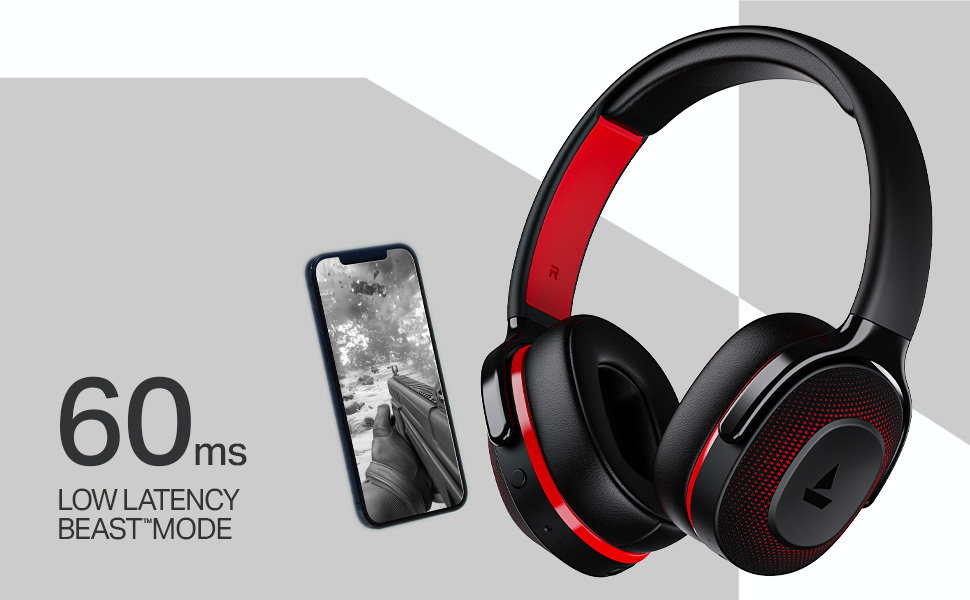
Image: The boAt Rockerz 413 headphones, emphasizing the ENx Technology for enhanced call quality.
4. BEAST Mode (Low Latency)
Activate BEAST Mode with the dedicated button for ultra-low latency (60ms), providing a competitive edge in gaming by minimizing audio lag.
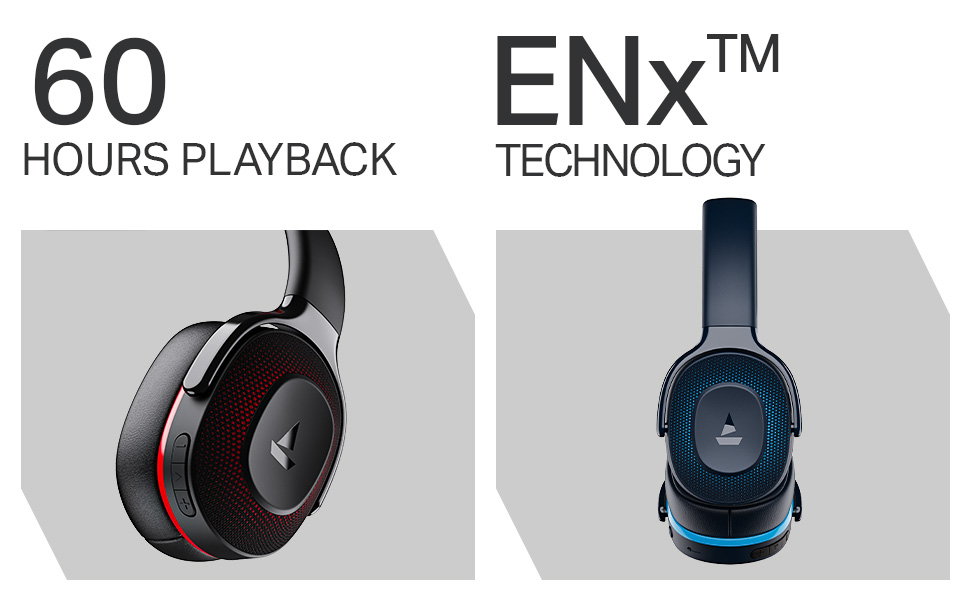
Image: The boAt Rockerz 413 headphones next to a smartphone displaying a game, highlighting the 60ms low latency BEAST Mode for an optimized gaming experience.
മെയിൻ്റനൻസ്
ശരിയായ പരിചരണം നിങ്ങളുടെ ഹെഡ്ഫോണുകളുടെ ദീർഘായുസ്സ് ഉറപ്പാക്കുന്നു.
- മൃദുവായതും ഉണങ്ങിയതുമായ തുണി ഉപയോഗിച്ച് ഇയർകപ്പുകളും ഹെഡ്ബാൻഡും പതിവായി വൃത്തിയാക്കുക.
- ഹെഡ്ഫോണുകൾ തീവ്രമായ താപനിലയിലോ, ഈർപ്പം അല്ലെങ്കിൽ ദ്രാവകങ്ങളിലോ തുറന്നുകാട്ടുന്നത് ഒഴിവാക്കുക.
- ഉപയോഗിക്കാത്തപ്പോൾ തണുത്തതും ഉണങ്ങിയതുമായ സ്ഥലത്ത് ഹെഡ്ഫോണുകൾ സൂക്ഷിക്കുക.
- Do not attempt to disassemble or repair the headphones yourself. This may void the warranty.
ട്രബിൾഷൂട്ടിംഗ്
| പ്രശ്നം | സാധ്യമായ പരിഹാരം |
|---|---|
| ഹെഡ്ഫോണുകൾ ഓണാക്കുന്നില്ല | ഹെഡ്ഫോണുകൾ പൂർണ്ണമായും ചാർജ്ജ് ചെയ്തിട്ടുണ്ടെന്ന് ഉറപ്പാക്കുക. |
| ഉപകരണവുമായി ജോടിയാക്കാൻ കഴിയില്ല | Ensure headphones are in pairing mode (flashing blue/red). Turn off and on Bluetooth on your device. Forget previous connections and try again. |
| ശബ്ദമില്ല | Check volume levels on both headphones and connected device. Ensure headphones are properly paired. |
| മോശം കോൾ നിലവാരം | Ensure microphone is not obstructed. Move closer to your connected device. |
| Latency in gaming | Activate BEAST Mode using the dedicated button. |
സ്പെസിഫിക്കേഷനുകൾ
| ഫീച്ചർ | വിശദാംശങ്ങൾ |
|---|---|
| മോഡലിൻ്റെ പേര് | റോക്കർസ് 413 |
| കണക്റ്റിവിറ്റി ടെക്നോളജി | ബ്ലൂടൂത്ത് |
| വയർലെസ് കമ്മ്യൂണിക്കേഷൻ ടെക്നോളജി | ബ്ലൂടൂത്ത് |
| ബ്ലൂടൂത്ത് പതിപ്പ് | 5.2 |
| ഓഡിയോ ഡ്രൈവർ തരം | ഡൈനാമിക് ഡ്രൈവർ |
| ഡ്രൈവർ വലിപ്പം | 40 മി.മീ |
| ബാറ്ററി ലൈഫ് | 60 മണിക്കൂർ |
| ഇയർപീസ് ആകൃതി | ചെവിക്ക് മുകളിൽ |
| നിയന്ത്രണ രീതി | പുഷ് ബട്ടൺ |
| പ്രത്യേക സവിശേഷതകൾ | ENx Technology, BEAST Mode |
| അനുയോജ്യമായ ഉപകരണങ്ങൾ | Laptops, Phones, Bluetooth-enabled Devices |
| മെറ്റീരിയൽ | പ്ലാസ്റ്റിക് |
| ഇനത്തിൻ്റെ ഭാരം | 300 ഗ്രാം |
| ഉൽപ്പന്ന അളവുകൾ | 20 x 9 x 17 സെ.മീ |
| നിർമ്മാതാവ് | Imagine Marketing Ltd |
| മാതൃരാജ്യം | ചൈന |
വാറൻ്റി & പിന്തുണ
Your boAt Rockerz 413 headphones come with a standard manufacturer's warranty. For detailed warranty terms and conditions, please refer to the warranty card included in your package or visit the official boAt webസൈറ്റ്.
ഉപഭോക്തൃ പിന്തുണ:
For any product-related queries, technical assistance, or warranty claims, please contact Imagine Marketing Ltd. (boAt) customer support:
- ഇമെയിൽ: info@imaginemarketingindia.com
- Webസൈറ്റ്: www.boat-lifestyle.com
Please have your product model number (PB0019) and purchase details ready when contacting support.


