ആമുഖം
This manual provides detailed instructions for the proper use and maintenance of your Trevi DJ 12E35 BT Wireless Over-Ear Headphones. Please read this guide thoroughly before using the product to ensure optimal performance and longevity.
പാക്കേജ് ഉള്ളടക്കം
പാക്കേജ് തുറക്കുമ്പോൾ, താഴെ പട്ടികപ്പെടുത്തിയിരിക്കുന്ന എല്ലാ ഇനങ്ങളും നിലവിലുണ്ടെന്നും നല്ല നിലയിലാണെന്നും ദയവായി പരിശോധിക്കുക:
- Trevi DJ 12E35 BT Wireless Over-Ear Headphones
- Audio Cable (3.5mm to 3.5mm Jack)
- യുഎസ്ബി ടൈപ്പ്-സി ചാർജിംഗ് കേബിൾ
- ഉപയോക്തൃ മാനുവൽ

ഉൽപ്പന്നം കഴിഞ്ഞുview നിയന്ത്രണങ്ങളും
Familiarize yourself with the main components and controls of your Trevi DJ 12E35 BT headphones.
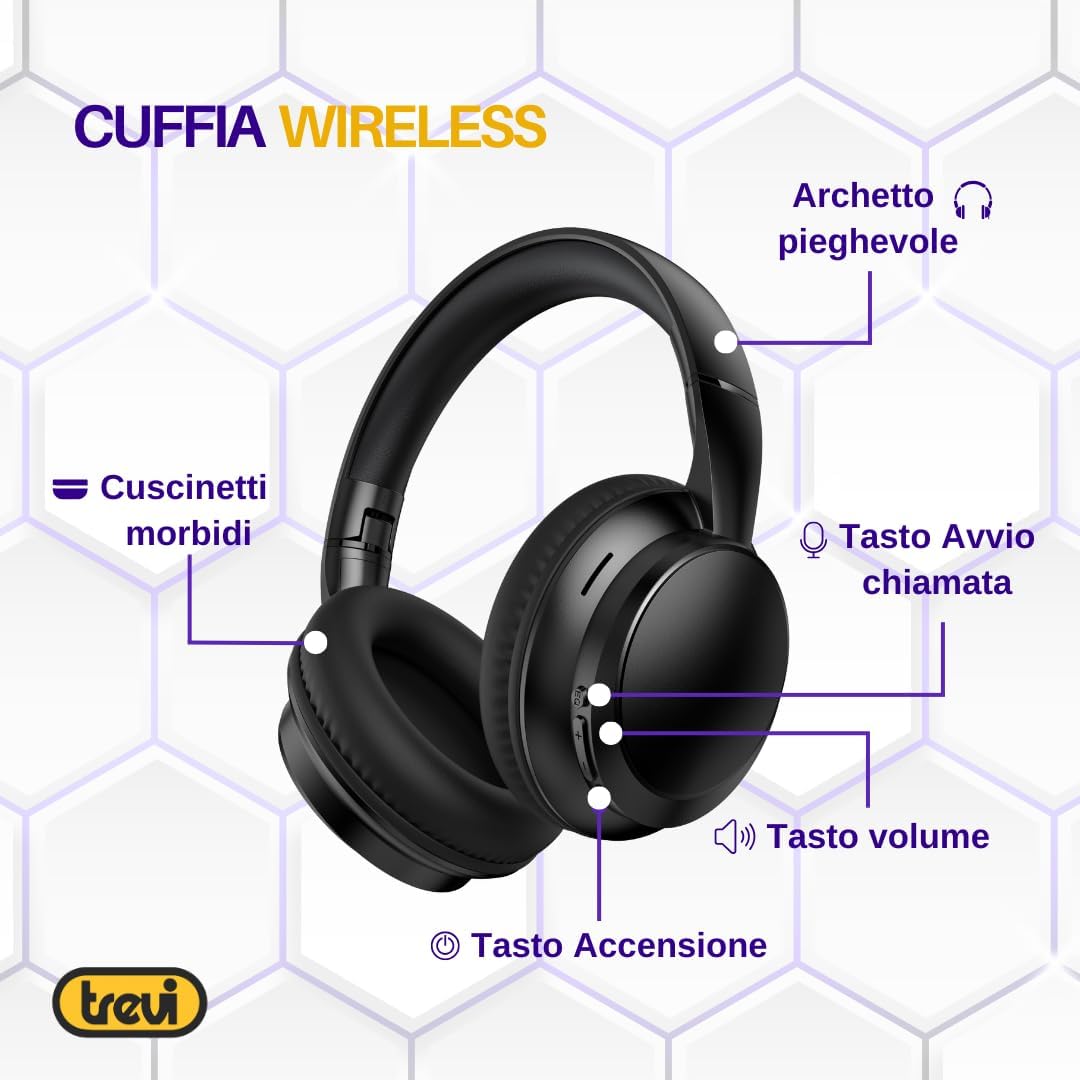
- Soft Ear Cushions: Designed for comfort during extended use.
- Foldable Headband: Allows for compact storage and portability.
- കോൾ ഉത്തരം ബട്ടൺ: ഫോൺ കോളുകൾ നിയന്ത്രിക്കാൻ ഉപയോഗിക്കുന്നു.
- വോളിയം ബട്ടണുകൾ: ഓഡിയോ പ്ലേബാക്ക് വോളിയം ക്രമീകരിക്കുക.
- പവർ ബട്ടൺ: For turning the headphones on/off and initiating pairing.
- മൈക്രോഫോൺ: ഹാൻഡ്സ്-ഫ്രീ ആശയവിനിമയത്തിനായി സംയോജിപ്പിച്ചിരിക്കുന്നു.
- ഓക്സ്-ഇൻ പോർട്ട്: ഓഡിയോ ഉറവിടങ്ങളിലേക്കുള്ള വയർഡ് കണക്ഷന്.
- യുഎസ്ബി ടൈപ്പ്-സി ചാർജിംഗ് പോർട്ട്: ആന്തരിക ബാറ്ററി റീചാർജ് ചെയ്യുന്നതിന്.
സജ്ജമാക്കുക
1. ഹെഡ്ഫോണുകൾ ചാർജ് ചെയ്യുന്നു
Before first use, fully charge the headphones. Use the provided USB Type-C charging cable.
- കേബിളിന്റെ യുഎസ്ബി ടൈപ്പ്-സി അറ്റം ഹെഡ്ഫോണുകളിലെ ചാർജിംഗ് പോർട്ടുമായി ബന്ധിപ്പിക്കുക.
- Connect the USB-A end of the cable to a compatible USB power adapter (not included) or a computer's USB port.
- The LED indicator on the headphones will show the charging status. A full charge typically takes approximately one hour.
Note: The headphones feature a modern USB Type-C connection for rapid and effortless charging.
2. പവർ ഓൺ/ഓഫ്
- പവർ ഓണാക്കാൻ: Press and hold the Power button until you hear an audible prompt (in English) indicating the headphones are on.
- പവർ ഓഫ് ചെയ്യാൻ: Press and hold the Power button until you hear an audible prompt (in English) indicating the headphones are off.
3. Bluetooth Pairing (Wireless Connection)
നിങ്ങളുടെ ഹെഡ്ഫോണുകൾ ഒരു ഉപകരണത്തിലേക്ക് വയർലെസ് ആയി ബന്ധിപ്പിക്കാൻ:
- ഹെഡ്ഫോണുകൾ ഓഫാണെന്ന് ഉറപ്പാക്കുക.
- Press and hold the Power button for a few seconds until the LED indicator flashes, indicating pairing mode. You may hear an audible prompt.
- നിങ്ങളുടെ ഉപകരണത്തിൽ (സ്മാർട്ട്ഫോൺ, ടാബ്ലെറ്റ്, പിസി), ബ്ലൂടൂത്ത് പ്രവർത്തനക്ഷമമാക്കി ലഭ്യമായ ഉപകരണങ്ങൾക്കായി തിരയുക.
- Select "Trevi DJ 12E35 BT" from the list of found devices.
- Once connected, the LED indicator will change, and you will hear a confirmation tone or voice prompt.
Note: The headphones use Bluetooth V5.4 for stable and low-power wireless connectivity.
4. Wired Connection (AUX-IN)
For devices without Bluetooth or when the battery is depleted, you can use the AUX-IN connection:
- Connect one end of the provided 3.5mm audio cable to the AUX-IN port on the headphones.
- 3.5mm ഓഡിയോ കേബിളിന്റെ മറ്റേ അറ്റം നിങ്ങളുടെ ഉപകരണത്തിന്റെ ഓഡിയോ ഔട്ട്പുട്ട് ജാക്കുമായി ബന്ധിപ്പിക്കുക.
- ഹെഡ്ഫോണുകൾ സ്വയമേവ വയർഡ് മോഡിലേക്ക് മാറും.
പ്രവർത്തന നിർദ്ദേശങ്ങൾ
സംഗീത പ്ലേബാക്ക്
- പ്ലേ/താൽക്കാലികമായി നിർത്തുക: പവർ ബട്ടൺ ഒരിക്കൽ അമർത്തുക.
- വോളിയം കൂട്ടുക: '+' ബട്ടൺ അമർത്തുക.
- വോളിയം താഴേക്ക്: '-' ബട്ടൺ അമർത്തുക.
- അടുത്ത ട്രാക്ക്: '+' ബട്ടൺ അമർത്തിപ്പിടിക്കുക.
- മുമ്പത്തെ ട്രാക്ക്: '-' ബട്ടൺ അമർത്തിപ്പിടിക്കുക.
ഫോൺ കോളുകൾ
The integrated microphone and call button allow for hands-free communication.
- മറുപടി കോൾ: Press the Call Answer button once.
- കോൾ അവസാനിപ്പിക്കുക: Press the Call Answer button once during a call.
- കോൾ നിരസിക്കുക: Press and hold the Call Answer button for approximately 2 seconds.
- അവസാന നമ്പർ വീണ്ടും ഡയൽ ചെയ്യുക: Double-press the Call Answer button.
Note: Voice prompts for power on/off and volume adjustments are in English and cannot be deactivated.
മെയിൻ്റനൻസ്
- വൃത്തിയാക്കൽ: ഹെഡ്ഫോണുകൾ വൃത്തിയാക്കാൻ മൃദുവായതും ഉണങ്ങിയതുമായ തുണി ഉപയോഗിക്കുക. അബ്രാസീവ് ക്ലീനറുകളോ ലായകങ്ങളോ ഉപയോഗിക്കരുത്.
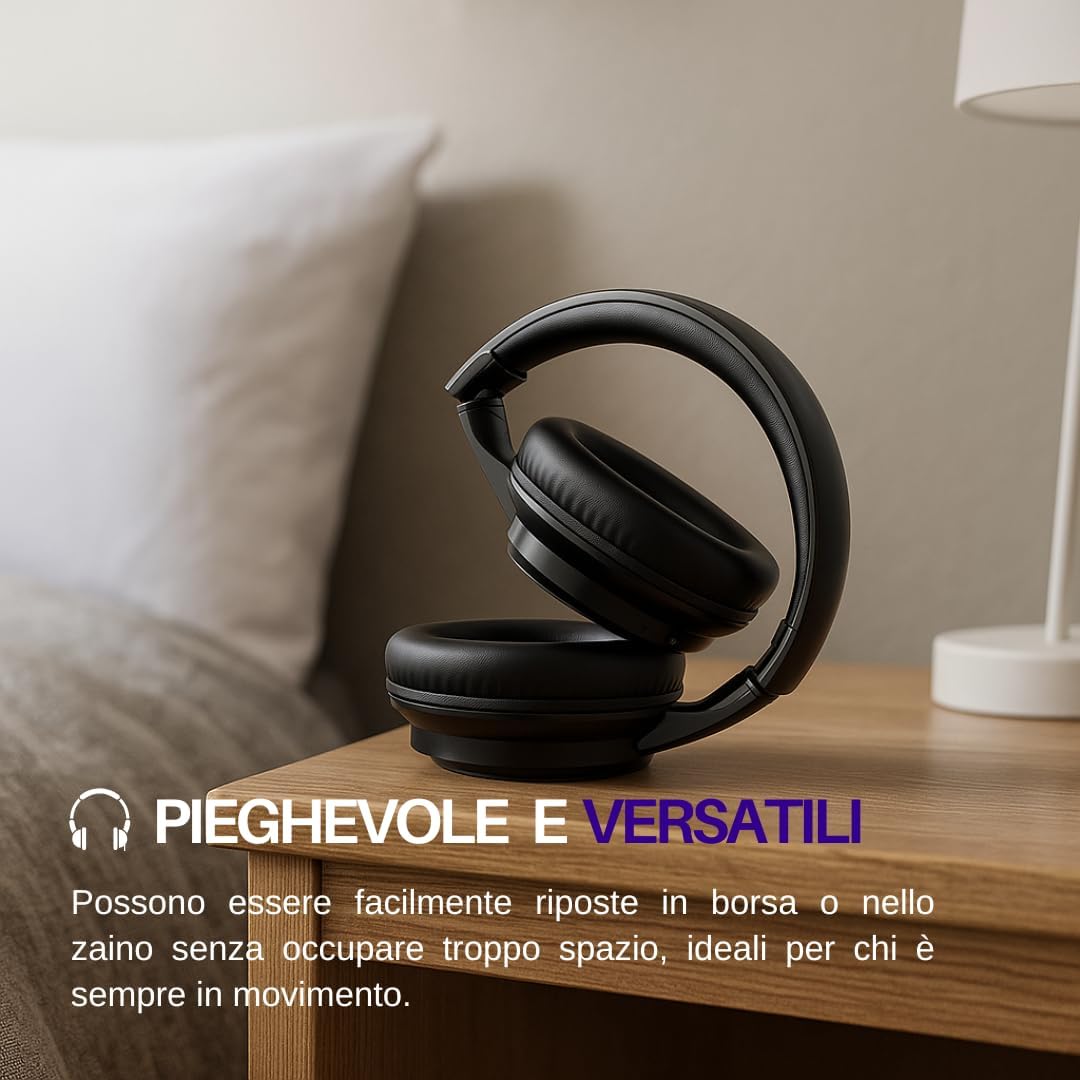
- സംഭരണം: ഉപയോഗത്തിലില്ലാത്തപ്പോൾ, ഹെഡ്ഫോണുകൾ തണുത്തതും വരണ്ടതുമായ സ്ഥലത്ത് സൂക്ഷിക്കുക. മടക്കാവുന്ന രൂപകൽപ്പന ഒതുക്കമുള്ള സംഭരണം അനുവദിക്കുന്നു.
- ബാറ്ററി കെയർ: ബാറ്ററി ലൈഫ് വർദ്ധിപ്പിക്കാൻ, ബാറ്ററി ഇടയ്ക്കിടെ പൂർണ്ണമായും ഡിസ്ചാർജ് ചെയ്യുന്നത് ഒഴിവാക്കുക. ദീർഘനേരം ഉപയോഗിച്ചിട്ടില്ലെങ്കിൽ പോലും ഹെഡ്ഫോണുകൾ പതിവായി ചാർജ് ചെയ്യുക.
- വാട്ടർ എക്സ്പോഷർ: ഈ ഹെഡ്ഫോണുകൾ വാട്ടർപ്രൂഫ് അല്ല. വെള്ളത്തിലോ അമിതമായ ഈർപ്പത്തിലോ സമ്പർക്കം ഒഴിവാക്കുക.
ട്രബിൾഷൂട്ടിംഗ്
| പ്രശ്നം | സാധ്യമായ കാരണം | പരിഹാരം |
|---|---|---|
| ഹെഡ്ഫോണുകൾ പവർ ഓൺ ചെയ്യുന്നില്ല. | കുറഞ്ഞ ബാറ്ററി. | നൽകിയിരിക്കുന്ന യുഎസ്ബി ടൈപ്പ്-സി കേബിൾ ഉപയോഗിച്ച് ഹെഡ്ഫോണുകൾ ചാർജ് ചെയ്യുക. |
| ബ്ലൂടൂത്ത് വഴി ജോടിയാക്കാൻ കഴിയില്ല. | ഹെഡ്ഫോണുകൾ ജോടിയാക്കൽ മോഡിൽ ഇല്ല; ഉപകരണത്തിൽ ബ്ലൂടൂത്ത് പ്രവർത്തനരഹിതമാക്കി; ഉപകരണം വളരെ അകലെയാണ്. | Ensure headphones are in pairing mode (flashing LED). Enable Bluetooth on your device. Move device closer to headphones (within 10 meters). |
| പ്ലേബാക്ക് സമയത്ത് ശബ്ദമില്ല. | ശബ്ദം വളരെ കുറവാണ്; ഓഡിയോ ഉറവിടം തെറ്റാണ്; ഹെഡ്ഫോണുകൾ ബന്ധിപ്പിച്ചിട്ടില്ല. | Increase volume on headphones and connected device. Verify headphones are correctly paired or connected via AUX-IN. |
| മോശം ഓഡിയോ നിലവാരം. | തടസ്സം; കുറഞ്ഞ ബാറ്ററി; ഉറവിട ഓഡിയോ നിലവാരം. | Move away from sources of interference. Charge headphones. Try a different audio source. |
| മൈക്രോഫോൺ പ്രവർത്തിക്കുന്നില്ല. | Microphone muted on device; headphones not selected as input device. | Check device settings to ensure microphone is not muted and headphones are selected as the input device. |
സ്പെസിഫിക്കേഷനുകൾ
| മോഡലിൻ്റെ പേര് | DJ 12E35 BT |
| മോഡൽ നമ്പർ | 0D12E3500 |
| ബ്രാൻഡ് | ട്രെവി |
| കണക്റ്റിവിറ്റി ടെക്നോളജി | വയർലെസ്സ് (ബ്ലൂടൂത്ത് V5.4) |
| ഹെഡ്ഫോൺ ജാക്ക് | 3.5 മി.മീ |
| സംവേദനക്ഷമത | 112 ഡി.ബി |
| പ്രതിരോധം | 32 ഓം |
| ഫോം ഫാക്ടർ | ഓവർ-ചെവി |
| മെറ്റീരിയൽ | Synthetic Leather, Plastic |
| ഭാരം | 280 ഗ്രാം |
| ഉൽപ്പന്ന അളവുകൾ | 18.5 x 8.5 x 56 സെ.മീ |
| ബാറ്ററി തരം | ലിഥിയം അയോൺ (റീചാർജ് ചെയ്യാവുന്നത്) |
| ശുപാർശ ചെയ്യുന്ന ഉപയോഗങ്ങൾ | Calls, Exercise, Music, Office Meetings, Study |
| അനുയോജ്യമായ ഉപകരണങ്ങൾ | Mobile Phones, Tablets, PCs, Televisions |
| നിറം | കറുപ്പ് |
| ശബ്ദ നിയന്ത്രണം | ഒന്നുമില്ല |

വാറൻ്റിയും പിന്തുണയും
For warranty information and customer support, please refer to the documentation included with your purchase or visit the official Trevi webസൈറ്റ്. വാറന്റി ക്ലെയിമുകൾക്കായി നിങ്ങളുടെ വാങ്ങലിന്റെ തെളിവ് സൂക്ഷിക്കുക.


