ആമുഖം
This manual provides comprehensive instructions for the Zintronic P3 PTZ IP WiFi Outdoor Camera, model IKPW330V1. This advanced surveillance camera features a 3MP sensor for crystal-clear Full HD video, Pan-Tilt-Zoom (PTZ) functionality for wide area coverage, automatic motion tracking, and efficient LED night vision for clear images in low-light conditions. It supports local recording to a microSD card (up to 128GB) and offers remote management via the intuitive CamHipro application. Key features include two-way audio communication, instant motion detection notifications, and live remote viewing from any location. This camera is an ideal solution for monitoring homes, offices, or businesses, combining advanced functions with ease of use.
സുരക്ഷാ വിവരങ്ങൾ
- Ensure the power supply meets the camera's specifications (5W).
- Install the camera in a location where it is protected from extreme weather conditions, despite being rated for outdoor use.
- Avoid direct exposure to water or moisture during installation and operation.
- ക്യാമറ വേർപെടുത്താനോ പരിഷ്ക്കരിക്കാനോ ശ്രമിക്കരുത്. ഇത് വാറന്റി അസാധുവാക്കുകയും കേടുപാടുകൾ വരുത്തുകയും ചെയ്തേക്കാം.
- Keep the camera away from strong magnetic fields or sources of interference.
- നിർമ്മാതാവ് അംഗീകരിച്ച ആക്സസറികൾ മാത്രം ഉപയോഗിക്കുക.
പാക്കേജ് ഉള്ളടക്കം
പാക്കേജിൽ എല്ലാ ഇനങ്ങളും ഉണ്ടെന്ന് ഉറപ്പാക്കുക:
- Zintronic P3 PTZ IP WiFi Camera (IKPW330V1)
- വൈഫൈ ആൻ്റിന
- ഉപയോക്തൃ മാനുവൽ (ഈ പ്രമാണം)
ഉൽപ്പന്നം കഴിഞ്ഞുview
The Zintronic P3 PTZ IP WiFi Camera is designed for outdoor surveillance, offering robust features in a compact, rotatable dome-shaped housing. Familiarize yourself with the camera's components:
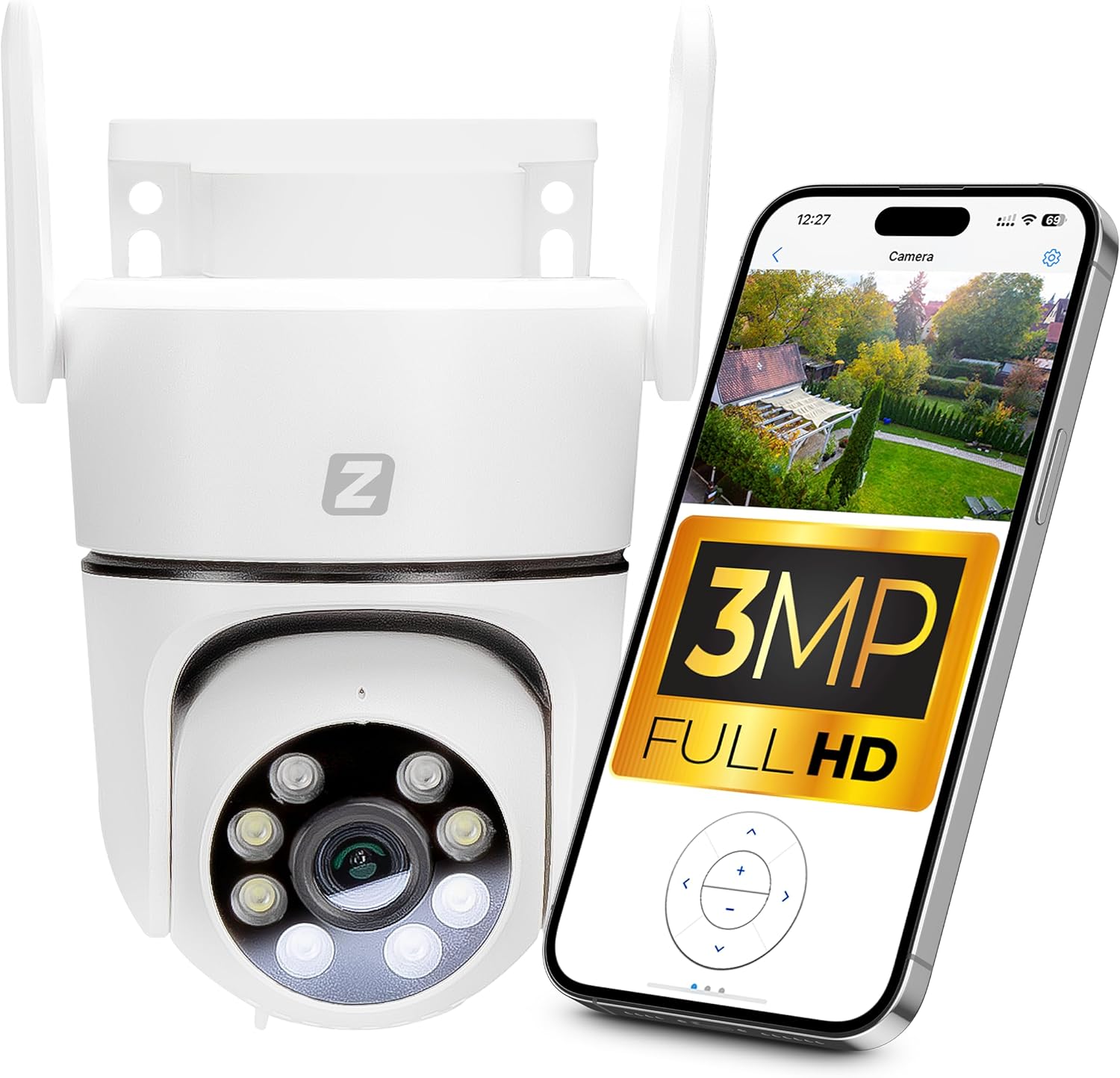
Figure 1: Zintronic P3 PTZ IP WiFi Camera with mobile app interface showing live feed.

ചിത്രം 2: മുൻഭാഗം view of the Zintronic P3 PTZ camera, highlighting the lens and LED illuminators.

ചിത്രം 3: വശം view of the Zintronic P3 PTZ camera, showing the antenna and mounting bracket.

ചിത്രം 4: പിൻഭാഗം view of the Zintronic P3 PTZ camera, showing the antenna connections.
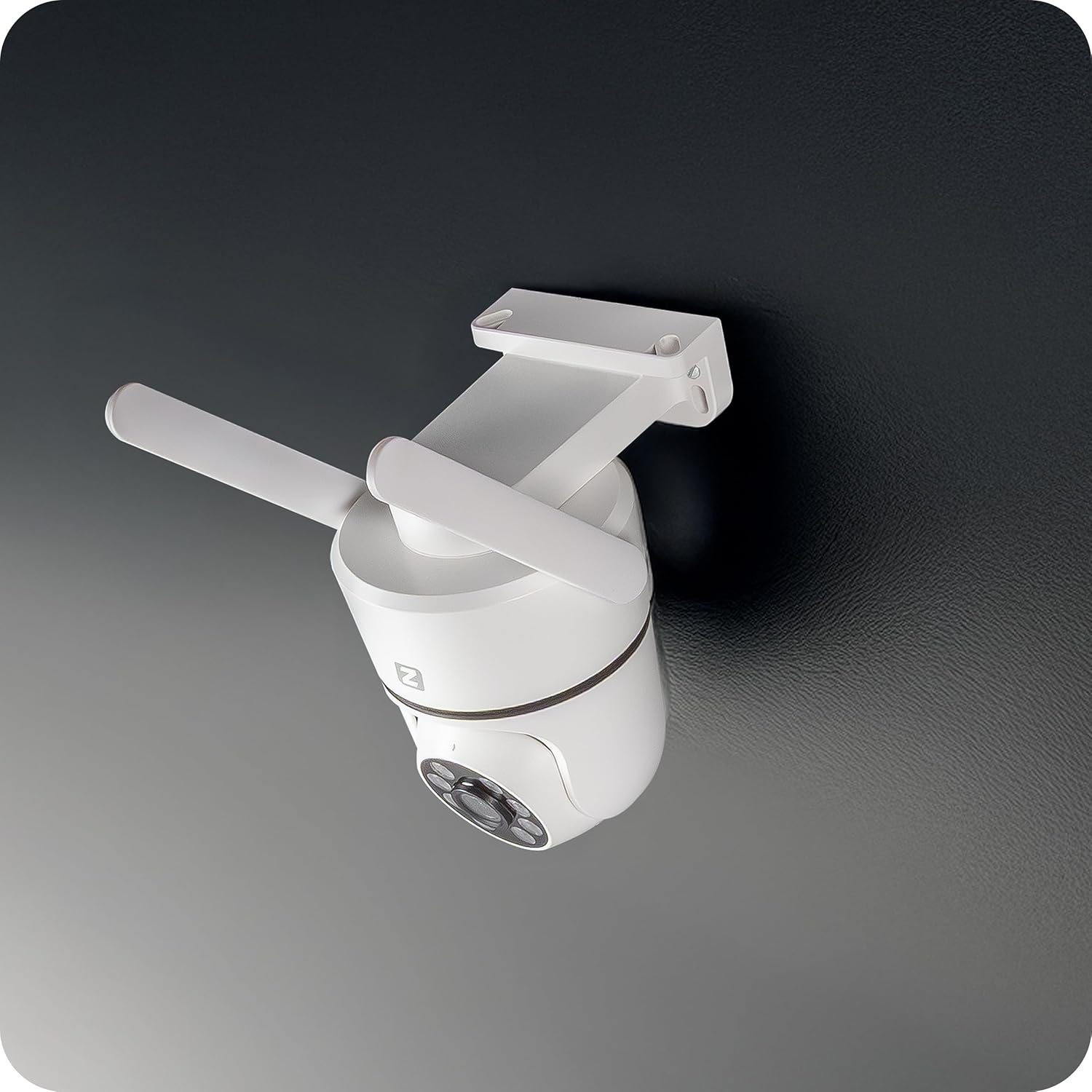
ചിത്രം 5: കോണാകൃതിയിലുള്ളത് view of the Zintronic P3 PTZ camera, showcasing its rotational capability.

ചിത്രം 6: ക്ലോസ്-അപ്പ് ഫ്രണ്ട് view of the Zintronic P3 PTZ camera, detailing the lens and LED array.
പ്രധാന ഘടകങ്ങൾ:
- ക്യാമറ ലെൻസ്: വീഡിയോ foo ക്യാപ്ചർ ചെയ്യുന്നുtage.
- LED Illuminators: Provide illumination for night vision, including color night vision.
- മൈക്രോഫോൺ: ഓഡിയോ ഇൻപുട്ടിനും ടു-വേ ആശയവിനിമയത്തിനും.
- സ്പീക്കർ: ഓഡിയോ ഔട്ട്പുട്ടിനും ടു-വേ ആശയവിനിമയത്തിനും.
- വൈഫൈ ആന്റിനകൾ: വയർലെസ് നെറ്റ്വർക്ക് കണക്റ്റിവിറ്റിക്കായി.
- മൌണ്ടിംഗ് ബ്രാക്കറ്റ്: For wall or ceiling installation.
- മൈക്രോ എസ്ഡി കാർഡ് സ്ലോട്ട്: ലോക്കൽ വീഡിയോ സംഭരണത്തിനായി (128GB വരെ).
- പവർ പോർട്ട്: പവർ അഡാപ്റ്റർ ബന്ധിപ്പിക്കുന്നതിന്.
സജ്ജമാക്കുക
1. ഫിസിക്കൽ ഇൻസ്റ്റലേഷൻ
- ഒരു ലൊക്കേഷൻ തിരഞ്ഞെടുക്കുക: Select a suitable outdoor location for optimal surveillance coverage, considering the camera's 89-degree viewing angle and 40-meter night vision range. Ensure the location has a stable Wi-Fi signal and access to a power source.
- മൗണ്ടിംഗ്: The camera supports wall or ceiling mounting. Use the provided mounting bracket and hardware to securely attach the camera.
- Connect WiFi Antenna: Screw the WiFi antenna(s) onto the designated ports on the camera.
- പവർ ഓൺ: Connect the power adapter to the camera's power port and plug it into an electrical outlet. The camera will initiate its self-test and rotation.

Figure 7: Ceiling mount example.

Figure 8: Wall mount example.
2. ആപ്പ് ഇൻസ്റ്റാളേഷനും അക്കൗണ്ട് സൃഷ്ടിയും
- Download CamHipro App: ഇതിനായി തിരയുക "CamHipro" in your smartphone's app store (Google Play Store for Android or Apple App Store for iOS) and install it.
- അക്കൗണ്ട് രജിസ്റ്റർ ചെയ്യുക: Open the CamHipro app and follow the on-screen instructions to register a new account using your email address or phone number.
3. നെറ്റ്വർക്ക് കണക്ഷൻ
- ഉപകരണം ചേർക്കുക: In the CamHipro app, tap the "+" icon to add a new device.
- ഉപകരണ തരം തിരഞ്ഞെടുക്കുക: Choose "IP Camera" or scan the QR code usually found on the camera or its packaging.
- വൈഫൈയിലേക്ക് കണക്റ്റുചെയ്യുക: Follow the app's prompts to connect the camera to your 2.4GHz Wi-Fi network. This typically involves entering your Wi-Fi password and allowing the app to generate a QR code for the camera to scan, or using an audio pairing method.
- Device Initialization: Once connected, the camera will be added to your account. You can then name the camera and begin live viewing.
പ്രവർത്തന നിർദ്ദേശങ്ങൾ
1. തത്സമയം View
Open the CamHipro app and select your camera from the device list to access the live video feed. You can view ഫൂtage in real-time from your smartphone, tablet, or computer.
2. PTZ Control (Pan-Tilt-Zoom)
തത്സമയം view screen, use the on-screen controls to pan (rotate horizontally 360°), tilt (rotate vertically), and digitally zoom the camera. The camera also features automatic motion tracking, where it can follow detected movement within its field of view.
3. റെക്കോർഡിംഗും പ്ലേബാക്കും
- MicroSD Card Recording: Insert a microSD card (up to 128GB, not included) into the camera's slot for local storage of recordings. The camera will automatically record based on your settings (e.g., continuous, motion-triggered).
- Cloud Storage (Optional): Check the CamHipro app for available cloud storage options, which may require a subscription.
- പ്ലേബാക്ക്: റെക്കോർഡ് ചെയ്ത foo ആക്സസ് ചെയ്യുകtage through the "Playback" section in the CamHipro app. You can filter by date and time.
4. Motion Detection Settings
Configure motion detection sensitivity and areas within the app's settings. When motion is detected, the camera can send instant notifications to your smartphone and begin recording.
5. ടു-വേ ഓഡിയോ
Utilize the built-in microphone and speaker for two-way audio communication. Tap the microphone icon in the live view to speak through the camera, and listen to audio from the camera's surroundings.
6. രാത്രി കാഴ്ച മോഡുകൾ
The camera features advanced LED illuminators for night vision up to 40 meters. It can automatically switch to night mode in low light, providing clear, and in some configurations, color images at night.
മെയിൻ്റനൻസ്
- വൃത്തിയാക്കൽ: Gently wipe the camera lens and housing with a soft, dry cloth. Do not use harsh chemicals or abrasive cleaners.
- ഫേംവെയർ അപ്ഡേറ്റുകൾ: Regularly check the CamHipro app for firmware updates. Keeping the firmware updated ensures optimal performance and security.
- നെറ്റ്വർക്ക് സ്ഥിരത: തടസ്സമില്ലാത്ത ക്യാമറ പ്രവർത്തനത്തിനായി നിങ്ങളുടെ വൈഫൈ നെറ്റ്വർക്ക് സുസ്ഥിരവും ശക്തവുമാണെന്ന് ഉറപ്പാക്കുക.
ട്രബിൾഷൂട്ടിംഗ്
- ക്യാമറ ഓഫ്ലൈൻ: Check power connection and Wi-Fi signal strength. Restart the camera and your router. Ensure the camera is within Wi-Fi range.
- ആപ്പിലേക്ക് കണക്റ്റ് ചെയ്യാൻ കഴിയില്ല: Verify correct Wi-Fi password. Ensure your phone is connected to a 2.4GHz Wi-Fi network during setup. Try resetting the camera (refer to app instructions for reset procedure).
- മോശം വീഡിയോ നിലവാരം: Check network bandwidth. Ensure the lens is clean. Adjust camera placement for optimal lighting.
- മോഷൻ ഡിറ്റക്ഷൻ പ്രവർത്തിക്കുന്നില്ല: Verify motion detection settings in the app. Ensure the detection area is correctly configured.
- ഓഡിയോ ഇല്ല: Check volume settings on your phone and in the app. Ensure the camera's microphone and speaker are not obstructed.
സ്പെസിഫിക്കേഷനുകൾ
| ഫീച്ചർ | സ്പെസിഫിക്കേഷൻ |
|---|---|
| ബ്രാൻഡ് | സിൻട്രോണിക് |
| മോഡലിൻ്റെ പേര് | P3 (IKPW330V1) |
| ഫലപ്രദമായ വീഡിയോ റെസല്യൂഷൻ | 3MP (2304 x 1296 പിക്സലുകൾ) |
| നിറം | White (as pictured, note: product specification listed "Black") |
| ഉൾപ്പെടുത്തിയ ഘടകങ്ങൾ | Camera, WiFi Antenna |
| വയർലെസ് കമ്മ്യൂണിക്കേഷൻ ടെക്നോളജി | വൈഫൈ |
| ഭവന തരം | PTZ Rotary Camera (Dome Shape) |
| Viewing ആംഗിൾ | 89 ഡിഗ്രി |
| ഇൻസ്റ്റലേഷൻ തരം | മതിൽ അല്ലെങ്കിൽ സീലിംഗ് മൗണ്ട് |
| നൈറ്റ് വിഷൻ റേഞ്ച് | 40 മീറ്റർ |
| ഫ്രെയിം റേറ്റ് | 25 Fps |
| മെറ്റീരിയൽ | പ്ലാസ്റ്റിക് |
| വൈദ്യുതി ഉപഭോഗം | 5W |
| ഇനത്തിന്റെ അളവുകൾ (L x W x H) | 22.4 x 11 x 12.8 സെ.മീ |
| പ്രകാശ സ്രോതസ്സ് തരം | എൽഇഡി |
| പ്രത്യേക സവിശേഷതകൾ | Motion sensor, Two-way audio, Night vision, PTZ rotation, Remote control |
| ബാറ്ററികൾ ആവശ്യമുണ്ടോ? | ഇല്ല |
| ശുപാർശ ചെയ്യുന്ന ഉപയോഗങ്ങൾ | Office monitoring, Home monitoring, Business monitoring, Outdoor surveillance, Property protection |
| ഇൻഡോർ/ഔട്ട്ഡോർ ഉപയോഗം | ഔട്ട്ഡോർ |
| അനുയോജ്യമായ ഉപകരണങ്ങൾ | കമ്പ്യൂട്ടർ, സ്മാർട്ട്ഫോൺ, ടാബ്ലെറ്റ് |
| പവർ ഉറവിടം | വൈദ്യുതി വിതരണം |
| കണക്റ്റിവിറ്റി പ്രോട്ടോക്കോൾ | ഒഎൻവിഎഫ് |
| മൗണ്ടിംഗ് തരം | മതിൽ മൌണ്ട് |
വാറൻ്റിയും പിന്തുണയും
For warranty information and technical support, please refer to the documentation provided with your purchase or visit the official Zintronic website. You may also contact Zintronic customer service directly for assistance with your IKPW330V1 camera.


