1. ആമുഖം
This manual provides detailed instructions for the operation and maintenance of your TECKNET Wireless Headset, Model TK-HS017. Designed for clear communication in various environments, this headset features advanced AI noise cancellation, Bluetooth 5.2 connectivity, and a comfortable single-ear design. Please read this manual thoroughly before using the product to ensure optimal performance and longevity.
2. പാക്കേജ് ഉള്ളടക്കം
- TECKNET Wireless Headset (TK-HS017)
- യുഎസ്ബി ടൈപ്പ്-സി ചാർജിംഗ് കേബിൾ
- ഉപയോക്തൃ മാനുവൽ
3. ഉൽപ്പന്നം കഴിഞ്ഞുview

Figure 1: TECKNET Wireless Headset TK-HS017. This image displays the headset from a front-side angle, highlighting its single earcup, adjustable headband, and microphone boom.
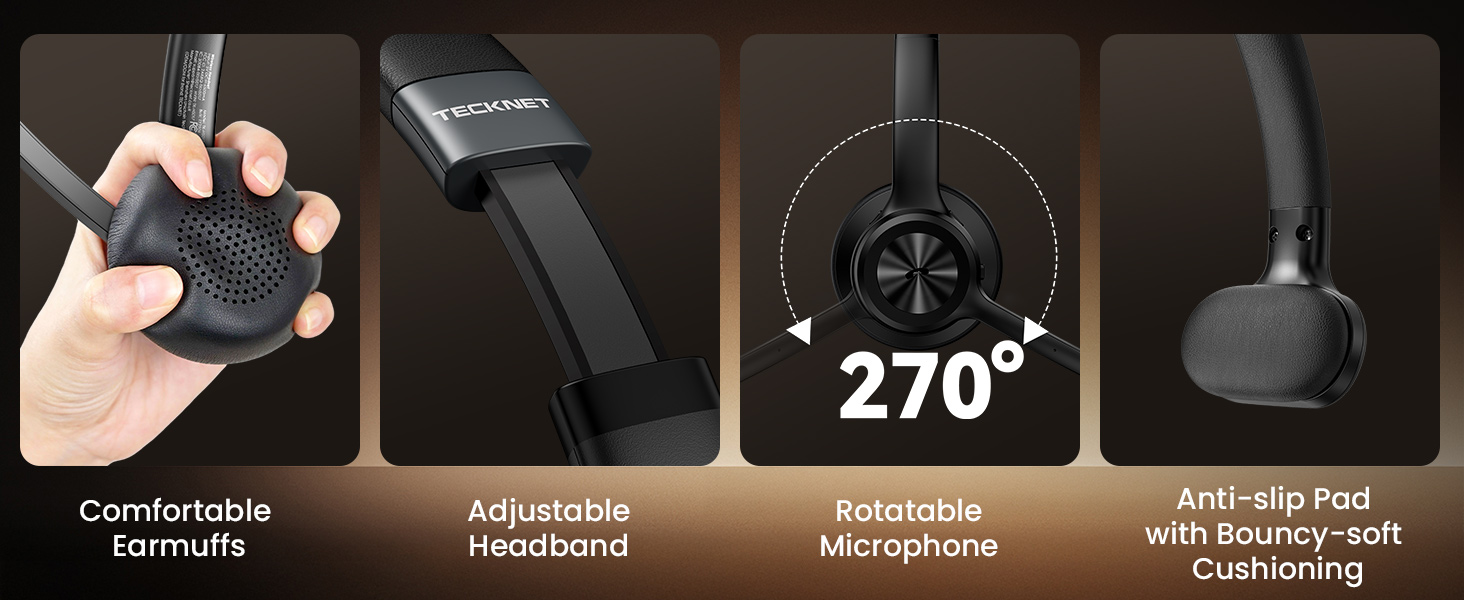
Figure 2: Key controls and features of the TECKNET Wireless Headset. This diagram illustrates the location of the Volume +/-, Power On/Off Button, Multi-function Button, Indicator Light, and Mute Button on the headset.
4. സജ്ജീകരണം
4.1 ഹെഡ്സെറ്റ് ചാർജ് ചെയ്യുന്നു
Before first use, fully charge the headset. Connect the provided USB Type-C charging cable to the headset's charging port and a compatible USB power source. The indicator light will show charging status. A full charge takes approximately 1.5 hours and provides up to 50 hours of talk time or 60 hours of music playback.
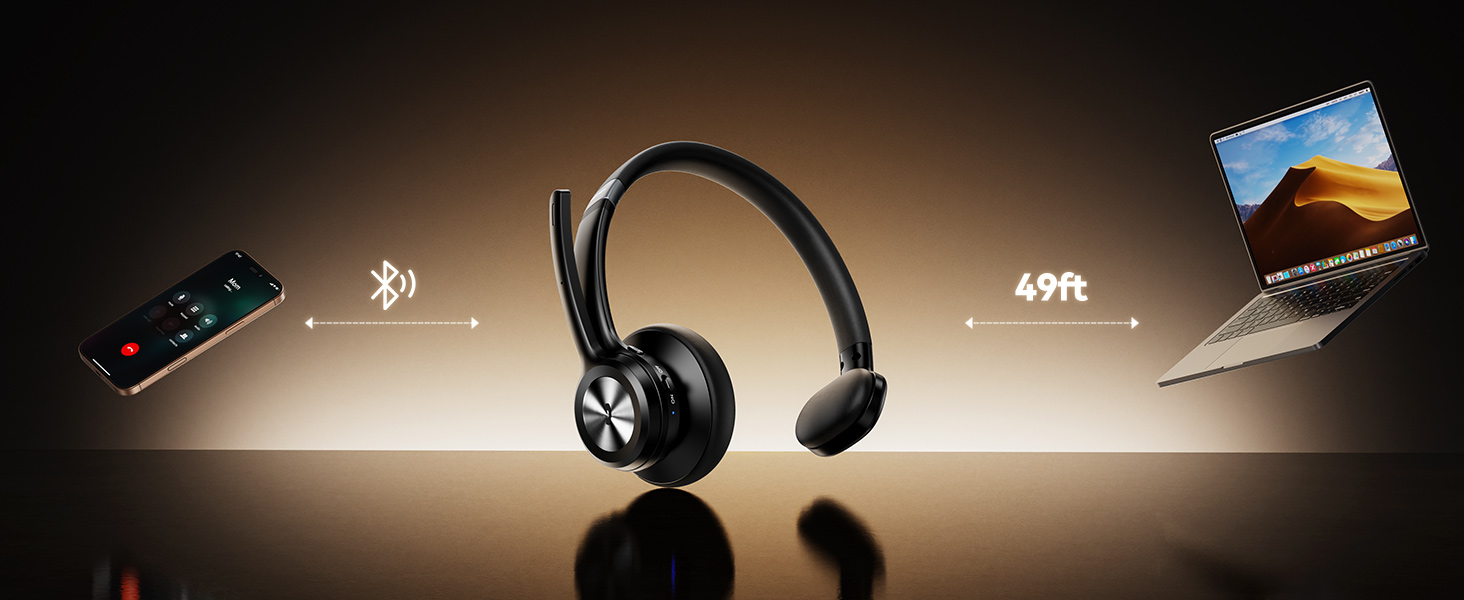
Figure 3: Battery performance details, showing up to 60 hours of music time and 50 hours of talk time.
4.2 ബ്ലൂടൂത്ത് ജോടിയാക്കൽ
- ഹെഡ്സെറ്റ് പവർ ഓഫ് ആണെന്ന് ഉറപ്പാക്കുക.
- Slide the Power On/Off switch to the 'On' position. The indicator light will flash blue, indicating it's in pairing mode.
- On your device (smartphone, computer, laptop, tablet), enable Bluetooth and search for available devices.
- Select 'TK-HS017' from the list of devices.
- കണക്ട് ചെയ്തുകഴിഞ്ഞാൽ, ഇൻഡിക്കേറ്റർ ലൈറ്റ് കടും നീലയായി മാറും.
4.3 Dual-Device Connectivity
The headset supports simultaneous connection to two devices. After pairing with the first device, disable Bluetooth on that device. Pair the headset with the second device. Once the second device is paired, re-enable Bluetooth on the first device. The headset will automatically connect to both devices, allowing seamless switching between them.
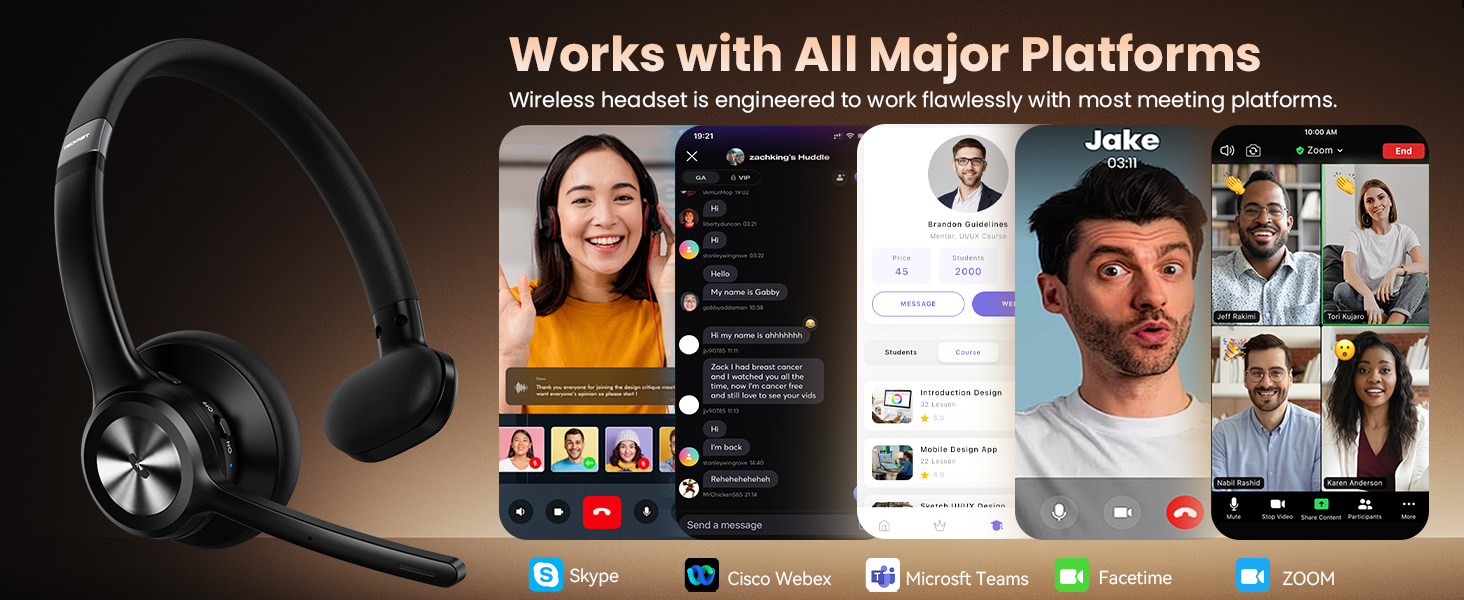
Figure 4: Illustration of the headset's ability to connect to two devices simultaneously, such as a laptop and a smartphone, using Bluetooth 5.2.
5. പ്രവർത്തന നിർദ്ദേശങ്ങൾ
5.1 പവർ ഓൺ/ഓഫ്
- പവർ ഓൺ: Slide the Power On/Off switch to the 'On' position.
- പവർ ഓഫ്: Slide the Power On/Off switch to the 'Off' position.
5.2 Call & Audio Controls
- ഉത്തരം/അവസാന കോൾ: മൾട്ടി-ഫംഗ്ഷൻ ബട്ടൺ (MFB) ഒരിക്കൽ അമർത്തുക.
- കോൾ നിരസിക്കുക: MFB 2 സെക്കൻഡ് അമർത്തിപ്പിടിക്കുക.
- സംഗീതം പ്ലേ ചെയ്യുക/താൽക്കാലികമായി നിർത്തുക: MFB ഒരിക്കൽ അമർത്തുക.
- വോളിയം കൂട്ടുക/താഴ്ത്തുക: Use the '+' and '-' buttons located on the earcup.
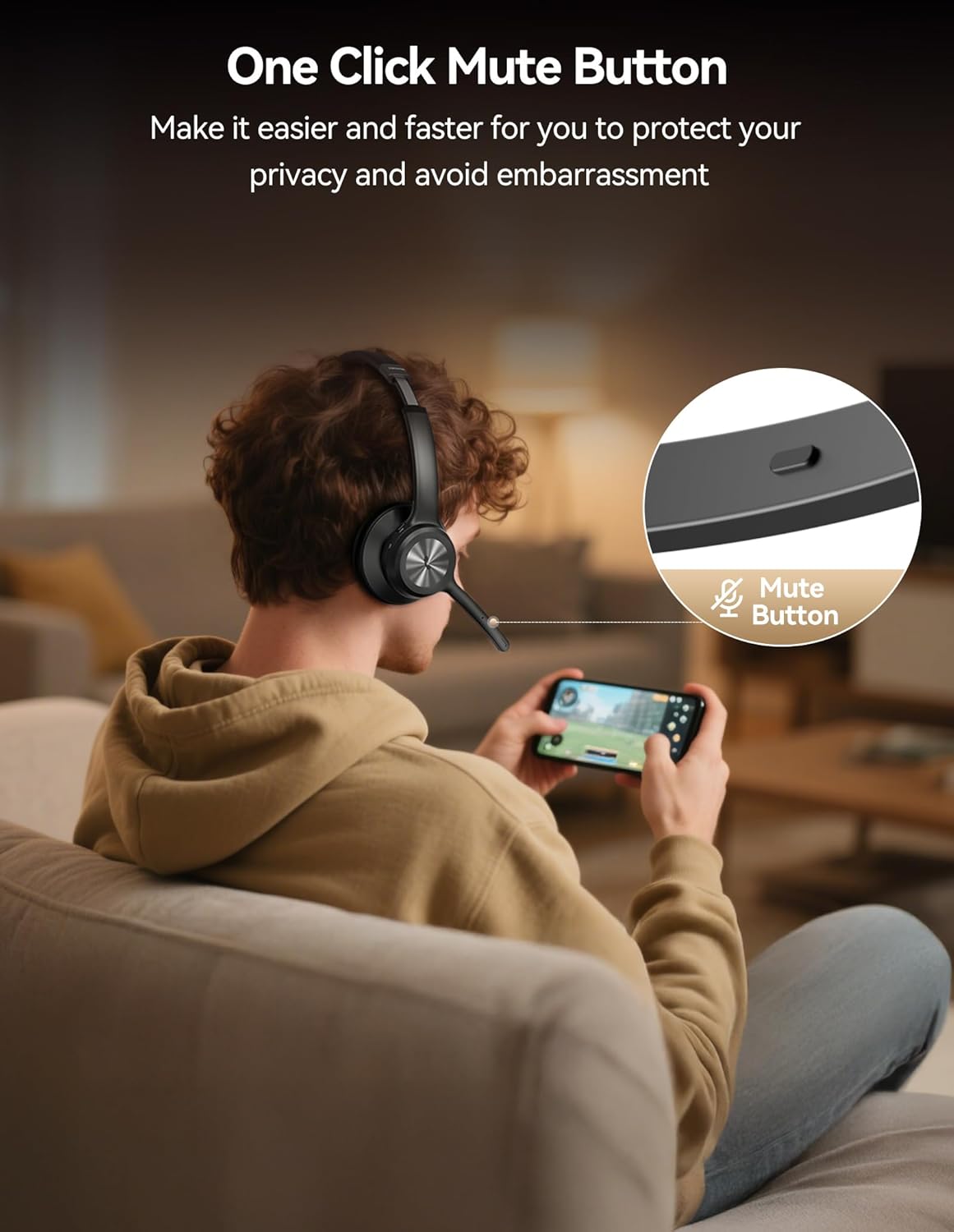
- മൈക്രോഫോൺ നിശബ്ദമാക്കുക: Press the dedicated mute button on the microphone boom to toggle mute on/off.

Figure 5: The Multi-function Button (MFB) on the earcup, used for answering/ending calls and playing/pausing music.

Figure 6: The dedicated mute button on the microphone boom for quick privacy control during calls.
5.3 Microphone Adjustment
The microphone features a 270° rotatable design, allowing you to position it optimally for voice pickup or to move it out of the way when not in use. This flexibility ensures clear voice transmission regardless of which ear you wear the headset on.

Figure 7: The microphone's 270-degree rotation capability for optimal positioning.
5.4 AI നോയ്സ് റദ്ദാക്കൽ
The integrated AI noise-cancelling microphone effectively reduces up to 96% of background noise, ensuring your voice is clear and distinct during calls, even in loud environments.

Figure 8: Visual representation of the AI noise cancellation technology, demonstrating its effectiveness in reducing background noise during calls.
6. സുഖവും രൂപകൽപ്പനയും
The headset is designed for extended wear. It features soft, skin-friendly ear cushions that conform to your ear contours and an adjustable headband for a secure, personalized fit. The single-ear design allows you to remain aware of your surroundings while communicating.
ചിത്രം 9: ക്ലോസപ്പ് view of the headset's comfortable ear cushions and adjustable headband, designed for all-day wear.
7. ഉപയോഗ സാഹചര്യങ്ങൾ
The TECKNET Wireless Headset is suitable for a variety of applications:
- Office & Remote Work: Ideal for video conferences, online meetings (Teams, Zoom), and general office communication.
- കോൾ സെന്ററുകൾ: Ensures clear communication with customers.
- ഡ്രൈവിംഗ്: Single-ear design allows awareness of surroundings, suitable for truck drivers.
- Online Classes: Provides clear audio for learning and participation.
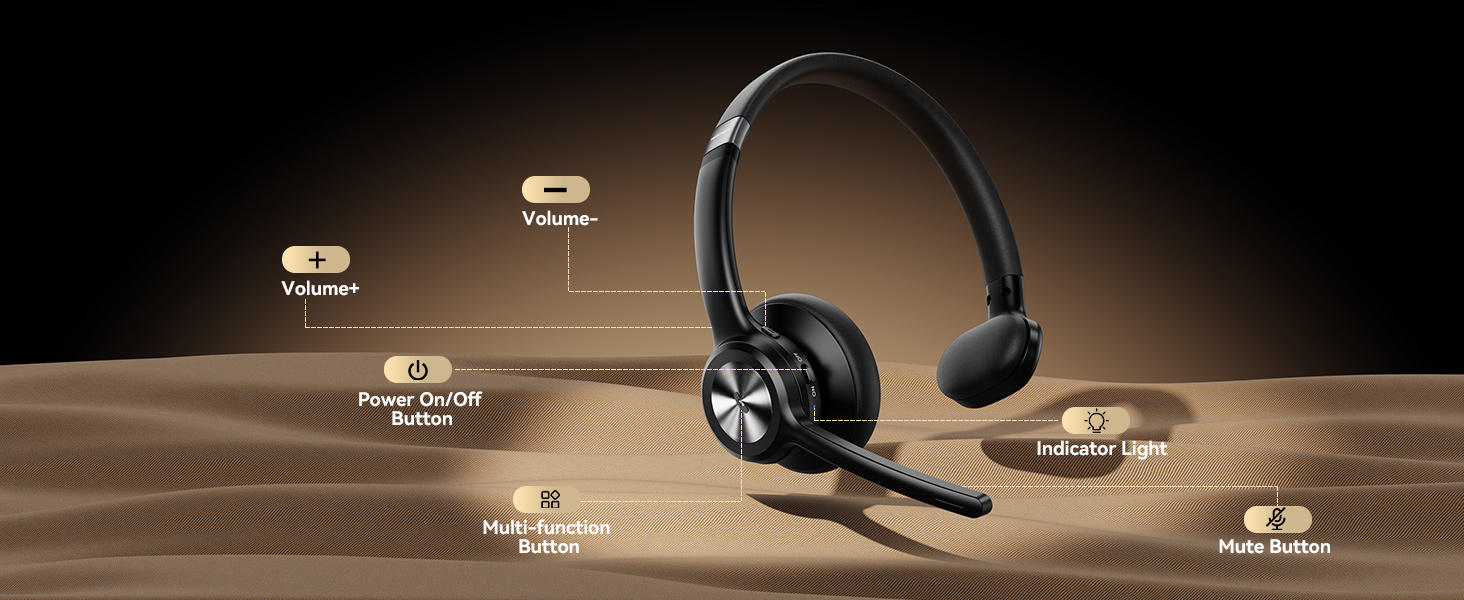
Figure 10: A truck driver using the TECKNET Wireless Headset, demonstrating its suitability for professional driving environments where environmental awareness is crucial.

Figure 11: An individual using the TECKNET Wireless Headset in an office setting, highlighting its utility for professional communication.
7.1 ഔദ്യോഗിക ഉൽപ്പന്ന വീഡിയോ
Video 1: An official TECKNET product video showcasing the Wireless Bluetooth Headset with Mic for Work, highlighting its features and benefits for various users, including drivers.
8 സ്പെസിഫിക്കേഷനുകൾ
| ഫീച്ചർ | വിശദാംശങ്ങൾ |
|---|---|
| മോഡലിൻ്റെ പേര് | TK-HS017 |
| കണക്റ്റിവിറ്റി ടെക്നോളജി | വയർലെസ്സ് (ബ്ലൂടൂത്ത് 5.2) |
| വയർലെസ് ശ്രേണി | 49 അടി വരെ (15 മീറ്റർ) |
| മൈക്രോഫോൺ | AI Noise Cancelling, 270° Rotatable |
| ബാറ്ററി ലൈഫ് (സംവാദ സമയം) | 50 മണിക്കൂർ വരെ |
| ബാറ്ററി ലൈഫ് (സംഗീത പ്ലേബാക്ക്) | 60 മണിക്കൂർ വരെ |
| ചാർജിംഗ് സമയം | Approx. 1.5 Hours (via USB Type-C) |
| നിയന്ത്രണ രീതി | Push Button (MFB, Volume, Mute) |
| ചെവി പ്ലേസ്മെൻ്റ് | On Ear (Single-ear design) |
| മെറ്റീരിയൽ | പിസി+എബിഎസ് |
| ഇനത്തിൻ്റെ ഭാരം | 8.8 ഔൺസ് |
9. പ്രശ്നപരിഹാരം
- ജോടിയാക്കാൻ കഴിയില്ല: Ensure the headset is in pairing mode (flashing blue light) and within range of your device. Check your device's Bluetooth settings.
- ശബ്ദമില്ല: Verify the headset is connected and the volume is turned up on both the headset and your device.
- മോശം ശബ്ദ നിലവാരം: Ensure the headset is within Bluetooth range and there are no significant obstructions. Check for interference from other wireless devices.
- മൈക്രോഫോൺ പ്രവർത്തിക്കുന്നില്ല: Ensure the microphone is not muted and is positioned correctly. Check your device's audio input settings.
- ഹെഡ്സെറ്റ് ചാർജ് ചെയ്യുന്നില്ല: Verify the charging cable is securely connected to both the headset and the power source. Try a different USB port or cable.
10. വാറൻ്റിയും പിന്തുണയും
TECKNET provides a 36-month warranty for registered users. If you encounter any issues with your headset, please contact TECKNET customer support for assistance. Refer to the official TECKNET website for contact information and warranty registration details.


