Perlegear Universal Swivel TV Stand with LED Lights (Model PGTVS32B)
ബ്രാൻഡ്: പെർലെസ്മിത്ത്
ഇൻസ്ട്രക്ഷൻ മാനുവൽ
1. ആമുഖം
This manual provides comprehensive instructions for the assembly, operation, and maintenance of your Perlegear Universal Swivel TV Stand with LED Lights, Model PGTVS32B. This stand is designed to accommodate 32-70 inch flat-panel LCD/LED TVs, offering height adjustment, swivel, and tilt functionalities, along with integrated LED lighting.
Please read this manual thoroughly before installation and use to ensure safe and correct operation.
2 സുരക്ഷാ വിവരങ്ങൾ
മുന്നറിയിപ്പ്:
- പരമാവധി ഭാരം 88 പൗണ്ട് (40 കിലോഗ്രാം) കവിയരുത്. ഈ പരിധി കവിയുന്നത് ഗുരുതരമായ പരിക്കോ സ്വത്ത് നാശമോ ഉണ്ടാക്കിയേക്കാം.
- നിങ്ങളുടെ ടിവിയുടെ VESA പാറ്റേൺ സ്റ്റാൻഡുമായി (100x100mm മുതൽ 400x400mm വരെ) പൊരുത്തപ്പെടുന്നുണ്ടെന്ന് ഉറപ്പാക്കുക.
- Always use two people to lift and position the TV during installation.
- Verify that all screws are securely tightened before use. Do not overtighten screws.
- കുട്ടികളെയും വളർത്തുമൃഗങ്ങളെയും അസംബ്ലി ഏരിയയിൽ നിന്ന് അകറ്റി നിർത്തുക. ചെറിയ ഭാഗങ്ങൾ ശ്വാസംമുട്ടലിന് കാരണമാകും.
- ഉൽപ്പന്നത്തിൽ മാറ്റം വരുത്തരുത് അല്ലെങ്കിൽ അതിന്റെ ഉദ്ദേശിച്ച രൂപകൽപ്പനയ്ക്ക് പുറമെ മറ്റ് ആവശ്യങ്ങൾക്ക് ഉപയോഗിക്കരുത്.
3. പാക്കേജ് ഉള്ളടക്കം
Please check to ensure all components are present and undamaged. If any parts are missing or defective, contact customer support.

ചിത്രം 1: കഴിഞ്ഞുview of the Perlegear Universal Swivel TV Stand with LED lights, remote control, and smartphone app interface. This image displays the main components of the TV stand, including the base, support column, TV mounting bracket, and LED light strips.
സാധാരണ പാക്കേജ് ഉള്ളടക്കങ്ങളിൽ ഇവ ഉൾപ്പെടുന്നു:
- ടെമ്പർഡ് ഗ്ലാസ് ബേസ്
- പിന്തുണ കോളം
- TV Mounting Bracket (VESA plate)
- TV Brackets (vertical arms)
- LED Light Strips with Controller
- LED ലൈറ്റുകൾക്കുള്ള റിമോട്ട് കൺട്രോൾ
- Assembly Hardware (various screws, washers, spacers)
- ഉപകരണങ്ങൾ (ഉദാ. അലൻ റെഞ്ച്)
- ഇൻസ്ട്രക്ഷൻ മാനുവൽ
4. സജ്ജീകരണവും അസംബ്ലിയും
Follow these steps carefully for proper assembly. It is recommended to have two people for installation.
4.1 അനുയോജ്യതാ പരിശോധന
Before assembly, ensure your TV meets the following criteria:
- ടിവി വലുപ്പം: 32 മുതൽ 70 ഇഞ്ച് വരെ
- ഭാരം ശേഷി: പരമാവധി 88 പൗണ്ട് (40 കി.ഗ്രാം)
- VESA പാറ്റേൺ: Compatible with VESA patterns from 100x100mm to 400x400mm. Common patterns include:
- 100x100 മി.മീ
- 100x200 മി.മീ
- 200x100 മി.മീ
- 200x200 മി.മീ
- 200x300 മി.മീ
- 300x200 മി.മീ
- 300x300 മി.മീ
- 400x200 മി.മീ
- 400x300 മി.മീ
- 400x400 മി.മീ

ചിത്രം 2: Diagram illustrating wide TV compatibility, showing a TV screen with dimensions 24"-60" (note: product description states 32"-70") and a list of supported VESA patterns and a maximum weight capacity of 99 lbs (note: product description states 88 lbs). Please refer to the product description for the most accurate specifications.

ചിത്രം 3: Visual representation of the TV stand's universal fit for TVs ranging from 32 to 70 inches, highlighting VESA compatibility up to 400x400mm and a maximum weight capacity of 88 lbs.
4.2 അടിസ്ഥാന അസംബ്ലി
- Attach the support column to the tempered glass base using the provided screws and tools. Ensure the column is securely fastened and aligned.
- Place the non-slip pads on the bottom of the tempered glass base to prevent scratching surfaces and ensure stability.
4.3 Attaching TV Mounting Bracket
- Secure the TV mounting bracket (VESA plate) to the support column. This bracket allows for height adjustment.
- Choose one of the three installation positions on the column for the desired initial height.
4.4 ടിവി ബ്രാക്കറ്റുകൾ ടിവിയിൽ ഘടിപ്പിക്കൽ
- Identify the correct screws, washers, and spacers for your TV's VESA mounting holes.
- Attach the two vertical TV brackets to the back of your TV. Ensure they are level and securely tightened.
- The TV brackets offer three height choices, allowing for fine-tuning of the TV's vertical position.
4.5 Mounting TV to Stand
- With assistance, carefully lift your TV and hook the TV brackets onto the TV mounting bracket (VESA plate) on the stand.
- Engage the security locks on the TV brackets to prevent accidental dislodgement.
- Adjust the height as needed (refer to Section 5.1 for height adjustment).
4.6 LED ലൈറ്റ് ഇൻസ്റ്റാളേഷൻ
- Attach the LED light strips to the back of your TV or the stand's column using their adhesive backing.
- Connect the LED light strips to the provided controller.
- കൺട്രോളർ ഒരു പവർ സ്രോതസ്സിലേക്ക് പ്ലഗ് ചെയ്യുക.
5. പ്രവർത്തന നിർദ്ദേശങ്ങൾ
5.1 ഉയരം ക്രമീകരിക്കൽ
The stand offers 9 levels of height adjustment. This is achieved by combining the 3 installation positions on the main column and the 3 height choices on the TV brackets. The screen center height can be adjusted up to 24.6 inches.

ചിത്രം 4: Illustration demonstrating the 8 (note: product description states 9) height configurations available with the TV stand, showing how the TV can be positioned at different vertical levels.
5.2 Swivel and Tilt Functionality
The TV stand allows for optimal viewകോണുകൾ:
- സ്വിവൽ: The TV can swivel +/-30 degrees horizontally, providing a total viewing range of 60 degrees. Gently rotate the TV to the desired angle.
- ടിൽറ്റ്: The TV can be tilted up by 8 degrees to reduce glare and improve viewing comfort. Adjust the tilt mechanism on the TV mounting bracket.

ചിത്രം 5: Depiction of the TV stand's swivel capability, showing a TV swiveling +/-50 degrees (note: product description states +/-30 degrees) to provide a wider viewing range in a living room setting.

ചിത്രം 6: An image illustrating the flexibility of the TV stand, featuring a TV swiveling +/-30 degrees and tilting up 8 degrees, shown in a home gym environment.
5.3 LED ലൈറ്റിംഗ് നിയന്ത്രണം
The integrated LED lights offer a range of customization options:
- വർണ്ണ തിരഞ്ഞെടുപ്പ്: 16.8 ദശലക്ഷം RGB നിറങ്ങളിൽ നിന്ന് തിരഞ്ഞെടുക്കുക.
- ലൈറ്റിംഗ് ഇഫക്റ്റുകൾ: Select various dynamic lighting effects.
- Effect Speed: ഡൈനാമിക് ഇഫക്റ്റുകളുടെ വേഗത ക്രമീകരിക്കുക.
- തെളിച്ചം: Control the intensity of the lights.
- സംഗീത സമന്വയ മോഡ്: Lights can synchronize with music, reacting to the beat.
നിയന്ത്രണ രീതികൾ:
- സ്മാർട്ട്ഫോൺ ആപ്പ്: Download the dedicated app to control all features.
- റിമോട്ട് കൺട്രോൾ: Use the included IR remote for convenient control.
- ഇൻ-ലൈൻ റിമോട്ട്: A physical button controller on the LED strip cable provides basic control.

ചിത്രം 7: Display of the LED lighting's custom color and effect capabilities, along with the three control methods: smartphone app, remote control, and in-line switch.
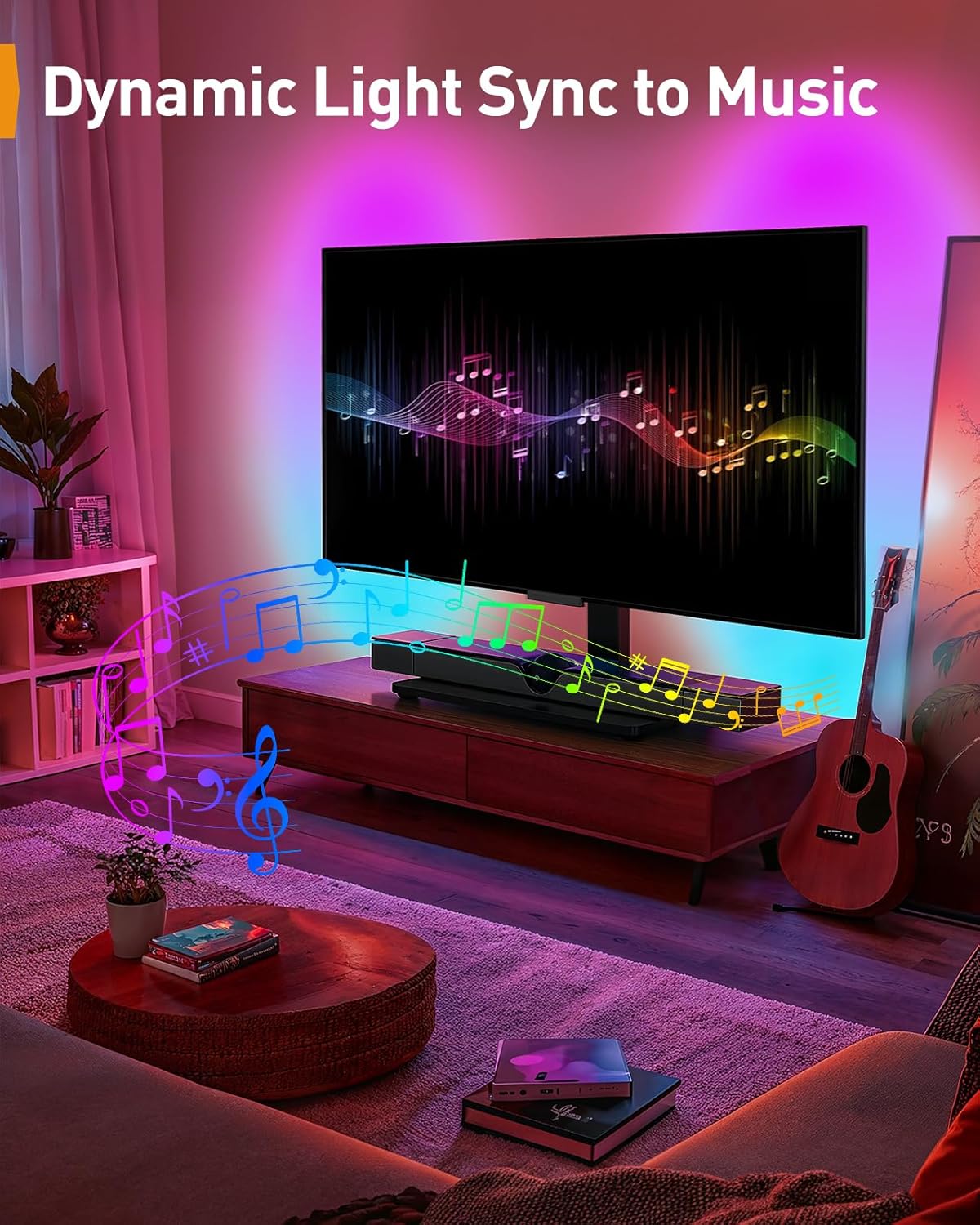
ചിത്രം 8: An image demonstrating the dynamic light sync feature, where the LED lights change in rhythm with music, creating an immersive entertainment experience.
6. പരിപാലനം
- വൃത്തിയാക്കൽ: Use a soft, dry cloth to clean the stand. For the glass base, a mild glass cleaner can be used. Avoid abrasive cleaners or solvents.
- പരിശോധന: എല്ലാ സ്ക്രൂകളും കണക്ഷനുകളും ഇറുകിയതാണെന്ന് ഉറപ്പാക്കാൻ ഇടയ്ക്കിടെ പരിശോധിക്കുക. ആവശ്യമെങ്കിൽ വീണ്ടും മുറുക്കുക.
- LED ലൈറ്റുകൾ: Ensure the LED strips and controller are free from dust and moisture.
7. പ്രശ്നപരിഹാരം
| പ്രശ്നം | സാധ്യമായ കാരണം | പരിഹാരം |
|---|---|---|
| ടിവി നിലവാരമില്ലാത്തതാണ് | TV brackets not installed evenly; stand not on a level surface. | Re-adjust TV brackets; move stand to a level surface. |
| LED വിളക്കുകൾ പ്രവർത്തിക്കുന്നില്ല | Power connection loose; remote battery dead; controller malfunction. | Check power connections; replace remote battery; contact support if controller is faulty. |
| സ്റ്റാൻഡ് അസ്ഥിരമായി തോന്നുന്നു | Screws are loose; weight capacity exceeded; stand not on a flat surface. | Tighten all screws; ensure TV weight is within limits; place stand on a flat, stable surface. |
| Difficulty swiveling/tilting | സംവിധാനം കടുപ്പമുള്ളതാണ്; തടസ്സം. | Apply gentle force; check for any obstructions behind the TV or stand. |
8 സ്പെസിഫിക്കേഷനുകൾ
- മോഡൽ: പിജിടിവിഎസ്32ബി
- ബ്രാൻഡ്: പെർലെസ്മിത്ത്
- അനുയോജ്യമായ ടിവി വലുപ്പങ്ങൾ: 32 - 70 ഇഞ്ച്
- പരമാവധി ഭാരം ശേഷി: 88 പൗണ്ട് (40 കി.ഗ്രാം)
- VESA അനുയോജ്യത: 100x100mm, 100x200mm, 200x100mm, 200x200mm, 200x300mm, 300x200mm, 300x300mm, 400x200mm, 400x300mm, 400x400mm
- സ്വിവൽ ശ്രേണി: +/-30 degrees (total 60 degrees)
- ടിൽറ്റ് റേഞ്ച്: Up 8 degrees
- ഉയരം ക്രമീകരിക്കൽ: 9 levels (18" to 24.5" from base to screen center)
- അടിസ്ഥാന മെറ്റീരിയൽ: ടെമ്പർഡ് ഗ്ലാസ്
- LED ലൈറ്റിംഗ്: RGB, 16.8 million colors, various effects, music sync, app/remote/in-line control.
9. വാറൻ്റിയും പിന്തുണയും
For warranty information, technical support, or to order replacement parts, please refer to the documentation included with your purchase or visit the official PERLESMITH webസൈറ്റ്. വാങ്ങിയതിന്റെ തെളിവായി നിങ്ങളുടെ വാങ്ങൽ രസീത് സൂക്ഷിക്കുക.
PERLESMITH Official Webസൈറ്റ്: Visit PERLESMITH Store on Amazon


