1. ആമുഖം
This manual provides essential information for the safe and efficient operation of your ACEMAGIC LX15PRO laptop. Please read this manual thoroughly before using your device to ensure proper setup, usage, and maintenance.
2. ഉൽപ്പന്നം കഴിഞ്ഞുview
The ACEMAGIC LX15PRO is a high-performance laptop designed for productivity and entertainment. It features an AMD Ryzen 5 7430U processor, 16GB DDR4 RAM, and a 512GB SSD, all housed in a slim and portable design.

ചിത്രം 2.1: മുൻഭാഗം view of the ACEMAGIC LX15PRO laptop.
പ്രധാന സവിശേഷതകൾ:
- പ്രോസസ്സർ: എഎംഡി റൈസൺ 5 7430U (6 കോറുകൾ, 12 ത്രെഡുകൾ, 4.3GHz വരെ)
- മെമ്മറി: 16GB DDR4 2666MHz (64GB വരെ വികസിപ്പിക്കാം)
- സംഭരണം: 512GB M.2 NVMe PCIe3.0 SSD (dual-drive bay, up to 4TB total)
- ഡിസ്പ്ലേ: 15.6-inch Full HD (1920x1080) Anti-glare LED Backlight
- ഗ്രാഫിക്സ്: AMD Radeon RX Vega 7 (1800MHz)
- കണക്റ്റിവിറ്റി: വൈ-ഫൈ 6 (802.11ax), ബ്ലൂടൂത്ത് 5.2
- തുറമുഖങ്ങൾ: 3x USB 3.2, 1x Full-featured Type-C, 1x HDMI 1.4, 1x Headphone/Microphone Combo, SD card reader
- ബാറ്ററി: 54.72Wh Li-ion polymer
- ഓപ്പറേറ്റിംഗ് സിസ്റ്റം: വിൻഡോസ് 11

ചിത്രം 2.2: ഓവർview of the laptop's main components and features.

Figure 2.3: AMD Ryzen 5 7430U processor performance details.

Figure 2.4: Multitasking and data storage capabilities.
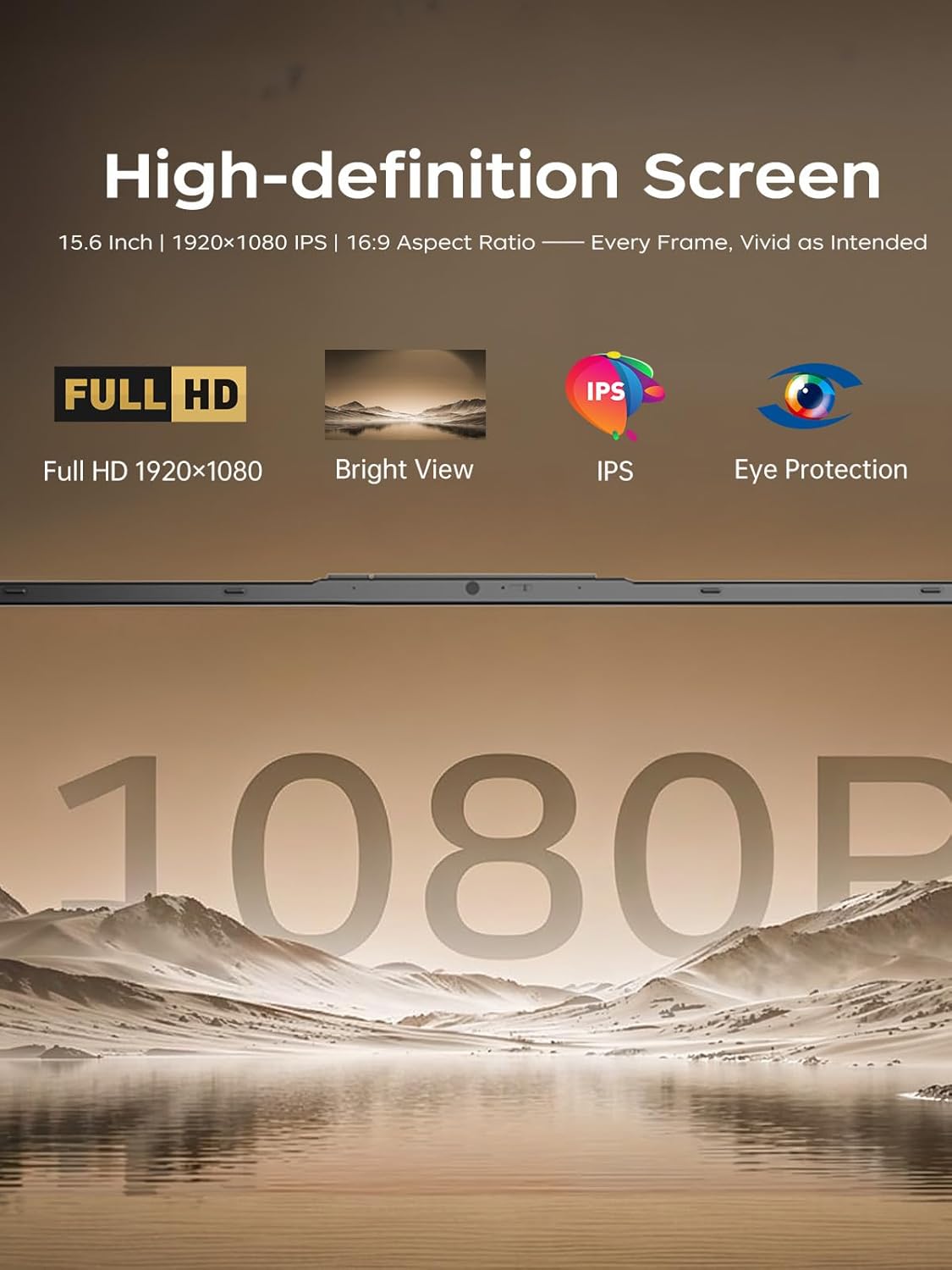
Figure 2.5: High-definition screen features.
3. സജ്ജീകരണ ഗൈഡ്
3.1 പായ്ക്ക് ചെയ്യലും പ്രാരംഭ പരിശോധനയും
Carefully remove the laptop and all accessories from the packaging. Inspect for any signs of damage. If any components are missing or damaged, contact customer support immediately.
3.2 പവർ അഡാപ്റ്റർ ബന്ധിപ്പിക്കുന്നു
- Connect the power adapter to the DC-in port on the side of the laptop.
- ഒരു മതിൽ ഔട്ട്ലെറ്റിൽ പവർ കോർഡ് പ്ലഗ് ചെയ്യുക.
- പ്രാരംഭ ഉപയോഗത്തിന് മുമ്പ് കുറഞ്ഞത് 30 മിനിറ്റെങ്കിലും ലാപ്ടോപ്പ് ചാർജ് ചെയ്യാൻ അനുവദിക്കുക, അല്ലെങ്കിൽ ബാറ്ററി ഇൻഡിക്കേറ്റർ മതിയായ ചാർജ് കാണിക്കുന്നത് വരെ.

Figure 3.1: Location of the DC jack and other ports.
3.3 ഫസ്റ്റ് ബൂട്ടും വിൻഡോസ് 11 സജ്ജീകരണവും
- ലാപ്ടോപ്പ് ലിഡ് തുറന്ന് പവർ ബട്ടൺ അമർത്തുക.
- Windows 11 സജ്ജീകരണ പ്രക്രിയ പൂർത്തിയാക്കാൻ ഓൺ-സ്ക്രീൻ നിർദ്ദേശങ്ങൾ പാലിക്കുക. നിങ്ങളുടെ പ്രദേശം, ഭാഷ, ഒരു Wi-Fi നെറ്റ്വർക്കിലേക്ക് കണക്റ്റുചെയ്യൽ, ഒരു ഉപയോക്തൃ അക്കൗണ്ട് സൃഷ്ടിക്കൽ എന്നിവ ഇതിൽ ഉൾപ്പെടുന്നു.
- വിൻഡോസ് അപ്ഡേറ്റുകൾക്കും ഡ്രൈവർ ഇൻസ്റ്റാളേഷനുകൾക്കുമായി നിങ്ങൾക്ക് ഒരു സജീവ ഇന്റർനെറ്റ് കണക്ഷൻ ഉണ്ടെന്ന് ഉറപ്പാക്കുക.
4. പ്രവർത്തന നിർദ്ദേശങ്ങൾ
4.1 കീബോർഡും ടച്ച്പാഡും ഉപയോഗിക്കൽ
The laptop features a full-sized keyboard and a precision touchpad. Refer to the Windows 11 settings for customizing touchpad gestures and keyboard shortcuts.
4.2 Wi-Fi-ലേക്ക് ബന്ധിപ്പിക്കുന്നു
- ടാസ്ക്ബാറിലെ വൈഫൈ ഐക്കണിൽ ക്ലിക്കുചെയ്യുക.
- Select your desired network from the list and click "Connect".
- ആവശ്യപ്പെടുകയാണെങ്കിൽ നെറ്റ്വർക്ക് സുരക്ഷാ കീ (പാസ്വേഡ്) നൽകുക.
- The laptop supports Wi-Fi 6 for faster and more stable wireless connections.

Figure 4.1: Wi-Fi 6 connectivity for enhanced network performance.
4.3 ബാഹ്യ ഉപകരണങ്ങൾ ബന്ധിപ്പിക്കുന്നു
The ACEMAGIC LX15PRO offers various ports for connecting peripherals:
- USB 3.2 പോർട്ടുകൾ: For connecting USB drives, mice, keyboards, and other compatible devices.
- Type-C (Full Feature) Port: ഡാറ്റ കൈമാറ്റം, വീഡിയോ ഔട്ട്പുട്ട്, പവർ ഡെലിവറി എന്നിവ പിന്തുണയ്ക്കുന്നു.
- HDMI 1.4 പോർട്ട്: ബാഹ്യ മോണിറ്ററുകളിലേക്കോ പ്രൊജക്ടറുകളിലേക്കോ ബന്ധിപ്പിക്കുന്നതിന്.
- ഹെഡ്ഫോൺ/മൈക്രോഫോൺ കോംബോ ജാക്ക്: ഓഡിയോ ഔട്ട്പുട്ടിനും ഇൻപുട്ടിനും.
- SD കാർഡ് റീഡർ: SD മെമ്മറി കാർഡുകളിൽ നിന്നുള്ള ഡാറ്റ വായിക്കുന്നതിന്.
5. പരിപാലനം
5.1 ലാപ്ടോപ്പ് വൃത്തിയാക്കൽ
- മൃദുവായ, ലിൻ്റ് രഹിത തുണി ഉപയോഗിക്കുകampഡിസ്പ്ലേ വൃത്തിയാക്കാൻ വെള്ളമോ സ്ക്രീൻ ക്ലീനറോ ഉപയോഗിച്ച് നനയ്ക്കുക.
- കീബോർഡിനും ഷാസിക്കും മൃദുവായ തുണി ഉപയോഗിക്കുക. കഠിനമായ രാസവസ്തുക്കളോ ഉരച്ചിലുകളോ ഉള്ള വസ്തുക്കൾ ഒഴിവാക്കുക.
- വൃത്തിയാക്കുന്നതിനുമുമ്പ് ലാപ്ടോപ്പ് പവർ ഓഫ് ചെയ്തിട്ടുണ്ടെന്നും പ്ലഗ് ഊരിവെച്ചിട്ടുണ്ടെന്നും ഉറപ്പാക്കുക.
5.2 ബാറ്ററി കെയർ
- ബാറ്ററി ഇടയ്ക്കിടെ പൂർണ്ണമായും ഡിസ്ചാർജ് ചെയ്യുന്നത് ഒഴിവാക്കുക.
- ലാപ്ടോപ്പ് ദീർഘനേരം ഉപയോഗിച്ചിട്ടില്ലെങ്കിൽ തണുത്തതും വരണ്ടതുമായ സ്ഥലത്ത് സൂക്ഷിക്കുക.
- അങ്ങേയറ്റത്തെ താപനിലയിലേക്ക് ബാറ്ററി തുറന്നുകാട്ടരുത്.
5.3 Storage and Expansion
The laptop features a dual-drive bay design, allowing for storage expansion up to 4TB total. The 16GB DDR4 RAM can also be expanded up to 64GB.

Figure 5.1: Illustrates M.2 SSD and DDR4 RAM for potential upgrades.
6. പ്രശ്നപരിഹാരം
6.1 ലാപ്ടോപ്പ് ഓണാകുന്നില്ല
- പവർ അഡാപ്റ്റർ ലാപ്ടോപ്പിലേക്കും പ്രവർത്തിക്കുന്ന ഒരു പവർ ഔട്ട്ലെറ്റിലേക്കും സുരക്ഷിതമായി ബന്ധിപ്പിച്ചിട്ടുണ്ടെന്ന് ഉറപ്പാക്കുക.
- മറ്റൊരു ഉപകരണം പ്ലഗ് ഇൻ ചെയ്ത് പവർ ഔട്ട്ലെറ്റ് പ്രവർത്തനക്ഷമമാണെന്ന് ഉറപ്പാക്കുക.
- ബാറ്ററി പൂർണ്ണമായും തീർന്നാൽ, പവർ ഓൺ ചെയ്യാൻ ശ്രമിക്കുന്നതിന് മുമ്പ് കുറച്ച് മിനിറ്റ് ചാർജ് ചെയ്യാൻ അനുവദിക്കുക.
6.2 വൈഫൈ കണക്ഷൻ ഇല്ല
- വിൻഡോസ് ക്രമീകരണങ്ങളിൽ വൈഫൈ പ്രവർത്തനക്ഷമമാക്കിയിട്ടുണ്ടോയെന്ന് പരിശോധിക്കുക.
- നിങ്ങളുടെ വൈഫൈ റൂട്ടറും ലാപ്ടോപ്പും പുനരാരംഭിക്കുക.
- നിങ്ങളുടെ വൈഫൈ നെറ്റ്വർക്കിന്റെ പരിധിയിലാണെന്ന് ഉറപ്പാക്കുക.
- വൈഫൈ പാസ്വേഡ് ശരിയായി നൽകിയിട്ടുണ്ടെന്ന് ഉറപ്പാക്കുക.
6.3 മന്ദഗതിയിലുള്ള പ്രകടനം
- പശ്ചാത്തലത്തിൽ പ്രവർത്തിക്കുന്ന അനാവശ്യ ആപ്ലിക്കേഷനുകൾ അടയ്ക്കുക.
- ശേഷിക്കുന്ന ഏതെങ്കിലും വിൻഡോസ് അപ്ഡേറ്റുകൾ പരിശോധിച്ച് ഇൻസ്റ്റാൾ ചെയ്യുക.
- SSD-യിൽ മതിയായ ഇടമുണ്ടെന്ന് ഉറപ്പാക്കുക.
- മാൽവെയർ പരിശോധിക്കാൻ ഒരു വൈറസ് സ്കാൻ പ്രവർത്തിപ്പിക്കുക.
7 സ്പെസിഫിക്കേഷനുകൾ
| ഫീച്ചർ | വിശദാംശങ്ങൾ |
|---|---|
| മോഡലിൻ്റെ പേര് | LX15PRO |
| പ്രോസസ്സർ | എഎംഡി റൈസൺ 5 7430U (6 കോറുകൾ, 12 ത്രെഡുകൾ, 4.3 GHz വരെ) |
| ഗ്രാഫിക്സ് | AMD Radeon RX Vega 7 (Integrated) |
| റാം | 16GB DDR4 SDRAM (2666MHz, expandable to 64GB) |
| സംഭരണം | 512GB M.2 NVMe PCIe3.0 SSD (Dual-drive bay, up to 4TB total) |
| പ്രദർശിപ്പിക്കുക | 15.6-inch FHD (1920 x 1080) Anti-glare LED Backlight |
| ഓപ്പറേറ്റിംഗ് സിസ്റ്റം | വിൻഡോസ് 11 |
| വയർലെസ് കണക്റ്റിവിറ്റി | വൈ-ഫൈ 6 (802.11ax), ബ്ലൂടൂത്ത് 5.2 |
| തുറമുഖങ്ങൾ | 3x USB 3.2, 1x Type-C (Full Feature), 1x HDMI 1.4, 1x Headphone/Microphone Combo, SD Card Reader |
| ബാറ്ററി | 54.72Wh Li-ion polymer |
| അളവുകൾ (LxWxH) | 20 x 10 x 0.7 ഇഞ്ച് |
| ഭാരം | ഏകദേശം 3.75 പൗണ്ട് (1.7 കി.ഗ്രാം) |
8. വാറൻ്റിയും പിന്തുണയും
For warranty information and technical support, please refer to the documentation included with your purchase or visit the official ACEMAGIC support webസൈറ്റ്.
ഓൺലൈൻ പിന്തുണ: ACEMAGIC Official Store on Amazon


