1. ആമുഖം
This manual provides detailed instructions for the installation, operation, and maintenance of your SONOFF CAM-B1P Outdoor Security Camera. Please read this manual thoroughly before using the device to ensure proper functionality and safety. The SONOFF CAM-B1P is designed for outdoor surveillance, offering 2K HD resolution, color night vision, 180-degree panoramic view, AI human detection, smart tracking, IP65 weatherproofing, and two-way audio communication.

2. ഉൽപ്പന്നം കഴിഞ്ഞുview
2.1 പാക്കേജ് ഉള്ളടക്കം
- SONOFF CAM-B1P Outdoor Security Camera
- മൗണ്ടിംഗ് സ്റ്റാൻഡ്
- മൗണ്ടിംഗ് സ്ക്രൂകളും വാൾ പ്ലഗുകളും
- ഉപയോക്തൃ മാനുവൽ
- പിൻ പുന et സജ്ജമാക്കുക
2.2 ക്യാമറ ഘടകങ്ങൾ


The camera features a durable housing, a high-definition lens, and an integrated mounting bracket. The rear of the camera includes the USB Type-A power input, a reset button, and an SD card slot (located behind a protective rubber flap).
3. ഇൻസ്റ്റലേഷനും സജ്ജീകരണവും
3.1 അപ്ലിക്കേഷൻ ഇൻസ്റ്റാളേഷൻ
To control and monitor your SONOFF CAM-B1P, download the eWeLink app on your smartphone or tablet. The app is available on both the Google Play Store and Apple App Store.
- ഇതിനായി തിരയുക "eWeLink" in your device's app store.
- Download and install the eWeLink app.
- Register a new account or log in with an existing one.
3.2 ഉപകരണ ജോടിയാക്കൽ
Follow these steps to pair your camera with the eWeLink app:
- Power on the SONOFF CAM-B1P camera by connecting it to a 5V/2A power source using the provided USB cable.
- നിങ്ങളുടെ സ്മാർട്ട്ഫോണിൽ eWeLink ആപ്പ് തുറക്കുക.
- Tap the "+" icon or "Add Device" button within the app.
- ക്യാമറയിലോ അതിന്റെ പാക്കേജിംഗിലോ ഉള്ള QR കോഡ് സ്കാൻ ചെയ്യുക.
- Follow the on-screen instructions in the eWeLink app to complete the network configuration and device pairing process. Ensure your Wi-Fi network is 2.4GHz.

3.3 ഫിസിക്കൽ ഇൻസ്റ്റലേഷൻ
The SONOFF CAM-B1P is designed for wall mounting. Choose a suitable outdoor location that provides the desired viewing angle and is within range of your Wi-Fi network. Ensure the mounting surface is stable and can support the camera's weight.
- Attach the mounting stand to the camera.
- Mark the drilling points on the wall using the mounting stand as a template.
- ആവശ്യമെങ്കിൽ ദ്വാരങ്ങൾ തുരന്ന് വാൾ പ്ലഗുകൾ ഇടുക.
- Secure the mounting stand to the wall using the provided screws.
- ക്യാമറ ആംഗിൾ ആവശ്യാനുസരണം ക്രമീകരിക്കുക.
4. Operating Your SONOFF CAM-B1P
4.1 വീഡിയോ ഗുണനിലവാരവും രാത്രി കാഴ്ചയും
The camera provides 2K HD resolution for clear and detailed images. It supports multiple night vision modes to ensure visibility in low-light conditions.
- പൂർണ്ണ വർണ്ണ രാത്രി ദർശനം: Provides vivid color images even in darkness.
- ഇൻഫ്രാറെഡ് നൈറ്റ് വിഷൻ: Offers a discreet black and white view using infrared LEDs.
- സ്മാർട്ട് നൈറ്റ് വിഷൻ: Automatically switches between infrared and color night vision based on detected activity.


4.2 പനോരമിക് View ട്രാക്കിംഗ്
The camera features a 180-degree rotating lens, allowing for a wide monitoring area and reduced blind spots. Combined with AI human detection, it can automatically track detected human movements.
- 180° റൊട്ടേഷൻ: Adjust the camera's horizontal view through the eWeLink app to cover a broader area.
- AI ഹ്യൂമൻ ഡിറ്റക്ഷൻ: The camera can distinguish human shapes from other moving objects, reducing false alarms.
- സ്മാർട്ട് ട്രാക്കിംഗ്: When a human is detected, the camera will automatically follow their movement within its field of view.
- Preset Point Setting: Define specific points of interest for quick viewing in the app.


4.3 ടു-വേ ഓഡിയോ
The integrated microphone and speaker allow for real-time two-way audio communication. This feature enables you to speak to visitors or deter intruders directly through the camera via the eWeLink app.

4.4 സ്മാർട്ട് ഹോം ഇന്റഗ്രേഷൻ
The SONOFF CAM-B1P is compatible with various smart home platforms, including Amazon Alexa and Google Home, allowing for voice control and integration into your existing smart ecosystem. It also supports third-party platforms like Home Assistant via ONVIF/RTSP protocols.

4.5 Video Storage Options
The camera offers flexible and secure options for storing your video footage:
- പ്രാദേശിക സംഭരണം: Supports TF (microSD) cards up to 128GB for local recording. The SD card slot is located behind a protective rubber flap on the camera.
- ക്ലൗഡ് സംഭരണം: Optional cloud storage is available through a CameraPlan subscription, providing remote access and backup of your footage.

5. പരിപാലനം
5.1 കാലാവസ്ഥാ പ്രതിരോധം
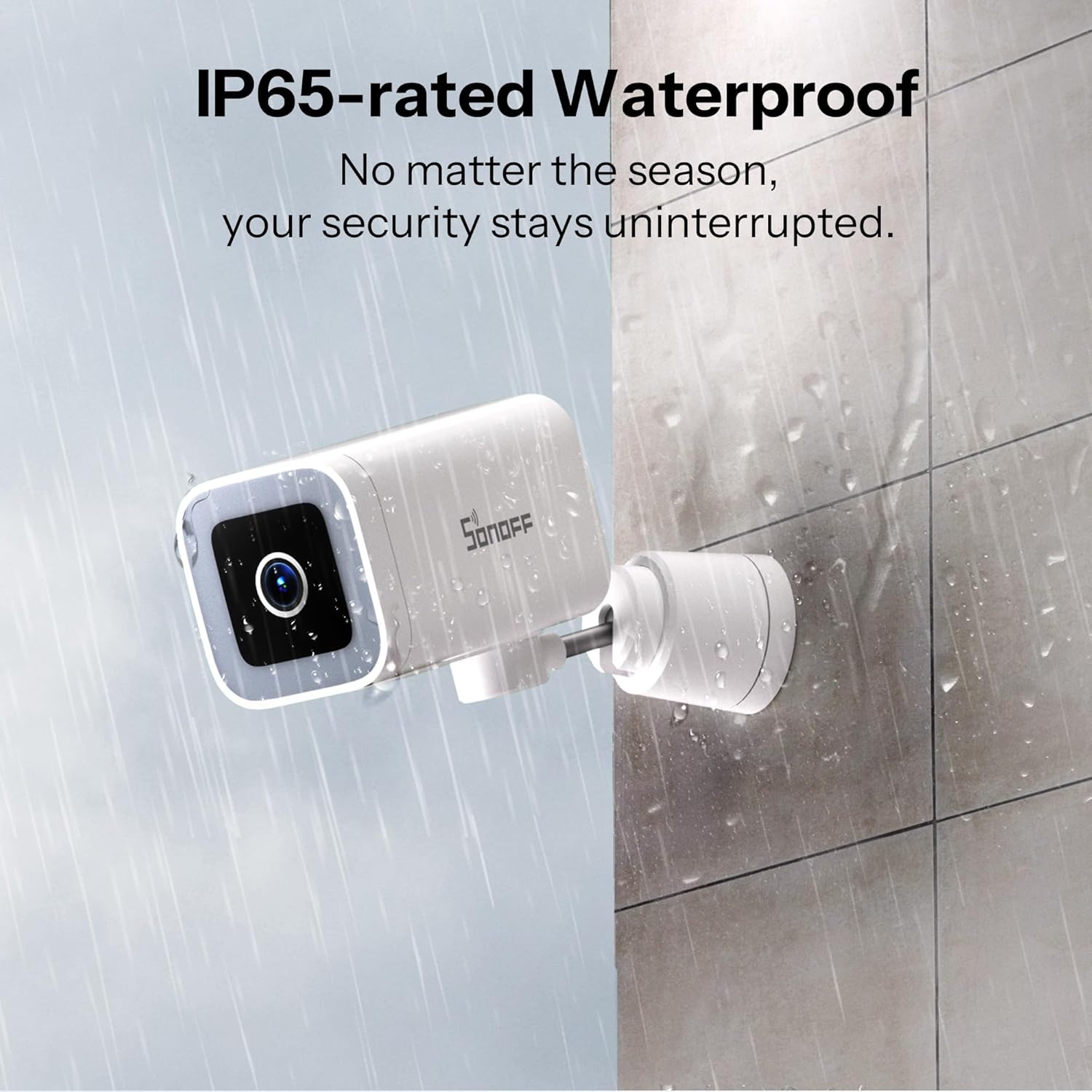
The SONOFF CAM-B1P has an IP65 weatherproof rating, meaning it is protected against dust ingress and low-pressure water jets from any direction. This ensures reliable operation in various outdoor weather conditions, including rain and dust.
5.2 വൃത്തിയാക്കൽ
To maintain optimal performance, periodically clean the camera lens and housing. Use a soft, damp പൊടിയും അഴുക്കും തുടയ്ക്കാൻ തുണി ഉപയോഗിക്കുക. ലെൻസിനോ ഫിനിഷിനോ കേടുവരുത്തുന്ന കഠിനമായ രാസവസ്തുക്കളോ ഉരച്ചിലുകളോ ഉള്ള വസ്തുക്കൾ ഉപയോഗിക്കുന്നത് ഒഴിവാക്കുക.
6. പ്രശ്നപരിഹാരം
- ക്യാമറ വൈഫൈയിലേക്ക് കണക്റ്റ് ചെയ്യുന്നില്ല:
- Ensure your Wi-Fi network is 2.4GHz. The camera does not support 5GHz networks.
- Check if the Wi-Fi signal strength at the camera's location is adequate.
- Verify that the Wi-Fi password entered in the eWeLink app is correct.
- Try resetting the camera using the reset pin and re-pairing it. - മോശം വീഡിയോ നിലവാരം:
- Ensure the camera lens is clean and free from obstructions.
- Check your internet connection speed. A stable and fast connection is required for 2K streaming.
- Adjust the video quality settings in the eWeLink app if your network bandwidth is limited. - False alarms for motion detection:
- Adjust the motion detection sensitivity settings in the eWeLink app.
- Utilize the AI human detection feature to filter out non-human movements.
- Define activity zones to monitor specific areas and ignore irrelevant ones. - ടു-വേ ഓഡിയോ പ്രശ്നങ്ങൾ:
- Ensure your smartphone's volume is up and the microphone is not muted in the app.
- Check the camera's microphone and speaker settings in the eWeLink app.
- Verify network stability for clear audio transmission. - RTSP/ONVIF integration with Home Assistant not working:
- Enable ONVIF in the eWeLink app under camera advanced settings.
- Set a username and password for RTSP access (note: special characters may not be supported).
- Ensure your Home Assistant setup is correctly configured to use the provided RTSP stream URL.
7 സാങ്കേതിക സവിശേഷതകൾ

| ഫീച്ചർ | സ്പെസിഫിക്കേഷൻ |
|---|---|
| മോഡൽ | CAM-B1P |
| റെസലൂഷൻ | 2K (2304x1296) |
| നൈറ്റ് വിഷൻ | Color Night Vision, Infrared Night Vision, Smart Night Vision (8 Meters range) |
| റൊട്ടേഷൻ ആംഗിൾ | തിരശ്ചീന 180° |
| കണക്റ്റിവിറ്റി | Wi-Fi IEEE 802.11 b / g / n 2.4GHz |
| പവർ ഇൻപുട്ട് | 5V=2A (Corded Electric) |
| വാട്ടർപ്രൂഫ് റേറ്റിംഗ് | IP65 |
| സംഭരണ രീതികൾ | TF card (Max. 128GB), Cloud Storage (subscription required) |
| പ്രവർത്തന താപനില | -20°C ~ 50°C |
| വീഡിയോ കംപ്രഷൻ | H.264 |
| അളവുകൾ (L x W x H) | 6.61 x 3.54 x 2.6 ഇഞ്ച് (161 x 91 x 61 മിമി) |
| ഇനത്തിൻ്റെ ഭാരം | 13.4 ഔൺസ് |
| ഉൾപ്പെടുത്തിയ ഘടകങ്ങൾ | നിൽക്കുക |
8. വാറൻ്റിയും പിന്തുണയും
8.1 വാറൻ്റി വിവരങ്ങൾ
SONOFF products are covered by a limited warranty. For specific warranty terms and conditions, please refer to the warranty card included with your product or visit the official SONOFF webസൈറ്റ്.
8.2 ഉപഭോക്തൃ പിന്തുണ
If you encounter any issues or have questions regarding your SONOFF CAM-B1P camera, please contact SONOFF customer support. You can find contact information on the official SONOFF website or through the eWeLink app.
For additional resources and community support, visit the official SONOFF Facebook page: SONOFF Official Facebook


