1. ആമുഖം
This manual provides detailed instructions for the Redragon M810 MAX 3-Mode Wireless Gaming Mouse. Designed for versatility and performance, this mouse offers wired, 2.4GHz wireless, and Bluetooth connectivity options, along with customizable features to enhance your computing and gaming experience.
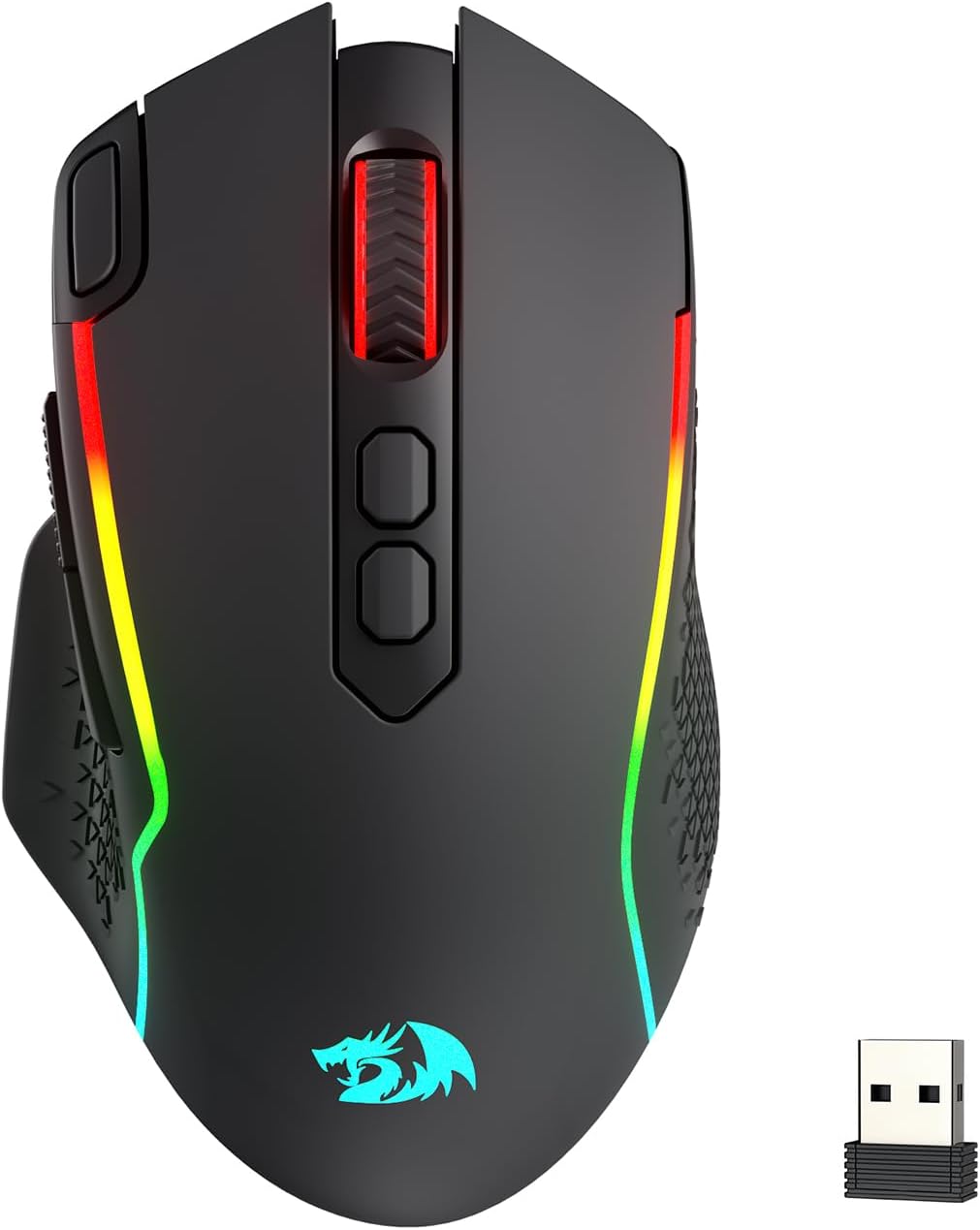
Image: The Redragon M810 MAX 3-Mode Wireless Gaming Mouse, showcasinഅതിന്റെ എർഗണോമിക് ഡിസൈനും RGB ലൈറ്റിംഗും.
2. പാക്കേജ് ഉള്ളടക്കം
നിങ്ങളുടെ പാക്കേജിൽ എല്ലാ ഇനങ്ങളും ഉണ്ടെന്ന് ഉറപ്പാക്കുക:
- Redragon M810 MAX Wireless Gaming Mouse
- യുഎസ്ബി-സി മുതൽ യുഎസ്ബി-എ ചാർജിംഗ് കേബിൾ വരെ
- 2.4GHz യുഎസ്ബി വയർലെസ് ഡോംഗിൾ
- ഉപയോക്തൃ മാനുവൽ (ഈ പ്രമാണം)

ചിത്രം: ഒരു ഓവർview of the Redragon M810 MAX mouse highlighting its key features such as 3-mode connection, PAW3311 sensor, 8 macro buttons, 1000mAh battery, 12000 MAX DPI, DIY RGB lighting, rapid fire button, and Pro Software.
3. Mouse Layout and Features
The Redragon M810 MAX is equipped with multiple buttons and features for optimal control:
- ഇടത് ബട്ടൺ: സ്റ്റാൻഡേർഡ് ഇടത്-ക്ലിക്ക് പ്രവർത്തനം.
- വലത് ബട്ടൺ: സ്റ്റാൻഡേർഡ് റൈറ്റ്-ക്ലിക്ക് ഫംഗ്ഷൻ.
- സ്ക്രോൾ വീൽ: For scrolling and middle-click. Features high texture for enhanced grip.
- DPI+ / DPI- ബട്ടണുകൾ: Adjust DPI levels on the fly.
- റാപ്പിഡ് ഫയർ കീ: Pre-programmed for rapid firing (default 3-click burst).
- ഫോർവേഡ് ബട്ടൺ: Navigational button (default: forward).
- ബാക്ക്വേർഡ് ബട്ടൺ: Navigational button (default: backward).
- Mode Switch (Underside): Toggles between different polling rates/refresh rates.
- On/Off/Eco Mode Switch (Underside): Powers the mouse on/off or activates eco mode for battery saving.
- Wireless Dongle Compartment (Underside): Secure storage for the 2.4GHz USB dongle.
- USB-C Port (Front): വയർഡ് കണക്ഷനും ചാർജിംഗിനും.
- Non-slip Side Wings: Textured grip on the sides for improved handling.

ചിത്രം: വിശദമായ ഒരു ചിത്രം view of the Redragon M810 MAX mouse, labeling its 8 freely programmable buttons: Left Button, Right Button, Scroll, Rapid Fire Key, DPI+, DPI-, Forward Button, and Backward Button.
4. സജ്ജീകരണവും കണക്ഷനും
The M810 MAX offers three connection modes:
4.1. വയർഡ് കണക്ഷൻ
- നൽകിയിരിക്കുന്ന കേബിളിന്റെ USB-C അറ്റം മൗസുമായി ബന്ധിപ്പിക്കുക.
- നിങ്ങളുടെ കമ്പ്യൂട്ടറിൽ ലഭ്യമായ ഒരു USB പോർട്ടിലേക്ക് കേബിളിന്റെ USB-A അറ്റം ബന്ധിപ്പിക്കുക.
- മൗസ് യാന്ത്രികമായി വയേർഡ് മോഡിലേക്ക് മാറുകയും ചാർജ് ചെയ്യാൻ തുടങ്ങുകയും ചെയ്യും.
4.2. 2.4GHz വയർലെസ് കണക്ഷൻ
- Locate the 2.4GHz USB wireless dongle stored in the compartment on the underside of the mouse.
- നിങ്ങളുടെ കമ്പ്യൂട്ടറിൽ ലഭ്യമായ USB പോർട്ടിലേക്ക് ഡോംഗിൾ പ്ലഗ് ചെയ്യുക.
- Turn on the mouse using the On/Off/Eco mode switch on the underside.
- മൗസ് യാന്ത്രികമായി കണക്ട് ചെയ്യണം.
4.3. ബ്ലൂടൂത്ത് കണക്ഷൻ
- Turn on the mouse using the On/Off/Eco mode switch on the underside.
- Activate Bluetooth pairing mode on the mouse (refer to specific software instructions if needed, usually indicated by a blinking LED).
- നിങ്ങളുടെ കമ്പ്യൂട്ടറിൽ, ബ്ലൂടൂത്ത് ക്രമീകരണങ്ങളിലേക്ക് പോയി പുതിയ ഉപകരണങ്ങൾക്കായി തിരയുക.
- Select "Redragon M810 MAX" from the list of available devices to pair.

Image: The Redragon M810 MAX mouse demonstrating its tri-mode silky connection options: 2.4GHz wireless, Bluetooth, and wired USB-C, ensuring reliable transmission.
5. പ്രവർത്തന രീതികളും ക്രമീകരണങ്ങളും
5.1. ഡിപിഐ ക്രമീകരണം
The mouse features 5 on-board DPI levels that can be adjusted using the DPI+ and DPI- buttons. The default settings are 400/800/1600/2400/3200 DPI. These levels can be customized further using the Redragon Pro driver software.

Image: The Redragon M810 MAX mouse illustrating its 12000 MAX DPI capability and adjustable DPI levels at 400, 800, 1600, 2400, and 3200, each indicated by a different color.
5.2. പോളിംഗ് നിരക്ക് ക്രമീകരണം
The polling rate can be adjusted via the mode switch on the underside of the mouse or through the Redragon Pro driver. The mouse supports a 1000Hz polling rate in dual mode for optimized performance.
5.3. ഇക്കോ മോഡ്
To conserve battery life, switch the mouse to Eco Mode using the On/Off/Eco mode switch on the underside. In this mode, the mouse's power consumption is optimized, extending usage time.
6. Customization (Redragon Pro Driver)
Unlock the full potential of your M810 MAX mouse with the Redragon Pro driver software. This software allows for extensive customization:
- Keybinding: All 8 programmable buttons can be assigned custom tactical keybinds for various games or work applications.
- DPI ലെവലുകൾ: Customize the 5 on-board DPI levels to suit your preferences.
- RGB ലൈറ്റിംഗ്: DIY endless lighting styles including dynamic streaming, breathing, and waving effects. Adjust colors, brightness, and speed.
- പോളിംഗ് നിരക്ക്: Fine-tune the polling rate for optimal responsiveness.

Image: The Redragon M810 MAX mouse displayed alongside the Redragon Pro driver software interface, showing options for DPI stages, report rate, sensor settings, and DPI light effects.
7. ചാർജിംഗും ബാറ്ററി ലൈഫും
The M810 MAX features an ultra long-lasting core and a rechargeable battery. To charge the mouse, connect it to your computer using the provided USB-C cable. The mouse can be used in wired mode while charging.
- Maximum Battery Life (RGB off): 188 മണിക്കൂർ വരെ.
- Battery Life (RGB on): ഏകദേശം 29 മണിക്കൂർ.

Image: The Redragon M810 MAX mouse highlighting its durable battery life, showing 188 hours with RGB off and 29 hours with RGB on.
8. പരിപാലനം
To ensure the longevity and optimal performance of your Redragon M810 MAX mouse, follow these maintenance guidelines:
- വൃത്തിയാക്കൽ: മൗസിന്റെ പ്രതലം തുടയ്ക്കാൻ മൃദുവായതും ഉണങ്ങിയതുമായ തുണി ഉപയോഗിക്കുക. കഠിനമായ രാസവസ്തുക്കളോ ഉരച്ചിലുകളുള്ള വസ്തുക്കളോ ഒഴിവാക്കുക.
- സെൻസർ പരിചരണം: Keep the optical sensor on the underside clean and free from dust or debris.
- കേബിൾ മാനേജുമെന്റ്: USB-C കേബിൾ പൊട്ടുകയോ കേടുപാടുകളോ ഉണ്ടാകാതിരിക്കാൻ വൃത്തിയായി സൂക്ഷിക്കുക.
- സംഭരണം: When not in use, store the wireless dongle in its designated compartment to prevent loss.
9. പ്രശ്നപരിഹാരം
If you encounter issues with your Redragon M810 MAX mouse, try the following solutions:
- മൗസ് പ്രതികരിക്കുന്നില്ല:
- മൗസ് ഓണാണെന്ന് ഉറപ്പാക്കുക.
- ബാറ്ററി ലെവൽ പരിശോധിച്ച് ആവശ്യമെങ്കിൽ ചാർജ് ചെയ്യുക.
- For wireless connections, ensure the dongle is securely plugged in and within range.
- For Bluetooth, ensure the mouse is paired correctly and Bluetooth is enabled on your device.
- Try connecting via wired mode to rule out wireless issues.
- കാലതാമസം അല്ലെങ്കിൽ വിച്ഛേദങ്ങൾ:
- Reduce distance between mouse and wireless dongle/Bluetooth device.
- ശക്തമായ ഇടപെടലുകളുടെ ഉറവിടങ്ങൾ (ഉദാഹരണത്തിന് മറ്റ് വയർലെസ് ഉപകരണങ്ങൾ) സമീപത്തില്ലെന്ന് ഉറപ്പാക്കുക.
- Redragon Pro സോഫ്റ്റ്വെയർ വഴി മൗസ് ഡ്രൈവറുകൾ അപ്ഡേറ്റ് ചെയ്യുക.
- RGB ലൈറ്റിംഗ് പ്രശ്നങ്ങൾ:
- Ensure RGB is not turned off in Eco Mode.
- Adjust lighting settings using the Redragon Pro driver.
10 സ്പെസിഫിക്കേഷനുകൾ
| ഫീച്ചർ | വിശദാംശങ്ങൾ |
|---|---|
| ബ്രാൻഡ് | റെഡ്രാഗൺ |
| മോഡൽ നമ്പർ | M810 PRO |
| കണക്റ്റിവിറ്റി ടെക്നോളജി | BT, 2.4Ghz, USB-C |
| മൂവ്മെന്റ് ഡിറ്റക്ഷൻ ടെക്നോളജി | ഒപ്റ്റിക്കൽ (PAW3311 സെൻസർ) |
| പരമാവധി ഡിപിഐ | 12000 |
| പ്രോഗ്രാം ചെയ്യാവുന്ന ബട്ടണുകൾ | 8 |
| Battery Life (RGB off) | 188 മണിക്കൂർ വരെ |
| Battery Life (RGB on) | ഏകദേശം 29 മണിക്കൂർ |
| പോളിംഗ് നിരക്ക് | 1000Hz (dual mode) |
| ഇനത്തിൻ്റെ ഭാരം | 8.8 ഔൺസ് |
| പ്രത്യേക ഫീച്ചർ | Ergonomic Design, Programmable Buttons |
11. വാറൻ്റിയും പിന്തുണയും
വാറന്റി വിവരങ്ങൾ, സാങ്കേതിക പിന്തുണ അല്ലെങ്കിൽ കൂടുതൽ സഹായം എന്നിവയ്ക്കായി, ദയവായി ഔദ്യോഗിക Redragon സന്ദർശിക്കുക. webസൈറ്റിൽ ബന്ധപ്പെടുക അല്ലെങ്കിൽ അവരുടെ ഉപഭോക്തൃ സേവനവുമായി ബന്ധപ്പെടുക. വാറന്റി ക്ലെയിമുകൾക്കായി നിങ്ങളുടെ വാങ്ങൽ രസീത് സൂക്ഷിക്കുക.
ഔദ്യോഗിക റെഡ്രാഗൺ Webസൈറ്റ്: www.redragonzone.com


