1. ആമുഖം
This manual provides essential instructions for the safe and effective use of your ARRIS 12V Battery Pack 20000mAh. This battery pack is designed to power ARRIS 7.4V and 12V heated jackets and vests. Please read this manual thoroughly before operating the device and retain it for future reference.
2. ഉൽപ്പന്നം കഴിഞ്ഞുview
The ARRIS 12V Battery Pack 20000mAh is a high-capacity power source featuring a digital display and multiple output options. It is specifically engineered for compatibility with ARRIS heated apparel.

ചിത്രം 1: മുകളിൽ view of the ARRIS 12V Battery Pack.
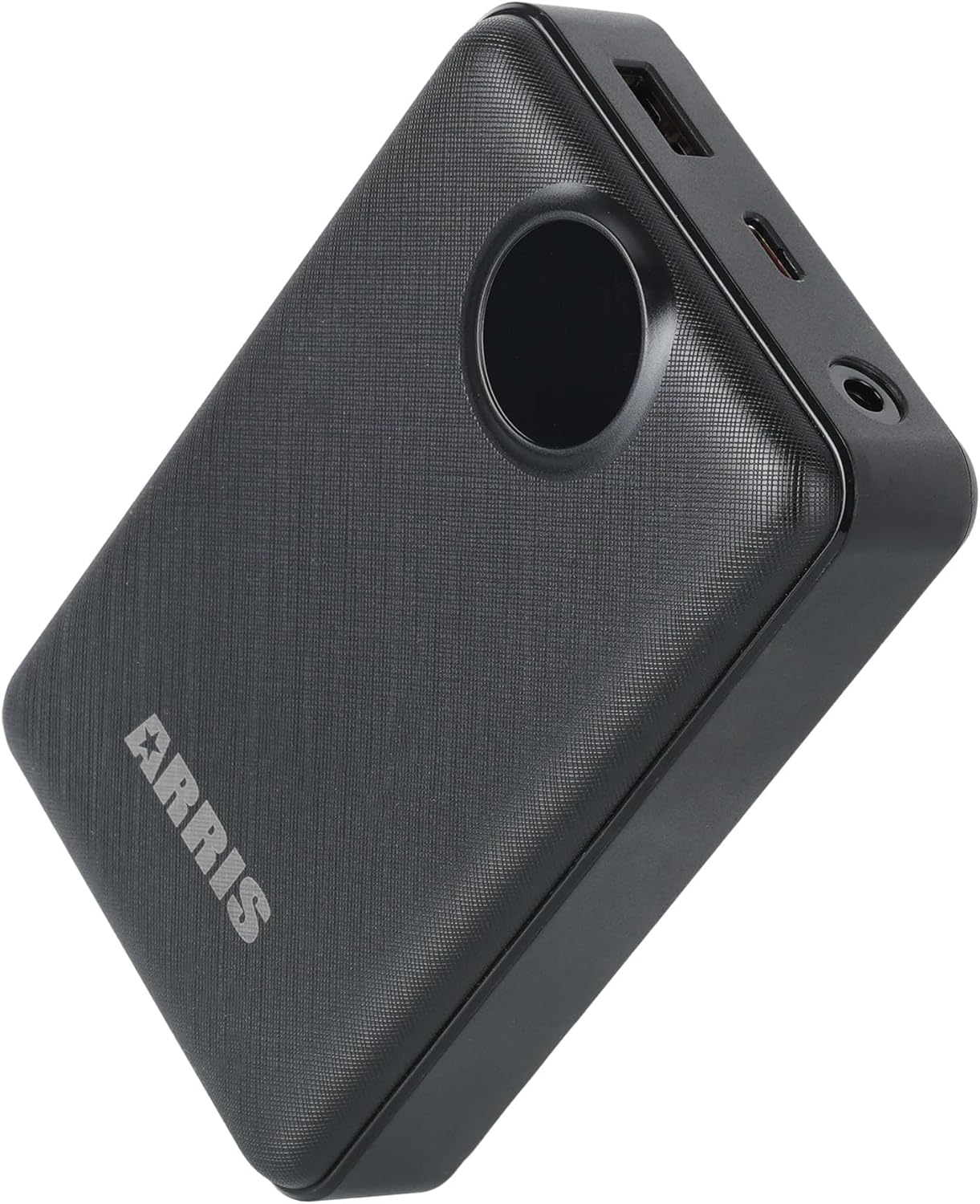
ചിത്രം 2: കോണാകൃതിയിലുള്ളത് view showing the battery pack's ports.
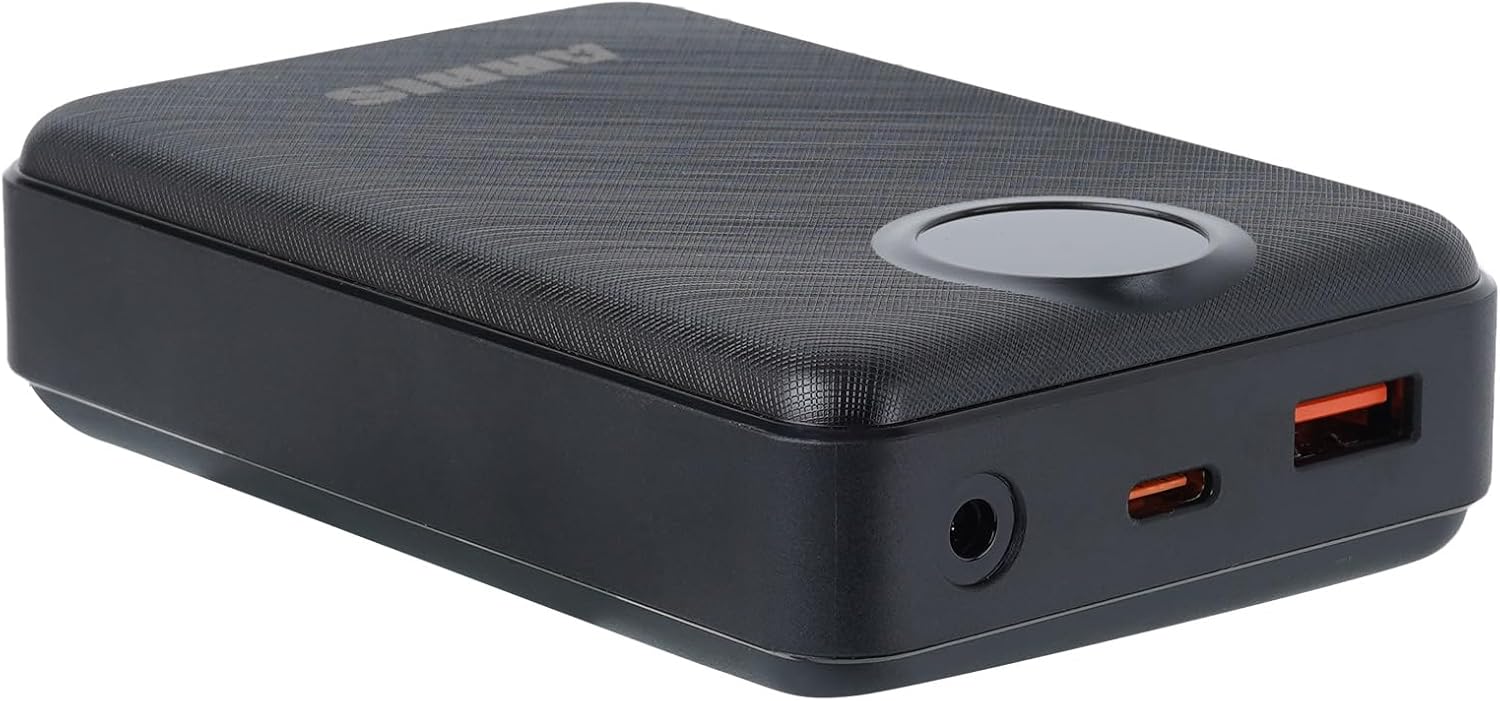
ചിത്രം 3: വിശദമായി view of the battery pack's connection ports.

Figure 4: Feature diagram of the ARRIS 12V Battery Pack, showing its capabilities and internal layout.
3. സജ്ജീകരണം
3.1 പ്രാരംഭ ചാർജിംഗ്
- Before first use, fully charge the battery pack.
- Connect a compatible adapter (not included) to the battery pack's charging port. For a suitable adapter, search ASIN B07K458GB2.
- The digital display will indicate the charging status. A full charge typically takes approximately 4 hours with a 20W quick charge adapter.
3.2 Connecting to Heated Garments
- Ensure the battery pack is adequately charged.
- Locate the power cable inside your ARRIS heated jacket or vest.
- Connect the garment's power cable to the appropriate output port on the battery pack (e.g., DC output for 7.4V/12V garments).
4. പ്രവർത്തന നിർദ്ദേശങ്ങൾ
4.1 പവർ ഓൺ/ഓഫ്
- To power on the battery pack, press and hold the power button for a few seconds until the digital display illuminates.
- പവർ ഓഫ് ചെയ്യാൻ, ഡിസ്പ്ലേ ഓഫാകുന്നതുവരെ പവർ ബട്ടൺ വീണ്ടും അമർത്തിപ്പിടിക്കുക.
4.2 ഡിജിറ്റൽ ഡിസ്പ്ലേ
The integrated digital display shows the remaining battery charge level, allowing you to monitor power status at a glance.
4.3 ഔട്ട്പുട്ട് മോഡുകൾ
The battery pack supports 12V, 7.4V, and 5V output, making it versatile for various ARRIS heated garments and other compatible devices.
5. പരിപാലനം
5.1 ചാർജിംഗ് മാർഗ്ഗനിർദ്ദേശങ്ങൾ
- Always use a compatible charger to prevent damage to the battery.
- ബാറ്ററിയുടെ ആയുസ്സ് വർദ്ധിപ്പിക്കുന്നതിന് അമിതമായി ചാർജ് ചെയ്യുന്നതോ പൂർണ്ണമായും കളയുന്നതോ ഒഴിവാക്കുക.
- കത്തുന്ന വസ്തുക്കളിൽ നിന്ന് അകന്ന്, നല്ല വായുസഞ്ചാരമുള്ള സ്ഥലത്ത് ബാറ്ററി ചാർജ് ചെയ്യുക.
5.2 സംഭരണം
- ഉപയോഗത്തിലില്ലാത്തപ്പോൾ ബാറ്ററി പായ്ക്ക് തണുത്തതും വരണ്ടതുമായ സ്ഥലത്ത് സൂക്ഷിക്കുക.
- ദീർഘകാല സംഭരണത്തിനായി, ബാറ്ററി ഏകദേശം 50-70% ശേഷിയിലേക്ക് ചാർജ് ചെയ്യുക.
- ഉയർന്ന താപനിലയിൽ (ചൂടോ തണുപ്പോ) സൂക്ഷിക്കുന്നത് ഒഴിവാക്കുക.
5.3 വൃത്തിയാക്കൽ
Wipe the exterior of the battery pack with a soft, dry cloth. Do not use liquid cleaners or immerse the device in water.
6. പ്രശ്നപരിഹാരം
- ബാറ്ററി ചാർജുചെയ്യുന്നില്ല:
Ensure the charging cable and adapter are securely connected and functioning correctly. Verify the adapter meets the required specifications. If the issue persists, try a different compatible adapter. - ഉപകരണം പവർ ചെയ്യുന്നില്ല:
Check if the battery pack is sufficiently charged. Press and hold the power button for the recommended duration. If the battery is fully charged and still not powering on, contact customer support. - Heated Garment Not Heating:
Confirm the battery pack is powered on and fully charged. Ensure the connection between the battery pack and the garment is secure. Check the garment's internal wiring for any visible damage. - ഡിജിറ്റൽ ഡിസ്പ്ലേ പ്രവർത്തിക്കുന്നില്ല:
If the display is unresponsive, try charging the battery pack. If the issue continues, the unit may require service.
7 സ്പെസിഫിക്കേഷനുകൾ
| ഫീച്ചർ | വിശദാംശങ്ങൾ |
|---|---|
| മോഡൽ നമ്പർ | 1090193 |
| ബാറ്ററി ശേഷി | 20000 മില്ലിamp മണിക്കൂറുകൾ |
| ബാറ്ററി സെൽ കോമ്പോസിഷൻ | ലിഥിയം പോളിമർ |
| Putട്ട്പുട്ട് വോളിയംtage | 12 വി, 7.4 വി, 5 വി |
| പ്രത്യേക സവിശേഷതകൾ | ഡിജിറ്റൽ ഡിസ്പ്ലേ |
| ഉൽപ്പന്ന അളവുകൾ | 4 x 1 x 2 ഇഞ്ച് |
| ഇനത്തിൻ്റെ ഭാരം | 11.7 ഔൺസ് |
| ശുപാർശ ചെയ്യുന്ന ഉപയോഗങ്ങൾ | ARRIS Heated Jackets, Heated Vests |
8. വാറൻ്റിയും പിന്തുണയും
8.1 വാറൻ്റി വിവരങ്ങൾ
Specific warranty details may vary. Please refer to your purchase documentation or the official ARRIS website for the most current warranty policy applicable to your product.
8.2 ഉപഭോക്തൃ പിന്തുണ
For technical assistance, troubleshooting not covered in this manual, or warranty claims, please contact ARRIS customer support. You can often find contact information on the official ARRIS webസൈറ്റ് അല്ലെങ്കിൽ നിങ്ങളുടെ റീട്ടെയിലർ വഴി.
സന്ദർശിക്കുക ARRIS Store on Amazon കൂടുതൽ ഉൽപ്പന്ന വിവരങ്ങൾക്കും പിന്തുണാ ഉറവിടങ്ങൾക്കും.


