ആമുഖം
This manual provides comprehensive instructions for the setup, operation, and maintenance of your MEETION Director-C-3 Ergonomic Wireless Keyboard and Mouse Combo. Designed for comfort and efficiency, this combo offers multi-device connectivity and an ergonomic design to support natural hand and wrist posture during extended use.
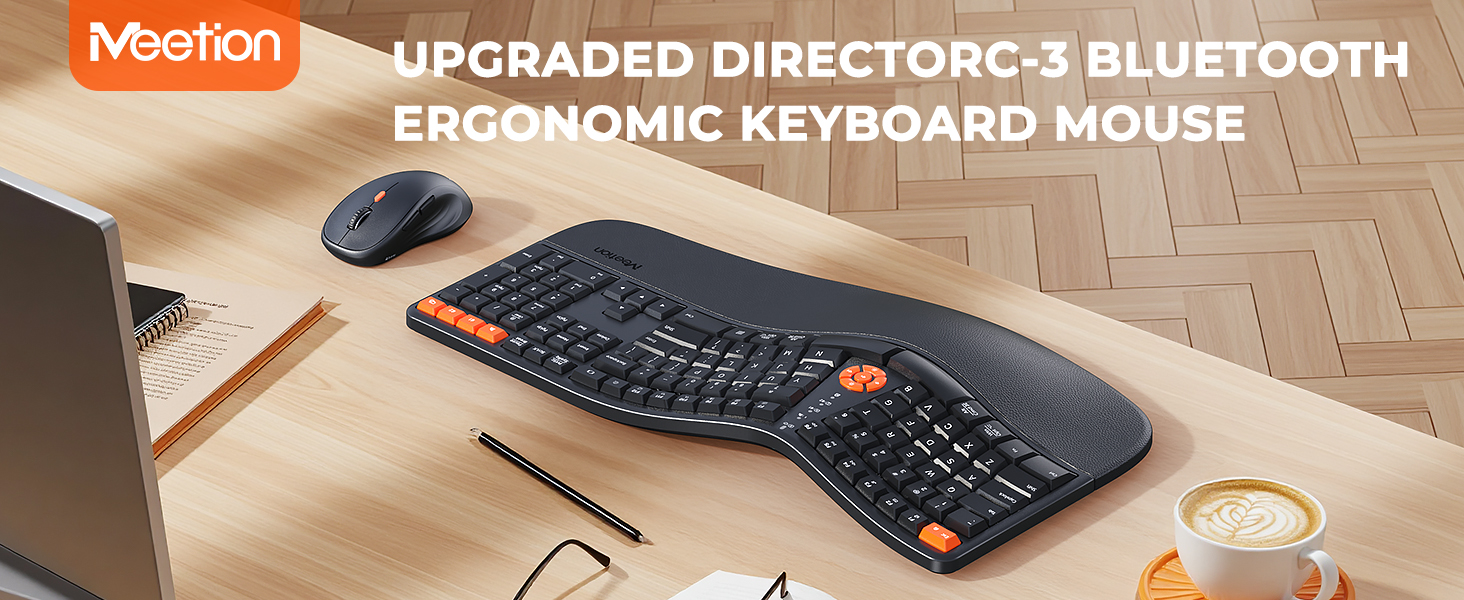
Image: The MEETION Director-C-3 ergonomic wireless keyboard and mouse combo displayed on a desk setup, highlighting its design and placement.
പാക്കേജ് ഉള്ളടക്കം
- MEETION Director-C-3 Ergonomic Wireless Keyboard
- MEETION Director-C-3 Wireless Mouse
- USB 2.4G റിസീവർ
- ഉപയോക്തൃ മാനുവൽ
Note: AAA batteries for the keyboard (2x) and AA battery for the mouse (1x) are not included and must be purchased separately.
സജ്ജീകരണ നിർദ്ദേശങ്ങൾ
1. ബാറ്ററി ഇൻസ്റ്റാളേഷൻ
The keyboard requires two AAA batteries, and the mouse requires one AA battery. Ensure correct polarity when inserting batteries.
ചിത്രം: അടിവശം view of the keyboard and mouse, illustrating the battery compartments for 2xAAA batteries in the keyboard and 1xAA battery in the mouse.
2. 2.4G വയർലെസ് കണക്ഷൻ
- Locate the USB receiver in the accessory bag.
- നിങ്ങളുടെ കമ്പ്യൂട്ടറിൽ ലഭ്യമായ USB പോർട്ടിലേക്ക് USB റിസീവർ ചേർക്കുക.
- കീബോർഡിൽ, അമർത്തുക 2.4G wireless mode button (indicated by a Wi-Fi icon) to switch to 2.4G mode. The corresponding indicator light will illuminate.
- On the mouse, ensure it is powered on and the mode is set to 2.4G (often indicated by a switch or button on the underside). The 2.4G indicator light on the mouse will light up green.
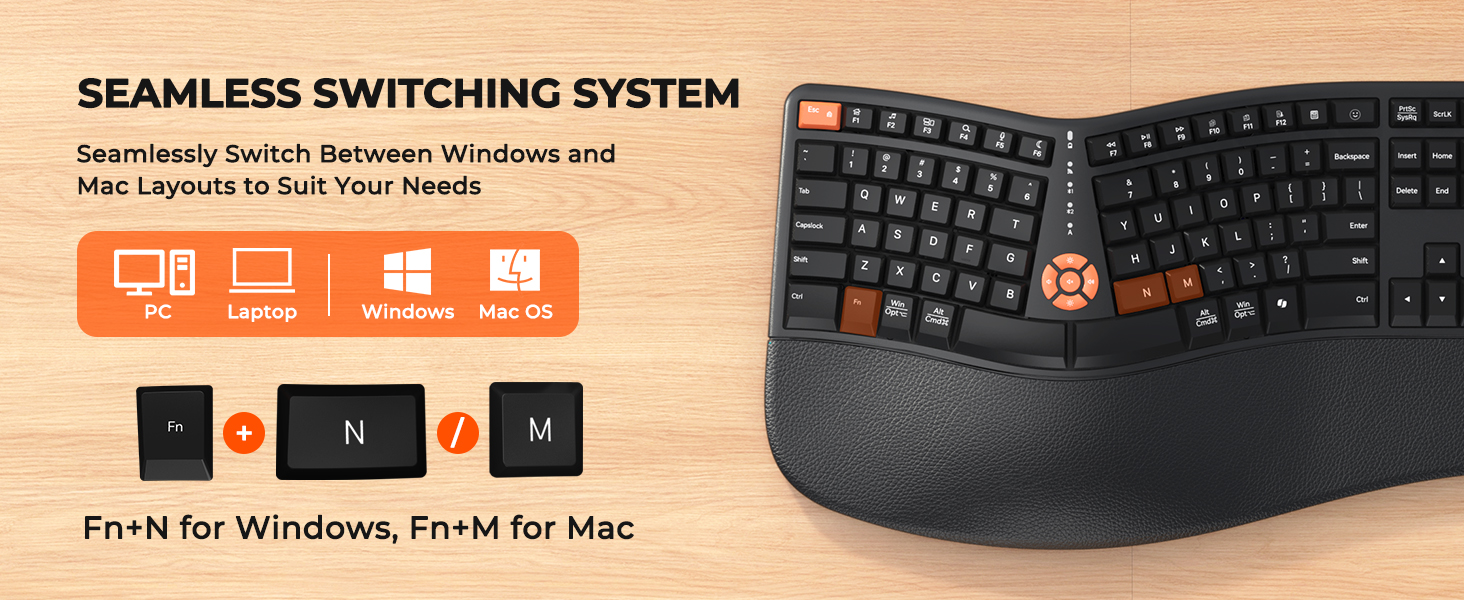
Image: Visual guide demonstrating the four steps to establish a 2.4G wireless connection for the keyboard and mouse, including inserting the USB receiver.
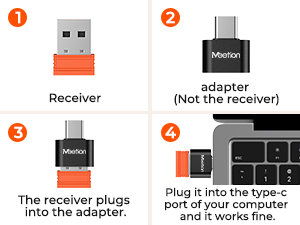
Image: A close-up showing the USB receiver and an optional USB-C adapter for compatibility with various ports.
3. ബ്ലൂടൂത്ത് കണക്ഷൻ (BT1 / BT2)
The keyboard and mouse support two independent Bluetooth channels for multi-device connectivity.
- കീബോർഡിൽ, അമർത്തുക BT1 or BT2 mode button. The corresponding Bluetooth indicator will light up blue and start blinking, indicating pairing mode.
- On your computer or tablet, open Bluetooth settings and search for devices. Find "Meetion KB BT1" or "Meetion KB BT2" and connect.
- For the mouse, press the മോഡ് സ്വിച്ചിംഗ് ബട്ടൺ (usually on the underside or top) to switch to Bluetooth 1 or Bluetooth 2 mode. The indicator will light up blue and start blinking.
- In your device's Bluetooth settings, find "Meetion MS BT1" or "Meetion MS BT2" and connect.
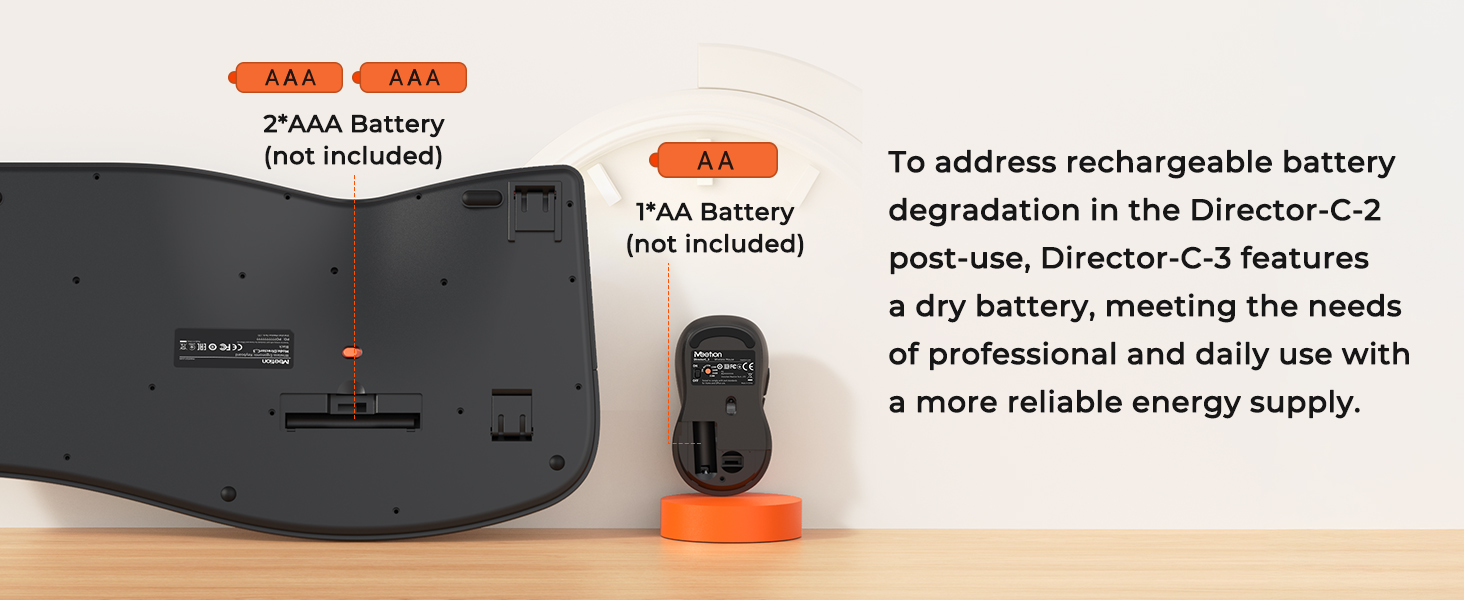
Image: A step-by-step visual guide for connecting the keyboard and mouse via Bluetooth to a laptop and a tablet.
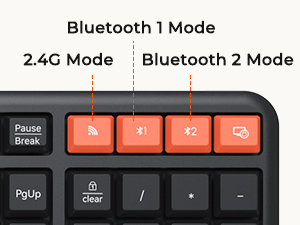
Image: Close-up of the orange mode buttons on the keyboard, indicating 2.4G, Bluetooth 1, and Bluetooth 2 connection options.
പ്രവർത്തന നിർദ്ദേശങ്ങൾ
1. എർഗണോമിക് ഡിസൈനും സുഖവും
The Director-C-3 features a classic ergonomic design with a unique curved layout and a split key arrangement, promoting a natural typing posture. The integrated cushioned palm rest provides support for your wrists, reducing strain during prolonged use.
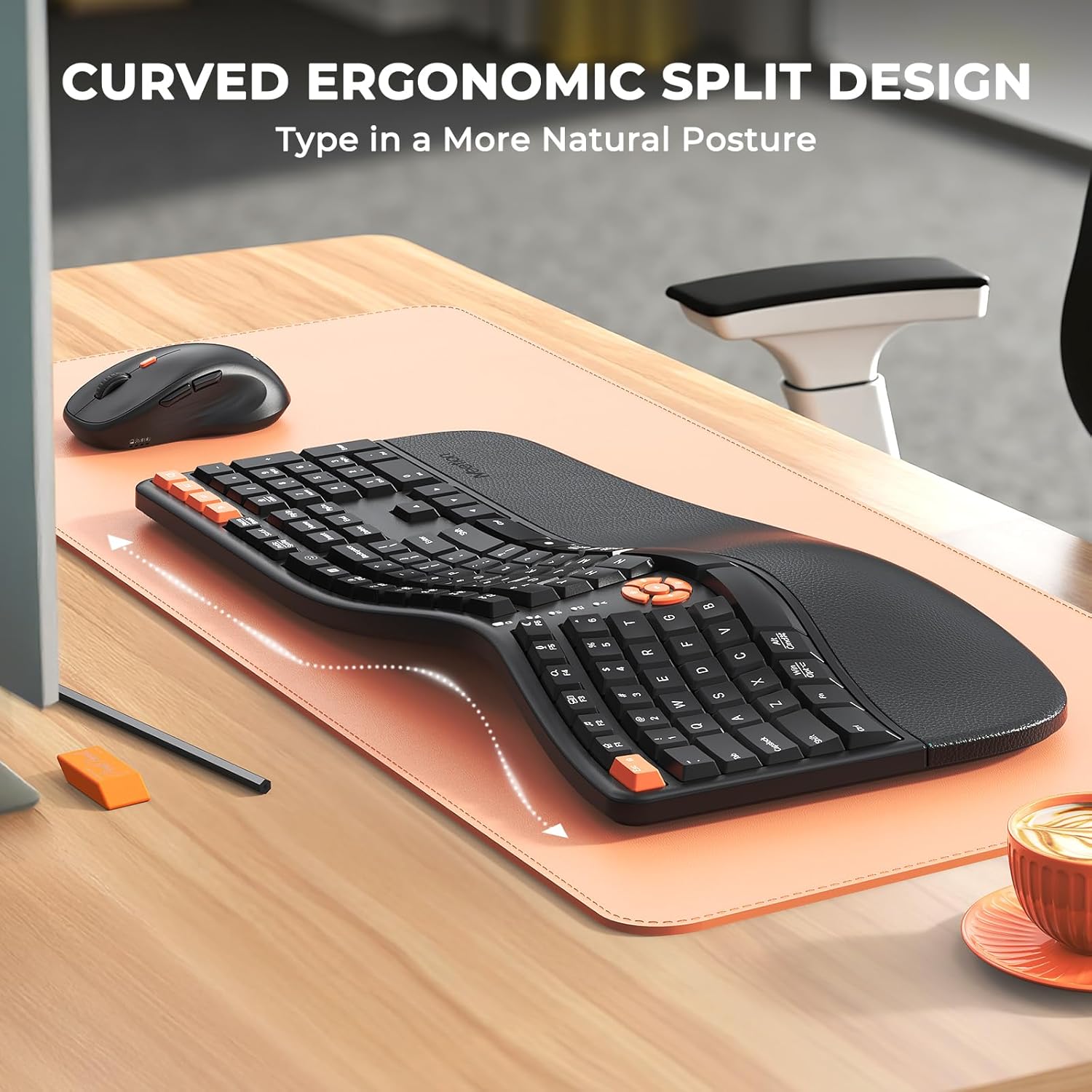
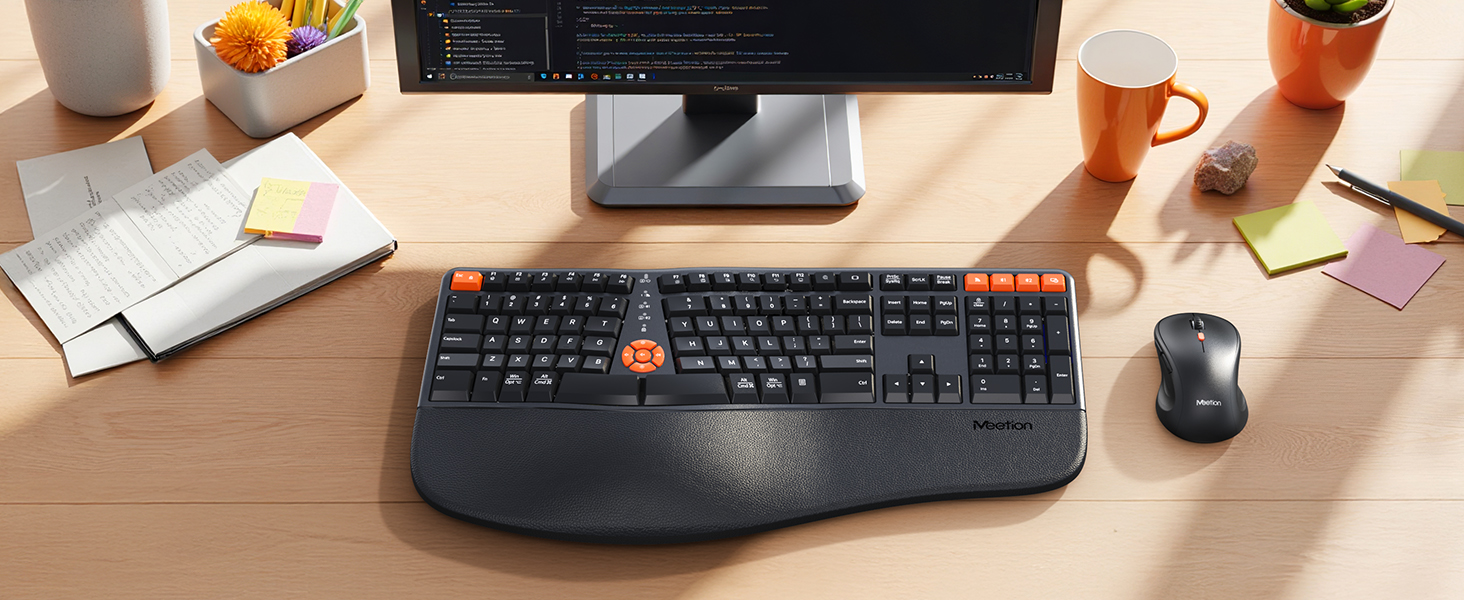
ചിത്രം: ഒരു ഓവർഹെഡ് view of the curved ergonomic split keyboard on a desk, illustrating its natural typing posture design.
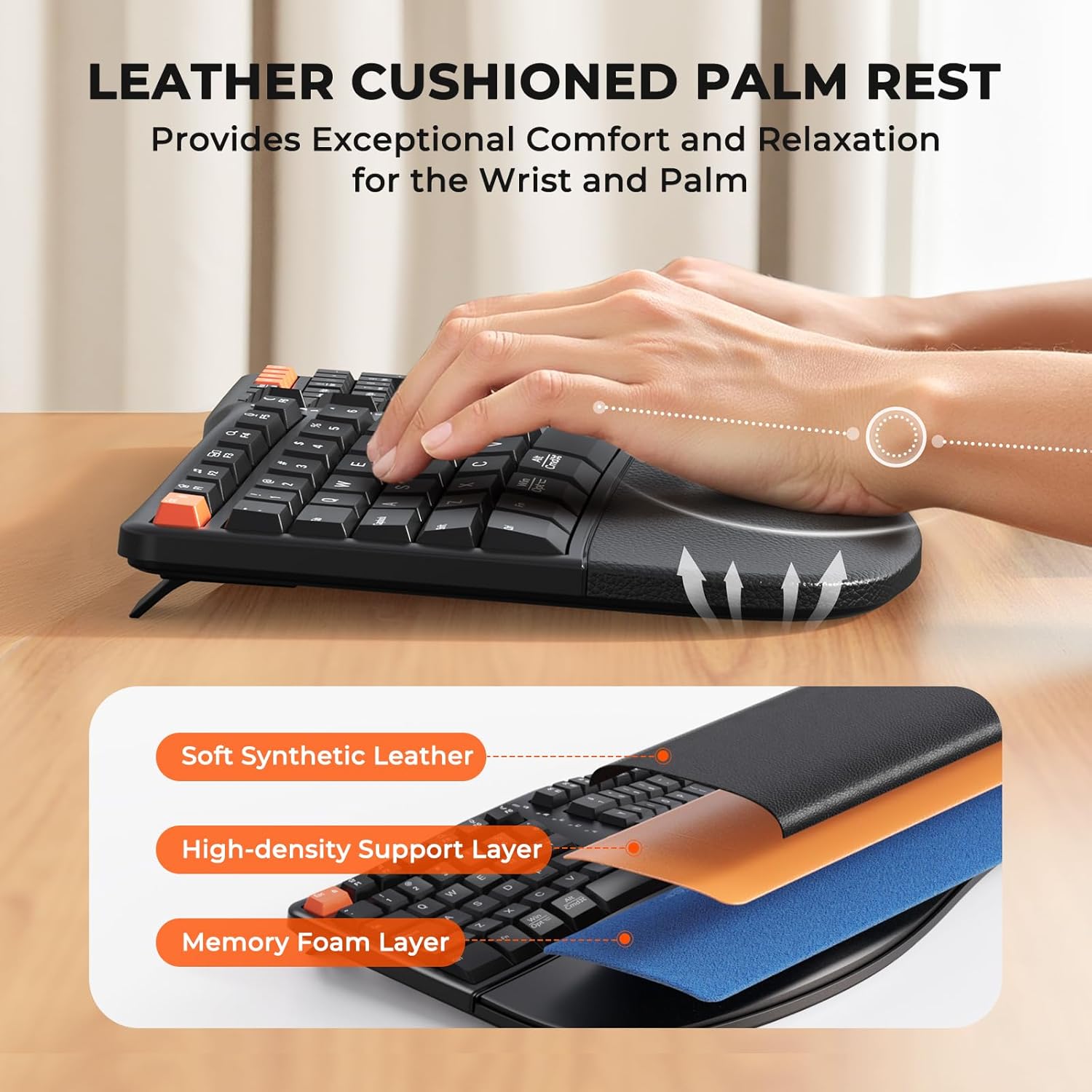
Image: A close-up showing the leather-like cushioned palm rest of the keyboard, emphasizing its soft and supportive texture.
2. Adjustable Tilt Legs
The keyboard is equipped with adjustable tilt legs on the underside, allowing you to customize the typing angle for optimal comfort and wrist alignment.

ചിത്രം: ഒരു വശം view of the keyboard demonstrating the adjustable tilt legs, showing how they can be set to different angles for user preference.
3. കീബോർഡ് സൂചകങ്ങൾ
The central lighting indicator provides visual feedback on the keyboard's status:
- Red blinking: Low battery warning.
- Green light always on: Caps Lock enabled.
- Blue light: Bluetooth connection mode (BT1 or BT2).
- Green light: 2.4G wireless connection mode.
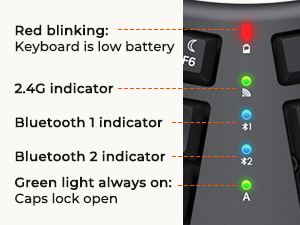
ചിത്രം: വിശദമായ ഒരു ചിത്രം view of the keyboard's central indicator lights, explaining the meaning of each light for connection status and key functions.
4. Mouse DPI Adjustment
The mouse features 4 adjustable DPI levels (1200/1600/2400/3200) to customize cursor sensitivity. Press the DPI button on the top of the mouse to cycle through the settings.

Image: The wireless mouse highlighting its 4 adjustable DPI settings (1200, 1600, 2400, 3200) for customizable precision.
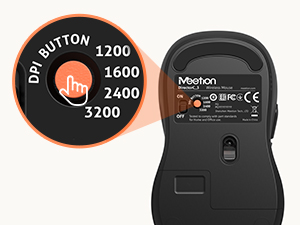
Image: A close-up of the mouse's underside, showing the DPI button and its corresponding sensitivity levels.
5. Multi-Device Switching
Both the keyboard and mouse allow seamless switching between connected devices (2.4G, Bluetooth 1, Bluetooth 2) with a single press of their respective mode buttons.

Image: A desk setup showing the keyboard and mouse connected to a laptop, monitor (via 2.4G), and tablet (via Bluetooth), illustrating multi-device functionality.
6. OS Compatibility Switching
The keyboard supports both Windows and Mac layouts. Use the following key combinations to switch between operating system modes:
- Fn + N: For Windows operating systems.
- fn+m: For Mac operating systems.
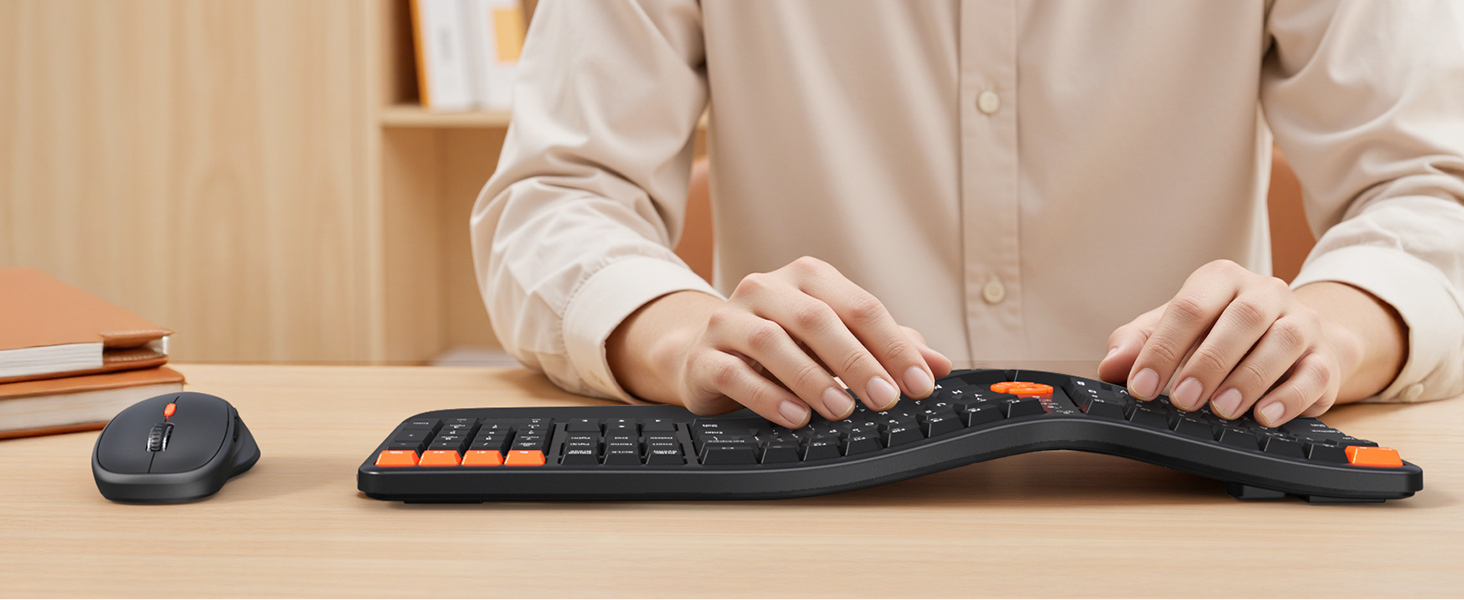
Image: The keyboard displaying the key combinations (Fn+N and Fn+M) for switching between Windows and Mac operating system layouts.
പവർ മാനേജ്മെൻ്റ്
The Director-C-3 keyboard and mouse utilize dry batteries for reliable power. To conserve battery life, the devices feature a smart power-saving mode with 20-minute auto-sleep functionality. Simply type or click any button to wake them up.
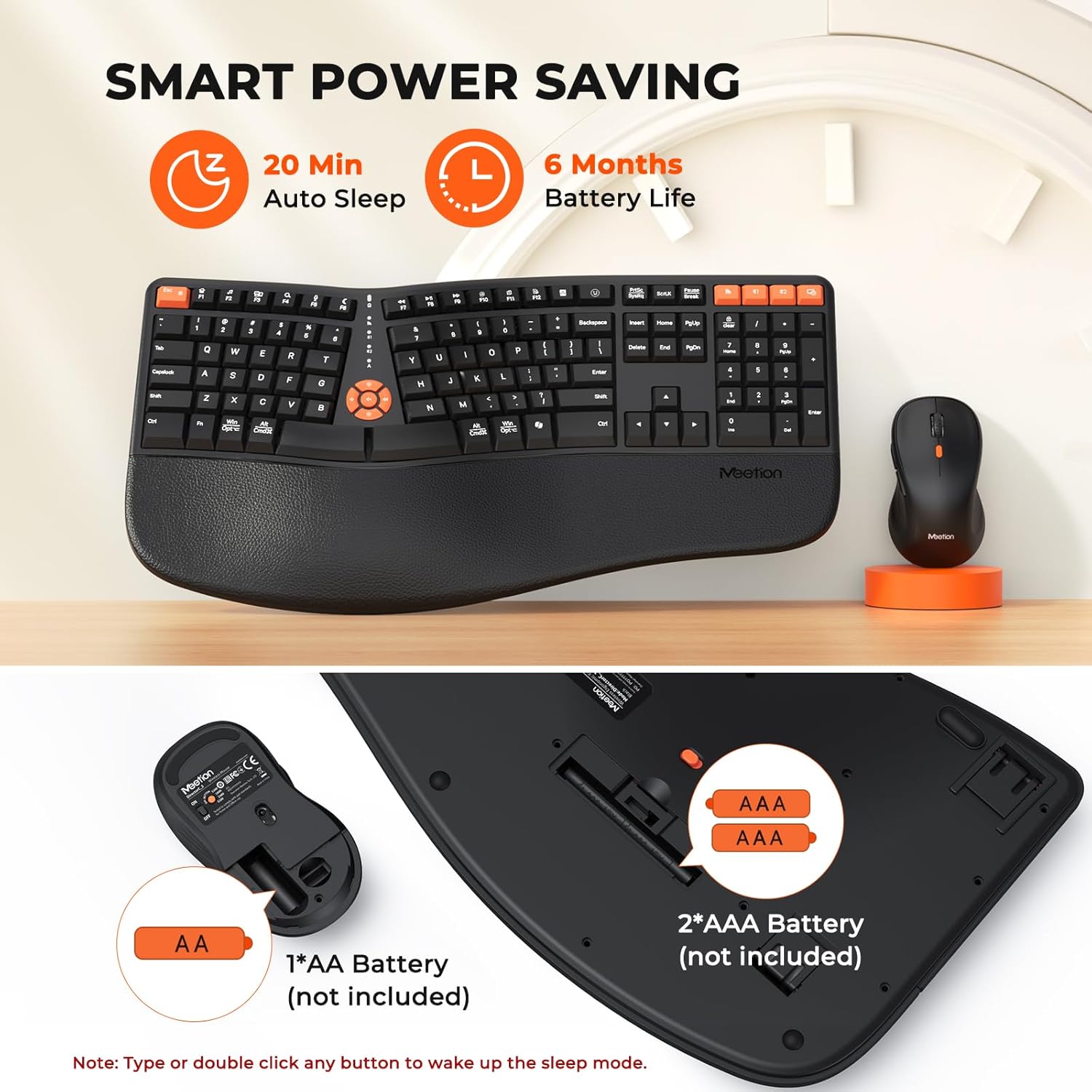
Image: An illustration highlighting the smart power-saving features, including 20-minute auto-sleep and an estimated 6-month battery life, along with battery type requirements.
അനുയോജ്യത
The MEETION Director-C-3 combo is compatible with a wide range of devices and operating systems, including:
- Windows PCs and Laptops
- Mac OS devices
- ഗുളികകൾ

Image: An image depicting the keyboard and mouse alongside various devices (PC, laptop, Windows, Mac OS icons), indicating broad compatibility.
സ്പെസിഫിക്കേഷനുകൾ
| ഫീച്ചർ | വിശദാംശങ്ങൾ |
|---|---|
| ബ്രാൻഡ് | മീറ്റിംഗ് |
| മോഡൽ നമ്പർ | Director-C-3 |
| കണക്റ്റിവിറ്റി ടെക്നോളജി | ബ്ലൂടൂത്ത്, 2.4G യുഎസ്ബി വയർലെസ് |
| കീബോർഡ് തരം | Ergonomic, Split, Full Size |
| പാം റെസ്റ്റ് | Cushioned, Integrated |
| മൗസ് DPI ലെവലുകൾ | 1200 / 1600 / 2400 / 3200 (ക്രമീകരിക്കാവുന്നത്) |
| കീബോർഡ് ബാറ്ററി | 2 x AAA ബാറ്ററികൾ (ഉൾപ്പെടുത്തിയിട്ടില്ല) |
| മൗസ് ബാറ്ററി | 1 x AA ബാറ്ററി (ഉൾപ്പെടുത്തിയിട്ടില്ല) |
| കീബോർഡ് അളവുകൾ | 19.1 x 10 x 1.8 ഇഞ്ച് |
| മൗസിൻ്റെ അളവുകൾ | 4.7 x 2.6 x 1.6 ഇഞ്ച് |
| ഇനത്തിൻ്റെ ഭാരം | 2.97 പൗണ്ട് (കോംബോ) |
| അനുയോജ്യമായ ഉപകരണങ്ങൾ | ലാപ്ടോപ്പ്, പേഴ്സണൽ കമ്പ്യൂട്ടർ, ടാബ്ലെറ്റ് |

Image: A visual representation of the keyboard and mouse with their key dimensions labeled in inches.
ട്രബിൾഷൂട്ടിംഗ്
- കണക്റ്റിവിറ്റി പ്രശ്നങ്ങൾ:
- ബാറ്ററികൾ ശരിയായി ഇൻസ്റ്റാൾ ചെയ്തിട്ടുണ്ടെന്നും മതിയായ ചാർജ് ഉണ്ടെന്നും ഉറപ്പാക്കുക.
- Verify the keyboard/mouse is in the correct mode (2.4G, BT1, or BT2) for your connection type.
- For 2.4G, ensure the USB receiver is securely plugged into a working USB port.
- For Bluetooth, ensure your device's Bluetooth is enabled and the devices are paired correctly. Try re-pairing if issues persist.
- Move the devices closer to the receiver/computer to rule out range issues (connection distance within 33 feet).
- Keyboard Not Typing / Mouse Not Moving:
- ബാറ്ററി ലെവലുകൾ പരിശോധിച്ച് ആവശ്യമെങ്കിൽ മാറ്റിസ്ഥാപിക്കുക.
- Wake the device from auto-sleep mode by pressing any key or clicking a mouse button.
- Ensure the device is powered on (check the ON/OFF switch on the underside).
- Incorrect Key Functions (Mac/Windows):
- അമർത്തുക Fn + N for Windows layout or fn+m for Mac layout.
- മൗസ് സെൻസിറ്റിവിറ്റി:
- Adjust the DPI setting using the DPI button on the mouse to find your preferred sensitivity.
വാറൻ്റിയും പിന്തുണയും
MEETION products are designed for reliability and performance. For warranty information, technical support, or any inquiries regarding your Director-C-3 Ergonomic Wireless Keyboard and Mouse Combo, please refer to the official MEETION webസൈറ്റിൽ ബന്ധപ്പെടുക അല്ലെങ്കിൽ അവരുടെ ഉപഭോക്തൃ സേവനവുമായി നേരിട്ട് ബന്ധപ്പെടുക. വാറന്റി ക്ലെയിമുകൾക്കായി നിങ്ങളുടെ വാങ്ങൽ രസീത് സൂക്ഷിക്കുക.
നിങ്ങൾക്ക് സന്ദർശിക്കാം MEETION Store on Amazon കൂടുതൽ വിവരങ്ങൾക്ക്.


