1. ഓവർview
The BSTUOKEY TF108 is a state-of-the-art WiFi Fingerprint Access Control System designed for secure and convenient entry management. This integrated stand-alone unit features a robust ABS shell, an IP66 waterproof rating, and supports multiple access methods, making it suitable for various indoor and outdoor applications.
പ്രധാന സവിശേഷതകൾ:
- ഒന്നിലധികം ആക്സസ് രീതികൾ: Fingerprint, RFID card (125Khz EM & 13.56Mhz MF), User PIN, Tuya App, and temporary passwords.
- ഉയർന്ന ഉപയോക്തൃ ശേഷി: Supports up to 100 fingerprints and 1000 card users.
- തുയ ആപ്പ് സംയോജനം: Remote management, user addition/deletion, unlocking records, temporary password generation, and sharing management permissions.
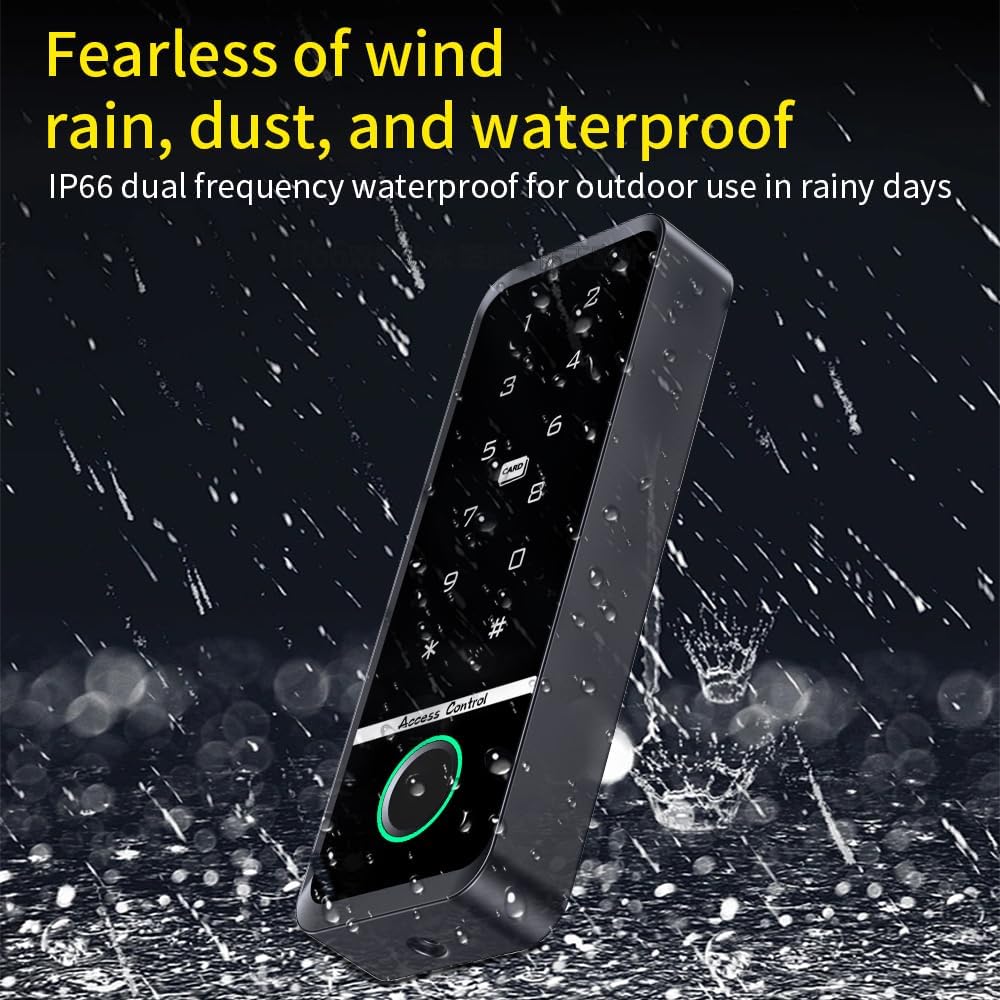
- ഡ്യൂറബിൾ & വാട്ടർപ്രൂഫ്: IP66 rated for outdoor use, resistant to rain, dust, and wind.
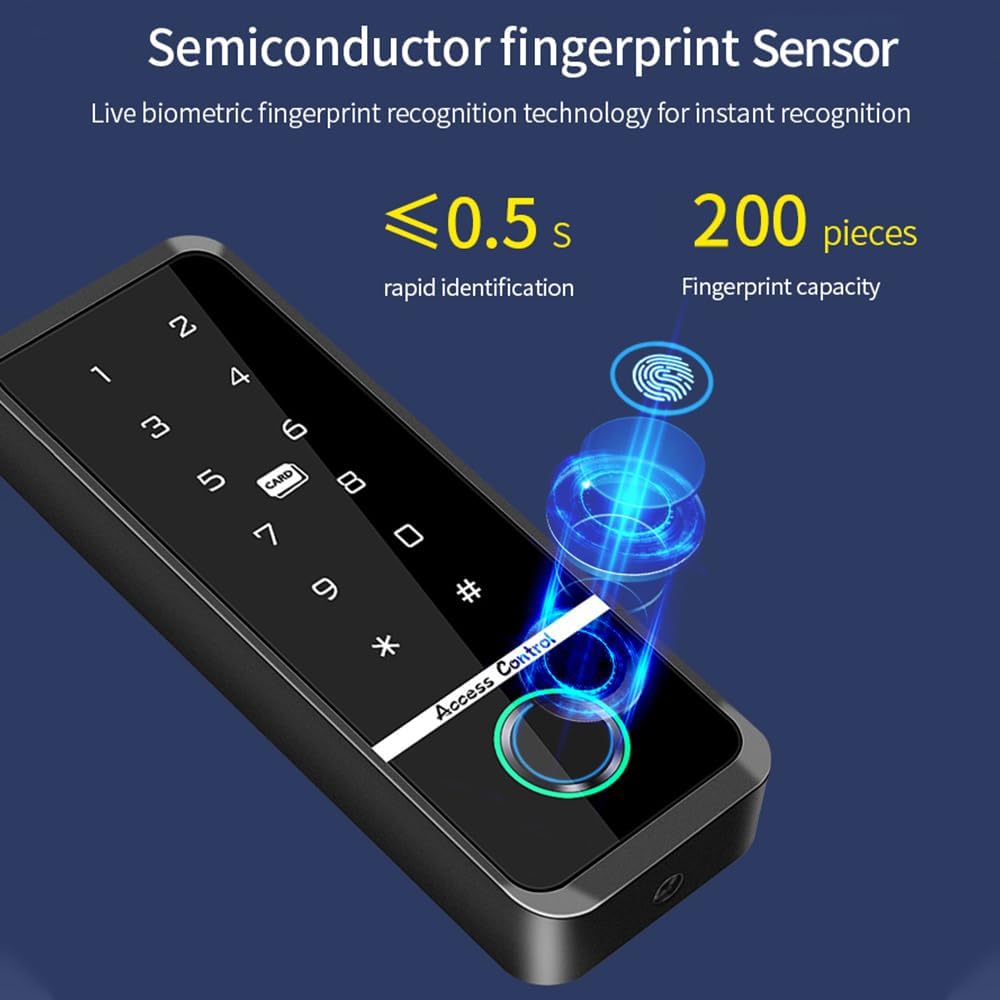
- ബയോമെട്രിക് ഫിംഗർപ്രിന്റ് സെൻസർ: Live biometric recognition for rapid identification (less than 0.5 seconds).
- Backlit Touch Keypad: Ensures visibility and ease of use in low-light conditions.
- Wiegand Card Reader Functionality: Can be configured as a professional Wiegand card reader.


2. ഉൽപ്പന്ന ഘടകങ്ങൾ
The standard package for the BSTUOKEY TF108 Access Control System includes the following items:
- 1 x Door Access Control Keypad (TF108 unit)
- 1 x ഇൻസ്റ്റലേഷൻ മാനുവൽ
- 10 x IC 13.56Mhz Mixed Key Fobs
- മൗണ്ടിംഗ് ഹാർഡ്വെയർ (സ്ക്രൂകളും മതിൽ ആങ്കറുകളും)


3 സ്പെസിഫിക്കേഷനുകൾ
| ഫീച്ചർ | വിശദാംശങ്ങൾ |
|---|---|
| മോഡൽ നമ്പർ | TF108 |
| ബ്രാൻഡ് | BSTUOKEY |
| നിറം | കറുപ്പ് |
| പവർ ഉറവിടം | കോർഡഡ് ഇലക്ട്രിക് |
| വാല്യംtage | 12 വോൾട്ട് |
| വാട്ട്tage | 36 വാട്ട്സ് |
| കണക്റ്റിവിറ്റി ടെക്നോളജി | Wired (with WiFi for App control) |
| ഇൻസ്റ്റലേഷൻ തരം | വയർ കണക്ഷൻ |
| അനുയോജ്യമായ ഉപകരണങ്ങൾ | Glass door, Iron door, Wooden door |
| ഇനത്തിന്റെ അളവുകൾ (L x W x H) | 5.12 x 1.85 x 0.67 ഇഞ്ച് (130 x 46 x 16 മിമി) |
| ഇനത്തിൻ്റെ ഭാരം | 0.26 പൗണ്ട് (4.2 ഔൺസ്) |
| വാട്ടർപ്രൂഫ് റേറ്റിംഗ് | IP66 |
| വിരലടയാള ശേഷി | 100 |
| Card User Capacity | 1000 |
| RFID ഫ്രീക്വൻസി | 125Khz EM + 13.56Mhz MF (Dual Frequency) |
| നിയന്ത്രണ രീതി | App, Fingerprint, Card, PIN |

4. സജ്ജീകരണവും ഇൻസ്റ്റാളേഷനും
Proper installation is crucial for the optimal performance and security of your access control system. It is recommended that installation be performed by individuals with basic electrical knowledge.
4.1 വയറിംഗ് ഡയഗ്രം
Refer to the following diagram for connecting the TF108 unit to your power supply and other access control components (e.g., electric lock, exit button, doorbell).

4.2 System Integration Diagram
This diagram illustrates how the TF108 integrates into a complete access control system, including a power supply, electric lock, doorbell, and exit button.

4.3 ഫിസിക്കൽ ഇൻസ്റ്റലേഷൻ
- മൗണ്ടിംഗ് ഉപരിതലം തയ്യാറാക്കുക: Choose a suitable location on the door frame or wall, ensuring it is flat and stable.
- തുളകൾ: Use the provided template (if available in the physical manual) to mark and drill holes for mounting screws and wiring.
- വയറിംഗ് ബന്ധിപ്പിക്കുക: Follow the wiring diagram (Image 4.1) carefully to connect the TF108 to the power supply, electric lock, and any other peripherals. Ensure all connections are secure and insulated.
- യൂണിറ്റ് മൌണ്ട് ചെയ്യുക: Secure the TF108 unit to the prepared surface using the provided screws.
- പവർ ഓൺ: Once all connections are verified, apply power to the system.
5. പ്രവർത്തന നിർദ്ദേശങ്ങൾ
The TF108 offers multiple methods for unlocking and user management. Detailed instructions for programming and daily use are provided in the included physical manual.
5.1 Tuya App Remote Management
The Tuya App provides comprehensive remote control and management capabilities for your access control system.
- അപ്ലിക്കേഷൻ ഡൗൺലോഡുചെയ്യുക: ഇതിനായി തിരയുക "Tuya Smart" in your mobile app store and install it.
- ഉപകരണ ജോടിയാക്കൽ: Follow the in-app instructions to pair your TF108 device with your smartphone.
- ഉപയോക്തൃ മാനേജ്മെന്റ്: Add, modify, or delete user fingerprints, cards, and PINs directly from the app.
- റിമോട്ട് അൺലോക്കിംഗ്: Unlock the door remotely via the app.
- താൽക്കാലിക പാസ്വേഡുകൾ: Generate time-limited or single-use passwords for visitors.
- ആക്സസ് റെക്കോർഡുകൾ: View a log of all unlocking events and access attempts.
- യാന്ത്രിക ലോക്കിംഗ്: Configure automatic locking functions.

5.2 അൺലോക്ക് രീതികൾ
The TF108 supports various methods for unlocking the door:
- ഫിംഗർപ്രിന്റ് അൺലോക്കിംഗ്: Place a registered finger on the fingerprint recognition area. The system will verify and unlock the door.
- Card Unlocking: Present a registered RFID card or key fob to the card swiping area.
- PIN Unlocking: Enter a registered user PIN on the keypad, followed by the '#' key.
- App Unlocking: Use the Tuya App on your smartphone to remotely unlock the door.
- Combination Unlocking: The system may support combinations like Card + PIN for enhanced security.

5.3 Fingerprint Enrollment and Recognition
The TF108 utilizes a semiconductor fingerprint sensor for quick and accurate recognition.
- എൻറോൾമെൻ്റ്: Follow the instructions in the physical manual or Tuya App to enroll new fingerprints. Typically, this involves placing the finger on the sensor multiple times from different angles.
- അംഗീകാരം: For unlocking, place a registered finger firmly and completely on the sensor. The system will identify the fingerprint in approximately 0.5 seconds.
6. പരിപാലനം
To ensure the longevity and reliable operation of your BSTUOKEY TF108 access control system, follow these maintenance guidelines:
- വൃത്തിയാക്കൽ: Regularly wipe the keypad and fingerprint sensor with a soft, dry, or slightly damp cloth. Avoid using abrasive cleaners, solvents, or harsh chemicals, as these can damage the surface or internal components.
- പരിസ്ഥിതി സംരക്ഷണം: Although the device is IP66 waterproof, avoid prolonged exposure to extreme weather conditions or direct high-pressure water jets.
- ഫേംവെയർ അപ്ഡേറ്റുകൾ: Periodically check the Tuya App for any available firmware updates for the device. Keeping the firmware updated ensures optimal performance and security.
- കേബിൾ പരിശോധന: Occasionally inspect the wiring connections for any signs of wear, corrosion, or loose connections. Ensure all cables are properly secured and protected.
- ബാറ്ററി (ബാധകമെങ്കിൽ): This model does not use batteries. It is powered by a corded electric connection.
7. പ്രശ്നപരിഹാരം
If you encounter issues with your TF108 access control system, refer to the following common problems and solutions:
| പ്രശ്നം | സാധ്യമായ കാരണം | പരിഹാരം |
|---|---|---|
| ഉപകരണം പവർ ഓണാക്കുന്നില്ല. | വൈദ്യുതി ഇല്ല; വയറിംഗ് അയഞ്ഞിരിക്കുന്നു. | Check power connection and ensure wiring is secure according to the diagram. Verify power source is active. |
| വിരലടയാളം തിരിച്ചറിഞ്ഞില്ല. | Finger not placed correctly; unregistered fingerprint; dirty sensor. | Ensure finger covers the entire sensor. Try different angles. Re-enroll fingerprint if necessary. Clean the sensor surface. |
| RFID കാർഡ് പ്രവർത്തിക്കുന്നില്ല. | Unregistered card; incorrect card type; card damage. | Ensure the card is registered. Verify it's a compatible 125Khz EM or 13.56Mhz MF card. Try another card. |
| PIN code not unlocking. | Incorrect PIN; PIN not registered; '#' key not pressed. | Double-check the PIN. Ensure the PIN is registered. Always press '#' after entering the PIN. |
| Tuya App cannot connect to device. | WiFi signal issue; incorrect pairing; device offline. | Ensure strong 2.4GHz WiFi signal. Re-attempt pairing process. Check device status and power. |
| Door does not unlock after successful authentication. | Lock mechanism issue; wiring to lock is faulty; door obstruction. | Check the electric lock for proper function. Inspect wiring between the TF108 and the lock. Ensure no physical obstruction prevents the door from opening. |
For issues not listed here or if troubleshooting steps do not resolve the problem, please contact technical support.
8. വാറൻ്റിയും പിന്തുണയും
BSTUOKEY products are designed for reliability and performance. For specific warranty details, please refer to the warranty card included with your product or contact BSTUOKEY customer service.
8.1 സാങ്കേതിക പിന്തുണ
If you require technical assistance, have questions about installation, operation, or troubleshooting, please reach out to our support team. Contact information can typically be found in the product packaging, on the BSTUOKEY official webസൈറ്റ്, അല്ലെങ്കിൽ നിങ്ങളുടെ വാങ്ങൽ പോയിന്റ് വഴി.
Our technical team is available to provide guidance and support to ensure you get the most out of your access control system.

