1. ആമുഖം
Thank you for choosing the Eonon UX7 Car Stereo. This manual provides detailed instructions for the installation, setup, and operation of your new car stereo. Please read this manual thoroughly before using the product to ensure proper functionality and safety.
The Eonon UX7 is a 7-inch double DIN car stereo featuring the latest Android 14 system, a QLED touchscreen, and advanced connectivity options like Wireless CarPlay and Android Auto. It is designed to enhance your in-car entertainment and navigation experience.
2. ഉൽപ്പന്നം കഴിഞ്ഞുview ഫീച്ചറുകളും
2.1 പ്രധാന സവിശേഷതകൾ
- ആൻഡ്രോയിഡ് 14 സിസ്റ്റം: Built-in with the latest Android 14 system for superior performance and energy efficiency.
- 7-inch QLED Touchscreen: 1024*600 HD resolution QLED display providing vivid colors and wide viewകോണുകൾ.
- വയർലെസ് കാർപ്ലേയും ആൻഡ്രോയിഡ് ഓട്ടോയും: നാവിഗേഷൻ, സംഗീതം, കോളുകൾ, സന്ദേശങ്ങൾ എന്നിവയ്ക്കായി നിങ്ങളുടെ സ്മാർട്ട്ഫോണുമായി സുഗമമായ സംയോജനം.
- Fast Type-C PD/QC Charging: Equipped with a high-speed Type-C port for efficient device charging.
- Digital Sound Processor (DSP): Built-in DSP with 48-band graphic equalizer and six preset EQ modes for optimized audio experience.
- സ്റ്റിയറിംഗ് വീൽ നിയന്ത്രണം: Supports analog SWC signal for convenient control.
- ബ്ലൂടൂത്ത് 5.4: For hands-free calls, contact synchronization, and high-quality music streaming.
- OTA അപ്ഡേറ്റുകൾ: Over-the-air firmware updates to fix software issues and enhance security.
- സ്ക്രീൻ മിററിംഗ്: Mirror apps from your phone onto the car stereo display.
2.2 ഉൽപ്പന്ന ഘടകങ്ങൾ

ചിത്രം 2.2.1: മുൻഭാഗം view of the Eonon UX7 Car Stereo, showing the 7-inch QLED touchscreen display with various app icons, volume knob, and USB/AUX ports.

Figure 2.2.2: Diagram illustrating the internal components of the Eonon X7 series, including the ST 4x45W Amp, Wi-Fi 6 & Bluetooth 5.4 Module, Silicon Labs Si4755 Tuner, Samsung & Micron Memory, and Rockchip processor on a 4-layer automotive PCB.

Figure 2.2.3: Image highlighting the DSP features of the Eonon UX7, including professional 32-bit DSP with FFT Acceleration, 48-Band EQ with 3D Surround & Virtual Bass, and optimization for car acoustics.
3. ഇൻസ്റ്റാളേഷൻ ഗൈഡ്
The Eonon UX7 is a double DIN car stereo. Ensure your vehicle's dashboard opening is compatible with the specified dimensions. If not, additional accessories may be required.
3.1 Applicable Models and Dimensions
The UX7 features a 7-inch adjustable panel that supports vertical movement and angle adjustments. It is designed for double DIN car stereo installations.
- Compatible Mounting Size: Width from 170-178 mm (6.69-7.01 inches), height from 96-100 mm (3.78-3.94 inches).
- ISO Power Cord: If your original car radio has an ISO power cord, direct installation is possible.
- Single DIN Incompatibility: This unit will not fit if your factory car radio is single DIN.

Figure 3.1.1: Diagram showing the compatible dimensions for the Eonon UX7 installation (170-178mm width, 96-100mm height) and illustrating that it is a double DIN unit, not suitable for single DIN openings.
If your car's center console dimensions do not match the specified range, an extra installation kit (not included) will be required. You may need to search for "Car make & model & year + ISO harness" or "Car make & model & year + 2 din kit" online to find suitable accessories.

Figure 3.1.2: Visual guide demonstrating when an installation kit is needed for the Eonon UX7, showing examples of compatible and incompatible dashboard sizes and the importance of an ISO harness.
3.2 വയറിംഗ് ഡയഗ്രം
ശരിയായ വയറിംഗ് കണക്ഷനുകൾക്ക് ഇനിപ്പറയുന്ന ഡയഗ്രം കാണുക. യൂണിറ്റ് ഓൺ ചെയ്യുന്നതിന് മുമ്പ് എല്ലാ കണക്ഷനുകളും സുരക്ഷിതമാണെന്ന് ഉറപ്പാക്കുക.

Figure 3.2.1: Detailed wiring diagram for the Eonon UX7, labeling various ports such as ISO Port, Illumination Wire, SWC Wires, Reverse Trigger Wire, GND Wire, AMP, Audio Outputs, AUX Audio Inputs, External Microphone, Video Input, Front Camera Input, Subwoofer Output, Center Audio Out, USB Ports, Backup Camera Input, Brake Shift Control, GPS Antenna, ANT, WiFi Antenna, and Bluetooth Antenna.
| ഇല്ല. | കണക്ഷൻ | ഇല്ല. | കണക്ഷൻ |
|---|---|---|---|
| 1. | ISO പോർട്ട് | 16. | Center Audio Out |
| 2. | ഇല്യൂമിനേഷൻ വയർ | 17. | ഓഡിയോ ഔട്ട്പുട്ട് RL |
| 3. | SWC വയർ 1 | 18. | ഓഡിയോ ഔട്ട്പുട്ട് RR |
| 4. | റിവേഴ്സ് ട്രിഗർ വയർ | 19. | RX/TX ഇൻപുട്ട് |
| 5. | SWC വയർ 2 | 20. | കാർപ്ലേയ്ക്കുള്ള യുഎസ്ബി പോർട്ട് |
| 6. | ജിഎൻഡി വയർ | 21. | USB പോർട്ട് |
| 7. | AMP | 22. | USB പോർട്ട് |
| 8. | ഓഡിയോ ഔട്ട്പുട്ട് FR | 23. | ജിഎൻഡി വയർ |
| 9. | ഓഡിയോ ഔട്ട്പുട്ട് FL | 24. | ക്യാമറ ഇൻപുട്ട് ബാക്കപ്പ് ചെയ്യുക |
| 10. | AUX ഓഡിയോ ഇൻ ആർ | 25. | ബ്രേക്ക് ഷിഫ്റ്റ് നിയന്ത്രണം |
| 11. | എൽ ലെ ഓക്സ് ഓഡിയോ | 26. | ജിപിഎസ് ആൻ്റിന |
| 12. | ബാഹ്യ മൈക്രോഫോൺ | 27. | എ.എൻ.ടി |
| 13. | വീഡിയോ ഇൻപുട്ട് | 28. | വൈഫൈ ആൻ്റിന |
| 14. | ഫ്രണ്ട് ക്യാമറ ഇൻപുട്ട് | 29. | ബ്ലൂടൂത്ത് ആൻ്റിന |
| 15. | സബ് വൂഫർ ഔട്ട്പുട്ട് |
4. പ്രാരംഭ സജ്ജീകരണവും കണക്റ്റിവിറ്റിയും
4.1 User-Focused Panel Design
The UX7 features an intuitive panel design for ease of use.
- വോളിയം നോബ്: Easily and intuitively adjust the volume.
- USB പോർട്ടുകൾ: Charge your phone or transfer music and movies.
- AUX ഇൻപുട്ട്: ബാഹ്യ ഓഡിയോ ഉപകരണങ്ങൾ ബന്ധിപ്പിക്കുക.
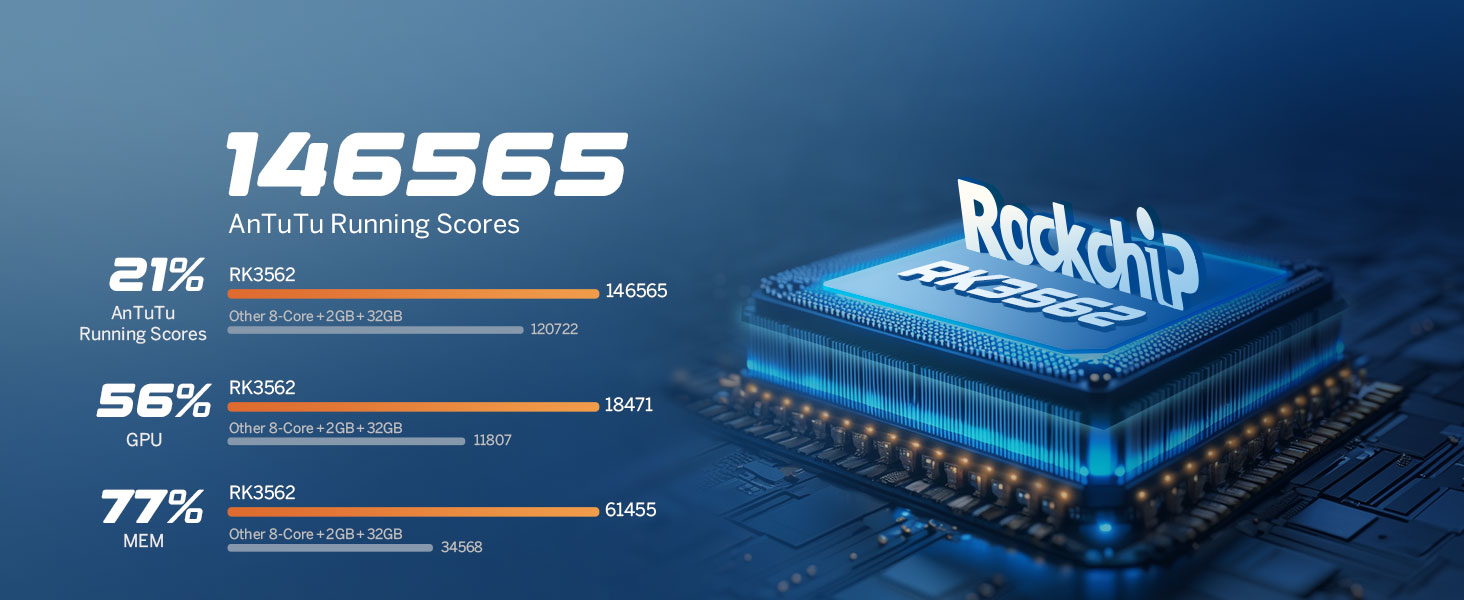
Figure 4.1.1: Illustration of the Eonon UX7's user-focused panel design, highlighting the volume knob, USB ports, and AUX input for easy access and control.
4.2 വയർലെസ് കാർപ്ലേ കണക്ഷൻ
- ക്ലിക്ക് ചെയ്യുക Zlink5 app on the car stereo.
- ഓണാക്കുക വൈഫൈ ഒപ്പം ബ്ലൂടൂത്ത് നിങ്ങളുടെ iPhone-ൻ്റെ.
- നിങ്ങളുടെ ഫോണിന്റെ ബ്ലൂടൂത്ത് ഉപകരണ ലിസ്റ്റിൽ 'EONON' കണ്ടെത്തി അത് ജോടിയാക്കുക.
- Once connected, tap 'Use CarPlay' and wait a few seconds to complete the connection.

Figure 4.2.1: Step-by-step guide for connecting Wireless Apple CarPlay to the Eonon UX7, showing the Zlink5 app, iPhone WiFi/Bluetooth settings, Bluetooth pairing, and the final CarPlay interface.
4.3 വയർലെസ് ആൻഡ്രോയിഡ് ഓട്ടോ കണക്ഷൻ
- ക്ലിക്ക് ചെയ്യുക Zlink5 app on the car stereo.
- ഓണാക്കുക വൈഫൈ ഒപ്പം ബ്ലൂടൂത്ത് of your Android phone.
- നിങ്ങളുടെ ഫോണിന്റെ ബ്ലൂടൂത്ത് ഉപകരണ ലിസ്റ്റിൽ 'EONON' കണ്ടെത്തി അത് ജോടിയാക്കുക.
- കണക്ഷൻ പൂർത്തിയാക്കാൻ കുറച്ച് നിമിഷങ്ങൾ കാത്തിരിക്കുക.

Figure 4.3.1: Step-by-step guide for connecting Wireless Android Auto to the Eonon UX7, showing the Zlink5 app, Android phone WiFi/Bluetooth settings, Bluetooth pairing, and the final Android Auto interface.
4.4 സ്ക്രീൻ മിററിംഗ്
The UX7 supports screen mirroring for both iOS and Android devices.
4.4.1 iOS-നുള്ള സ്ക്രീൻ മിററിംഗ്
- ക്ലിക്ക് ചെയ്യുക Zlink5 app on the car stereo. Set the car stereo to iPhone wireless screen mirroring mode.
- ഐഫോൺ ഹോട്ട്സ്പോട്ട് ഓണാക്കി കാർ സ്റ്റീരിയോയുമായി ബന്ധിപ്പിക്കുക.
- ഐഫോൺ സ്ക്രീൻ മിററിംഗ് ഫംഗ്ഷൻ ഓണാക്കി "zj-airplay" തിരഞ്ഞെടുക്കുക.

Figure 4.4.1: Instructions for setting up screen mirroring from an iOS device to the Eonon UX7, detailing the Zlink5 app, iPhone hotspot connection, and AirPlay selection.
ആൻഡ്രോയിഡിനുള്ള 4.4.2 സ്ക്രീൻ മിററിംഗ്
- ക്ലിക്ക് ചെയ്യുക Zlink5 app on the car stereo. Set the car stereo to Android wireless screen mirroring mode.
- നിങ്ങളുടെ ഫോണിന്റെ ബ്ലൂടൂത്ത് ഉപകരണ ലിസ്റ്റിൽ 'EONON' കണ്ടെത്തി അത് ജോടിയാക്കുക.
- ഫോണിന്റെ ഹോട്ട്സ്പോട്ട് ഓണാക്കി കാർ സ്റ്റീരിയോയുമായി ബന്ധിപ്പിക്കുക.
- നിങ്ങളുടെ ഫോണിൽ Zplus ആപ്പ് ഇൻസ്റ്റാൾ ചെയ്യുക. ആപ്പ് ഓണാക്കി "വയർലെസ് കണക്ഷൻ" തിരഞ്ഞെടുക്കുക.

Figure 4.4.2: Instructions for setting up screen mirroring from an Android device to the Eonon UX7, detailing the Zlink5 app, Bluetooth pairing, Android hotspot connection, and Zplus app usage.
4.5 ബ്ലൂടൂത്ത് കണക്റ്റിവിറ്റി
The upgraded built-in Bluetooth system supports hands-free calls, contact synchronization, and music playback.
- Equipped with an external microphone for clear call quality.
- Features an independent Bluetooth module and extra Bluetooth antenna for quick and stable connection with noise reduction.

Figure 4.5.1: Image illustrating the independent Bluetooth module and extra Bluetooth antenna of the Eonon UX7, emphasizing quick and stable connection, noise reduction, crystal-clear call quality, and high-quality Bluetooth music.
5. ഓപ്പറേഷൻ
5.1 Audio Settings and DSP
The built-in DSP and 4*45W max output power provide a rich sound experience. Utilize the 48-band graphic equalizer and six preset EQ modes to customize your audio.
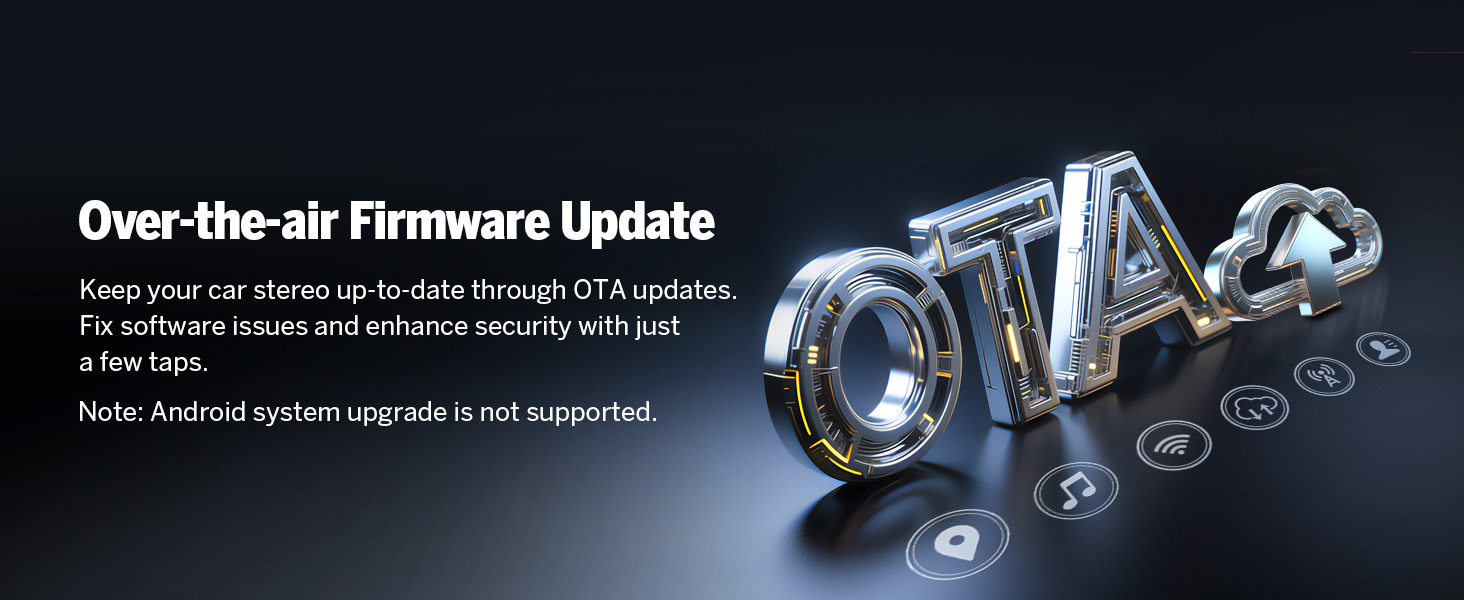
Figure 5.1.1: Screenshot of the Eonon UX7's audio equalizer interface, showing the 36-band graphic equalizer and various EQ modes for sound customization.
5.2 സ്റ്റിയറിംഗ് വീൽ നിയന്ത്രണങ്ങൾ
The unit supports analog Steering Wheel Control (SWC) signals, allowing you to control various functions directly from your steering wheel.

Figure 5.2.1: Image demonstrating the steering wheel control learning interface on the Eonon UX7, allowing users to map functions to their vehicle's steering wheel buttons.
5.3 Display and UI Themes
The 7-inch QLED touch screen offers 1024*600 HD resolution with true-to-life colors. The UX7 Car Radio comes with 3 built-in UI themes that you can choose from.
New 3 Brightness Modes (Light, Dark, and Auto) provide a safer and more comfortable driving experience, especially at night.
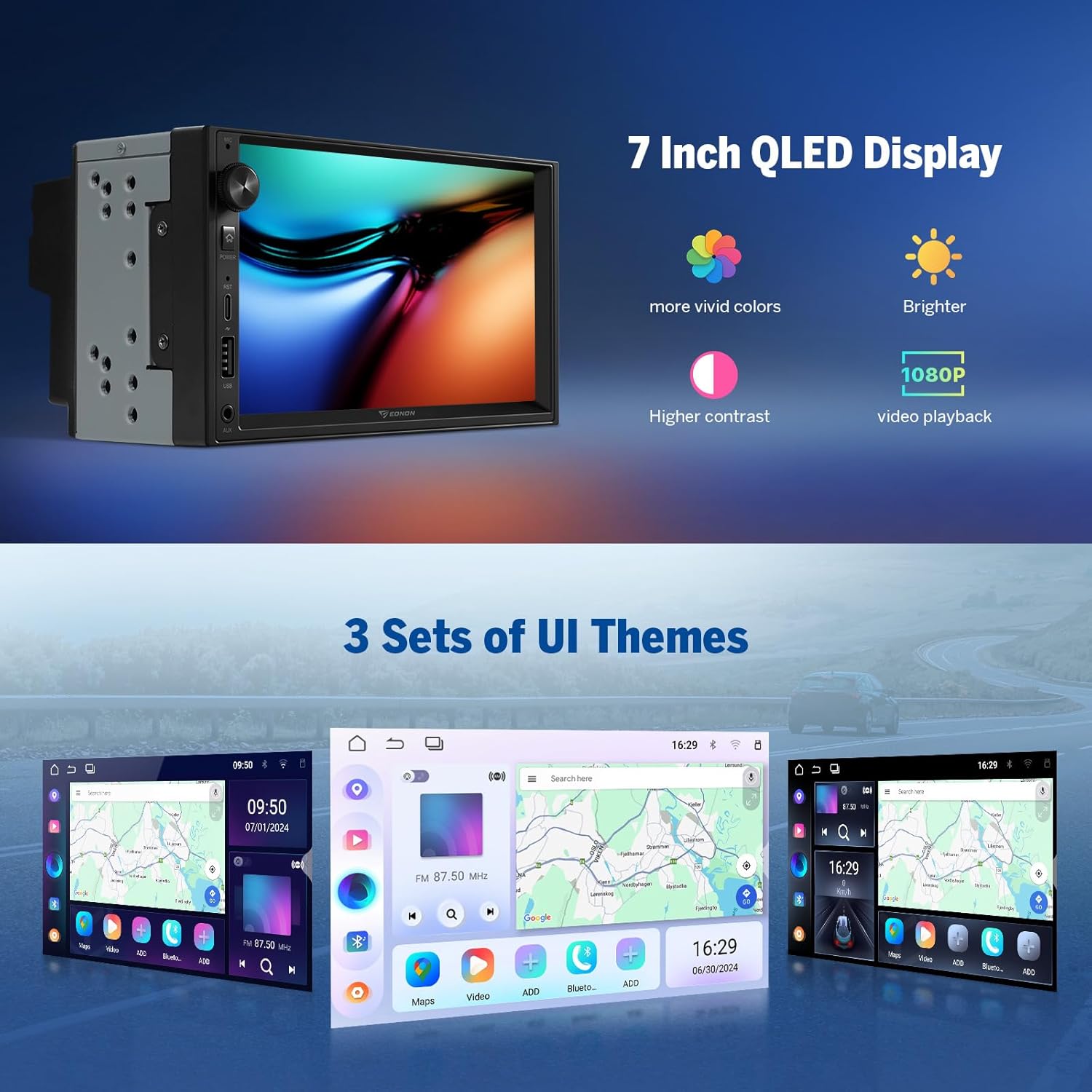
Figure 5.3.1: Image showcasing the 7-inch QLED display of the Eonon UX7, highlighting its vivid colors, brightness, and 1080P video playback capability, along with examples of the three customizable UI themes.
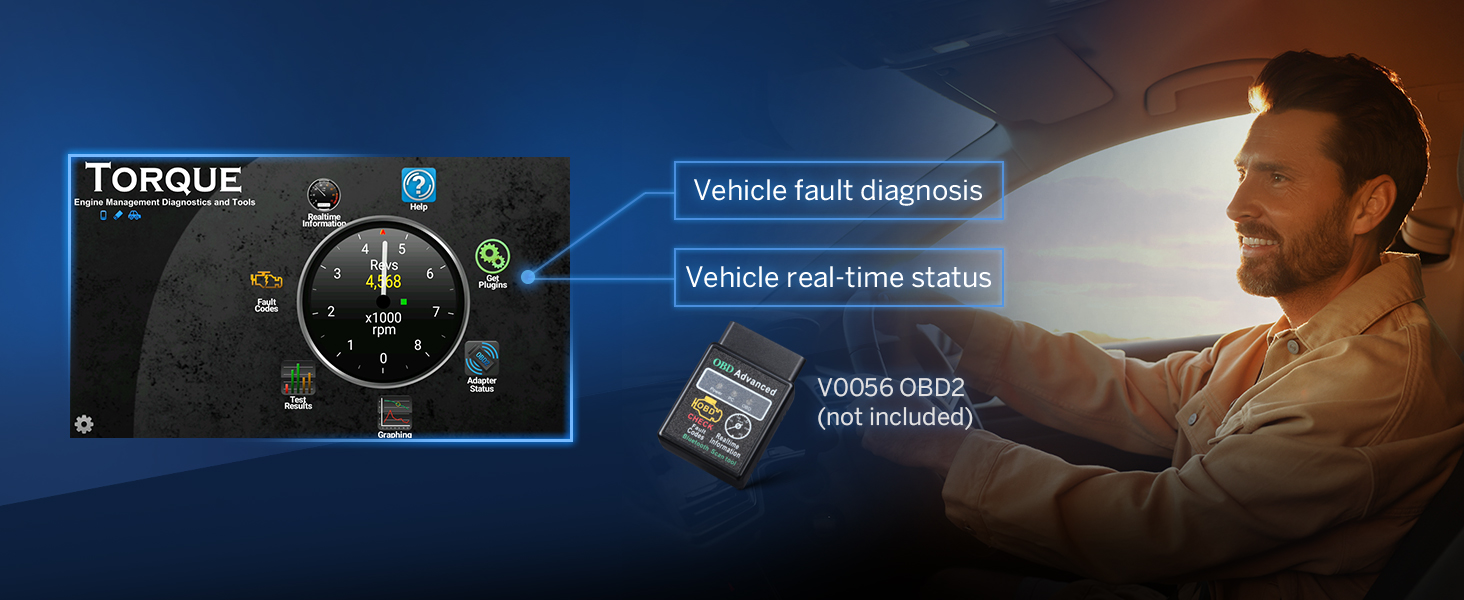
Figure 5.3.2: Image demonstrating the customization options for the Eonon UX7's interface, including boot logo, button color, and wallpaper settings.
5.4 ഫാസ്റ്റ് ചാർജിംഗ്
The UX7 is equipped with a high-speed Type-C port that supports PD 3.0 and PPS fast charging, ensuring your devices power up faster and more efficiently on the go.

Figure 5.4.1: Image illustrating the fast charging capability of the Eonon UX7 via its Type-C port, supporting PD3.0/PD2.0, QC3.0/QC2.0, FCP/SCP, and AFC protocols.
6. Optional Accessories (Not Included)
Enhance your Eonon UX7 experience with these compatible accessories:
6.1 Eonon Dashcam (A100)
The UX7 supports the Eonon dashcam (A100) for recording your drives. This accessory is not included with the stereo.

Figure 6.1.1: Image illustrating the Eonon UX7's compatibility with the A100 Dash Cam, showing its 120° viewing angle and 1280x720 video playback.
6.2 OBD2 Scanner (V0056)
Connect an OBD2 scanner (V0056) to the UX7 for vehicle fault diagnosis and real-time status monitoring. This accessory is not included.

Figure 6.2.1: Image demonstrating the Eonon UX7's support for an OBD2 scanner (V0056), enabling vehicle fault diagnosis and real-time status display.
6.3 DAB+ Box (502)
The UX7 supports the DAB+ box (502) for digital audio broadcasting. This accessory is not included.
7. ബോക്സിൽ എന്താണുള്ളത്?
The following items are included with your Eonon UX7 Car Stereo:
- Reversing Camera A0125 *1
- പവർ കോർഡ് * 1
- GPS Antenna *1
- USB Adapter Cable *2
- Audio/Video Adapter Cable *2
- Reversing Video Input Cable *1
- 15A Fuse *1
- External Microphone *1
- ഇൻസ്ട്രക്ഷൻ മാനുവൽ *1
- സ്ക്രൂകൾ *8
- Small Knob *1

Figure 7.1.1: Visual representation of all items included in the Eonon UX7 package, such as audio/video adapter cables, USB adapter cables, backup camera video input cable, power cable, GPS antenna, external microphone, screws, rotary knob, spare fuse, and the user manual.
8 സ്പെസിഫിക്കേഷനുകൾ
| ഫീച്ചർ | വിശദാംശങ്ങൾ |
|---|---|
| മോഡൽ നമ്പർ | UX7-U |
| ഓപ്പറേറ്റിംഗ് സിസ്റ്റം | ആൻഡ്രോയിഡ് 14 |
| റാം + റോം | 3 ജിബി റാം + 32 ജിബി റോം |
| ഡിസ്പ്ലേ വലിപ്പം | 7 ഇഞ്ച് |
| ഡിസ്പ്ലേ തരം | QLED Touch Screen |
| റെസലൂഷൻ | 1024*600 HD |
| പ്രോസസ്സർ | Rockchip Processor (ARM Cortex-A53@2.0GHz) |
| ഓഡിയോ ഔട്ട്പുട്ട് പവർ | 4 * 45W Max |
| ബ്ലൂടൂത്ത് പതിപ്പ് | 5.4 |
| കണക്റ്റിവിറ്റി | ബ്ലൂടൂത്ത്, യുഎസ്ബി, വൈ-ഫൈ |
| പ്രത്യേക സവിശേഷതകൾ | Android Auto, Apple CarPlay, Built-In Bluetooth, DSP, Fast Charging (PD/QC) |
| ഇനത്തിൻ്റെ ഭാരം | 4.4 പൗണ്ട് (2 കിലോഗ്രാം) |
| പാക്കേജ് അളവുകൾ | 9.06 x 7.87 x 6.3 ഇഞ്ച് |
9. പ്രശ്നപരിഹാരം
നിങ്ങൾ നേരിട്ടേക്കാവുന്ന പൊതുവായ പ്രശ്നങ്ങൾക്കുള്ള പരിഹാരങ്ങൾ ഈ വിഭാഗം നൽകുന്നു.
- ശക്തിയില്ല: Ensure all power connections are secure and the fuse is not blown. Check the ISO power cord connection.
- ശബ്ദമില്ല: Verify speaker connections. Check audio settings, including volume levels and EQ settings. Ensure the AMP wire is correctly connected if using an external ampജീവൻ.
- കാർപ്ലേ/ആൻഡ്രോയിഡ് ഓട്ടോ കണക്റ്റ് ചെയ്യുന്നില്ല: Double-check WiFi and Bluetooth connections on both the stereo and your phone. Ensure the Zlink5 app is running. For Android, confirm the Zplus app is installed and running.
- മോശം റേഡിയോ സ്വീകരണം: Check the antenna connection. Ensure the ANT wire is properly connected.
- സ്റ്റിയറിംഗ് വീൽ നിയന്ത്രണങ്ങൾ പ്രവർത്തിക്കുന്നില്ല: Ensure the SWC wires are correctly connected. Access the steering wheel control learning function in the settings to re-map buttons.
- സിസ്റ്റം മന്ദഗതിയിലാണ് അല്ലെങ്കിൽ പ്രതികരിക്കുന്നില്ല: Close unnecessary background applications. Perform a system restart. Consider checking for Over-the-Air (OTA) firmware updates to improve performance and security. Note: OTA updates are for firmware, not for Android system upgrades.

Figure 9.1.1: Image illustrating the Over-the-air (OTA) firmware update feature for the Eonon UX7, which helps fix software issues and enhance security.
10. പരിപാലനം
To ensure the longevity and optimal performance of your Eonon UX7 Car Stereo, follow these maintenance guidelines:
- വൃത്തിയാക്കൽ: Use a soft, dry cloth to clean the screen and exterior. Avoid abrasive cleaners or solvents that may damage the surface.
- സോഫ്റ്റ്വെയർ അപ്ഡേറ്റുകൾ: Regularly check for and install Over-the-Air (OTA) firmware updates to ensure your device has the latest improvements and security patches.
- താപനില നിയന്ത്രണം: യൂണിറ്റിനെ ചൂടും തണുപ്പും നിറഞ്ഞ തീവ്രമായ താപനിലയിലേക്ക് തുറന്നുകാട്ടുന്നത് ഒഴിവാക്കുക, കാരണം ഇത് പ്രകടനത്തെയും ആയുസ്സിനെയും ബാധിച്ചേക്കാം.
- വെൻ്റിലേഷൻ: Ensure the unit's ventilation areas are not blocked to prevent overheating.
11. വാറൻ്റിയും പിന്തുണയും
Eonon products come with a standard warranty. Please refer to the warranty card included in your package or visit the official Eonon webവിശദമായ വാറന്റി നിബന്ധനകൾക്കും വ്യവസ്ഥകൾക്കും സൈറ്റ്.
For technical support, troubleshooting assistance, or service inquiries, please contact Eonon customer support through their official channels. You can find contact information on the Eonon webസൈറ്റ് അല്ലെങ്കിൽ ഉൾപ്പെടുത്തിയ ഡോക്യുമെന്റേഷനിൽ.
ഓൺലൈൻ ഉറവിടങ്ങൾ:
- Eonon Official Webസൈറ്റ്: www.eonon.com
- Eonon Amazon Store: Visit the EONON Store on Amazon


