1. ആമുഖം
This manual provides detailed instructions for the ONN Wireless Headset and Bluetooth FM Transmitter, Model ONN-CBT3353. This device combines a car Bluetooth FM transmitter with a detachable wireless headset, offering versatile audio streaming, hands-free calling, and device charging capabilities. Please read this manual thoroughly before use to ensure proper operation and to maximize the product's lifespan.
2 സുരക്ഷാ വിവരങ്ങൾ
- ഉപകരണം വെള്ളം, ഈർപ്പം അല്ലെങ്കിൽ തീവ്രമായ താപനില എന്നിവയിൽ തുറന്നുകാട്ടരുത്.
- ഉപകരണം വേർപെടുത്തുകയോ പരിഷ്കരിക്കുകയോ ചെയ്യുന്നത് ഒഴിവാക്കുക, കാരണം ഇത് വാറന്റി അസാധുവാക്കുകയും കേടുപാടുകൾക്ക് കാരണമാവുകയും ചെയ്യും.
- കുട്ടികൾക്ക് ലഭ്യമാകാതെ സൂക്ഷിക്കുക.
- Ensure the device is securely plugged into the car's cigarette lighter socket.
- Do not operate the device while driving if it distracts you from the road. Prioritize road safety.
3. പാക്കേജ് ഉള്ളടക്കം
- ONN Bluetooth FM Transmitter
- Detachable Wireless Headset
- ഉപയോക്തൃ മാനുവൽ
4. ഉൽപ്പന്നം കഴിഞ്ഞുview
The ONN-CBT3353 consists of two main components: the FM Transmitter (car charger unit) and the Wireless Headset.

ചിത്രം 4.1: The ONN Wireless Headset and FM Transmitter, illustrating the separate headset and the main transmitter unit with its charging ports and controls.
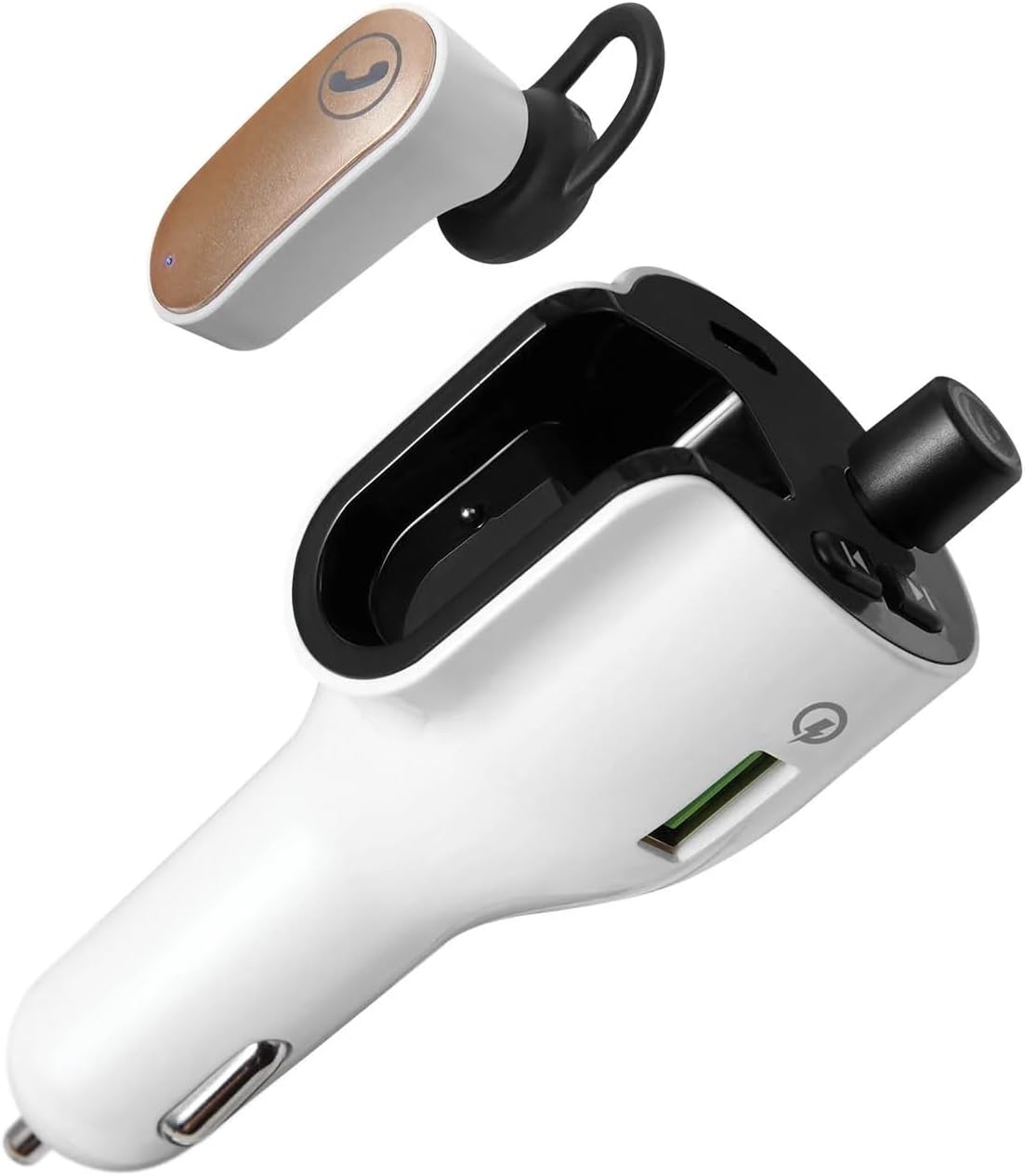
ചിത്രം 4.2: ഒരു വ്യക്തമായ view of the ONN Wireless Headset detached from the FM Transmitter, showcasing both components.
FM Transmitter Features:
- LED ഡിസ്പ്ലേ: Shows FM frequency.
- Frequency Adjustment Buttons: Used to change the FM frequency.
- മൾട്ടി-ഫംഗ്ഷൻ ബട്ടൺ: For play/pause, answer/end calls, and Bluetooth pairing.
- USB-A Charging Port (Quick Charge 3.0): വേഗത്തിൽ ചാർജ് ചെയ്യാൻ അനുയോജ്യമായ ഉപകരണങ്ങൾക്ക്.
- USB-C ചാർജിംഗ് പോർട്ട്: അനുയോജ്യമായ ഉപകരണങ്ങൾ ചാർജ് ചെയ്യുന്നതിന്.
- Headset Charging Dock: Securely holds and charges the wireless headset.
Wireless Headset Features:
- കോൾ ബട്ടൺ: For answering and ending phone calls.
- മൈക്രോഫോൺ: ഹാൻഡ്സ് ഫ്രീ ആശയവിനിമയത്തിന്.
- LED സൂചകം: Shows charging and connection status.
5. സജ്ജീകരണം
5.1. Installing the FM Transmitter
- Insert the ONN FM Transmitter into your vehicle's 12V (cigarette lighter) power socket. The LED display will illuminate.
5.2. Charging the Wireless Headset
- Ensure the FM Transmitter is powered on.
- Place the wireless headset into its designated charging dock on the FM Transmitter. The headset's LED indicator will show charging status.
- A full charge provides up to 2 hours of talk time.

ചിത്രം 5.1: The wireless headset securely docked within the FM Transmitter for charging and storage.
5.3. Pairing with a Bluetooth Device (Smartphone)
- With the FM Transmitter powered on, activate Bluetooth on your smartphone or other audio device.
- ഇതിനായി തിരയുക available Bluetooth devices and select "ONN CBT3353" (or similar name) from the list.
- Once paired, the transmitter will indicate a successful connection, and audio from your device will be ready to stream.

ചിത്രം 5.2: The FM Transmitter displaying the Bluetooth connection symbol, indicating it is paired with a device.
5.4. Setting the FM Frequency
- Tune your car's FM radio to an unused frequency (one with no strong broadcast signal).
- On the ONN FM Transmitter, use the frequency adjustment buttons (usually left/right arrows) to match the frequency displayed on the transmitter's LED screen to your car's radio frequency.
- Ensure the frequencies match for optimal audio transmission. The supported frequency range is 88.0 – 108.0 MHz.
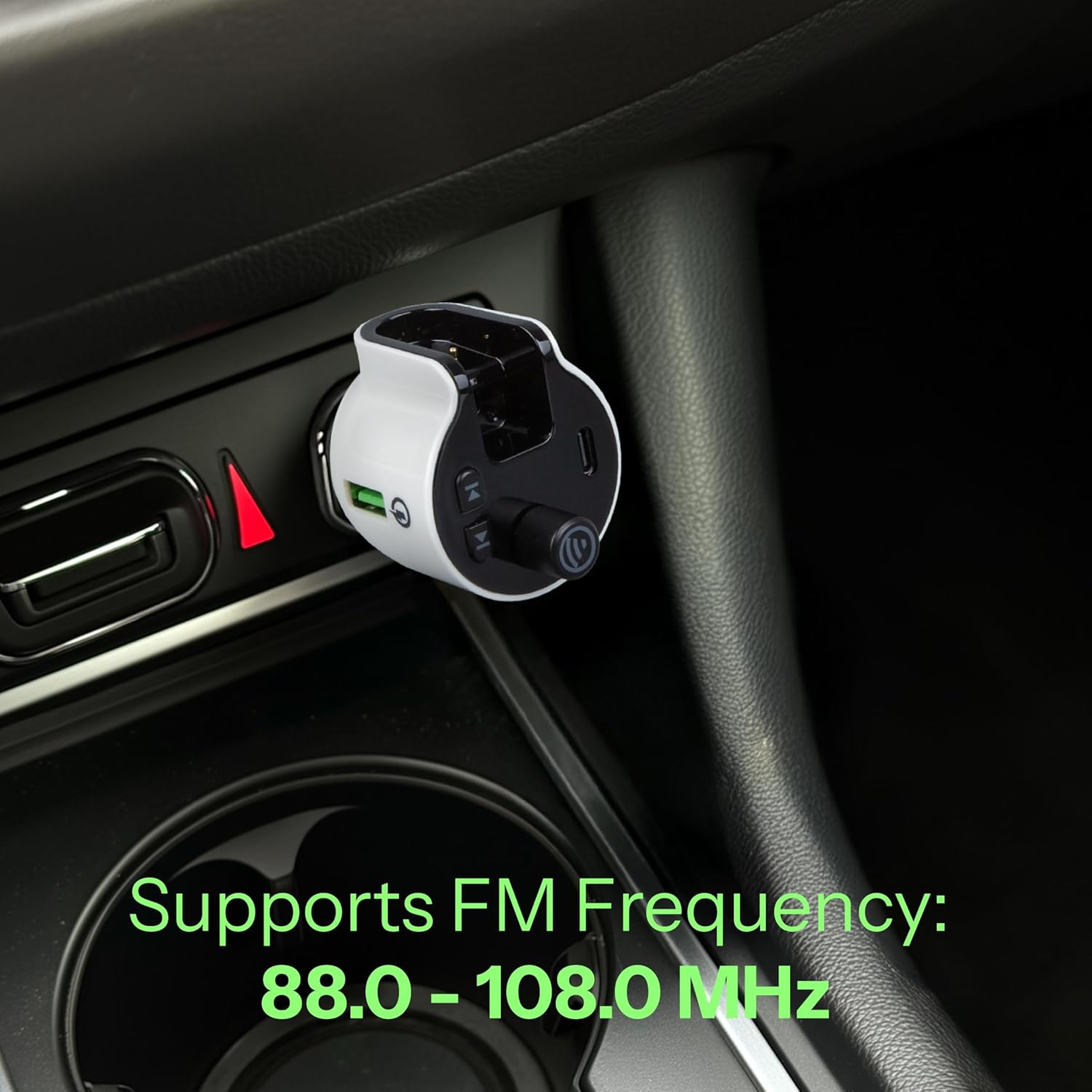
ചിത്രം 5.3: The FM Transmitter installed in a car's power outlet, displaying the set FM frequency.

ചിത്രം 5.4: എ വിശദമായി view of the FM Transmitter's LED display, showing the current frequency setting.
6. പ്രവർത്തിക്കുന്നു
6.1. Playing Audio via FM Transmitter
- Once your smartphone is paired via Bluetooth and the FM frequency is set, open your preferred music or audio app on your phone.
- Audio will stream from your phone, through the FM Transmitter, and play through your car's stereo system.
- Use your phone or the transmitter's multi-function button to play/pause audio.
6.2. Using the Wireless Headset for Calls
- When a call comes in, you can answer it using the detachable wireless headset.
- To answer a call: Press the call button on the headset.
- To end a call: Press the call button on the headset again.
- The headset provides up to 2 hours of talk time on a full charge.
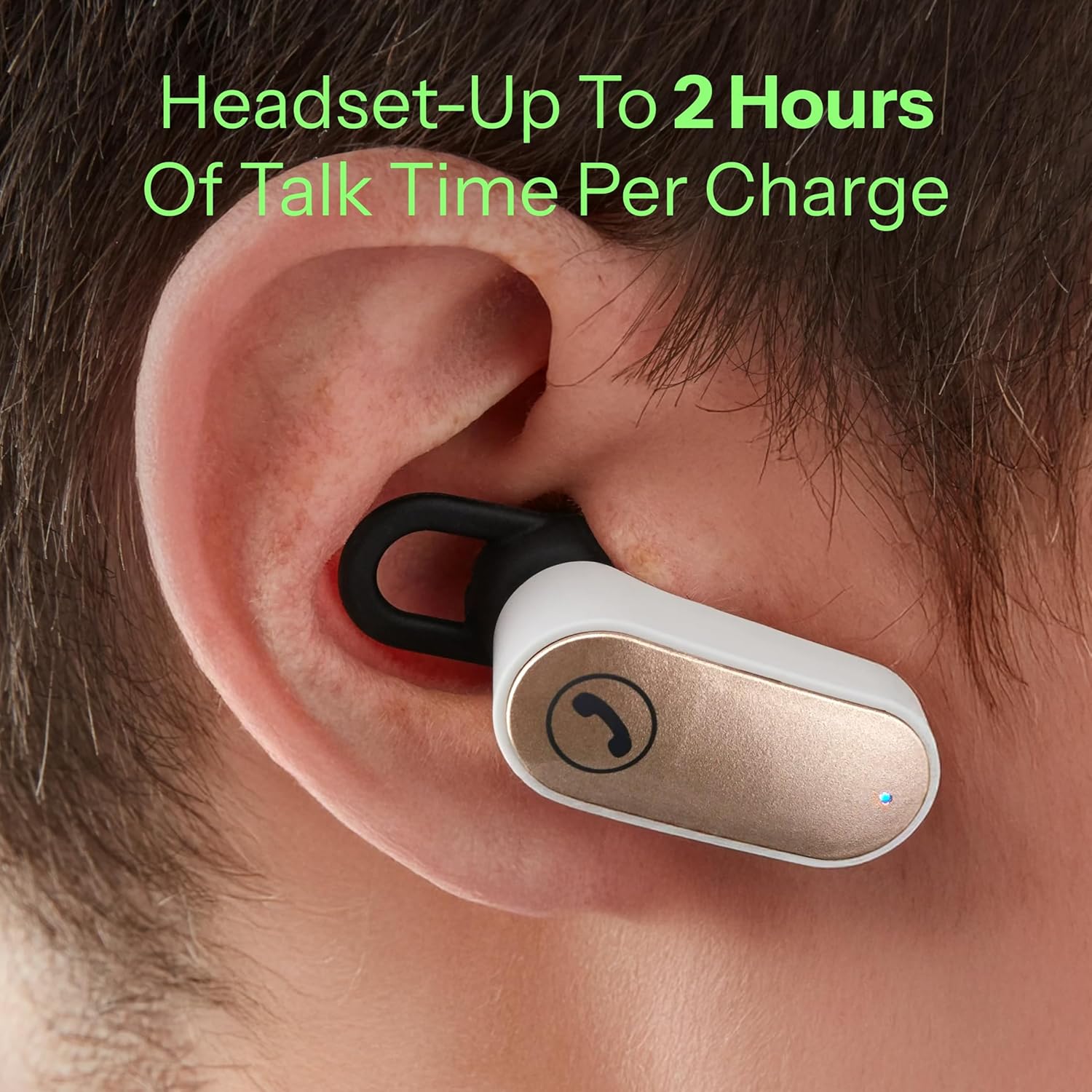
ചിത്രം 6.1: The wireless headset being worn in an ear, demonstrating its use for hands-free communication.
6.3. ബാഹ്യ ഉപകരണങ്ങൾ ചാർജ് ചെയ്യുന്നു
The FM Transmitter is equipped with Quick Charge 3.0 technology and both USB-A and USB-C charging ports.
- Connect your device's charging cable to either the USB-A or USB-C port on the transmitter.
- The Quick Charge 3.0 USB-A port supports output settings of DC 5V/3A, 9V/2A, or 12V/1.5A.
- The USB-C port supports output settings of DC 5V/3A.
- Ensure your device is compatible with these charging specifications for optimal performance.
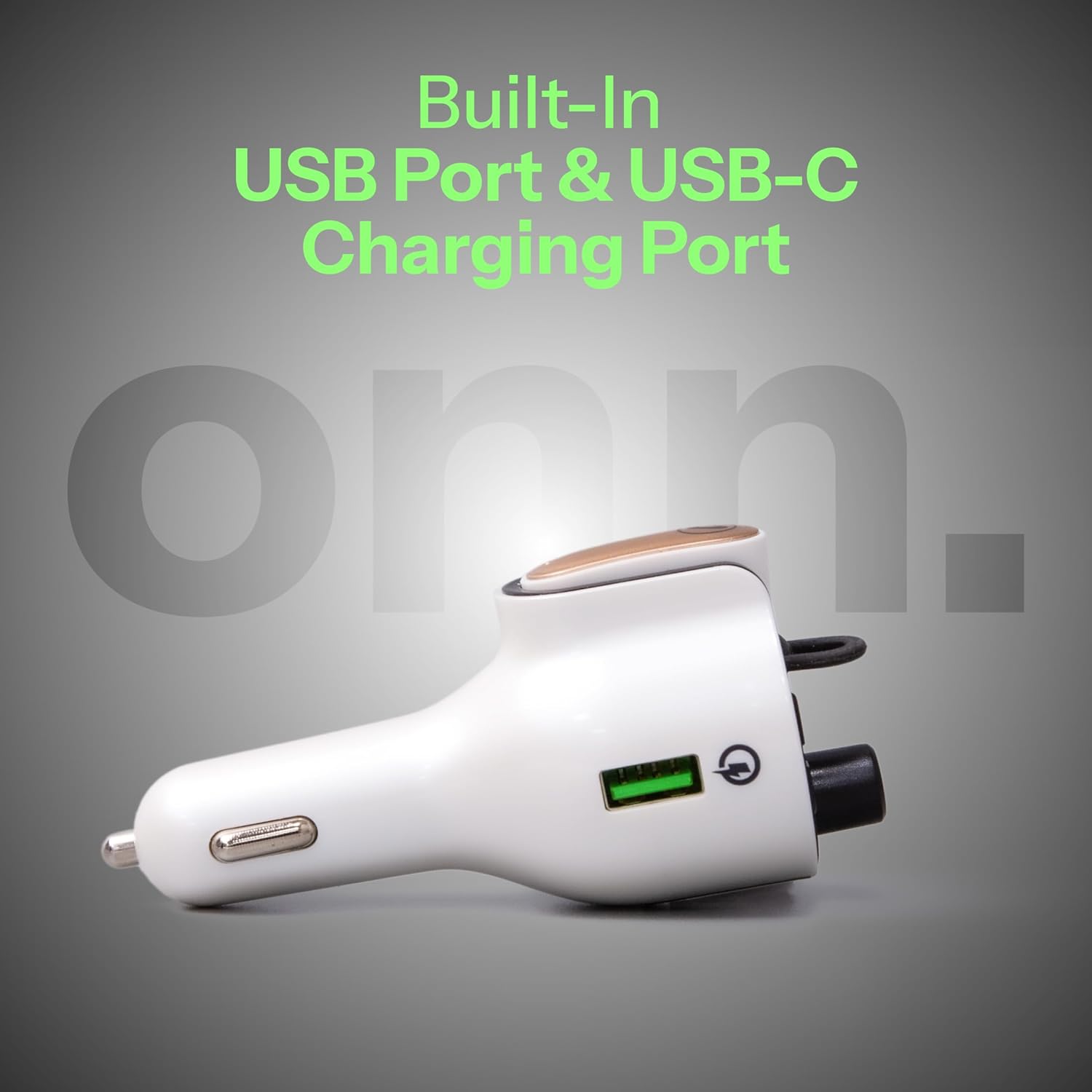
ചിത്രം 6.2: ഒരു വശം view of the FM Transmitter, highlighting the integrated USB-A and USB-C charging ports.
7. പരിപാലനം
- വൃത്തിയാക്കൽ: ഉപകരണം വൃത്തിയാക്കാൻ മൃദുവായതും ഉണങ്ങിയതുമായ തുണി ഉപയോഗിക്കുക. ലിക്വിഡ് ക്ലീനറുകളോ എയറോസോളുകളോ ഉപയോഗിക്കരുത്.
- സംഭരണം: ഉപയോഗിക്കാത്തപ്പോൾ, നേരിട്ട് സൂര്യപ്രകാശത്തിൽ നിന്നും തീവ്രമായ താപനിലയിൽ നിന്നും അകലെ തണുത്തതും വരണ്ടതുമായ സ്ഥലത്ത് ഉപകരണം സൂക്ഷിക്കുക.
- Headset Care: Keep the headset's charging contacts clean to ensure reliable charging.
8. പ്രശ്നപരിഹാരം
| പ്രശ്നം | സാധ്യമായ കാരണം | പരിഹാരം |
|---|---|---|
| No power to FM Transmitter | Not properly inserted into 12V socket; vehicle's 12V socket is faulty. | Ensure the transmitter is fully inserted. Check the vehicle's 12V socket with another device. |
| No audio from car stereo | FM frequency mismatch; Bluetooth not paired; car radio not on FM mode. | Match FM frequencies on transmitter and car radio. Re-pair Bluetooth. Ensure car radio is set to FM. |
| മോശം ഓഡിയോ നിലവാരം/സ്റ്റാറ്റിക് | Interference from other FM stations; weak signal. | Try a different, clearer FM frequency. Ensure transmitter is not obstructed. |
| ഹെഡ്സെറ്റ് ചാർജ് ചെയ്യുന്നില്ല | Headset not properly docked; dirty charging contacts. | Ensure headset is correctly seated in the dock. Clean charging contacts on both headset and dock. |
| Headset cannot connect/pair | Headset out of range; low battery; pairing issue. | Ensure headset is charged and within range. Try re-pairing the headset with the transmitter (if applicable, or ensure it's docked for connection). |
| Devices not fast charging | Device not Quick Charge compatible; cable issue. | Ensure your device supports Quick Charge 3.0. Use a high-quality charging cable. |
9 സ്പെസിഫിക്കേഷനുകൾ
| ഫീച്ചർ | വിശദാംശങ്ങൾ |
|---|---|
| മോഡൽ നമ്പർ | ONN-CBT3353 |
| ഉൽപ്പന്ന അളവുകൾ | 1.69 x 4.15 x 1.69 ഇഞ്ച് |
| ഇനത്തിൻ്റെ ഭാരം | 3.52 ഔൺസ് |
| കണക്റ്റിവിറ്റി ടെക്നോളജി | ബ്ലൂടൂത്ത് |
| പവർ ഉറവിടം | Battery Powered (Headset), Vehicle 12V (Transmitter) |
| മെറ്റീരിയൽ | അക്രിലോണിട്രൈൽ ബ്യൂട്ടാഡീൻ സ്റ്റൈറൈൻ (എബിഎസ്) |
| എഫ്എം ഫ്രീക്വൻസി റേഞ്ച് | 88.0 - 108.0 MHz |
| USB-A ഔട്ട്പുട്ട് (QC 3.0) | DC 5V/3A, 9V/2A, or 12V/1.5A |
| USB-C ഔട്ട്പുട്ട് | DC 5V/3A |
| Headset Talk Time | 2 മണിക്കൂർ വരെ |

ചിത്രം 9.1: The ONN FM Transmitter displaying its Quick Charge 3.0 USB and USB-C output specifications.
10. വാറൻ്റിയും പിന്തുണയും
For warranty information or technical support, please refer to the product packaging or contact ONN customer service. Keep your purchase receipt as proof of purchase.


