1. ആമുഖം
The GrillBliss Bluetooth Wireless Meat Thermometer provides precise temperature monitoring for various cooking methods. This device features dual sensor probes, Bluetooth 5.4 connectivity, and a smart app for remote monitoring and alerts, ensuring optimal cooking results for your meats.

Image 1.1: GrillBliss Bluetooth Wireless Meat Thermometer, charging case, and app interface.
2. ബോക്സിൽ എന്താണുള്ളത്?
എല്ലാ ഘടകങ്ങളും ലഭ്യമാണെന്ന് ദയവായി പരിശോധിക്കുക:
- 1 x ചാർജിംഗ് ബേസ്
- 1 x Meat Probe
- 1 x ടൈപ്പ്-സി കേബിൾ
- 1 x ഇൻസ്ട്രക്ഷൻ മാനുവൽ
3. സജ്ജീകരണ ഗൈഡ്
3.1 ഉപകരണം ചാർജ് ചെയ്യുന്നു
Before first use, fully charge the meat probe and the charging base. The charging base has a built-in 500mAh lithium battery.
- Probe Charging: Place the probe into the charging base. A full charge takes approximately 25 minutes and provides up to 25 hours of use in high-heat environments or 7 days at room temperature.
- അടിസ്ഥാന ചാർജിംഗ്: Connect the Type-C cable to the charging base and a suitable USB power adapter (not included).
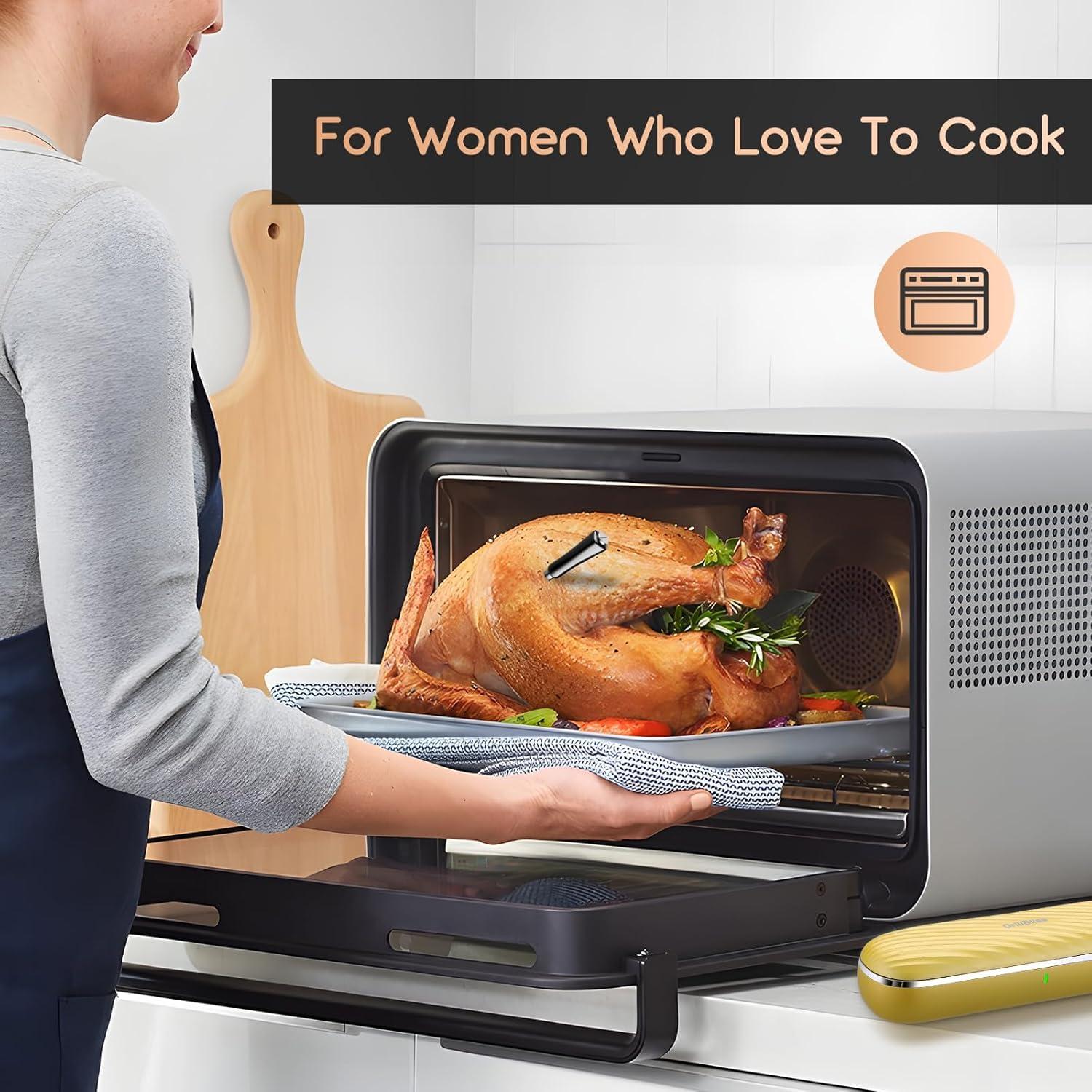
Image 3.1: Charging the GrillBliss meat thermometer and its base.
3.2 ആപ്പ് ഇൻസ്റ്റാളേഷനും ജോടിയാക്കലും
The GrillBliss thermometer operates with the ToastTrack app. Ensure your smartphone's Bluetooth is enabled.
- ഡൗൺലോഡ് ചെയ്യുക ToastTrack നിങ്ങളുടെ ഉപകരണത്തിന്റെ ആപ്പ് സ്റ്റോറിൽ നിന്നുള്ള ആപ്പ്.
- Open the app and follow the on-screen instructions to pair your GrillBliss thermometer.
- The device utilizes Bluetooth 5.4 technology, offering a remote monitoring range of up to 300ft (approximately 91 meters) from the probe to the charging base, and an additional range from the charging base to your smartphone.

Image 3.2: Bluetooth connection range from probe to base and base to smartphone.
4. പ്രവർത്തന നിർദ്ദേശങ്ങൾ
4.1 അന്വേഷണം ചേർക്കൽ
The probe features dual sensors to simultaneously measure internal food temperature and ambient cooking environment temperature.
- Insert the probe into the thickest part of the meat, avoiding bone or gristle.
- Ensure the probe is inserted deep enough so that the internal sensor is fully within the meat and the ambient sensor is exposed to the cooking environment.

Image 4.1: Proper probe insertion into meat.
4.2 Using the ToastTrack App
The ToastTrack app provides comprehensive control and monitoring features:
- USDA Presets: Access 26 USDA-recommended meat presets for various types of meat and desired doneness levels.
- ഇഷ്ടാനുസൃത ക്രമീകരണങ്ങൾ: Set custom target temperatures and cooking times.
- അലേർട്ടുകൾ: Receive alerts for target temperatures, high/low heat warnings, and countdown timers.
- തത്സമയ നിരീക്ഷണം: View real-time temperature graphs and cooking progress.

Image 4.2: ToastTrack app interface for smart cooking control.
4.3 താപനില ശ്രേണികൾ
The GrillBliss thermometer supports the following temperature ranges:
- Food Temperature: 14°F - 212°F (-10°C - 100°C)
- പരിസ്ഥിതി താപനില: 32°F - 572°F (0°C - 300°C)
- കൃത്യത: ±1.8°F / ±1°C
4.4 Compatible Cooking Environments
The probe is designed for use in various cooking appliances:
- BBQ ഗ്രില്ലുകൾ
- പുകവലിക്കാർ
- ഓവനുകൾ
- എയർ ഫ്രയറുകൾ
- Pans/Stovetops

ചിത്രം 4.3: ഉദാamples of outdoor and indoor cooking applications.
5. പരിപാലനം
5.1 പ്രോബ് വൃത്തിയാക്കൽ
The food-grade stainless steel probe features IP67 waterproofing, making it durable and easy to clean.
- After each use, allow the probe to cool down.
- Wash the probe with soap and water, or place it in a dishwasher.
- Ensure the probe is completely dry before storing it in the charging base.

Image 5.1: Cleaning the IP67 waterproof probe in a dishwasher.
5.2 സംഭരണം
The charging case serves as a convenient storage unit for the probe. It also features integrated magnets for easy attachment to metallic surfaces.
- Always store the probe in its charging case when not in use.
- The magnetic feature allows for secure storage on refrigerators or other metal surfaces.

Image 5.2: Magnetic storage of the charging case.
6. പ്രശ്നപരിഹാരം
If you encounter issues with your GrillBliss thermometer, please refer to the following common problems and solutions:
- ആപ്പിലേക്ക് ഉപകരണം കണക്റ്റുചെയ്യുന്നില്ല:
- നിങ്ങളുടെ സ്മാർട്ട്ഫോണിൽ ബ്ലൂടൂത്ത് പ്രവർത്തനക്ഷമമാക്കിയിട്ടുണ്ടെന്ന് ഉറപ്പാക്കുക.
- Verify the probe is fully charged and properly seated in the charging base.
- Make sure the charging base is within range of the probe (up to 300ft) and your smartphone (additional range from base).
- Restart the ToastTrack app and attempt to reconnect.
- If issues persist, try restarting your smartphone.
- കൃത്യമല്ലാത്ത താപനില വായനകൾ:
- Ensure the probe is inserted correctly into the thickest part of the meat, avoiding bone.
- Check for any physical damage to the probe.
- Perform a temperature calibration within the ToastTrack app if available.
- Probe Not Charging:
- Ensure the Type-C cable is securely connected to both the charging base and the power source.
- പവർ സ്രോതസ്സ് സജീവമാണെന്ന് ഉറപ്പാക്കുക.
- Check if the probe is correctly placed in the charging slot.
- App Alerts Not Functioning:
- Check your smartphone's notification settings for the ToastTrack app to ensure alerts are enabled.
- Verify that target temperatures or timers are correctly set within the app.
7 സ്പെസിഫിക്കേഷനുകൾ
| മോഡലിൻ്റെ പേര് | ബ്ലൂടൂത്ത് മീറ്റ് തെർമോമീറ്റർ |
| ഇനം മോഡൽ നമ്പർ | f698f18c-0802-4a47-9e3b-09065690711e |
| ബ്രാൻഡ് | GrillBliss |
| കണക്റ്റിവിറ്റി ടെക്നോളജി | ബ്ലൂടൂത്ത് 5.4 |
| പവർ ഉറവിടം | ബാറ്ററി പവർ (1 ലിഥിയം അയൺ ബാറ്ററി ഉൾപ്പെടുത്തിയിരിക്കുന്നു) |
| ബാറ്ററി ലൈഫ് അന്വേഷിക്കുക | Up to 25 hours (high-heat), 7 days (room temp) |
| Charging Base Battery | 500mAh ലിഥിയം ബാറ്ററി |
| ഭക്ഷണ താപനില പരിധി | 14°F - 212°F (-10°C - 100°C) |
| പരിസ്ഥിതി താപനില പരിധി | 32°F - 572°F (0°C - 300°C) |
| കൃത്യത | ±1.8°F / ±1°C |
| വാട്ടർപ്രൂഫിംഗ് | IP67 |
| ബാഹ്യ മെറ്റീരിയൽ | Plastic (Charging Base), Stainless Steel (Probe) |
| ഉൾപ്പെടുത്തിയ ഘടകങ്ങൾ | Charging Base, Meat Probe, Type-C Cable, Instruction Manual |
8. വാറൻ്റിയും പിന്തുണയും
For warranty information or technical support, please contact GrillBliss directly. Refer to the product packaging or the official GrillBliss webബന്ധപ്പെടാനുള്ള വിശദാംശങ്ങൾക്കുള്ള സൈറ്റ്.


