ആമുഖം
This manual provides detailed instructions for the installation, operation, and maintenance of your Eonon UX7 Android 14 Double Din Car Stereo. Please read this manual thoroughly before using the product to ensure proper functionality and to maximize your user experience. Keep this manual for future reference.

ഫ്രണ്ട് view of the Eonon UX7 car stereo, showcasing its 7-inch touchscreen display with a vibrant interface for Apple CarPlay and Android Auto. The unit features physical buttons and a volume knob on the left side.
ബോക്സിൽ എന്താണുള്ളത്
താഴെ ലിസ്റ്റ് ചെയ്തിരിക്കുന്ന എല്ലാ ഇനങ്ങളും നിങ്ങളുടെ പാക്കേജിൽ ഉൾപ്പെടുത്തിയിട്ടുണ്ടെന്ന് ഉറപ്പാക്കുക:
- Eonon UX7 Car Stereo Unit
- ബാക്കപ്പ് ക്യാമറ (A0125)
- പവർ കോർഡ്
- ജിപിഎസ് ആൻ്റിന
- USB Adapter Cable (x2)
- Audio and Video Adapter Cable (x2)
- Reverse Video Input Cable
- 15A ഫ്യൂസ്
- ബാഹ്യ മൈക്രോഫോൺ
- നിർദ്ദേശ മാനുവൽ (ഈ പ്രമാണം)
- സ്ക്രൂകൾ (x8)
- Small Knob (Rotary Knob)

A visual representation of all items included in the Eonon UX7 package.
സജ്ജീകരണവും ഇൻസ്റ്റാളേഷനും
1. Applicable Models and Dimensions
The Eonon UX7 is a double din car stereo. Its panel is removable and can be directly installed on the dashboard within the specified size range. It will not fit if your factory car radio is single din.
- പാനൽ അളവുകൾ: 170-178 mm (length) x 96-100 mm (height)

Diagram showing the removable panel and dimensions for direct installation. It also clarifies that the UX7 is a double din unit and not compatible with single din factory radios.
2. Installation Kit and Wiring Harness
If your car dashboard size does NOT fall within the range of 170-178 mm (length) and 96-100 mm (height), an extra installation kit (not included) is needed to install the unit.
Please note that the power cable of your factory car radio must have an ISO standard interface. If not, you will need to purchase a compatible ISO wiring harness for installation. Use keywords like "Car make & model & year + ISO harness" or "Car make & model & year + 2 din kit" to find proper mounting kits or wire harnesses online.

Instructions for installing the Eonon UX7, indicating that an extra installation kit (not included) is needed if the car dashboard size is outside the specified range. It also provides guidance on checking for an ISO standard power cable and finding compatible wiring harnesses.
3. വയറിംഗ് ഡയഗ്രം
ശരിയായ വയറിംഗ് കണക്ഷനുകൾക്ക് ഇനിപ്പറയുന്ന ഡയഗ്രം കാണുക. യൂണിറ്റ് ഓൺ ചെയ്യുന്നതിന് മുമ്പ് എല്ലാ കണക്ഷനുകളും സുരക്ഷിതമാണെന്ന് ഉറപ്പാക്കുക.

A comprehensive wiring diagram for the Eonon UX7 car stereo, labeling all ports and connections including ISO Port, SWC Wires, Audio Outputs, USB Ports, GPS Antenna, and more, to assist with proper installation.
കീ കണക്ഷനുകൾ:
- ISO Port: Main power and speaker connections.
- Illumination Wire: Connects to your car's illumination circuit.
- SWC Wires (1 & 2): For steering wheel control integration (analog signal supported).
- Reverse Trigger Wire: Connects to your car's reverse light circuit for automatic backup camera display.
- GND Wire: ഗ്രൗണ്ട് കണക്ഷൻ.
- AMP: Amplifier remote turn-on.
- USB പോർട്ടുകൾ: For data transfer, media playback, and charging.
- ജിപിഎസ് ആന്റിന: For navigation functionality.
- ബാഹ്യ മൈക്രോഫോൺ: ഹാൻഡ്സ്-ഫ്രീ കോളിംഗിനും വോയ്സ് കമാൻഡുകൾക്കും.
- RCA Audio Outputs (FR/FL/RR/RL + Subwoofer): ബാഹ്യത്തിന് ampലൈഫയർ കണക്ഷനുകൾ.
- ബാക്കപ്പ് ക്യാമറ ഇൻപുട്ട്: Dedicated input for the included backup camera.
പ്രവർത്തന നിർദ്ദേശങ്ങൾ
1. Basic Controls and User Interface
The Eonon UX7 features a user-friendly panel design with essential physical controls and a customizable digital interface.
- വോളിയം നോബ്: Easily and intuitively adjust the volume.
- USB പോർട്ടുകൾ: Charge your phone or transfer music, movies, etc.
- AUX ഇൻപുട്ട്: ബാഹ്യ ഓഡിയോ ഉപകരണങ്ങൾ ബന്ധിപ്പിക്കുക.

An illustration of the Eonon UX7's front panel, highlighting the easily adjustable volume knob, USB port for charging and data transfer, and AUX input for connecting external audio devices.
2. ആൻഡ്രോയിഡ് 14 ഓപ്പറേറ്റിംഗ് സിസ്റ്റം
The UX7 runs on Real Android 14 OS, offering extensive app compatibility and a familiar smartphone-like experience.

An image emphasizing the benefits of the Android 14 operating system on the Eonon UX7, including smartphone integration, app flexibility, and ease of use for an enhanced in-car entertainment system.
3. Smartphone Connectivity (CarPlay, Android Auto, Screen Mirroring)
The UX7 supports both wired and wireless Apple CarPlay and Android Auto, along with screen mirroring for iOS and Android devices.

The Eonon UX7 unit integrated into a car dashboard, demonstrating Apple CarPlay with navigation and media playback. Voice commands like 'Siri, play music' and 'Hey Google, navigate home' are shown.
Wireless Apple CarPlay Connection:
- കാർ സ്റ്റീരിയോയിലെ Zlink5 ആപ്പിൽ ക്ലിക്ക് ചെയ്യുക.
- നിങ്ങളുടെ iPhone-ൽ Wi-Fi, Bluetooth എന്നിവ ഓണാക്കുക.
- നിങ്ങളുടെ ഫോണിന്റെ ബ്ലൂടൂത്ത് ഉപകരണ ലിസ്റ്റിൽ 'EONON' കണ്ടെത്തി ജോടിയാക്കാൻ '0000' നൽകുക. കണക്റ്റ് ചെയ്തുകഴിഞ്ഞാൽ, 'Use CarPlay' ടാപ്പ് ചെയ്യുക.
- കണക്ഷൻ പൂർത്തിയാക്കാൻ കുറച്ച് നിമിഷങ്ങൾ കാത്തിരിക്കുക.
A step-by-step guide for connecting an iPhone wirelessly to Apple CarPlay on the Eonon UX7.
വയർലെസ് ആൻഡ്രോയിഡ് ഓട്ടോ കണക്ഷൻ:
- കാർ സ്റ്റീരിയോയിലെ Zlink5 ആപ്പിൽ ക്ലിക്ക് ചെയ്യുക.
- നിങ്ങളുടെ ആൻഡ്രോയിഡ് ഫോണിൽ വൈഫൈയും ബ്ലൂടൂത്തും ഓണാക്കുക.
- Find 'EONON' in your phone's Bluetooth device list, enter '0000' and click 'OK'.
- കണക്ഷൻ പൂർത്തിയാക്കാൻ കുറച്ച് നിമിഷങ്ങൾ കാത്തിരിക്കുക.

A step-by-step guide for connecting an Android phone wirelessly to Android Auto on the Eonon UX7.
Screen Mirroring for iOS:
- Click the Zlink5 app on the car stereo, set the car stereo to iPhone wireless screen mirroring mode.
- Turn on the iPhone hotspot, and connect to the car stereo.
- ഐഫോൺ സ്ക്രീൻ മിററിംഗ് ഫംഗ്ഷൻ ഓണാക്കി "zj-airplay" തിരഞ്ഞെടുക്കുക.

Instructions for screen mirroring an iOS device to the Eonon UX7.
Screen Mirroring for Android:
- Click the Zlink5 app on the car stereo, set the car stereo to Android wireless screen mirroring mode.
- നിങ്ങളുടെ ഫോണിന്റെ ബ്ലൂടൂത്ത് ഓണാക്കുക. നിങ്ങളുടെ ഫോണിന്റെ ബ്ലൂടൂത്ത് ഉപകരണ ലിസ്റ്റിൽ 'EONON' കണ്ടെത്തുക, ജോടിയാക്കാൻ '0000' നൽകുക.
- Turn on the phone's hotspot, and connect to the car stereo.
- നിങ്ങളുടെ ഫോണിൽ Zplus ആപ്പ് ഇൻസ്റ്റാൾ ചെയ്യുക. ആപ്പ് ഓണാക്കി "വയർലെസ് കണക്ഷൻ" തിരഞ്ഞെടുക്കുക.

Instructions for screen mirroring an Android device to the Eonon UX7.
4. ബ്ലൂടൂത്ത് കണക്റ്റിവിറ്റി
The UX7 features an independent Bluetooth module and an extra Bluetooth antenna for quick, stable connections, noise reduction, and high-quality audio streaming.
- ബ്ലൂടൂത്ത് 5.4: Ensures fast and stable connections for hands-free calls and audio streaming.

This image highlights the independent Bluetooth module and extra Bluetooth antenna, ensuring quick, stable, noise-reduced connections and high-quality Bluetooth music streaming.
5. ഓഡിയോ സവിശേഷതകൾ
Experience immersive audio with the built-in Digital Sound Processor (DSP) and powerful ampജീവൻ.
- Professional 32-bit DSP: Delivers ultra-precise, dynamic sound with FFT acceleration.
- 48-band EQ: Shape your ideal soundstage with 3D surround and virtual bass.
- എസ്ടി ടിഡിഎ7388 Ampജീവപര്യന്തം: Delivers 4x45W surround sound output.
- RCA Audio Outputs: Includes 4-Channel FR/FL/RR/RL outputs + 1 Subwoofer output for professional-grade audio setups.
- EQ മോഡുകൾ: Choose from Custom, Standard, Popular, Rock, Classical, and Jazz.

Diagram detailing the audio processing capabilities of the Eonon UX7, including a professional 32-bit DSP with FFT acceleration, 48-band EQ with 3D surround and virtual bass, and optimization for car acoustics.
6. Customization and Display
- 7-Inch IPS Display: Vibrant colors and sharp details with 1280x720 resolution and 178° viewing ആംഗിൾ.
- Customizable Button Lights: Personalize the button backlight colors.
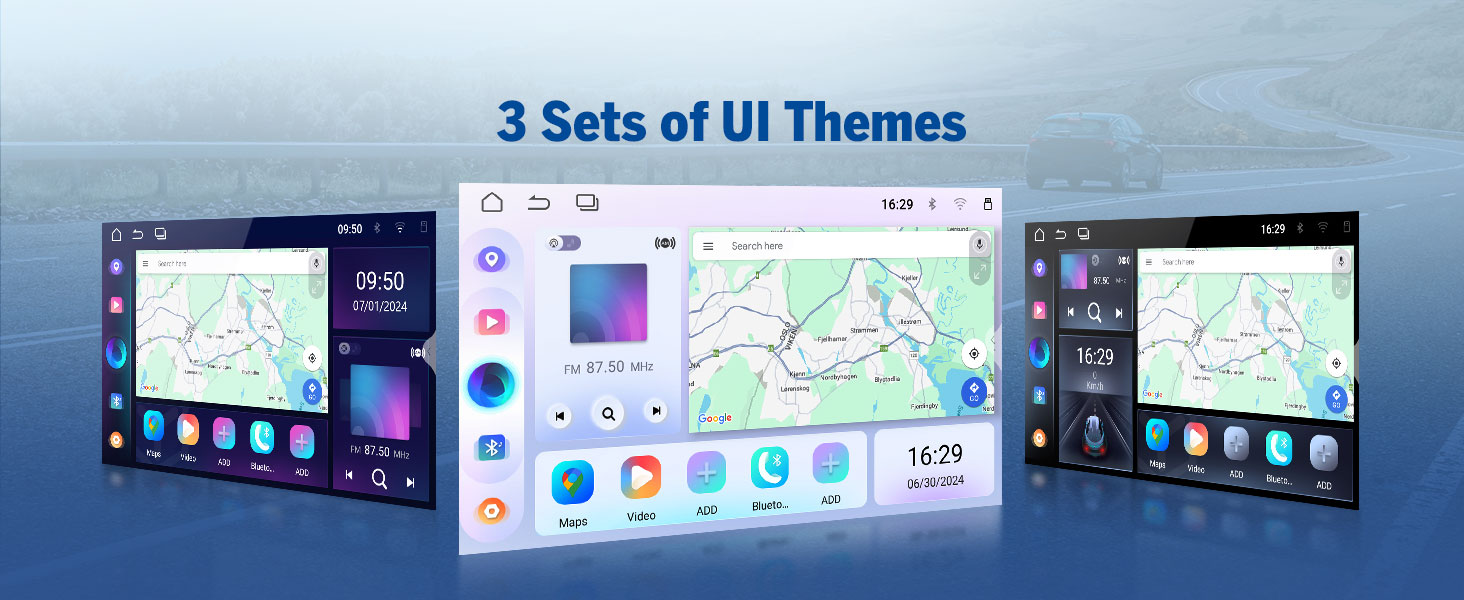
- 3 Preloaded UI Themes: Choose from stylish interfaces to suit your preference.
- Custom Boot Logo & Wallpaper: Further personalize the unit's appearance.

A display of the three preloaded UI themes available on the Eonon UX7, allowing users to choose a stylish interface that matches their preference.

Visuals demonstrating the customization options available on the Eonon UX7, including setting a custom boot logo, changing button backlight colors, and selecting personalized wallpapers.
7. സ്റ്റിയറിംഗ് വീൽ നിയന്ത്രണങ്ങൾ (SWC)
Control your Eonon UX7 while keeping your hands on the steering wheel. The head unit supports analog SWC signals. If your car is controlled by a digital signal, a SWC adapter cable (not included) is needed to transfer the digital signal to an analog signal.
A closer look at the steering wheel control learning interface, demonstrating how users can program various functions (GPS, Mode, Volume, etc.) to their car's steering wheel buttons. Note: Supports analog SWC signal.
8. Accessory Integration
The Eonon UX7 is compatible with various Eonon accessories to enhance your driving experience.
- Backup Camera (A0125): Included with the unit, provides a clear 720P AHD view with 140° rear viewing angle and reversing guidelines. It is IP68 waterproof.
- Dash Cam (A100 - not included): Compatible for recording with 120° viewing angle and video playback.
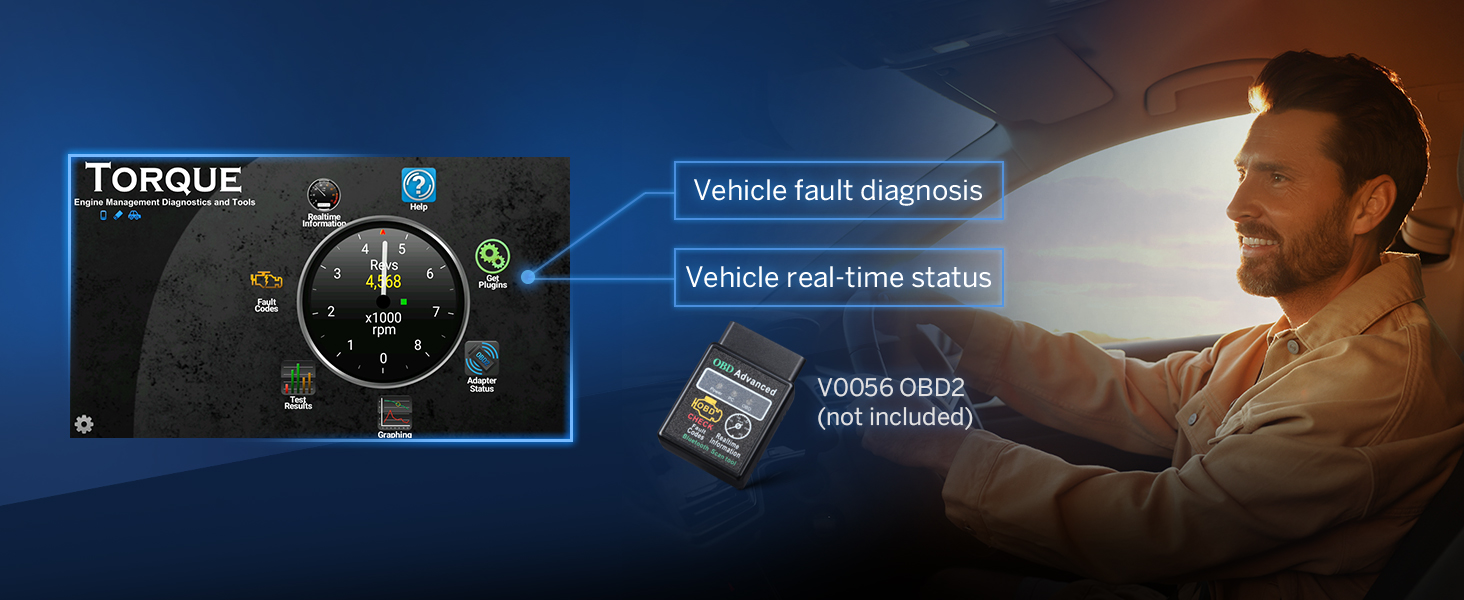
- OBD2 Diagnostic Tool (V0056 - not included): Connects to the unit for vehicle fault diagnosis and real-time status monitoring.

An illustration of the A0125 backup camera (included) integrated with the Eonon UX7, providing reversing guidelines, 720P AHD resolution, 140° rear viewing angle, and IP68 waterproof rating for safe parking.

This image shows the compatibility of the Eonon UX7 with an optional A100 dash cam (not included), featuring a 120° viewing angle, 360° adjustable mount, 1280x720 resolution, and video playback capabilities.
An image demonstrating the Eonon UX7's ability to connect with an optional V0056 OBD2 diagnostic tool (not included) to provide vehicle fault diagnosis and real-time status information.
9. ഫാസ്റ്റ് ചാർജിംഗ്
The UX7 is equipped with a high-speed Type-C port that supports PD 3.0 and PPS fast charging, ensuring your devices power up faster and more efficiently on the go.
This image showcases the fast-charging capability of the Eonon UX7, equipped with a high-speed Type-C port supporting PD 3.0, PPS, QC3.0/QC2.0, FCP/SCP, and AFC protocols for efficient device charging.
മെയിൻ്റനൻസ്
- സ്ക്രീൻ വൃത്തിയാക്കൽ: ടച്ച്സ്ക്രീൻ മൃദുവായി തുടയ്ക്കാൻ മൃദുവായ, ലിന്റ് രഹിത തുണി ഉപയോഗിക്കുക. കഠിനമായ പാടുകൾക്ക്, ചെറുതായി dampen the cloth with water or a screen cleaner designed for electronics. Avoid abrasive materials or harsh chemicals.
- പൊതുവായ ശുചീകരണം: യൂണിറ്റ് പൊടിയിൽ നിന്നും അവശിഷ്ടങ്ങളിൽ നിന്നും മുക്തമായി സൂക്ഷിക്കുക. ബട്ടണുകൾക്കും പോർട്ടുകൾക്കും ചുറ്റും വൃത്തിയാക്കാൻ മൃദുവായ ബ്രഷ് അല്ലെങ്കിൽ കംപ്രസ് ചെയ്ത വായു ഉപയോഗിക്കുക.
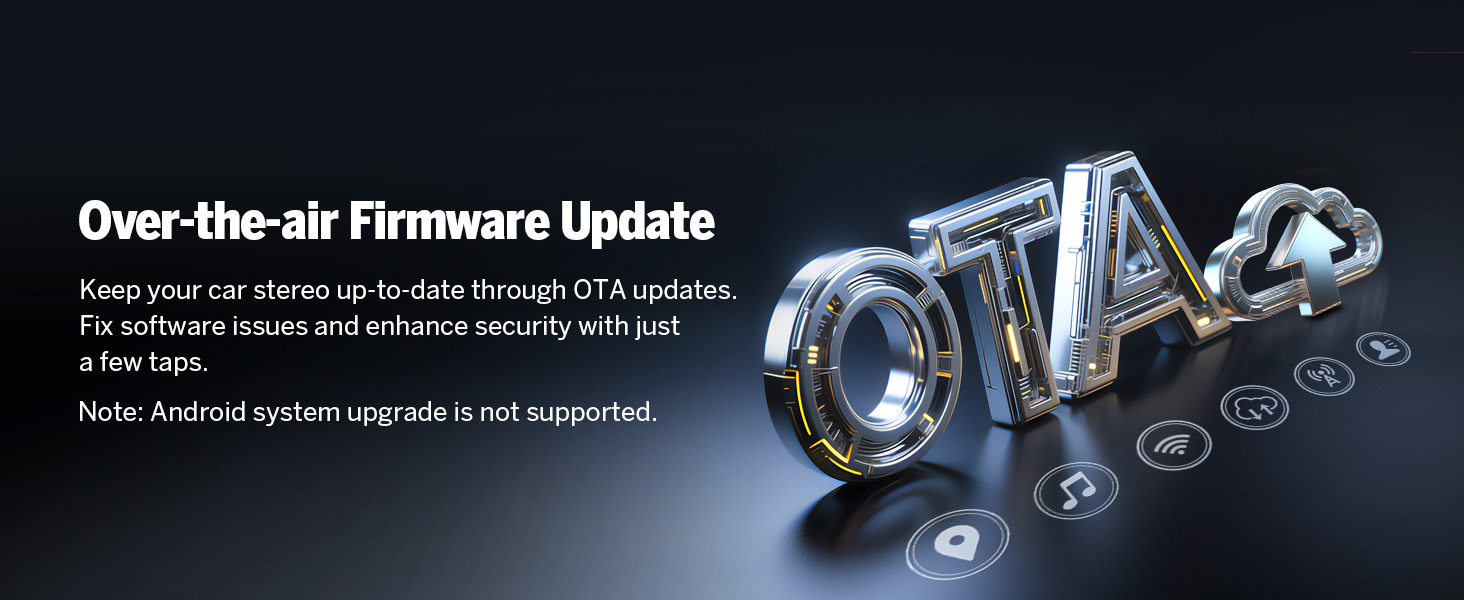
- സോഫ്റ്റ്വെയർ അപ്ഡേറ്റുകൾ: Keep your car stereo up-to-date through Over-the-Air (OTA) firmware updates. These updates fix software issues and enhance security. Note: Android system upgrade is not supported via OTA.

An image explaining the over-the-air (OTA) firmware update feature for the Eonon UX7, which allows users to fix software issues and enhance security with simple taps. Note: Android system upgrade is not supported via OTA.
ട്രബിൾഷൂട്ടിംഗ്
If you encounter issues with your Eonon UX7, refer to the following common problems and solutions:
| പ്രശ്നം | സാധ്യമായ കാരണം / പരിഹാരം |
|---|---|
| യൂണിറ്റ് പവർ ഓണാക്കുന്നില്ല. | Check power connections and fuse. Ensure the car's ignition is on. |
| ശബ്ദമില്ല. | Check speaker wiring, volume level, and audio output settings. Ensure external amplifiers (if used) are powered on. |
| ബ്ലൂടൂത്ത് കണക്ഷൻ പ്രശ്നങ്ങൾ. | Ensure Bluetooth is enabled on both devices. Delete previous pairings and try re-pairing. Restart both devices. |
| CarPlay/Android Auto കണക്റ്റ് ചെയ്യുന്നില്ല. | Ensure Wi-Fi and Bluetooth are on. Check Zlink5 app settings. Try a different USB cable for wired connection. Restart phone and stereo. |
| സ്റ്റിയറിംഗ് വീൽ നിയന്ത്രണങ്ങൾ പ്രവർത്തിക്കുന്നില്ല. | Ensure SWC wires are correctly connected. If your car uses digital signals, an analog adapter is required. Re-program the SWC functions in the unit's settings. |
| സ്ക്രീൻ പ്രതികരിക്കുന്നില്ല അല്ലെങ്കിൽ നിശ്ചലമാണ്. | Perform a soft reset by pressing the RST button (usually a small pinhole). If the issue persists, disconnect power for a few minutes. |
| GPS സിഗ്നൽ ദുർബലമാണ് അല്ലെങ്കിൽ കൃത്യമല്ല. | ജിപിഎസ് ആന്റിന ശരിയായി ഇൻസ്റ്റാൾ ചെയ്തിട്ടുണ്ടെന്നും വ്യക്തമായ ഒരു ലൈൻ ഉണ്ടെന്നും ഉറപ്പാക്കുക. view ആകാശത്തിന്റെ. ലോഹ വസ്തുക്കൾക്കടിയിൽ വയ്ക്കുന്നത് ഒഴിവാക്കുക. |
Verifying Product Specifications: To ensure you have genuine specifications, you can use a "Fake Device Test" app to verify the Android version, processor, RAM, and ROM.

An image advising users to verify product specifications like Android version, processor, RAM, and ROM using a 'Fake Device Test' app to avoid misleading information.
സ്പെസിഫിക്കേഷനുകൾ
| ഫീച്ചർ | വിശദാംശങ്ങൾ |
|---|---|
| ബ്രാൻഡ് | ഇയോനോൺ |
| മോഡൽ | UX7 |
| ഓപ്പറേറ്റിംഗ് സിസ്റ്റം | ആൻഡ്രോയിഡ് 14 |
| സിപിയു | RK3562 Quad-core ARM Cortex-A53 @ 2.0GHz |
| റാം | 3 ജിബി |
| ROM | 32 ജിബി |
| ഡിസ്പ്ലേ വലിപ്പം | 7 ഇഞ്ച് ഐ.പി.എസ് |
| ഡിസ്പ്ലേ റെസല്യൂഷൻ | 1280*720 |
| Viewing ആംഗിൾ | 178° |
| CarPlay/Android ഓട്ടോ | വയർഡ് & വയർലെസ്സ് |
| ബ്ലൂടൂത്ത് | ബ്ലൂടൂത്ത് 5.4 |
| വൈഫൈ | Yes (5GHz supported) |
| ഡി.എസ്.പി | Built-in 32-bit DSP with 48-band EQ |
| Ampജീവപര്യന്തം | ST TDA7388 (4x45W) |
| ഓഡിയോ ഔട്ട്പുട്ട് തരം | RCA (4-Channel FR/FL/RR/RL + 1 Subwoofer) |
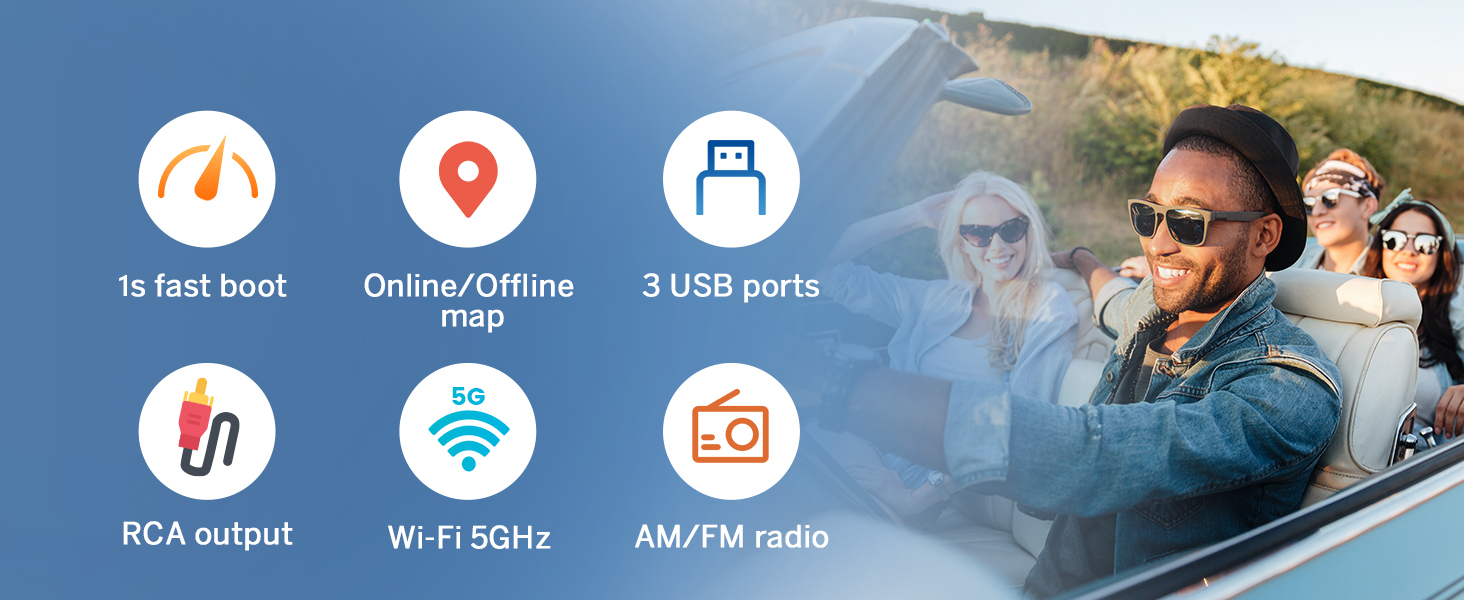
| USB പോർട്ടുകൾ | 3 (including Type-C with PD 3.0/PPS fast charging) |
| അനുയോജ്യമായ ഉപകരണങ്ങൾ | Ampലൈഫയർ, സ്മാർട്ട്ഫോൺ, സ്പീക്കർ |
| പ്രത്യേക സവിശേഷതകൾ | Android Auto, Apple CarPlay, GPS Navigation, Hands-Free Calling, Voice Control, Screen Mirroring, Customizable UI Themes, OTA Firmware Update |
| പാഴ്സൽ അളവുകൾ | 29 x 24 x 17 സെ.മീ; 2 കി.ഗ്രാം |
| വീഡിയോ എൻകോഡിംഗ് പിന്തുണ | MPG, DAT, TS, AVI, MP4, MOV, 3GP, ASF, VOB, MKV, FLV, RM, RMVB |
വാറൻ്റിയും പിന്തുണയും
വാറൻ്റി വിവരങ്ങൾ
Eonon provides the following warranty and support for your product:
- 30 ദിവസം: Free Returns.
- 90 ദിവസം: Replacement available.
- 2 വർഷം: Warranty available within 2 years of purchase.
- ജീവിതകാലം: Lifelong after-sales service.
ഉപഭോക്തൃ പിന്തുണ
For technical assistance, troubleshooting, or warranty claims, please contact Eonon customer support. You can find detailed support information and FAQs on the official Eonon webസൈറ്റ് അല്ലെങ്കിൽ നിങ്ങളുടെ വാങ്ങൽ പ്ലാറ്റ്ഫോം വഴി.
- പെട്ടെന്നുള്ള മറുപടി: Expect a reply within 24 hours (except weekends).
- ഓൺലൈൻ ഉറവിടങ്ങൾ: സന്ദർശിക്കുക Eonon's Amazon Store കൂടുതൽ വിവരങ്ങൾക്കും പിന്തുണക്കും.


