1. ആമുഖം
This manual provides detailed instructions for the installation, operation, and maintenance of your Eonon M3BLX7 Android 14 Car Stereo Receiver. This unit is specifically designed for Mazda 3 models manufactured between 2010 and 2013, offering seamless integration and enhanced in-car entertainment and navigation features. Please read this manual thoroughly before installation and use to ensure proper functionality and safety.

Figure 1.1: Eonon M3BLX7 Car Stereo Receiver
2. ബോക്സിൽ എന്താണുള്ളത്?
ഇൻസ്റ്റാളേഷൻ ആരംഭിക്കുന്നതിന് മുമ്പ് എല്ലാ ഘടകങ്ങളും നിലവിലുണ്ടെന്ന് ഉറപ്പാക്കുക:
- A0125 Reversing camera *1
- പവർ കേബിൾ *1
- GPS ആന്റിന *1
- USB അഡാപ്റ്റർ കേബിൾ *2
- Audio/video adapter cable *2
- Reverse video input cable *1
- 15A ഫ്യൂസ് *1
- ബാഹ്യ മൈക്രോഫോൺ *1
- CANBUS *1
- മാനുവൽ *1
- Double-sided adhesive sticker *1
- AUX adapter cable *1
ചിത്രം 2.1: ഉൾപ്പെടുത്തിയ ഘടകങ്ങൾ
3. സജ്ജീകരണവും ഇൻസ്റ്റാളേഷനും
The M3BLX7 head unit is designed for plug-and-play installation in Mazda 3 models from 2010-2013. No additional frame or cable modifications are typically required. The included CANBUS supports most original vehicle functions, including steering wheel controls (SWC) and the factory LCD screen.
3.1 പ്രീ-ഇൻസ്റ്റലേഷൻ പരിശോധനകൾ
- വാഹനത്തിന്റെ ഇഗ്നിഷൻ ഓഫാണെന്നും ബാറ്ററി വിച്ഛേദിക്കപ്പെട്ടിട്ടുണ്ടെന്നും ഉറപ്പാക്കുക.
- Confirm compatibility with your Mazda 3 (2010-2013).
- സെക്ഷൻ 2 ൽ പട്ടികപ്പെടുത്തിയിരിക്കുന്ന എല്ലാ ഘടകങ്ങളും നിലവിലുണ്ടെന്ന് ഉറപ്പാക്കുക.
3.2 Removal of Factory Unit
Carefully pry off the air vent housing from the top to access the OEM stereo. Remove any securing screws and unclip the electrical connectors from the back of the factory unit. Gently slide out the old stereo.
3.3 വയറിംഗ് കണക്ഷനുകൾ
Connect the provided wiring harness to the M3BLX7 unit and the vehicle's existing connectors. Ensure all connections are secure. Refer to the wiring diagram for specific connections.

ചിത്രം 3.1: വയറിംഗ് ഡയഗ്രം
3.4 യൂണിറ്റ് ഇൻസ്റ്റലേഷൻ
Slide the M3BLX7 unit into the dashboard opening. Ensure it fits securely. Reattach any removed trim pieces. Reconnect the vehicle battery.
3.5 ഓപ്ഷണൽ ആക്സസറീസ് ഇൻസ്റ്റാളേഷൻ
- Backup Camera (A0125 included): Connect the backup camera to the dedicated input. The unit supports HD 720P/1080P backup camera input.
- Front Camera (not included): Connect a front camera to the designated input if desired.
- OBD Scanner (V0056 not included): Connect an OBD scanner for vehicle diagnostics and real-time data.
Video 3.1: Installation Guide for Eonon Car Stereo in Mazda 3 (2010)
This video demonstrates the installation process of an Eonon car stereo in a 2010 Mazda 3, including removal of the old unit and connection of the new one.
4. പ്രവർത്തന നിർദ്ദേശങ്ങൾ
4.1 പവർ ഓൺ/ഓഫ്
The unit powers on automatically with the vehicle ignition. To manually power off or restart, use the designated power button on the unit or within the system settings.
4.2 ഉപയോക്തൃ ഇന്റർഫേസും നാവിഗേഷനും
The M3BLX7 runs on the Android 14 operating system, providing a responsive and intuitive touchscreen experience. It features a 9-inch IPS display with 1280x720 resolution and a 178° viewവ്യക്തമായ ദൃശ്യതയ്ക്കായി ഇംഗ് ആംഗിൾ.

Figure 4.1: 9-inch IPS Display Features
4.2.1 സ്പ്ലിറ്റ്-സ്ക്രീൻ പ്രവർത്തനം
The unit supports split-screen mode, allowing you to run two applications simultaneously, such as navigation and media playback. Windows are adjustable for size.
4.2.2 Customizable Themes
Choose from multiple UI themes to personalize the appearance of your stereo. Day and Night modes are supported for optimal visibility.

Figure 4.2: Customizable UI Themes
Video 4.1: New UI Features and Split-Screen Functionality
This video demonstrates the new user interface, split-screen media and navigation, adjustable windows, vertical volume control, and the fixed bottom shortcut bar.
4.3 വയർലെസ് കാർപ്ലേയും ആൻഡ്രോയിഡ് ഓട്ടോയും
The M3BLX7 supports both wireless and wired Apple CarPlay and Android Auto. This allows for hands-free control of music, navigation, phone calls, and messages via voice commands (Siri or Google Assistant).

Figure 4.3: Wireless Apple CarPlay & Android Auto
4.3.1 വയർലെസ് ആപ്പിൾ കാർപ്ലേ കണക്ഷൻ
- കാർ സ്റ്റീരിയോയിലെ Zlink5 ആപ്പിൽ ക്ലിക്ക് ചെയ്യുക.
- നിങ്ങളുടെ iPhone-ൽ Wi-Fi, Bluetooth എന്നിവ ഓണാക്കുക.
- നിങ്ങളുടെ ഫോണിന്റെ ബ്ലൂടൂത്ത് ഉപകരണ ലിസ്റ്റിൽ 'EONON' കണ്ടെത്തി അത് ജോടിയാക്കുക. കണക്റ്റ് ചെയ്തുകഴിഞ്ഞാൽ, 'CarPlay ഉപയോഗിക്കുക' ടാപ്പ് ചെയ്യുക.
- കണക്ഷൻ പൂർത്തിയാക്കാൻ കുറച്ച് നിമിഷങ്ങൾ കാത്തിരിക്കുക.

Figure 4.4: Wireless Apple CarPlay Connection Steps
4.3.2 വയർലെസ് ആൻഡ്രോയിഡ് ഓട്ടോ കണക്ഷൻ
- കാർ സ്റ്റീരിയോയിലെ Zlink5 ആപ്പിൽ ക്ലിക്ക് ചെയ്യുക.
- നിങ്ങളുടെ ആൻഡ്രോയിഡ് ഫോണിൽ വൈഫൈയും ബ്ലൂടൂത്തും ഓണാക്കുക.
- നിങ്ങളുടെ ഫോണിന്റെ ബ്ലൂടൂത്ത് ഉപകരണ ലിസ്റ്റിൽ 'EONON' കണ്ടെത്തി അത് ജോടിയാക്കുക.
- കണക്ഷൻ പൂർത്തിയാക്കാൻ കുറച്ച് നിമിഷങ്ങൾ കാത്തിരിക്കുക.

Figure 4.5: Wireless Android Auto Connection Steps
4.4 സ്ക്രീൻ മിററിംഗ്
Mirror apps from your smartphone onto the car stereo display.
4.4.1 iOS-നുള്ള സ്ക്രീൻ മിററിംഗ്
- Click the Zlink5 app on the car stereo, set the car stereo to iPhone wireless screen mirroring mode.
- Turn on the iPhone hotspot, and connect to the car stereo.
- ഐഫോൺ സ്ക്രീൻ മിററിംഗ് ഫംഗ്ഷൻ ഓണാക്കി "zj-airplay" തിരഞ്ഞെടുക്കുക.

Figure 4.6: iOS Screen Mirroring Steps
ആൻഡ്രോയിഡിനുള്ള 4.4.2 സ്ക്രീൻ മിററിംഗ്
- Click the Zlink5 app on the car stereo, set the car stereo to Android wireless screen mirroring mode.
- Turn on the phone's hotspot, and connect to the car stereo.
- നിങ്ങളുടെ ഫോണിൽ Zplus ആപ്പ് ഇൻസ്റ്റാൾ ചെയ്യുക. ആപ്പ് ഓണാക്കി "വയർലെസ് കണക്ഷൻ" തിരഞ്ഞെടുക്കുക.

Figure 4.7: Android Screen Mirroring Steps
4.5 ഓഡിയോ സവിശേഷതകൾ
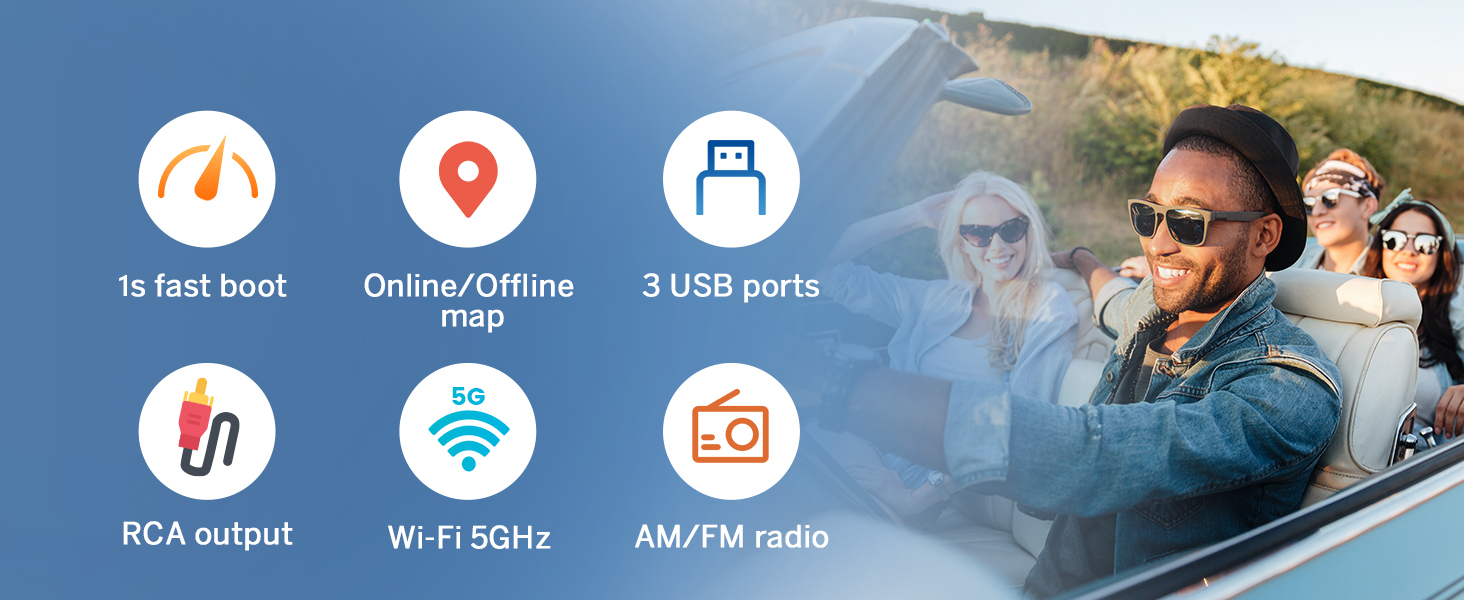
The unit includes a built-in amplifier (4x45W output) and a 36-band equalizer for sound customization. It supports Bluetooth audio, FM/AM radio, and AUX audio input.
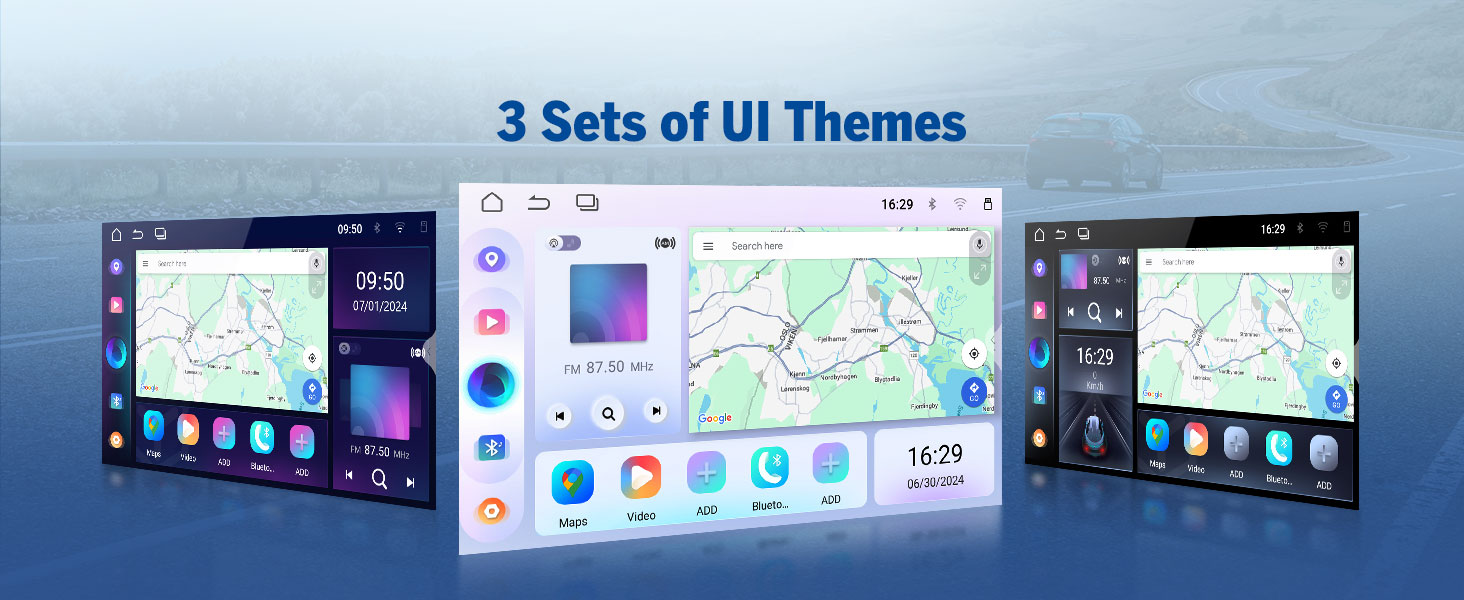
Figure 4.8: 36-Band Graphic Equalizer
5. പരിപാലനം
5.1 വൃത്തിയാക്കൽ
Use a soft, dry cloth to clean the screen and unit exterior. Avoid abrasive cleaners or solvents that could damage the surface.
5.2 ഫേംവെയർ അപ്ഡേറ്റുകൾ
The unit supports over-the-air (OTA) firmware updates to fix software issues and enhance security. Access the 'Updater' app on the unit to check for and install updates. Note that Android system upgrades are not supported via OTA.

Figure 5.1: Over-the-Air Firmware Update
6. പ്രശ്നപരിഹാരം
If you encounter issues with your M3BLX7 unit, refer to the following common solutions:
- ശക്തിയില്ല: Check all power connections and the 15A fuse. Ensure the vehicle battery is properly connected.
- ശബ്ദമില്ല: Verify speaker connections. Check volume levels and equalizer settings. Ensure the correct audio source is selected.
- കാർപ്ലേ/ആൻഡ്രോയിഡ് ഓട്ടോ കണക്ഷൻ പ്രശ്നങ്ങൾ: Ensure Wi-Fi and Bluetooth are enabled on your phone and the stereo. Restart both devices and attempt to reconnect. Confirm the Zlink5 app is running.
- Steering Wheel Controls Unresponsive: Ensure the CANBUS is correctly connected. Some steering wheel buttons may require a longer press to register input.
- ബാക്കപ്പ് ക്യാമറ പ്രദർശിപ്പിക്കുന്നില്ല: Check the reverse video input cable connection. Ensure the camera is receiving power.
- സിസ്റ്റം ലാഗ്/പ്രതികരണമില്ലായ്മ: Close unused applications. Perform a system restart. Check for and install any available firmware updates.
For persistent issues, contact Eonon customer support for assistance.
7 സ്പെസിഫിക്കേഷനുകൾ
| ഫീച്ചർ | സ്പെസിഫിക്കേഷൻ |
|---|---|
| ഉൽപ്പന്ന അളവുകൾ | 8.67 x 5.12 x 1.34 ഇഞ്ച് |
| ഇനത്തിൻ്റെ ഭാരം | 4.4 പൗണ്ട് |
| ഇനം മോഡൽ നമ്പർ | M3BLX7 |
| ഓപ്പറേറ്റിംഗ് സിസ്റ്റം | ആൻഡ്രോയിഡ് 14 |
| സ്ക്രീൻ വലിപ്പം | 9 ഇഞ്ച് |
| സ്ക്രീൻ റെസല്യൂഷൻ | 1280*720 ഐ.പി.എസ് |
| Viewing ആംഗിൾ | 178° |
| പ്രോസസ്സർ | Rockchip (8-core) |
| മെമ്മറി സ്റ്റോറേജ് കപ്പാസിറ്റി | 32 ജിബി |
| കണക്റ്റിവിറ്റി ടെക്നോളജി | ബ്ലൂടൂത്ത് 5.4, വൈ-ഫൈ, യുഎസ്ബി |
| പ്രത്യേക സവിശേഷതകൾ | Wireless CarPlay, Android Auto, DSP, Touchscreen, AM/FM, SWC Support |
| ഓഡിയോ put ട്ട്പുട്ട് മോഡ് | Stereo (4x45W) |
| മാപ്പ് തരം | Road (GPS Navigation) |
8. വാറൻ്റിയും പിന്തുണയും
Eonon offers the following support for your M3BLX7 car stereo:
- തിരികെ നൽകൽ നയം: 30 ദിവസത്തെ തടസ്സരഹിത റിട്ടേൺ പോളിസി.
- Maintenance Coverage: 2-year maintenance coverage.
- സാങ്കേതിക സഹായം: ആജീവനാന്ത സാങ്കേതിക പിന്തുണ.
For warranty claims, technical assistance, or product inquiries, please visit the official Eonon webസൈറ്റ് അല്ലെങ്കിൽ അവരുടെ ഉപഭോക്തൃ സേവന വിഭാഗവുമായി ബന്ധപ്പെടുക.


