1. ആമുഖം
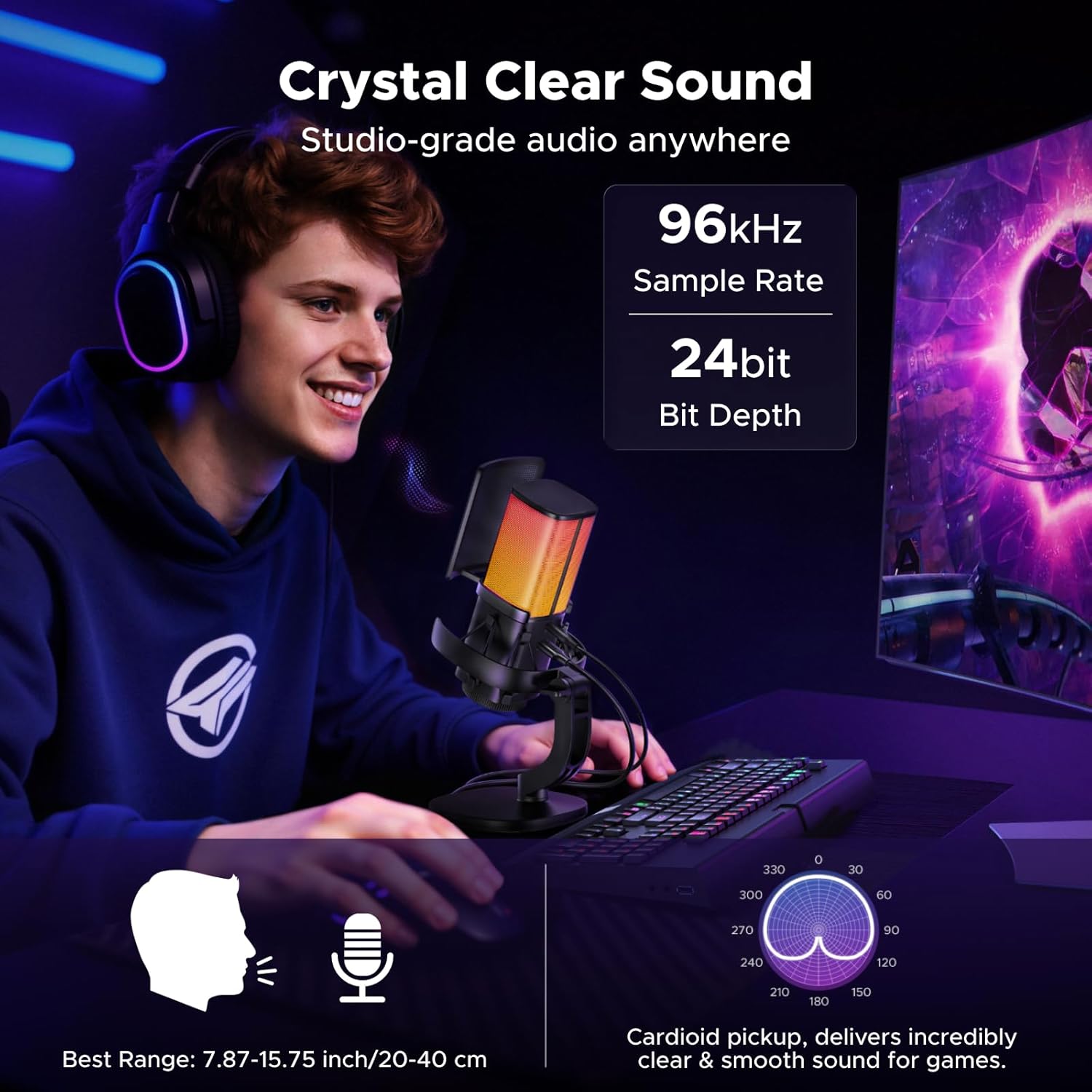
The UGREEN USB Gaming Microphone is designed to provide high-quality audio for streaming, gaming, voice chat, and podcasting. Featuring a 24-bit/96kHz sample rate, cardioid polar pattern, and adaptive noise suppression, it ensures clear and rich sound capture. This microphone offers plug-and-play compatibility with various devices and includes convenient controls for mute, gain, and customizable RGB lighting.
2. പാക്കേജ് ഉള്ളടക്കം
- UGREEN USB Gaming Microphone
- യുഎസ്ബി എസി കേബിൾ
- പോപ്പ് ഫിൽട്ടർ
- ഷോക്ക് മൗണ്ട്
- ഡെസ്ക്ടോപ്പ് സ്റ്റാൻഡ്
- ഉപയോക്തൃ മാനുവൽ
3 പ്രധാന സവിശേഷതകൾ
- Crystal-Clear Pro Audio: Captures studio-quality sound with a 96kHz/24-bit sample rate and 20Hz-20kHz frequency response. The cardioid polar pattern focuses on your voice, reducing background noise. Advanced DSP chip and adaptive noise suppression (ANS) further enhance clarity.
- Plug and Play & Wide Compatibility: No drivers required for easy setup. Compatible with computers (Mac, Windows, Linux), PS4/PS5, Switch/Switch 2, Steam Deck, iPhone 15/16/17/Galaxy S25 (requires a USB-C to USB-C data cable), and platforms like YouTube, Zoom, Skype, and Discord. Note: Not Compatible with Xbox.
- Professional Control & Versatility: Features a 3.5mm jack for zero-latency monitoring, a one-tap mute button for quick privacy, and a gain control knob for effortless volume adjustment. The included pop filter eliminates plosives, and the shock mount isolates low-frequency vibrations and desk noise.
- Customizable RGB Ambiance: Offers 7 dynamic lighting modes, including vibrant rainbow, 5 solid colors (orange, yellow, cyan, blue, purple), and a smooth breathing effect. Easily switch modes with a one-tap control on the microphone.
4. സജ്ജീകരണ നിർദ്ദേശങ്ങൾ
- ബോക്സിൽ നിന്ന് എല്ലാ ഘടകങ്ങളും അൺപാക്ക് ചെയ്യുക.
- Attach the pop filter to the microphone. The pop filter snaps into place over the microphone grille.
- Connect the USB-C end of the provided cable to the USB-C port on the microphone.
- Connect the USB-A or USB-C end of the cable to an available USB port on your computer, PS4/PS5, Switch, or Steam Deck. For iPhone 15/16/17/Galaxy S25, ensure you use a compatible USB-C to USB-C data cable.
- The microphone is plug-and-play and should be automatically recognized by your operating system without additional drivers.
- For real-time audio monitoring, plug your headphones into the 3.5mm jack on the microphone.
5. മൈക്രോഫോൺ പ്രവർത്തിപ്പിക്കൽ
5.1 പവർ ഓൺ/ഓഫ്
The microphone powers on automatically when connected to a powered USB port. Disconnect the USB cable to power it off.
5.2 നിശബ്ദ പ്രവർത്തനം
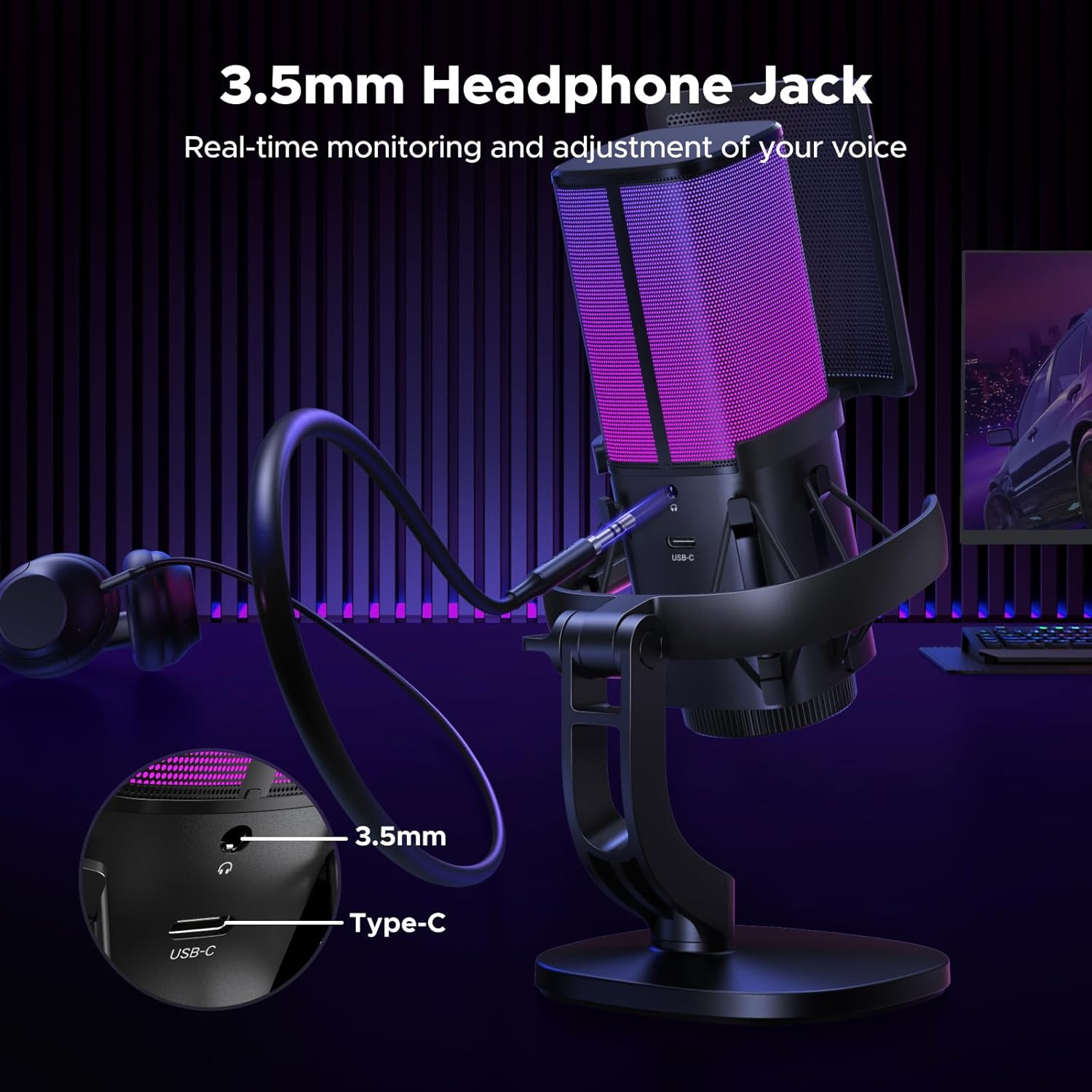
അമർത്തുക നിശബ്ദ ബട്ടൺ (microphone icon) on the front of the microphone to instantly mute or unmute your audio. An indicator light will show the mute status.
5.3 ഗെയിൻ കൺട്രോൾ
തിരിക്കുക ഗെയിൻ കൺട്രോൾ നോബ് located at the bottom of the microphone to adjust the input sensitivity (volume) of the microphone.
5.4 RGB ലൈറ്റിംഗ് മോഡുകൾ
അമർത്തുക RGB ലൈറ്റ് ബട്ടൺ (light bulb icon) on the front of the microphone to cycle through the 7 dynamic lighting modes. This allows you to match your setup's aesthetic or mood.
5.5 സീറോ-ലേറ്റൻസി മോണിറ്ററിംഗ്
Plug your headphones into the 3.5mm audio jack on the microphone to monitor your voice in real-time without any delay. This helps ensure optimal vocal levels during recording or live streams.
5.6 ഒപ്റ്റിമൽ മൈക്രോഫോൺ പൊസിഷനിംഗ്
For the best sound quality, position the microphone 8–12 inches (20–30 cm) from your mouth. Ensure you are speaking directly into the front of the microphone, where the UGREEN logo and control buttons are located, as it utilizes a cardioid pickup pattern.
6. Product Visuals and Demonstrations
ചിത്രം 1: The UGREEN USB Gaming Microphone fully assembled with its pop filter and desktop stand.
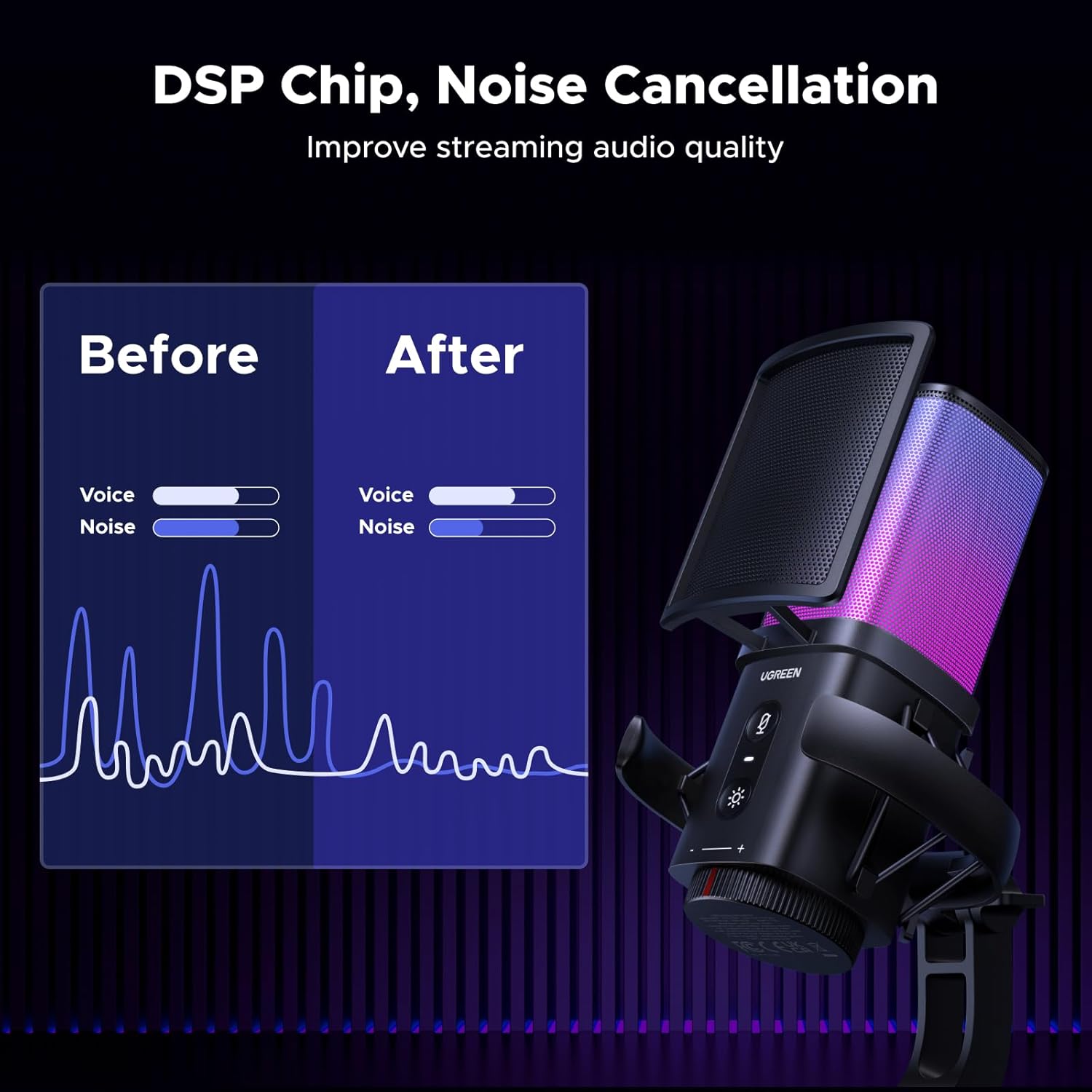
ചിത്രം 2: ക്ലോസ് അപ്പ് view of the microphone highlighting its dynamic RGB lighting effects.

ചിത്രം 3: The microphone's front panel showing the mute button, RGB light button, and gain control knob.
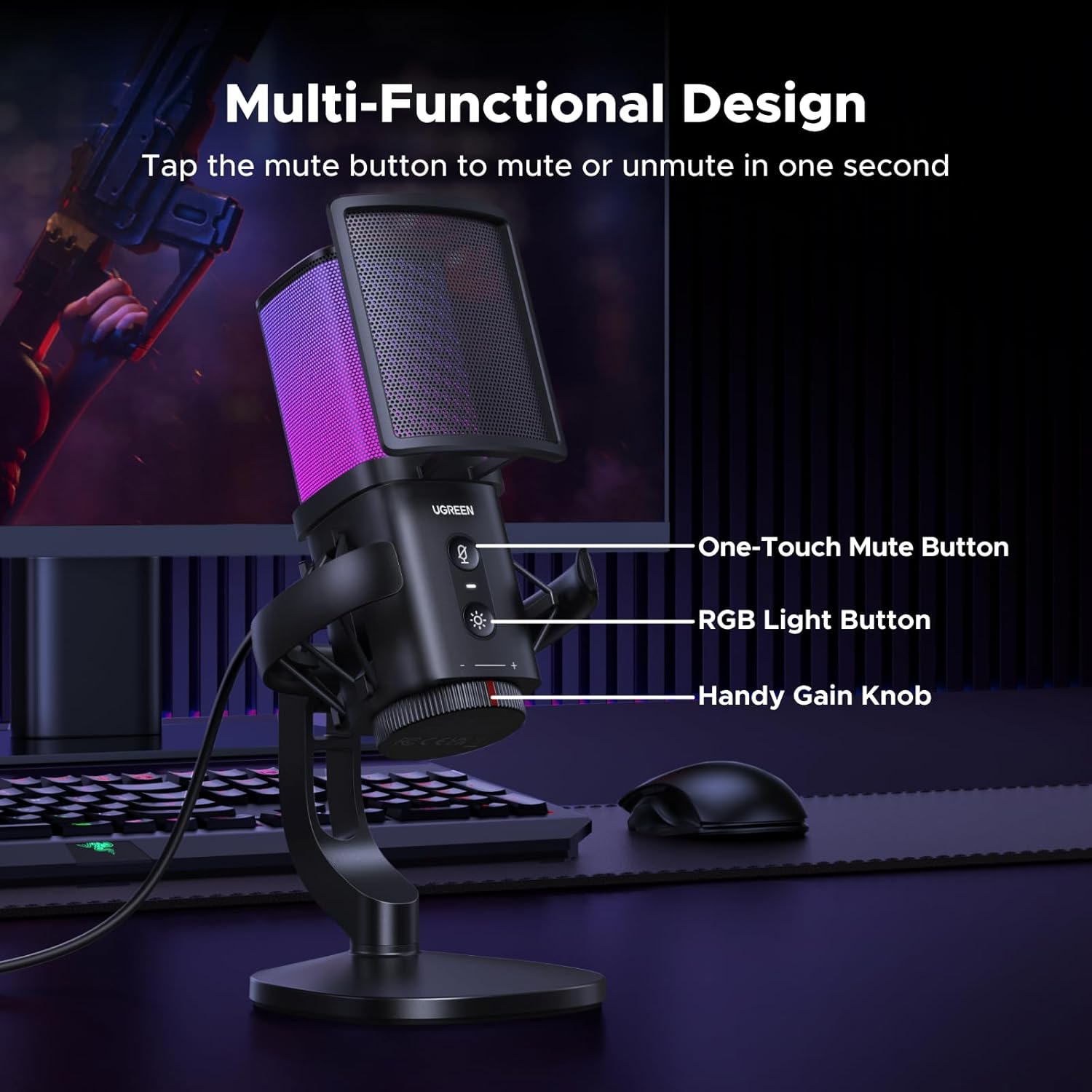
ചിത്രം 4: Detail of the microphone's connectivity options, including the 3.5mm headphone jack for monitoring and the USB-C port.

ചിത്രം 5: Visual representation of the microphone's wide compatibility with different operating systems and streaming platforms.
ചിത്രം 6: Close-up of the integrated shock mount designed to reduce vibrations and handling noise.
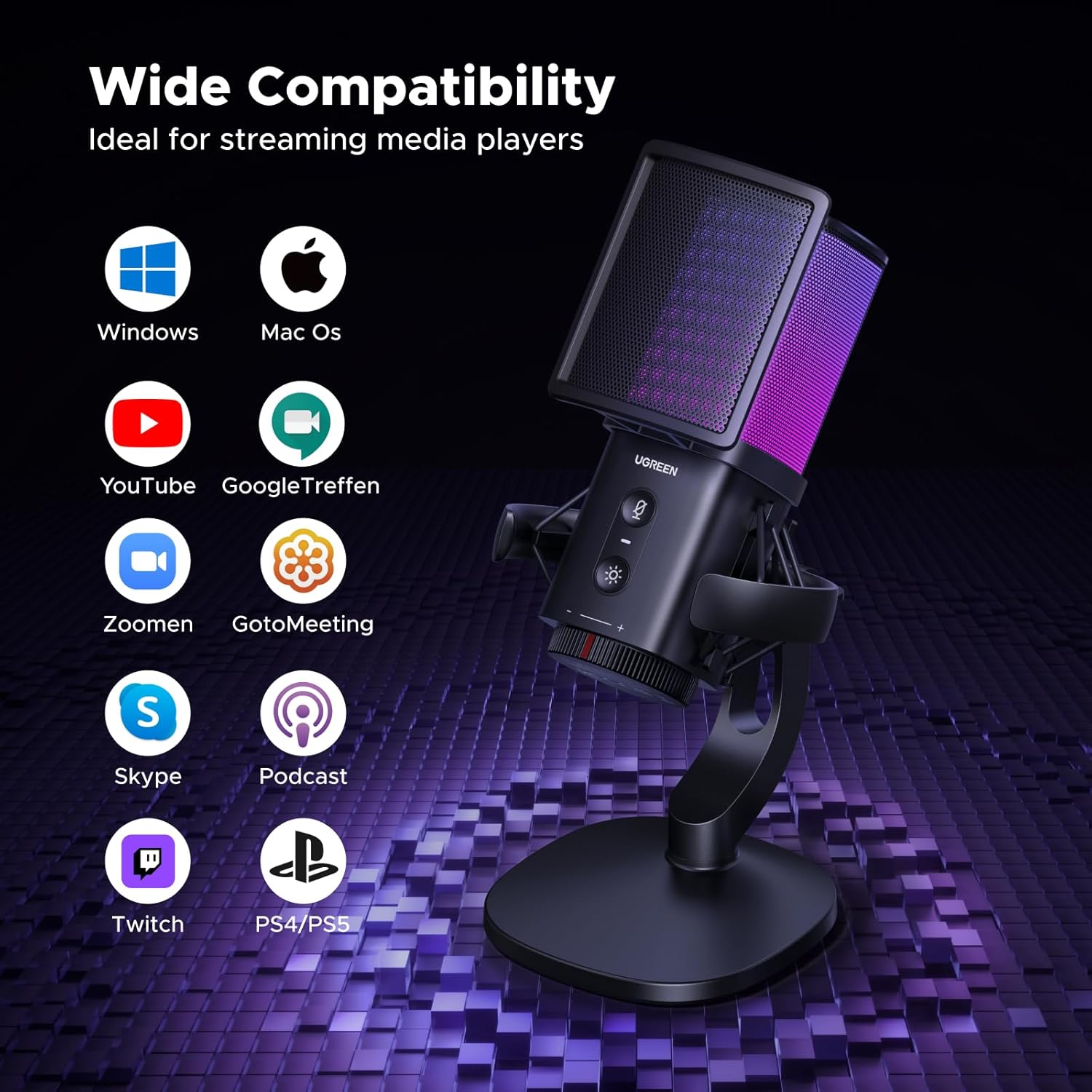
ചിത്രം 7: The UGREEN USB Gaming Microphone in a typical user setup, demonstrating its compact size and aesthetic appeal.
7 സ്പെസിഫിക്കേഷനുകൾ
| ഫീച്ചർ | വിശദാംശങ്ങൾ |
|---|---|
| മോഡലിൻ്റെ പേര് | 65629 |
| മൈക്രോഫോൺ ഫോം ഫാക്ടർ | സ്റ്റുഡിയോ കണ്ടൻസർ |
| കണക്റ്റിവിറ്റി ടെക്നോളജി | USB |
| കണക്റ്റർ തരം | 3.5 mm Jack, USB Type-C |
| പോളാർ പാറ്റേൺ | ഏകദിശയിലുള്ള (കാർഡിയോയിഡ്) |
| ഓഡിയോ എസ്ampലിംഗ് നിരക്ക് | 96KHz/24bit |
| ഫ്രീക്വൻസി പ്രതികരണം | 20Hz-20kHz |
| സിഗ്നൽ-ടു-നോയിസ് അനുപാതം | 70 ഡി.ബി |
| പ്രത്യേക സവിശേഷതകൾ | 96KHz/24bit, Adjustable Gain Control Knob, Mute Function, Pop Filter, RGB Lights |
| അനുയോജ്യമായ ഉപകരണങ്ങൾ | Laptop, Desktop, PC, PS4/PS5, Switch/Switch 2, Steam Deck, iPhone 15/16/17/Galaxy S25 (requires USB-C to USB-C data cable) |
| നിറം | കറുപ്പ് |
| മെറ്റീരിയൽ | Acrylonitrile Butadiene Styrene, Metal, Plastic |
| ഇനത്തിൻ്റെ ഭാരം | 1.06 പൗണ്ട് |
| പവർ ഉറവിടം | കോർഡഡ് ഇലക്ട്രിക് |
8. പരിപാലനവും പരിചരണവും
- മൃദുവായതും ഉണങ്ങിയതുമായ തുണി ഉപയോഗിച്ച് തുടച്ച് മൈക്രോഫോൺ വൃത്തിയായി സൂക്ഷിക്കുക.
- മൈക്രോഫോണിനെ തീവ്രമായ താപനില, ഈർപ്പം അല്ലെങ്കിൽ നേരിട്ടുള്ള സൂര്യപ്രകാശം എന്നിവയിൽ ഏൽപ്പിക്കുന്നത് ഒഴിവാക്കുക.
- Do not use harsh chemicals or abrasive cleaners on the microphone.
- കേടുപാടുകൾ ഒഴിവാക്കാൻ ഉപയോഗത്തിലില്ലാത്തപ്പോൾ മൈക്രോഫോൺ സുരക്ഷിതമായ സ്ഥലത്ത് സൂക്ഷിക്കുക.
9. പ്രശ്നപരിഹാരം
9.1 ശബ്ദ ഔട്ട്പുട്ട് ഇല്ല
- യുഎസ്ബി കേബിൾ മൈക്രോഫോണിലേക്കും നിങ്ങളുടെ ഉപകരണത്തിലേക്കും സുരക്ഷിതമായി ബന്ധിപ്പിച്ചിട്ടുണ്ടെന്ന് ഉറപ്പാക്കുക.
- Check your device's audio settings to confirm the UGREEN microphone is selected as the input device.
- Verify the microphone is not muted using the mute button on the device.
- Adjust the gain control knob on the microphone to an appropriate level.
9.2 വികലമായ ശബ്ദം
- Lower the gain control knob on the microphone to prevent clipping.
- Ensure the microphone is positioned at the recommended distance (8-12 inches) from your mouth.
- Avoid using the microphone with speakers, as its high sensitivity may cause feedback or screeching.
9.3 RGB Lights Not Working
- മൈക്രോഫോൺ ശരിയായി കണക്റ്റുചെയ്തിട്ടുണ്ടെന്നും പവർ ഓണാക്കിയിട്ടുണ്ടെന്നും ഉറപ്പാക്കുക.
- Press the RGB Light Button to cycle through modes; it might be set to an off state or a single color.
10. വാറൻ്റിയും പിന്തുണയും
UGREEN ഉൽപ്പന്നങ്ങൾക്ക് നിർമ്മാതാവിന്റെ സ്റ്റാൻഡേർഡ് വാറണ്ടി ലഭിക്കും. വിശദമായ വാറന്റി വിവരങ്ങൾ, സാങ്കേതിക പിന്തുണ അല്ലെങ്കിൽ സേവന അന്വേഷണങ്ങൾ എന്നിവയ്ക്ക്, ദയവായി ഔദ്യോഗിക UGREEN കാണുക. webസൈറ്റിൽ ബന്ധപ്പെടുക അല്ലെങ്കിൽ അവരുടെ ഉപഭോക്തൃ സേവനവുമായി നേരിട്ട് ബന്ധപ്പെടുക. വാറന്റി ക്ലെയിമുകൾക്കായി നിങ്ങളുടെ വാങ്ങൽ രസീത് സൂക്ഷിക്കുക.


