ആമുഖം
This manual provides essential information for the proper setup, operation, and maintenance of your VINABTY BN59-01388C replacement remote control. This remote is designed to be compatible with various Samsung Crystal UHD 4K CU7000 series Smart TV models, including but not limited to UN43CU7000FXZA, UN50CU7000FXZA, UN55CU7000FXZA, UN58CU7000FXZA, UN65CU7000FXZA, UN70CU7000FXZA, UN75CU7000FXZA, and UN85CU7000FXZA. No programming is required for use with compatible models.
ഉൽപ്പന്നം കഴിഞ്ഞുview
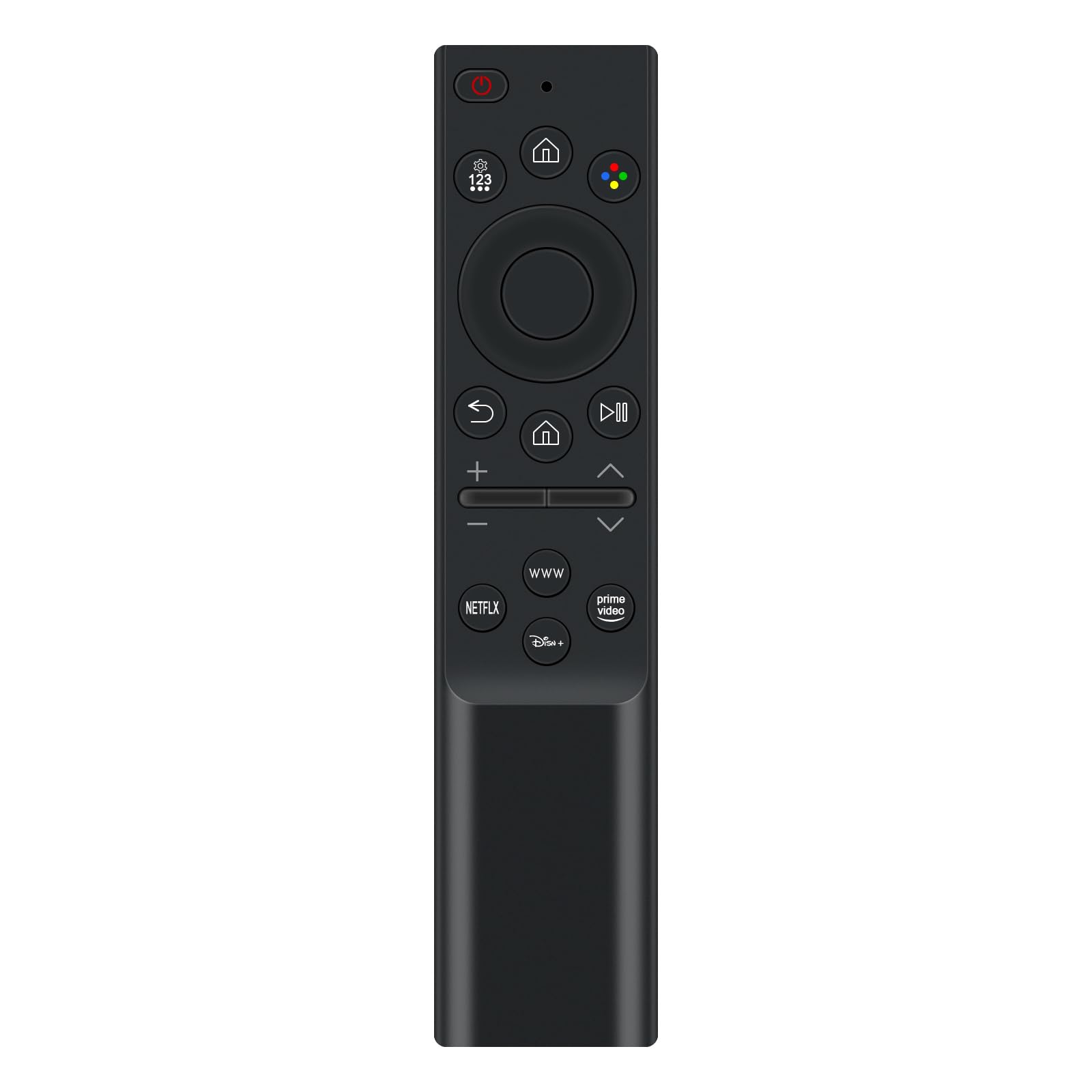
The VINABTY BN59-01388C is an ergonomic replacement remote control, designed to provide seamless control over your compatible Samsung Smart TV. It features a standard button layout for intuitive navigation and direct access to popular streaming services.
സജ്ജമാക്കുക
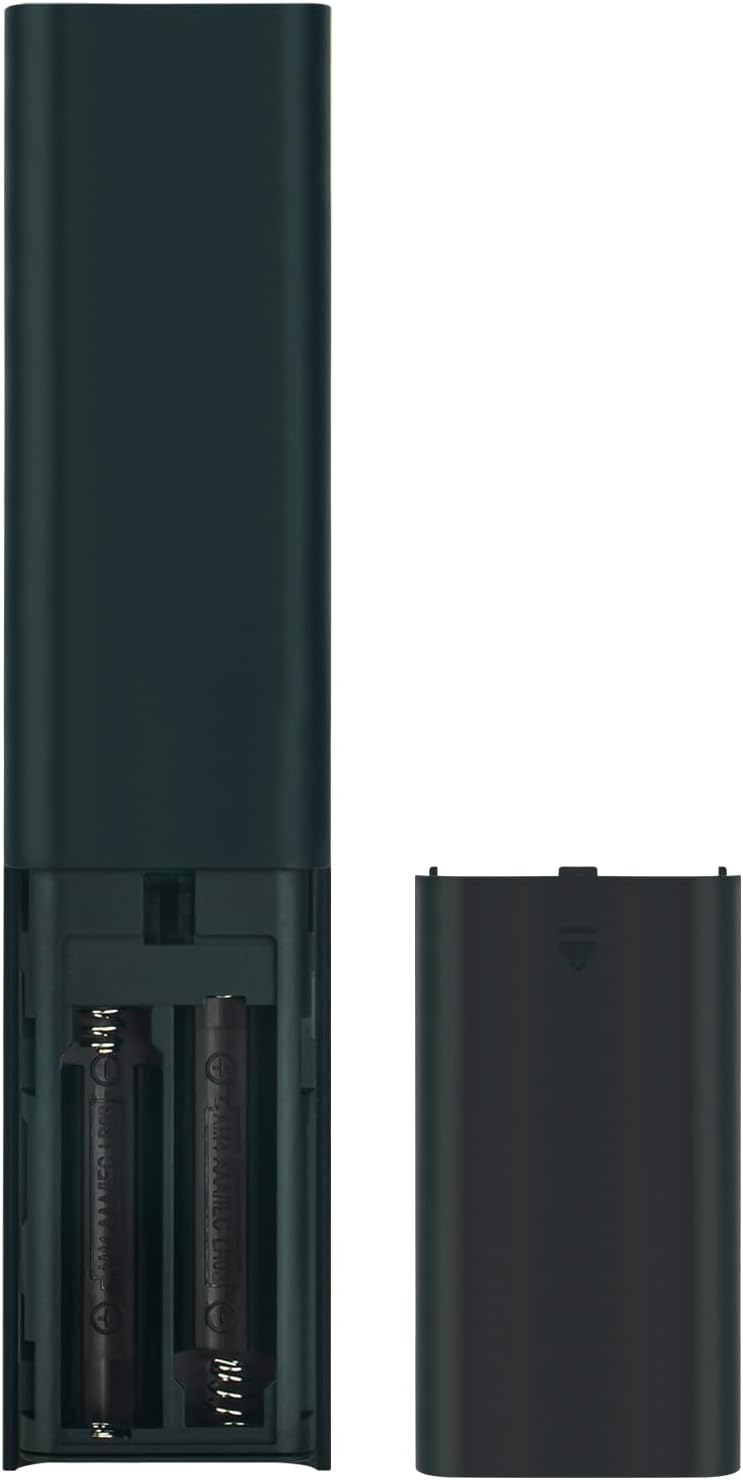
ബാറ്ററി ഇൻസ്റ്റാളേഷൻ
- റിമോട്ട് കൺട്രോളിൻ്റെ പിൻഭാഗത്ത് ബാറ്ററി കമ്പാർട്ട്മെൻ്റ് കവർ കണ്ടെത്തുക.
- കമ്പാർട്ട്മെന്റ് തുറക്കാൻ കവർ താഴേക്ക് സ്ലൈഡ് ചെയ്യുക അല്ലെങ്കിൽ ലാച്ച് (ഉണ്ടെങ്കിൽ) അമർത്തുക.
- രണ്ട് (2) AAA ബാറ്ററികൾ ഇടുക, പോസിറ്റീവ് (+) ഉം നെഗറ്റീവ് (-) ടെർമിനലുകളും കമ്പാർട്ടുമെന്റിനുള്ളിലെ അടയാളപ്പെടുത്തലുകളുമായി ശരിയായി വിന്യസിക്കുന്നുണ്ടെന്ന് ഉറപ്പാക്കുക.
- സുരക്ഷിതമായി ക്ലിക്ക് ചെയ്യുന്നതുവരെ ബാറ്ററി കമ്പാർട്ട്മെന്റ് കവർ തിരികെ സ്ഥലത്തേക്ക് സ്ലൈഡുചെയ്ത് മാറ്റിസ്ഥാപിക്കുക.
The remote control is now ready for use. No additional programming is required for compatible Samsung TV models.
പ്രവർത്തന നിർദ്ദേശങ്ങൾ
The remote control features a straightforward layout for easy operation of your Samsung Smart TV. Point the remote directly at your TV's infrared receiver for optimal performance.
- പവർ ബട്ടൺ (O): ടിവി ഓണാക്കുകയോ ഓഫാക്കുകയോ ചെയ്യുന്നു.
- Settings/123 Button: Accesses TV settings or brings up a numeric keypad for channel input.
- ഹോം ബട്ടണ് (⌂): Returns to the Smart Hub or home screen.
- നാവിഗേഷൻ പാഡ് (മുകളിലേക്ക്, താഴേക്ക്, ഇടത്, വലത്, എന്റർ): Used to navigate menus and select items.
- ബാക്ക് ബട്ടൺ (↶ под): മുമ്പത്തെ സ്ക്രീനിലേക്കോ മെനുവിലേക്കോ മടങ്ങുന്നു.
- പ്ലേ/താൽക്കാലിക ബട്ടൺ (⏸ ⏸ മിനിമലിസ്റ്റ്): മീഡിയ പ്ലേബാക്ക് നിയന്ത്രിക്കുന്നു.
- വോളിയം ബട്ടണുകൾ (+/-): ടിവി വോളിയം ക്രമീകരിക്കുന്നു.
- Channel Buttons (Up/Down): ടിവി ചാനലുകൾ മാറ്റുന്നു.
- Dedicated App Buttons (NETFLIX, WWW, Disney+, Prime Video): Provides direct access to these streaming applications.
മെയിൻ്റനൻസ്
- വൃത്തിയാക്കൽ: റിമോട്ട് കൺട്രോൾ വൃത്തിയാക്കാൻ മൃദുവായതും ഉണങ്ങിയതുമായ തുണി ഉപയോഗിക്കുക. ലിക്വിഡ് ക്ലീനറുകളോ ഉരച്ചിലുകളുള്ള വസ്തുക്കളോ ഉപയോഗിക്കുന്നത് ഒഴിവാക്കുക.
- ബാറ്ററി മാറ്റിസ്ഥാപിക്കൽ: Replace batteries when the remote's response becomes sluggish or stops working. Always replace both batteries at the same time with new AAA batteries.
- സംഭരണം: നേരിട്ടുള്ള സൂര്യപ്രകാശവും കടുത്ത താപനിലയും ഏൽക്കാത്ത തണുത്തതും വരണ്ടതുമായ സ്ഥലത്ത് റിമോട്ട് സൂക്ഷിക്കുക.
ട്രബിൾഷൂട്ടിംഗ്
- റിമോട്ട് പ്രതികരിക്കുന്നില്ല:
- ശരിയായ പോളാരിറ്റി ഉപയോഗിച്ച് ബാറ്ററികൾ ശരിയായി ചേർത്തിട്ടുണ്ടെന്ന് ഉറപ്പാക്കുക.
- പഴയ ബാറ്ററികൾ പുതിയ AAA ബാറ്ററികൾ ഉപയോഗിച്ച് മാറ്റിസ്ഥാപിക്കുക.
- റിമോട്ട് കൺട്രോളിനും ടിവിയുടെ ഇൻഫ്രാറെഡ് റിസീവറിനും ഇടയിൽ എന്തെങ്കിലും തടസ്സങ്ങളുണ്ടോയെന്ന് പരിശോധിക്കുക.
- Ensure you are within the effective range of the TV's infrared receiver.
- ചില ബട്ടണുകൾ പ്രവർത്തിക്കുന്നില്ല:
- Clean the remote control surface and buttons to remove any dirt or debris that might be interfering with button presses.
- If only specific buttons are unresponsive, the remote may be damaged.
സ്പെസിഫിക്കേഷനുകൾ
| ഫീച്ചർ | സ്പെസിഫിക്കേഷൻ |
|---|---|
| മോഡൽ നമ്പർ | BN59-01388C |
| ബ്രാൻഡ് | വിനാബ്റ്റി |
| അനുയോജ്യമായ ഉപകരണങ്ങൾ | Samsung Crystal UHD 4K CU7000 Smart TVs (e.g., UN43CU7000FXZA, UN50CU7000FXZA, etc.) |
| പവർ ഉറവിടം | 2 x AAA ബാറ്ററികൾ (ഉൾപ്പെടുത്തിയിട്ടില്ല) |
| നിറം | കറുപ്പ് |
| പ്രത്യേക ഫീച്ചർ | എർഗണോമിക് ഡിസൈൻ |
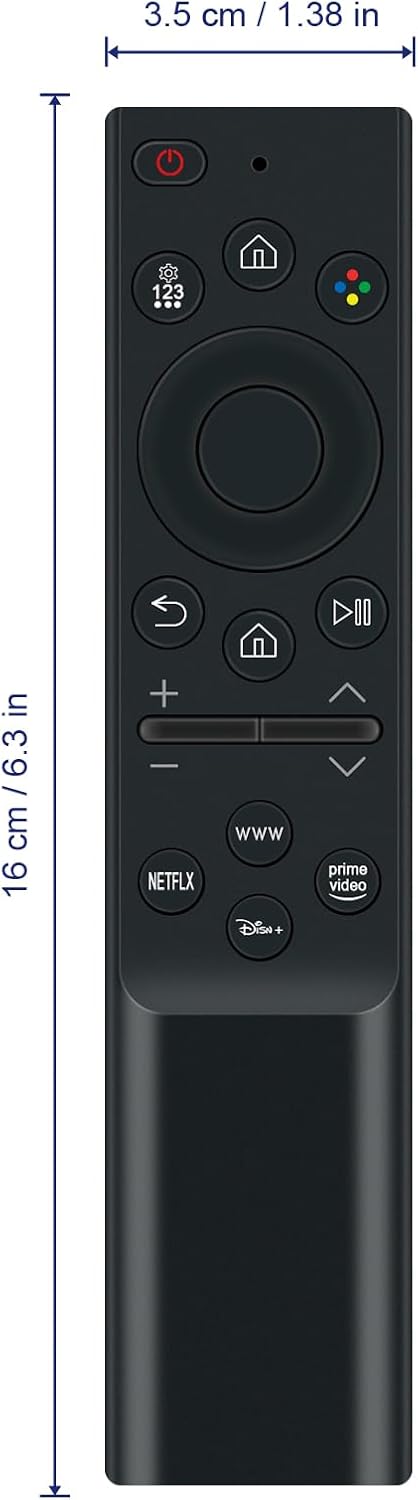
| ഉൽപ്പന്ന അളവുകൾ | 5 x 1.9 x 0.5 ഇഞ്ച് (12.7 x 4.8 x 1.3 സെ.മീ) |
| ഇനത്തിൻ്റെ ഭാരം | 1.9 ഔൺസ് (53.8 ഗ്രാം) |
വാറൻ്റിയും പിന്തുണയും
For warranty information or technical support, please refer to the documentation provided with your purchase or contact the retailer. Keep your purchase receipt for warranty claims.


