ആമുഖം
This manual provides detailed instructions for setting up, operating, maintaining, and troubleshooting your DOOGEE U11 Pro Android 16 Tablet. Please read this manual thoroughly before using your device to ensure optimal performance and longevity.
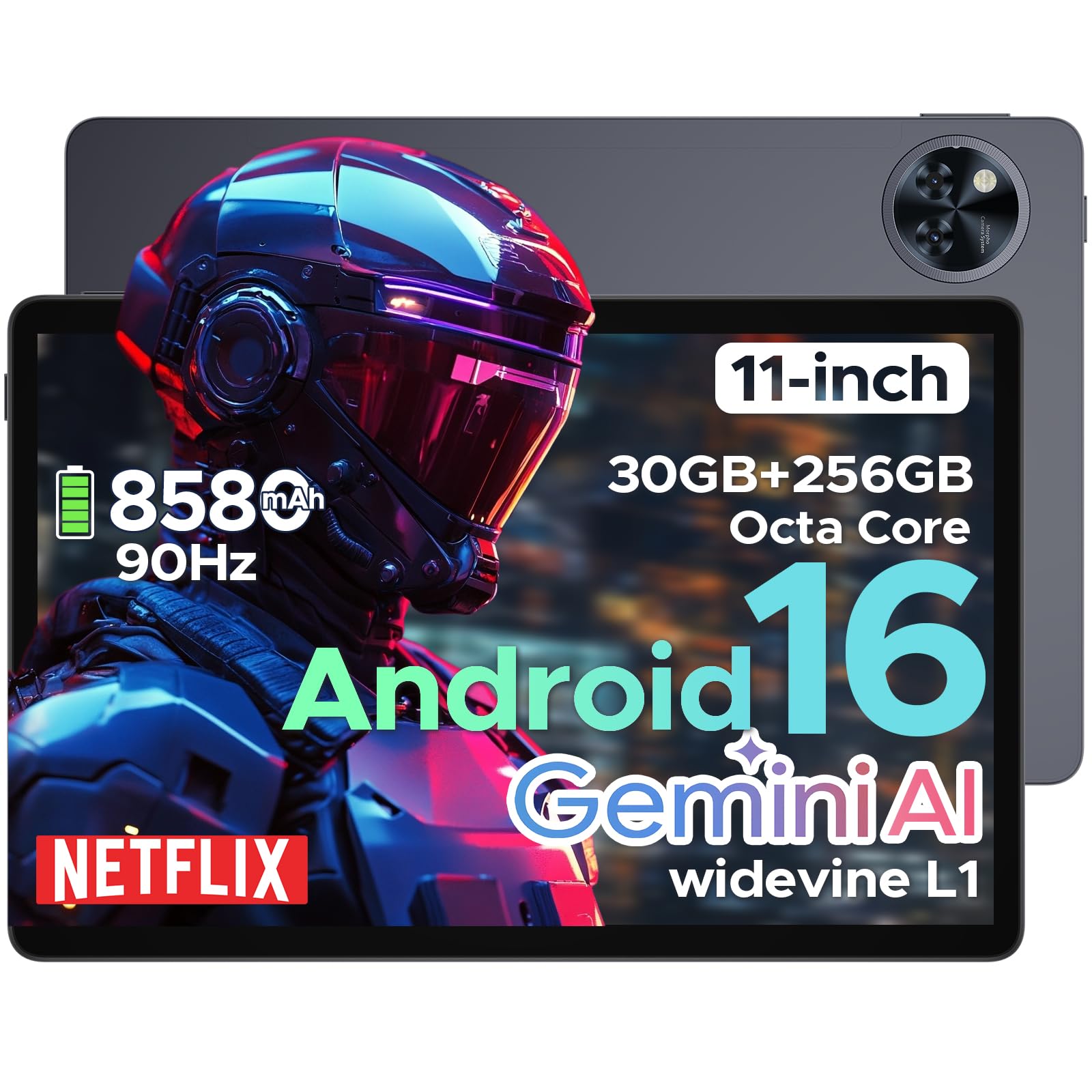
The DOOGEE U11 Pro is an 11-inch tablet featuring the Android 16 operating system with Gemini AI integration. It is powered by a MediaTek Unisoc T7200 octa-core processor, offers 30GB RAM (6GB physical + 24GB expansion) and 256GB internal storage (expandable up to 2TB via MicroSD/TF card). Key features include a 90Hz display, an 8580mAh battery, 13MP rear and 5MP front cameras, Face ID, Bluetooth 5.0, 5G WiFi, and Widevine L1 support for high-definition streaming.
സജ്ജമാക്കുക
1. പാക്കേജ് ഉള്ളടക്കം
പാക്കേജിൽ എല്ലാ ഇനങ്ങളും ഉണ്ടെന്ന് ഉറപ്പാക്കുക:
- DOOGEE U11 Pro Tablet
- ചാർജിംഗ് അഡാപ്റ്റർ
- യുഎസ്ബി-സി കേബിൾ
- സിം എജക്ടർ ഉപകരണം
- ദ്രുത ആരംഭ ഗൈഡ്
- വാറൻ്റി കാർഡ്
2. ടാബ്ലെറ്റ് ചാർജ് ചെയ്യുന്നു
Before first use, fully charge the tablet. Connect the USB-C cable to the tablet's charging port and the adapter to a power outlet.
ചിത്രം: The DOOGEE U11 Pro tablet connected to a charger, illustrating the charging process.
3. പവർ ഓൺ/ഓഫ്
- പവർ ഓണാക്കാൻ: Press and hold the Power button until the DOOGEE logo appears.
- പവർ ഓഫ് ചെയ്യാൻ: Press and hold the Power button, then select "Power Off" from the options.
- പുനരാരംഭിക്കാൻ: പവർ ബട്ടൺ അമർത്തിപ്പിടിക്കുക, തുടർന്ന് ഓപ്ഷനുകളിൽ നിന്ന് "പുനരാരംഭിക്കുക" തിരഞ്ഞെടുക്കുക.
4. സിം/മൈക്രോ എസ്ഡി കാർഡ് ചേർക്കുന്നു
Use the provided SIM ejector tool to open the SIM/MicroSD card tray. Insert your SIM card (if applicable) and/or MicroSD card into the designated slots, ensuring correct orientation. Close the tray securely.

ചിത്രം: A close-up of the tablet's side, indicating the location of the SIM/MicroSD card tray.
പ്രവർത്തന നിർദ്ദേശങ്ങൾ
1. Android 16 System and Gemini AI
The DOOGEE U11 Pro runs on Android 16, offering enhanced app permission control and privacy features. Integrated Gemini AI intelligently manages system resources for tasks like photo editing and real-time translation, providing a smarter and faster user experience.

ചിത്രം: Visual representation of the Android 16 system interface and Gemini AI capabilities.

ചിത്രം: A comparison chart highlighting improvements in Android 16 over Android 15, including privacy, performance, and user interface enhancements.
2. ഡിസ്പ്ലേയും ദൃശ്യങ്ങളും
The 11-inch HD IPS display features a 90Hz refresh rate for smooth scrolling and vibrant colors. It supports a resolution of 1280x800 pixels and offers Widevine L1 certification for 1080p HD content streaming on platforms like Prime Video and Netflix.

ചിത്രം: ഒരു ചിത്രീകരണ പ്രദർശനംasing the 11-inch 90Hz HD IPS display with its key specifications like resolution and refresh rate.

ചിത്രം: A graphic indicating Widevine L1 support for various streaming platforms, ensuring high-quality video playback.
വീഡിയോ: This video demonstrates the immersive visual experience of the DOOGEE U11 Pro tablet, highlighting its display quality and smooth operation.
3. പ്രകടനവും സംഭരണവും
The tablet is equipped with a MediaTek Unisoc T7200 octa-core processor, 30GB RAM (6GB physical + 24GB virtual), and 256GB internal storage. Storage can be expanded up to 2TB using a MicroSD/TF card (sold separately). The built-in Memory Manager helps optimize performance by clearing unnecessary files.

ചിത്രം: ഒരു ആന്തരികം view highlighting the Unisoc T7200 Octa-core Processor, 256GB ROM, and 30GB RAM (6GB+24GB virtual).
4. ബാറ്ററി ലൈഫും ചാർജിംഗും
The 8580mAh battery provides extended usage times. AI battery management helps reduce standby power drain. The tablet also supports OTG reverse charging, allowing it to function as a power bank for other devices.

ചിത്രം: A graphic illustrating the 8580mAh battery and estimated usage times for standby, music, video, and web ബ്രൗസിംഗ്.
വീഡിയോ: This video demonstrates the extended power capabilities of the DOOGEE U11 Pro, including its large battery and reverse charging feature.
5. ക്യാമറകളും സുരക്ഷയും
The tablet features a 13MP rear camera for capturing documents and photos, and a 5MP front camera optimized with AI for video calls and selfies. Face Unlock provides quick and secure access to your device.

ചിത്രം: A close-up of the tablet's rear camera module, highlighting its design.

ചിത്രം: An image showing the tablet's front camera in use for video calls.
6. ഓഡിയോയും കണക്റ്റിവിറ്റിയും
Experience clear sound with HD dual speakers. The tablet supports Bluetooth 5.0 for wireless audio and includes a 3.5mm headphone jack. Connectivity options include 5G WiFi and built-in GPS for accurate navigation. It also features an FM Radio function.

ചിത്രം: A visual summary of the tablet's audio features (dual speakers, 3.5mm jack) and connectivity (GPS, WiFi 5).
വീഡിയോ: This video highlights the smart, smooth, and safe features of the DOOGEE U11 Pro, including its PC-level WPS Office and FM Radio functions.
മെയിൻ്റനൻസ്
- വൃത്തിയാക്കൽ: സ്ക്രീനും ബോഡിയും വൃത്തിയാക്കാൻ മൃദുവായ, ലിന്റ് രഹിത തുണി ഉപയോഗിക്കുക. കഠിനമായ രാസവസ്തുക്കൾ ഒഴിവാക്കുക.
- സോഫ്റ്റ്വെയർ അപ്ഡേറ്റുകൾ: മികച്ച പ്രകടനവും സുരക്ഷയും ഉറപ്പാക്കാൻ സിസ്റ്റം അപ്ഡേറ്റുകൾ പതിവായി പരിശോധിച്ച് ഇൻസ്റ്റാൾ ചെയ്യുക.
- ബാറ്ററി കെയർ: Avoid extreme temperatures. Do not let the battery fully drain frequently.
- സ്റ്റോറേജ് മാനേജ്മെന്റ്: അനാവശ്യമായത് ഇടയ്ക്കിടെ നീക്കം ചെയ്യുക fileസംഭരണ ഇടം ശൂന്യമാക്കാനും പ്രകടനം നിലനിർത്താനും.
ട്രബിൾഷൂട്ടിംഗ്
1. ടാബ്ലെറ്റ് ഓണാക്കുന്നില്ല
- Ensure the tablet is sufficiently charged. Connect it to a charger for at least 30 minutes.
- റീസ്റ്റാർട്ട് ചെയ്യാൻ പവർ ബട്ടൺ 10-15 സെക്കൻഡ് അമർത്തിപ്പിടിക്കുക.
2. ആപ്പുകൾ ക്രാഷാകുകയോ മരവിപ്പിക്കുകയോ ചെയ്യുന്നു
- ആപ്പ് അടച്ച് വീണ്ടും തുറക്കുക.
- ക്രമീകരണങ്ങൾ > ആപ്പുകൾ എന്നതിൽ ആപ്പിന്റെ കാഷെയും ഡാറ്റയും മായ്ക്കുക.
- ഏറ്റവും പുതിയ പതിപ്പിലേക്ക് ആപ്പ് അപ്ഡേറ്റ് ചെയ്തിട്ടുണ്ടെന്ന് ഉറപ്പാക്കുക.
- ടാബ്ലെറ്റ് പുനരാരംഭിക്കുക.
3. Poor Wi-Fi Connection
- നിങ്ങൾ വൈഫൈ റൂട്ടറിന്റെ പരിധിയിലാണെന്ന് ഉറപ്പാക്കുക.
- നിങ്ങളുടെ വൈഫൈ റൂട്ടറും ടാബ്ലെറ്റും പുനരാരംഭിക്കുക.
- വൈഫൈ ക്രമീകരണങ്ങളിൽ നെറ്റ്വർക്ക് മറന്ന് വീണ്ടും കണക്റ്റുചെയ്യുക.
4. മന്ദഗതിയിലുള്ള പ്രകടനം
- ഉപയോഗിക്കാത്ത പശ്ചാത്തല ആപ്ലിക്കേഷനുകൾ അടയ്ക്കുക.
- കാഷെ മായ്ക്കുക, താൽക്കാലികം files using the built-in Memory Manager.
- ആവശ്യത്തിന് സംഭരണ സ്ഥലം ലഭ്യമാണെന്ന് ഉറപ്പാക്കുക.
- Perform a factory reset as a last resort (കുറിപ്പ്: This will erase all data. Back up important fileആദ്യം).
സ്പെസിഫിക്കേഷനുകൾ
| ഫീച്ചർ | സ്പെസിഫിക്കേഷൻ |
|---|---|
| മോഡലിൻ്റെ പേര് | U11 പ്രോ |
| ഓപ്പറേറ്റിംഗ് സിസ്റ്റം | ആൻഡ്രോയിഡ് 16 |
| പ്രോസസ്സർ | MediaTek Unisoc T7200 Octa-Core |
| റാം | 30GB (6GB physical + 24GB expansion) |
| ആന്തരിക സംഭരണം | 256 ജിബി |
| വികസിപ്പിക്കാവുന്ന സംഭരണം | Up to 2TB via MicroSD/TF card |
| സ്ക്രീൻ വലിപ്പം | 11 ഇഞ്ച് |
| സ്ക്രീൻ റെസല്യൂഷൻ | 1280 x 800 പിക്സലുകൾ |
| പുതുക്കിയ നിരക്ക് | 90Hz |
| ബാറ്ററി ശേഷി | 8580mAh |
| പിൻ ക്യാമറ | 13എംപി |
| മുൻ ക്യാമറ | 5എംപി |
| വയർലെസ് തരം | 802.11ax (5G WiFi) |
| ബ്ലൂടൂത്ത് | ബ്ലൂടൂത്ത് 5.0 |
| അളവുകൾ (LxWxH) | 10.13 x 6.65 x 0.31 ഇഞ്ച് |
| നിറം | Gray (variant specific) |
| പ്രത്യേക സവിശേഷതകൾ | Gemini AI, Widevine L1, Face ID, OTG Reverse Charging, HD Dual Speakers, GPS, FM Radio, Built-in PC-level WPS Office |
വാറൻ്റിയും പിന്തുണയും
DOOGEE offers comprehensive support for its products:
- 30 ദിവസത്തെ പണം തിരികെ നൽകൽ ഗ്യാരണ്ടി: നിങ്ങളുടെ വാങ്ങലിൽ നിങ്ങൾ തൃപ്തനല്ലെങ്കിൽ, 30 ദിവസത്തിനുള്ളിൽ അത് തിരികെ നൽകുന്നതിലൂടെ മുഴുവൻ റീഫണ്ടും ലഭിക്കും.
- 2-വർഷ പരിമിത വാറൻ്റി: The DOOGEE U11 Pro Tablet comes with a 2-year limited warranty covering manufacturing defects.
- 24/7 ഓൺലൈൻ പിന്തുണ: For any technical assistance or inquiries, please contact DOOGEE customer service available 24/7.
For more information, please visit the official DOOGEE webസൈറ്റ് അല്ലെങ്കിൽ നിങ്ങളുടെ പാക്കേജിൽ ഉൾപ്പെടുത്തിയിരിക്കുന്ന വാറന്റി കാർഡ് റഫർ ചെയ്യുക.


