1. ആമുഖം
The LIORQUE Kids Sleep Training Alarm Clock is designed to help children develop healthy sleep habits through visual cues and customizable settings. This manual provides detailed instructions for setup, operation, and maintenance of your device.
വീഡിയോ: കഴിഞ്ഞുview of the Sleep Training Kids Alarm Clock with Sun & Moon Rise. This video demonstrates the core functionality of the clock, including the visual cues for sleep and wake times.
2. ഉൽപ്പന്നം കഴിഞ്ഞുview
2.1 പാക്കേജ് ഉള്ളടക്കം
- LIORQUE Kids Alarm Clock x 1
- USB-C Data Cable x 1
- അഡാപ്റ്റർ x 1
- ഉപയോക്തൃ മാനുവൽ x 1

Image: The LIORQUE Kids Alarm Clock, USB-C data cable, power adapter, and user manual as included in the package.
2.2 പ്രധാന സവിശേഷതകൾ
- Sun & Moon Icons: Visual cues for sleep and wake times.
- Dual Alarms & Weekend Mode: Two independent alarms with an option to disable alarms on weekends.
- പവർ ഓപ്ഷനുകൾ: Battery-powered with sound activation or continuous display when plugged in.
- ക്രമീകരിക്കാവുന്ന തെളിച്ചം: 3 levels for screen and night light.
- താപനില പ്രദർശനം: Shows current room temperature.
- Variety of Ringtones: 5 different ringtones with 10 adjustable volume levels.
- നൈറ്റ് ലൈറ്റ് ഫീച്ചർ: Gentle night light with rocker switch activation.
- സ്നൂസ് പ്രവർത്തനം: 5-minute snooze, up to 3 times.
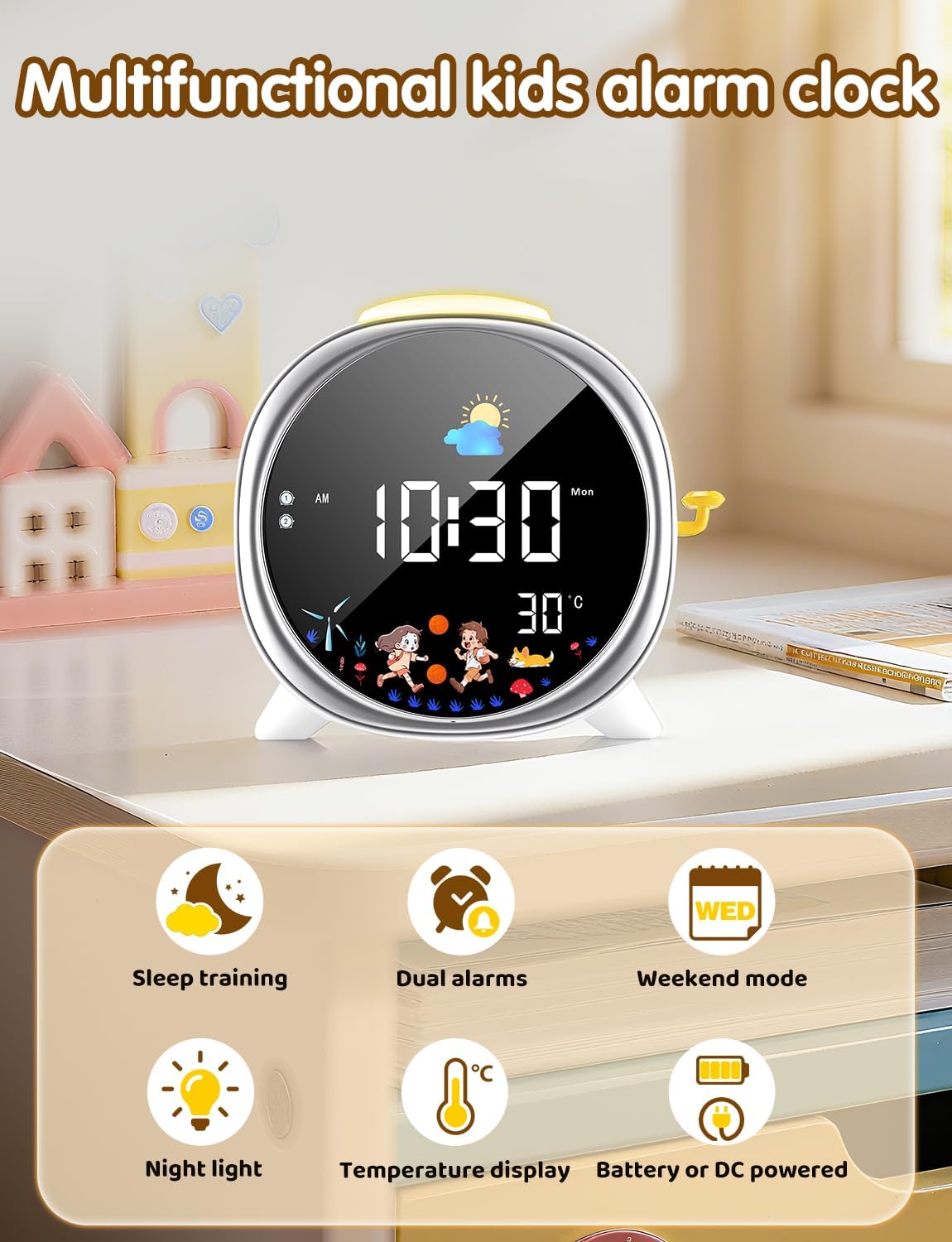
Image: The LIORQUE Kids Alarm Clock highlighting its multifunctional capabilities including sleep training, dual alarms, weekend mode, night light, temperature display, and battery/DC power options.
2.3 നിയന്ത്രണങ്ങളും പ്രദർശനവും
The clock features an intuitive interface with clearly labeled buttons on the back for easy setup and adjustment.

ചിത്രം: വിശദമായത് view of the back panel of the LIORQUE Kids Alarm Clock, showing buttons for Time Set, Sun/Moon Time Settings, Night Light Switch/Snooze Button, Power Button, Screen Brightness Adjustment, 12-24 Hour Format Switch, Display Mode Switch, Alarm Settings, and USB-C Charging Port.
3. സജ്ജീകരണവും പ്രാരംഭ ഉപയോഗവും
3.1 ഉപകരണം ഓൺ ചെയ്യുന്നു
Connect the USB-C data cable to the clock and the adapter to a power outlet. The clock can also operate on battery power, activating the screen with sound in this mode.
3.2 നിലവിലെ സമയം ക്രമീകരിക്കുന്നു
- അമർത്തിപ്പിടിക്കുക സമയം button (clock icon) on the back.
- ഉപയോഗിക്കുക + ഒപ്പം - മണിക്കൂർ ക്രമീകരിക്കാൻ ബട്ടണുകൾ. അമർത്തുക സമയം സ്ഥിരീകരിക്കാൻ വീണ്ടും.
- ഉപയോഗിക്കുക + ഒപ്പം - മിനിറ്റ് ക്രമീകരിക്കാൻ ബട്ടണുകൾ. അമർത്തുക സമയം സ്ഥിരീകരിക്കാൻ വീണ്ടും.
- അമർത്തുന്നത് തുടരുക സമയം to cycle through setting the year, month, and day, adjusting with + ഒപ്പം -.
3.3 Setting Sleep and Wake-Up Alarms
The clock allows for two independent alarms (Alarm 1 and Alarm 2) and a weekend mode.
Video: Instructions on how to set the wake-up and sleep training functions. This video guides users through the process of configuring the alarm times and associated visual cues.
- അമർത്തുക അലാറം ക്രമീകരണങ്ങൾ button (bell icon) to select Alarm 1 or Alarm 2.
- ഉപയോഗിക്കുക + ഒപ്പം - to set the desired hour, then press അലാറം ക്രമീകരണങ്ങൾ സ്ഥിരീകരിക്കാൻ.
- ഉപയോഗിക്കുക + ഒപ്പം - to set the desired minute, then press അലാറം ക്രമീകരണങ്ങൾ സ്ഥിരീകരിക്കാൻ.
- To set the alarm sound, press അലാറം ക്രമീകരണങ്ങൾ again. Use + ഒപ്പം - to choose from 5 ringtones (A1-A5) and 10 volume levels (U1-U10). Set to U0 for no sound.
- അമർത്തുക അലാറം ക്രമീകരണങ്ങൾ one more time to save the alarm.
Video: Detailed guide on how to set the sleep alarm. This video demonstrates the steps to configure the sleep alarm, including time, sound, and volume settings.
Weekend Mode:
To activate or deactivate weekend mode, press the വാരാന്ത്യ മോഡ് button (calendar icon). When active, alarms will not sound on Saturdays and Sundays.

Image: The LIORQUE Kids Alarm Clock illustrating the dual alarm feature with distinct wake-up and sleep times, and the 5-minute snooze function.
4. പ്രവർത്തന നിർദ്ദേശങ്ങൾ
4.1 Sleep Training Function (Sun & Moon Icons)
The clock uses visual cues to indicate sleep and wake times. The moon icon appears at bedtime, and the sun icon appears when it's time to wake up. You can customize these times:
- അമർത്തിപ്പിടിക്കുക SUN/MOON TIME SETTINGS button (sun/moon icon).
- ഉപയോഗിക്കുക + ഒപ്പം - to set the desired wake-up time (sun icon appears). Press the button again to confirm.
- ഉപയോഗിക്കുക + ഒപ്പം - to set the desired sleep time (moon icon appears). Press the button again to confirm.

Image: The LIORQUE Kids Alarm Clock displaying the sun icon for wake-up time and the moon icon for sleep time, illustrating the visual sleep training function.
4.2 സ്നൂസ് ഫംഗ്ഷൻ
When an alarm sounds, press the yellow lever on the side of the clock to activate the 5-minute snooze function. This can be used up to 3 times.

Image: A child reaching for the yellow lever on the side of the LIORQUE Kids Alarm Clock to activate the snooze function.
4.3 Adjustable Brightness & Night Light
The screen offers 3 adjustable brightness levels (High, Medium, Low). Short press the - button to cycle through these levels. The night light can be activated or deactivated by long-pressing the rocker switch on the side.

Image: The LIORQUE Kids Alarm Clock demonstrating three levels of screen and night light brightness (Low, Medium, High) for optimal visibility and comfort.
4.4 താപനില ഡിസ്പ്ലേ
The clock displays the current room temperature. You can switch between Celsius and Fahrenheit by pressing the + ബട്ടൺ.

Image: The LIORQUE Kids Alarm Clock showing the time, moon icon, and room temperature (25°C) with an active night light.
4.5 Sound Activation (VOX Mode)
When operating on battery power, enable VOX mode to conserve energy. The screen will illuminate for 15 seconds upon detecting sound, such as a clap or voice.

Image: The LIORQUE Kids Alarm Clock demonstrating VOX (sound-activated) mode, where the screen lights up in response to sound.
5. പരിപാലനം
- Clean the clock with a soft, dry cloth. Avoid abrasive cleaners or solvents.
- ഉപകരണം വെള്ളത്തിൽ നിന്നും അമിതമായ ഈർപ്പത്തിൽ നിന്നും അകറ്റി നിർത്തുക.
- Do not attempt to disassemble the clock, as this will void the warranty.
6. പ്രശ്നപരിഹാരം
6.1 അലാറം മുഴങ്ങുന്നില്ല
- Ensure the alarm is activated (bell icon visible on display).
- Check the alarm volume setting (U1-U10). If set to U0, the alarm will not sound.
- Verify the AM/PM setting for the alarm time is correct.
- Confirm the alarm time is set later than the current time.
- If Weekend Mode is active, alarms will not sound on Saturdays and Sundays.
6.2 Screen Not Displaying Continuously
- If operating on battery power, the screen will only illuminate for 15 seconds when sound is detected (VOX mode).
- For continuous display, ensure the clock is plugged into a power source using the provided USB-C cable and adapter.
7 സ്പെസിഫിക്കേഷനുകൾ
| ഫീച്ചർ | വിശദാംശങ്ങൾ |
|---|---|
| ബ്രാൻഡ് | ലിയോർക്ക് |
| മോഡൽ | B0FH2916JZ |
| ഉൽപ്പന്ന അളവുകൾ | 16.8 x 3.81 x 5.8 സെ.മീ |
| ഇനത്തിൻ്റെ ഭാരം | 380 ഗ്രാം |
| പവർ ഉറവിടം | 1 Nonstandard Battery (included) / DC 5V/1A via USB-C |
| ശൈലി | ആധുനികം |
8. വാറൻ്റിയും പിന്തുണയും
This product comes with a 1-Year Limited Warranty. For support or warranty claims, please contact LIORQUE customer service through your retailer or the official brand webസൈറ്റ്.


