ആമുഖം
This manual provides detailed instructions for the installation, operation, and maintenance of your eufy Security eufyCam S4 outdoor WiFi surveillance camera. Please read this manual thoroughly before using the product to ensure proper functionality and safety.
ഉൽപ്പന്നം കഴിഞ്ഞുview
The eufyCam S4 is a revolutionary Bullet-PTZ camera featuring a triple-lens design for comprehensive outdoor surveillance. It offers 4K UHD resolution, 360° panorama, auto-tracking, 8x hybrid zoom, and advanced night vision capabilities.
പ്രധാന സവിശേഷതകൾ
- Revolutionary Triple-Lens Bullet-PTZ Camera: Combines a fixed 4K Bullet lens (130° view) with a dual 2K PTZ lens for intelligent 360° tracking and zoom.
- Bullet-to-PTZ Tracking and Auto-Framing: The PTZ camera automatically tracks and zooms up to 50m when the Bullet camera detects a subject, ensuring detailed monitoring. It auto-zooms out for full visibility if multiple subjects appear.
- Powerful Solar Charging with SolarPlus 2.0: A 5.5W solar panel and SolarPlus 2.0 technology provide continuous power with just 1 hour of daily sunlight exposure. The detachable panel allows for versatile installation.
- ഒറ്റപ്പെട്ട പ്രവർത്തനം: The eufyCam S4 can function independently without a HomeBase, featuring integrated AI for intelligent detection of people, vehicles, and pets. Includes 32GB built-in storage, expandable up to 256GB via microSD (not included).
- Enhanced with HomeBase S380: For advanced features like BionicMind AI (differentiating family from strangers) and 16GB integrated storage, connect to a HomeBase S380. Ensure HomeBase S380 firmware is V3.7.2.6 or later and use the latest eufy app version for continuous recording and snapshots.
പാക്കേജ് ഉള്ളടക്കം
നിങ്ങളുടെ പാക്കേജിൽ എല്ലാ ഇനങ്ങളും ഉണ്ടെന്ന് ഉറപ്പാക്കുക:
- eufyCam S4 Camera (Model T8172)
- സോളാർ പാനൽ
- സോളാർ പാനൽ മൗണ്ടിംഗ് ബ്രാക്കറ്റ്
- ക്യാമറ മൗണ്ടിംഗ് ബ്രാക്കറ്റ്
- USB-C കേബിൾ (3മി)
- യുഎസ്ബി-സി കേബിൾ
- സ്ക്രൂ കിറ്റ് (x2)
- പൊസിഷനിംഗ് സ്റ്റിക്കർ
- ഉപയോക്തൃ മാനുവൽ
സജ്ജീകരണവും ഇൻസ്റ്റാളേഷനും
ആവശ്യമായ ഉപകരണങ്ങൾ
- Phillips Head Screwdriver (#1 or #2)
- പവർ ഡ്രിൽ
ഒരു ഇൻസ്റ്റലേഷൻ ലൊക്കേഷൻ തിരഞ്ഞെടുക്കുന്നു
For optimal performance, install the camera 2-3 meters (7-10 feet) above the ground. Position the camera at an angle rather than directly facing the surveillance area to improve detection and avoid blind spots.
ഇൻസ്റ്റലേഷൻ ഓപ്ഷനുകൾ
You have two primary installation options:
Option 1: Separate Installation (Camera and Solar Panel Installed Separately)
This option is ideal for areas where direct sunlight is not consistently available at the camera's mounting point.
- Use the provided positioning sticker to mark the drill holes for the camera mounting bracket. Drill holes using a 5.95 mm drill bit, then insert the wall anchors.
- Align the screw holes of the camera mounting bracket with the wall anchors and secure it firmly.
- Fix the camera securely onto the mounting bracket. Ensure it is properly seated and stable.
- For the solar panel, install its mounting bracket in a suitable location that receives maximum direct sunlight. Ideally, angle the panel between 20-30 degrees for optimal light absorption.
- നൽകിയിരിക്കുന്ന USB-C എക്സ്റ്റൻഷൻ കേബിൾ ഉപയോഗിച്ച് ക്യാമറയിലേക്ക് സോളാർ പാനൽ ബന്ധിപ്പിക്കുക.
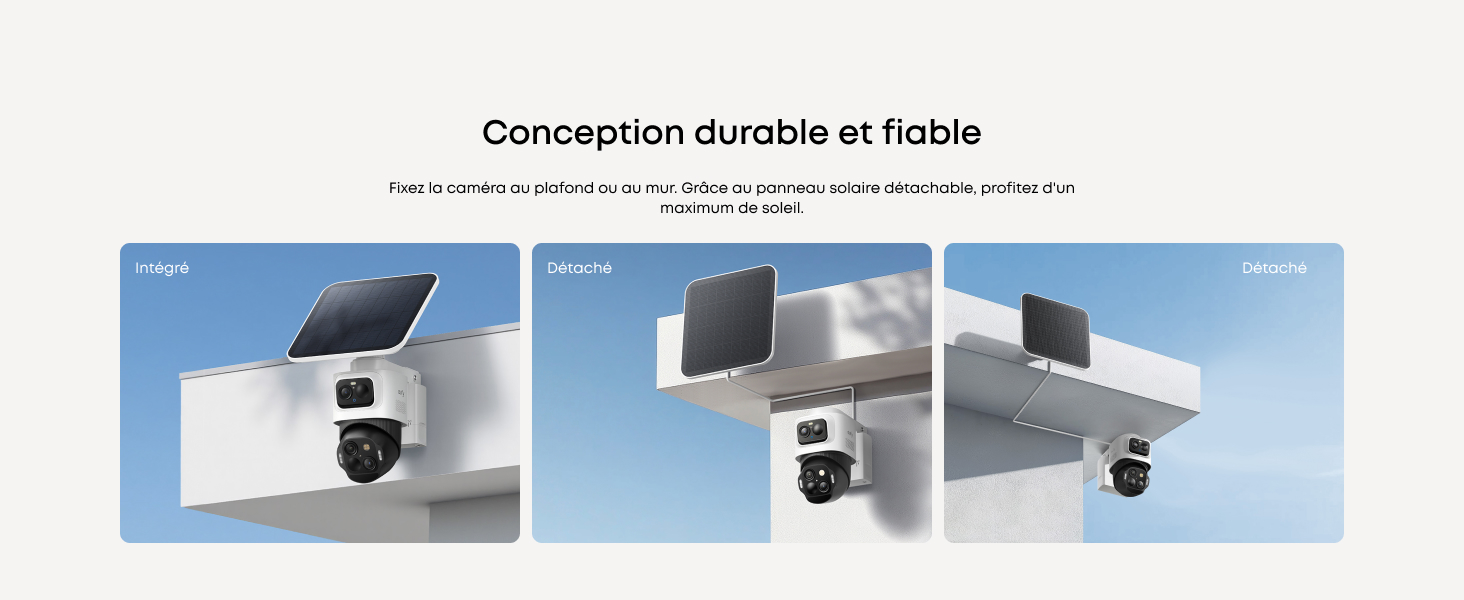
Image: Separate installation of eufyCam S4 camera and solar panel.
Option 2: Grouped Installation (Camera and Solar Panel Installed Together)
This option is suitable for locations with direct sunlight where the camera and panel can be mounted as a single unit.
- Attach the solar panel mounting support directly to the top of the camera using two screws.
- Securely screw the solar panel onto the support until it is firmly fixed.
- Connect the USB-C cable from the solar panel to the camera.
- Use the positioning sticker to mark the drill holes for the camera mounting bracket. Drill holes using a 5.95 mm drill bit, then insert the wall anchors.
- Align the screw holes of the camera mounting bracket with the wall anchors and secure it firmly.
- Fix the combined camera and solar panel unit securely onto the mounting bracket.

Image: Grouped installation of eufyCam S4 camera and solar panel.
പ്രധാനപ്പെട്ട ഇൻസ്റ്റലേഷൻ കുറിപ്പുകൾ
- Ensure the camera is securely fixed to prevent accidental falls.
- Avoid installing the camera in locations with excessive vibrations or direct exposure to extreme weather conditions beyond its IP65 rating.
- For HomeBase S380 users, update the HomeBase firmware to V3.7.2.6 or later and use the latest eufy app version for full functionality.
പ്രവർത്തന നിർദ്ദേശങ്ങൾ
Initial Setup with eufy Security App
- Download the "eufy Security" app from your smartphone's app store (iOS or Android).
- ഒരു അക്കൗണ്ട് സൃഷ്ടിക്കുക അല്ലെങ്കിൽ ലോഗിൻ ചെയ്യുക.
- Follow the in-app instructions to add your eufyCam S4. This typically involves scanning a QR code on the camera.
- Configure Wi-Fi settings and connect the camera to your network. The camera supports 2.4GHz Wi-Fi.
Camera Features and Usage
Triple-Lens System
The camera features a fixed 4K Bullet lens for a wide 130° overview and a 2K PTZ lens for detailed tracking.
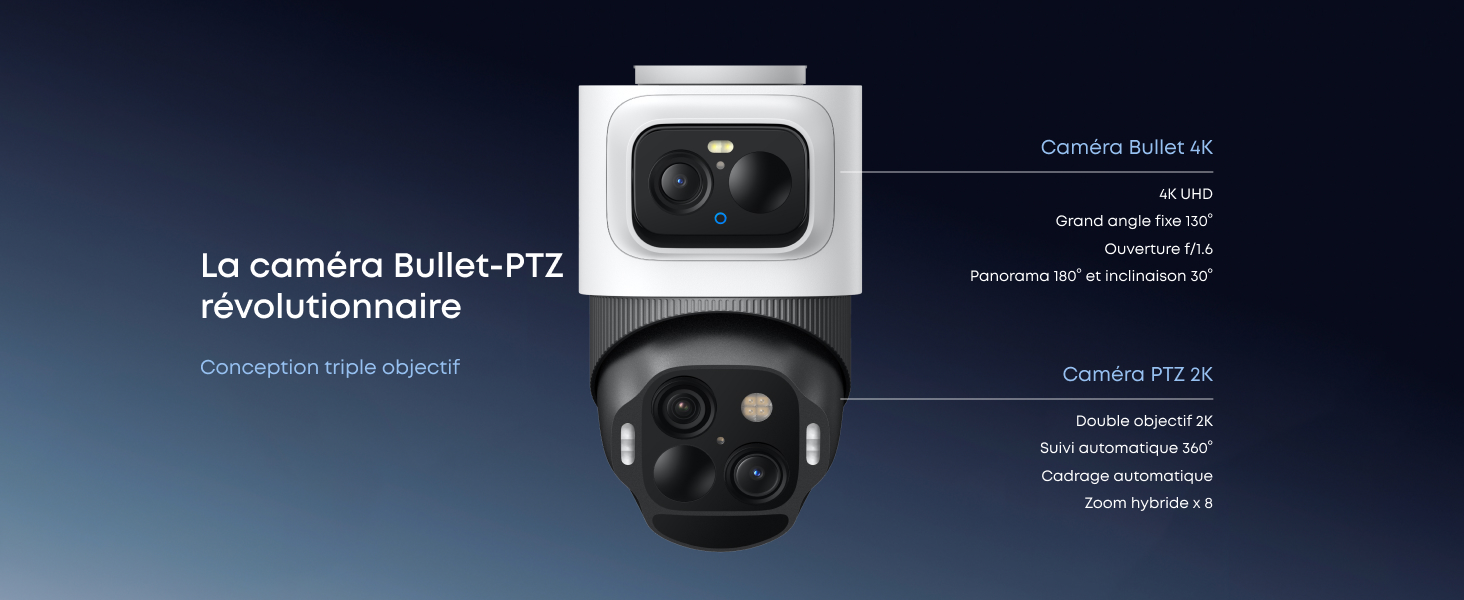
Image: eufyCam S4 Triple-Lens System.
Auto-Tracking and Zoom
When motion is detected by the Bullet camera, the PTZ camera automatically tracks the subject and zooms in for clear details up to 50 meters. If multiple subjects are detected, it will zoom out to maintain a comprehensive view.
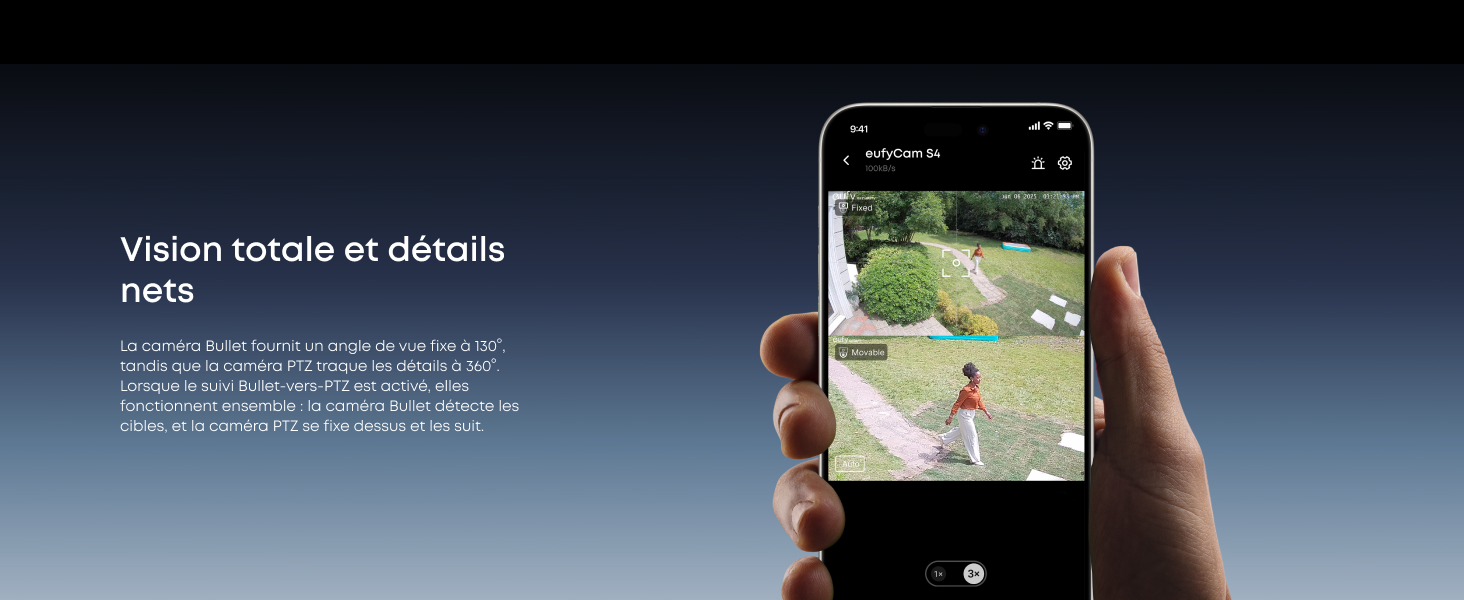
Image: Auto-Tracking and Zoom in action.
നൈറ്റ് വിഷൻ
The eufyCam S4 offers advanced night vision, including color night vision (Starlight) for clear, detailed images even in low-light conditions.
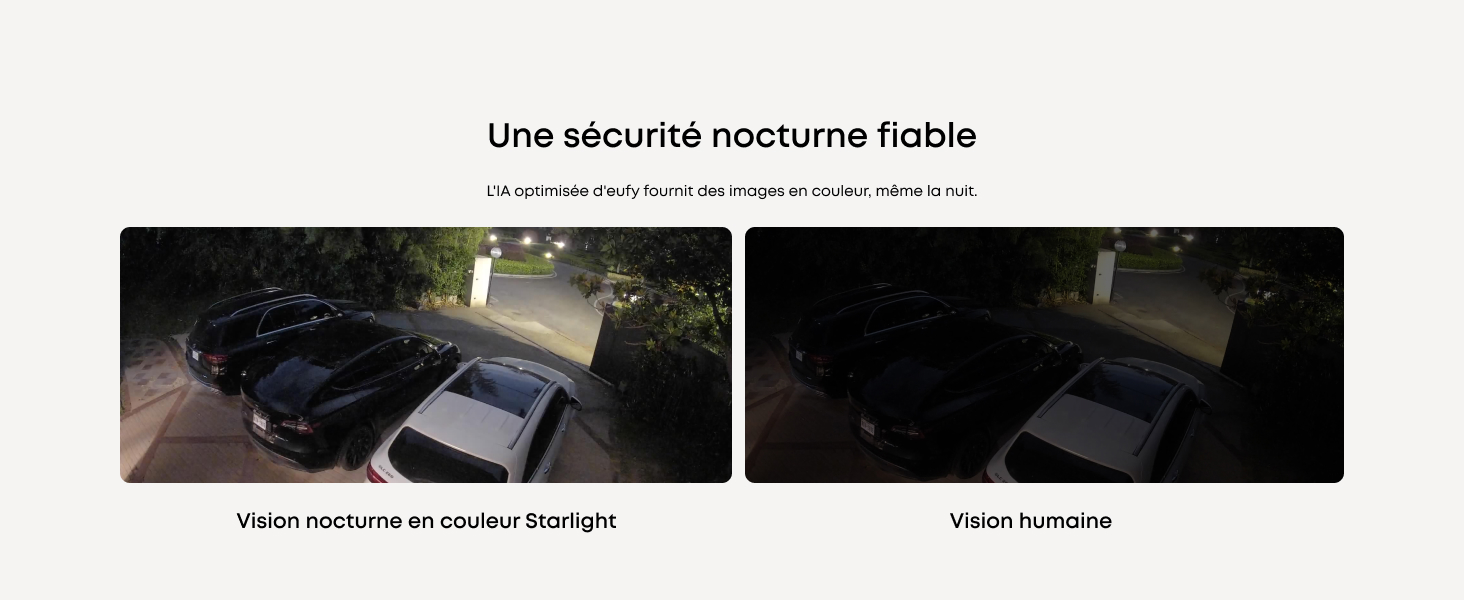
Image: Night Vision comparison.
AI കണ്ടെത്തൽ
Integrated AI intelligently detects and differentiates between people, vehicles, and pets, reducing false alarms. When paired with HomeBase S380, BionicMind AI can recognize family members.
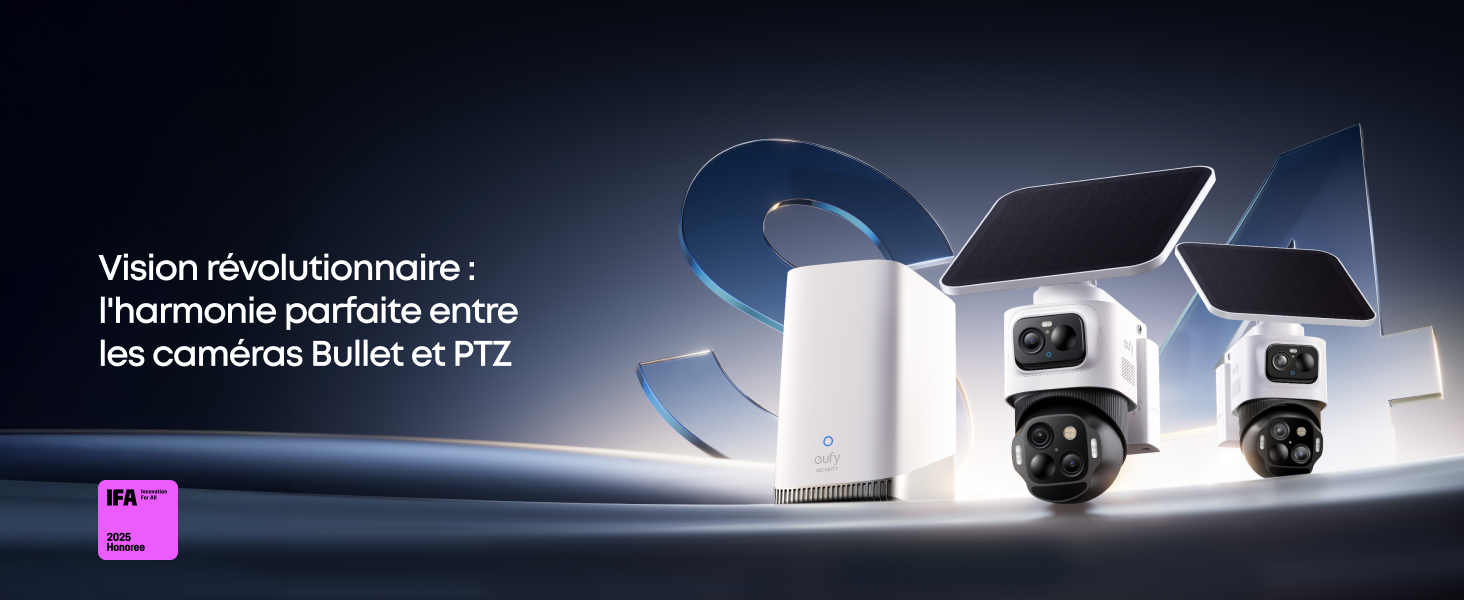
Image: AI Detection capabilities.
സംഭരണം
The camera has 32GB of built-in storage. This can be expanded up to 256GB using a microSD card (not included).
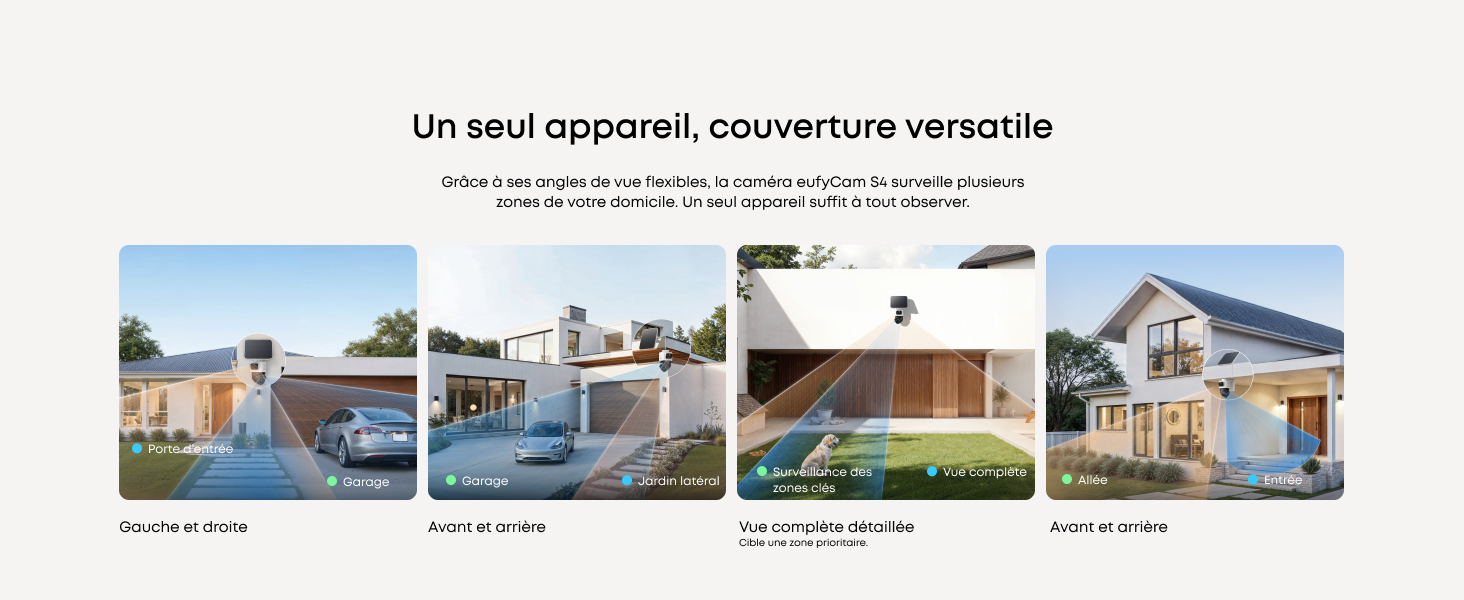
Image: MicroSD card slot for storage expansion.
കണക്റ്റിവിറ്റി
The eufyCam S4 connects via Wi-Fi. For optimal performance and extended features, it is recommended to connect it to a HomeBase S380.
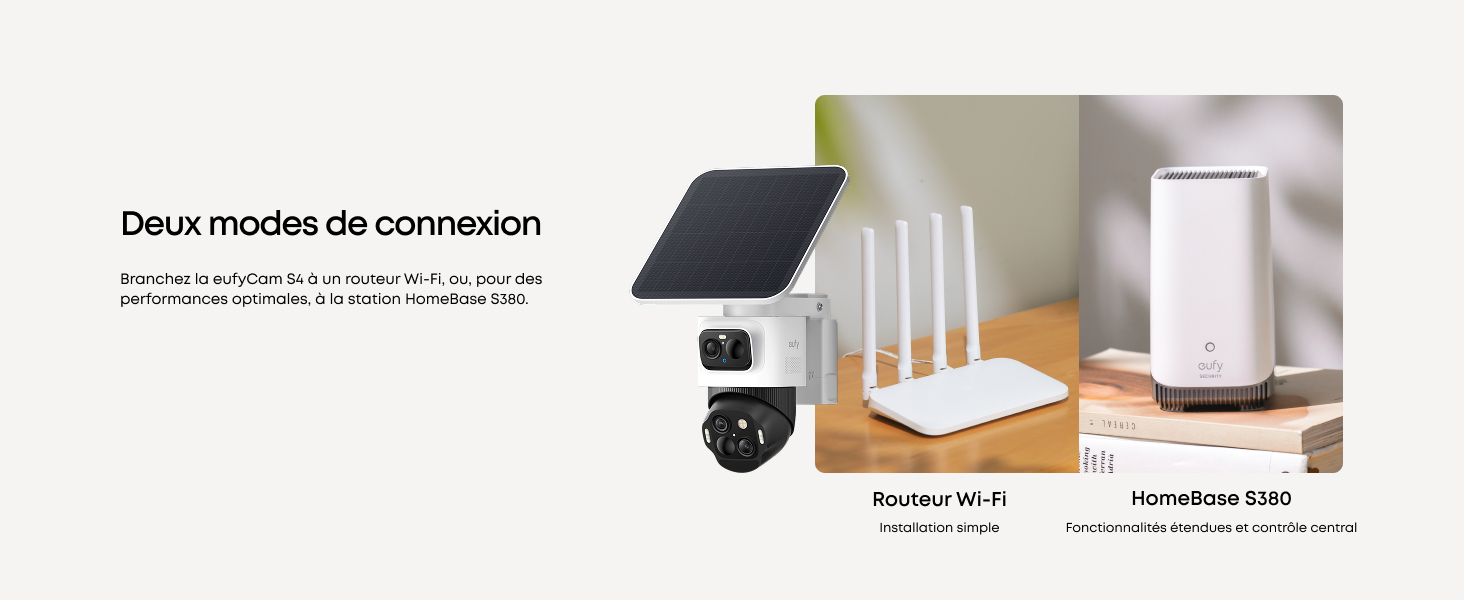
Image: Connectivity options for eufyCam S4.
ടു-വേ ഓഡിയോ
The camera supports two-way audio with AI noise reduction for clear communication.
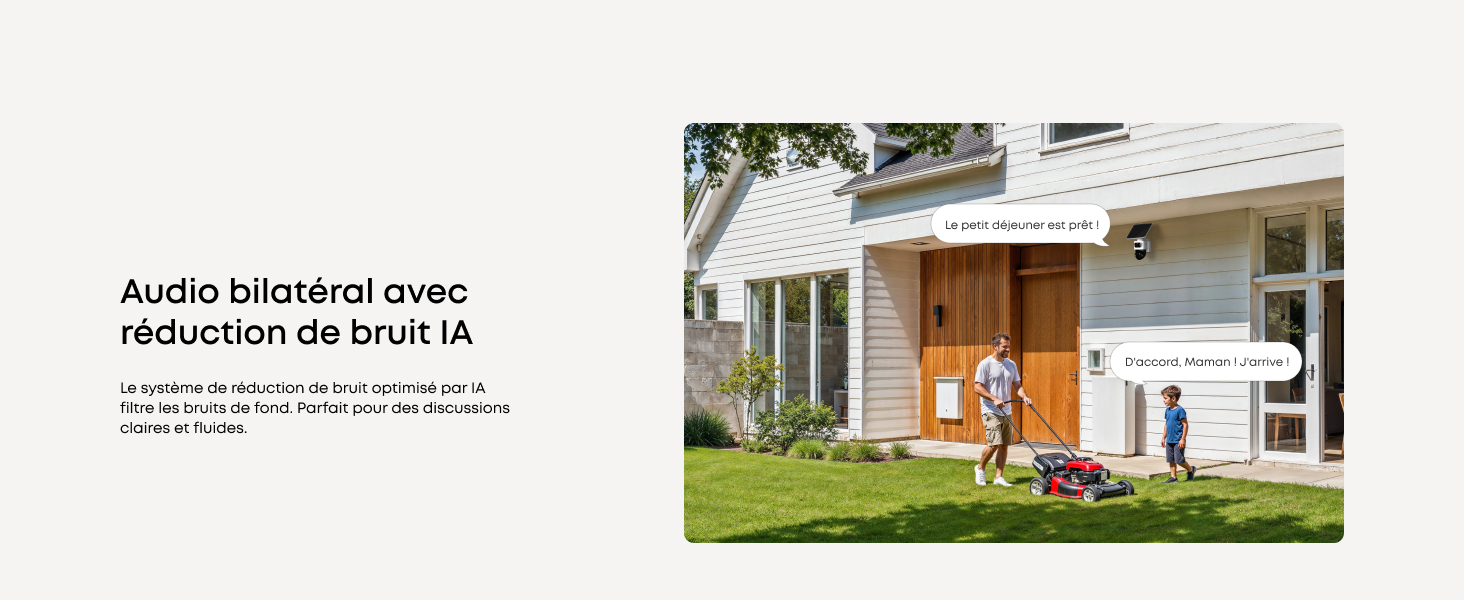
Image: Two-Way Audio with AI Noise Reduction.
സ്മാർട്ട് ഹോം ഇൻ്റഗ്രേഷൻ
Compatible with Alexa and Google Assistant for hands-free control and seamless integration into your smart home ecosystem.
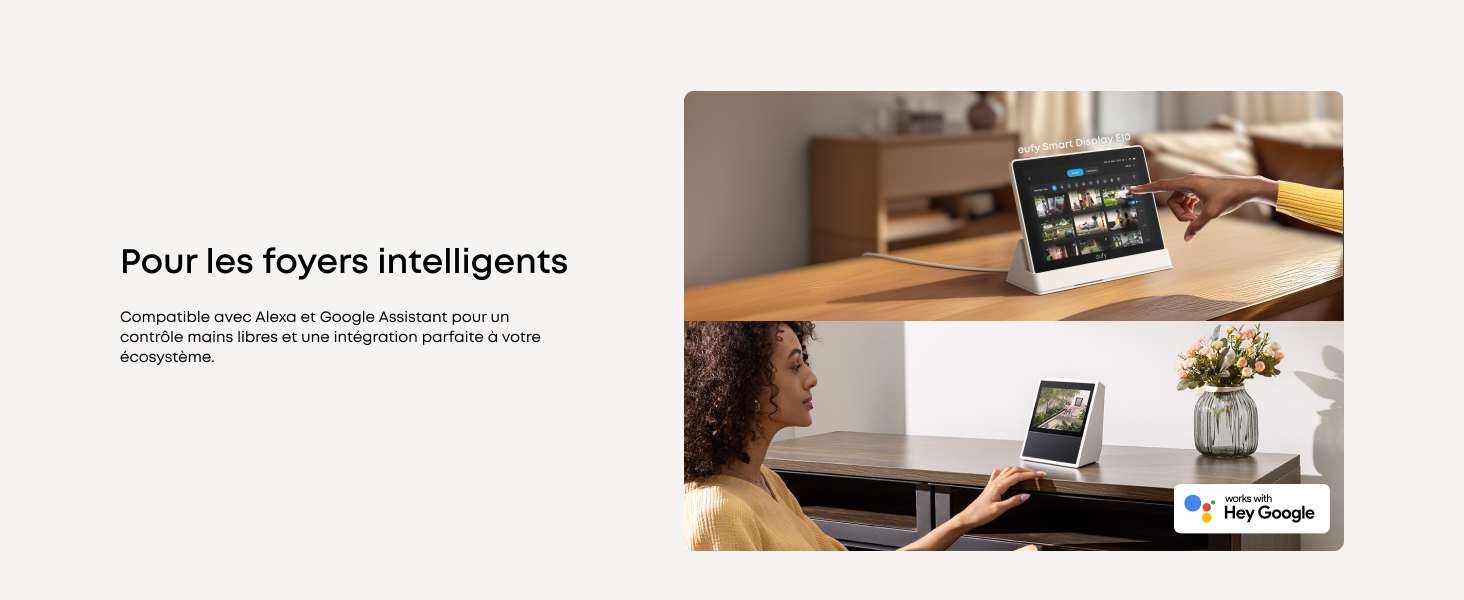
Image: Smart Home Integration.
മെയിൻ്റനൻസ്
Cleaning the Camera and Solar Panel
- ക്യാമറ ലെൻസും സോളാർ പാനലും പതിവായി മൃദുവായ, ഡി-ടച്ച് ഉപയോഗിച്ച് തുടയ്ക്കുക.amp cloth to remove dust and debris. This ensures optimal image clarity and charging efficiency.
- Avoid using harsh chemicals or abrasive materials that could damage the lenses or surfaces.
ബാറ്ററി മാനേജ്മെൻ്റ്
- The camera features a quick-change battery system. If the battery needs replacement, follow the instructions in the app.
- Ensure the solar panel is positioned to receive adequate sunlight to maintain continuous charge.
ഫേംവെയർ അപ്ഡേറ്റുകൾ
- Keep your camera and HomeBase S380 (if applicable) firmware updated through the eufy Security app to ensure the latest features and security enhancements.
ട്രബിൾഷൂട്ടിംഗ്
പൊതുവായ പ്രശ്നങ്ങളും പരിഹാരങ്ങളും
ക്യാമറ വൈഫൈയിലേക്ക് കണക്റ്റ് ചെയ്യുന്നില്ല
- നിങ്ങളുടെ വൈഫൈ നെറ്റ്വർക്ക് 2.4GHz ആണെന്ന് ഉറപ്പാക്കുക.
- Check the Wi-Fi signal strength at the camera's location using the eufy Security app.
- നിങ്ങളുടെ വൈഫൈ റൂട്ടറും ക്യാമറയും പുനരാരംഭിക്കുക.
- If using HomeBase S380, ensure it is connected to the internet and its firmware is up to date.
മോശം ഇമേജ് ക്വാളിറ്റി
- ക്യാമറ ലെൻസ് വൃത്തിയാക്കുക.
- ക്യാമറയുടെ ഫീൽഡിൽ തടസ്സങ്ങളൊന്നുമില്ലെന്ന് ഉറപ്പാക്കുക. view.
- നിങ്ങളുടെ ഇന്റർനെറ്റ് കണക്ഷൻ വേഗത പരിശോധിക്കുക.
സോളാർ പാനൽ ചാർജ് ചെയ്യുന്നില്ല
- സോളാർ പാനൽ വൃത്തിയുള്ളതും അവശിഷ്ടങ്ങൾ ഇല്ലാത്തതുമാണെന്ന് ഉറപ്പാക്കുക.
- Verify the solar panel is positioned to receive direct sunlight for at least 1 hour daily.
- സോളാർ പാനലിനും ക്യാമറയ്ക്കും ഇടയിലുള്ള കണക്ഷൻ കേബിൾ പരിശോധിക്കുക.
തെറ്റായ അലാറങ്ങൾ
- Adjust motion detection sensitivity in the eufy Security app.
- Configure activity zones to monitor specific areas and exclude irrelevant ones.
- Utilize AI detection settings to filter for people, vehicles, or pets.
സ്പെസിഫിക്കേഷനുകൾ
| ഫീച്ചർ | സ്പെസിഫിക്കേഷൻ |
|---|---|
| മോഡലിൻ്റെ പേര് | T8172 |
| വീഡിയോ റെക്കോർഡിംഗ് റെസല്യൂഷൻ | 4K (Bullet), 2K (PTZ) |
| കണക്റ്റിവിറ്റി ടെക്നോളജി | വയർലെസ്സ് (വൈ-ഫൈ 2.4GHz) |
| പ്രത്യേക ഫീച്ചർ | Night Vision (Color), Auto-Tracking, AI Detection |
| ഇൻഡോർ/ഔട്ട്ഡോർ ഉപയോഗം | ഔട്ട്ഡോർ |
| മൗണ്ടിംഗ് തരം | മതിൽ മൗണ്ട് |
| പവർ ഉറവിടം | സോളാർ പവർ (5.5W സോളാർ പാനൽ) |
| അളവുകൾ (L x W x H) | 30 x 20 x 15 സെ.മീ |
| ഭാരം | 2.05 കിലോഗ്രാം |
| സംഭരണം | 32GB Built-in, expandable up to 256GB (microSD) |
| നിറം | കറുപ്പ്+വെള്ള |
വാറൻ്റിയും പിന്തുണയും
For warranty information, technical support, or further assistance, please visit the official eufy Security webസൈറ്റ് അല്ലെങ്കിൽ അവരുടെ ഉപഭോക്തൃ സേവനവുമായി ബന്ധപ്പെടുക.
Product support and updates are available through the eufy Security app.


