1. ആമുഖം
Thank you for choosing the Maxcom Comfort MM834 4G Senior Flip Phone. This manual provides essential information for setting up, operating, and maintaining your device. Please read it carefully to ensure proper use and to maximize the phone's features.
2. പാക്കേജ് ഉള്ളടക്കം
പാക്കേജിൽ ഇനിപ്പറയുന്ന ഇനങ്ങൾ ഉണ്ടോ എന്ന് പരിശോധിക്കുക:
- Maxcom Comfort MM834L 4G Senior Flip Phone
- Battery (1000 mAh Li-ion)
- ചാർജിംഗ് കേബിൾ
- ഉപയോക്തൃ മാനുവൽ
3. ഡിവൈസ് ഓവർview
Familiarize yourself with the physical features of your Maxcom MM834L phone.
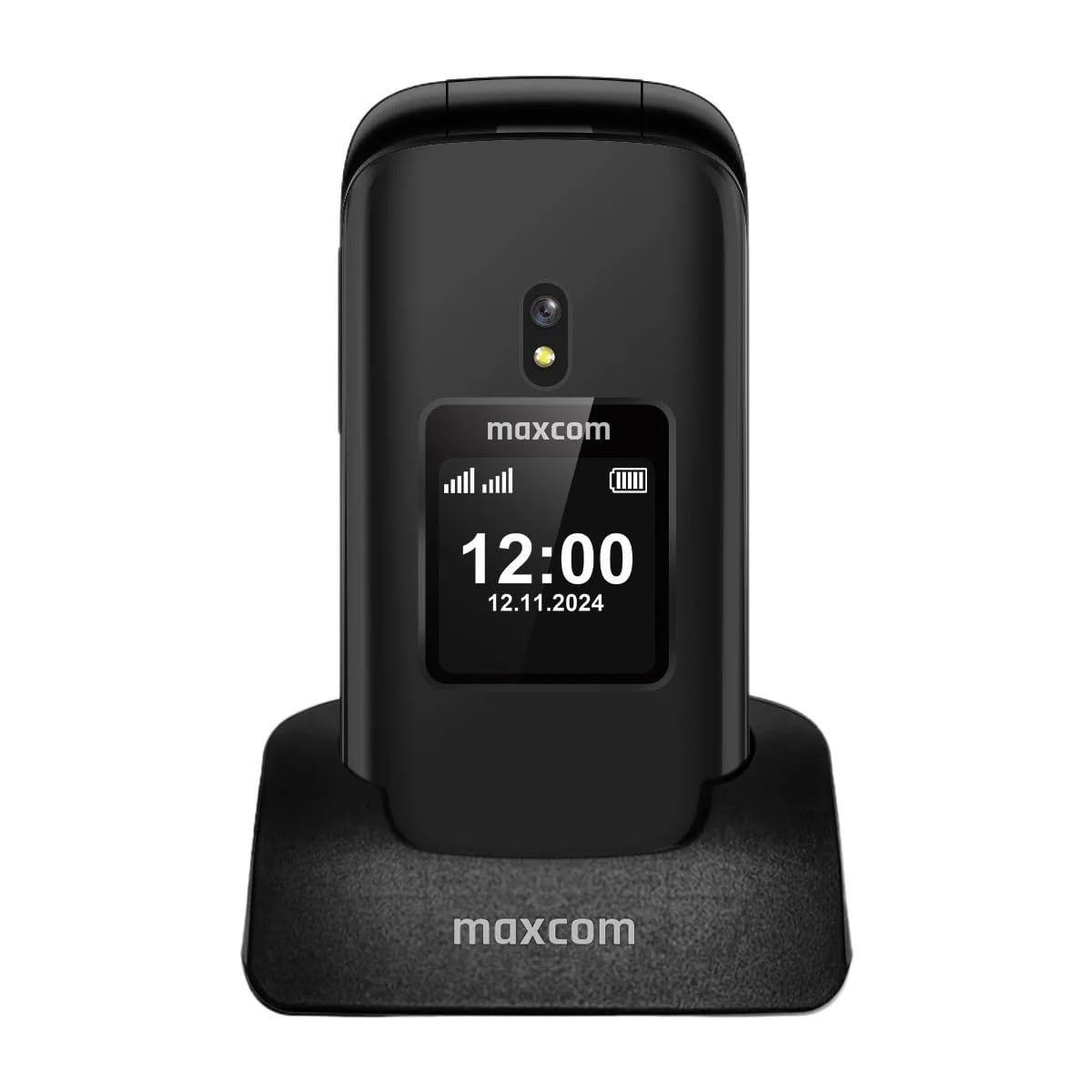
ചിത്രം 3.1: ഫ്രണ്ട് view of the Maxcom MM834L phone when open, displaying the main screen and the large, easy-to-use keypad.
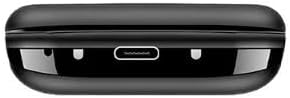
ചിത്രം 3.2: താഴെ view of the phone, highlighting the USB-C charging port for convenient power connection.
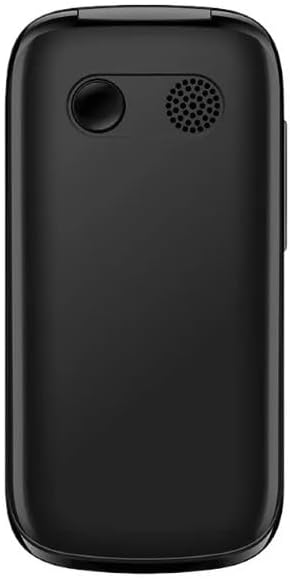
ചിത്രം 3.3: പിൻഭാഗം view of the phone, featuring the integrated camera and the external speaker for clear audio output.

ചിത്രം 3.4: വശം view of the phone, indicating the location of the volume control buttons.

ചിത്രം 3.5: The phone features two displays: a 2.4-inch main internal screen and a 1.44-inch external screen. The external display shows time, battery status, and caller information without needing to open the phone.
4. സജ്ജീകരണം
4.1. സിം കാർഡും ബാറ്ററിയും ഇൻസ്റ്റാൾ ചെയ്യൽ
- ഫോണിന്റെ പിൻ കവർ തുറക്കുക.
- Insert your SIM card(s) into the designated slot(s). The MM834L supports Dual SIM functionality. Ensure the gold contacts face downwards and the card is correctly oriented.
- ബാറ്ററി അതിന്റെ കമ്പാർട്ടുമെന്റിലേക്ക് തിരുകുക, കോൺടാക്റ്റുകൾ വിന്യസിക്കുക.
- പിൻ കവർ മാറ്റി സ്ഥാപിക്കുക, അത് സുരക്ഷിതമായി സ്ഥലത്ത് ക്ലിക്ക് ചെയ്യുന്നുണ്ടെന്ന് ഉറപ്പാക്കുക.

ചിത്രം 4.1: The Maxcom MM834L supports Dual SIM, allowing the use of two separate telephone numbers.
4.2 ബാറ്ററി ചാർജ് ചെയ്യുന്നു
Before first use, fully charge the phone's battery. Connect the charging cable to the phone's USB-C port and plug the other end into a power adapter. The battery indicator on the screen will show charging status. A full charge typically takes a few hours.

ചിത്രം 4.2: The 1000 mAh battery provides extended usage time for the MM834L phone.
4.3. പവർ ഓൺ/ഓഫ്
- പവർ ഓൺ ചെയ്യാൻ: അമർത്തിപ്പിടിക്കുക കോൾ/പവർ അവസാനിപ്പിക്കുക button (red button) until the screen lights up.
- പവർ ഓഫ് ചെയ്യാൻ: അമർത്തിപ്പിടിക്കുക കോൾ/പവർ അവസാനിപ്പിക്കുക button until the power off options appear, then select 'Power off'.
5. പ്രവർത്തന നിർദ്ദേശങ്ങൾ
5.1. കോളുകൾ ചെയ്യുന്നു
- Open the flip to activate the main screen.
- കീപാഡ് ഉപയോഗിച്ച് ആവശ്യമുള്ള ഫോൺ നമ്പർ ഡയൽ ചെയ്യുക.
- അമർത്തുക വിളിക്കൂ കോൾ ആരംഭിക്കാൻ ബട്ടൺ (പച്ച ബട്ടൺ).
- ഒരു കോൾ അവസാനിപ്പിക്കാൻ, അമർത്തുക കോൾ അവസാനിപ്പിക്കുക ബട്ടൺ (ചുവപ്പ് ബട്ടൺ).
5.2. കോളുകൾക്ക് ഉത്തരം നൽകുന്നു
- When the phone rings, open the flip to answer the call automatically, or press the വിളിക്കൂ ബട്ടൺ.
- ഒരു കോൾ നിരസിക്കാൻ, അമർത്തുക കോൾ അവസാനിപ്പിക്കുക ബട്ടൺ.
5.3. സന്ദേശങ്ങൾ അയയ്ക്കലും സ്വീകരിക്കലും
- പ്രധാന മെനുവിൽ നിന്ന്, 'സന്ദേശങ്ങൾ' എന്നതിലേക്ക് നാവിഗേറ്റ് ചെയ്യുക.
- 'സന്ദേശം എഴുതുക' അല്ലെങ്കിൽ 'പുതിയ SMS' തിരഞ്ഞെടുക്കുക.
- കീപാഡ് ഉപയോഗിച്ച് നിങ്ങളുടെ സന്ദേശം നൽകുക.
- Enter the recipient's phone number or select from your contacts.
- Select 'Send'.
5.4. SOS പ്രവർത്തനം
The MM834L features a dedicated SOS button for emergencies.
- സജീവമാക്കാൻ: അമർത്തിപ്പിടിക്കുക SOS ബട്ടൺ on the back of the phone for a few seconds.
- The phone will automatically call and send an emergency SMS to pre-set contacts.
- Ensure emergency contacts are set up in the phone's settings under the SOS menu.

ചിത്രം 5.1: Key features include 4G VoLTE for clear calls, dual screens, a dedicated SOS button, and large, easy-to-press buttons.
6. പരിപാലനം
- വൃത്തിയാക്കൽ: ഫോണിന്റെ ഉപരിതലം വൃത്തിയാക്കാൻ മൃദുവായതും ഉണങ്ങിയതുമായ തുണി ഉപയോഗിക്കുക. ലിക്വിഡ് ക്ലീനറുകളോ ഉരച്ചിലുകളുള്ള വസ്തുക്കളോ ഉപയോഗിക്കരുത്.
- സംഭരണം: നേരിട്ടുള്ള സൂര്യപ്രകാശവും കടുത്ത താപനിലയും ഏൽക്കാത്ത തണുത്തതും വരണ്ടതുമായ സ്ഥലത്ത് ഫോൺ സൂക്ഷിക്കുക.
- ബാറ്ററി കെയർ: Do not expose the battery to high temperatures or dispose of it in fire. Recycle batteries according to local regulations.
- ജല പ്രതിരോധം: This phone is not waterproof. Avoid exposure to water or high humidity.
7. പ്രശ്നപരിഹാരം
| പ്രശ്നം | സാധ്യമായ കാരണം | പരിഹാരം |
|---|---|---|
| ഫോൺ ഓൺ ആകുന്നില്ല. | ബാറ്ററി തീർന്നു അല്ലെങ്കിൽ ശരിയായി ഇൻസ്റ്റാൾ ചെയ്തിട്ടില്ല. | ബാറ്ററി ചാർജ് ചെയ്യുക. ബാറ്ററി ശരിയായി ചേർത്തിട്ടുണ്ടെന്ന് ഉറപ്പാക്കുക. |
| കോളുകൾ വിളിക്കാനോ സ്വീകരിക്കാനോ കഴിയില്ല | സിം കാർഡ് ഇല്ല, സിം കാർഡ് സജീവമല്ല, അല്ലെങ്കിൽ നെറ്റ്വർക്ക് കവറേജിന് പുറത്താണ്. | സിം കാർഡ് ഇട്ടിട്ടുണ്ടെന്നും സജീവമാണെന്നും ഉറപ്പാക്കുക. നെറ്റ്വർക്ക് സിഗ്നൽ ശക്തി പരിശോധിക്കുക. നിങ്ങളുടെ സേവന ദാതാവിനെ ബന്ധപ്പെടുക. |
| മോശം കോൾ നിലവാരം | ദുർബലമായ നെറ്റ്വർക്ക് സിഗ്നൽ അല്ലെങ്കിൽ ഇടപെടൽ. | Move to an area with better network coverage. Avoid sources of interference. |
| ബാറ്ററി പെട്ടെന്ന് തീരുന്നു | High usage, background applications, or old battery. | Reduce screen brightness. Close unnecessary applications. Consider replacing the battery if it's old. |
8 സ്പെസിഫിക്കേഷനുകൾ
| ഫീച്ചർ | സ്പെസിഫിക്കേഷൻ |
|---|---|
| മോഡൽ | MM834L |
| അളവുകൾ | 10 x 5 x 8 സെ.മീ |
| ഭാരം | 210 ഗ്രാം |
| Main Screen Size | 2.4 ഇഞ്ച് |
| External Screen Size | 1.44 inches (implied from A+ content) |
| ഡിസ്പ്ലേ തരം | എൽസിഡി |
| റെസലൂഷൻ | 240 x 320 |
| ബാറ്ററി ശേഷി | 1000 mAh (ലിഥിയം-അയോൺ) |
| സെല്ലുലാർ ടെക്നോളജി | 4G (LTE, VoLTE) |
| സിം കാർഡ് സ്ലോട്ടുകൾ | ഡ്യുവൽ സിം |
| ഫ്ലാഷ് മെമ്മറി | 1 MB |
| ഫോം ഫാക്ടർ | Flip (Pieghevole) |
9. വാറൻ്റിയും പിന്തുണയും
Your Maxcom Comfort MM834L phone is covered by a manufacturer's warranty. Please refer to the warranty card included in your package for details on coverage and duration. For technical support, service, or further inquiries, please contact Maxcom customer service through their official webനിങ്ങളുടെ വാങ്ങലിനൊപ്പം നൽകിയിരിക്കുന്ന സൈറ്റ് അല്ലെങ്കിൽ ബന്ധപ്പെടാനുള്ള വിവരങ്ങൾ.