1. ആമുഖം
This manual provides essential information for setting up, operating, and maintaining your Hisense L9Q Ultra Short Throw Triple Laser Projector. Please read it thoroughly before use to ensure optimal performance and safety.
ബോക്സിൽ എന്താണുള്ളത്
- പ്രൊജക്ടർ
- പവർ കോർഡ്
- റിമോട്ട്
- ഉപയോക്തൃ മാനുവൽ
- ക്ലീനിംഗ് കിറ്റ്

ചിത്രം 1: മുൻഭാഗം view of the Hisense L9Q Projector.
2. സജ്ജീകരണം
2.1 പ്ലേസ്മെൻ്റ്
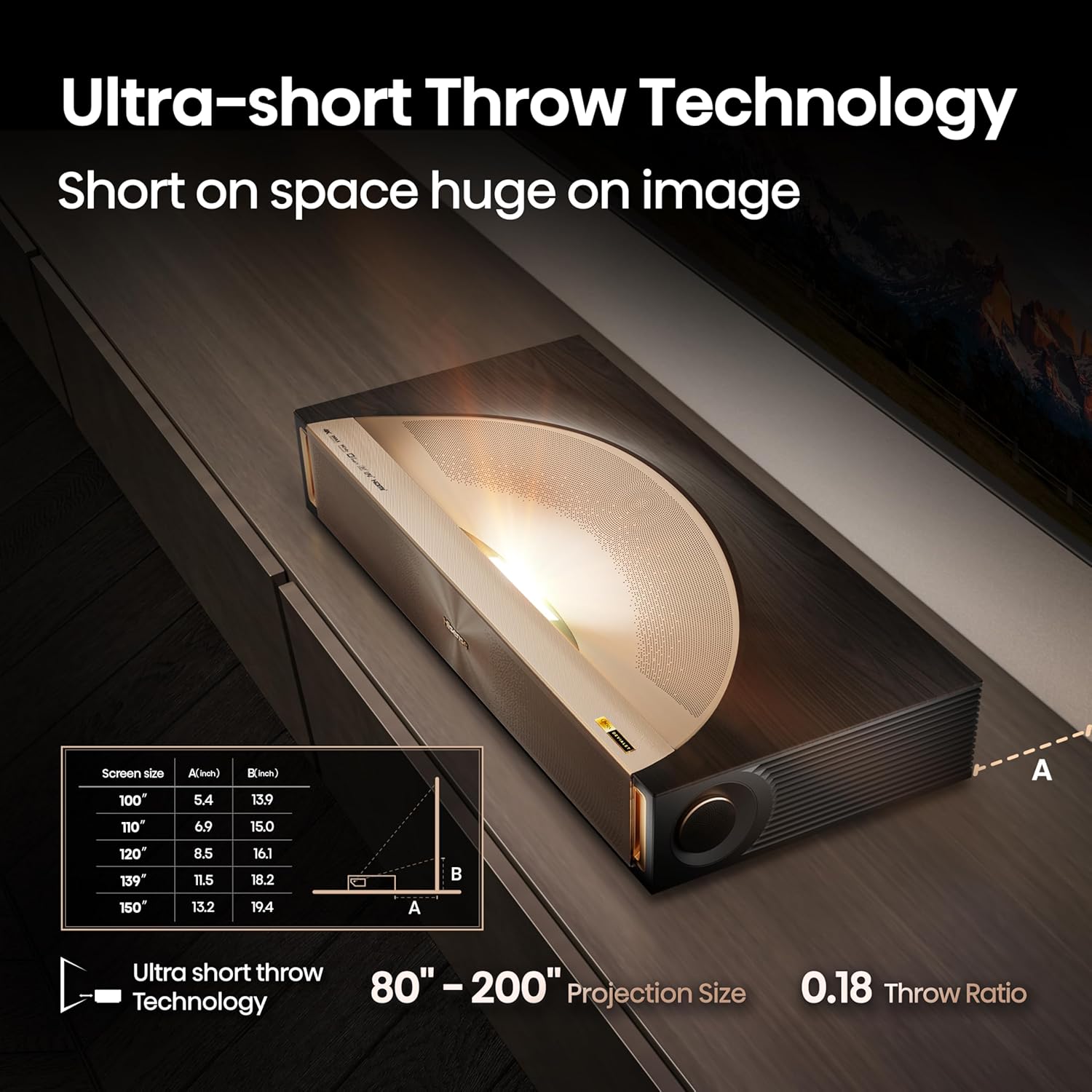
The Hisense L9Q is an Ultra Short Throw projector, designed to project a large image from a very short distance to the screen or wall. For optimal viewing, place the projector on a flat, stable surface directly in front of your projection area. The throw ratio of 0.18 allows for a massive 80-inch to 200-inch display with minimal distance.
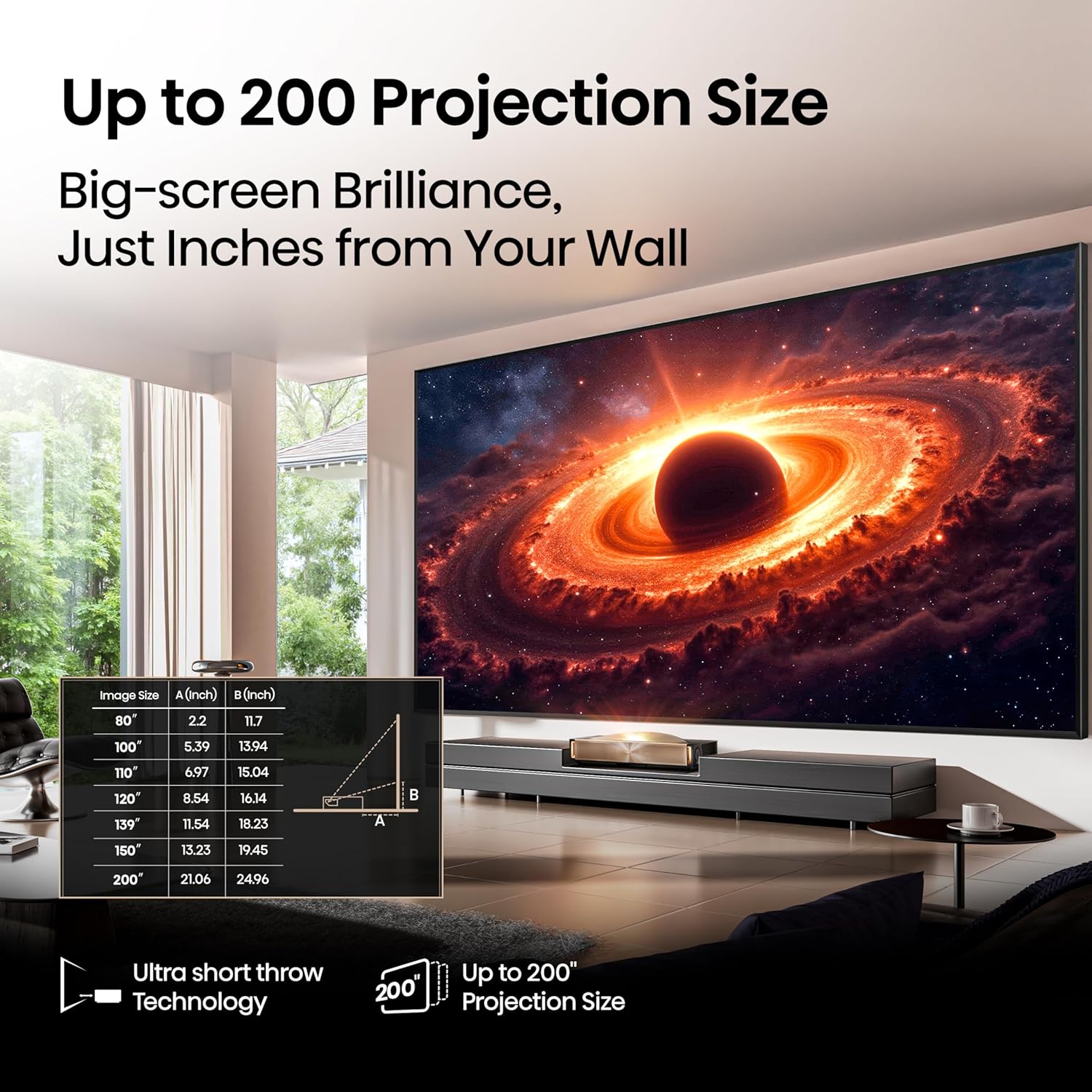
Figure 2: Ultra-short throw technology allows for large images from a short distance.
2.2 കണക്ഷനുകൾ
Connect your devices to the projector using the available ports:
- എച്ച്ഡിഎംഐ: For high-definition audio and video sources (e.g., Blu-ray players, gaming consoles). The projector features multiple HDMI ports, including eARC for enhanced audio return.
- USB: മീഡിയ പ്ലേ ചെയ്യുന്നതിന് USB സംഭരണ ഉപകരണങ്ങൾ ബന്ധിപ്പിക്കുന്നതിന് files.
- ഇഥർനെറ്റ് (LAN): വയർഡ് നെറ്റ്വർക്ക് കണക്ഷനായി.
- ഡിജിറ്റൽ ഓഡിയോ ഔട്ട്: ബാഹ്യ ഓഡിയോ സിസ്റ്റങ്ങളുമായി ബന്ധിപ്പിക്കുന്നതിന്.
- വൈഫൈ & ബ്ലൂടൂത്ത്: വയർലെസ്സ് നെറ്റ്വർക്കിനും ആക്സസറി കണക്ഷനുകൾക്കും.
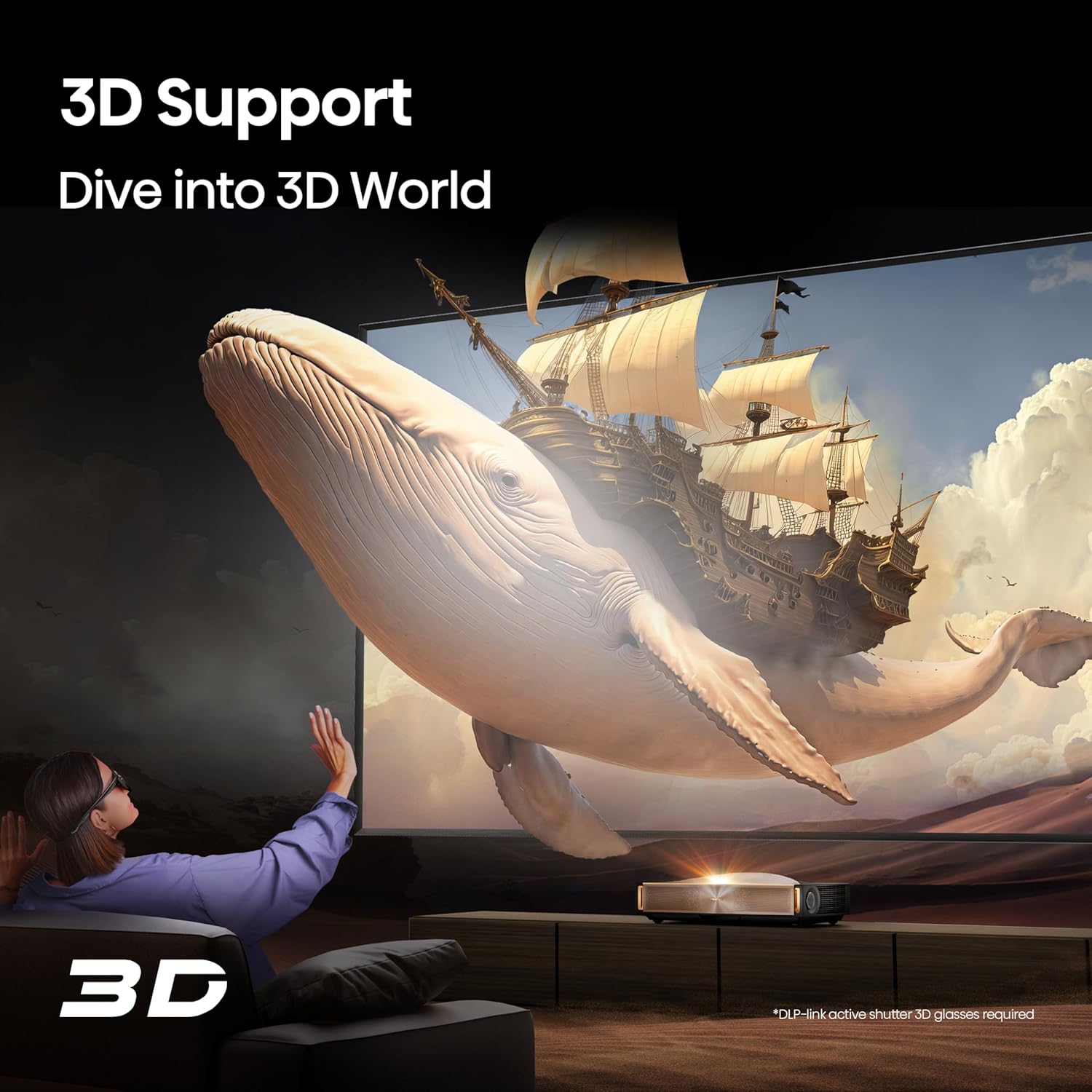
Figure 3: Rear panel connections of the L9Q projector.
2.3 Initial Power On & Auto Screen Fit
After connecting the power cord, press the power button on the projector or remote control. The projector will initiate the startup sequence. The L9Q features an Auto Screen Fit function (for screens up to 120 inches) that automatically detects the screen position and calibrates the image for a perfect fit. For larger screens or manual adjustments, refer to the on-screen menu for keystone correction and focus settings.
Video 1: Official product video demonstrating the Hisense L9Q's features and ease of setup.
3. പ്രവർത്തന നിർദ്ദേശങ്ങൾ
3.1 ഗൂഗിൾ ടിവി ഇന്റർഫേസ്
The Hisense L9Q runs on Google TV, providing access to a wide range of streaming services, apps, and content. Navigate the interface using the provided remote control. Utilize Google Assistant for voice commands and personalized recommendations.
3.2 ചിത്ര, ശബ്ദ മോഡുകൾ
നിങ്ങളുടെ ഇഷ്ടാനുസൃതമാക്കുക viewing experience with various picture and sound modes:
- ചിത്ര മോഡുകൾ: Select from standard, vivid, sport, game, and Filmmaker Mode to optimize visuals for different content types.
- ഗെയിം മോഡ്: Reduces input lag to 12ms for a smoother gaming experience.
- ശബ്ദ മോഡുകൾ: The integrated 6.2.2 channel audio system, tuned by Devialet, supports Dolby Atmos for immersive sound. Adjust sound profiles for movies, music, or speech.
4 പ്രധാന സവിശേഷതകൾ
4.1 LPU Digital Laser Engine 2.0
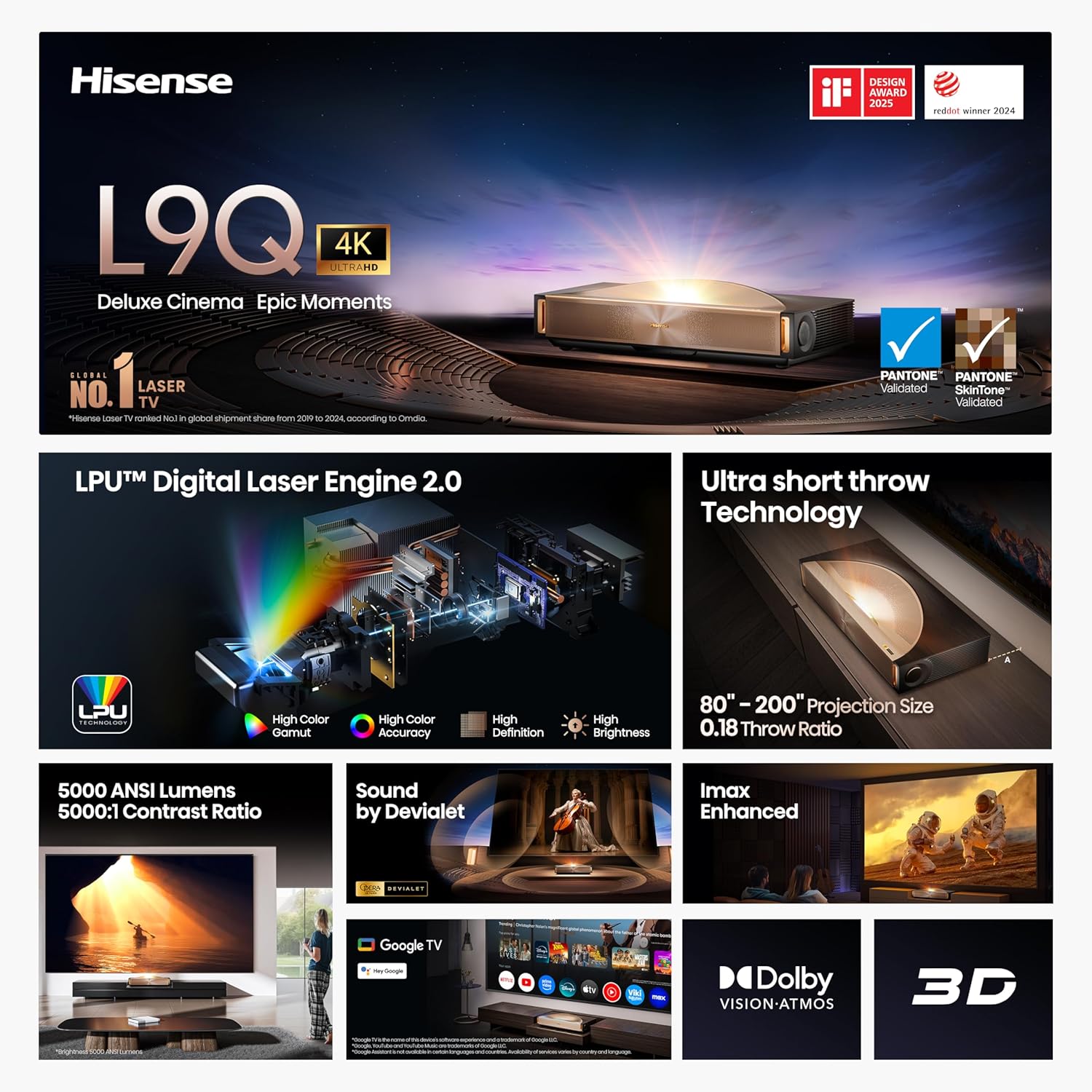
The L9Q utilizes an advanced triple laser light source (Red, Green, Blue) combined with a high-performance chipset and precision-engineered lens. This technology delivers ultra-realistic color, covering 110% of the BT.2020 color space, and enhances brightness and contrast.
ചിത്രം 4: ആന്തരിക view of the LPU Digital Laser Engine 2.0.
4.2 4K UHD Resolution & High Brightness/Contrast
Experience stunning 4K Ultra High Definition visuals. With 5,000 ANSI Lumens of brightness and a 5000:1 contrast ratio, the projector delivers clear, vivid images with deep blacks and bright whites, even in well-lit environments.
ചിത്രം 5: ഉദാample of the L9Q's 5,000 ANSI Lumens brightness and 5000:1 contrast.
4.3 Pantone Validated Color
The L9Q is Pantone Validated, ensuring accurate and true-to-life color reproduction, including skin tones. This validation guarantees that colors displayed are consistent with industry standards.
Video 2: Demonstration of the L9Q's color accuracy and Pantone validation process.
4.4 IMAX Enhanced & Dolby Vision/Atmos
Enjoy a premium cinematic experience with IMAX Enhanced certification, offering optimized picture and sound for IMAX content. Dolby Vision and Dolby Atmos support provide dynamic HDR visuals and immersive, multi-dimensional audio.
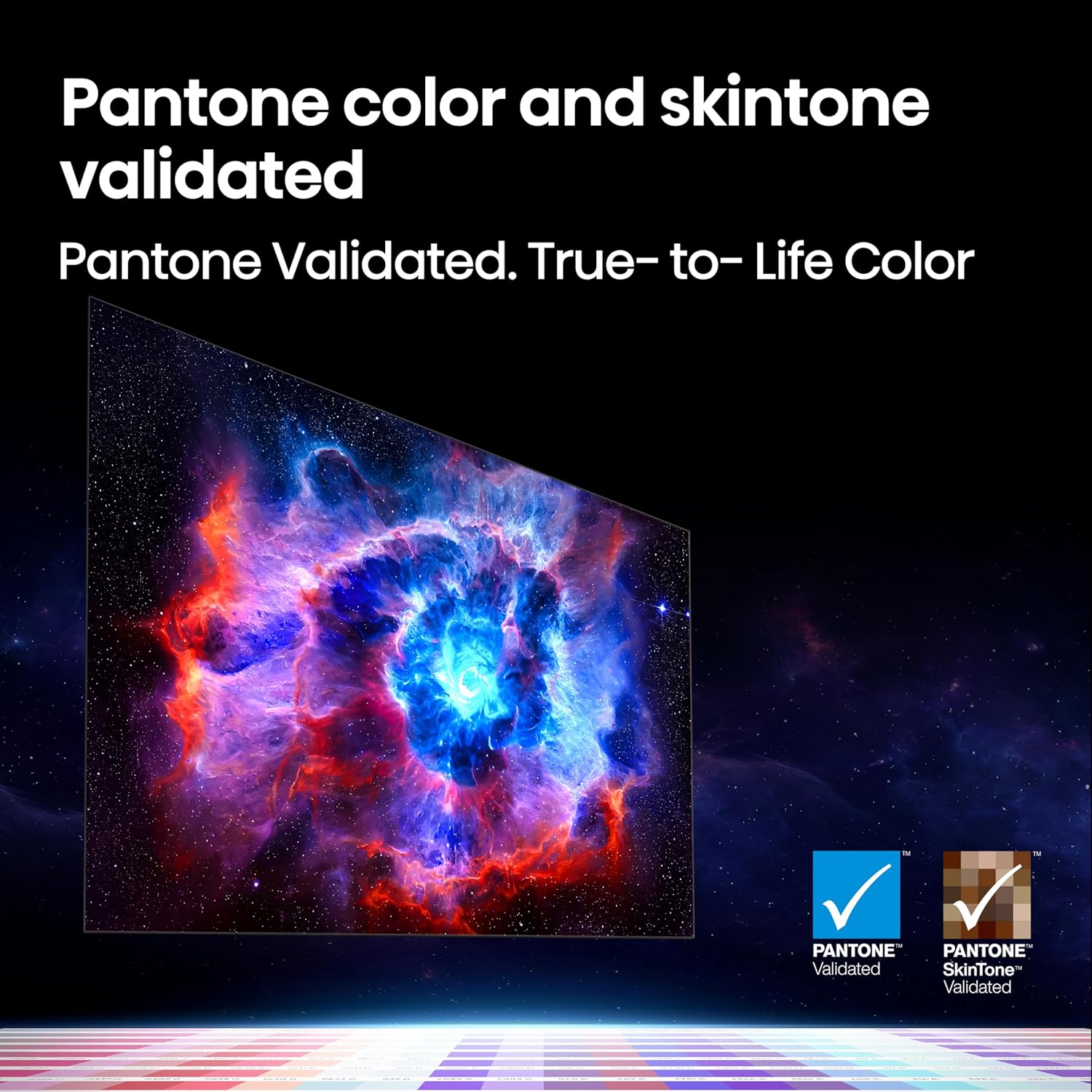
Figure 6: IMAX Enhanced experience on the L9Q projector.
4.5 3D Support
The projector supports 3D content, allowing for an immersive viewഅനുയോജ്യമായ 3D ഗ്ലാസുകളുള്ള അനുഭവം (പ്രത്യേകം വിൽക്കുന്നു).

Figure 7: 3D content viewing on the L9Q projector.
4.6 AI-Powered Picture Enhancement
Advanced AI algorithms continuously refine contrast, color, and brightness in real-time. This includes upscaling resolution, reducing noise, and optimizing HDR for a vibrant and detailed picture.
4.7 കണ്ണിന് സുഖം
Designed with user safety in mind, the L9Q emits 0% harmful blue light, reducing eye strain and fatigue during extended viewing സെഷനുകൾ.
5 സ്പെസിഫിക്കേഷനുകൾ
| ഫീച്ചർ | വിശദാംശങ്ങൾ |
|---|---|
| മോഡൽ നമ്പർ | L9Q |
| ഡിസ്പ്ലേ റെസല്യൂഷൻ | 3840 x 2160 (4K UHD) |
| തെളിച്ചം | 5,000 ആൻസി ലുമെൻസ് |
| കോൺട്രാസ്റ്റ് റേഷ്യോ | 5000:1 |
| പ്രൊജക്ഷൻ വലിപ്പം | 80" - 200" |
| ത്രോ അനുപാതം | 0.18 |
| വർണ്ണ ഗാമറ്റ് | 110% BT.2020 |
| കണക്റ്റിവിറ്റി | ബ്ലൂടൂത്ത്, ഇതർനെറ്റ്, HDMI, USB, വൈ-ഫൈ |
| ഓപ്പറേറ്റിംഗ് സിസ്റ്റം | Google TV |
| ഓഡിയോ | 6.2.2 Channel, Sound by Devialet, Dolby Atmos |
| പ്രത്യേക സവിശേഷതകൾ | LPU Digital Laser Engine 2.0, Pantone Validated, IMAX Enhanced, Dolby Vision, 3D Support, AI-powered PQ Enhancement, 12ms Input Lag (Game Mode), Auto Screen Fit, Eye Comfort |
| ഉൽപ്പന്ന അളവുകൾ | 24.6 x 12.5 x 6.5 ഇഞ്ച് |
| ഇനത്തിൻ്റെ ഭാരം | 28.4 പൗണ്ട് |
6. പരിപാലനം
6.1 പ്രൊജക്ടർ വൃത്തിയാക്കൽ
- Gently wipe the exterior of the projector with a soft, dry cloth.
- ലെൻസിന്, ലെൻസ് ക്ലീനിംഗ് തുണിയും പ്രത്യേക ലെൻസ് ക്ലീനിംഗ് ലായനിയും ഉപയോഗിക്കുക. ഉരച്ചിലുകൾ ഉള്ള വസ്തുക്കൾ ഒഴിവാക്കുക.
- Ensure ventilation openings are clear of dust and obstructions.
6.2 പൊതു പരിചരണം
- പ്രൊജക്ടർ നേരിട്ട് സൂര്യപ്രകാശം ഏൽക്കുന്ന സ്ഥലത്തോ താപ സ്രോതസ്സുകൾക്ക് സമീപമോ വയ്ക്കുന്നത് ഒഴിവാക്കുക.
- പ്രവർത്തന സമയത്ത് എയർ വെന്റുകൾ തടയരുത്.
- Store the projector in a cool, dry place when not in use for extended periods.
7. പ്രശ്നപരിഹാരം
7.1 വൈദ്യുതിയില്ല
- Check if the power cord is securely connected to the projector and the power outlet.
- പവർ ഔട്ട്ലെറ്റ് പ്രവർത്തനക്ഷമമാണെന്ന് ഉറപ്പാക്കുക.
- പ്രൊജക്ടറിലോ വിദൂര നിയന്ത്രണത്തിലോ ഉള്ള പവർ ബട്ടൺ അമർത്തുക.
7.2 No Image or Poor Picture Quality
- Verify that the input source is correctly selected.
- Check HDMI or other video cables for secure connections.
- Adjust focus and keystone correction settings via the projector's menu.
- ലെൻസ് വൃത്തിയുള്ളതാണെന്ന് ഉറപ്പാക്കുക.
- Reduce ambient light in the room for optimal contrast.
7.3 ശബ്ദമില്ല
- പ്രൊജക്ടറിലും ബന്ധിപ്പിച്ചിട്ടുള്ള ഏതെങ്കിലും ഓഡിയോ ഉപകരണങ്ങളിലും വോളിയം ലെവൽ പരിശോധിക്കുക.
- Verify audio output settings in the projector's menu.
- ബാഹ്യ സ്പീക്കറുകൾ ഉപയോഗിക്കുകയാണെങ്കിൽ, അവ ശരിയായി ബന്ധിപ്പിച്ചിട്ടുണ്ടെന്നും പവർ ഓൺ ചെയ്തിട്ടുണ്ടെന്നും ഉറപ്പാക്കുക.
8. വാറൻ്റിയും പിന്തുണയും
For warranty information, technical support, or service inquiries, please refer to the official Hisense website or contact their customer service directly. Keep your purchase receipt and product serial number handy for faster assistance.


