1. ആമുഖം
Thank you for choosing the VSTARCAM C993 Indoor Security Camera. This manual provides detailed instructions to help you set up, operate, and maintain your camera, ensuring optimal performance and security for your home. Please read this manual thoroughly before use and retain it for future reference.
പ്രധാന സവിശേഷതകൾ:
- 1080P HD വീഡിയോ: വ്യക്തവും വിശദവുമായ foo പകർത്തുകtage.
- പൂർണ്ണ വർണ്ണ രാത്രി ദർശനം: കുറഞ്ഞ വെളിച്ചത്തിൽ മെച്ചപ്പെട്ട ദൃശ്യപരത.
- 355° പാൻ & 60° ചരിവ്: Wide area coverage with remote control.
- AI Motion Detection & Tracking: Intelligent alerts and automatic subject following.
- ടു-വേ ഓഡിയോ: Communicate remotely with built-in microphone and speaker.
- ഒന്നിലധികം സംഭരണ ഓപ്ഷനുകൾ: Supports TF card (up to 256GB) and cloud storage.
- വൈഫൈ കണക്റ്റിവിറ്റി: Easy setup and remote access via app.
2. പാക്കേജ് ഉള്ളടക്കം
പാക്കേജിൽ ഇനിപ്പറയുന്ന ഇനങ്ങൾ ഉണ്ടോ എന്ന് പരിശോധിക്കുക:
- 1 x VSTARCAM C993 Indoor Security Camera
- 1 x ഉപയോക്തൃ മാനുവൽ (ഈ പ്രമാണം)
- 1 x Power Adapter (Charger)
- 1 x Screw Set (for optional wall/ceiling mounting)

Image: The VSTARCAM C993 camera shown alongside a smartphone displaying its live video feed. This illustrates the camera's design and its remote monitoring capability.
3. സജ്ജീകരണ ഗൈഡ്
3.1 ഫിസിക്കൽ ഇൻസ്റ്റലേഷൻ
- ഒരു ലൊക്കേഷൻ തിരഞ്ഞെടുക്കുക: Place the camera on a flat surface like a table or shelf. Ensure it has a clear view of the area you wish to monitor and is within range of your 2.4GHz Wi-Fi network.
- പവർ കണക്ഷൻ: Connect the provided power adapter to the camera's power port and plug it into a standard electrical outlet. The camera will power on and initiate its startup sequence.
- ഓപ്ഷണൽ മൗണ്ടിംഗ്: If desired, use the included screw set to mount the camera to a wall or ceiling. Ensure the mounting surface is stable and secure.
3.2 ആപ്പ് ഡൗൺലോഡും അക്കൗണ്ട് സൃഷ്ടിക്കലും
- ആപ്പ് ഡൗൺലോഡ് ചെയ്യുക: ഇതിനായി തിരയുക the "O-KAM Pro" app (or specified VSTARCAM app) on the Apple App Store (for iOS devices) or Google Play Store (for Android devices).
- ഇൻസ്റ്റാൾ ചെയ്ത് തുറക്കുക: Install the app and open it once the installation is complete.
- അക്കൗണ്ട് സൃഷ്ടിക്കുക: Follow the on-screen instructions to register a new account using your email address or phone number. If you already have an account, log in.
3.3 Camera Pairing with App
- ഉപകരണം ചേർക്കുക: In the app, tap the "+" icon or "Add Device" to begin the pairing process.
- ക്യാമറ തരം തിരഞ്ഞെടുക്കുക: Choose "Smart Camera" or the appropriate camera model from the list.
- Power On Confirmation: Confirm that the camera is powered on and its indicator light is blinking (usually blue or red, indicating pairing mode).
- Wi-Fi കണക്ഷൻ: നിങ്ങളുടെ 2.4GHz വൈഫൈ നെറ്റ്വർക്ക് തിരഞ്ഞെടുത്ത് പാസ്വേഡ് നൽകുക. കുറിപ്പ്: ക്യാമറ 5GHz വൈഫൈ നെറ്റ്വർക്കുകളെ പിന്തുണയ്ക്കുന്നില്ല.
- QR കോഡ് സ്കാൻ ചെയ്യുക: The app will generate a QR code. Hold your smartphone approximately 15-20 cm (6-8 inches) in front of the camera lens until you hear a confirmation sound from the camera.
- കണക്ഷൻ പൂർത്തിയായി: Once connected, the camera's indicator light will turn solid, and the app will confirm successful pairing. You can then name your camera and begin live viewing.
4. പ്രവർത്തന നിർദ്ദേശങ്ങൾ
4.1 തത്സമയം View കൂടാതെ പാൻ/ടിൽറ്റ് നിയന്ത്രണം
From the app's main screen, tap on your camera to access the live view. നിങ്ങൾക്ക് കഴിയും:
- View തത്സമയ ഫീഡ്: See real-time video from your camera.
- പാൻ/ടിൽറ്റ്: Use the directional controls within the app to rotate the camera horizontally (355°) and vertically (60°) to adjust the viewing ആംഗിൾ.

Image: An illustration demonstrating the VSTARCAM C993 camera's ability to pan 355 degrees horizontally and tilt 60 degrees vertically, providing extensive coverage.
4.2 ടു-വേ ഓഡിയോ
The camera features a built-in microphone and speaker for two-way communication.
- കേൾക്കുക: ലൈവിൽ view, ensure the speaker icon is enabled to hear audio from the camera's location.
- സംസാരിക്കുക: Tap and hold the microphone icon to speak through the camera's speaker. Release to stop speaking.

Image: A visual representation of the two-way audio feature, showing a child communicating with a parent via the camera and smartphone app.
4.3 നൈറ്റ് വിഷൻ മോഡുകൾ
The VSTARCAM C993 offers advanced night vision capabilities:
- ഇൻഫ്രാറെഡ് നൈറ്റ് വിഷൻ: പൂർണ്ണമായ ഇരുട്ടിലും വ്യക്തമായ കറുപ്പും വെളുപ്പും വീഡിയോ നൽകുന്നു.
- പൂർണ്ണ വർണ്ണ രാത്രി ദർശനം: Utilizes ambient light or built-in illuminators to display color video even in low-light conditions. This mode can be smart-adjusted via the app settings.

Image: A split image demonstrating the difference between traditional infrared night vision (monochrome) and the camera's full-color night vision in a low-light environment.
4.4 മോഷൻ ഡിറ്റക്ഷനും അലേർട്ടുകളും
The camera features AI-powered motion detection to identify human movement and send alerts.
- മോഷൻ ഡിറ്റക്ഷൻ പ്രാപ്തമാക്കുക: Go to the camera settings in the app and enable "Motion Detection" or "AI Human Detection."
- സംവേദനക്ഷമത ക്രമീകരിക്കുക: Set the detection sensitivity to minimize false alarms.
- അലേർട്ടുകൾ സ്വീകരിക്കുക: When motion is detected, the camera will send a notification to your smartphone. You can view recorded events in the app.
- യാന്ത്രിക ട്രാക്കിംഗ്: If enabled, the camera can automatically track detected human movement within its field of view.
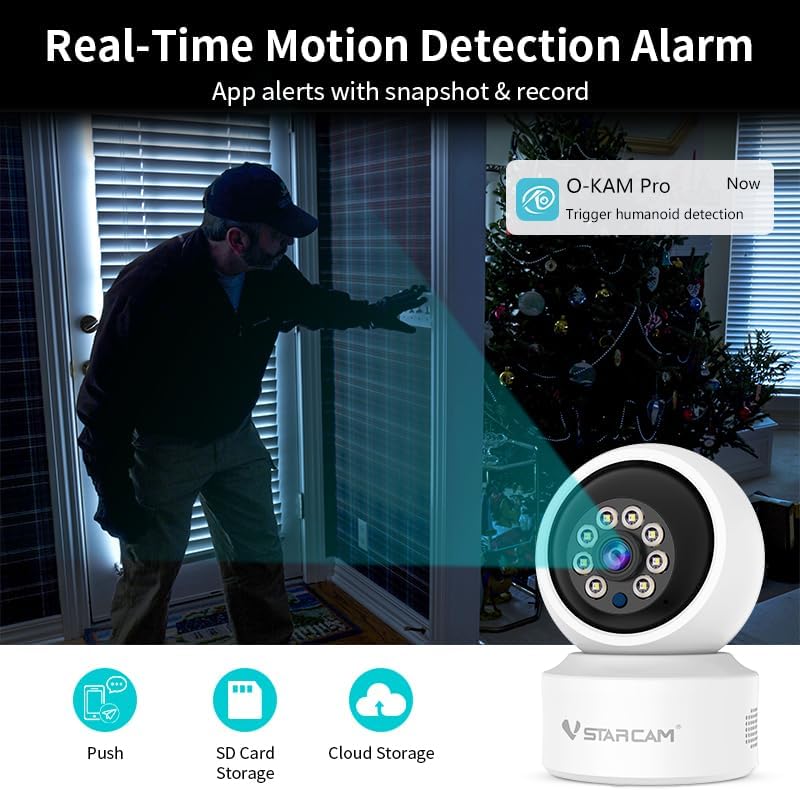
Image: A scene depicting the camera detecting a person at a doorway, with a corresponding app notification indicating a "humanoid detection" alert.
4.5 റെക്കോർഡിംഗും സംഭരണവും
The VSTARCAM C993 supports multiple recording and storage options:
- ടിഎഫ് കാർഡ് സംഭരണം: Insert a TF (microSD) card (up to 256GB, not included) into the camera's designated slot for local storage of recordings. The camera will automatically overwrite older footagകാർഡ് നിറയുമ്പോൾ.
- ക്ലൗഡ് സംഭരണം: Subscribe to the optional cloud storage service via the app for secure, off-site storage of your video recordings. This ensures footage is safe even if the camera is damaged or stolen.
- NVR Support: The camera may also be compatible with Network Video Recorders (NVRs) for continuous recording and advanced management. Refer to NVR documentation for integration details.
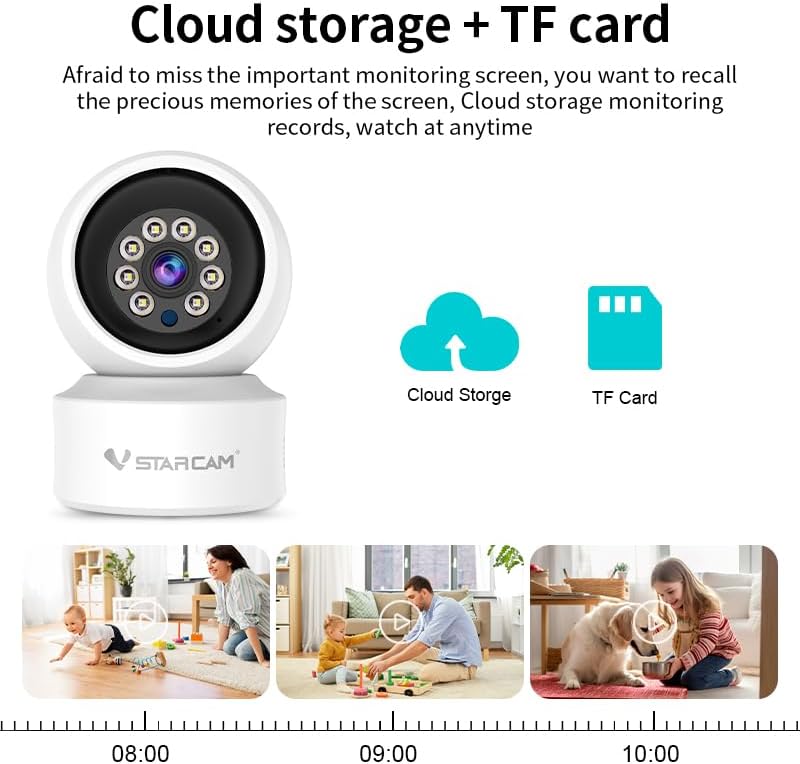
Image: An illustration highlighting the camera's support for both cloud storage and TF card storage, with a timeline demonstrating continuous recording and playback capabilities.
5. പരിപാലനം
- വൃത്തിയാക്കൽ: മൃദുവായതും ഉണങ്ങിയതുമായ തുണി ഉപയോഗിച്ച് ക്യാമറ ലെൻസും ബോഡിയും സൌമ്യമായി തുടയ്ക്കുക. കഠിനമായ രാസവസ്തുക്കളോ അബ്രസീവ് ക്ലീനറുകളോ ഉപയോഗിക്കരുത്.
- ഫേംവെയർ അപ്ഡേറ്റുകൾ: Regularly check the app for available firmware updates. Keeping your camera's firmware updated ensures optimal performance, security, and access to new features.
- നെറ്റ്വർക്ക് സ്ഥിരത: Ensure your Wi-Fi network is stable and strong to prevent connection issues and ensure continuous monitoring.
- വൈദ്യുതി വിതരണം: ക്യാമറയ്ക്ക് കേടുപാടുകൾ സംഭവിക്കാതിരിക്കാൻ നൽകിയിരിക്കുന്ന പവർ അഡാപ്റ്റർ മാത്രം ഉപയോഗിക്കുക.
6. പ്രശ്നപരിഹാരം
| പ്രശ്നം | സാധ്യമായ കാരണം | പരിഹാരം |
|---|---|---|
| ക്യാമറ വൈഫൈയിലേക്ക് കണക്റ്റുചെയ്യുന്നതിൽ പരാജയപ്പെടുന്നു. | Incorrect Wi-Fi password; 5GHz Wi-Fi network selected; camera too far from router; network interference. |
|
| തത്സമയം ഇല്ല view or offline status. | വൈദ്യുതിയില്ല; വൈഫൈ വിച്ഛേദിച്ചു; ആപ്പിൽ പ്രശ്നം. |
|
| മോഷൻ ഡിറ്റക്ഷൻ അലേർട്ടുകൾ വളരെ ഇടയ്ക്കിടെ വരുന്നു അല്ലെങ്കിൽ പ്രവർത്തിക്കുന്നില്ല. | Sensitivity too high/low; incorrect detection zone settings. |
|
| Two-way audio is unclear or not working. | Microphone/speaker blocked; network latency; volume settings. |
|
| TF card not recording or recognized. | Card not inserted correctly; card corrupted; unsupported card format. |
|
7 സ്പെസിഫിക്കേഷനുകൾ
| ഫീച്ചർ | വിശദാംശങ്ങൾ |
|---|---|
| മോഡൽ | C993 |
| വീഡിയോ റെസല്യൂഷൻ | 1080P HD |
| പാൻ/ടിൽറ്റ് ശ്രേണി | തിരശ്ചീനം 355°, ലംബം 60° |
| നൈറ്റ് വിഷൻ | Full Color Night Vision, Infrared Night Vision |
| ഓഡിയോ | ടു-വേ ഓഡിയോ (ബിൽറ്റ്-ഇൻ മൈക്കും സ്പീക്കറും) |
| മോഷൻ ഡിറ്റക്ഷൻ | AI Human Detection, Automatic Tracking |
| സ്റ്റോറേജ് ഓപ്ഷനുകൾ | TF Card (up to 256GB), Cloud Storage, NVR |
| കണക്റ്റിവിറ്റി | 2.4GHz Wi-Fi (IEEE 802.11b/g/n), Bluetooth (for initial setup) |
| പവർ ഉറവിടം | കോർഡഡ് ഇലക്ട്രിക് (DC 5V/1A) |
| അനുയോജ്യമായ ഉപകരണങ്ങൾ | iOS, Android, PC, MAC |
| നിയന്ത്രണ രീതി | Mobile App ("O-KAM Pro" or similar) |
| അളവുകൾ (L x W x H) | 4 x 3.97 x 5.5 ഇഞ്ച് (ഏകദേശം) |
| ഭാരം | 12 ഔൺസ് (ഏകദേശം) |
| പ്രവർത്തന പരിസ്ഥിതി | ഇൻഡോർ ഉപയോഗത്തിന് മാത്രം |
8. വാറൻ്റിയും പിന്തുണയും
VSTARCAM products are designed for reliability and performance. For warranty information, technical support, or service inquiries, please refer to the official VSTARCAM webസൈറ്റിൽ പ്രവേശിക്കുക അല്ലെങ്കിൽ അവരുടെ ഉപഭോക്തൃ പിന്തുണയുമായി നേരിട്ട് ബന്ധപ്പെടുക.
ഓൺലൈൻ പിന്തുണ: സന്ദർശിക്കുക VSTARCAM Official Store on Amazon കൂടുതൽ ഉൽപ്പന്ന വിവരങ്ങൾക്കും പിന്തുണാ ഉറവിടങ്ങൾക്കും.
Please have your product model (C993) and purchase details ready when contacting support.


