1. ആമുഖം
This manual provides detailed instructions for the setup, operation, and maintenance of your JYX USB Condenser RGB Microphone (Model U120). Please read this manual thoroughly before using the product to ensure optimal performance and longevity.
2. പാക്കേജ് ഉള്ളടക്കം
പാക്കേജിൽ എല്ലാ ഇനങ്ങളും ഉണ്ടെന്ന് ഉറപ്പാക്കുക:
- JYX USB Condenser RGB Microphone (Model U120)
- മൈക്രോഫോൺ അടിസ്ഥാനം
- USB-C to USB-A/USB-C cable
- ഹെഡ്ഫോണുകൾ
- ഉപയോക്തൃ മാനുവൽ
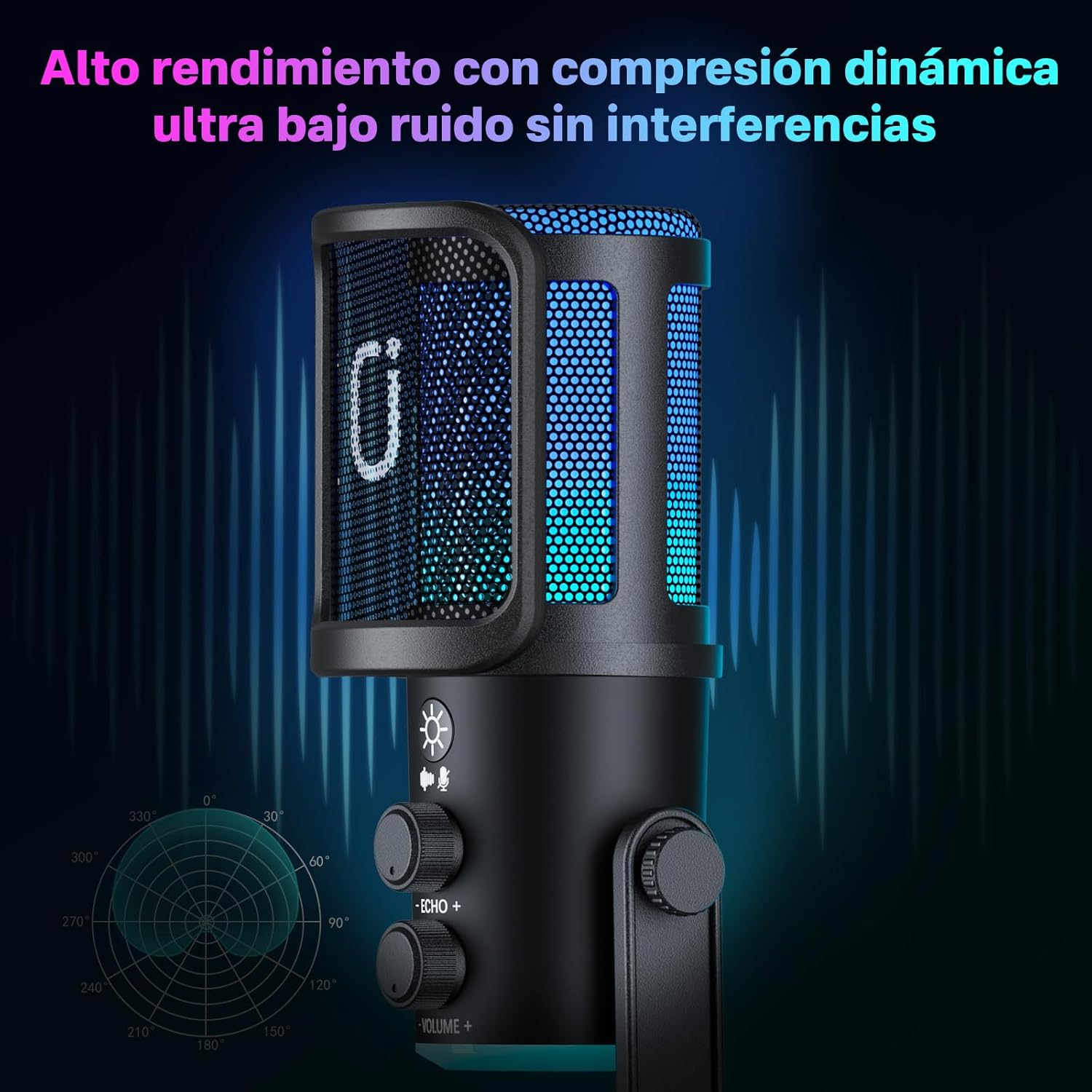
Image: The JYX USB Condenser RGB Microphone shown with its included accessories: the microphone unit, a stable base, a versatile USB-C data cable, and a pair of headphones for real-time monitoring.
3. ഉൽപ്പന്ന സവിശേഷതകളും നിയന്ത്രണങ്ങളും
The JYX U120 microphone is designed with user-friendly controls and features for various audio applications.
- High-Sensitivity Condenser Microphone: Captures clear and professional audio, reducing unwanted noise.
- Dynamic RGB LED Lighting: Enhances your setup with customizable lighting effects.
- Integrated Echo and Volume Controls: Adjust echo and output volume directly on the microphone.
- Real-time Headphone Output: Monitor your audio without latency.
- USB-C Plug and Play Connectivity: No drivers required for Windows or Mac computers.
- വിശാലമായ അനുയോജ്യത: Works with popular platforms like Zoom, OBS, Discord, Skype, and Audacity.
- ഈടുനിൽക്കുന്നതും ഒതുക്കമുള്ളതുമായ ഡിസൈൻ: Features a stable metal base and an elegant design.

Image: The JYX USB Condenser RGB Microphone, highlighting its sleek design, RGB lighting, and accessible control knobs for echo and volume.

ചിത്രം: വിശദമായത് view of the microphone's control panel, featuring buttons for light mode and mute, along with rotary knobs for echo and volume adjustments.
4. സജ്ജീകരണ ഗൈഡ്
- മൈക്രോഫോൺ കൂട്ടിച്ചേർക്കുക: Attach the microphone unit to its stable metal base. Ensure it is securely fastened.
- ഉപകരണത്തിലേക്ക് കണക്റ്റുചെയ്യുക: Use the provided USB-C cable to connect the microphone to your computer (Windows or Mac) or compatible mobile device. The microphone is plug-and-play, requiring no additional driver installation.
- ഹെഡ്ഫോണുകൾ ബന്ധിപ്പിക്കുക (ഓപ്ഷണൽ): For real-time audio monitoring, plug your headphones into the 3.5mm jack located at the bottom of the microphone.
- Select as Input/Output Device: On your computer's sound settings, select "JYX U120 Microphone" as your default input device. If using headphones with the microphone, also select it as your output device for monitoring.
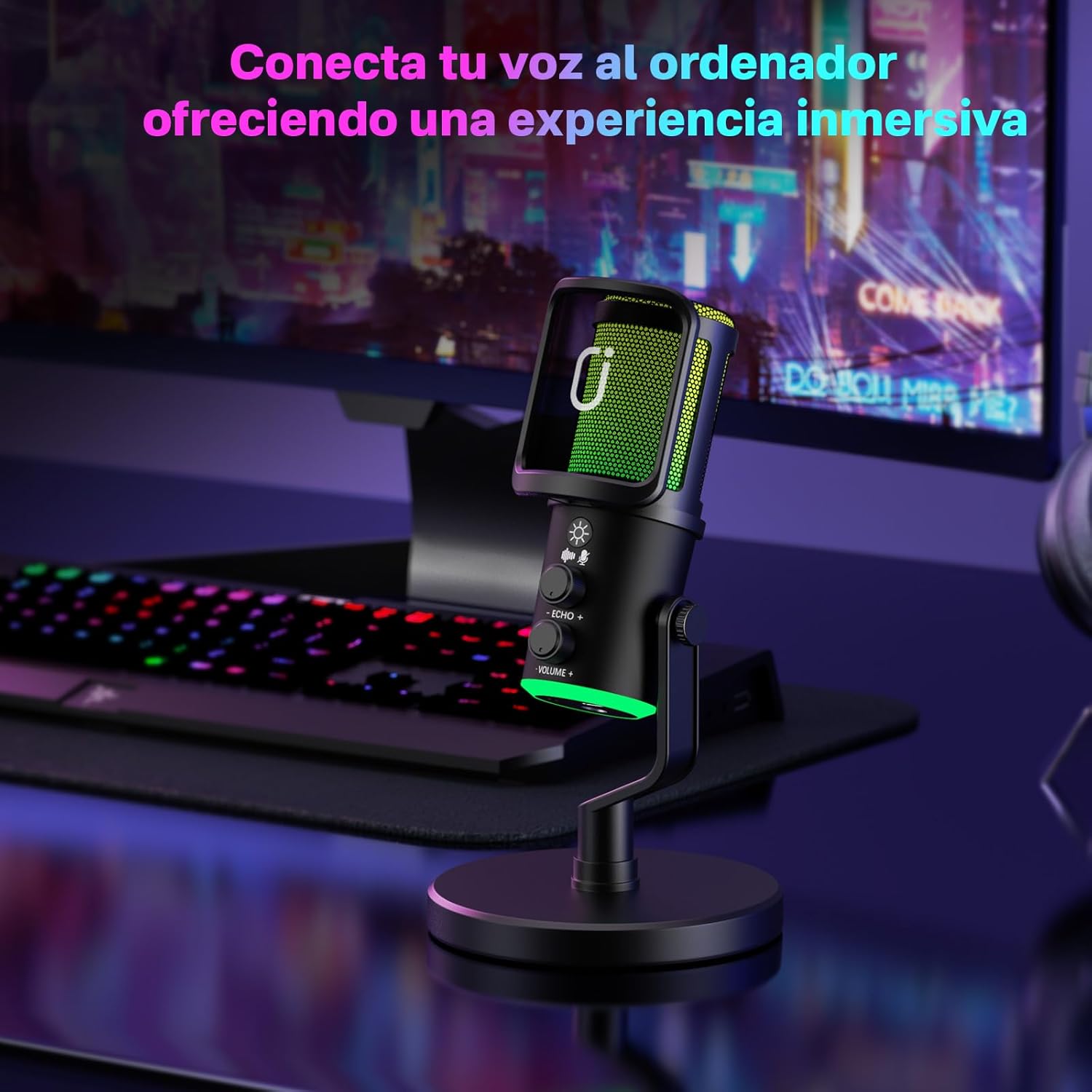
Image: The JYX USB Condenser RGB Microphone set up on a desk, connected to a computer via its USB cable, ready for use.
5. പ്രവർത്തന നിർദ്ദേശങ്ങൾ
5.1. Adjusting Volume and Echo
- വോളിയം നിയന്ത്രണം: Rotate the "VOLUME" knob clockwise to increase the microphone's output volume and counter-clockwise to decrease it.
- എക്കോ കൺട്രോൾ: Rotate the "ECHO" knob clockwise to add more echo effect to your voice and counter-clockwise to reduce it.
5.2. Controlling RGB Lighting
- ലൈറ്റ് മോഡ് മാറ്റുക: Press the light button (sun icon) briefly to cycle through different RGB lighting effects and colors.
- ലൈറ്റുകൾ ഓഫ് ചെയ്യുക: Press and hold the light button to turn off the RGB lighting. Press again briefly to reactivate the last selected mode.
5.3. Mute Function and Noise Reduction
- നിശബ്ദമാക്കുക/അൺമ്യൂട്ടുചെയ്യുക: Press the mute button (microphone icon) briefly to mute or unmute the microphone. The indicator light will change to red when muted.
- ശബ്ദം കുറയ്ക്കൽ: Double-press the mute button to activate or deactivate the noise reduction feature.

Image: The microphone showcasing its dynamic RGB lighting, which can be customized to match your mood or setup.
6. പരിപാലനം
- വൃത്തിയാക്കൽ: Use a soft, dry cloth to clean the microphone's exterior. Avoid using liquid cleaners or abrasive materials.
- സംഭരണം: ഉപയോഗിക്കാത്തപ്പോൾ, നേരിട്ടുള്ള സൂര്യപ്രകാശത്തിൽ നിന്നും തീവ്രമായ താപനിലയിൽ നിന്നും മാറി തണുത്തതും വരണ്ടതുമായ സ്ഥലത്ത് മൈക്രോഫോൺ സൂക്ഷിക്കുക.
- കേബിൾ കെയർ: കേടുപാടുകൾ ഒഴിവാക്കാൻ USB കേബിൾ അമിതമായി വളയ്ക്കുകയോ വളച്ചൊടിക്കുകയോ ചെയ്യുന്നത് ഒഴിവാക്കുക.
7. പ്രശ്നപരിഹാരം
| പ്രശ്നം | സാധ്യമായ കാരണം | പരിഹാരം |
|---|---|---|
| മൈക്രോഫോണിൽ നിന്ന് ശബ്ദ ഔട്ട്പുട്ട് ഇല്ല. | Microphone is muted; incorrect input device selected; loose cable connection. | Press the mute button to unmute. Check computer sound settings to ensure JYX U120 is selected as input. Reconnect the USB cable securely. |
| RGB ലൈറ്റുകൾ പ്രവർത്തിക്കുന്നില്ല. | Lights are turned off; power issue. | Press the light button to cycle through modes or turn them on. Ensure the microphone is properly connected and receiving power. |
| എക്കോ ഇഫക്റ്റ് വളരെ ശക്തമാണ്/ദുർബലമാണ്. | Echo knob setting. | Adjust the "ECHO" knob to your desired level. |
| Poor sound quality/background noise. | Noise reduction off; environmental noise; microphone placement. | Double-press the mute button to activate noise reduction. Ensure microphone is placed away from noise sources. Adjust microphone position. |
8 സ്പെസിഫിക്കേഷനുകൾ
- ബ്രാൻഡ്: JYX
- മോഡൽ: U120
- ഭാഗം നമ്പർ: JYX-U120
- ഹാർഡ്വെയർ പ്ലാറ്റ്ഫോം: പിസി, ലാപ്ടോപ്പ്
- അനുയോജ്യമായ ഉപകരണങ്ങൾ: Voice Recorder, Karaoke Machine, Personal Computer, Laptop
- പ്രത്യേക സവിശേഷതകൾ: Echo Control, Volume Control, Plug-in Function, Stand, Noise Reduction
- ഉൽപ്പന്നങ്ങളുടെ എണ്ണം: 1
- ശബ്ദ നില: 16 ഡെസിബെൽ
- ഊർജ്ജ സ്രോതസ്സ്: കോർഡഡ് ഇലക്ട്രിക്
- ആവശ്യമായ ബാറ്ററികൾ: ഇല്ല
- സിഗ്നൽ-ടു-നോയിസ് അനുപാതം: 70 ഡി.ബി
- കണക്റ്റർ തരം: USB
- ഉൽപ്പന്ന അളവുകൾ: 17 x 8 x 23 സെ.മീ; 580 ഗ്രാം
9. വാറൻ്റിയും പിന്തുണയും
JYX offers a 360-day warranty service for this product. For any questions or issues, our customer support team is available to provide professional and timely assistance.
പിന്തുണയുമായി ബന്ധപ്പെടുക: service@jyxspeaker.com
Image: JYX customer service details, highlighting warranty period, local support, and contact email for technical assistance.


