1. ആമുഖം
This manual provides detailed instructions for the safe and efficient operation of your Gracioso Portable DAB/DAB+/FM Radio with Bluetooth 5.3. Please read this manual thoroughly before using the device and retain it for future reference.
2. പാക്കേജ് ഉള്ളടക്കം
അൺപാക്ക് ചെയ്യുമ്പോൾ, താഴെ പട്ടികപ്പെടുത്തിയിരിക്കുന്ന എല്ലാ ഇനങ്ങളും ഉണ്ടെന്നും നല്ല നിലയിലാണെന്നും ഉറപ്പാക്കുക:
- Gracioso Portable DAB Radio
- USB-C ചാർജിംഗ് കേബിൾ
- ഉപയോക്തൃ മാനുവൽ
3. ഉൽപ്പന്നം കഴിഞ്ഞുview
The Gracioso Portable DAB/DAB+/FM Radio offers versatile audio playback options including digital DAB/DAB+ radio, FM radio, Bluetooth 5.3 streaming, and MP3 playback via USB/SD card. It features a color display, 5W speaker, dual alarm clock, and a rechargeable battery for portable use.

ചിത്രം 1: മുൻഭാഗം view of the Gracioso Portable DAB Radio.
4. സജ്ജീകരണം
4.1 ബാറ്ററി ചാർജ് ചെയ്യുന്നു
The radio is equipped with a built-in 1200 mAh rechargeable battery. Before first use, fully charge the device.
- Connect the supplied USB-C charging cable to the radio's USB-C port.
- കേബിളിന്റെ മറ്റേ അറ്റം അനുയോജ്യമായ ഒരു USB പവർ അഡാപ്റ്ററുമായി ബന്ധിപ്പിക്കുക (ഉൾപ്പെടുത്തിയിട്ടില്ല).
- The battery indicator on the display will show charging status. A full charge typically takes 2-3 hours and provides up to 7 hours of playback depending on volume.

Figure 2: Connecting the USB-C charging cable.
4.2 Extending the Antenna
മികച്ച റേഡിയോ സ്വീകരണത്തിനായി, ടെലിസ്കോപ്പിക് ആന്റിന പൂർണ്ണമായും നീട്ടുക. മികച്ച സിഗ്നൽ ഗുണനിലവാരത്തിനായി അതിന്റെ സ്ഥാനം ക്രമീകരിക്കുക.

Figure 3: Fully extended antenna for improved reception.
4.3 പവർ ഓൺ/ഓഫ്
അമർത്തിപ്പിടിക്കുക ശക്തി റേഡിയോ ഓണാക്കാനോ ഓഫാക്കാനോ ഉള്ള ബട്ടൺ.
5. പ്രവർത്തന നിർദ്ദേശങ്ങൾ
5.1 Radio Mode (DAB/DAB+/FM)
- അമർത്തുക മോഡ് DAB അല്ലെങ്കിൽ FM റേഡിയോ മോഡ് തിരഞ്ഞെടുക്കാൻ ബട്ടൺ.
- In DAB/DAB+ mode, the radio will automatically scan for available stations upon first use or if no stations are found.
- To manually initiate an auto-scan, press and hold the സ്കാൻ ചെയ്യുക button. The radio can store up to 80 preset stations (50 AM and 30 DAB).
- ഉപയോഗിക്കുക TU+/- buttons to navigate through stations or presets.
- To save a station, tune to the desired station, then press and hold the MEMO/STORE button. Follow the on-screen prompts to select a preset number.

Figure 4: Automatic scanning and preset station storage.
5.2 ബ്ലൂടൂത്ത് മോഡ്
- അമർത്തുക മോഡ് button to select Bluetooth mode. The display will show "Pairing".
- Enable Bluetooth on your smartphone or tablet and search for "DAB939".
- Select "DAB939" to pair. Once connected, you can stream audio wirelessly.
- കുറിപ്പ്: This device does not support connecting to Bluetooth headphones.
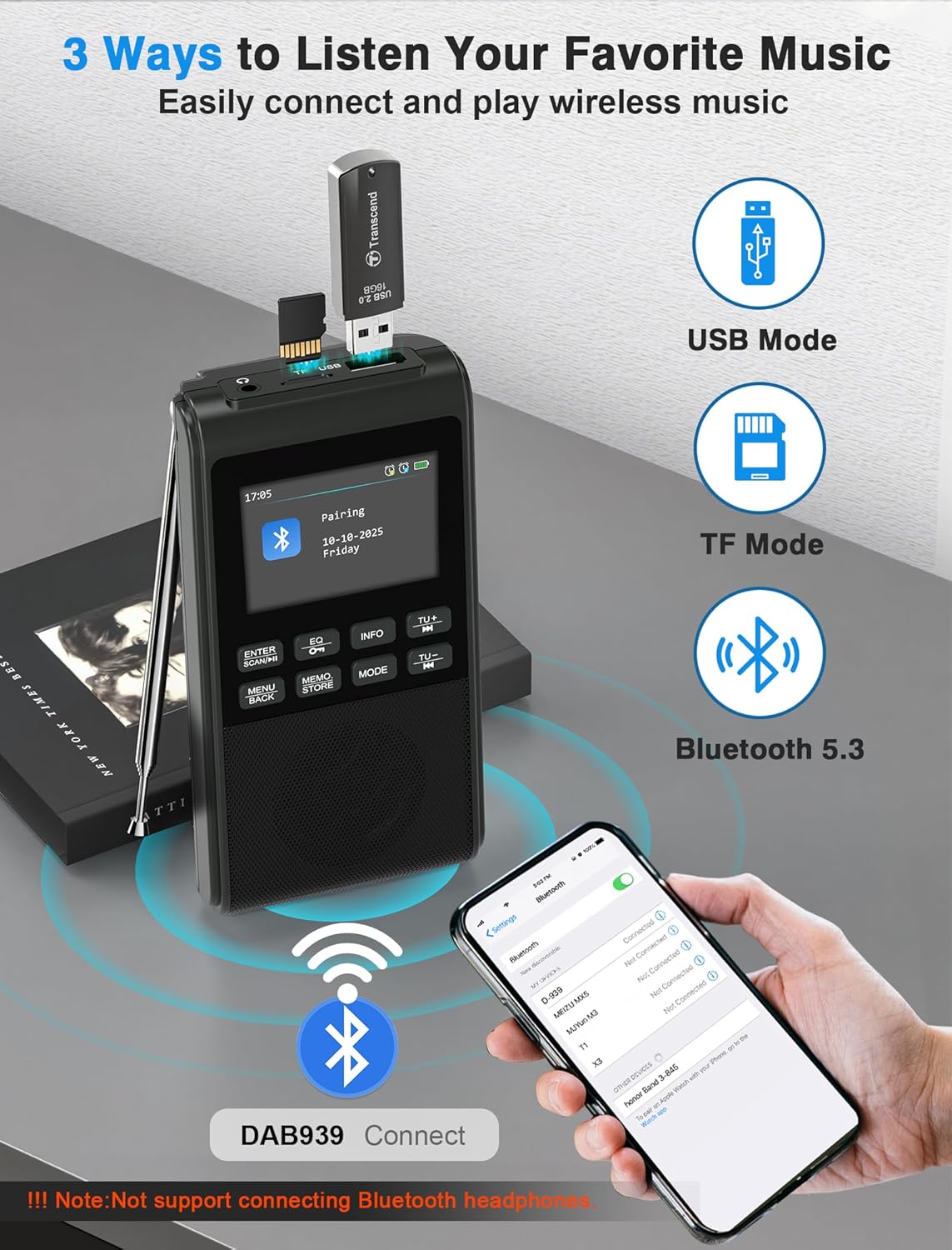
Figure 5: Pairing the radio with a Bluetooth device.
5.3 യുഎസ്ബി/എസ്ഡി കാർഡ് പ്ലേബാക്ക്
Insert a USB flash drive or SD card (up to 32GB) containing MP3 files into the respective slot. The radio will automatically switch to USB or SD card mode and begin playback. The device remembers playback progress.
5.4 സമനില മോഡുകൾ
അമർത്തുക EQ button to cycle through 6 equalizer modes: Pop, Rock, Jazz, Classic, Vocal, and Flat. Select the mode that best suits your audio preference.

Figure 6: Visual representation of the 5W speaker and EQ settings.
5.5 ഹെഡ്ഫോൺ ഉപയോഗം
Connect 3.5mm headphones to the headphone jack for private listening. The internal speaker will automatically disconnect when headphones are plugged in.

Figure 7: Connecting 3.5mm headphones to the radio.
5.6 അലാറം ക്ലോക്ക് പ്രവർത്തനം
The radio features a dual alarm clock. Refer to the on-screen menu for setting Alarm 1 (weekdays) and Alarm 2 (weekends), including customizable alarm volume.

Figure 8: Setting up the dual alarm clock.
5.7 സ്ലീപ്പ് ടൈമർ
Activate the sleep timer function to automatically turn off the radio after a set period (15, 30, 45, 60, 90, or 120 minutes). This feature is ideal for falling asleep to music or talk radio.
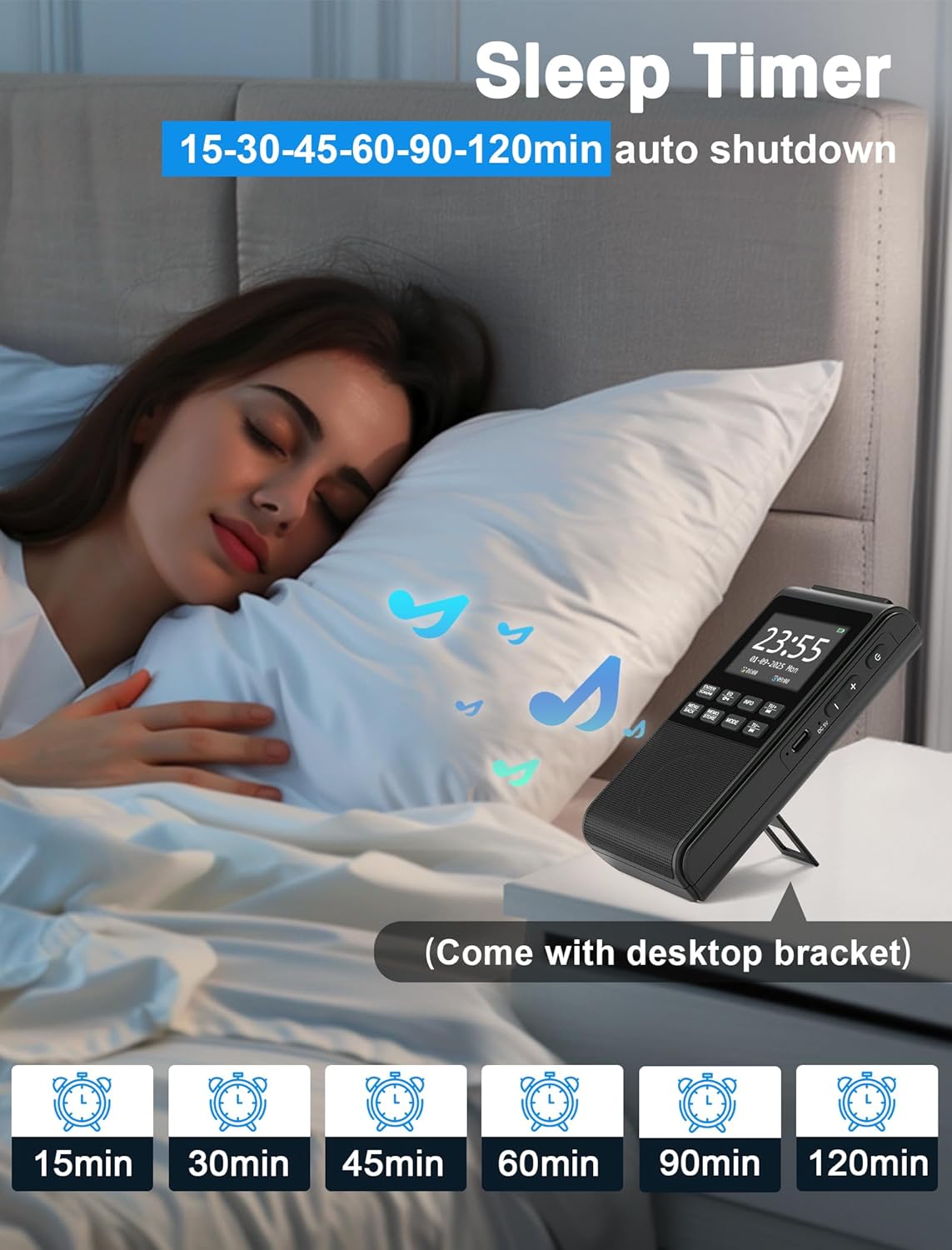
Figure 9: Using the sleep timer feature.
6. പരിപാലനം
6.1 വൃത്തിയാക്കൽ
Wipe the radio with a soft, dry cloth. Do not use abrasive cleaners or solvents, as they may damage the surface.
6.2 ബാറ്ററി കെയർ
ബാറ്ററി ലൈഫ് വർദ്ധിപ്പിക്കാൻ, ബാറ്ററി ഇടയ്ക്കിടെ പൂർണ്ണമായും ഡിസ്ചാർജ് ചെയ്യുന്നത് ഒഴിവാക്കുക. ദീർഘനേരം ഉപയോഗിച്ചിട്ടില്ലെങ്കിൽ പോലും ഉപകരണം പതിവായി റീചാർജ് ചെയ്യുക.
7. പ്രശ്നപരിഹാരം
- ശക്തിയില്ല: Ensure the battery is charged. Connect the USB-C cable to a power source.
- മോശം റേഡിയോ സ്വീകരണം: Fully extend and adjust the antenna. Try moving the radio to a different location to improve signal strength.
- ബ്ലൂടൂത്ത് കണക്റ്റുചെയ്യുന്നില്ല: Ensure the radio is in Bluetooth pairing mode. Check that Bluetooth is enabled on your external device and "DAB939" is selected.
- ശബ്ദമില്ല: Check the volume level. Ensure headphones are not plugged in if you intend to use the internal speaker.
8 സ്പെസിഫിക്കേഷനുകൾ
| ബ്രാൻഡ്: | ഗ്രാസിയോസോ |
| മോഡൽ നമ്പർ: | B0FJ88Z2BV |
| ഉൽപ്പന്ന അളവുകൾ: | 12.7 x 6.7 x 2.8 സെ.മീ |
| ഇനത്തിൻ്റെ ഭാരം: | 230 ഗ്രാം |
| ബാറ്ററി: | 1200 mAh Lithium-ion (rechargeable) |
| ചാർജിംഗ് പോർട്ട്: | USB-C |
| റേഡിയോ ബാൻഡുകൾ: | ഡിഎബി, ഡിഎബി+, എഫ്എം |
| ബ്ലൂടൂത്ത് പതിപ്പ്: | 5.3 |
| സ്പീക്കർ ഔട്ട്പുട്ട്: | 5W |
| ഡിസ്പ്ലേ: | എൽസിഡി കളർ ഡിസ്പ്ലേ |
| അധിക സവിശേഷതകൾ: | Integrated Clock, Portable, Rechargeable, Foldable Stand, Wrist Strap |
9. വാറൻ്റിയും പിന്തുണയും
Your Gracioso Portable DAB/DAB+/FM Radio comes with a 12-month warranty. For any questions, technical assistance, or warranty claims, please contact our customer support team. We offer world-class 24/7 customer service to ensure your satisfaction.
For more information and support, please visit the official Gracioso brand store on Amazon: Gracioso Brand Store.


