1. ആമുഖം
This manual provides essential information for setting up, operating, maintaining, and troubleshooting your HP G9 Laptop Computer. The HP G9 is designed for reliable performance, featuring an Intel Celeron Quad Core N4120 processor, 8GB RAM, 256GB PCIe SSD, and Windows 11 Pro operating system. Please read this manual thoroughly to ensure optimal use of your device.
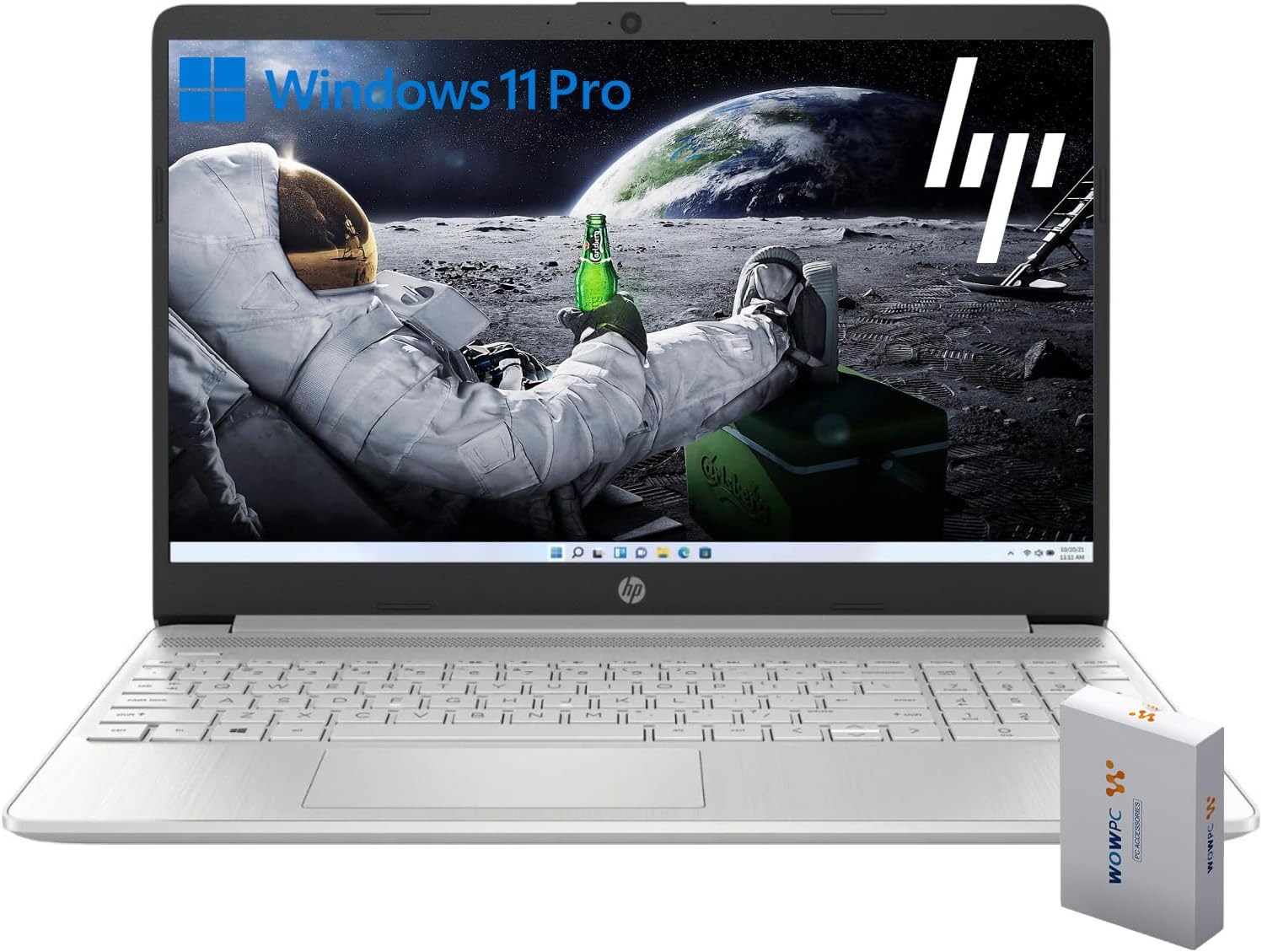
Image 1.1: HP G9 Laptop Computer. This image shows the laptop with its screen displaying the Windows 11 Pro desktop, featuring an astronaut on the moon background. A WOWPC Recovery USB is visible next to the laptop.
2. പാക്കേജ് ഉള്ളടക്കം
ഉൽപ്പന്ന പാക്കേജിംഗിൽ എല്ലാ ഇനങ്ങളും ഉണ്ടെന്ന് ഉറപ്പാക്കുക:
- HP G9 Laptop Computer
- പവർ അഡാപ്റ്ററും കേബിളും
- WOWPC Recovery USB
- ക്വിക്ക് സ്റ്റാർട്ട് ഗൈഡ് (ഉൾപ്പെടുത്തിയിട്ടുണ്ടെങ്കിൽ)
3. ഉൽപ്പന്നം കഴിഞ്ഞുview
3.1 പ്രധാന സവിശേഷതകൾ
- പ്രോസസ്സർ: Intel Celeron Quad Core N4120 (4 Cores, 4 Threads, up to 2.6 GHz Turbo Speed)
- ഓപ്പറേറ്റിംഗ് സിസ്റ്റം: വിൻഡോസ് 11 പ്രോ 64 ബിറ്റ്
- മെമ്മറി (റാം): 8GB DDR4
- സംഭരണം: 256GB PCIe-NVMe SSD
- ഗ്രാഫിക്സ്: ഇന്റഗ്രേറ്റഡ് ഇന്റൽ ഗ്രാഫിക്സ്
- ഡിസ്പ്ലേ: 15.6-inch HD (1366 x 768) anti-glare panel
- വയർലെസ് കണക്റ്റിവിറ്റി: വൈ-ഫൈ 6, ബ്ലൂടൂത്ത് 5.2
- ഓഡിയോ: ഡ്യുവൽ സ്റ്റീരിയോ സ്പീക്കറുകൾ, ഡ്യുവൽ അറേ മൈക്രോഫോണുകൾ
- കീബോർഡ്: Full-size with numeric keypad
- Webക്യാം: Built-in HD 720p

ചിത്രം 3.1: പ്രധാന സവിശേഷതകൾ കഴിഞ്ഞുview. This graphic highlights the Intel Quad-Core N4120 Processor, Windows 11 Pro, Storage options, RAM, WOWPC Recovery USB, USB 3.2, Wi-Fi 6, Bluetooth 5.2, RJ-45, and Ergonomic Design.
3.2 പോർട്ടുകളും കണക്ടറുകളും
Familiarize yourself with the various ports on your laptop:
- ഇടത് വശം: Power Connector, USB Type-A (5Gbps signaling rate)
- വലത് വശം: Multi-format SD media card reader, Headphone/microphone combo, USB-C (5Gbps signaling rate), HDMI 1.4b Output, RJ-45 (Ethernet)

Image 3.2: Laptop Port Layout. This image illustrates the location of the Power Connector, USB Type-A port on the left side, and the Multi-format SD media card reader, Headphone/Microphone Combo jack, USB-C port, and HDMI 1.4b port on the right side.
4. പ്രാരംഭ സജ്ജീകരണം
4.1 ബന്ധിപ്പിക്കുന്ന പവർ
- Connect the power adapter to the power connector on the laptop.
- വൈദ്യുതി കേബിൾ ഒരു ഇലക്ട്രിക്കൽ outട്ട്ലെറ്റിലേക്ക് പ്ലഗ് ചെയ്യുക.
- Allow the battery to charge for a few minutes before initial use.
4.2 ഫസ്റ്റ് ബൂട്ടും വിൻഡോസ് 11 പ്രോ സജ്ജീകരണവും
- ലാപ്ടോപ്പ് ലിഡ് തുറന്ന് പവർ ബട്ടൺ അമർത്തുക.
- Follow the on-screen instructions to complete the Windows 11 Pro initial setup, including language selection, region, keyboard layout, and network connection.
- Create a user account and set up a password or PIN.
4.3 ഒരു നെറ്റ്വർക്കിലേക്ക് ബന്ധിപ്പിക്കുന്നു
During the initial setup, you will be prompted to connect to a Wi-Fi network. If you skip this step, you can connect later:
- ക്ലിക്ക് ചെയ്യുക നെറ്റ്വർക്ക് icon (Wi-Fi or Ethernet) in the taskbar.
- Select your desired Wi-Fi network from the list and click ബന്ധിപ്പിക്കുക.
- ആവശ്യപ്പെടുകയാണെങ്കിൽ നെറ്റ്വർക്ക് സുരക്ഷാ കീ (പാസ്വേഡ്) നൽകുക.
5. നിങ്ങളുടെ ലാപ്ടോപ്പ് പ്രവർത്തിപ്പിക്കുക
5.1 അടിസ്ഥാന നാവിഗേഷൻ
- ടച്ച്പാഡ്: Use gestures for scrolling, zooming, and switching applications. Refer to Windows settings for touchpad customization.
- കീബോർഡ്: The full-size keyboard includes a numeric keypad for efficient data entry. Function keys (F1-F12) provide quick access to system controls.
5.2 വിൻഡോസ് 11 പ്രോ സവിശേഷതകൾ
Windows 11 Pro offers enhanced security, productivity tools, and performance:
- Snap Layouts and Groups: Organize your open windows efficiently for improved multitasking.
- വിപുലമായ സുരക്ഷ: Features like Windows Hello, BitLocker, and Windows Security protect your data and device.
- Microsoft Teams Integration: Stay connected with colleagues and friends directly from the taskbar.

Image 5.1: Windows 11 Pro Features. This image highlights the benefits of Windows 11 Pro, including advanced security features and optimized productivity tools for business and professional users.
5.3 WOWPC റിക്കവറി യുഎസ്ബി ഉപയോഗിക്കുന്നു
The included WOWPC Recovery USB is designed to assist with system recovery in case of software issues. Keep it in a safe place.
- To use, insert the USB into an available port.
- Restart your laptop and access the boot menu (often by pressing F9, F10, or F12 during startup, consult your laptop's specific boot key).
- Select the WOWPC Recovery USB as the boot device and follow the on-screen instructions for recovery options.
6. പരിപാലനവും പരിചരണവും
6.1 നിങ്ങളുടെ ലാപ്ടോപ്പ് വൃത്തിയാക്കൽ
- മൃദുവായ, ലിൻ്റ് രഹിത തുണി ഉപയോഗിക്കുകampഡിസ്പ്ലേയ്ക്കായി വെള്ളം അല്ലെങ്കിൽ ഒരു സ്ക്രീൻ ക്ലീനർ ഉപയോഗിച്ച് നനച്ചു.
- കീബോർഡിനും ഷാസിക്കും മൃദുവായ തുണി ഉപയോഗിക്കുക. കഠിനമായ രാസവസ്തുക്കൾ ഒഴിവാക്കുക.
- വൃത്തിയാക്കുന്നതിനുമുമ്പ് ലാപ്ടോപ്പ് പവർ ഓഫ് ചെയ്തിട്ടുണ്ടെന്നും പ്ലഗ് ഊരിവെച്ചിട്ടുണ്ടെന്നും ഉറപ്പാക്കുക.
6.2 സോഫ്റ്റ്വെയർ അപ്ഡേറ്റുകൾ
മികച്ച പ്രകടനവും സുരക്ഷയും ഉറപ്പാക്കാൻ നിങ്ങളുടെ വിൻഡോസ് ഓപ്പറേറ്റിംഗ് സിസ്റ്റവും ഡ്രൈവറുകളും പതിവായി അപ്ഡേറ്റ് ചെയ്യുക:
- പോകുക ക്രമീകരണങ്ങൾ > വിൻഡോസ് അപ്ഡേറ്റ് അപ്ഡേറ്റുകൾ പരിശോധിച്ച് ഇൻസ്റ്റാൾ ചെയ്യാൻ.
- Allow updates to complete without interrupting the process.
6.3 ബാറ്ററി കെയർ
- തീവ്രമായ താപനില ഒഴിവാക്കുക.
- For long-term storage, charge the battery to approximately 50% and store the laptop in a cool, dry place.
- Periodically discharge and recharge the battery to maintain its health.
7. പ്രശ്നപരിഹാരം
നിങ്ങൾ നേരിട്ടേക്കാവുന്ന പൊതുവായ പ്രശ്നങ്ങളെ ഈ വിഭാഗം അഭിസംബോധന ചെയ്യുന്നു.
7.1 ലാപ്ടോപ്പ് ഓണാകുന്നില്ല
- പവർ അഡാപ്റ്റർ ലാപ്ടോപ്പിലേക്കും പ്രവർത്തിക്കുന്ന ഒരു ഇലക്ട്രിക്കൽ ഔട്ട്ലെറ്റിലേക്കും സുരക്ഷിതമായി ബന്ധിപ്പിച്ചിട്ടുണ്ടെന്ന് ഉറപ്പാക്കുക.
- മറ്റൊരു ഉപകരണം പ്ലഗ് ഇൻ ചെയ്ത് പവർ ഔട്ട്ലെറ്റ് പ്രവർത്തനക്ഷമമാണെന്ന് ഉറപ്പാക്കുക.
- ബാറ്ററി പൂർണ്ണമായും തീർന്നാൽ, പവർ ഓൺ ചെയ്യാൻ ശ്രമിക്കുന്നതിന് മുമ്പ് കുറഞ്ഞത് 30 മിനിറ്റെങ്കിലും ചാർജ് ചെയ്യാൻ അനുവദിക്കുക.
7.2 വൈഫൈ കണക്ഷൻ ഇല്ല
- Check if Wi-Fi is enabled in Windows settings (ക്രമീകരണങ്ങൾ > നെറ്റ്വർക്കും ഇന്റർനെറ്റും > വൈ-ഫൈ).
- നിങ്ങളുടെ റൂട്ടറും മോഡവും പുനരാരംഭിക്കുക.
- നിങ്ങളുടെ വൈഫൈ നെറ്റ്വർക്കിന്റെ പരിധിയിലാണെന്ന് ഉറപ്പാക്കുക.
- നെറ്റ്വർക്ക് മറന്ന് വീണ്ടും കണക്റ്റ് ചെയ്യാൻ ശ്രമിക്കുക.
7.3 മന്ദഗതിയിലുള്ള പ്രകടനം
- പശ്ചാത്തലത്തിൽ പ്രവർത്തിക്കുന്ന അനാവശ്യ ആപ്ലിക്കേഷനുകൾ അടയ്ക്കുക.
- ശേഷിക്കുന്ന ഏതെങ്കിലും വിൻഡോസ് അപ്ഡേറ്റുകൾ പരിശോധിച്ച് ഇൻസ്റ്റാൾ ചെയ്യുക.
- സംഭരണ ഇടം ശൂന്യമാക്കാൻ ഒരു ഡിസ്ക് ക്ലീനപ്പ് പ്രവർത്തിപ്പിക്കുക.
- Scan for malware using Windows Security.
8 സ്പെസിഫിക്കേഷനുകൾ
| ഫീച്ചർ | വിശദാംശങ്ങൾ |
|---|---|
| മോഡലിൻ്റെ പേര് | hp g9 |
| ഓപ്പറേറ്റിംഗ് സിസ്റ്റം | വിൻഡോസ് 11 പ്രോ |
| പ്രോസസ്സർ | Intel Celeron Quad Core N4120 (1.1 GHz base, up to 2.6 GHz turbo) |
| റാം | 8GB DDR4 |
| സംഭരണം | 256GB PCIe-NVMe SSD |
| ഗ്രാഫിക്സ് | ഇന്റഗ്രേറ്റഡ് ഇന്റൽ ഗ്രാഫിക്സ് |
| പ്രദർശിപ്പിക്കുക | 15.6-inch HD (1366 x 768 pixels), anti-glare |
| വയർലെസ് കണക്റ്റിവിറ്റി | വൈ-ഫൈ 6, ബ്ലൂടൂത്ത് 5.2 |
| തുറമുഖങ്ങൾ | 1x SuperSpeed USB-C 10Gbps, 2x SuperSpeed USB-A 10Gbps, 1x Headphone/microphone combo, 1x HDMI 1.4 Output, 1x RJ-45, 1x Audio-out, SD-Reader |
| Webക്യാമറ | HD 720p |
| അളവുകൾ (L x W x H) | 14.09 x 9.53 x 0.78 ഇഞ്ച് |
| ഭാരം | 4 എൽ.ബി |
9. വാറൻ്റിയും പിന്തുണയും
9.1 ഉൽപ്പന്ന വാറന്റി
Your HP G9 Laptop Computer comes with a standard manufacturer's warranty. Please refer to the warranty card included in your product packaging or visit the official HP support webനിങ്ങളുടെ പ്രദേശത്തിന് പ്രത്യേകമായുള്ള വിശദമായ വാറന്റി നിബന്ധനകൾക്കും വ്യവസ്ഥകൾക്കും സൈറ്റ് സന്ദർശിക്കുക.
9.2 സാങ്കേതിക പിന്തുണ
For technical assistance, driver downloads, or further information, please visit the official HP support website. You can typically find support resources by searching for your specific model (HP G9) on their webസൈറ്റ്.
The included WOWPC Recovery USB is a valuable tool for system recovery and troubleshooting software-related issues. Keep it accessible for future use.