1. ആമുഖം
This manual provides essential information for setting up, operating, and maintaining your realme GT 7T Smartphone. Please read this guide thoroughly to ensure proper use and to maximize the device's capabilities. The realme GT 7T is designed to offer a high-performance mobile experience with advanced features.
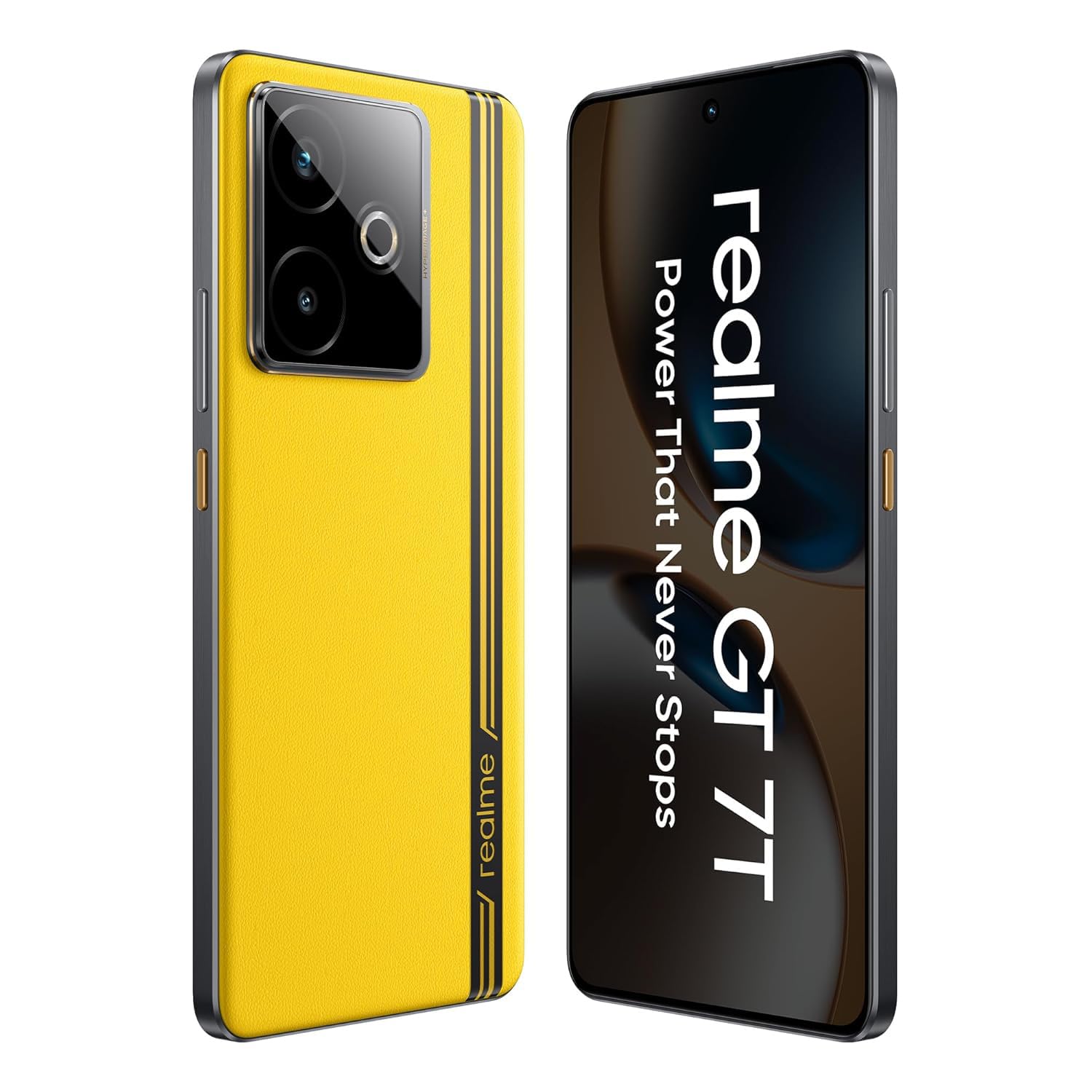
ചിത്രം: മുൻഭാഗം view of the realme GT 7T Smartphone, showcasing അതിന്റെ ഡിസ്പ്ലേ.
2. ബോക്സിൽ എന്താണുള്ളത്?
പാക്കേജിംഗിൽ എല്ലാ ഇനങ്ങളും ഉണ്ടെന്ന് ഉറപ്പാക്കുക:
- realme GT 7T Smartphone
- USB ഡാറ്റ കേബിൾ
- Charger (120W UltraDART/SuperVOOC compatible)
- ദ്രുത ആരംഭ ഗൈഡ്
3. സജ്ജീകരണം
3.1. സിം കാർഡ് ഇടുന്നു
- ഉപകരണത്തിന്റെ വശത്ത് സിം കാർഡ് ട്രേ കണ്ടെത്തുക.
- ട്രേ തുറക്കാൻ നൽകിയിരിക്കുന്ന സിം എജക്റ്റർ ഉപകരണം ഉപയോഗിക്കുക.
- Place your Nano-SIM card(s) into the tray with the gold contacts facing down. The realme GT 7T supports Dual 5G SIM.
- ഫോണിലേക്ക് ട്രേ ശ്രദ്ധാപൂർവ്വം വീണ്ടും തിരുകുക.
3.2. പ്രാരംഭ പവർ ഓണും സജ്ജീകരണവും
- Press and hold the Power button until the realme logo appears.
- നിങ്ങളുടെ ഭാഷ, പ്രദേശം എന്നിവ തിരഞ്ഞെടുക്കുന്നതിനും ഒരു വൈഫൈ നെറ്റ്വർക്കിലേക്ക് കണക്റ്റുചെയ്യുന്നതിനും ഓൺ-സ്ക്രീൻ നിർദ്ദേശങ്ങൾ പാലിക്കുക.
- നിങ്ങളുടെ Google അക്കൗണ്ട് ഉപയോഗിച്ച് സൈൻ ഇൻ ചെയ്യുക അല്ലെങ്കിൽ പുതിയൊരെണ്ണം സൃഷ്ടിക്കുക.
- ഫിംഗർപ്രിന്റ് അല്ലെങ്കിൽ ഫേസ് അൺലോക്ക് പോലുള്ള സുരക്ഷാ സവിശേഷതകൾ സജ്ജീകരിക്കുന്നത് ഉൾപ്പെടെയുള്ള സജ്ജീകരണ പ്രക്രിയ പൂർത്തിയാക്കുക.
4. പ്രവർത്തന നിർദ്ദേശങ്ങൾ
4.1. ഡിസ്പ്ലേ സവിശേഷതകൾ
The realme GT 7T features a 6.8-inch 1.5K display with a 120Hz refresh rate for smooth visuals. It supports 2160Hz high-frequency PWM dimming to reduce eye strain during extended use.
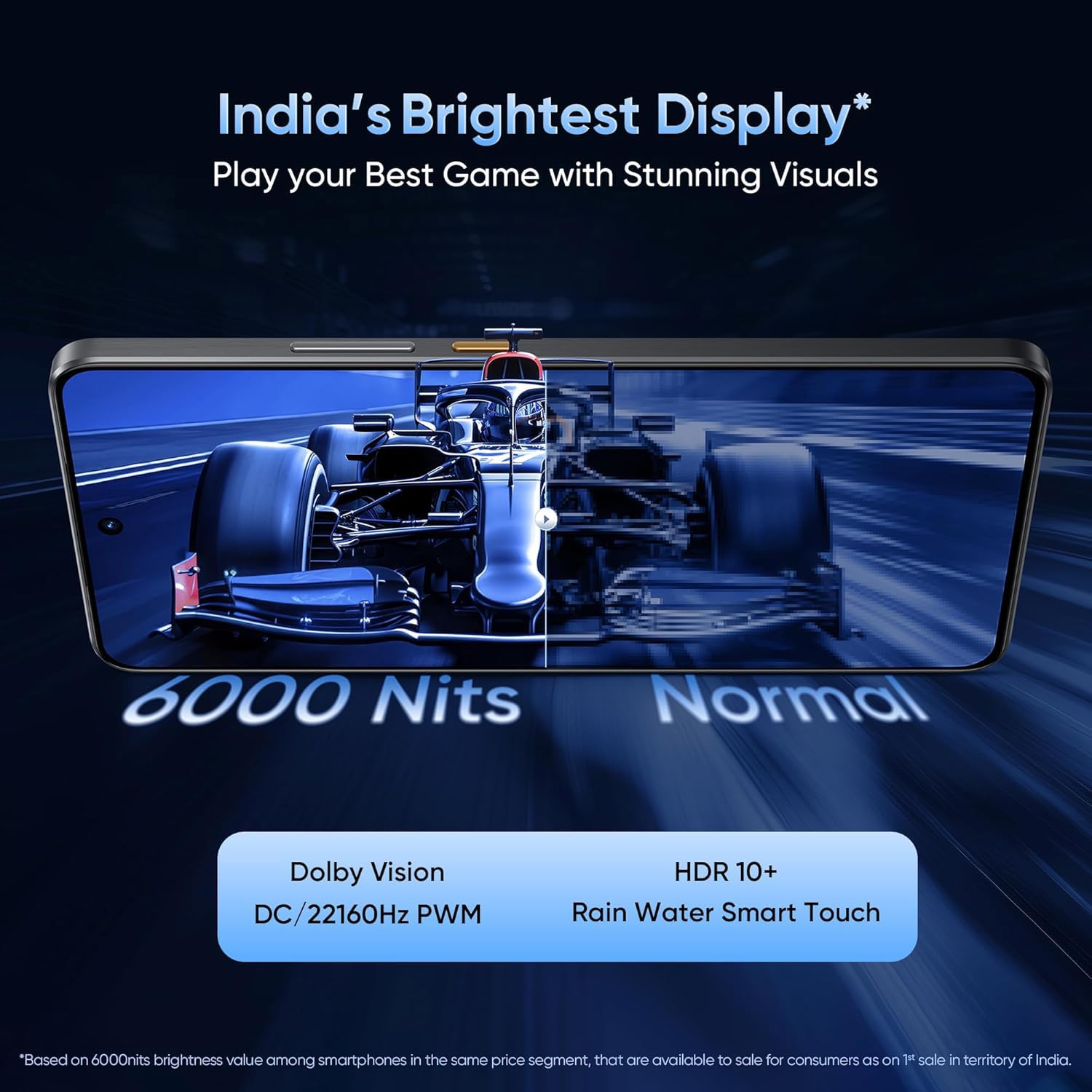
Image: Comparison showing the brightness and clarity of the realme GT 7T display.
4.2. പ്രകടനം
Powered by the MediaTek Dimensity 8400-MAX 4nm chipset, the device offers robust performance for multitasking and demanding applications. The IceSense graphene cooling system ensures efficient heat dissipation, maintaining optimal performance during intensive tasks.

Image: Visual representation of the MediaTek Dimensity 8400-MAX chipset.
4.3. ക്യാമറ സിസ്റ്റം
The realme GT 7T features an AI Camera system with a 50MP OIS main camera. It includes AI-enhanced features such as AI Landscape Mode for improved outdoor shots, AI Swift Capture for freezing fast-moving subjects, and AI Reflection Elimination to reduce glare from reflective surfaces.
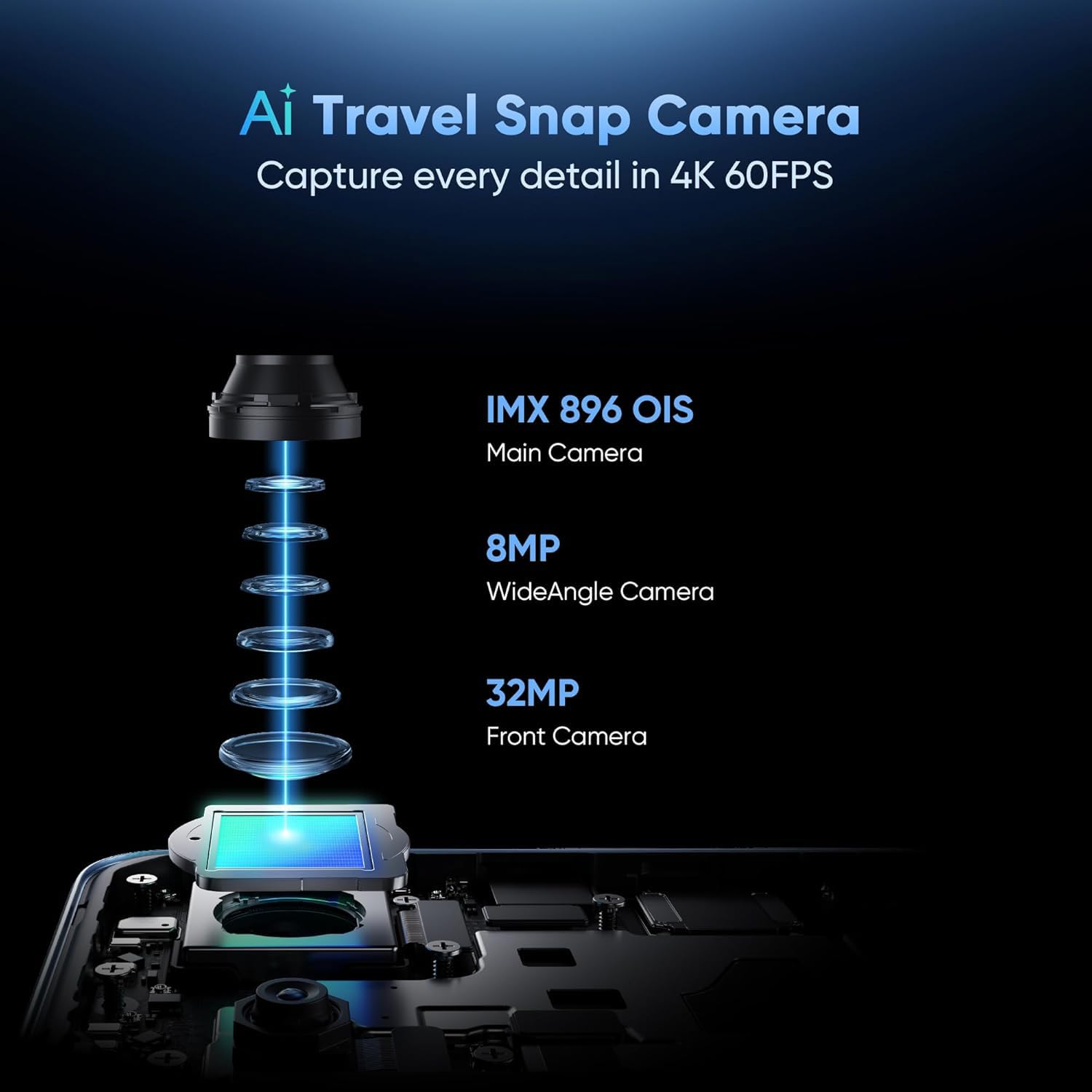
Image: Diagram illustrating the components of the realme GT 7T's AI Camera system, including the 50MP OIS main camera, 8MP wide-angle camera, and 32MP front camera.
4.4. ബാറ്ററിയും ചാർജിംഗും
The device is equipped with a 7000mAh battery. It supports 120W UltraDART/SuperVOOC fast charging, allowing for rapid recharging.
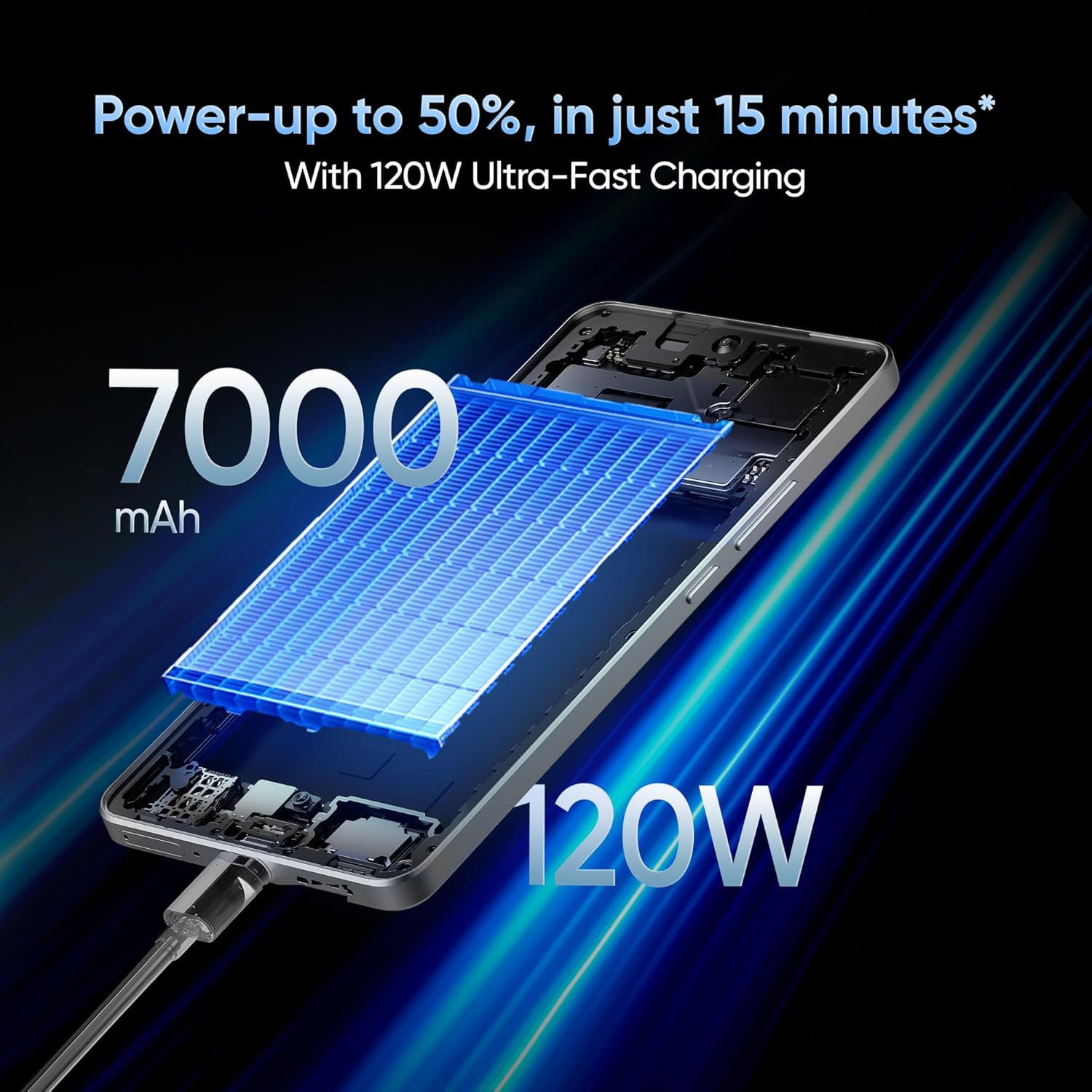
Image: Illustration depicting the 120W fast charging capability of the realme GT 7T Smartphone.
4.5. കണക്റ്റിവിറ്റി
The realme GT 7T supports various connectivity options including Bluetooth, NFC, USB, and Wi-Fi. It also features Dual 5G SIM capability for enhanced network access.
5. പരിപാലനം
5.1. ഉപകരണം വൃത്തിയാക്കൽ
- സ്ക്രീനും ബോഡിയും വൃത്തിയാക്കാൻ മൃദുവായ, ലിന്റ് രഹിത തുണി ഉപയോഗിക്കുക.
- കഠിനമായ രാസവസ്തുക്കളോ ഉരച്ചിലുകളോ ഉപയോഗിക്കുന്നത് ഒഴിവാക്കുക.
- പോർട്ടുകൾ പൊടിയും അവശിഷ്ടങ്ങളും ഇല്ലാത്തതാണെന്ന് ഉറപ്പാക്കുക.
5.2. സോഫ്റ്റ്വെയർ അപ്ഡേറ്റുകൾ
മികച്ച പ്രകടനം, സുരക്ഷ, പുതിയ സവിശേഷതകളിലേക്കുള്ള ആക്സസ് എന്നിവ ഉറപ്പാക്കാൻ സോഫ്റ്റ്വെയർ അപ്ഡേറ്റുകൾ പതിവായി പരിശോധിച്ച് ഇൻസ്റ്റാൾ ചെയ്യുക. ഇതിലേക്ക് നാവിഗേറ്റ് ചെയ്യുക ക്രമീകരണങ്ങൾ > ഫോണിനെക്കുറിച്ച് > സോഫ്റ്റ്വെയർ അപ്ഡേറ്റ് ലഭ്യമായ അപ്ഡേറ്റുകൾ പരിശോധിക്കാൻ.
6. പ്രശ്നപരിഹാരം
6.1. ഉപകരണം ഓണാക്കുന്നില്ല
- ബാറ്ററി ചാർജ്ജ് ചെയ്തിട്ടുണ്ടെന്ന് ഉറപ്പാക്കുക. കുറഞ്ഞത് 10 മിനിറ്റെങ്കിലും ഉപകരണം ചാർജറുമായി ബന്ധിപ്പിക്കുക.
- നിർബന്ധിതമായി റീബൂട്ട് ചെയ്യാൻ പവർ ബട്ടൺ 10-15 സെക്കൻഡ് അമർത്തിപ്പിടിക്കുക.
6.2. ചാർജിംഗ് പ്രശ്നങ്ങൾ
- Verify that the charger and USB cable are securely connected and undamaged.
- Use the original realme charger and cable for optimal charging performance.
- Try charging from a different power outlet.
6.3. നെറ്റ്വർക്ക് കണക്റ്റിവിറ്റി പ്രശ്നങ്ങൾ
- സിം കാർഡ് ശരിയായി ചേർത്തിട്ടുണ്ടോ എന്ന് പരിശോധിക്കുക.
- മൊബൈൽ ഡാറ്റ പ്രവർത്തനക്ഷമമാക്കിയിട്ടുണ്ടെന്ന് ഉറപ്പാക്കുക ക്രമീകരണങ്ങൾ > മൊബൈൽ നെറ്റ്വർക്ക്.
- ഉപകരണം പുനരാരംഭിക്കുക.
- നെറ്റ്വർക്ക് ക്രമീകരണങ്ങൾ പുനഃസജ്ജമാക്കുക: ക്രമീകരണങ്ങൾ > സിസ്റ്റം > റീസെറ്റ് ഓപ്ഷനുകൾ > വൈഫൈ, മൊബൈൽ, ബ്ലൂടൂത്ത് എന്നിവ റീസെറ്റ് ചെയ്യുക.
7 സ്പെസിഫിക്കേഷനുകൾ
| ഫീച്ചർ | സ്പെസിഫിക്കേഷൻ |
|---|---|
| മോഡൽ നമ്പർ | Realme GT 7T |
| ഓപ്പറേറ്റിംഗ് സിസ്റ്റം | ആൻഡ്രോയിഡ് 15 |
| റാം | 8 ജിബി |
| പ്രോസസ്സർ | MediaTek Dimensity 8400-MAX |
| പ്രദർശിപ്പിക്കുക | 6.8-inch, 1.5K, 120Hz Refresh Rate |
| റെസലൂഷൻ | 1440 x 720 |
| പ്രധാന ക്യാമറ | 50MP OIS AI Camera |
| ബാറ്ററി ശേഷി | 7000mAh |
| ചാർജിംഗ് | 120W UltraDART/SuperVOOC Fast Charge |
| കണക്റ്റിവിറ്റി | Bluetooth, NFC, USB, Wi-Fi, Dual 5G SIM |
| ഉൽപ്പന്ന അളവുകൾ | 16.24 x 7.6 x 0.82 സെ.മീ |
| ഇനത്തിൻ്റെ ഭാരം | 202 ഗ്രാം |
| നിറം | മഞ്ഞ |
8. വാറൻ്റിയും പിന്തുണയും
Your realme GT 7T Smartphone is covered by a manufacturer's warranty. For detailed warranty terms and conditions, please refer to the warranty card included in your product packaging or visit the official realme webസൈറ്റ്.
For technical support, service, or inquiries, please contact realme customer service. The manufacturer of this device is realme, and the importer in India is Oppo Mobiles India Private Limited.
നിർമ്മാതാവ്: റിയൽമി
ഇറക്കുമതിക്കാരൻ (ഇന്ത്യ): Oppo Mobiles India Private Limited, 5th Floor, Tower-B, Building No. 8, DLF Cyber City, Gurugram, Haryana-122002, India


