ഉൽപ്പന്നം കഴിഞ്ഞുview
The DEEGO 120-Capacity DVD/CD Storage Case is designed for organizing and protecting your disc collection. It features a compact design, a security lock, and additional storage for accessories, making it suitable for various environments.
പ്രധാന സവിശേഷതകളിൽ ഇവ ഉൾപ്പെടുന്നു:
- 120-Disc Capacity: Holds up to 120 CDs, DVDs, or game discs across 30 inner pages.
- ഒതുക്കമുള്ളതും പോർട്ടബിൾ: Measures 12"L x 7"W x 3.5"H, with a sturdy handle for easy transport.
- മെച്ചപ്പെടുത്തിയ സംരക്ഷണം: Features a built-in combination lock and flame-retardant materials for added security and disc safety.
- Smart Multi-Slot Design: Includes integrated slots for a USB drive, SD card, and AirTag, plus two front mesh pockets for small accessories and a dedicated rear pocket for valuable items.
- Anti-Slip Sleeves: Inner pages are designed to keep discs securely in place, reducing movement and potential surface scratches.
ഉൽപ്പന്ന സവിശേഷതകൾ

The case features 30 inner pages, providing storage for up to 120 discs, including CDs, DVDs, and game discs.

Smart multi-slot design includes dedicated spaces for a USB drive, SD card, and AirTag, along with mesh pockets for accessories.

A 3-digit security lock provides protection for your disc collection, complemented by smooth zippers.
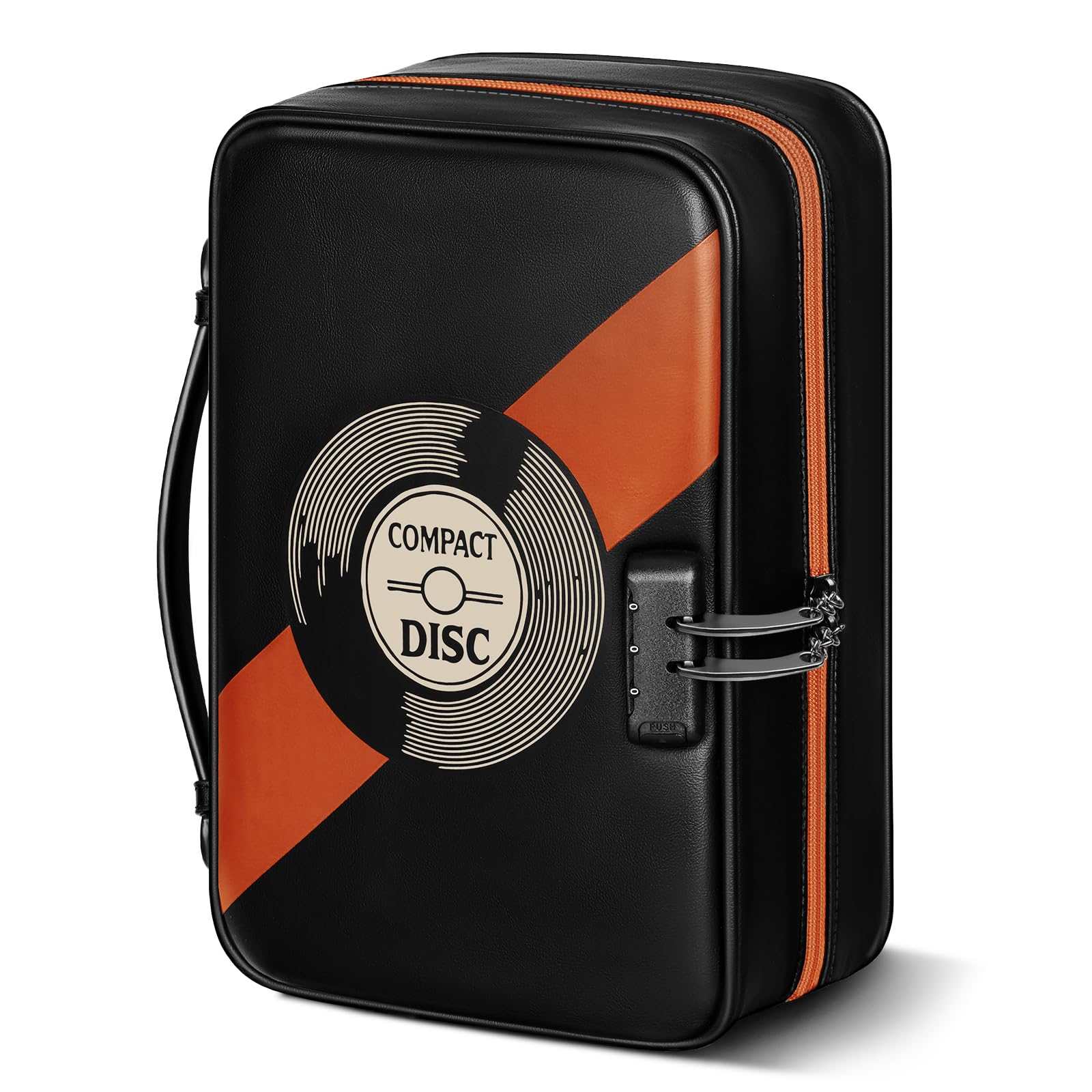
The sturdy handle allows for easy portability, making it convenient for travel or moving between locations.
വീഡിയോ പ്രദർശനം
This video demonstrates the features of the DEEGO DVD CD Storage Case, including its 3-digit security lock, smooth zipper, 120-disc capacity, smart multi-slot design for USB drives, SD cards, and AirTags, and its durable handle for portability.
Setup: Setting the Combination Lock
The DEEGO storage case comes with a 3-digit combination lock to secure your discs. Follow these steps to set your personal code:
- ലോക്ക് തുറക്കുക: The lock is factory-set to 0-0-0. Ensure the current combination is set to 0-0-0 and press the release button to open the lock.
- Locate Adjustment Button: With the lock open, find the small adjustment button or lever, usually on the side or bottom of the lock mechanism.
- Slide Adjustment Button: Use a pen or a small pointed object to slide the adjustment button in the direction indicated by an arrow. Hold it in this position.
- Set Your Code: While holding the adjustment button, rotate the number dials to your desired 3-digit combination. Choose a memorable code.
- Release Adjustment Button: Once your new code is set, release the adjustment button. Your new combination is now active.
- ലോക്ക് പരിശോധിക്കുക: Scramble the numbers and then enter your new code to ensure it opens correctly.
പ്രധാനപ്പെട്ടത്: Remember your combination. There is no master key or override if the code is forgotten.

Visual guide for setting your personal 3-digit combination lock.
പ്രവർത്തന നിർദ്ദേശങ്ങൾ
Inserting and Removing Discs
- Open the case using your set combination.
- Gently slide discs into the anti-slip sleeves. Ensure the disc is fully seated to prevent it from falling out.
- To remove a disc, gently pull it out from the sleeve. Avoid bending the disc or forcing it.
Utilizing Multi-Slots and Pockets
- USB/SD Card Slots: Insert your USB drives and SD cards into their designated elastic loops for secure storage.
- വായുTag അനുയോജ്യത: A dedicated slot is provided for an AirTag, allowing you to track your case.
- മെഷ് പോക്കറ്റുകൾ: Use the two front mesh pockets for small accessories like cleaning cloths, headphones, or small cables.
- Dedicated Rear Pocket: Store valuable or special edition discs, liner notes, or small documents in the rear pocket for extra protection and separation.
മെയിൻ്റനൻസ്
- പുറം വൃത്തിയാക്കൽ: Wipe the leather exterior with a soft, damp cloth. For stubborn stains, use a mild leather cleaner. Avoid harsh chemicals.
- Cleaning Interior Sleeves: If disc sleeves become dusty, gently wipe them with a dry, lint-free cloth. Do not use liquids directly on the sleeves while discs are inside.
- ഡിസ്ക് പരിചരണം: Always handle discs by their edges. Store them in the sleeves when not in use to prevent scratches and dust accumulation.
- സംഭരണം: Store the case in a cool, dry place away from direct sunlight and extreme temperatures to preserve the material and discs.
ട്രബിൾഷൂട്ടിംഗ്
ലോക്ക് പ്രശ്നങ്ങൾ
- ലോക്ക് തുറക്കുന്നില്ല: Ensure you are entering the correct 3-digit combination. If you recently changed it, try the new code. If forgotten, there is no reset method; the lock may need to be replaced or carefully bypassed.
- Zipper Jamming: The zippers are designed to be smooth. If a zipper jams, avoid forcing it. Gently pull the zipper tab back and forth, ensuring no fabric is caught.
Disc Storage Issues
- Discs Falling Out: Ensure discs are fully inserted into the anti-slip sleeves. The sleeves are designed to hold discs securely, but improper insertion can lead to slippage.
- Scratches on Discs: Always insert and remove discs carefully. Avoid overfilling sleeves or forcing multiple discs into a single slot.
സ്പെസിഫിക്കേഷനുകൾ
| ഉൽപ്പന്ന അളവുകൾ | 12 x 7 x 3.5 ഇഞ്ച് |
| ഇനത്തിൻ്റെ ഭാരം | 1.39 പൗണ്ട് |
| മോഡൽ നമ്പർ | 987600BRD |
| ശേഷി | 120 Discs (CDs, DVDs, Blu-rays, Game Discs) |
| മെറ്റീരിയൽ | Leather exterior, flame-retardant fabric |
ബോക്സിൽ എന്താണുള്ളത്
Your DEEGO 120-Capacity DVD/CD Storage Case package includes:
- 1 x DEEGO 120-Capacity DVD/CD Storage Case with integrated lock
വാറൻ്റിയും പിന്തുണയും
For warranty information or product support, please refer to the documentation included with your purchase or contact DEEGO customer service through the retailer where the product was purchased. Keep your purchase receipt for warranty claims.


